If you’ve felt like everyone around you suddenly has an AI tool for everything, you’re not imagining it. Marketers use one to draft campaigns. Developers use another to ship code faster. Students use them to study smarter, not just to cut corners.
This shift didn’t happen because AI got trendy. It happened because the tools finally got good enough to save real time on real work.
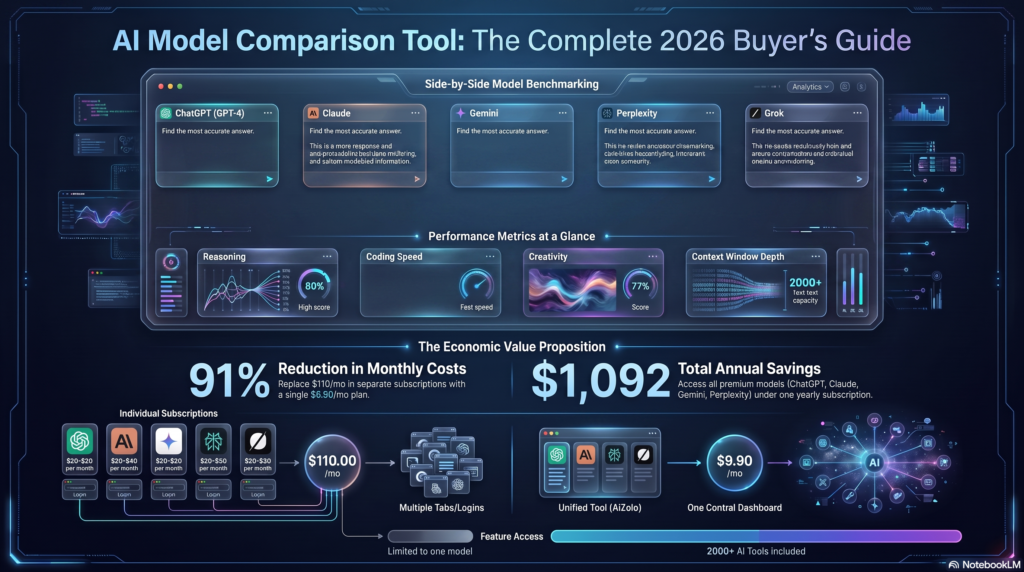
This guide breaks down the AI tools everyone is using right now — what they actually do, who they’re genuinely built for, what they cost, and where they fall short. Aizolo also explores how these tools compare in real-world use, with no filler, no hype, and no pretending every tool is a “game changer.”
You’ll find categorized breakdowns, comparison tables, profession-specific recommendations, and a straight answer on free versus paid options. Whether you’re a student on a tight budget, a freelancer juggling five clients, or a founder trying to keep software costs under control, there’s a section here written for you.
Let’s get into it.
Table of Contents
What Are AI Tools Everyone Is Using?
“AI tools everyone is using” refers to the small set of applications that have moved past early-adopter status and into everyday, mainstream use — across writing, coding, image and video generation, research, meetings, and automation.
Quick answer: These are AI-powered applications — like ChatGPT, Claude, Midjourney, GitHub Copilot, and Notion AI — that have become standard parts of daily workflows for millions of professionals, students, and businesses because they save measurable time on common tasks.
What separates these tools from the thousands of AI apps launched every year is simple: consistent usefulness. They solve a specific problem well enough, often enough, that people keep coming back without being told to.
Why These AI Tools Became So Popular
A few forces pushed AI tools from novelty to necessity.
1. The output quality crossed a threshold. Early AI writing and image tools produced work that needed heavy editing. Current-generation models produce first drafts good enough to build on directly.
2. Pricing became accessible. Most major tools now offer usable free tiers, with paid plans priced closer to a streaming subscription than enterprise software.
3. Integration reduced friction. AI features are now built directly into tools people already use — Google Workspace, Microsoft 365, Slack, Figma — removing the need to learn a separate platform.
4. Remote and hybrid work increased demand. Distributed teams lean harder on tools that summarize meetings, draft documents, and automate handoffs across time zones.
5. Word of mouth did the rest. Once a tool proves useful inside one team, it tends to spread through recommendation rather than advertising.
None of this means every AI tool is worth adopting. It means the ones that survived the hype cycle earned their place through actual utility.
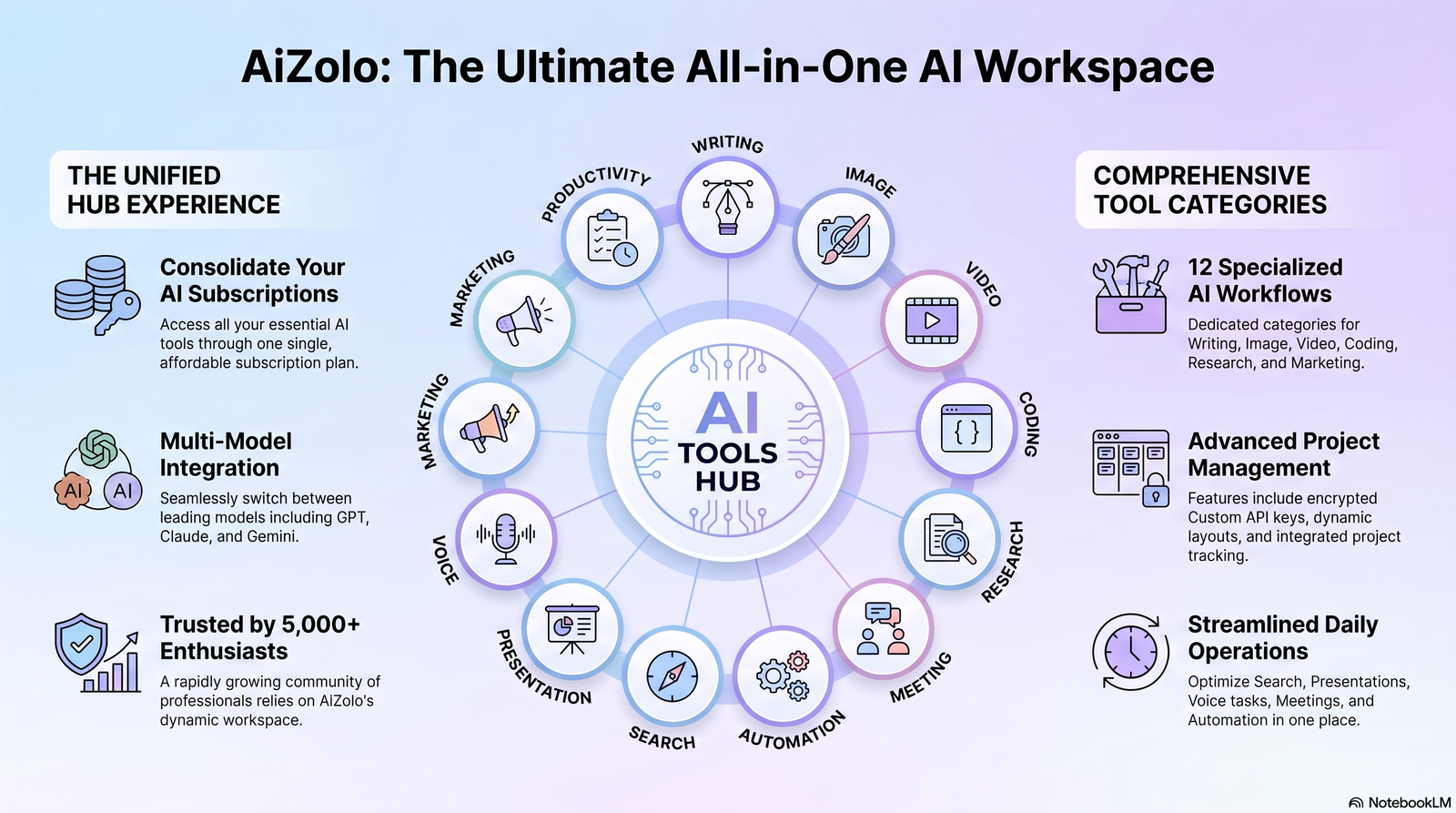
Categories of AI Tools Everyone Is Using
AI tools generally cluster into functional categories. Understanding these helps you avoid subscribing to five tools that all do the same thing.
Writing AI
Tools built for drafting, editing, summarizing, and rewriting text. Useful for emails, blog posts, reports, and long-form content. Examples include ChatGPT, Claude, Jasper, and Grammarly’s AI features.
Image AI
Tools that generate or edit images from text prompts. Used heavily in marketing, design, and content creation. Examples include Midjourney, Adobe Firefly, and Ideogram.
Video AI
Tools that generate, edit, or enhance video content, including AI avatars and auto-editing. Examples include Runway, Synthesia, and CapCut’s AI tools.
Coding AI
AI pair-programmers and code generators that autocomplete, explain, debug, and refactor code. Examples include GitHub Copilot, Cursor, and Claude Code.
Research AI
Tools designed for finding, summarizing, and synthesizing information from the web or documents. Examples include Perplexity, Elicit, and Consensus.
Meeting AI
Tools that transcribe, summarize, and extract action items from calls and meetings. Examples include Otter.ai, Fireflies, and Fathom.
Automation AI
Tools that connect apps and automate multi-step workflows without manual coding. Examples include Zapier, Make, and n8n.
Search AI
Conversational search engines that answer questions directly instead of returning a list of links. Examples include Perplexity and Google’s AI Overviews.
Presentation AI
Tools that turn outlines or prompts into formatted slide decks. Examples include Gamma, Beautiful.ai, and Canva‘s Magic Design.
Voice AI
Tools for text-to-speech, voice cloning, and voice-based assistants. Examples include ElevenLabs and Murf.
Marketing AI
Tools tailored for ad copy, campaign ideas, SEO content, and social media planning. Examples include Jasper, Copy.ai, and HubSpot’s AI features.
Productivity AI
General-purpose assistants embedded into workspaces for notes, planning, and task management. Examples include Notion AI, Motion, and ClickUp AI.
Best AI Tools Everyone Is Using in 2026
Here’s a comparison of the tools that show up most consistently across writing, coding, image, and productivity workflows.
| Tool | Best For | Pricing | Pros | Cons | Rating |
|---|---|---|---|---|---|
| ChatGPT | General writing & reasoning | Free / $20 per month | Versatile, huge plugin ecosystem, strong reasoning | Can be verbose, occasional inaccuracies | 4.6/5 |
| Claude | Long-document work & coding | Free / $20 per month | Strong at long context, careful reasoning, good writing tone | Free tier usage limits | 4.7/5 |
| Midjourney | High-quality image generation | From $10 per month | Best-in-class visual quality | Discord-based workflow, no free tier | 4.5/5 |
| GitHub Copilot | In-editor code completion | $10 per month | Deep IDE integration, fast suggestions | Less useful for architecture-level decisions | 4.4/5 |
| Perplexity | Research & sourced answers | Free / $20 per month | Cites sources, fast factual answers | Less creative than chat-first tools | 4.3/5 |
| Notion AI | Notes, docs & planning | Add-on from $8 per month | Built into existing workspace | Add-on cost stacks with Notion plan | 4.2/5 |
| Runway | AI video generation & editing | From $12 per month | Powerful video generation tools | Steeper learning curve | 4.1/5 |
| Otter.ai | Meeting transcription | Free / $16.99 per month | Accurate transcripts, action items | Struggles with heavy crosstalk | 4.2/5 |
| Zapier | No-code automation | Free / $19.99 per month | Huge app library, easy setup | Costs scale fast with volume | 4.3/5 |
| Gamma | AI presentations | Free / $10 per month | Fast, polished slide generation | Limited design customization | 4.2/5 |
Pricing reflects publicly listed starting tiers and may change; always confirm current pricing on the provider’s site before purchasing.
Detailed Reviews
ChatGPT– ChatGPT remains the most recognized name in AI, and for good reason. It handles brainstorming, drafting, coding help, and general Q&A in one interface. Its plugin and custom GPT ecosystem lets teams build specialized workflows without writing code.
Limitations: Responses can be overly long by default, and factual claims still need verification for anything high-stakes.
Ideal users: Generalists who want one tool for many tasks — students, marketers, and small business owners.
Alternatives: Claude, Google Gemini.
Claude Claude has become the preferred tool for people working with long documents, contracts, or codebases, largely because of its ability to hold and reason over large amounts of context without losing the thread.
Limitations: The free tier has tighter usage caps than some competitors.
Ideal users: Developers, writers handling long-form content, and teams reviewing lengthy documents.
Alternatives: ChatGPT, Gemini.
Midjourney Midjourney continues to set the bar for AI-generated image quality, particularly for stylized, artistic, and concept-art work used in marketing and design.
Limitations: It runs primarily through Discord, which is an unfamiliar workflow for non-technical users, and there’s no free tier.
Ideal users: Designers, marketers, and creators who need high-end visuals fast.
Alternatives: Adobe Firefly, Ideogram.
GitHub Copilot Copilot lives inside the code editor and suggests completions in real time, which makes it feel less like a separate tool and more like an upgraded keyboard.
Limitations: It’s strongest at line-by-line suggestions, weaker at higher-level architectural reasoning.
Ideal users: Developers who want to speed up routine coding without switching context.
Alternatives: Cursor, Claude Code.
Perplexity Perplexity functions like a search engine that answers in full sentences and shows its sources, which makes it useful for research that needs to be checked and cited.
Limitations: It’s less suited to creative or long-form writing tasks than chat-first tools.
Ideal users: Researchers, students, and analysts who need sourced, current information.
Alternatives: Google AI Overviews, ChatGPT with browsing.
Notion AI Notion AI is built directly into the Notion workspace, which means it works on the same notes, docs, and databases teams already use, instead of requiring a copy-paste workflow into a separate app.
Limitations: It’s an add-on cost on top of a Notion plan, so it can feel expensive for people who only need occasional AI help.
Ideal users: Teams already living inside Notion for documentation, planning, and knowledge bases.
Alternatives: ChatGPT with a browser extension, ClickUp AI.
Runway Runway is one of the more capable tools for AI video generation and editing, offering features like text-to-video, video-to-video style transfer, and green-screen removal without traditional editing software.
Limitations: The feature set is deep enough that it takes real time to learn, and rendering credits can run out quickly with heavy use.
Ideal users: Video editors, content creators, and marketing teams producing short-form video at volume.
Alternatives: Synthesia for talking-head videos, CapCut for lighter editing needs.
Otter.ai Otter.ai transcribes meetings in real time and generates summaries with action items, which removes the need for someone to manually take notes on every call.
Limitations: Accuracy drops in meetings with heavy crosstalk or poor audio quality.
Ideal users: Teams with a high volume of recurring calls who need a searchable record of what was discussed.
Alternatives: Fireflies, Fathom.
Zapier Zapier connects thousands of apps so that actions in one tool automatically trigger tasks in another, without writing custom code. Its AI features now let users describe an automation in plain language instead of building it step by step.
Limitations: Costs scale quickly as automation volume grows, which can catch fast-growing teams off guard.
Ideal users: Businesses looking to eliminate repetitive manual data entry between tools.
Alternatives: Make, n8n for more technical, self-hosted setups.
Gamma Gamma turns a short outline or prompt into a formatted, presentation-ready slide deck in minutes, cutting out the manual design work of building slides from scratch.
Limitations: Design customization is more limited than dedicated tools like PowerPoint or Canva for highly branded decks.
Ideal users: Anyone who needs a clean, professional deck fast — sales teams, founders pitching investors, and educators.
Alternatives: Beautiful.ai, Canva Magic Design.
AI Tools Everyone Is Using by Profession
Different roles need different tools. Here’s what tends to fit best by profession.
Students
Best fits: ChatGPT for study help, Perplexity for research, Notion AI for organizing notes.
Freelancers
Best fits: Claude for client deliverables, Canva Magic Design for quick visuals, Zapier for automating invoicing and follow-ups.
Developers
Best fits: GitHub Copilot or Cursor for daily coding, Claude Code for larger refactors and debugging sessions.
Content Creators
Best fits: Midjourney or Adobe Firefly for visuals, CapCut AI for video editing, ChatGPT for scripting and captions.
Businesses
Best fits: Notion AI for internal knowledge management, Zapier for cross-tool automation, Otter.ai for meeting records.
Marketing Agencies
Best fits: Jasper or Copy.ai for client campaigns at scale, Gamma for pitch decks, Perplexity for competitive research.
Sales Teams
Best fits: Fireflies or Fathom for call summaries, ChatGPT for outreach drafting, HubSpot AI for pipeline insights.
Researchers
Best fits: Elicit or Consensus for literature review, Perplexity for fast sourced answers.
Designers
Best fits: Midjourney for concepting, Adobe Firefly for production-safe assets, Figma AI for layout suggestions.
Startups
Best fits: A lean stack — one writing tool, one automation tool, one meeting tool — to avoid early-stage subscription sprawl.
Enterprise Teams
Enterprise adoption looks different from individual adoption. The priority shifts from “which tool is smartest” to “which tool is governable.”
Best fits: Enterprise-tier plans with admin controls, audit logs, and data retention policies — usually the business tiers of ChatGPT, Claude, or Microsoft Copilot, paired with a single sanctioned automation platform.
The extra cost of an enterprise plan over a personal one is usually justified by the security and compliance features it unlocks, not by smarter output. IT and security teams should be involved before any AI tool touches customer data.
How to Choose the Right AI Tool for Your Workflow
With dozens of credible options in every category, picking the right one comes down to four questions.
1. What task are you actually trying to speed up? Be specific. “I want to draft first versions of client emails faster” points to a different tool than “I want to generate marketing visuals.”
2. How often will you use it? Daily use justifies a paid plan almost immediately. Occasional use rarely does — stick with free tiers until usage increases.
3. Does it integrate with your existing tools? A tool that fits into your current workspace (email, docs, Slack) will get used far more consistently than one that requires switching context constantly.
4. What happens to your data? Before uploading anything sensitive, check the tool’s data retention and training policy. Reputable providers publish this clearly; if you can’t find it in two minutes, treat that as a red flag.
Running your shortlist through these four questions usually narrows five candidate tools down to one or two worth actually trying.
Free vs Paid AI Tools
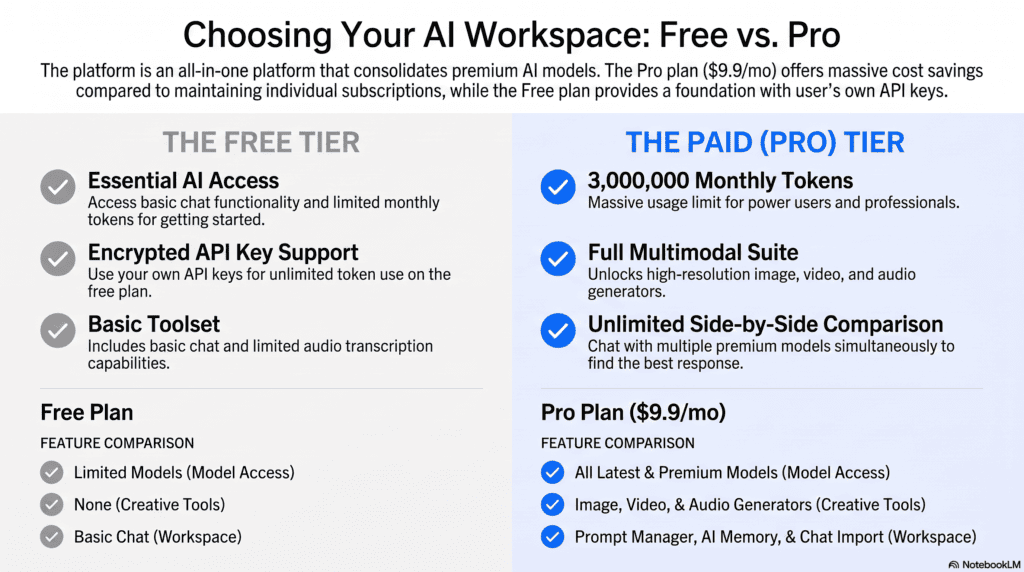
Most major AI tools now follow a freemium model. The question isn’t really “free or paid” — it’s “when does paid start paying for itself.”
| Factor | Free Tools | Paid Tools |
|---|---|---|
| Usage limits | Capped daily/monthly | Higher or unlimited |
| Model quality | Often an older or lighter model | Access to the latest, most capable model |
| Speed | Can be throttled at peak times | Priority access |
| Features | Core functionality only | Advanced features (longer context, integrations, priority support) |
| Best for | Occasional use, testing tools | Daily professional use |
Benefits of free tools: Zero financial risk, good for testing whether a tool fits your workflow before committing.
Limitations of free tools: Usage caps interrupt workflow, and free tiers often use lighter models with lower output quality.
ROI of paid tools: If a $20/month tool saves even two hours of work a month, it pays for itself for most professional hourly rates. The math gets stronger the more frequently the tool is used.
AI Tools That Save the Most Money
The biggest savings rarely come from the tool itself — they come from what it replaces or consolidates.
Subscription consolidation: A single AI writing tool can replace separate subscriptions for a grammar checker, a summarizer, and a basic content generator.
Workflow improvements: Automation tools like Zapier cut out manual data entry between apps, which reduces hours spent on repetitive admin work.
Automation: Meeting AI tools remove the need for a dedicated note-taker on every call, freeing that person for other work.
Team productivity: Shared AI workspaces (like Notion AI) reduce duplicated effort across team members working on similar documents.
The real savings show up when a business audits its existing AI spend and cuts overlapping tools — many teams find they’re paying for three tools that do the same job.
Common Mistakes When Adopting AI Tools
Tool overload. Signing up for every new AI app leads to scattered workflows and forgotten subscriptions.
Duplicate subscriptions. Paying for both ChatGPT Plus and a separate writing tool that does the same job is a common, avoidable cost.
Poor prompting. Vague prompts produce vague output. Specific instructions with context and examples produce dramatically better results.
Privacy issues. Pasting confidential client or company data into a public AI tool without checking its data policy is a real risk.
Hallucinations. AI tools can state incorrect information confidently. Anything factual or numeric should be verified before use.
Security concerns. Free browser extensions claiming to be “AI tools” are a common vector for data harvesting. Stick to verified, official sources.
Future Trends in AI Tools
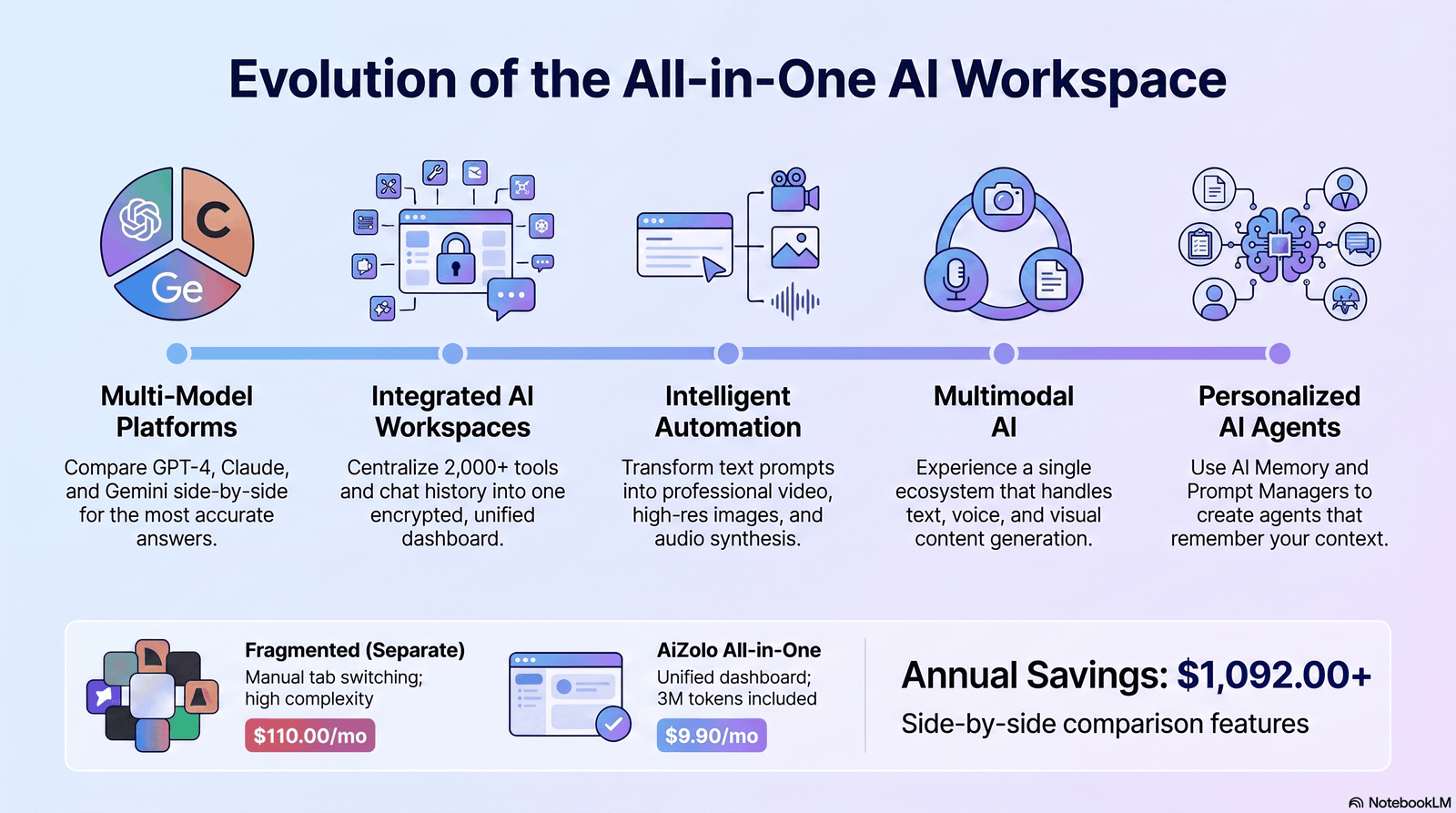
AI agents: Tools are moving from answering questions to completing multi-step tasks autonomously, like booking, researching, and drafting without step-by-step prompting.
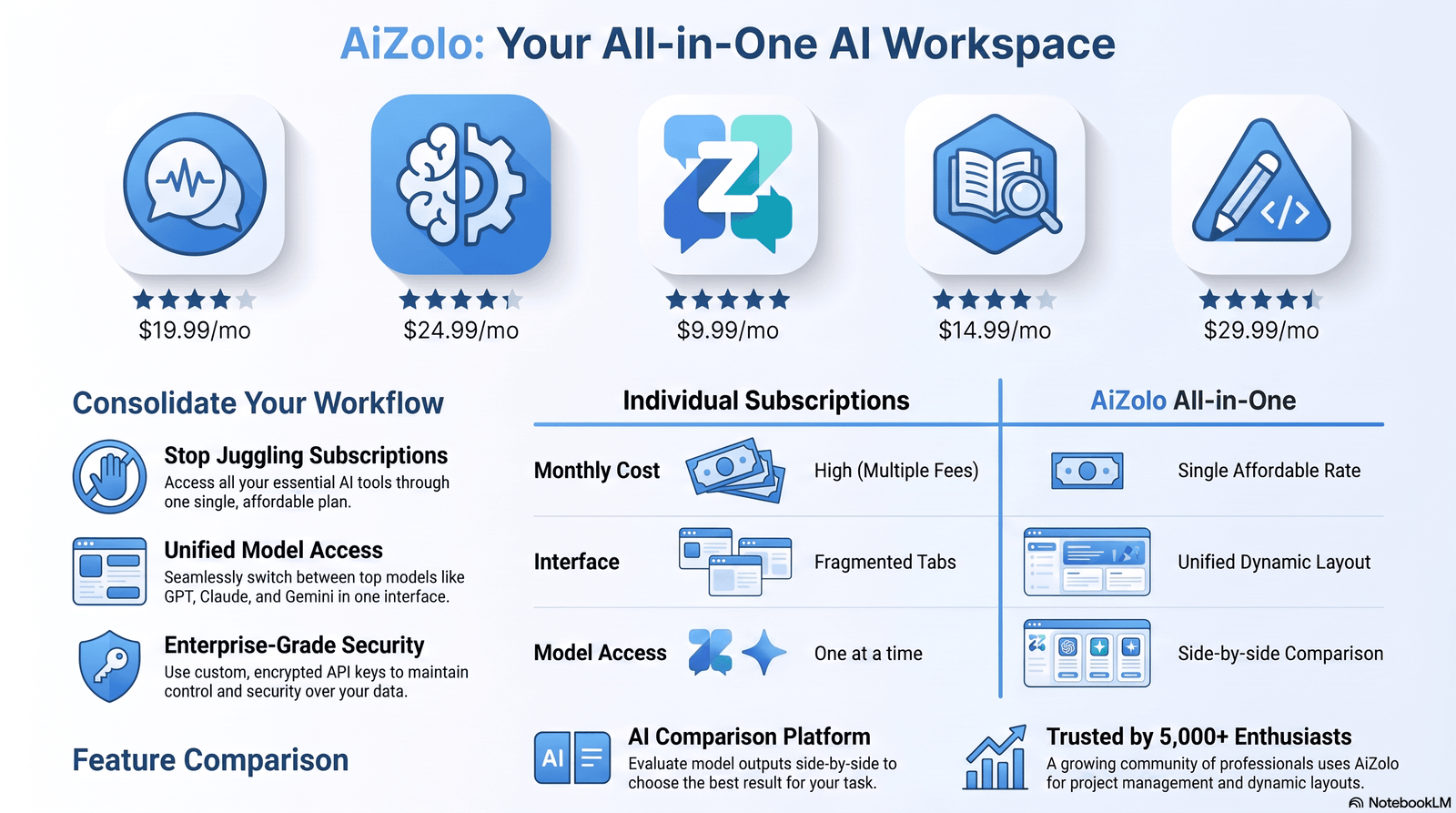
Multi-model platforms: More products are letting users switch between different AI models inside one interface, rather than locking users into a single provider.
AI workspaces: Instead of standalone AI apps, AI is being woven directly into existing productivity suites and workspaces.
Automation: No-code automation tools are increasingly AI-assisted, letting users describe a workflow in plain language instead of building it manually.
Multimodal AI: Tools that combine text, image, audio, and video understanding in a single interface are becoming the norm rather than the exception.
Frequently Asked Questions
What are the AI tools everyone is using right now? The most widely used AI tools span writing (ChatGPT, Claude), image generation (Midjourney), coding (GitHub Copilot), and research (Perplexity), chosen for reliability and daily usefulness rather than novelty.
Is ChatGPT still the most popular AI tool? ChatGPT remains one of the most recognized AI tools due to its broad feature set and name recognition, though tools like Claude and Gemini have closed the gap for specific use cases like long-document work.
Which AI tool is best for beginners? ChatGPT’s free tier is generally the easiest starting point because of its simple interface and wide task coverage, making it a low-risk way to learn how AI tools fit into daily work.
Are free AI tools good enough for professional use? Free tiers work well for light or occasional use, but usage caps and older models often make paid plans necessary for daily professional workflows.
What’s the difference between ChatGPT and Claude? ChatGPT tends to be more general-purpose and plugin-rich, while Claude is often preferred for long-context tasks like reviewing lengthy documents or codebases.
Which AI tool is best for coding? GitHub Copilot is the most widely adopted for in-editor code completion, while Claude Code and Cursor are favored for larger refactoring and debugging tasks.
Can AI tools replace a full-time employee? AI tools are best used to reduce time spent on repetitive tasks, not to fully replace roles that require judgment, relationship management, or accountability.
Are AI-generated images safe to use commercially? Commercial usage rights vary by tool and plan; always check the specific licensing terms of the platform before using generated images commercially.
How much should a small business budget for AI tools? Most small teams can cover core needs — writing, meeting notes, and basic automation — for roughly $50–$100 per month total by choosing one tool per category instead of overlapping subscriptions.
What is the biggest risk of using AI tools at work? The most common risk is pasting sensitive or confidential information into a public AI tool without reviewing its data retention and privacy policy.
Do AI tools make mistakes? Yes. All current AI tools can produce incorrect or outdated information confidently, so factual claims should always be independently verified.
Which AI tool is best for research? Perplexity is widely used for research because it cites sources directly in its answers, making it easier to verify claims.
What’s the best free AI tool for students? ChatGPT’s free tier and Perplexity are both strong starting points for students, covering writing help and sourced research respectively.
Are AI meeting tools worth it for small teams? For teams with frequent calls, meeting AI tools like Otter.ai or Fireflies typically pay for themselves quickly by removing the need for manual note-taking.
How often do AI tools update their models? Major providers typically release model updates every few months, so it’s worth periodically re-testing tools you dismissed earlier, since capabilities change quickly.
Final Verdict
There’s no single “best AI tool — only the best tool for your specific workload and budget.
For beginners: Start with ChatGPT’s free tier. It’s the lowest-friction way to learn what AI tools can realistically do for you.
For professionals: Claude or ChatGPT Plus for daily writing and reasoning tasks, paired with a category-specific tool (Copilot for code, Midjourney for visuals) based on your role.
For businesses: Standardize on one tool per category — one writing assistant, one automation platform, one meeting tool — to avoid subscription overlap.
For teams: Prioritize tools with strong collaboration features and admin controls, like Notion AI or a business-tier plan of your core writing tool.
For budget users: Lean on free tiers and consolidate before upgrading. Most people don’t need five paid AI subscriptions — they need one or two used well.
For power users: Invest in the paid tier of your primary tool first, since deeper usage limits and better models compound in value the more you rely on them daily.
The tools will keep changing. The principle won’t: pick tools that solve a real, recurring problem, use them consistently, and reassess every few months rather than chasing every new release.
Author Bio
Jeevesh Tripathi AI Researcher & SEO Content Strategist at Aizolo
Jeevesh Tripathi specializes in artificial intelligence, SaaS platforms, SEO, automation, and emerging technology trends. His research-driven articles focus on helping businesses, marketers, freelancers, and creators make informed decisions using practical insights, real-world comparisons, and evidence-based recommendations. Every guide is written with Google’s EEAT principles in mind, emphasizing accuracy, transparency, and user-first content.
Email: jeevesh@aizolo.com