
Table of Contents
Introduction
Writing 200 product descriptions by hand is nobody’s idea of a good week.
You know the copy needs to sell. It also needs to rank. Most store owners don’t have time for both.
That gap is exactly why a Shopify product description AI generator has become a standard tool in modern ecommerce, not a novelty.
Used well, Aizolo cuts drafting time from hours to minutes. Used badly, it produces bland, repetitive copy that Google’s Helpful Content System is specifically designed to demote.
This guide covers both sides honestly.
You’ll learn how these tools actually work, which features matter, how to prompt them properly, where they fall short, and how to build a workflow that keeps a human in the loop — because that’s still the part that makes the copy trustworthy.
By the end, you’ll have a repeatable process, not just a list of app names.
What Is a Shopify Product Description AI Generator?
A Shopify product description AI generator is software that uses a large language model to draft product copy from basic inputs — product name, attributes, audience, and tone.
Most run as Shopify apps, connecting directly to your product catalog.
Some are standalone tools where you paste details and copy the output back into Shopify manually.
What It Actually Does
- Turns raw specs into readable, benefit-led copy
- Applies a chosen tone (playful, luxury, technical, minimal)
- Suggests SEO title tags and meta descriptions
- Bulk-generates descriptions across large catalogs
- Offers variations for A/B testing
What It Doesn’t Do
- Verify factual claims about your product
- Understand your brand history the way you do
- Guarantee search rankings
- Replace editorial judgment
Think of it as a fast first-draft writer, not a finished-copy machine.
How AI Generates Shopify Product Descriptions
Understanding the mechanics helps you get better output, not just faster output.
The Basic Pipeline
- Input collection — product title, specs, category, keywords, tone
- Prompt construction — the app wraps your inputs in a structured prompt template
- Model generation — an LLM (often GPT- or Claude-class) produces draft text
- Post-processing — some apps auto-insert keywords, format bullet points, or check length
- Output delivery — text populates directly into the Shopify product editor or a review queue
Why Input Quality Matters
The model has no independent knowledge of your product. It only knows what you tell it.
Vague input like “blue water bottle” produces generic output.
Detailed input — capacity, material, insulation time, target use case — produces copy that actually sounds like it was written by someone who held the product.
This is the single biggest lever store owners underuse.
Benefits for Ecommerce Stores
Speed at Scale
Writing 500 descriptions manually might take three weeks. A well-prompted AI workflow can produce first drafts in an afternoon.
That’s not an exaggeration — it’s the reason most multi-SKU stores adopted these tools in the first place.
Consistency Across Categories
Human writers drift in tone over long catalogs. AI holds a set voice steadily, which matters for brand consistency.
Lower Cost Per Product Page
Freelance copywriters typically charge per description. AI tools reduce that cost dramatically for high-volume catalogs, freeing budget for editing and strategy instead.
Faster Testing
Because generating variations is cheap, you can A/B test different angles — feature-led vs. benefit-led, short vs. long — much faster than with manual writing.
Reduced Launch Friction
New product lines can go live faster because copy isn’t the bottleneck it used to be.
Features to Look For
Not all Shopify AI description tools are built the same. Here’s what separates a genuinely useful one from a gimmick.
| Feature | Why It Matters |
|---|---|
| Bulk generation | Essential for catalogs over 50 SKUs |
| Tone/brand voice presets | Keeps copy on-brand across products |
| SEO keyword integration | Helps target search terms without manual stuffing |
| Meta title/description generation | Saves a separate step |
| Multi-language support | Useful for international Shopify stores |
| Direct Shopify sync | Avoids copy-paste errors |
| Editable templates | Lets you enforce structure (features, materials, care) |
| Plagiarism/originality check | Protects against duplicate content issues |
| Human review workflow | Non-negotiable for quality control |
Avoid tools that only offer one-shot generation with no editing interface — you’ll spend more time fixing output than you saved.
How to Write Better AI Prompts
Prompt engineering for product copy is simpler than it sounds. The goal is specificity.
The Five-Part Prompt Framework
- Product facts — material, size, function, unique specs
- Audience — who buys this and why
- Tone — three adjectives max (e.g., “warm, confident, minimal”)
- Structure — short paragraph + bullet points, or pure bullets
- Constraint — word count, keyword to include, things to avoid
Weak vs. Strong Prompt
Weak: “Write a description for a yoga mat.”
Strong: “Write a 120-word Shopify description for a 6mm non-slip yoga mat made from natural tree rubber. Audience: intermediate yoga practitioners who value eco-friendly materials. Tone: calm, confident, minimal. Include one short paragraph and three bullet points. Naturally include the phrase ‘eco-friendly yoga mat’ once.”
The strong version gives the model almost everything it needs to sound specific instead of generic.
Best Practices for SEO-Friendly Product Descriptions
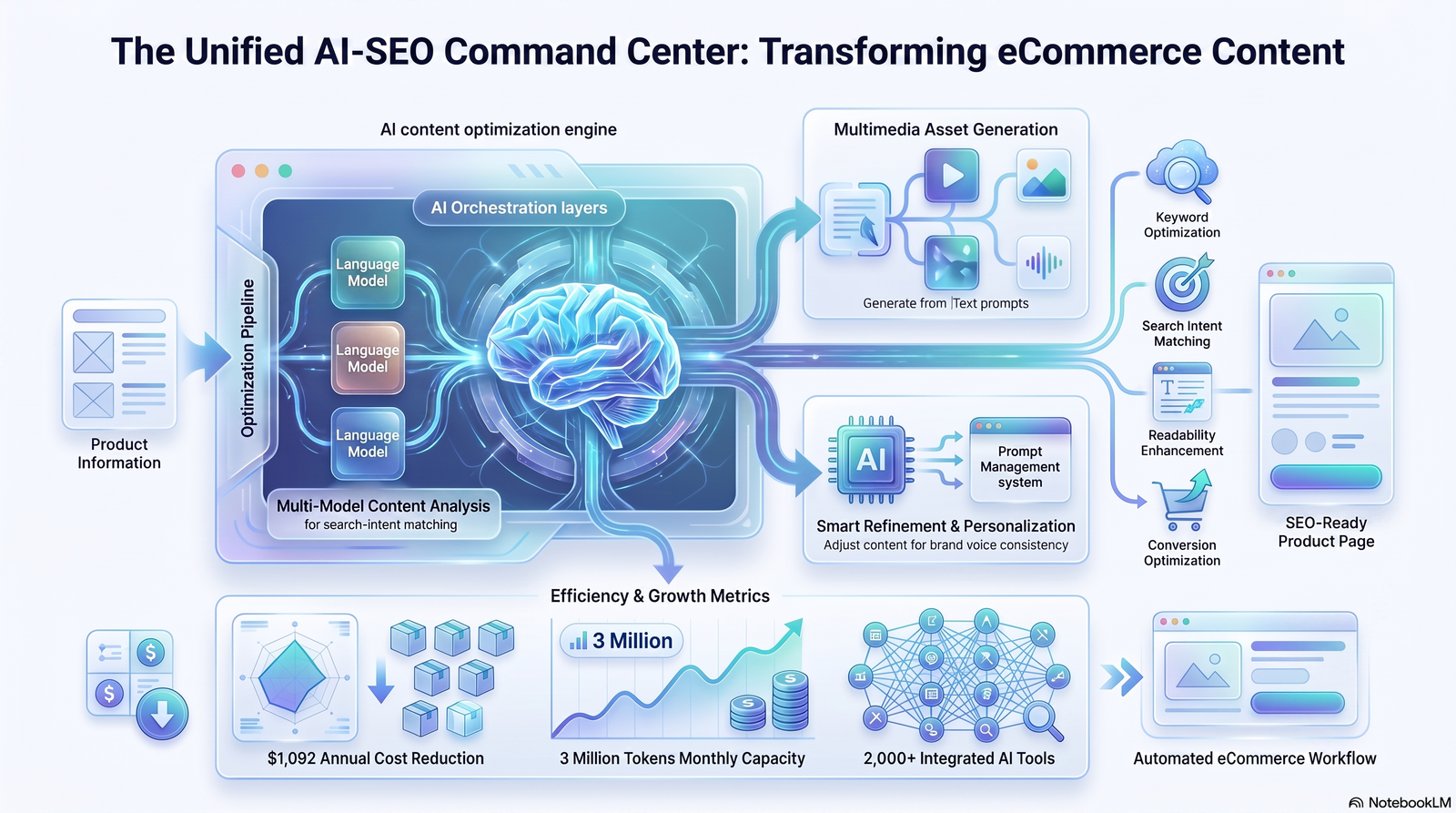
Keep the Primary Keyword Natural
If you’re optimizing a store page around Shopify product description AI generator as a topic (for a blog or tools page, not a product listing), keep usage natural — title, intro, one subheading, and the conclusion is plenty.
Write Unique Copy Per Variant
Duplicate content across color/size variants is one of the most common Shopify SEO mistakes. Even small unique details help.
Front-Load the Benefit
Search snippets often pull the first sentence. Make it count.
Use Structured Formatting
- Short paragraphs (2–3 lines)
- Bullet points for specs
- Bolded key benefits sparingly
Don’t Skip Meta Descriptions
AI tools that generate meta descriptions alongside body copy save a step most stores forget entirely.
AI vs Human Copywriting
| Factor | AI-Generated | Human-Written |
|---|---|---|
| Speed | Very fast | Slow |
| Cost per unit | Low | Higher |
| Brand nuance | Moderate, needs guidance | Strong |
| Factual accuracy | Requires verification | Generally reliable |
| Emotional storytelling | Limited without editing | Strong |
| Scalability | Excellent | Poor |
| Best use case | High-volume catalogs | Hero products, brand pages |
The realistic answer for most stores isn’t “AI or human” — it’s AI draft, human edit.
Common Mistakes to Avoid
- Publishing unedited output. First drafts read like first drafts.
- Keyword stuffing. Repeating a phrase unnaturally hurts both readability and rankings.
- Ignoring factual accuracy. AI can invent specifications that don’t exist. Always verify.
- Using identical prompts for every product. This produces near-duplicate copy across a catalog.
- Skipping fact-checking on claims. Health, safety, or performance claims need human sign-off.
- Forgetting mobile readability. Long unbroken paragraphs hurt mobile conversion.
- Not testing output against real customer questions. If the FAQ section of a product page doesn’t answer common pre-purchase questions, conversions suffer.
Shopify AI Apps Comparison
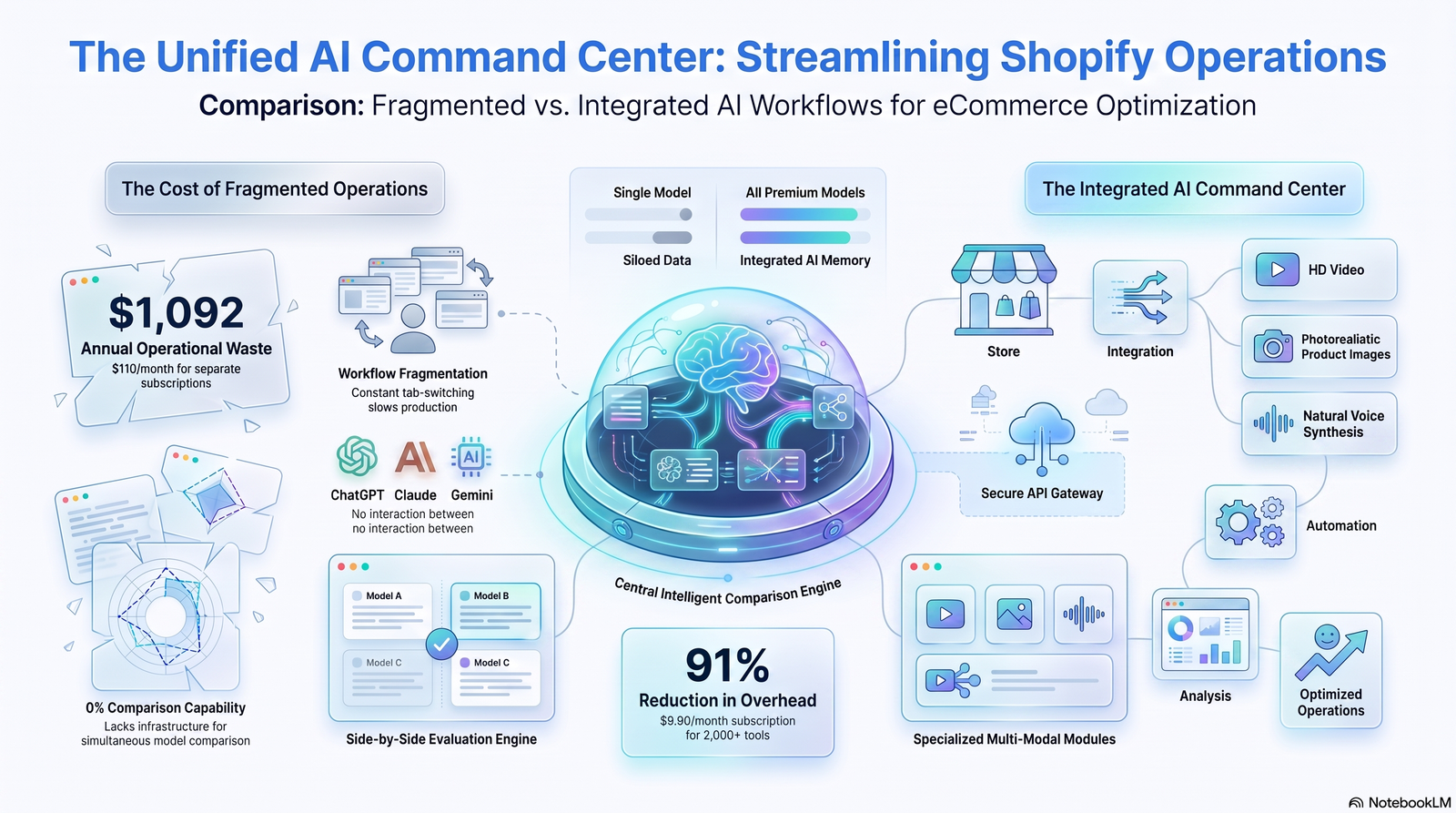
| App Type | Best For | Typical Strength | Typical Limitation |
|---|---|---|---|
| Bulk catalog generators | Large stores (200+ SKUs) | Speed | Generic tone unless heavily prompted |
| Brand-voice-trained tools | Established brands | Consistency | Setup time |
| SEO-first generators | Search-driven stores | Keyword integration | May prioritize SEO over readability |
| General AI writing assistants (used manually) | Small catalogs | Flexibility | No direct Shopify sync |
When comparing specific named apps, check current App Store ratings and pricing directly, since these change frequently — this table reflects tool categories, not real-time rankings.
Step-by-Step Workflow
- Audit your catalog. Group products by category and priority (bestsellers first).
- Build a prompt template per category. Not every product needs a custom prompt from scratch.
- Generate in batches. Start with 10–20 to test tone before running the full catalog.
- Human-edit every draft. Check facts, tone, and readability.
- Add SEO elements. Title tag, meta description, alt text.
- Preview on mobile. Formatting issues show up here first.
- Publish and monitor. Track conversion rate and organic traffic changes over 30–60 days.
- Iterate the template. Refine prompts based on what’s converting.
Prompt Examples
For a skincare product: “Write a 100-word Shopify description for a vitamin C serum with 15% concentration, for combination skin. Tone: clinical but warm. Include one paragraph and two bullet points covering key benefits and usage instructions.”
For a home goods product: “Write a 90-word description for a hand-thrown ceramic mug, 12oz, dishwasher safe. Audience: gift buyers. Tone: cozy, artisanal. End with a one-line care instruction.”
For a tech accessory: “Write a 110-word description for a USB-C fast charger, 65W, foldable plug. Audience: frequent travelers. Tone: confident, minimal. Include compatibility details as bullet points.”
Real Store Examples
Illustrative, not exhaustive — the pattern matters more than the specific store.
Example 1 — Apparel store, 400 SKUs. Used AI to draft base copy per product, then had one editor pass for brand voice. Reported drafting time dropping from roughly 15 minutes per product to under 4 minutes, including editing.
Example 2 — Home goods store, 60 SKUs. Used AI purely for meta descriptions and left body copy handwritten, keeping the labor-intensive part where nuance mattered most and automating the repetitive part.
Example 3 — Supplement store. Avoided AI for ingredient and health claims entirely due to regulatory risk, but used it for shipping/FAQ sections where factual risk was low.
Conversion Optimization Tips
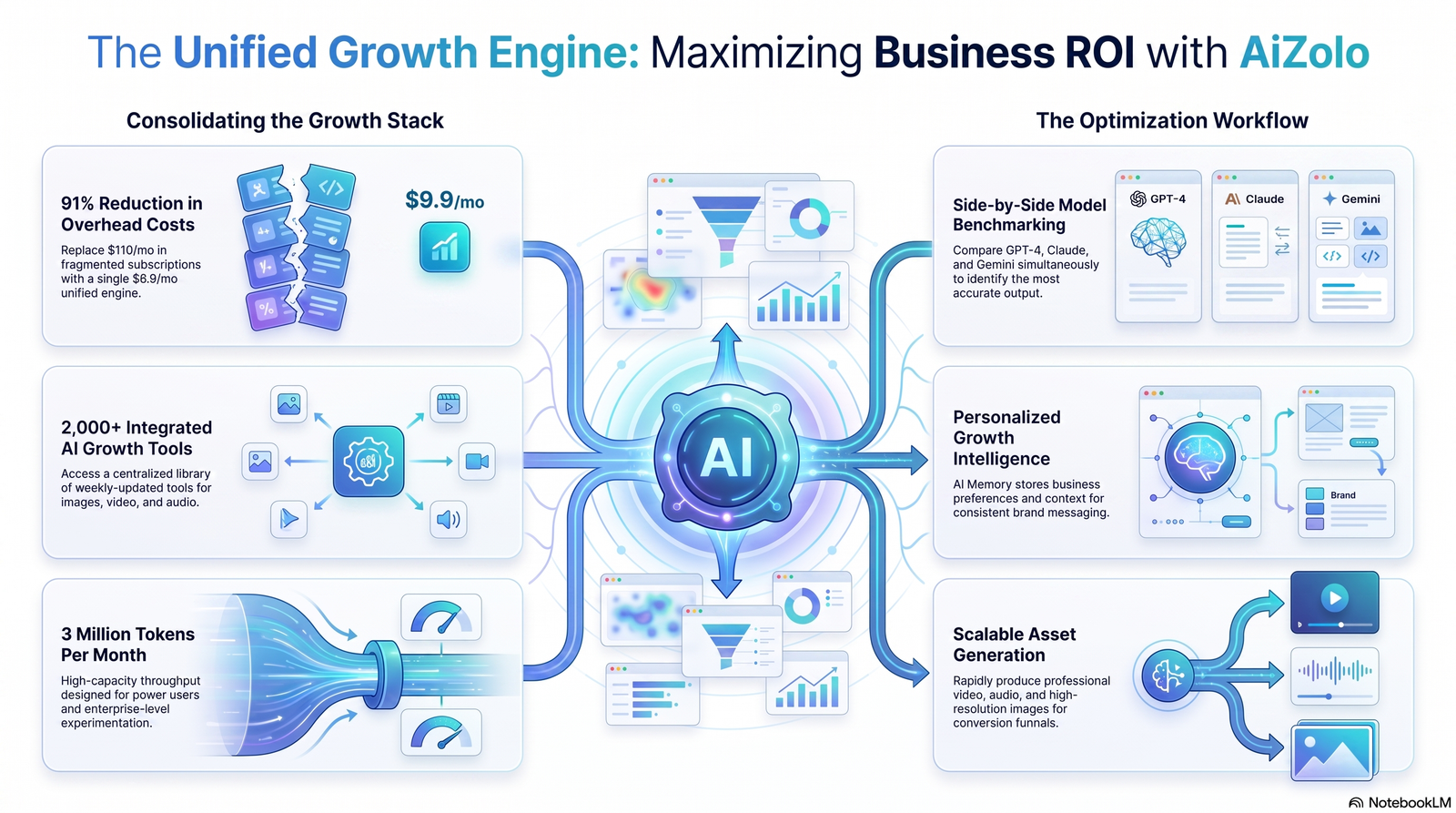
- Lead with the outcome, not the feature. “Stays cold for 24 hours” beats “double-wall insulation” as an opening line.
- Answer objections in the copy. Sizing, materials, durability — whatever your support inbox gets asked most.
- Use bullets for scanning. Most shoppers skim before they read.
- Match tone to price point. Luxury tone on a budget product creates dissonance; the reverse undersells a premium item.
- Test short vs. long copy. Some categories convert better with concise copy, others need detail to justify price.
Shopify SEO Tips
- Keep URL slugs short and keyword-relevant
- Use descriptive, keyword-aware image alt text
- Avoid duplicate descriptions across product variants
- Link related products internally within collections
- Keep page load speed in mind — heavy embedded video or oversized images slow product pages
- Submit updated sitemaps after large catalog changes via Google Search Console
Limitations of AI
Being upfront here matters more than selling the tool.
- AI can fabricate details. It may state a material, certification, or feature that isn’t accurate. Every factual claim needs a human check before publishing.
- It doesn’t know your brand history. Founding story, values, and nuance need human input or fine-tuning.
- It can produce repetitive phrasing across a catalog if prompts aren’t varied.
- It has no legal judgment. Health, safety, and regulatory claims require compliance review, not AI sign-off.
- Output quality depends entirely on input quality. A lazy prompt produces lazy copy, regardless of how advanced the underlying model is.
None of this means avoid AI. It means treat it as a drafting tool with a mandatory review step, not an autopilot.
Future of AI Product Copywriting
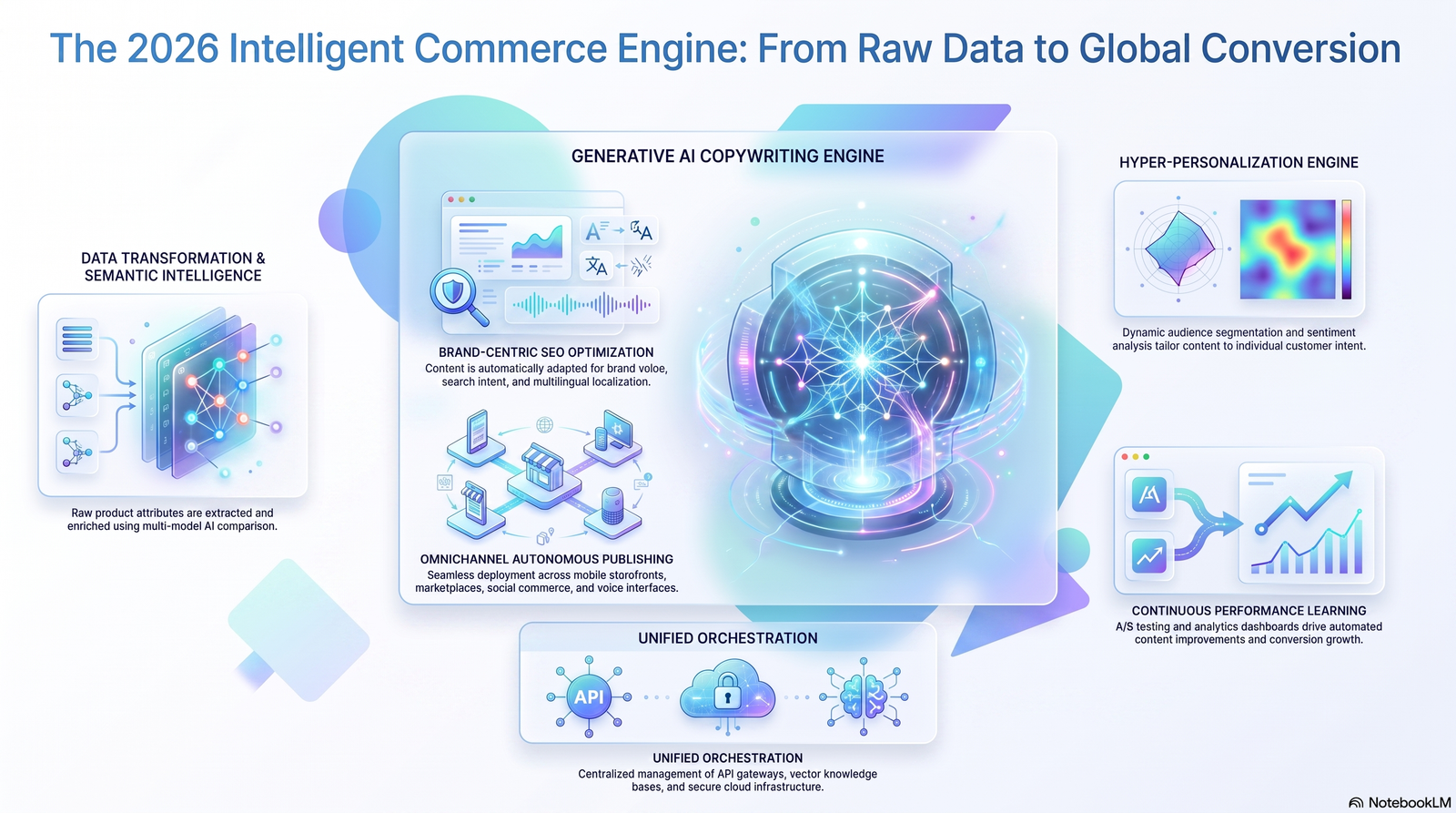
Expect deeper Shopify-native integration, more accurate brand-voice training from existing store content, and better multi-language support for global catalogs.
Search engines are also getting better at identifying low-effort, unedited AI content, which means the stores that treat AI as a first draft — not a final product — will be the ones that hold up as detection improves.
The tools will keep getting faster. The advantage will increasingly go to stores that pair speed with genuine editorial oversight.
FAQ
1. Is AI-generated product copy bad for SEO? Not inherently. Google’s guidance focuses on whether content is helpful and accurate, not how it was drafted. Unedited, generic AI copy performs poorly; edited, specific copy performs the same as human-written copy.
2. Can I use AI for all 500+ products in my catalog? Yes, but batch it, use category-specific prompt templates, and review each draft before publishing rather than bulk-publishing unedited output.
3. Do I need to disclose that copy was AI-assisted? There’s no general legal requirement for standard product descriptions, though always check your specific jurisdiction and platform terms if claims involve health, safety, or regulated categories.
4. What’s the ideal length for a Shopify product description? Most categories perform well between 80–150 words for standard products, with longer copy (200+ words) reserved for higher-consideration purchases.
5. Will AI copy sound the same across competitors using the same tool? It can, if prompts are generic. Detailed, product-specific prompts largely solve this.
6. Should I edit every single AI-generated description? Yes. At minimum, fact-check and adjust for brand voice before publishing.
7. Can AI write meta descriptions too? Most dedicated tools do, and it’s one of the highest-value, lowest-risk uses of AI in this workflow.
8. Does AI copy hurt conversion rates? Poorly edited AI copy can hurt conversions if it’s vague or generic. Well-edited AI copy performs comparably to human copy in most tested cases.
9. What’s the biggest risk of using AI for product descriptions? Publishing factual errors — incorrect specs, materials, or claims — without a verification step.
10. Can small stores benefit, or is this only for large catalogs? Small stores benefit too, mainly through speed on first drafts and consistent meta description generation, even if final copy is hand-polished.
People Also Ask
What is the best AI tool for Shopify product descriptions? It depends on catalog size and priorities — bulk generators suit large catalogs, while brand-voice tools suit smaller, brand-sensitive stores. Compare current App Store options directly, since ratings and features change often.
Is it worth paying for an AI product description generator? For catalogs above roughly 50 SKUs, the time saved usually outweighs subscription cost.
Can AI write descriptions in multiple languages? Many modern tools support this, though quality varies by language pair and should be reviewed by a native speaker where possible.
How do I stop AI descriptions from sounding generic? Give detailed, product-specific prompts rather than reusing one generic template across every item.
Does Shopify have a built-in AI description generator? Shopify has introduced native AI writing assistance features within its admin; check current Shopify documentation for what’s available on your plan.
Can AI-generated descriptions get flagged as duplicate content? Yes, if the same generic prompt produces near-identical output across variants. Vary inputs to avoid this.
How long does it take to generate descriptions for 100 products? With a good prompt template, often under an hour for drafts — plus review time, which shouldn’t be skipped.
Is AI copywriting cheaper than hiring a copywriter? Generally yes per unit, especially at scale, though quality still depends on the editing step.
Can I train AI on my brand’s existing tone? Some tools support this via style examples or fine-tuning; results vary by tool.
What information should I give the AI for the best results? Product specs, target audience, tone, structure preference, and any keyword to include naturally.
Key Takeaways
- A Shopify product description AI generator speeds up drafting, not final quality — editing is still required.
- Detailed prompts produce dramatically better output than vague ones.
- Human review protects against factual errors and generic phrasing.
- SEO benefits come from unique, accurate, well-structured copy — not keyword density alone.
- The most reliable workflow is AI draft → human edit → SEO polish → publish.
Conclusion
A Shopify product description AI generator isn’t a shortcut around good copywriting — it’s a way to get to good copywriting faster.
The stores that get the most value treat it as a drafting partner: specific prompts in, careful editing out, and a consistent process across the whole catalog.
Start small. Test a prompt template on ten products, review the results honestly, and refine before scaling to the rest of your catalog.
Author Bio
Author: Jeevesh Tripathi Email: jeevesh@aizolo.com
Jeevesh Tripathi works at the intersection of AI, SEO, and ecommerce, helping Shopify store owners build content workflows that scale without sacrificing quality. With hands-on experience launching and optimizing Shopify stores, writing and editing product copy across hundreds of SKUs, and testing AI copywriting tools in production catalogs, Jeevesh focuses on practical, tested guidance rather than theory. This article reflects real workflow patterns, common pitfalls, and honest limitations observed from direct ecommerce and SEO work — not generic advice repackaged from other sources.
