
Table of Contents
The Coffee Shop Revelation That Changed Everything
Sarah sat in her favorite coffee shop, staring at her laptop screen with frustration etched across her face. As a small business owner running a boutique marketing agency, she’d heard countless times that AI could revolutionize her work. Her tech-savvy competitors were creating content in minutes, generating ideas effortlessly, and scaling their operations—all thanks to artificial intelligence.
But there was one problem: Sarah wasn’t a programmer. She didn’t know Python, couldn’t write code, and felt completely lost every time someone mentioned “APIs” or “machine learning models.” The AI revolution seemed reserved for the technical elite, leaving creative professionals like her on the sidelines.

Then something clicked. A colleague mentioned that working with AI didn’t require coding—it required something called “prompt engineering.” And more importantly, prompt engineering for non technical users was not only possible but surprisingly intuitive once you understood the fundamentals.
Within three weeks, Sarah transformed her entire workflow. She was generating compelling marketing copy, brainstorming campaign ideas, and even creating personalized client proposals—all without writing a single line of code. The secret? Learning how to communicate effectively with AI through well-crafted prompts.
If you’ve ever felt overwhelmed by AI technology or believed it wasn’t accessible to “non-technical” people, this guide is for you.
What Exactly Is Prompt Engineering? (And Why Should You Care?)
Before we dive into prompt engineering for non technical users, let’s demystify what this term actually means.
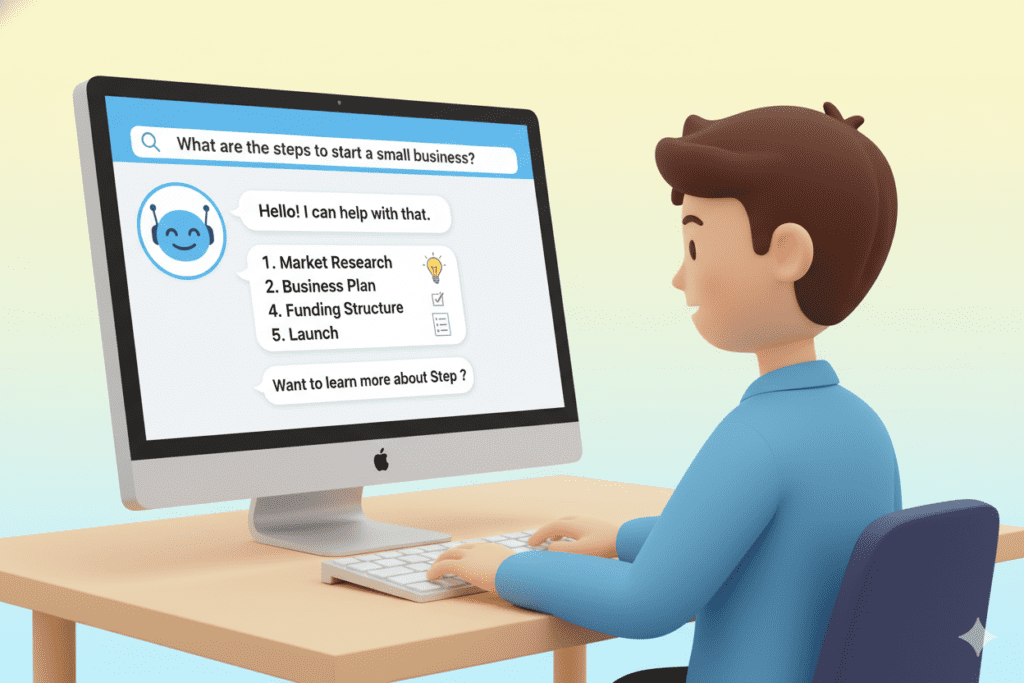
Imagine you’re working with an incredibly knowledgeable assistant who can help with almost anything—writing, research, problem-solving, creative brainstorming—but this assistant needs clear instructions to deliver exactly what you need. Prompt engineering is simply the art and science of giving that assistant (in this case, AI) the right instructions.
A “prompt” is the text you input into an AI tool. It could be a question, a request, or a set of instructions. The way you phrase that prompt dramatically affects the quality of the response you receive.
The Real-World Impact
According to recent industry reports, professionals who effectively use AI tools save an average of 10-15 hours per week on routine tasks. But here’s the catch: those savings only materialize when you know how to communicate with AI effectively.
Poor prompts lead to:
- Vague, unhelpful responses
- Wasted time rephrasing and re-asking
- Frustration and eventual abandonment of AI tools
- Generic outputs that require extensive editing
Great prompts deliver:
- Precise, actionable results
- Time savings on repetitive tasks
- Creative solutions you might not have considered
- Professional-quality outputs with minimal editing
The difference? Understanding prompt engineering fundamentals designed specifically for non-technical users.
Why Traditional AI Tools Fail Non-Technical Users
Here’s an uncomfortable truth about the AI industry: most tools are built by developers, for developers. The interfaces assume technical knowledge. The documentation uses jargon. The learning curve feels impossibly steep.
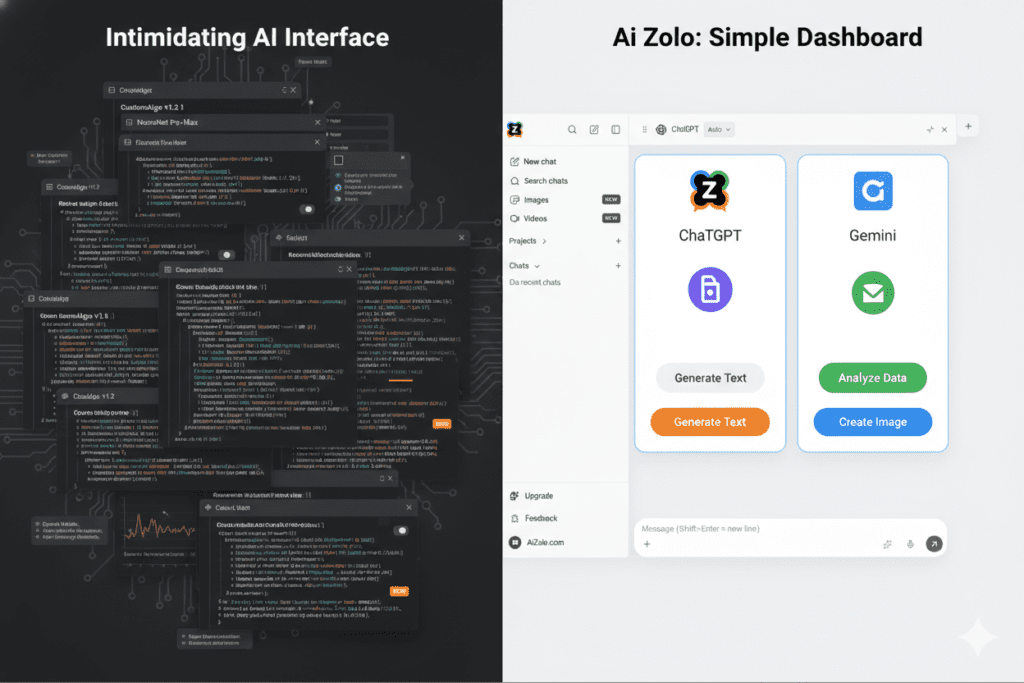
Common Barriers Non-Technical Users Face:
Complex Interfaces: Many AI platforms overwhelm users with technical settings, parameters, and options that feel like a foreign language.
Lack of Guidance: You’re often dropped into a blank text box with zero context about what makes a good prompt versus a bad one.
Trial-and-Error Frustration: Without understanding the principles, users waste hours testing different phrasings with inconsistent results.
Technical Jargon Everywhere: Terms like “tokens,” “temperature settings,” and “system prompts” create unnecessary barriers.
No Industry-Specific Templates: Generic AI tools don’t account for the specific needs of marketers, educators, content creators, or small business owners.
This is where platforms designed with non-technical users in mind make all the difference. Tools like AiZolo bridge this gap by offering intuitive interfaces, pre-built templates, and guided prompt creation that removes the technical complexity while maintaining powerful capabilities.
The Core Principles of Prompt Engineering for Non Technical Users
The good news? You don’t need to understand how AI models work internally to use them effectively. You just need to understand how to communicate clearly. Let’s break down the essential principles.
1. Be Specific About What You Want
Think of AI like a highly capable intern who’s eager to help but needs clear direction.
Weak Prompt: “Write about social media marketing.”
Strong Prompt: “Write a 300-word Instagram caption for a sustainable fashion brand launching a new recycled denim collection. The tone should be enthusiastic but authentic, targeting environmentally-conscious millennials. Include 3-5 relevant hashtags.”
Notice the difference? The strong prompt includes:
- Specific format (Instagram caption)
- Length requirement (300 words)
- Context (sustainable fashion, new collection)
- Tone guidance (enthusiastic but authentic)
- Target audience (eco-conscious millennials)
- Additional requirements (hashtags)
2. Provide Context and Background
AI doesn’t automatically know your industry, your audience, or your specific situation. Give it context.
Weak Prompt: “Create a product description.”
Strong Prompt: “I’m launching an online course teaching watercolor painting to complete beginners. Create a compelling product description for my sales page that addresses common fears beginners have (like ‘I’m not artistic enough’) and emphasizes that anyone can learn. Keep it around 200 words and include a clear call-to-action.”
3. Specify the Format and Structure
Want a bulleted list? A formal report? A casual email? Tell the AI explicitly.
Examples:
- “Format your response as a numbered list with brief explanations for each point.”
- “Write this as a professional email to a potential client.”
- “Create a table comparing these three options with columns for price, features, and best use case.”
4. Define the Tone and Style
AI can adapt to virtually any writing style—if you tell it what you’re looking for.
Tone Examples:
- “Write in a friendly, conversational tone like you’re explaining to a friend”
- “Use a professional, authoritative voice suitable for a corporate whitepaper”
- “Keep it playful and humorous, similar to brands like Mailchimp or Innocent Drinks”
- “Write with empathy and warmth, as if counseling someone through a difficult situation”
5. Use Examples When Possible
Show the AI what you’re looking for by providing examples.
Prompt: “Write three social media posts promoting our weekend sale. Here’s an example of our brand voice: [paste example]. Match this style and energy level.”
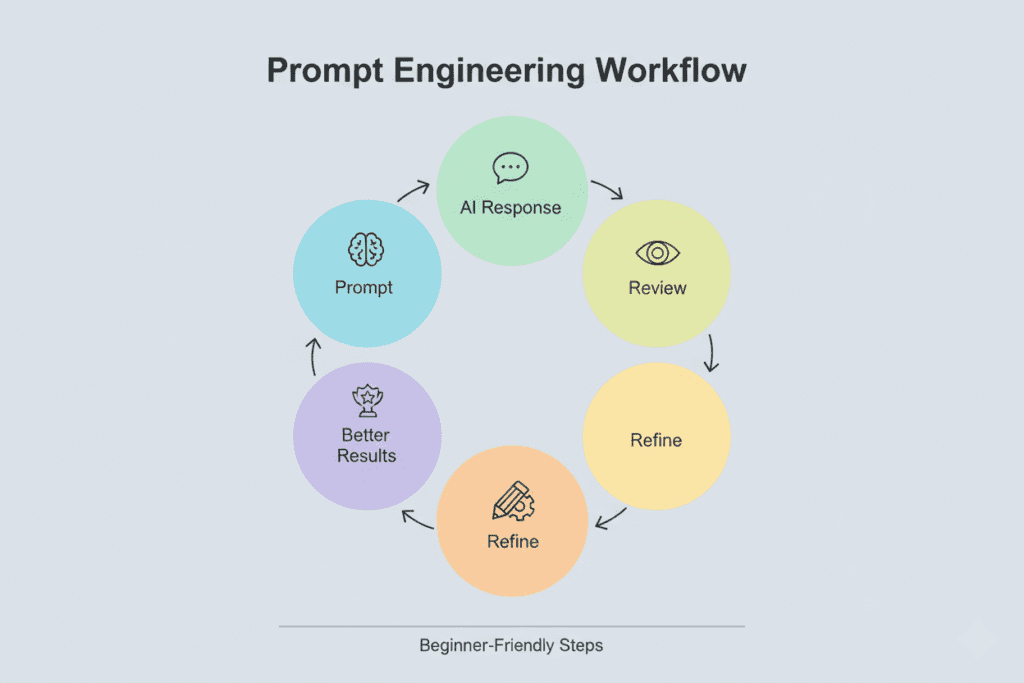
6. Iterate and Refine
Prompt engineering for non technical users isn’t about getting it perfect on the first try—it’s about learning to refine and improve.
Start with a basic prompt, review the output, then add specifics:
- “Make this more concise”
- “Add more personality to the opening”
- “Remove the jargon and simplify the language”
- “Include a specific example about [topic]”
Practical Prompt Templates for Common Use Cases
Let’s get tactical. Here are proven prompt templates that non-technical users can adapt for their specific needs.
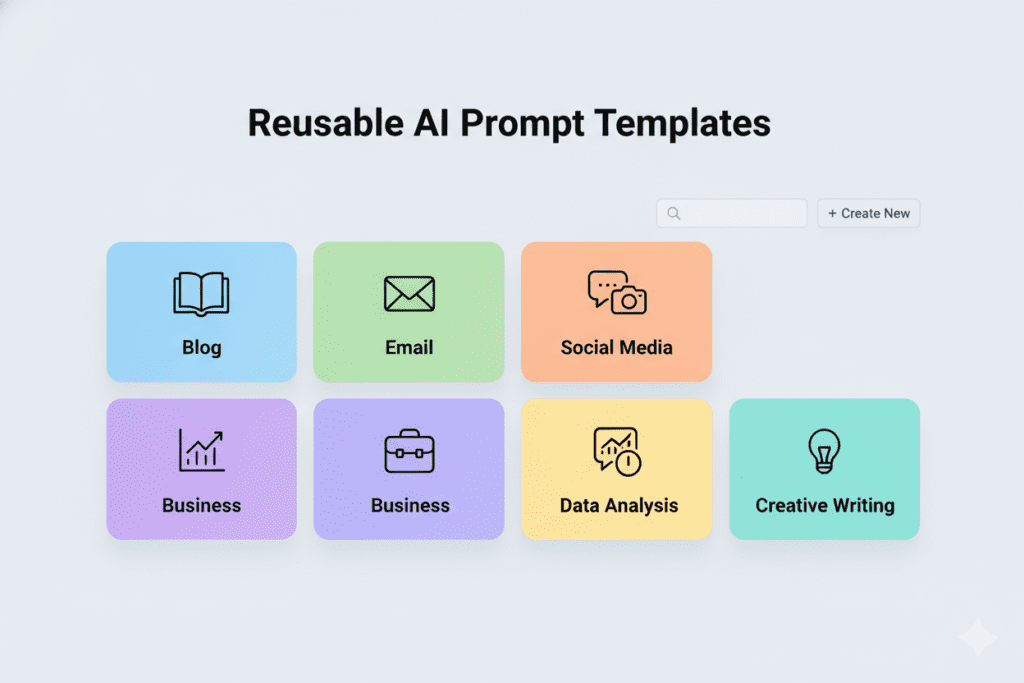
For Content Creation
Blog Post Outline: “Create a detailed outline for a [LENGTH]-word blog post about [TOPIC] targeting [AUDIENCE]. Include an engaging introduction hook, 4-6 main sections with subheadings, and a conclusion with a call-to-action. The tone should be [TONE].”
Social Media Content: “Write [NUMBER] [PLATFORM] posts promoting [PRODUCT/SERVICE/EVENT]. Target audience is [DESCRIPTION]. Include relevant hashtags and emojis where appropriate. Tone should be [TONE].”
For Business Operations
Email Drafting: “Write a professional email to [RECIPIENT] about [PURPOSE]. Include [SPECIFIC DETAILS]. Tone should be [TONE]. Keep it under [LENGTH] words.”
Meeting Summary: “Summarize these meeting notes into a concise summary with clear action items, responsible parties, and deadlines: [PASTE NOTES]”
For Learning and Research
Concept Explanation: “Explain [COMPLEX TOPIC] in simple terms that a [AUDIENCE LEVEL] would understand. Use analogies and real-world examples. Avoid technical jargon.”
Research Summary: “Review this article and provide: 1) A 3-sentence summary, 2) The three most important takeaways, 3) How this applies to [YOUR INDUSTRY/SITUATION]: [PASTE ARTICLE OR URL]”
For Creative Projects
Brainstorming: “Generate 10 creative ideas for [PROJECT/CAMPAIGN] targeting [AUDIENCE]. Each idea should include a brief description and why it would resonate with this audience.”
Problem-Solving: “I’m facing this challenge: [DESCRIBE PROBLEM]. Suggest 5 potential solutions, including pros and cons for each approach. Consider my constraints: [LIST CONSTRAINTS].”
How AiZolo Makes Prompt Engineering Accessible to Everyone
While understanding prompt engineering principles is valuable, the fastest path to results is using a platform specifically designed for non-technical users. This is where AiZolo excels.
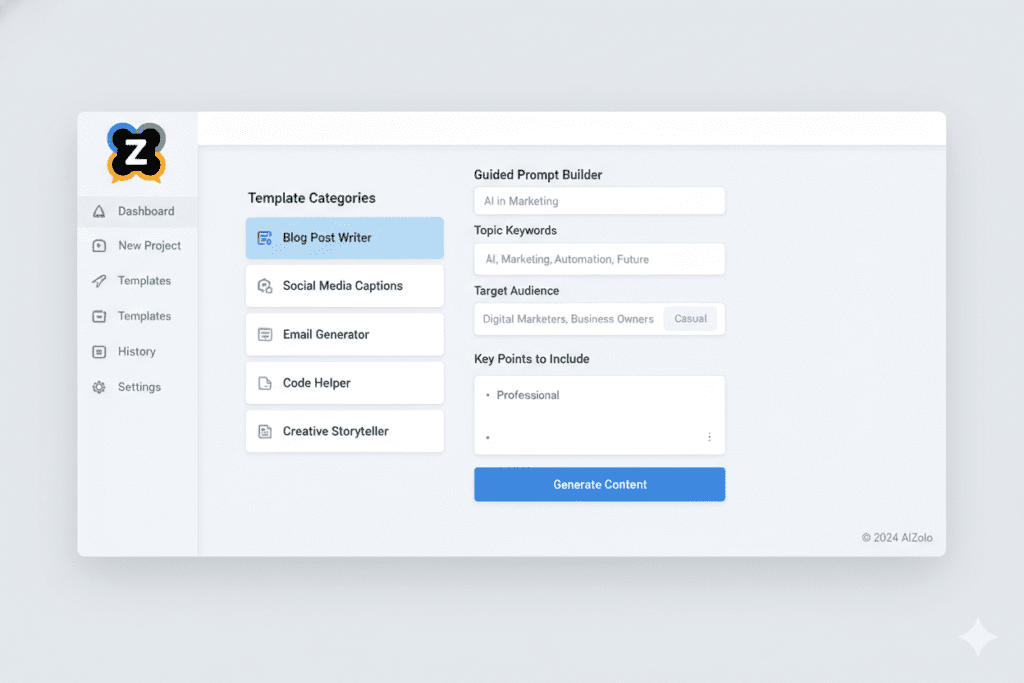
What Makes AiZolo Different?
Pre-Built Templates for Every Need: Instead of staring at a blank prompt box, AiZolo offers hundreds of ready-made templates for specific use cases—marketing copy, business emails, content creation, educational materials, and more. Simply select your template, fill in a few fields, and generate professional results.
Guided Prompt Builder: For users wanting to create custom prompts, AiZolo’s guided builder walks you through the process with simple questions:
- What type of content do you need?
- Who is your audience?
- What tone should we use?
- How long should it be?
The platform then constructs an optimized prompt behind the scenes—you just fill in the blanks.
Industry-Specific Solutions: Whether you’re a marketer, educator, entrepreneur, content creator, or student, AiZolo offers specialized tools and templates designed for your specific workflows.
No Technical Setup Required: Unlike many AI platforms that require API keys, technical configuration, or coding knowledge, AiZolo works immediately. Sign up, choose your template, and start creating.
Iterative Refinement Made Easy: Got a result that’s 80% there? AiZolo’s refinement tools let you quickly adjust tone, length, or style with simple controls—no need to manually rewrite your entire prompt.
Real-World Success Stories
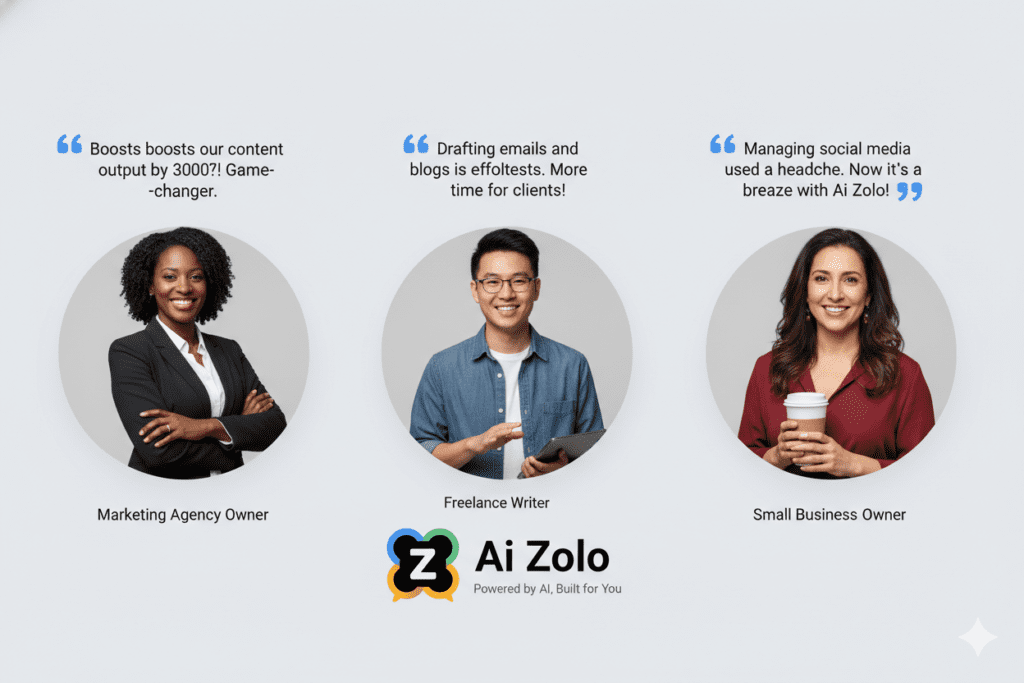
Marketing Agency Owner: “Before AiZolo, I was spending 3-4 hours writing client proposals. Now I use AiZolo’s proposal template, input the client details, and have a polished first draft in 10 minutes. The prompt engineering is built in—I just focus on the specifics of each client.”
Freelance Writer: “I was skeptical about AI writing tools, but AiZolo’s approach is different. The templates help me get past blank-page syndrome, and I can customize everything. It’s like having a writing partner who handles the first draft.”
Small Business Owner: “I don’t have a marketing team or technical skills. AiZolo’s social media templates have been a game-changer. I create a week’s worth of posts in under an hour, and they actually sound like my brand voice.”
Advanced Strategies for Non-Technical Users
Once you’ve mastered the basics, these advanced strategies will elevate your results even further.
Chain Your Prompts for Complex Tasks
Break complex projects into steps:
- “Generate 10 blog post ideas about sustainable living for urban millennials”
- “Expand idea #3 into a detailed outline with introduction, 5 main sections, and conclusion”
- “Write the introduction section based on this outline, keeping it engaging and around 200 words”
- “Now write the first main section about reducing single-use plastics…”
Use the “Role-Playing” Technique
Ask the AI to adopt a specific perspective:
- “You are an experienced social media strategist. Review this Instagram strategy and provide 3 specific improvements.”
- “You are a customer seeing this product page for the first time. What questions would you have? What information is missing?”
- “You are a professional editor. Review this article for clarity, flow, and engagement.”
Create Your Own Prompt Library
As you discover prompts that work well for your needs, save them as templates. Many users maintain a simple document with their best-performing prompts, customizing them for each project.
With AiZolo, you can save your favorite custom prompts directly in the platform for easy reuse.
Combine AI Outputs with Human Expertise
The most effective approach to prompt engineering for non technical users isn’t replacing human creativity—it’s augmenting it.
Use AI to:
- Generate first drafts you refine with your expertise
- Brainstorm ideas you evaluate and select
- Handle repetitive tasks so you focus on strategy
- Provide alternative perspectives on your work
Common Mistakes to Avoid
Even with the best tools, certain prompt engineering pitfalls can limit your results.
Being Too Vague
Problem: “Write something about AI” Solution: “Write a 500-word beginner-friendly explanation of how AI chatbots work, using everyday analogies and avoiding technical jargon”
Overcomplicating Your Prompts
Problem: Including so many instructions that the AI loses focus on what matters most Solution: Prioritize your 3-5 most important requirements and communicate those clearly
Not Providing Enough Context
Problem: “Make this better” [pastes text without explaining the purpose, audience, or goals] Solution: “This is an email to potential customers who abandoned their shopping cart. Make it more persuasive and urgent while staying friendly. The goal is to get them to complete their purchase within 24 hours.”
Accepting the First Output Without Iteration
Problem: Treating AI-generated content as final without reviewing and refining Solution: Review outputs critically, identify specific improvements needed, and use refinement prompts
Forgetting That AI Doesn’t Know Your Audience Like You Do
Problem: Relying entirely on generic AI outputs without adding your unique insights Solution: Always infuse AI-generated content with your specific knowledge, examples, and brand voice
Building Your Prompt Engineering Skills Over Time
Becoming proficient at prompt engineering for non technical users is a journey, not a destination. Here’s how to continuously improve.
Start Simple and Expand
Begin with straightforward tasks:
- Week 1: Use templates for simple tasks (email drafts, social media posts)
- Week 2: Customize templates with your specific details
- Week 3: Start writing basic custom prompts
- Week 4: Experiment with advanced techniques like chaining and role-playing
Keep a “Wins” Journal
Document prompts that delivered exceptional results. Note:
- What made this prompt effective?
- What was unique about this situation?
- How can I adapt this for other uses?
Learn From Each Interaction
Every AI response teaches you something about effective communication:
- If the output was perfect, what did you do right in the prompt?
- If it missed the mark, what information was missing?
- How could you rephrase to get closer to your goal?
Join Communities and Learn From Others
The AI user community is vibrant and generous with sharing techniques. Look for:
- Online forums discussing prompt engineering
- Social media groups focused on AI tools
- Platform-specific communities (like AiZolo’s user community)
- YouTube tutorials and case studies
The Future of AI for Non-Technical Users
The trajectory is clear: AI tools are becoming increasingly accessible to non-technical users. What required coding knowledge five years ago now happens through simple conversations.
Emerging Trends
Multimodal Prompting: Soon, you’ll create prompts using text, voice, images, and even sketches—making AI even more intuitive for visual thinkers and creative professionals.
Context-Aware AI: Future platforms will remember your preferences, understand your industry, and automatically apply best practices to your prompts without requiring you to specify every detail.
Collaborative AI: Teams will work together with AI assistants that understand project history, team dynamics, and organizational goals.
Personalized Learning: AI tools will actively teach you better prompting techniques based on your usage patterns, making continuous improvement automatic.
Platforms like AiZolo are at the forefront of these developments, continuously adding features that make AI more accessible while maintaining powerful capabilities.
Your Action Plan: Getting Started Today
Ready to master prompt engineering for non technical users? Here’s your step-by-step action plan.
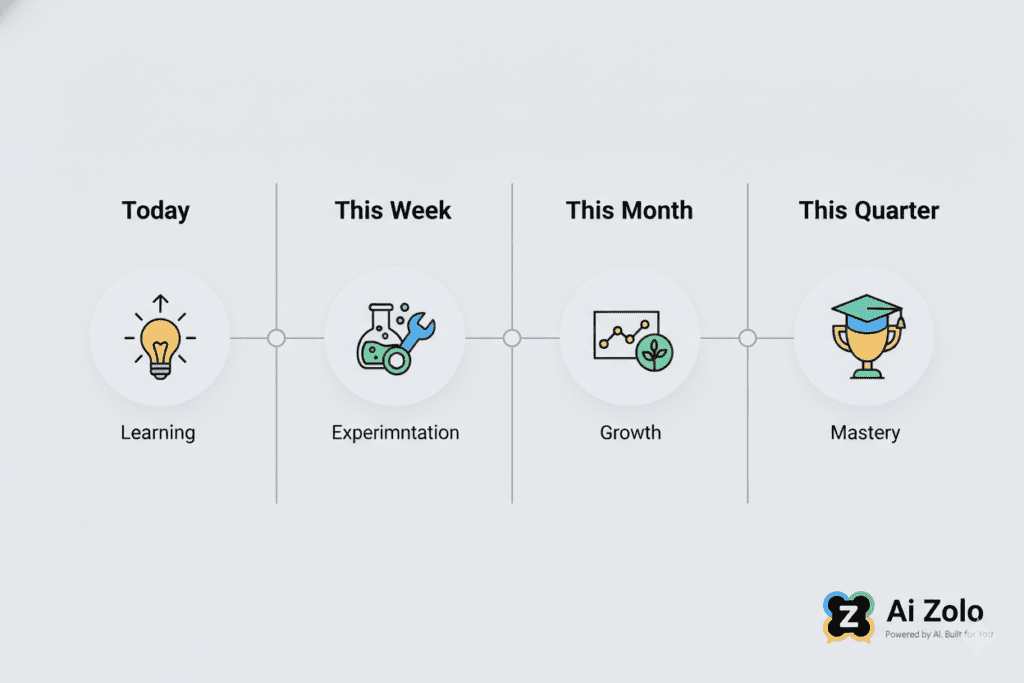
Immediate Actions (This Week)
- Identify Your Top 3 Use Cases: Where could AI save you the most time right now? Content creation? Email management? Research? Brainstorming?
- Try AiZolo for Free: Explore the platform’s templates related to your use cases. No technical setup required—just sign up and start experimenting. Try AiZolo today
- Start With Templates: Don’t write custom prompts yet. Use pre-built templates to understand what good prompts look like and get immediate value.
- Refine One Output: Take one AI-generated piece and practice refining it. What made it better? What specific instructions improved the result?
Short-Term Goals (This Month)
- Create Your Prompt Template Library: Save 5-10 prompts that work well for your recurring tasks
- Experiment With Tone and Style: Try the same prompt with different tone instructions to see how dramatically it changes outputs
- Tackle a Complex Project: Use prompt chaining to complete a multi-step project you’d normally spend hours on
- Measure Your Time Savings: Track how much time AI saves you on specific tasks to quantify the impact
Long-Term Development (This Quarter)
- Master Advanced Techniques: Incorporate role-playing, iterative refinement, and context-building into your regular workflow
- Teach Someone Else: The best way to solidify your understanding is explaining prompt engineering to a colleague
- Explore New Use Cases: Once you’re comfortable with your primary use cases, expand into new areas
- Provide Feedback: Help improve tools like AiZolo by sharing what works and what could be better
Overcoming Mindset Barriers
Let’s address some common psychological obstacles that prevent non-technical users from fully embracing AI tools.
“I’m Not Tech-Savvy Enough”
Reality: If you can type a question into Google, you can use AI tools. Prompt engineering for non technical users specifically doesn’t require any coding, technical knowledge, or special skills beyond clear communication.
Action: Start with the simplest possible task. Write one sentence asking for what you need. That’s literally all you need to begin.
“AI Will Replace My Job”
Reality: AI tools augment human creativity and expertise—they don’t replace the uniquely human elements of judgment, empathy, creativity, and strategic thinking.
Action: View AI as a tool that handles routine tasks so you can focus on high-value work only humans can do. You’re not being replaced; you’re being empowered.
“The Results Are Never Quite Right”
Reality: First drafts from AI—like first drafts from humans—rarely are perfect. The value is in dramatically reducing the time to get to a good draft.
Action: Shift your expectation from “perfect output” to “strong foundation to build on.” Judge AI by whether it saves you time, not whether it reads your mind.
“I Don’t Have Time to Learn This”
Reality: The time investment to learn basic prompt engineering pays back within days. Most users report time savings within their first week.
Action: Commit just 30 minutes to trying one template on one real task. That single experiment will likely convince you of the value.
Measuring Your Success
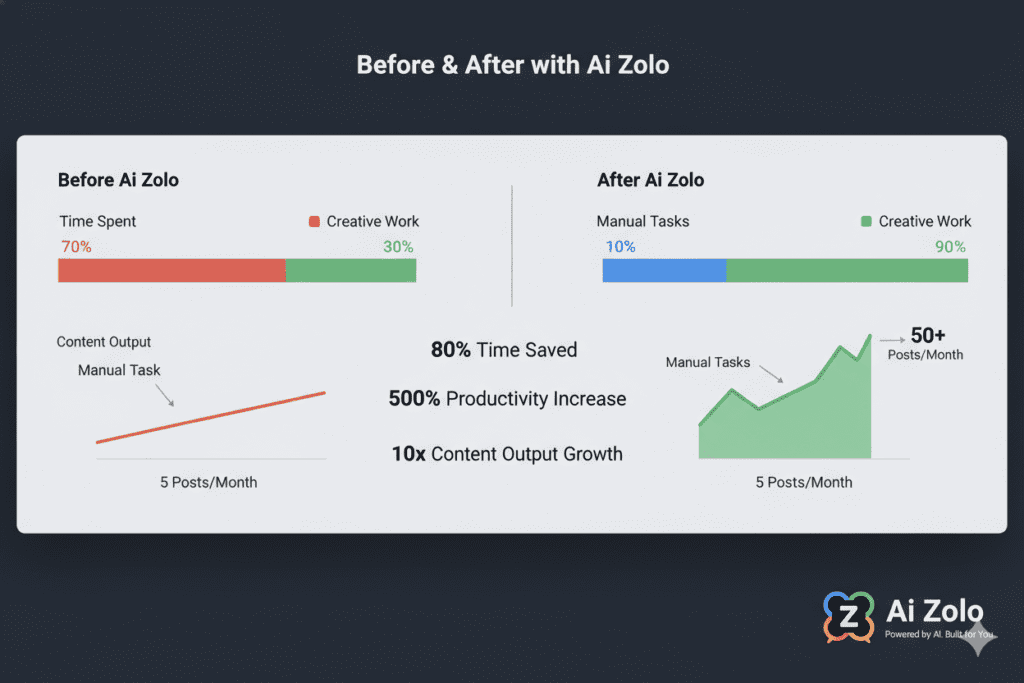
How do you know if you’re improving at prompt engineering for non technical users? Track these metrics:
Quantitative Measures
- Time saved per task: How long did content creation take before vs. after using AI?
- Output volume: How many more pieces of content can you create in the same timeframe?
- Iteration cycles: Are you getting closer to your desired result with fewer prompt revisions?
- Template reuse rate: How often can you reuse successful prompts for similar tasks?
Qualitative Measures
- Confidence level: Do you feel more comfortable starting new AI-assisted projects?
- Output quality: Are AI-generated drafts requiring less editing over time?
- Creative expansion: Are you using AI for tasks you hadn’t originally considered?
- Prompt sophistication: Are your prompts becoming more specific and nuanced?
Business Impact
- Project completion rate: Are you finishing more projects on time?
- Client satisfaction: Has the quality or speed of your deliverables improved?
- Workload management: Can you take on additional work without additional stress?
- Innovation: Are you experimenting with new approaches you didn’t have time for before?
Conclusion: Your AI-Powered Future Starts With a Single Prompt
Remember Sarah from our opening story? Six months after her coffee shop revelation, her marketing agency has doubled its client roster without hiring additional staff. She’s not working longer hours—she’s working smarter by mastering prompt engineering for non technical users.
The secret wasn’t learning to code. It wasn’t becoming a technical expert. It was simply learning to communicate effectively with AI tools and choosing platforms designed for users like her.
You stand at the same threshold Sarah did. The AI revolution isn’t reserved for programmers and data scientists. It’s accessible to anyone willing to learn a new form of communication—one based on clarity, specificity, and iteration rather than code and algorithms.
The most successful AI users aren’t the most technical—they’re the ones who understand their craft deeply and can translate that expertise into clear instructions for their AI tools.
Your next step is simple: Visit AiZolo today and explore the templates designed for your specific needs. Choose one task you’d normally spend an hour on. Use a pre-built template. Customize it with your details. Generate your result. Refine if needed.
That’s it. That’s how you start.
Within a week, you’ll wonder how you ever managed without this capability. Within a month, it’ll be as natural as using any other tool in your professional toolkit. Within a quarter, you’ll be teaching others and discovering new applications you never imagined.
The AI-powered future isn’t coming—it’s here. And it’s accessible to you, right now, regardless of your technical background.
Explore AiZolo’s Plans | Get Started for Free | Read More Success Stories
The only question is: what will you create?
Suggested Internal Links:
- Link to “AI Chatbot Online: Your Complete Guide” – When discussing AI tool selection
- Link to “Best All in One AI App” – When discussing platform comparison
- Link to “World Best AI” – When discussing finding the right AI model
Suggested External Links:
- Learn Prompting Guide – Credible educational resource
- IBM’s 2026 Prompt Engineering Guide – Enterprise authority
- DAIR.AI Prompt Engineering Guide – Research-backed techniques

