Small teams today are drowning in AI tools. One person uses ChatGPT for marketing copy, another relies on Claude for code reviews, and a third experiments with Midjourney for design concepts. Meanwhile, no one knows which prompts actually work, conversations disappear into personal accounts, and the monthly AI bill keeps climbing.
If your team is juggling multiple AI subscriptions without a clear system, you’re not alone. Recent surveys show that over 70% of small teams use three or more AI tools, yet fewer than 20% have a structured way to collaborate, share knowledge, or manage costs.
This is where a shared AI workspace becomes essential.
In this guide, you’ll learn how to build a shared AI workspace for small teams that centralizes tools, improves collaboration, and scales as your company grows. Whether you’re a five-person startup or a 50-person remote team, this framework will help you turn scattered AI usage into a strategic advantage.
What Is a Shared AI Workspace?
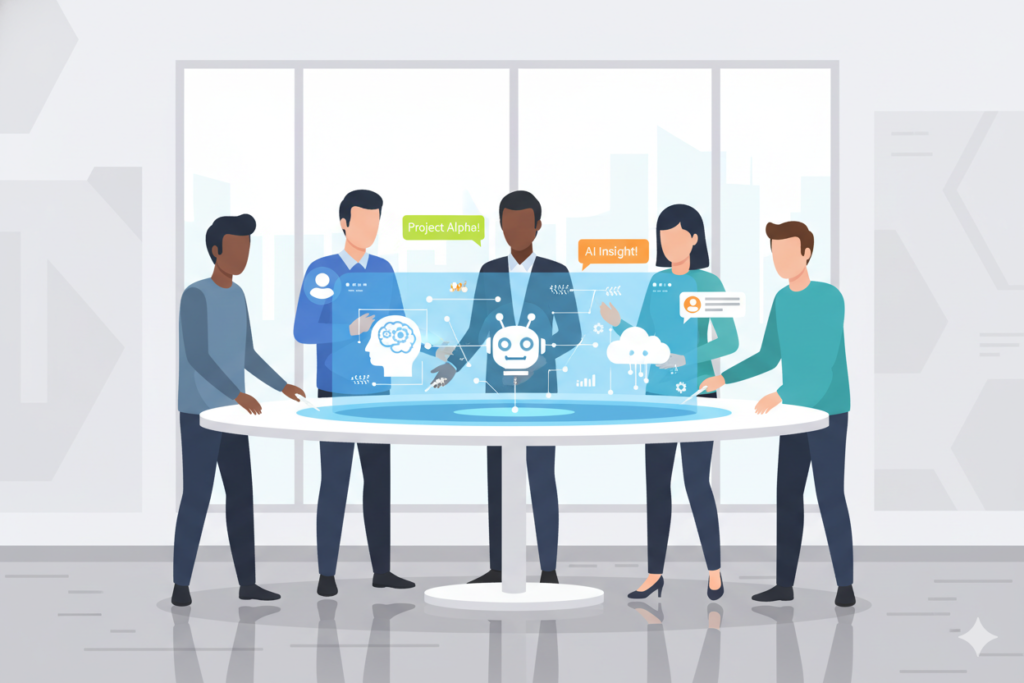
A shared AI workspace is a centralized platform where teams can access multiple AI models, collaborate on prompts, share conversation histories, and manage AI usage collectively. Unlike individual AI tool subscriptions scattered across team members, a shared workspace provides a unified environment for AI-powered work.
Think of it as the difference between everyone having their own Google Doc versus using Google Workspace. Individual tools work fine for solo users, but teams need visibility, collaboration features, and centralized management.
Key Characteristics of a Shared AI Workspace
A true shared AI workspace includes:
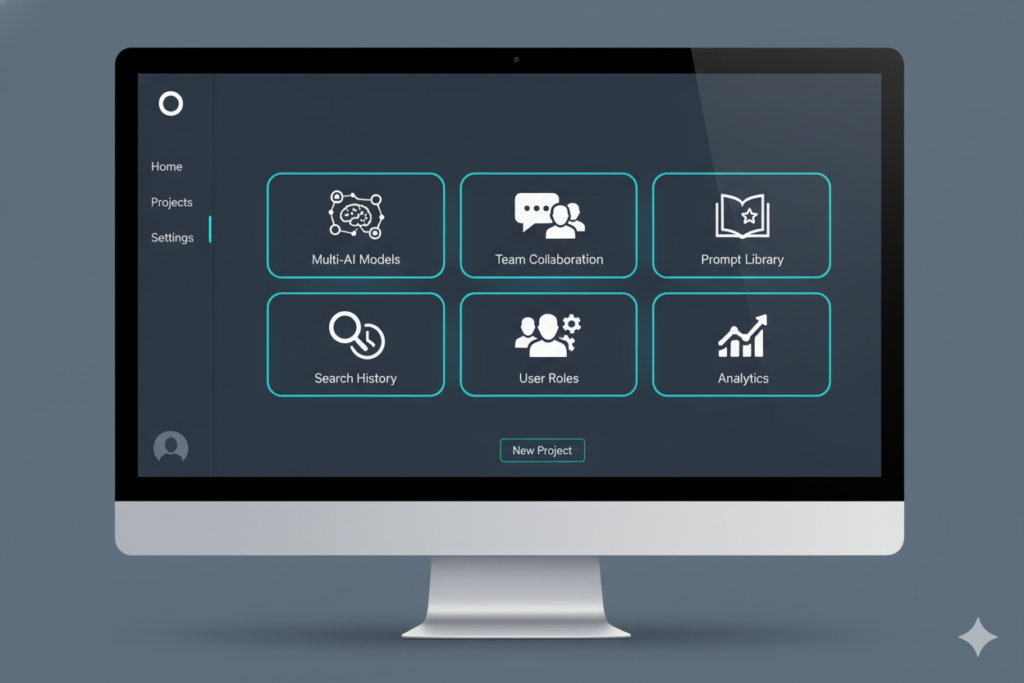
- Multi-model access: Connect to ChatGPT, Claude, Gemini, and other leading AI models from one interface
- Team collaboration: Share prompts, conversations, and AI-generated outputs with specific team members or the entire organization
- Centralized history: Maintain a searchable repository of all AI interactions across the team
- Usage tracking: Monitor how much each team member or project consumes in AI resources
- Permission controls: Set role-based access to ensure appropriate AI usage across different team levels
For small teams specifically, a shared AI workspace eliminates the chaos of fragmented tools while keeping costs predictable and manageable.
Why Small Teams Need a Shared AI Workspace
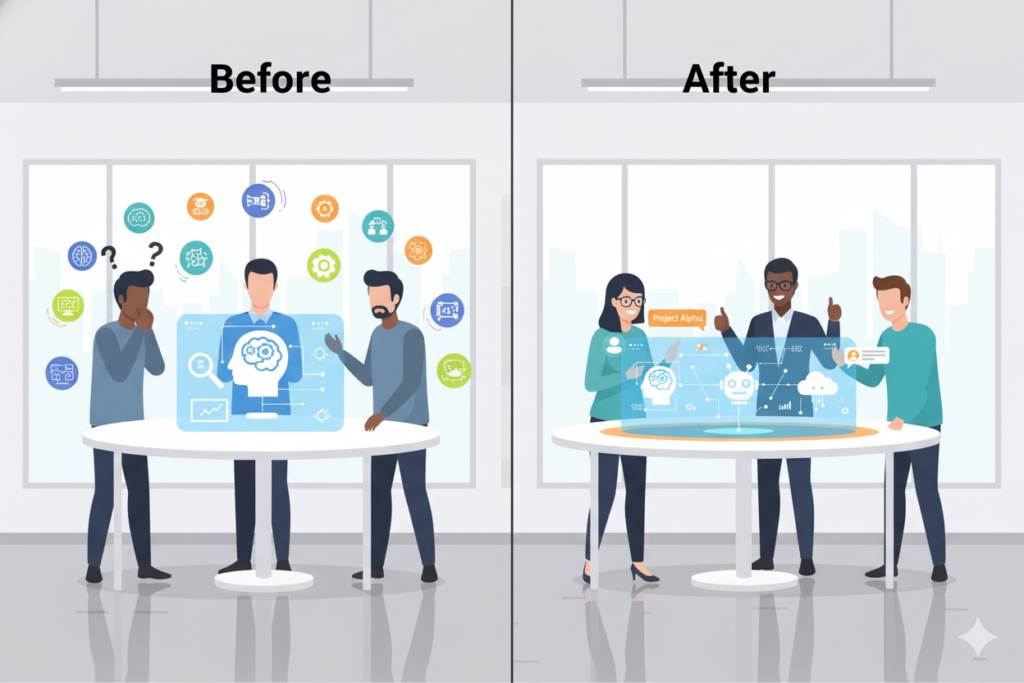
Small teams face unique challenges that make shared AI workspaces particularly valuable. Unlike enterprises with dedicated IT departments or solo entrepreneurs who only need personal tools, small teams occupy a middle ground where collaboration matters but resources remain limited.
The Productivity Bottleneck
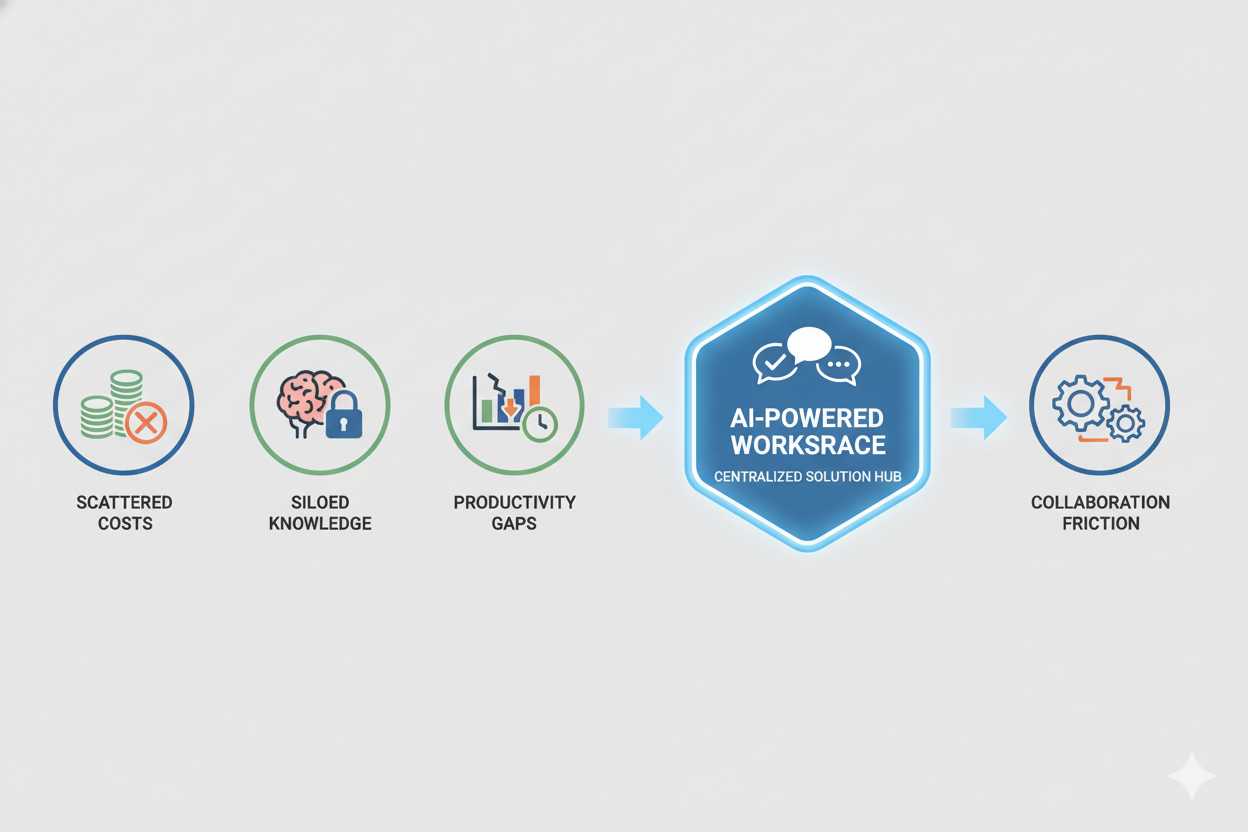
When each team member uses AI tools independently, productivity gains become isolated. Your marketing manager discovers an incredible prompt for generating social media content, but the founder never sees it. Your product designer creates detailed AI-generated user personas that could inform customer support strategies, but the support team never accesses them.
This knowledge fragmentation means your team repeatedly solves the same problems instead of building on each other’s AI breakthroughs. A shared workspace transforms individual productivity wins into compound team advantages.
Cost Inefficiencies That Add Up
Small teams typically operate on tight budgets, yet AI subscriptions quickly multiply. Consider this common scenario: five team members each subscribe to ChatGPT Plus ($20/month), two use Claude Pro ($20/month), and three experiment with specialized tools like Copy.ai or Jasper ($40-80/month each).
Your actual monthly AI spend might reach $300-500 without anyone actively managing it. Worse, you’re likely paying for capacity that goes unused—someone pays for premium features they need once a month, or subscriptions continue after projects end.
A shared workspace with centralized billing often costs 40-60% less than the sum of individual subscriptions, especially when you can allocate resources based on actual usage rather than per-seat pricing.
Knowledge Silos That Slow Teams Down
Every great AI conversation that happens in an individual account is essentially lost to the team. When your head of growth leaves, their most effective marketing prompts leave with them. When your operations manager goes on vacation, no one can access the AI-generated process documentation they created.
Shared workspaces prevent these knowledge silos by making AI conversations a team asset rather than personal property. New hires can search through proven prompts, team members can build on each other’s work, and institutional knowledge accumulates rather than evaporates.
Collaboration Friction
Email threads with pasted AI outputs. Slack messages with prompt suggestions. Shared Google Docs with copy-pasted conversations. Small teams waste hours trying to collaborate around AI tools that weren’t designed for teamwork.
A shared AI workspace eliminates this friction by providing native collaboration features—comment on someone’s prompt, suggest improvements to AI-generated content, or fork a conversation to explore an alternative direction. Everything happens in context, keeping your team’s communication clean and focused.
Key Features of an Effective Shared AI Workspace
Not all AI collaboration platforms offer the same capabilities. When evaluating options for your small team, prioritize these essential features:
Multi-Tool AI Access
The best shared workspaces don’t lock you into a single AI model. Your content team might prefer Claude for long-form writing, while your engineering team relies on GPT-4 for code generation. An effective workspace lets everyone use their preferred tools while maintaining centralized access and billing.
Look for platforms that support at least three major AI providers, with the flexibility to switch models mid-conversation or compare outputs across different AIs for the same prompt.
Real-Time Team Collaboration
Collaboration features should feel natural, not bolted on. Team members need the ability to share specific conversations with one click, tag colleagues for input, and maintain threaded discussions around AI-generated content.
The most useful platforms also support workspaces or projects that automatically group related AI conversations, making it easy to keep client work separate from internal operations or organize by department.
Intelligent Prompt Sharing
Your team’s most valuable AI asset isn’t the tools themselves—it’s the prompts you’ve refined through trial and error. An effective workspace includes a prompt library where team members can save, organize, and share their best prompts with context about when and how to use them.
Advanced platforms even offer prompt templates that team members can customize with variables, creating reusable frameworks for common tasks like customer research, content briefs, or competitive analysis.
Centralized Conversation History
Every AI interaction your team conducts should be searchable and accessible (with appropriate permissions). When someone asks “Didn’t we already research competitors in the project management space?”, the answer should be a quick search away, not a memory test.
Robust search capabilities across all team conversations transform your AI workspace from a tool into a knowledge base that grows more valuable over time.
Role-Based Access Control
Small teams still need governance. Your junior marketer probably shouldn’t access sensitive financial projections your CFO discussed with AI, and interns don’t need the same AI resource allocation as department heads.
Flexible permission systems let you balance openness with appropriate boundaries, ensuring everyone can collaborate while maintaining necessary privacy controls.
Usage Tracking and Cost Management
Transparent usage analytics help small teams optimize AI spending. See which team members or projects consume the most AI resources, identify underutilized features, and make data-driven decisions about upgrading or downgrading service tiers.
The best platforms provide alerts when you approach spending limits and recommendations for optimizing usage patterns.
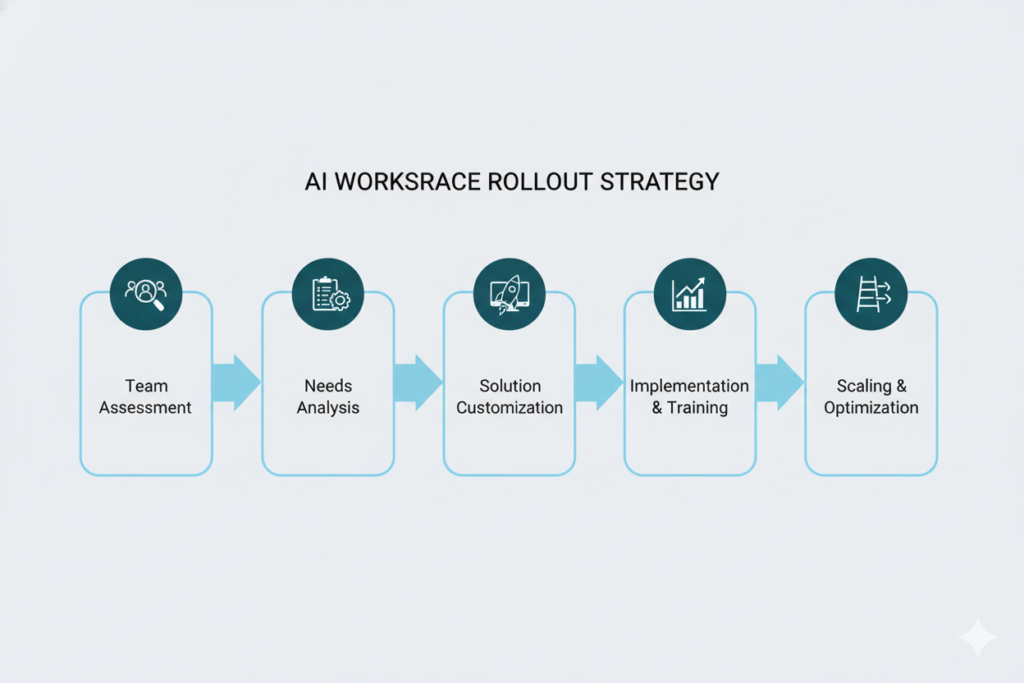
Step-by-Step Guide: How to Build a Shared AI Workspace for Small Teams
Now let’s get practical. Here’s exactly how to implement a shared AI workspace that transforms how your small team works with artificial intelligence.
Step 1: Identify Your Team’s AI Needs
Start by auditing current AI usage across your team. Schedule 15-minute conversations with each team member to understand:
- Which AI tools they currently use (even if unofficial)
- What tasks they accomplish with AI most frequently
- Pain points with current tools
- Features they wish existed
- Approximate monthly AI spending (including personal accounts used for work)
Create a simple spreadsheet documenting these findings. You’ll likely discover patterns—maybe everyone struggles with prompt engineering, or multiple people independently pay for similar tools.
Also identify use cases you’re not currently addressing with AI because individual tools feel too expensive or complicated to adopt. Perhaps you’d like AI-powered customer research but haven’t pulled the trigger on dedicated software.
Step 2: Choose the Right AI Tools
Based on your needs assessment, determine which AI models your workspace must support. For most small teams, coverage should include:
Conversational AI: ChatGPT and Claude are table stakes, as they handle the broadest range of tasks from writing to analysis to brainstorming. These models serve as your team’s general-purpose AI workhorses.
Specialized models: Depending on your industry, you might need AI for image generation, code completion, data analysis, or voice transcription. Identify the 2-3 specialized capabilities that matter most.
Future flexibility: Choose platforms that regularly add new AI model integrations. The AI landscape evolves quickly, and you don’t want to rebuild your workspace every time a promising new model launches.
Resist the urge to support every AI tool imaginable. Start with core models that serve 80% of use cases, then expand based on demonstrated team needs rather than hypothetical scenarios.
Step 3: Centralize Access Through a Unified Platform
This is where most small teams face a critical decision: build custom infrastructure or adopt a purpose-built platform. For the vast majority of small teams, the right answer is adopting an existing solution.
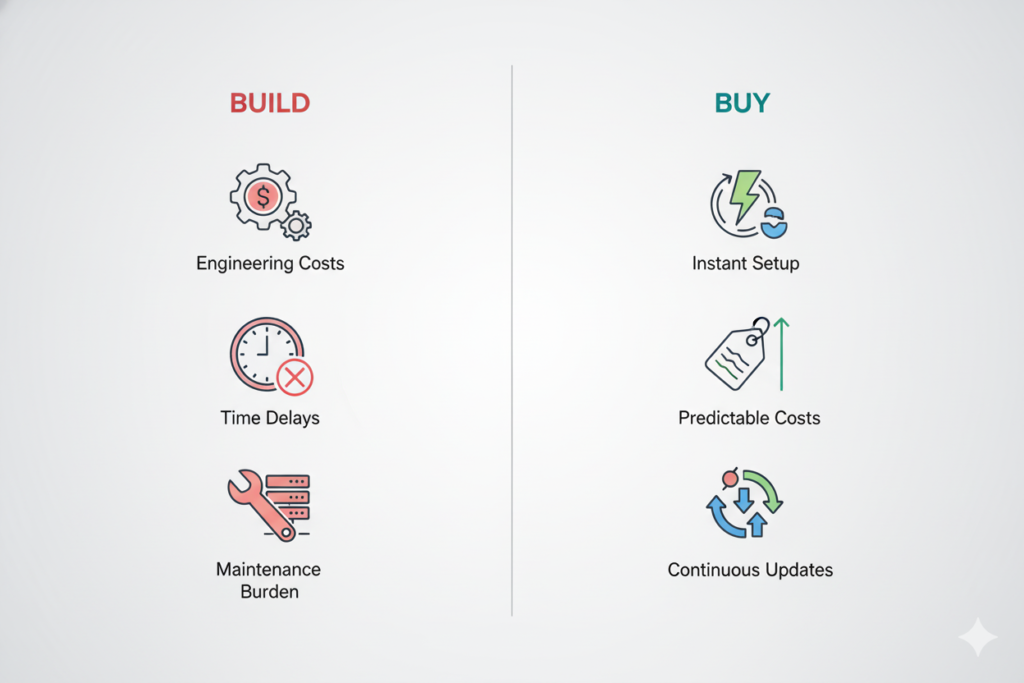
Building a custom shared AI workspace requires significant engineering resources—API integrations, user authentication, billing management, conversation storage, and security infrastructure. Unless you’re an AI-focused company with spare engineering capacity, custom development typically costs $50,000-100,000+ and takes 3-6 months.
Instead, platforms like Aizolo provide turnkey shared workspaces specifically designed for small teams. These solutions offer immediate access to multiple AI models, built-in collaboration features, and transparent team billing—without the development overhead.
When evaluating platforms, prioritize:
- Setup time under one hour
- Intuitive interface that requires minimal training
- Flexible pricing that scales with your team
- Strong security and data privacy practices
Step 4: Enable Meaningful Collaboration
Technical centralization is just the foundation. Real value comes from establishing collaboration workflows that make AI a team sport.
Start by creating shared workspaces for different functions or projects. Your marketing team might have a workspace for content creation, while product development maintains a separate workspace for technical documentation and feature planning.
Establish norms around sharing:
- Which conversations should automatically be team-visible
- When to tag specific colleagues for input
- How to title and organize shared prompts
- Standards for documenting context on important AI outputs
Encourage team members to share not just successful AI outputs, but also the prompts and conversation strategies that produced them. The real learning happens when someone can see how a colleague iteratively refined a prompt to get excellent results.
Schedule a monthly “AI showcase” meeting where team members demonstrate their most useful AI workflows. This 30-minute session helps spread best practices and inspires creative applications you hadn’t considered.
Step 5: Manage Usage and Control Costs
Implement a simple governance structure that keeps AI spending predictable without creating bureaucracy. Most small teams benefit from a three-tier approach:
Tier 1 – Unlimited access: Core team members who use AI daily for essential work get unrestricted access. This typically includes founders, department heads, and individual contributors in AI-intensive roles.
Tier 2 – Allocated budgets: Team members with regular but not constant AI needs receive monthly allocations—perhaps 100-200 message credits that reset each month. This prevents waste while ensuring access for legitimate work.
Tier 3 – Request-based access: Occasional users or new team members start with limited access and can request increases based on demonstrated needs.
Review usage analytics monthly to identify optimization opportunities. Are certain team members consistently hitting limits? They might need upgrades. Are others barely using their allocation? Perhaps they need training on effective AI applications.
Set up automated alerts for unusual usage patterns—if someone suddenly starts sending 500 AI messages in one afternoon, it’s worth checking whether they’re running legitimate batch operations or misunderstanding how to use the tools efficiently.
Step 6: Plan for Scaling With Team Growth
Your shared AI workspace should grow with your team without requiring major overhauls. As you hire, establish an onboarding process that includes:
- Access to the prompt library with curated starter prompts for their role
- A “getting started” guide highlighting team conventions and best practices
- Pairing with an experienced team member who can demonstrate effective AI workflows
- Initial allocation tiers appropriate for their position
Document your team’s most effective prompts and AI strategies in an internal wiki or knowledge base. As your team grows from five people to fifteen to fifty, this institutional knowledge becomes invaluable for maintaining consistent quality and efficiency.
Review your AI workspace strategy quarterly. Are new AI models emerging that would benefit your team? Are collaboration patterns changing as you scale? Has your budget changed in ways that enable new capabilities? Regular checkpoints ensure your AI workspace evolves with your business.
Build vs Buy: Should You Build Your Own or Use a Platform?
As you plan your shared AI workspace, the build-versus-buy decision deserves careful consideration. Let’s break down the real costs and tradeoffs.
The Hidden Costs of Building Internally
Building a custom shared AI workspace initially seems appealing. You get exactly the features you want, maintain complete control, and avoid ongoing SaaS fees. But the real costs extend far beyond initial development.
Engineering resources: Even a basic shared AI workspace requires substantial engineering effort. You’ll need to build user authentication, integrate multiple AI provider APIs, create conversation storage and retrieval systems, implement usage tracking and billing, develop collaboration features, and maintain security infrastructure.
For a small team with one or two engineers, this easily represents 3-6 months of full-time work—time that won’t go toward building your actual product. The opportunity cost alone typically exceeds $100,000 when you factor in lost product development and go-to-market momentum.
Ongoing maintenance: AI provider APIs change regularly, security standards evolve, and your team’s needs shift as you grow. Custom solutions require continuous engineering investment to remain functional and secure. Budget at least 10-20 hours per month for maintenance and improvements.
Feature limitations: Unless AI infrastructure is your core business, your internal tool will likely lag behind purpose-built platforms. Those platforms employ dedicated teams focused entirely on AI workspace optimization, shipping new features and integrations every month.
Why SaaS Platforms Work Better for Small Teams
For most small teams, adopting a purpose-built shared AI workspace platform delivers better results at lower total cost. Here’s why:
Immediate deployment: Sign up, invite your team, and start collaborating with AI within hours instead of months. This speed to value is critical for small teams that need to move quickly.
Predictable costs: Monthly subscription fees are transparent and scale gradually with your team size. No surprise hosting bills, API overages, or maintenance expenses.
Continuous innovation: Platform providers constantly improve features, add new AI model integrations, and implement user feedback. You benefit from these improvements automatically without dedicating engineering resources.
Built-in best practices: Well-designed platforms incorporate lessons from thousands of teams, offering collaboration features and workflows refined through real-world usage.
Platforms like Aizolo specifically target small teams and startups, offering the multi-model access, collaboration tools, and cost management features that teams need most—without the complexity enterprises require. You get enterprise-grade infrastructure at small-team pricing, with setup measured in minutes rather than months.
How Aizolo Helps Build a Shared AI Workspace Effortlessly
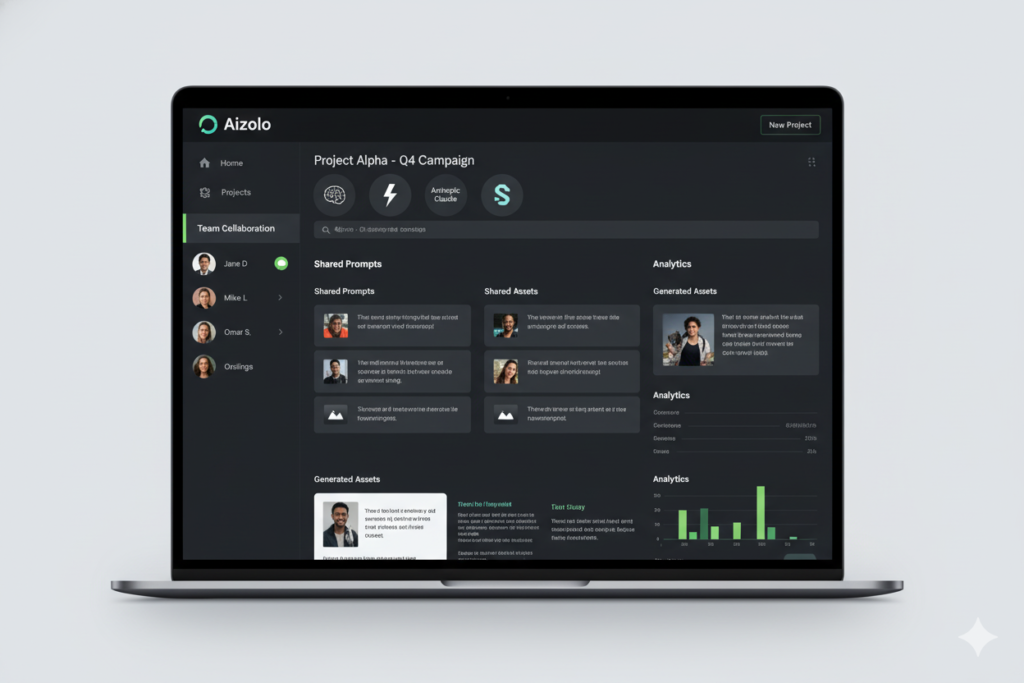
While several platforms offer AI collaboration features, Aizolo stands out for its specific focus on small team needs. Rather than serving enterprises with complex requirements or individuals with simple use cases, Aizolo occupies the sweet spot for teams of 2-50 people.
Centralized Access to Leading AI Models
Aizolo provides your team with access to ChatGPT, Claude, Gemini, and other leading AI models through a single interface. Team members switch between models based on task requirements without managing multiple subscriptions or learning different interfaces.
This multi-model approach matters because different AIs excel at different tasks. Claude often produces superior long-form content and analysis, while GPT-4 excels at technical problem-solving and code generation. Aizolo lets your team leverage each model’s strengths without the complexity of juggling separate platforms.
Native Collaboration Built for Team Workflows
Share conversations with one click, create team workspaces for different projects or departments, and build a searchable knowledge base of your team’s best AI interactions. Aizolo’s collaboration features feel intuitive because they’re designed around how small teams actually work, not retrofitted onto tools built for other purposes.
The platform includes prompt libraries where teams can save and share their most effective prompts, complete with context about optimal use cases. New team members get immediate access to institutional knowledge that would otherwise take months to discover through trial and error.
Transparent Cost Management
Aizolo’s pricing structure reflects how small teams think about budgets—clear per-seat pricing with predictable monthly bills and no surprise usage charges. The platform provides usage analytics that help teams optimize AI spending without requiring constant oversight.
For small teams transitioning from scattered individual subscriptions, Aizolo typically reduces total AI costs by 40-60% while actually expanding access and capabilities. You’re not just saving money; you’re getting more value from your AI investment.
Simplified Adoption for Non-Technical Teams
Many small teams include members without technical backgrounds who nonetheless benefit tremendously from AI capabilities. Aizolo’s interface assumes zero technical knowledge, making AI accessible to marketers, operations professionals, customer success teams, and other non-technical roles.
This accessibility is crucial for small teams where everyone needs to contribute and AI literacy can’t remain siloed in technical departments. When your entire team can leverage AI effectively, the productivity gains multiply across every function.
Real-World Use Cases for Small Teams Using Shared AI Workspaces
Theoretical benefits sound great, but how do real small teams actually use shared AI workspaces? Here are proven use cases across different functions:
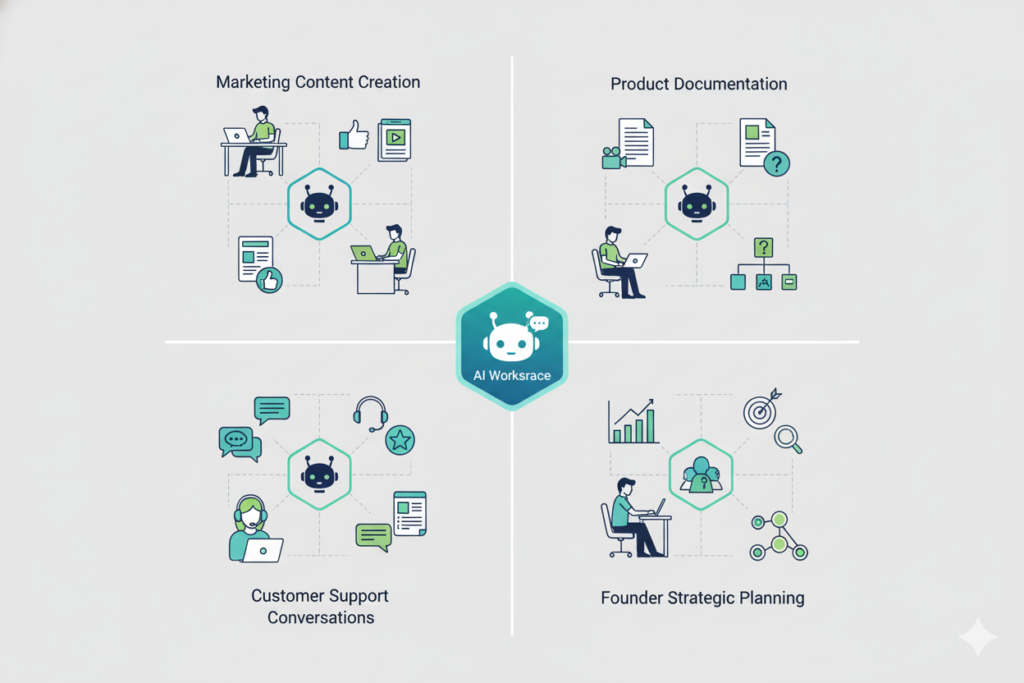
Marketing Teams: Scaling Content Without Scaling Headcount
Small marketing teams face relentless content demands—blog posts, social media, email campaigns, ad copy, and more. A shared AI workspace transforms how these teams operate.
Marketing managers create prompt templates for common content types, ensuring consistent brand voice across all AI-generated drafts. Junior marketers access proven prompts for social media posts, learning what works without months of experimentation. The team collaborates on content briefs, with AI helping outline articles based on keyword research and competitive analysis.
One five-person marketing team reported producing 3x more content after implementing a shared AI workspace, with quality remaining high because everyone built on refined prompts rather than starting from scratch. Their content calendar went from constantly behind schedule to planned two months ahead.
Product Teams: Accelerating Research and Documentation
Product managers juggle customer research, competitive analysis, feature specifications, and stakeholder communication. AI excels at all these tasks, but only when teams can share insights across the product development cycle.
In a shared workspace, product teams create persistent workspaces for each major initiative. Customer interview notes get fed into AI for thematic analysis, with insights visible to the entire team. Competitive research accumulates over time rather than being redone for each new feature discussion. Product requirements documents get drafted collaboratively, with AI helping ensure technical precision and completeness.
One product team at a 20-person SaaS startup reduced their feature specification time by 50% while actually improving detail and clarity. Developers reported fewer questions during implementation because AI-assisted specs anticipated edge cases more thoroughly.
Customer Support: Building Knowledge That Scales
Small customer support teams face a classic scaling challenge—each new customer increases support load, but hiring remains expensive. Shared AI workspaces help support teams handle more customers without proportional headcount growth.
Support teams build prompt libraries for common customer scenarios, enabling fast, consistent responses. When complex issues arise, team members collaborate in the AI workspace to troubleshoot, with the conversation becoming a reference for future similar cases. AI helps draft knowledge base articles from support conversations, turning reactive support into proactive documentation.
A seven-person support team using a shared AI workspace reported handling 40% more tickets with the same headcount, while customer satisfaction scores actually improved. Response times decreased because support reps spent less time crafting responses and more time understanding customer needs.
Founders and Operations: Multiplying Executive Capacity
Founders and operations leaders at small companies wear countless hats—strategy, fundraising, recruitment, process design, and more. AI can assist with virtually all these responsibilities, but only when organized systematically.
In shared workspaces, executives maintain separate contexts for different responsibilities. Fundraising conversations stay organized in one workspace, recruitment planning in another, and strategic planning in a third. This organization prevents context-switching chaos while ensuring important AI-generated insights don’t disappear into scattered tools.
One startup founder reported saving 10+ hours weekly by using AI for tasks like first-draft emails, meeting preparation, strategic research, and process documentation—but only after centralizing these activities in a shared workspace where her team could access relevant outputs and contribute to refinement.
Best Practices for Managing a Shared AI Workspace
Successfully implementing a shared AI workspace requires more than just setting up software. These best practices help small teams maximize value while avoiding common pitfalls:
Establish Clear Governance Without Bureaucracy
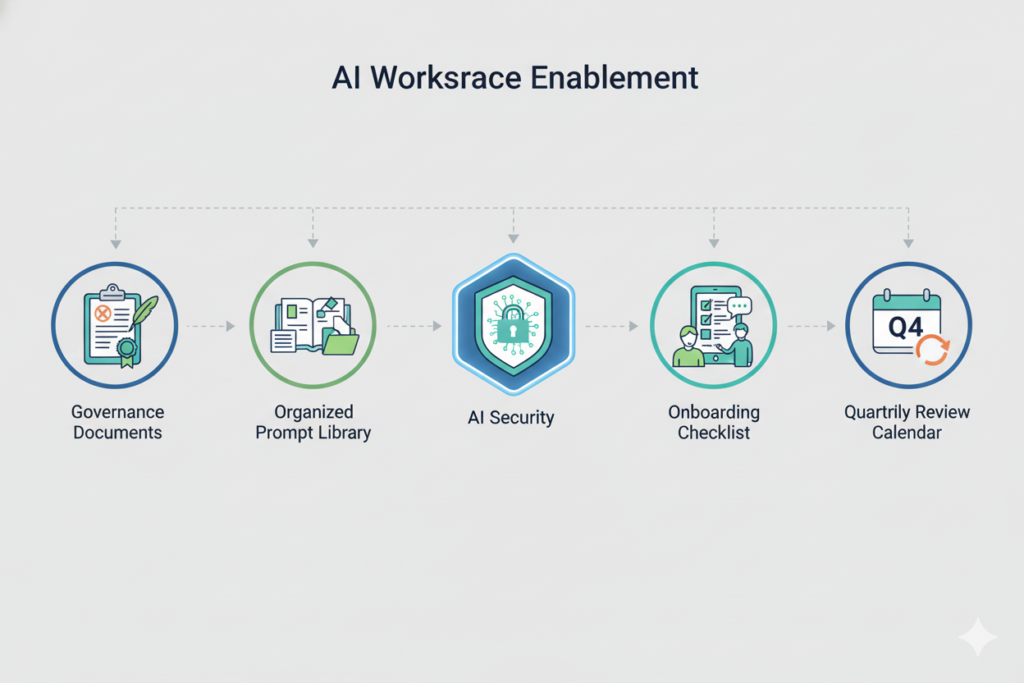
Small teams thrive on agility, so AI governance should enable rather than restrict. Start with a simple one-page document outlining:
- Who has access to what features
- Data privacy expectations for different content types
- Guidelines for sharing AI conversations
- When to save prompts to the team library
- How to request expanded access or budget
This governance framework should take 15 minutes to read and understand, not hours. As your team grows, you can add complexity, but start lean.
Build a Curated Prompt Library
Your prompt library shouldn’t become a dumping ground where people save every interesting conversation. Instead, maintain quality through curation. Designate one person (or rotate monthly) as the prompt library curator who reviews submissions, organizes by category, and retires outdated prompts.
Effective prompt library entries include:
- The prompt itself with clear placeholders for customization
- Context about when and why to use this prompt
- Example outputs demonstrating quality
- Attribution to the team member who created it
- Last updated date
Treat your prompt library like a product, not a file folder. User-friendly how to build a shared ai workspace for small teamsorganization and searchability determine whether team members actually leverage this asset.
Implement Security Practices Appropriate to Your Data
Different content requires different security approaches. Establish clear guidelines about what belongs in your shared AI workspace versus what requires how to build a shared ai workspace for small teamsadditional privacy controls.
Generally safe for shared AI workspaces: Marketing content, general research, public-facing documentation, training materials, brainstorming sessions, and non-sensitive business planning.
Requires additional consideration: Customer personal information, financial data, proprietary algorithms or trade secrets, pre-release product details, and personnel matters.
Most AI platforms offer privacy controls and don’t train models on user data, but verify these protections before uploading sensitive information. For highly confidential work, consider designated private workspaces with restricted access rather than company-wide sharing.
Create Onboarding That Actually Gets Used
New team members should be productive with your shared AI workspace on day one. Create a streamlined onboarding process that includes:
A 10-minute video walkthrough showing your team’s most common AI workflows, a curated list of 5-10 essential prompts for their role, a sandbox workspace where they can experiment without cluttering production spaces, and pairing with an experienced team member for their first few AI-assisted tasks.
Many small teams create an “AI Starter Pack” how to build a shared ai workspace for small teamsdocument with role-specific guidance. The marketing starter pack looks different from the product management starter pack, ensuring immediately relevant value rather than generic training.
Review and Optimize Quarterly
Schedule a quarterly AI workspace review with your team. Examine usage patterns, discuss what’s working and what isn’t, identify prompts that should be retired or updated, and explore new AI capabilities you could adopt.
These reviews keep your AI strategy aligned with evolving team needs rather than becoming stagnant. They also provide a forum for team members to share creative applications others might not have considered.
The Future of Shared AI Workspaces
AI collaboration tools are evolving rapidly, and understanding emerging trends helps small teams position themselves for continued productivity gains.
From Single Conversations to Multi-Agent Workflows
Current AI workspaces center on individual conversations between humans and AI models. The next evolution involves orchestrating multiple AI agents working together on complex tasks.
Imagine assigning a research project where one AI agent gathers competitive intelligence, another analyzes the data for trends, and a third synthesizes findings into a strategic report—all within your shared workspace where team members can monitor progress and provide guidance.
These multi-agent workflows will particularly benefit small teams because they automate entire processes rather than individual tasks, multiplying the productivity gains already achievable with current AI tools.
Deeper Integration With Team Tools
Today’s AI workspaces mostly operate as standalone platforms. Tomorrow’s will integrate seamlessly with your existing tool stack—Slack, project management software, CRM systems, and documentation platforms.
This integration means AI becomes embedded in your workflow rather than a separate destination. Imagine discussing a customer issue in Slack and invoking shared AI context about that customer without leaving the conversation, or having AI automatically update project documentation based on team conversations in your workspace.
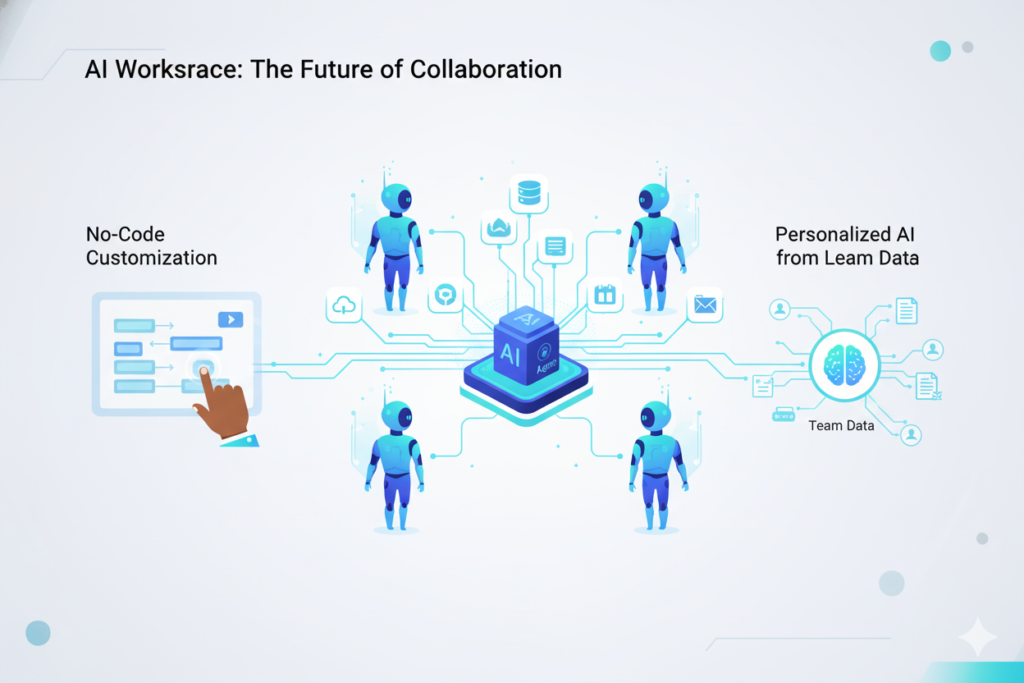
Personalized Team Intelligence
As your team uses shared AI workspaces over time, these platforms will develop increasingly sophisticated understanding of your business context, communication preferences, and knowledge base.
Future workspaces won’t just provide access to generic AI models. They’ll offer AI that understands your product, recognizes your customers, maintains your brand voice, and builds on your team’s accumulated expertise. This personalization transforms AI from a smart assistant into an intelligent team member.
Democratized AI Development
Upcoming no-code and low-code tools will enable small teams to create custom AI agents and workflows without engineering resources. Your marketing manager might build a specialized AI agent for content calendar planning, while your customer success lead creates an agent optimized for handling specific support scenarios.
This democratization means small teams won’t be limited to general-purpose AI tools. They’ll customize AI capabilities to match their exact needs, achieving enterprise-level specialization at small-team scale.
Conclusion
Building a shared AI workspace represents one of the most impactful decisions small teams can make in 2025. The productivity gains, cost savings, and collaborative advantages transform how teams operate—but only when implemented thoughtfully.
The key insights to remember: Start by understanding your team’s specific AI needs rather than adopting tools indiscriminately. Centralize access through purpose-built platforms rather than attempting custom development. Enable meaningful collaboration through shared workspaces, prompt libraries, and consistent practices. Manage costs and governance without creating bureaucracy that slows your team down. Plan for scaling as your team grows and AI capabilities evolve.
For small teams specifically, the build-versus-buy decision usually favors adopting existing platforms. The engineering resources required for custom development rarely make sense when turnkey solutions exist, and the opportunity cost of delayed implementation exceeds any hypothetical customization benefits.
Platforms like Aizolo remove the complexity traditionally associated with team AI adoption. When your entire team can access leading AI models through a unified workspace, collaborate naturally on AI-powered projects, and manage usage transparently, the results speak for themselves—teams typically report 3-5x productivity gains on AI-assisted tasks within the first month.
The future of work isn’t about whether small teams adopt AI, but how quickly and effectively they transform AI from individual experiments into systematic team capabilities. A well-implemented shared AI workspace provides that foundation, positioning your team to capitalize on AI advances as they emerge rather than constantly playing catch-up.
Ready to explore how a shared AI workspace could transform your small team’s productivity? Visit aizolo.com to see how teams like yours are already working smarter with centralized AI collaboration.