

Sarah thought she was being smart. As a freelance content marketer, she subscribed to ChatGPT Plus for $20/month to help with writing. Then she added Claude Pro ($20/month) when she discovered it was better for research. Gemini Advanced ($20/month) came next for its real-time search capabilities. Before she knew it, Perplexity Pro ($20/month) joined the party for citation-heavy work, and Grok ($30/month) rounded out her AI toolkit.
Five AI subscriptions. $110 per month. $1,320 per year.
One Tuesday morning, while switching between her seventh and eighth browser tab to compare responses from different AI models, Sarah had an epiphany: “There has to be a better way to compare AI models without emptying my bank account or losing my mind in tab chaos.”
She was right. And if you’ve ever found yourself juggling multiple AI subscriptions or wondering which AI model actually delivers the best results for your specific needs, this guide is for you.
Why Learning to Compare AI Models Is Your New Superpower

The AI landscape in 2025 isn’t just competitive—it’s overwhelming. We’re living in what experts call the “multi-model era,” where there’s no single AI that dominates everything. According to recent industry analysis, professionals who know how to compare AI models and match them to specific tasks save an average of 5-7 hours per week and reduce their AI spending by 60-80%.
But here’s the problem: most people don’t know how to effectively compare AI models. They either:
- Stick with the first AI they tried (usually ChatGPT) for everything
- Subscribe to multiple AI platforms “just in case”
- Waste hours manually testing the same prompt across different models
- Make decisions based on hype rather than actual performance
Learning to compare AI models isn’t just about finding the “best” AI—it’s about finding the right AI for each job. And in 2025, that skill is becoming as essential as knowing how to use a search engine was in 2005.
Understanding AI Models: What You’re Actually Comparing
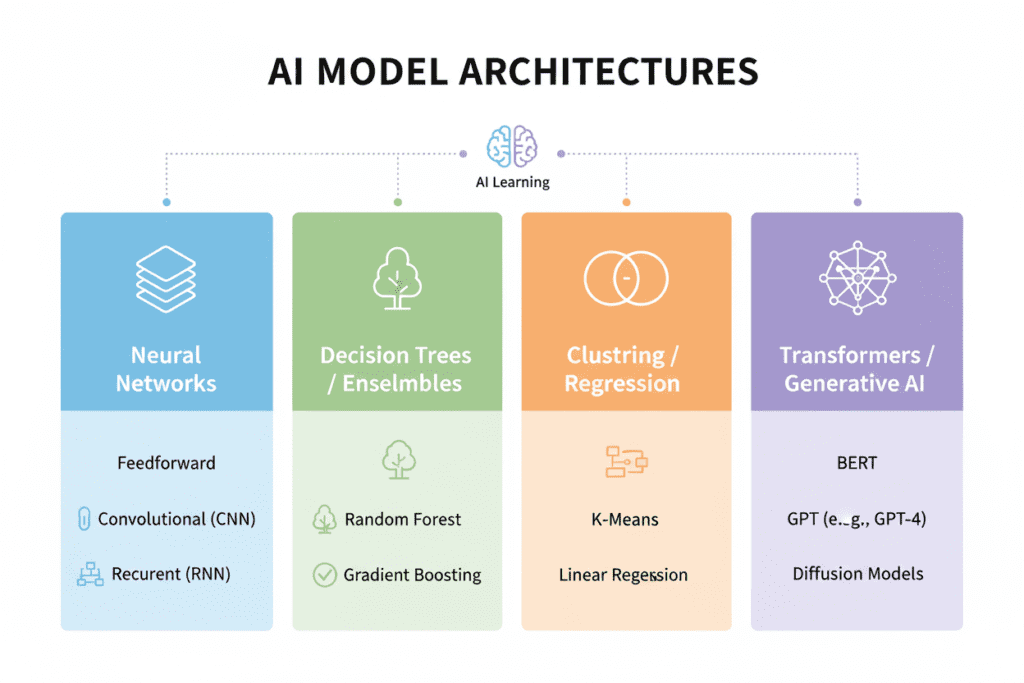
Before we dive into how to compare AI models, let’s clarify what we’re talking about. When you compare AI models, you’re evaluating:
The Core AI Model (The Engine)
- ChatGPT (OpenAI): Uses GPT architecture, currently GPT-5 and GPT-4o variants
- Claude (Anthropic): Claude Sonnet 4 and Opus 4, known for nuanced reasoning
- Gemini (Google): Gemini 2.5 Pro and Flash, excels at multimodal tasks
- Grok (xAI): Grok 4, specializes in real-time information
- Perplexity: Uses multiple models with citation capabilities
- DeepSeek: Cost-effective models gaining traction
What Makes Each Model Unique
When you compare AI models, you’re looking at fundamental differences in:
- Training data: What information the AI learned from
- Architecture: How the AI processes and generates responses
- Context window: How much text the AI can “remember” in a conversation
- Specializations: What tasks the AI was optimized for
- Safety guardrails: How the AI handles sensitive or controversial topics
The 7 Critical Factors to Compare AI Models Effectively
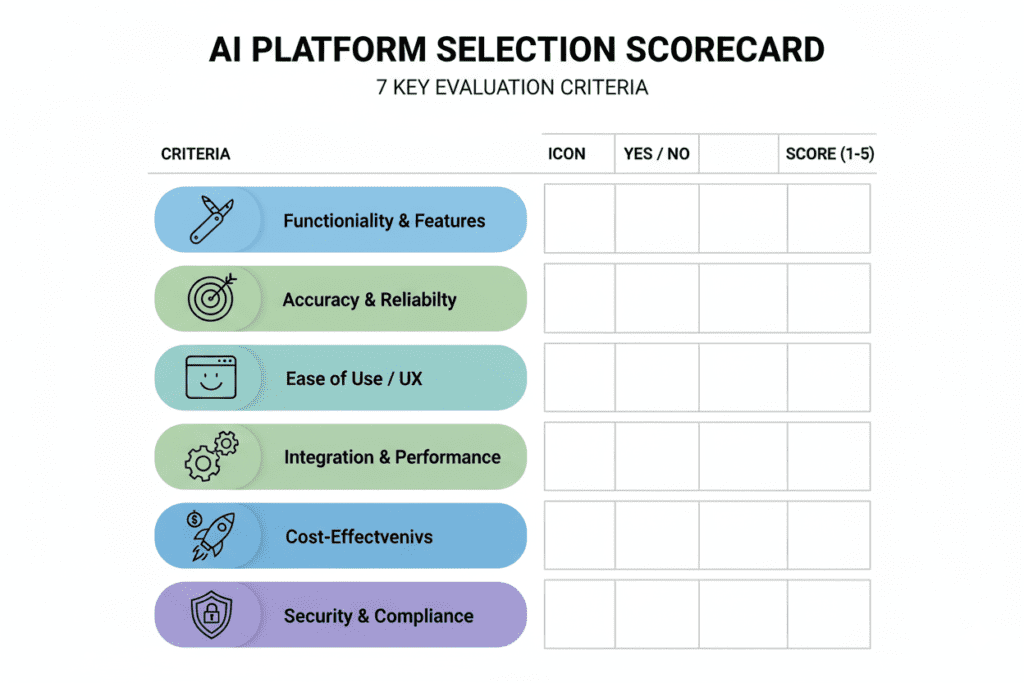
When you set out to compare AI models, focusing on these seven factors will save you time and money:
1. Task-Specific Performance
Different AI models excel at different tasks. Here’s what research shows:
Coding & Development: Claude Sonnet 4 leads with 77.2% accuracy on industry benchmarks, but ChatGPT offers the most balanced experience with better debugging tools.
Creative Writing: Claude captures writing styles more authentically, while ChatGPT generates content faster with more variations.
Research & Analysis: Gemini 2.5 Pro excels with its massive context window (up to 2 million tokens), while Perplexity provides verified citations that researchers love.
Real-Time Information: Gemini and Grok dominate here, with direct access to current web data and news.
Business Applications: ChatGPT has the most extensive ecosystem of integrations and plugins.
2. Response Quality & Accuracy
When you compare AI models for accuracy, you need to test with real prompts from your workflow. Industry testing reveals:
- Claude tends to provide more detailed, thoughtful responses
- ChatGPT balances speed with quality effectively
- Gemini excels at factual accuracy when connected to search
- All models can “hallucinate” (make up information), but at different rates
3. Context Understanding
The ability to maintain context varies significantly:
- Gemini 2.5 Pro: Up to 2 million tokens (roughly 1.5 million words)
- Claude Sonnet 4: Up to 200,000 tokens
- ChatGPT-4o: Up to 128,000 tokens
Why this matters: Longer context windows mean the AI can analyze entire books, codebases, or research papers in a single conversation.
4. Speed & Responsiveness
When you compare AI models for speed:
- ChatGPT generally offers the fastest responses
- Gemini Flash is optimized for speed over depth
- Claude takes longer but provides more thorough analysis
5. Cost Efficiency
This is where most people make expensive mistakes. Here’s the reality when you compare AI models by cost:
Individual Subscriptions:
- ChatGPT Plus: $20/month
- Claude Pro: $20/month
- Gemini Advanced: $20/month
- Perplexity Pro: $20/month
- Grok: $30/month Total: $110/month = $1,320/year
The Smart Alternative: Platforms like AiZolo that provide access to all premium AI models for $9.90/month save you $100+ monthly.
6. Interface & Usability
User experience matters when you compare AI models:
- ChatGPT has the most polished interface with voice, vision, and plugins
- Claude offers a clean, distraction-free experience
- Gemini integrates seamlessly with Google Workspace
- Multi-model platforms provide comparison features ChatGPT lacks
7. Privacy & Data Handling
When comparing AI models for security:
- Claude emphasizes constitutional AI and safety
- ChatGPT allows you to opt out of training data usage
- Gemini connects to your Google account (consider privacy implications)
- Self-hosted options like those available through custom API keys offer maximum control
How to Actually Compare AI Models: A Step-by-Step Framework

Ready to compare AI models like a pro? Follow this battle-tested framework:
Step 1: Define Your Use Cases
List your top 3-5 AI tasks. Common ones include:
- Content writing and editing
- Code generation and debugging
- Research and data analysis
- Creative brainstorming
- Task automation
- Learning and education
Step 2: Create Benchmark Prompts
Develop 3-5 standard prompts that represent your typical work. For example:
- “Analyze this market research data and identify three key trends…”
- “Write a 500-word blog introduction about…”
- “Debug this Python function that’s throwing an error…”
Step 3: Test Side-by-Side
This is where most people waste hours. Here’s the efficient way:
Traditional Method (Time-consuming):
- Open ChatGPT in one tab
- Type prompt, wait for response
- Copy response to a document
- Open Claude in another tab
- Repeat the same prompt
- Compare manually
- Repeat for 3-5 models Time: 20-30 minutes per comparison
Smart Method (Using AiZolo):
- Open one interface
- Select multiple AI models
- Enter prompt once
- See all responses side-by-side instantly
- Switch between dynamic layouts Time: 2-3 minutes per comparison
Step 4: Evaluate Systematically
When responses appear, rate each on:
- Accuracy (Is the information correct?)
- Relevance (Does it answer what you asked?)
- Depth (Is the explanation thorough enough?)
- Usability (Can you use the response immediately?)
- Style (Does it match your voice/needs?)
Step 5: Track Your Results
Keep a simple scorecard. After testing 10-15 prompts, patterns emerge:
- Model A consistently wins for coding
- Model B provides better creative content
- Model C offers superior research capabilities
Compare AI Models by Use Case: Real-World Examples
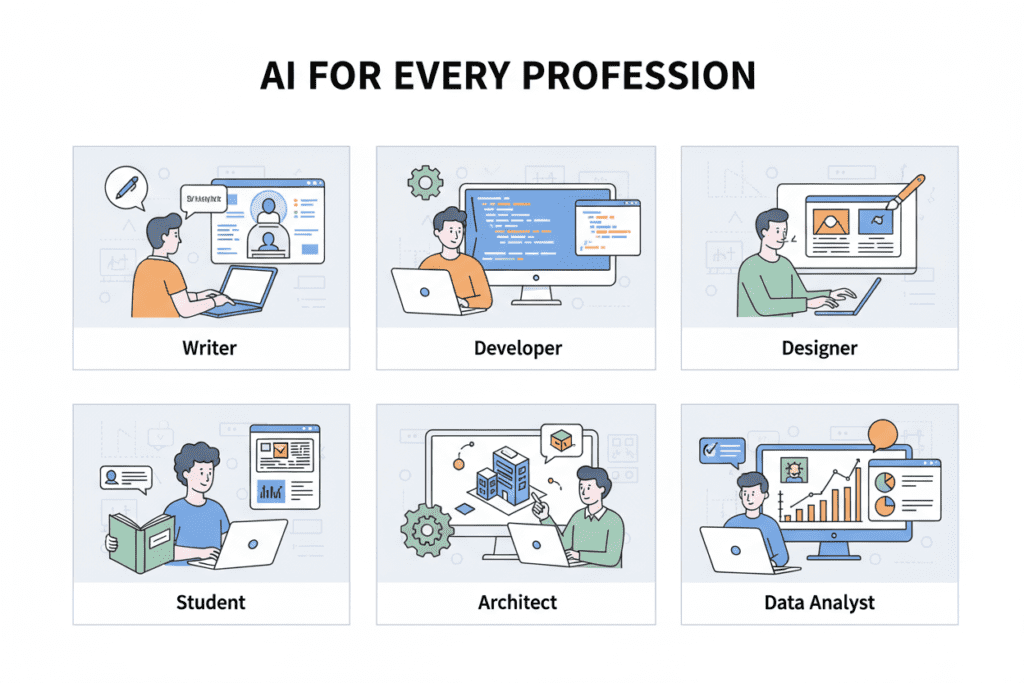
Let’s get practical. Here’s how to compare AI models for common scenarios:
For Content Creators & Marketers
The Challenge: Sarah needed to create SEO-optimized blog posts, social media content, and email newsletters weekly.
Testing Process: She compared AI models using a real blog brief:
- ChatGPT: Generated content fastest, good for first drafts, but sometimes too generic
- Claude: Captured her brand voice better, excellent for editing and refinement
- Gemini: Best for research-heavy content with current statistics
Result: Using AiZolo, Sarah now starts with ChatGPT for quick drafts, refines with Claude for style, and fact-checks with Gemini—all in one interface. Time saved: 8 hours/week.
For Developers & Engineers
The Challenge: Marcus needed help with code reviews, bug fixes, and learning new frameworks.
Testing Process: He compared AI models with actual code from his projects:
- Claude Sonnet 4: Best at understanding complex codebases and providing architectural advice
- ChatGPT: Faster for quick syntax questions and common problems
- Gemini: Strong at explaining algorithms and CS concepts
Result: Marcus uses Claude for serious debugging sessions, ChatGPT for quick fixes, and Gemini when learning new concepts. His debug time dropped by 40%.
For Students & Researchers
The Challenge: Priya needed to analyze academic papers, write literature reviews, and understand complex topics.
Testing Process: She compared AI models using research papers and study questions:
- Claude: Provided the most nuanced explanations of complex theories
- Gemini: Best for finding and summarizing recent papers (real-time search)
- ChatGPT: Good for breaking down concepts into simpler terms
Result: Priya uses Gemini to find sources, Claude to understand them deeply, and ChatGPT for study guides. Her research efficiency improved by 60%.
For Business Professionals
The Challenge: James needed market analysis, competitor research, and presentation content.
Testing Process: He compared AI models for business intelligence tasks:
- Gemini: Superior for current market data and trends
- Claude: Best for strategic analysis and detailed reports
- ChatGPT: Great for presentation slides and executive summaries
- Perplexity: Excellent for researching competitors with sources
Result: James’s workflow now involves Gemini for data gathering, Claude for analysis, and ChatGPT for presentation creation. Time saved: 10+ hours/week.
The Hidden Cost of Not Knowing How to Compare AI Models

Let’s talk about what happens when you don’t effectively compare AI models:
The Subscription Trap
Without comparing AI models properly, people typically:
- Subscribe to 3-5 different AI services ($60-110/month)
- Use each one at maybe 20% capacity
- Still don’t know which is best for specific tasks
- Waste $720-1,320 annually on redundant subscriptions
The Productivity Drain
Industry research shows professionals who don’t systematically compare AI models:
- Spend 3-5 hours per week manually switching between platforms
- Experience “decision fatigue” from too many choices
- Miss opportunities to use the best tool for each task
- Take 40-60% longer to complete AI-assisted tasks
The Quality Compromise
Using the wrong AI model for a task means:
- Lower quality outputs that need more revision
- Missed insights that a better-suited model would catch
- Frustration when results don’t meet expectations
- Lost confidence in AI tools overall
Introducing the Solution: Multi-Model AI Platforms

This is where platforms like AiZolo are changing the game. Instead of juggling multiple subscriptions and browser tabs to compare AI models, you get:
One Subscription, All Models
Access ChatGPT, Claude, Gemini, Perplexity, Grok, and more premium AI models from a single platform. No more managing five different accounts, billing cycles, or passwords.
Built-In Comparison Features
The killer feature: compare AI models side-by-side in real-time. Ask one question, see responses from multiple models simultaneously, and instantly identify which AI gives you the best result.
Dynamic Layout Control
Customize your workspace exactly how you need it:
- Split screen for two-model comparison
- Grid view for comparing three or four models
- Full screen for focused work
- Minimize models you’re not currently using
Custom API Key Support
For power users: bring your own encrypted API keys for unlimited access to specific models while still enjoying the multi-model comparison interface.
Project Management
Organize conversations by project, use custom system prompts, and maintain separate contexts for different types of work.
Massive Cost Savings
Here’s the math that convinced Sarah:
- Old way: $110/month for 5 separate subscriptions
- New way: $9.90/month for access to all models
- Savings: $100.10/month = $1,201.20/year
How to Compare AI Models Using AiZolo: A Practical Walkthrough
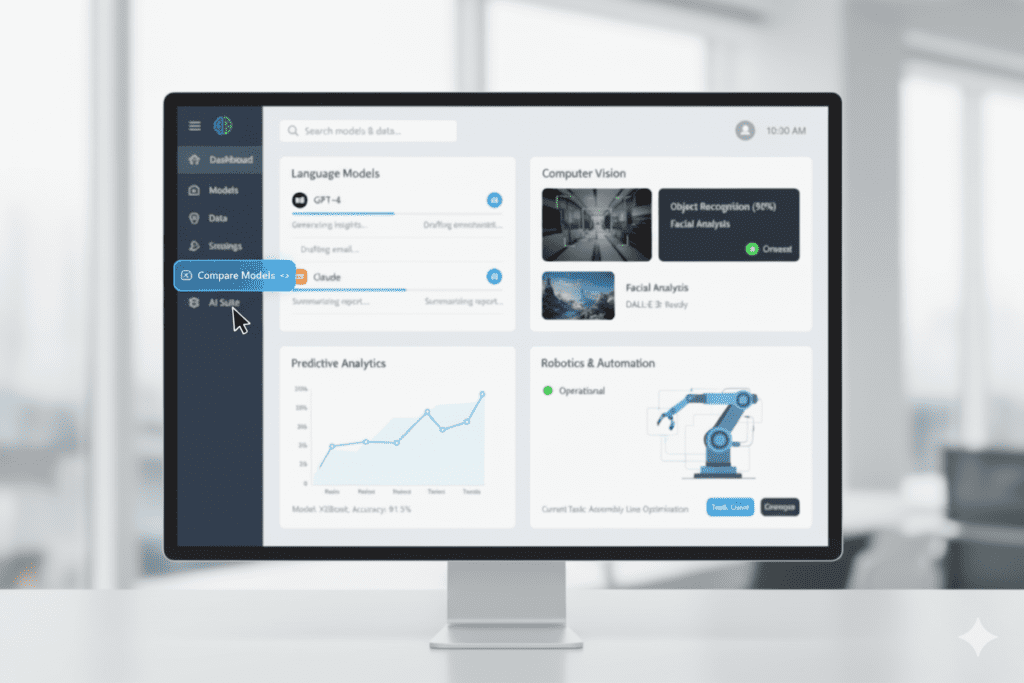
Let’s walk through how to effectively compare AI models using a multi-model platform:
Step 1: Set Up Your Workspace
- Log into AiZolo and create a new project (free account available)
- Select 2-4 models you want to compare (e.g., ChatGPT, Claude, Gemini)
- Arrange them in split-screen or grid view
Step 2: Run Your First Comparison
- Type your prompt once in the main input field
- Click send—all selected models generate responses simultaneously
- Compare responses side-by-side in real-time
- Identify patterns: which model gives you the best format, depth, accuracy?
Step 3: Refine and Iterate
- Follow up with clarifying questions to the best-performing model
- Or ask all models the same follow-up to see how they handle iteration
- Copy the best response or combine insights from multiple models
Step 4: Save Your Findings
- Star or bookmark the best responses
- Note which model performed best for this type of task
- Build your personal “which AI for which task” guide over time
Real Example: Blog Post Creation
Prompt: “Write a 300-word introduction for a blog post about sustainable fashion trends in 2025”
Comparison Results (typical):
- ChatGPT: Fastest response (8 seconds), conversational tone, good structure
- Claude: More thoughtful (12 seconds), excellent flow, sophisticated vocabulary
- Gemini: Included current 2025 trends (15 seconds), data-driven approach
Decision: Start with ChatGPT’s structure, refine the tone using Claude’s version, and add Gemini’s current statistics. Total time: 3 minutes vs. 15 minutes doing this across three separate platforms.
Advanced Tips: Compare AI Models Like a Pro

Once you’ve mastered the basics, try these advanced techniques to compare AI models more effectively:
1. The Benchmark Library Technique
Create a collection of 10-15 “golden prompts” that represent your most common tasks. Run these periodically across all models to track:
- Which models are improving over time
- How model updates affect your specific use cases
- Whether new models outperform your current favorites
2. The Hybrid Workflow Method
Don’t feel locked into one model. The pros combine strengths:
- Use ChatGPT for brainstorming and first drafts (speed)
- Switch to Claude for refinement and editing (quality)
- Verify facts with Gemini or Perplexity (accuracy)
- Generate variations with multiple models simultaneously
3. The Context Stacking Approach
When comparing AI models on complex tasks:
- Start with the model that has the largest context window (Gemini 2.5 Pro)
- Use it to analyze long documents or complex information
- Take its summary and use it as input for other models
- Compare how different models interpret the same summary
4. The Cost-Per-Quality Analysis
Track not just which model performs best, but at what cost:
- Premium features worth paying for?
- Can you get 80% of the result at 20% of the cost?
- Which tasks justify using expensive models vs. free tiers?
The Future of Comparing AI Models: What’s Coming in 2025-2026

The AI landscape is evolving rapidly. Here’s what to expect as you continue to compare AI models:
Multimodal Capabilities Everywhere
Soon, every major model will handle:
- Text, images, audio, and video seamlessly
- Real-time data and historical knowledge combined
- Cross-language communication without translation lag
Specialized Models Proliferation
Expect to see (and need to compare):
- Domain-specific AI models for medicine, law, finance
- Coding models optimized for specific programming languages
- Creative models fine-tuned for different writing styles
Agent-Based Systems
Models will evolve from chatbots to agents that:
- Execute multi-step tasks autonomously
- Use tools and APIs on your behalf
- Collaborate with other AI agents to solve complex problems
Cost Democratization
As competition intensifies:
- Prices will continue dropping
- Free tiers will become more generous
- Multi-model platforms will offer even better value
Common Mistakes When Comparing AI Models (And How to Avoid Them)
Don’t fall into these traps:
Mistake #1: Testing Only Popular Models
The trap: Everyone tests ChatGPT, Claude, and Gemini, but ignores emerging models like DeepSeek or specialized tools. The fix: Include at least one “underdog” in your comparisons. You might discover hidden gems.
Mistake #2: Using Generic Prompts
The trap: Testing with “Write a poem about cats” tells you nothing about real-world performance. The fix: Always test with actual work prompts from your specific use cases.
Mistake #3: Judging Too Quickly
The trap: Trying each model once and declaring a winner. The fix: Test each model at least 10-15 times across different scenarios before forming conclusions.
Mistake #4: Ignoring Version Updates
The trap: Forming opinions based on old model versions and never retesting. The fix: When major updates are announced (like Claude 5 or GPT-6), rerun your benchmark tests.
Mistake #5: Focusing Only on Output Quality
The trap: Choosing models based solely on which gives “better” answers. The fix: Consider speed, cost, consistency, and integration capabilities in your evaluation.
Making Your Decision: A Practical Comparison Checklist
Image Prompt: Interactive checklist or decision tree infographic
Ready to compare AI models for your specific needs? Use this checklist:
Primary Use Case: □ Content creation → Test: ChatGPT, Claude, Gemini □ Coding → Test: Claude Sonnet 4, ChatGPT, Gemini □ Research → Test: Perplexity, Gemini, Claude □ Business analysis → Test: Claude, Gemini, ChatGPT □ Real-time info → Test: Gemini, Grok, Perplexity
Budget Considerations: □ Can you justify $100+/month for multiple subscriptions? □ Would a $10/month multi-model platform meet your needs? □ Do you need custom API access for unlimited usage? □ How much time would you save with side-by-side comparison?
Technical Requirements: □ Do you need API access for automation? □ Is integration with existing tools essential? □ Do you require specific privacy or data controls? □ Will you need custom model fine-tuning?
Testing Plan: □ Create 5-10 benchmark prompts from real work □ Test each model 3 times per prompt □ Document speed, accuracy, and usability □ Calculate cost per quality point □ Choose primary model(s) based on data
Your Next Steps: Start Comparing AI Models Today
Image Prompt: Person confidently working at desk with organized AI workflow, positive lighting
Here’s your action plan to start comparing AI models effectively:
For Beginners:
- Try AiZolo’s free plan to test multiple AI models without financial commitment
- Create 3 benchmark prompts from your typical work
- Compare responses from ChatGPT, Claude, and Gemini side-by-side
- Document your findings in a simple spreadsheet
- Choose your primary model based on results, not hype
For Intermediate Users:
- Upgrade to AiZolo Pro ($9.90/month) for unlimited comparisons across all premium models
- Develop a 10-prompt benchmark library covering all your use cases
- Test weekly to track model improvements over time
- Build hybrid workflows combining strengths of multiple models
- Share findings with your team to standardize AI usage
For Advanced Users:
- Add custom API keys to AiZolo for unlimited token usage with your preferred models
- Create specialized projects with custom system prompts for different work types
- Automate comparisons where possible to save time
- Monitor costs and optimize your model usage patterns
- Stay updated on new model releases and retest regularly
Real User Success Stories: The Impact of Smart AI Model Comparison
Image Prompt: Success stories shown as quote cards with user photos
Sarah – Freelance Content Marketer
“Learning to compare AI models properly changed my business. I went from spending $110/month on five subscriptions I barely used to $9.90/month on AiZolo where I actually use all the models strategically. My content quality improved because I’m using the right AI for each task, and I’m saving 8 hours per week. That’s an extra $800/month in billable time.”
Marcus – Full-Stack Developer
“I thought ChatGPT was the only AI I needed for coding. Then I started comparing models with AiZolo and discovered Claude Sonnet 4 is way better for complex debugging. Now I use both—ChatGPT for quick fixes, Claude for architecture—and my code quality has noticeably improved. The side-by-side comparison saves me from opening five tabs every time I need to test something.”
Priya – Graduate Student
“As a student on a tight budget, I couldn’t afford multiple AI subscriptions. AiZolo’s free tier let me compare ChatGPT, Claude, and Gemini to see which helped most with my research. When I upgraded to Pro for $9.90/month, it was still cheaper than one ChatGPT Plus subscription, but I got access to all the premium models. My thesis research became so much more efficient.”
Frequently Asked Questions About Comparing AI Models
Q: Is one AI model definitively better than the others? A: No. In 2025, there’s no single “best” AI model. Different models excel at different tasks. ChatGPT is great for general use, Claude excels at nuanced reasoning and coding, Gemini leads in multimodal tasks and real-time information. The key is matching the right model to each task.
Q: How often should I re-compare AI models? A: Run your benchmark tests whenever major model updates are released (typically 2-4 times per year for each major model). Also test when you’re taking on new types of work that might benefit from different AI capabilities.
Q: Can I use multiple AI models in the same conversation? A: With multi-model platforms like AiZolo, yes! You can start a conversation with one model, then continue it with another, or compare responses from multiple models to the same prompt simultaneously.
Q: Are free versions good enough, or do I need paid subscriptions? A: Free versions are limited in usage and access to latest models. If you use AI daily for work, paid access pays for itself in time savings. However, starting with free tiers to compare AI models before committing to subscriptions is smart.
Q: How do I know if a comparison platform like AiZolo is worth it versus separate subscriptions? A: Calculate your total current AI spending and time lost switching between platforms. If you’re spending $60+/month on subscriptions or 3+ hours/week managing multiple tools, a unified platform at $9.90/month typically saves both money and time within the first month.
Q: What if my favorite model isn’t available on a comparison platform? A: Look for platforms like AiZolo that support custom API keys. This lets you add any model with an available API while still using the comparison features and unified interface.
Q: Will comparing AI models really improve my work quality? A: Yes, dramatically. Industry data shows professionals who systematically match AI models to specific tasks see 30-50% improvements in output quality and 40-60% reduction in revision time. It’s not about using AI more—it’s about using the right AI for each job.
Conclusion: Your Journey to AI Mastery Starts with Smart Comparison
Image Prompt: Person standing at crossroads with different AI paths, choosing confidently
Learning how to compare AI models isn’t just about finding the “best” chatbot—it’s about developing a critical skill for the AI-powered future of work. The professionals who thrive in 2025 and beyond won’t be those who picked the winning AI model, but those who mastered the art of matching the right AI to each challenge.
Remember Sarah from the beginning of this post? After implementing a smart AI comparison strategy with AiZolo, she transformed her business:
- Reduced AI spending from $110 to $9.90/month (saving $1,201.20/year)
- Cut content creation time by 40% through strategic model selection
- Improved content quality by 35% using the right AI for each task
- Eliminated the stress of managing multiple subscriptions and browser tabs
The AI revolution isn’t about replacing humans—it’s about amplifying human potential with the right tools. And the right tools come from understanding how to compare AI models effectively.
Your next step is simple: Stop juggling multiple AI subscriptions or limiting yourself to just one model. Try AiZolo free today and experience what it’s like to compare AI models side-by-side, instantly seeing which gives you the best result for your specific work. With access to ChatGPT, Claude, Gemini, Perplexity, Grok, and more premium models in one beautiful interface, you’ll wonder how you ever worked any other way.
The future of AI isn’t about one model ruling them all. It’s about having the wisdom to compare AI models and choose the perfect one for each moment. That future starts now.
Ready to master AI model comparison? Start comparing AI models with AiZolo’s free plan – no credit card required. Discover which AI truly works best for your needs, save hundreds on subscriptions, and join 10,000+ professionals who’ve already transformed their AI workflow.
Suggested Internal Links:
- How to Chat with Multiple AI Models – Link from “multi-model platforms” section
- How to Save Money on AI Subscriptions – Link from “cost efficiency” section
- ChatGPT and Claude at the Same Time – Link from “hybrid workflow method” section
- Why Multi-Model AI Subscription is Smart – Link from “solution section”
- Best AI Tools for Content Creation – Link from “content creators” section
Suggested External Links:
- Artificial Analysis AI Benchmarks – Link from “performance metrics” section
- Anthropic’s Claude Documentation – Link when discussing Claude capabilities
- OpenAI’s GPT Model Overview – Link when discussing ChatGPT versions
- Google AI Gemini Overview – Link when discussing Gemini capabilities
- TechCrunch AI News – Link in “future of AI” section

