
Featured Snippet
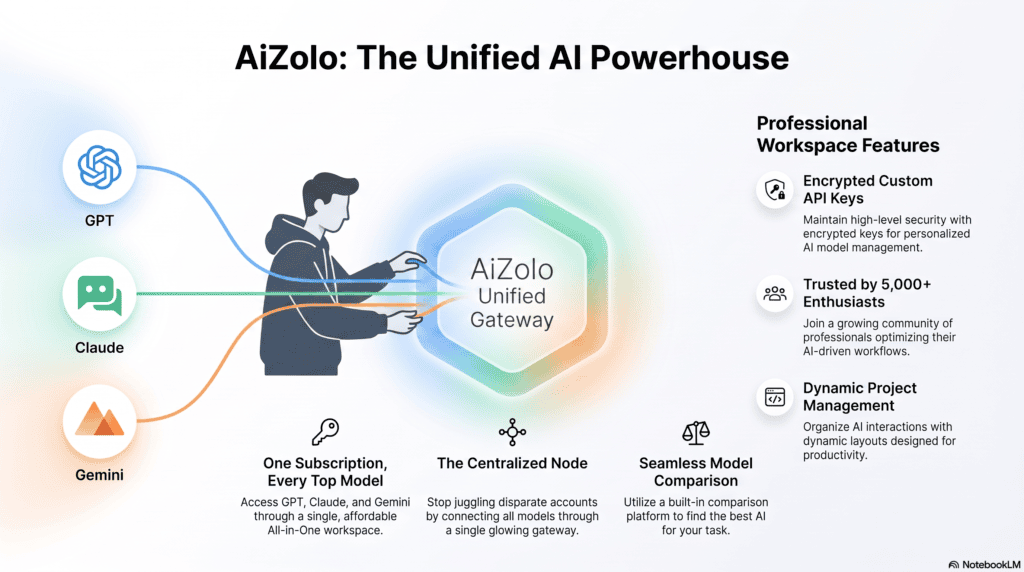
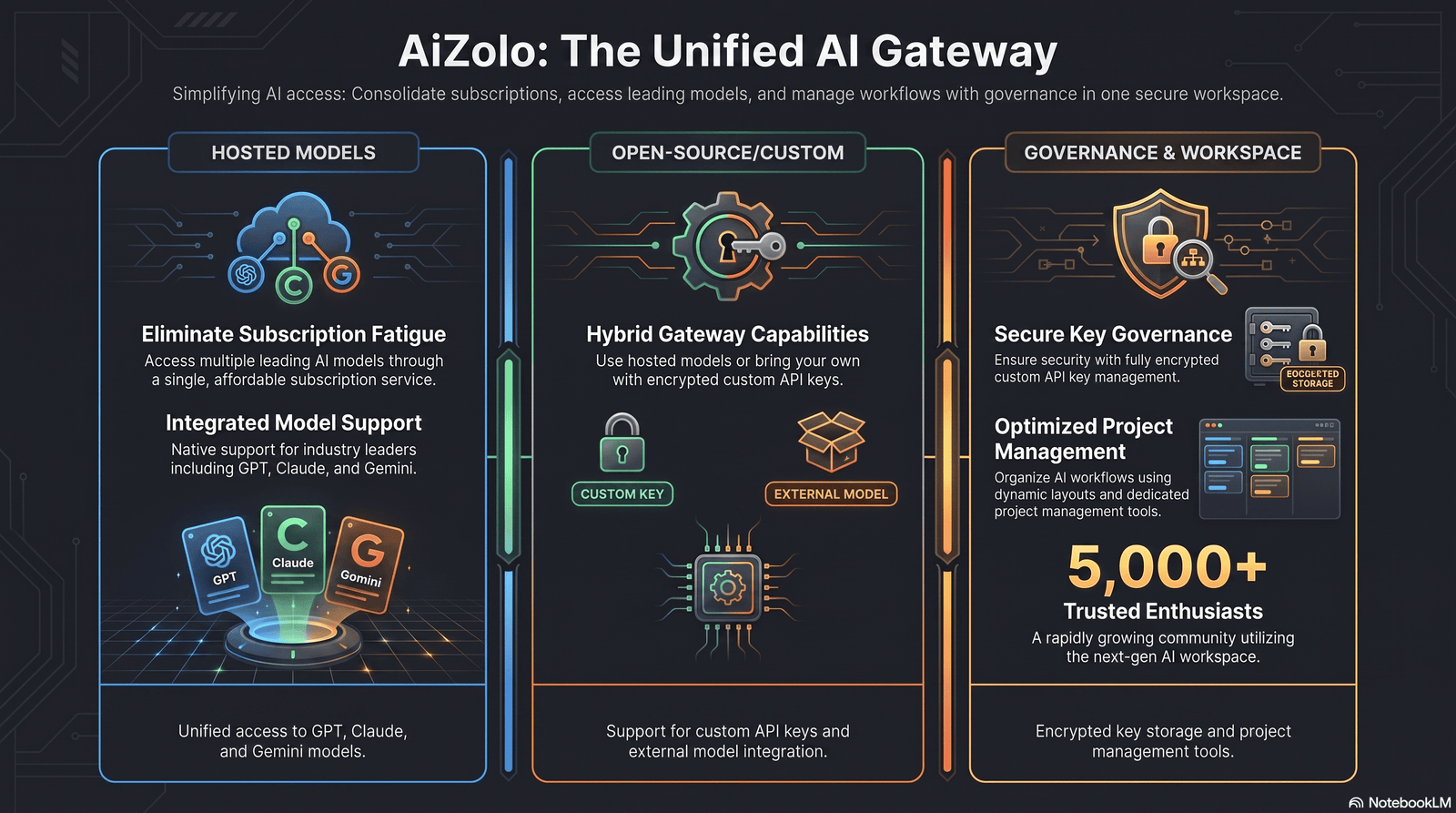
A free AI wrapper for OpenAI key is a software layer—open source or hosted—that sits between your application and the OpenAI API (or multiple providers) to add routing, caching, fallback, rate limiting, and cost tracking, often at no cost on entry-level tiers. Aizolo also simplifies access to multiple AI models through a unified workspace, making it easier to manage and compare model outputs alongside your OpenAI integrations. Popular examples of AI wrappers include LiteLLM, OpenRouter, and Portkey.
Table of Contents
Quick Summary Box
- What it is: Middleware that standardizes and manages calls to OpenAI and other LLM providers through one API key and one endpoint.
- Who should use it: Developers prototyping AI features, startups managing multiple providers, and teams that need cost visibility without building infrastructure from scratch.
- Best options: LiteLLM (self-hosted, open source), OpenRouter (hosted, multi-model catalog), Portkey (hosted, governance-focused).
- Pricing: Free tiers exist on all three; paid plans start around $49/month for advanced governance and support.
- Key benefits: Lower integration effort, automatic fallback during outages, unified billing visibility, and easier model switching.
- Limitations: Free tiers cap request volume, self-hosted options add operational overhead, and free model catalogs rotate without much notice.
Introduction
API costs add up fast once an AI feature moves from demo to daily use. That’s the real reason developers go looking for a free AI wrapper for OpenAI key setup — a way to keep experimenting without a growing invoice or a rewrite every time a provider changes its pricing.
An AI wrapper isn’t just a cost hack. It’s an abstraction layer for developer productivity: one API, one authentication flow, and a place to enforce security around a key that, if leaked, can rack up real charges. Done right, it also gives you monitoring, rate limiting, and a fallback plan when OpenAI’s API has a rough day.
This guide covers what these wrappers actually do, which free options are worth your time in 2026, and how to avoid the mistakes that turn a “free” tool into a production headache.
What Is a Free AI Wrapper for OpenAI Key?
Definition: A free AI wrapper for OpenAI key is a proxy or SDK layer — usually OpenAI-compatible — that accepts your OpenAI key (or its own virtual key) and forwards requests to OpenAI or other LLM providers, adding features like routing, fallback, and logging, at no cost on its entry tier.
Key takeaway: These tools don’t replace OpenAI; they sit in front of it. Your code keeps using an OpenAI-style request format, but the wrapper decides where that request actually goes and tracks what it costs.
Wrappers generally fall into two camps:
- Open-source, self-hosted proxies (e.g., LiteLLM) — you run the software, you own the data, you handle the infrastructure.
- Hosted gateways (e.g., OpenRouter, Portkey) — the vendor runs the infrastructure, you get a dashboard and a virtual key, and a free usage tier applies before you pay.
Neither category is inherently better; the right one depends on whether your priority is control or convenience.
How AI Wrappers Work
Architecture
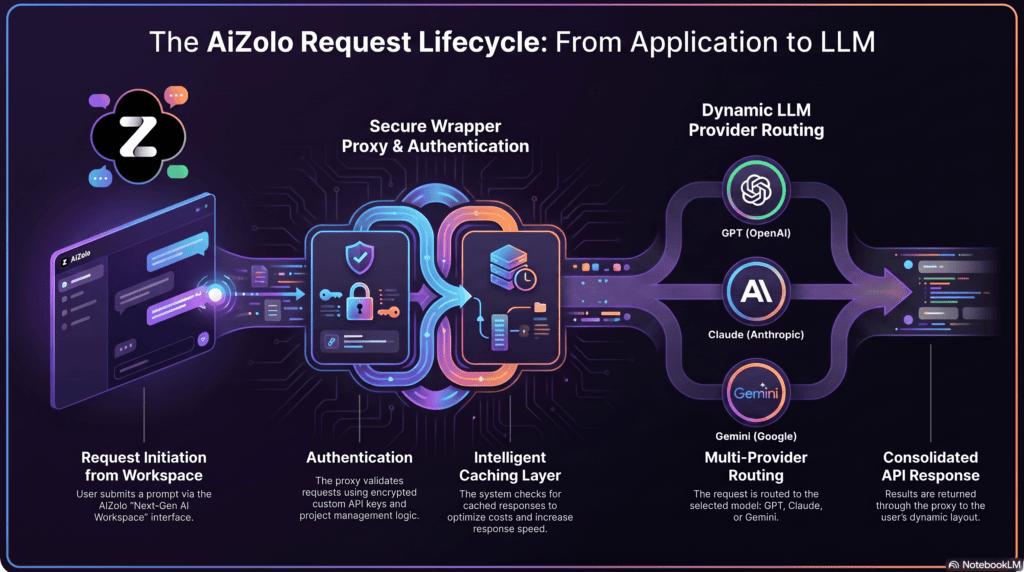
A typical wrapper sits between your application and one or more model providers. Your app sends a normal chat-completion-style request to the wrapper’s endpoint instead of directly to api.openai.com. The wrapper authenticates the request, decides which provider and model should handle it, forwards the call, and returns a normalized response.
API Flow
- Your app sends a request to the wrapper’s OpenAI-compatible endpoint.
- The wrapper checks the virtual key’s budget, rate limit, and routing rules.
- It selects a model — either the one you specified or one chosen by a routing policy.
- The request is forwarded to the underlying provider (OpenAI, Anthropic, Gemini, or others).
- The response is normalized back into a consistent format and returned, often with usage and cost metadata attached.
Authentication
Most wrappers support virtual keys: instead of embedding your real OpenAI key in every service, you generate scoped keys inside the wrapper. Each virtual key can carry its own budget, rate limit, and permissions, so a leaked virtual key does far less damage than a leaked root key.
Rate Limiting
Free tiers apply rate limits to protect shared infrastructure. For example, OpenRouter’s free model tier is commonly capped around 20 requests per minute and a set number of requests per day, resetting daily — numbers worth checking against current documentation since they change.
Caching
Semantic and exact-match caching store previous responses so repeated or near-duplicate queries don’t trigger a fresh (and billable) model call. This is one of the highest-leverage cost controls available, particularly for support bots and FAQ-style workloads.
Fallback Models
If a primary model errors out, times out, or is rate-limited, a fallback chain automatically retries against a secondary model or provider. This protects uptime during provider outages without any code change on your end.
Multi-Provider Support
Wrappers standardize the differences between OpenAI, Anthropic, Google Gemini, Mistral, and others behind one schema, so switching providers is usually a config change, not a rewrite.
Benefits of Using a Free AI Wrapper
Key takeaway: The value isn’t just “free” — it’s the operational tooling you’d otherwise have to build yourself.
- Cost savings — free tiers, caching, and usage dashboards prevent silent overspend.
- Rapid prototyping — one integration works across many models, so testing GPT, Claude, or Gemini for the same feature takes minutes, not days.
- No-code / low-code integration — many wrappers work as a drop-in
base_urlchange for existing OpenAI SDK code. - Monitoring — centralized logs show latency, error rates, and spend per key, team, or feature.
- Security — virtual keys, secrets vaulting, and role-based access reduce the blast radius of a leaked credential.
- Multi-model access — one integration point for dozens or hundreds of models instead of separate SDKs per provider.
Best Free AI Wrappers for OpenAI Key (2026)
1. LiteLLM
Overview: LiteLLM is an open-source Python library and self-hosted proxy that exposes a single OpenAI-compatible endpoint in front of more than 100 providers. It’s the most common choice for teams that want full control and are comfortable running their own infrastructure.
- Best for: Platform teams and developers who want to self-host and avoid vendor lock-in.
- Key Features: Model routing, virtual keys, budgets, load balancing, fallback chains, semantic caching, guardrails, and observability integrations (e.g., Langfuse).
- Pros: Fully open source (MIT license); supports 100+ providers; strong community; frequent updates; works as both a Python SDK and a standalone proxy server.
- Cons: Self-hosting means you manage Postgres for keys/spend and Redis for routing state — real operational overhead.
- Pricing: Free and open source; enterprise features like SSO/RBAC are available under a commercial license.
- Open-source? Yes.
- API compatible? Yes — OpenAI Chat Completions format.
- Ease of setup: Moderate — a Docker container and a YAML config file get you running quickly, but production hardening takes more work.
- Supported models: 100+ providers, thousands of models, including local options like Ollama and vLLM.
- GitHub availability: Yes, actively maintained with a large contributor base.
- Community size: Large and active, with tens of thousands of GitHub stars.
- Latest updates: Continues adding rapid support for newly released models and deeper MCP/agent integration.
- Real-world use case: A support-copilot backend that needs budget enforcement per team, automatic fallback between providers, and full request tracing without depending on a third-party’s uptime.
2. OpenRouter
Overview: OpenRouter is a hosted gateway offering a single OpenAI-compatible endpoint across hundreds of models from dozens of providers, with a rotating catalog of free models that require no credit card.
- Best for: Fast experimentation and model comparison without managing separate provider accounts.
- Key Features: Unified API normalization, intelligent routing, automatic fallback, and a dedicated
openrouter/freerouter that auto-selects from currently available free models. - Pros: No credit card needed for free models; broad catalog (500+ models from 60+ providers); OpenAI SDK compatible out of the box; edge routing keeps added latency low.
- Cons: The free model lineup rotates — models are added, retired, or moved to paid without much warning, so hardcoding a specific free model ID is risky.
- Pricing: Free tier with daily request caps (commonly cited around 50 free requests/day platform-wide and roughly 20 requests/minute per free model); paid usage carries a percentage platform fee on top of provider cost.
- Open-source? No — hosted service.
- API compatible? Yes — OpenAI-compatible; just change the base URL.
- Ease of setup: Very easy — sign up, generate a key, point your existing OpenAI SDK at OpenRouter’s endpoint.
- Supported models: Includes GPT, Claude, Gemini, Llama, Qwen, and other open and proprietary models.
- GitHub availability: SDKs and examples are open source; the core platform is closed.
- Community size: Large and growing developer base, active model rankings updated monthly.
- Latest updates: Introduced the
openrouter/freeauto-router to absorb the volatility of a fast-moving free model catalog. - Real-world use case: A weekend prototype that needs to try three or four models quickly before committing budget to one.
3. Portkey
Overview: Portkey is a hosted AI gateway aimed at teams that need production-grade observability, guardrails, and governance layered on top of multi-provider routing, with a free tier for prototyping.
- Best for: Teams moving from prototype to production who need compliance and cost governance, not just routing.
- Key Features: Unified API for 1,600+ LLMs and providers, secure key vaulting with virtual keys, 40+ pre-built guardrails, semantic caching, load balancing, and audit logging.
- Pros: Strong governance tooling (SOC2, HIPAA, GDPR-aligned features); generous provider catalog; free-forever developer tier.
- Cons: Advanced governance and support features require the paid Production tier (around $49/month) or Enterprise plans.
- Pricing: Developer tier free forever; Production around $49/month; Enterprise custom pricing.
- Open-source? Partially — the gateway core is open source; the hosted platform and enterprise governance layer are commercial.
- API compatible? Yes.
- Ease of setup: Easy for the hosted version; the open-source gateway can also be self-hosted for full control.
- Supported models: 1,600+ models and providers across text, vision, audio, and image generation.
- GitHub availability: Yes, the gateway repository is public and actively maintained.
- Community size: Growing, with enterprise customers in production.
- Latest updates: Expanded MCP gateway support and prompt-template management.
- Real-world use case: A regulated fintech or healthcare team that needs PII redaction, audit trails, and per-key budget enforcement before an AI feature can ship.
Free vs. Paid Wrappers
| Feature | Free Tier | Paid Tier |
|---|---|---|
| Request volume | Capped (daily/per-minute limits) | Higher or unlimited, provider-throttling still applies |
| Model access | Rotating free-model subset or limited catalog | Full catalog, including latest releases |
| Support | Community / docs only | Priority or dedicated support |
| Governance (RBAC, audit logs) | Rarely included | Standard on production/enterprise plans |
| Uptime guarantees | Best-effort | SLA-backed on higher tiers |
| Caching & fallback | Often included | Included, with higher throughput |
| Self-hosting option | Yes (open-source tools) | Yes, with commercial support add-ons |
Security Best Practices
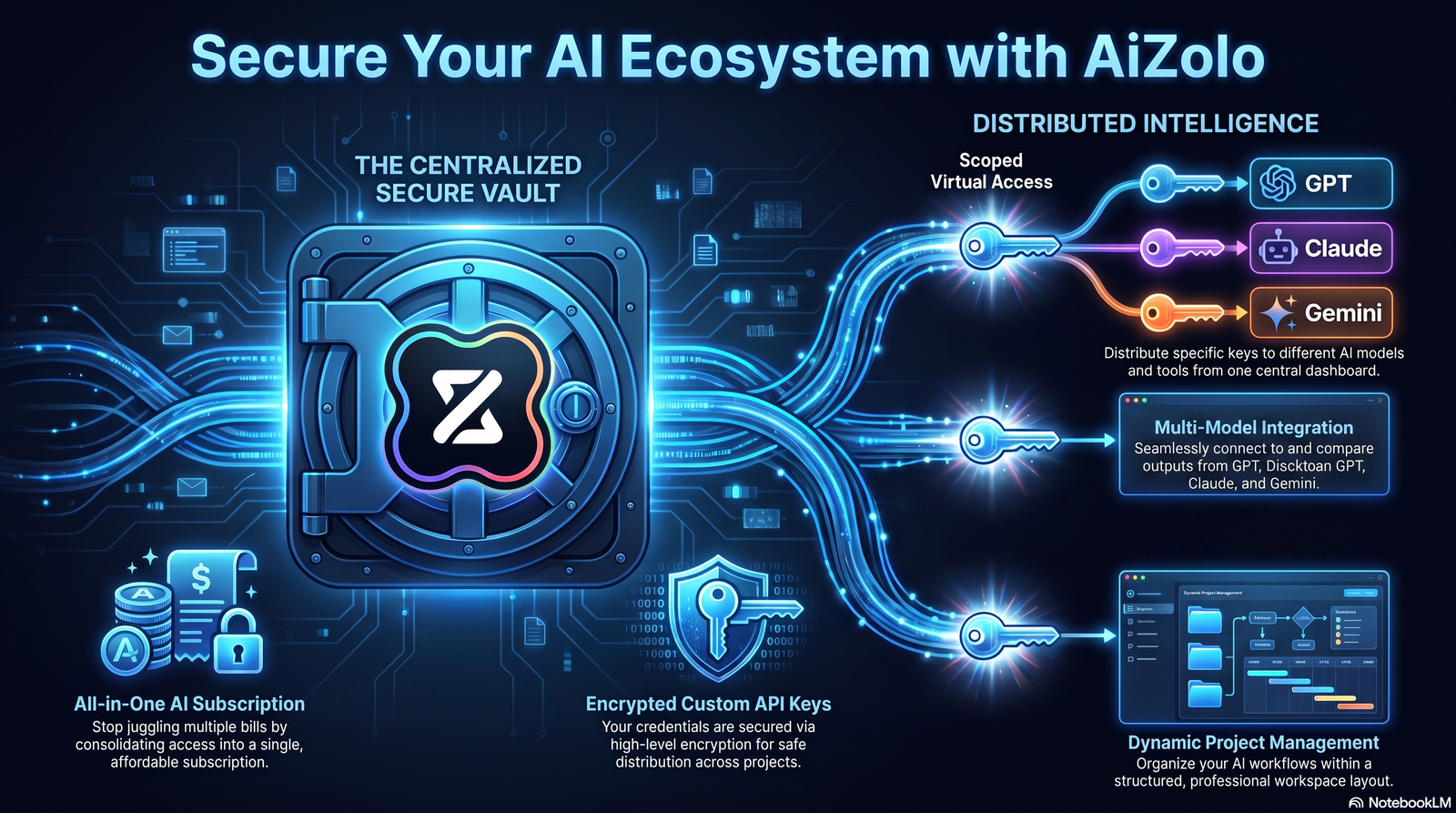
Short answer: Never hardcode an OpenAI key in source code — store it in environment variables or a secrets manager, scope access with virtual keys, rotate regularly, and monitor usage for anomalies.
- API key storage: Keep the real OpenAI key server-side only; never ship it in client-side JavaScript or a mobile app bundle.
- Environment variables: Load keys via
.envfiles locally and platform-native secret injection in production — never commit.envto version control. - Secrets management: For teams, use a dedicated secrets manager (Vault, AWS Secrets Manager, or a wrapper’s built-in key vault) instead of scattering credentials across services.
- Rotation: Rotate keys on a schedule and immediately after any suspected exposure, including after dependency or supply-chain incidents.
- Rate limiting: Apply per-key and per-user limits so a bug or bad actor can’t exhaust your budget in minutes.
- Usage monitoring: Set spend alerts and review logs regularly — catching an anomaly at $50 is much better than at $5,000.
- Least privilege: Give each virtual key only the models, budget, and scope it actually needs.
Warning: A leaked root OpenAI key with no rate limit or budget cap is one of the most common causes of unexpected five-figure API bills. Virtual keys with hard budget ceilings are the single highest-leverage security control available in a wrapper.
Performance Benchmarks
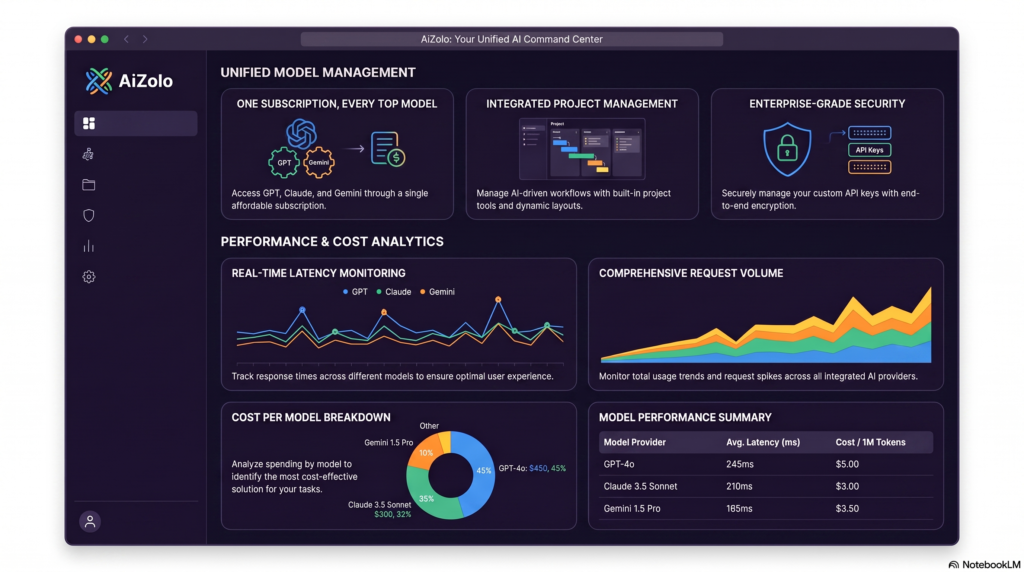
Short answer: A well-configured wrapper typically adds single-digit to low-double-digit milliseconds of latency, which is usually negligible next to model inference time — but self-hosted proxies avoid an extra network hop compared to routing through a third-party hosted gateway.
- Latency: Edge-hosted gateways report roughly 15ms of added latency; self-hosted proxies on the same network as your app can add as little as a few milliseconds, though inference time (hundreds of milliseconds to seconds) usually dominates.
- Caching: Semantic caching can meaningfully cut both latency and token spend on repetitive queries, though the similarity threshold needs tuning to avoid returning stale answers.
- Concurrent requests: Free tiers cap concurrency intentionally; production workloads should plan for paid tiers or self-hosted scaling once traffic grows past a few requests per second.
- Scaling: Self-hosted proxies are typically CPU/network-bound rather than GPU-bound, so scaling them horizontally (multiple proxy instances behind a load balancer) is straightforward and cheap compared to scaling inference itself.
OpenAI Alternatives Worth Routing To
Wrapping your OpenAI key becomes far more useful once you’re also routing to other providers for cost, latency, or capability reasons:
- Anthropic (Claude models) — strong for long-context reasoning and coding tasks.
- Google Gemini — competitive pricing and native multimodal support.
- Mistral — efficient open-weight models, good for cost-sensitive workloads.
- OpenRouter — itself a routing layer across dozens of providers, useful as a fallback target.
- Groq — known for very fast inference on supported open models.
- Together AI — broad open-model hosting with flexible fine-tuning options.
- Fireworks AI — optimized inference for open-source models at scale.
A wrapper is what makes switching between these providers a configuration change instead of an engineering project.
Common Mistakes to Avoid
- Hardcoding a specific free model ID instead of using a router alias — free catalogs rotate, and your integration breaks silently when a model is retired.
- Skipping budget caps on virtual keys, turning a “free” wrapper into an expensive one after a traffic spike or bug.
- Treating fallback as a quality fix — fallback logic recovers from errors and outages, not from a low-quality but “successful” response.
- Running a self-hosted proxy without monitoring its own uptime, effectively creating a new single point of failure.
- Ignoring upstream provider rate limits — a wrapper’s own limits are separate from what OpenAI or another provider enforces upstream.
- Mixing GPU inference and CPU-bound proxy workloads on the same host, which makes capacity planning harder for both.
Best Practices for Production Use
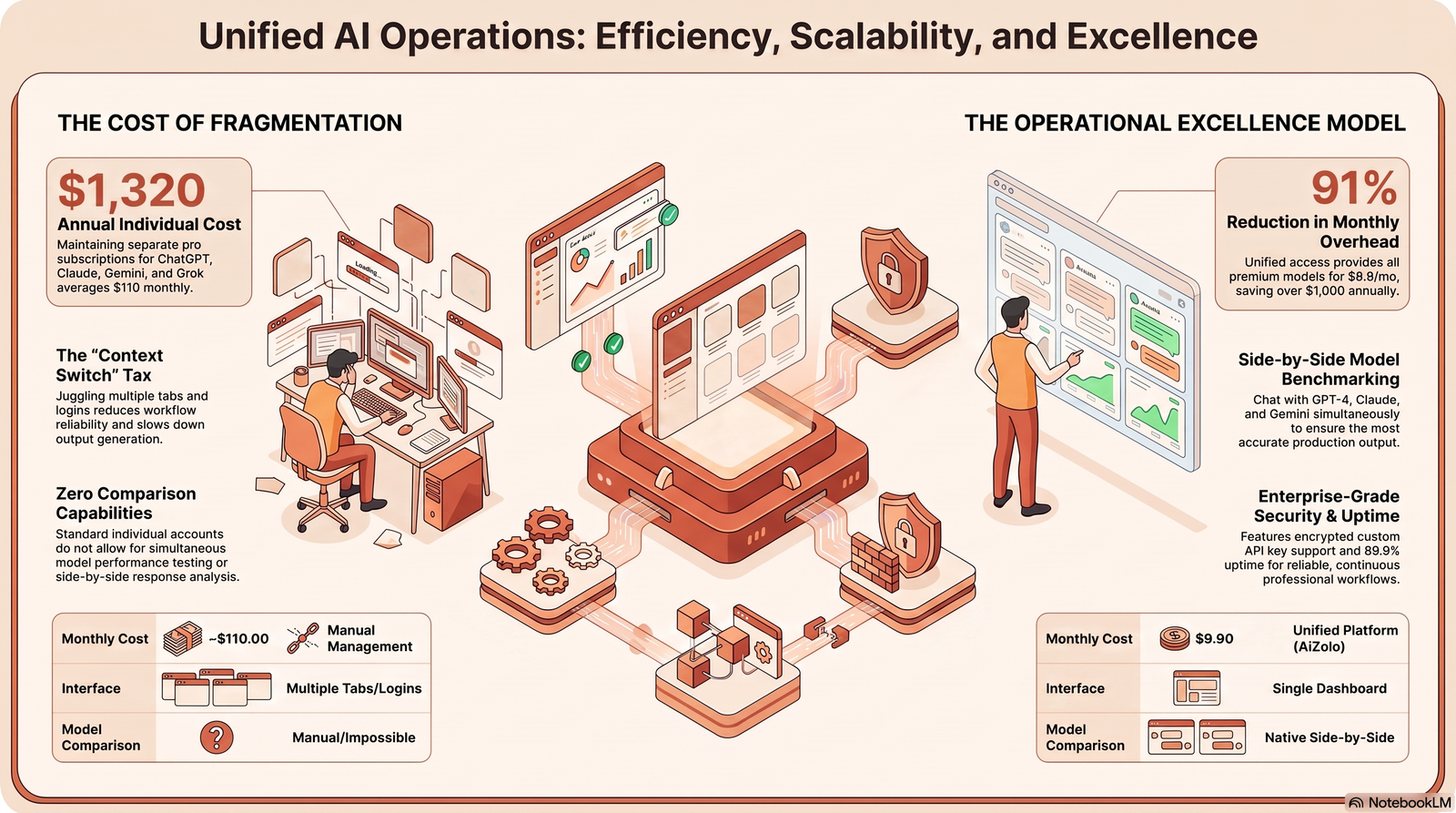
- Use virtual keys, not your root OpenAI key, in every service and script.
- Define budget and rate-limit policies per key or per team before launch, not after the first overspend.
- Set up fallback chains across at least two providers for anything customer-facing.
- Pin your wrapper’s software version (especially for self-hosted tools) and track its release notes for security patches.
- Log and review spend weekly, not just when something breaks.
- Choose hosted vs. self-hosted deliberately based on whether your team has the bandwidth to operate infrastructure — don’t default to self-hosting just because it’s “free.”
Frequently Asked Questions
What is a Free AI Wrapper for OpenAI Key? It’s a software layer, open source or hosted, that sits between your app and the OpenAI API to add routing, caching, fallback, and cost tracking — usually at no cost on an entry-level tier, with limits on volume or features.
Are free wrappers safe to use? They can be, if you use scoped virtual keys, enforce budgets, and review the wrapper’s security track record. Never route production traffic through an unmaintained or unaudited proxy without reviewing its code or vendor security posture.
Can I use the OpenAI API without coding? Some hosted wrappers offer no-code dashboards for testing prompts and comparing models, but production integration into your own app still requires basic API setup, even if it’s just changing a base URL.
Which wrapper is best? It depends on your priorities: LiteLLM for full control and self-hosting, OpenRouter for the widest free-model catalog and fastest setup, and Portkey for governance and compliance features as you scale.
Is OpenRouter a wrapper? Yes — it’s a hosted AI wrapper/gateway that normalizes requests across many providers behind one OpenAI-compatible API, with a subset of models available for free.
Do free wrappers work with my existing OpenAI SDK code? Most do. Since they’re OpenAI-compatible, switching usually means changing the base_url and API key, not rewriting your integration.
Will a wrapper slow down my app? Added latency is typically small — often single-digit to low-double-digit milliseconds — and is usually dwarfed by the model’s own response time.
What happens when I exceed the free tier? You’ll typically hit a rate-limit error (commonly a 429 response) until the limit resets, or you can add credits/upgrade to a paid tier for higher throughput.
Can a wrapper reduce my OpenAI bill? Yes, primarily through caching repeated queries, routing simpler tasks to cheaper models, and giving you the visibility needed to spot waste.
Is self-hosting a wrapper worth it? It’s worth it if you need full data control, have infrastructure capacity, and want to avoid a third party in your request path. Otherwise, a hosted free tier is usually faster to get running.
Do these wrappers support models other than OpenAI’s? Yes — that’s a core feature. Most support dozens to hundreds of providers, including Anthropic, Gemini, Mistral, and open-weight models.
What’s the difference between a wrapper and a direct OpenAI integration? A direct integration talks straight to OpenAI’s API with no intermediary. A wrapper adds a management layer — routing, budgeting, fallback, and logging — in between.
Do I still need an OpenAI API key if I use a wrapper? For OpenAI models specifically, yes — the wrapper needs a valid OpenAI key (or its own subsidized access) to route requests to OpenAI; for other providers, you’ll need those providers’ keys too, unless the wrapper offers its own hosted access.
Are virtual keys the same as my real API key? No. A virtual key is a wrapper-generated credential scoped to a budget, rate limit, or set of models — it never exposes your underlying provider key to the calling service.
Can I use a free wrapper for a production app? You can, but plan for its rate limits and lack of SLA. Many teams start on a free tier and move to a paid or self-hosted setup once traffic or reliability requirements grow.
How often do free model catalogs change? Frequently — models can be added, throttled, or retired with little notice, so it’s worth designing around a router alias rather than a specific free model ID.
Do wrappers support streaming responses? Yes, the major options support streaming in the same way the underlying provider APIs do, since they proxy the request format rather than replacing it.
Is it legal to route OpenAI traffic through a third-party wrapper? Generally yes, as long as you comply with OpenAI’s usage policies and any relevant data-handling requirements for your industry — always check current provider terms before sending sensitive data through a third party.
Conclusion
A free AI wrapper for OpenAI key setup is less about avoiding a bill and more about giving your team the routing, security, and visibility that raw API calls don’t provide on their own. LiteLLM suits teams that want full control and are ready to self-host. OpenRouter is the fastest way to experiment across models without a credit card. Portkey fits teams that need governance features as a project moves toward production.
Whichever you choose, treat the free tier as a starting point, not a permanent architecture — set budgets, use virtual keys, and plan your upgrade path before you need it.
External Linking Plan
| Anchor Text | Destination URL | Why It’s Linked | Section |
|---|---|---|---|
| “OpenAI API documentation” | https://platform.openai.com/docs | Primary source for API behavior and authentication | How AI Wrappers Work |
| “OpenAI’s usage policies” | https://openai.com/policies/usage-policies | Authoritative reference for compliant use of a wrapper | FAQs |
| “OpenAI pricing page” | https://openai.com/api/pricing/ | Lets readers verify current token costs | Free vs. Paid Wrappers |
| “OpenAI’s security best practices” | https://platform.openai.com/docs/guides/safety-best-practices | Backs up the key-storage and rotation guidance | Security Best Practices |
| “LiteLLM’s GitHub repository” | https://github.com/BerriAI/litellm | Official open-source project page | Best Free AI Wrappers |
| “OpenRouter’s documentation” | https://openrouter.ai/docs | Official docs for setup and free-model rules | Best Free AI Wrappers |
| “Portkey’s open-source gateway” | https://github.com/Portkey-AI/gateway | Official repository for the self-hostable gateway | Best Free AI Wrappers |
| “Anthropic’s API documentation” | https://docs.anthropic.com | Reference for routing to Claude models | OpenAI Alternatives |
| “Google AI documentation” | https://ai.google.dev/docs | Reference for routing to Gemini models | OpenAI Alternatives |
| “Mistral’s API documentation” | https://docs.mistral.ai | Reference for routing to Mistral models | OpenAI Alternatives |
| “OWASP API Security guidance” | https://owasp.org/www-project-api-security/ | Independent standard for the Security Best Practices section | Security Best Practices |
| “OAuth documentation” | https://oauth.net/2/ | Background reference for authentication concepts | Security Best Practices |
Author Bio
Jeevesh Tripathi AI Researcher & Technical Content Writer
Jeevesh Tripathi researches artificial intelligence, developer tools, LLM platforms, API ecosystems, and enterprise AI adoption. His work focuses on producing evidence-based, technically accurate content that helps developers, founders, and businesses make informed technology decisions while following Google’s EEAT principles.
Email: jeevesh@aizolo.com
