
Looking for a Multi-Model AI Platform?
AI platforms that let you switch between models like GPT, Claude, Gemini, and others can save you from managing multiple subscriptions and switching between different apps. This guide compares the best multi-model platforms in 2026, including their pricing, model support, use cases, limitations, and ideal users.
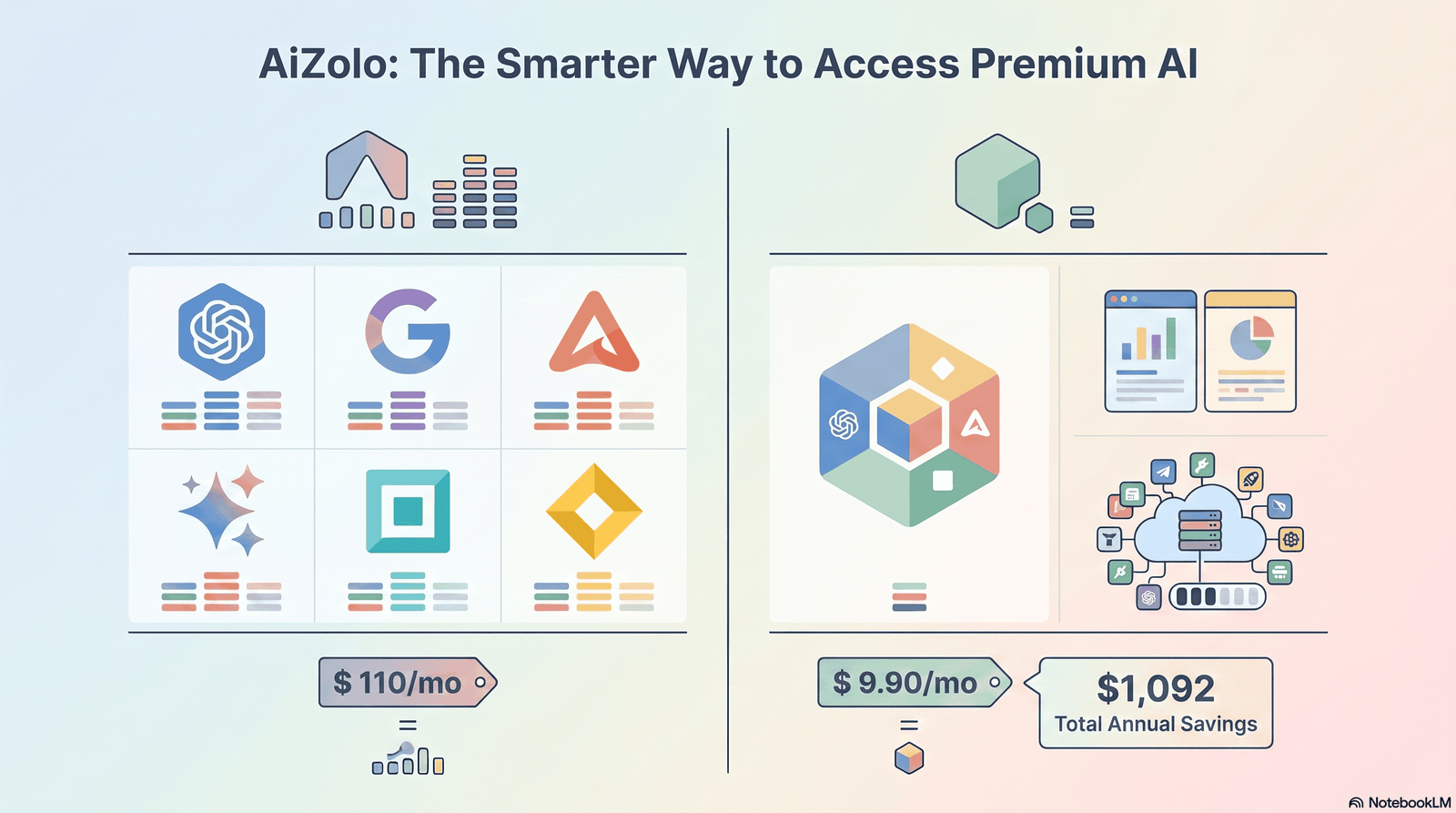
If you want a simpler way to access multiple AI models from one place, AiZolo is also worth considering. It brings multiple AI models and tools together in one workspace, making it easier to choose the right model for writing, research, coding, and everyday AI tasks.
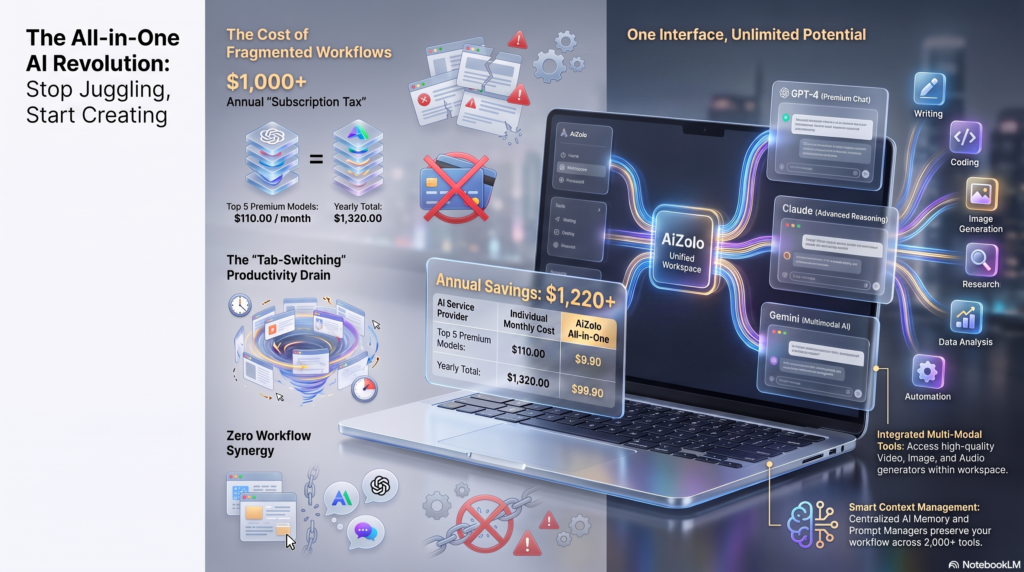
You open ChatGPT to write a report. Halfway through, you realize Claude would explain the data better.
So you copy your prompt. Paste it into another tab. Lose your context. Start over.
That’s the hidden tax of single-model AI in 2026. You’re not choosing the best model for the job — you’re choosing whichever one you already pay for.
This guide breaks down every real ai platform that allows switching between different models 2026 has to offer — not just the big names, but the pricing traps, the model quality differences, and the platforms built specifically so you never have to copy-paste a prompt between browser tabs again.
By the end, you’ll know exactly which platform fits your work, your budget, and your team — whether that’s one $9/month subscription or a developer API you wire into your own product.
What You’ll Learn in This Guide
- What AI model switching actually means (and why it’s different from just “using ChatGPT”)
- The real cost of running separate subscriptions vs. one multi-model platform
- A full, honest comparison of the top platforms — consumer apps and developer tools
- How model routing, prompt optimization, and cost savings actually work under the hood
- Which platform fits students, developers, marketers, researchers, and enterprises
- Mistakes to avoid, security concerns, and how to make the switch without wasting money
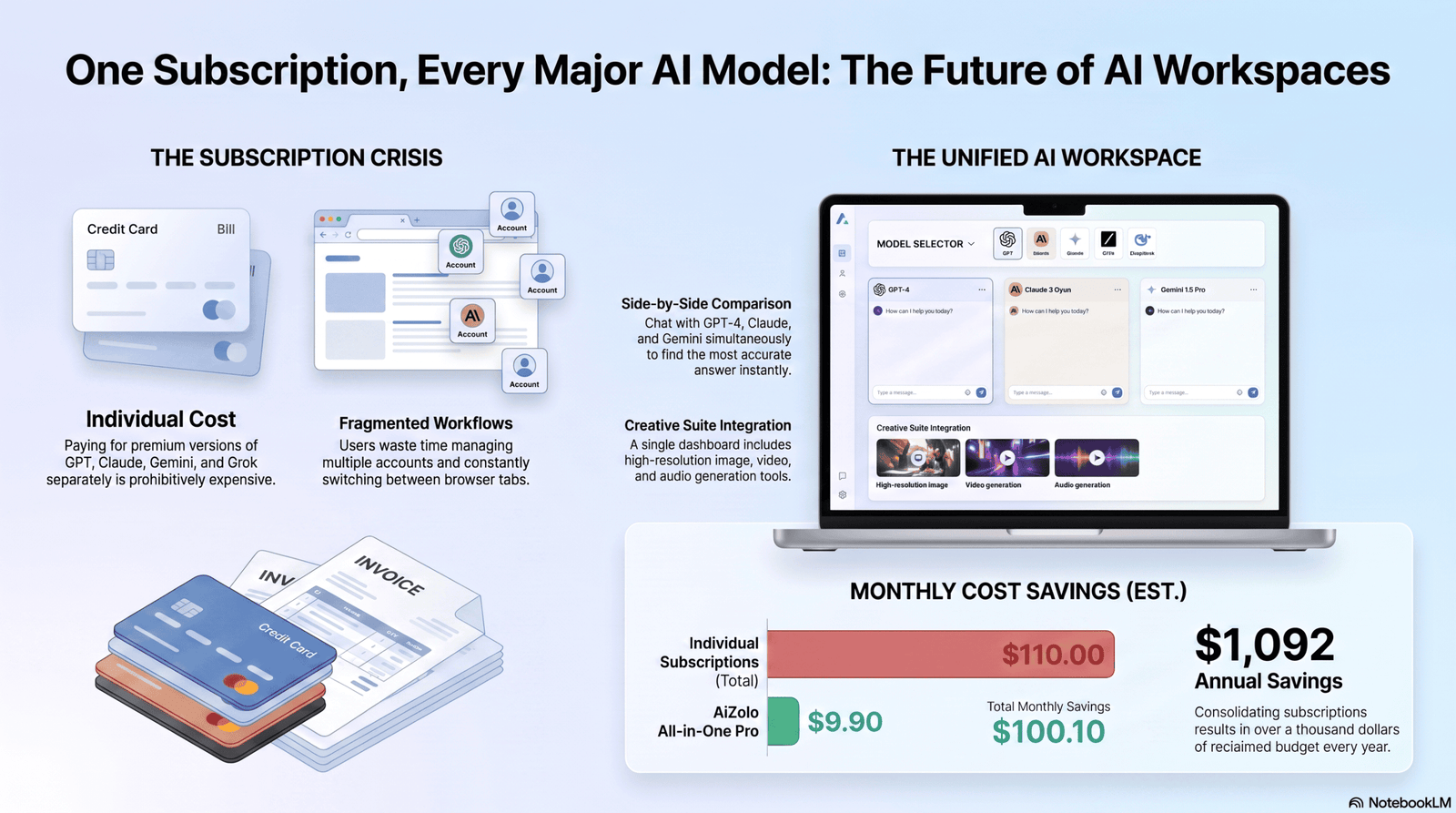
Table of Contents
What Are AI Platforms That Allow Model Switching?
An AI platform that allows model switching is a single interface or subscription that gives you access to more than one large language model — instead of locking you into one company’s product.
Practically, this means you can send the same prompt to GPT, Claude, and Gemini without opening three separate apps or paying three separate bills.
There are two broad categories:
- Consumer chat aggregators — apps like Poe, Perplexity, and You.com, built for people who just want to chat, write, or research using whichever model fits the task.
- Developer routing platforms — tools like OpenRouter, built for engineers who want one API key that talks to hundreds of models behind the scenes.
Both solve the same underlying problem: no single AI model is best at everything, and paying for five separate tools to cover five separate strengths gets expensive fast.
Why You Need More Than One AI Model in 2026
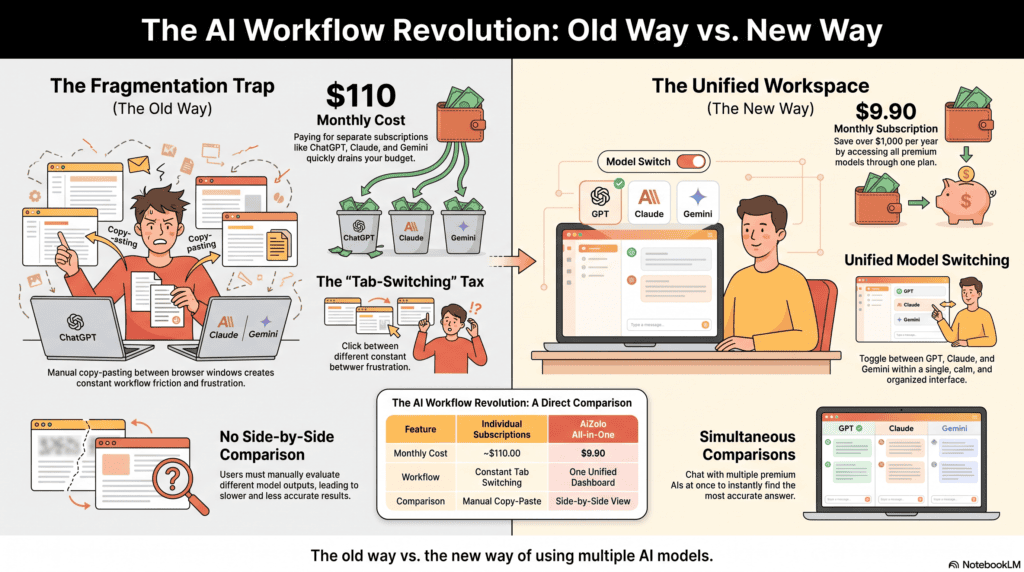
Every model has a personality, in a sense. Not literally — but in practice, each one is trained differently, priced differently, and tuned for different strengths.
- Coding and debugging tends to favor models built for long, structured reasoning.
- Fast first drafts favor lighter, quicker models.
- Long documents and research synthesis favor models with large context windows.
- Real-time or web-grounded answers favor search-native models.
If you only ever use one model, you’re not getting worse answers on purpose — you’re just getting one model’s blind spots on every single task, all the time.
The Skills Gap Nobody Talks About
Here’s the part most comparison articles skip: model quality isn’t static. A model that’s excellent at coding in January can fall behind by June, when a competitor ships an update.
Platforms that let you switch models absorb that churn for you. You’re not betting your workflow on one company’s release schedule.
Expert Tip: Don’t pick “the best model.” Pick the best model for this specific task, this week. That mindset shift is the entire value proposition of a model-switching platform.
How Model Switching Actually Works
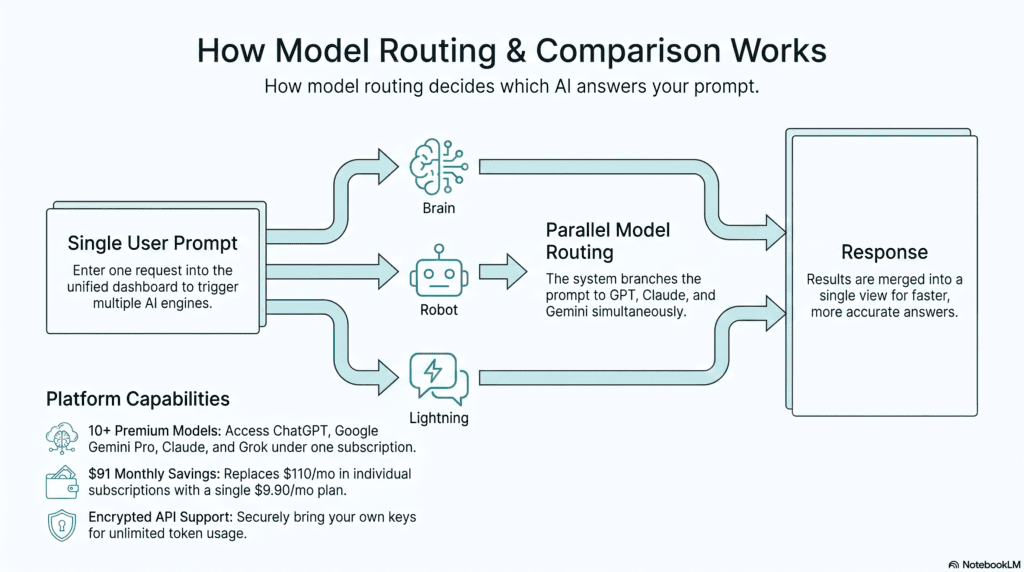
Under the hood, three mechanisms make switching possible:
1. Model Routing
Some platforms route your prompt automatically. You type a question, and the system decides — based on task type, length, or complexity — which model should answer. Perplexity’s “Best” mode and Poe’s auto-routed assistant bots both work this way.
2. Manual Model Selection
Other platforms let you pick explicitly. You choose GPT for one message and Claude for the next, inside the same conversation thread. This is the model most consumer aggregators (Poe, You.com) are built around.
3. API-Level Routing (for Developers)
Developer platforms like OpenRouter give you one API endpoint. You specify the model in the request parameters, and the platform forwards your call to the right provider — Anthropic, OpenAI, Google, or an open-source host — while billing you from a single account.
Prompt Optimization Across Models
A prompt that works perfectly on GPT doesn’t always transfer cleanly to Claude or Gemini — each model interprets instructions slightly differently. The more advanced multi-model platforms normalize this, adjusting formatting and system instructions per model so you don’t have to rewrite your prompt every time you switch.
The Real Cost: Multiple Subscriptions vs. One Platform
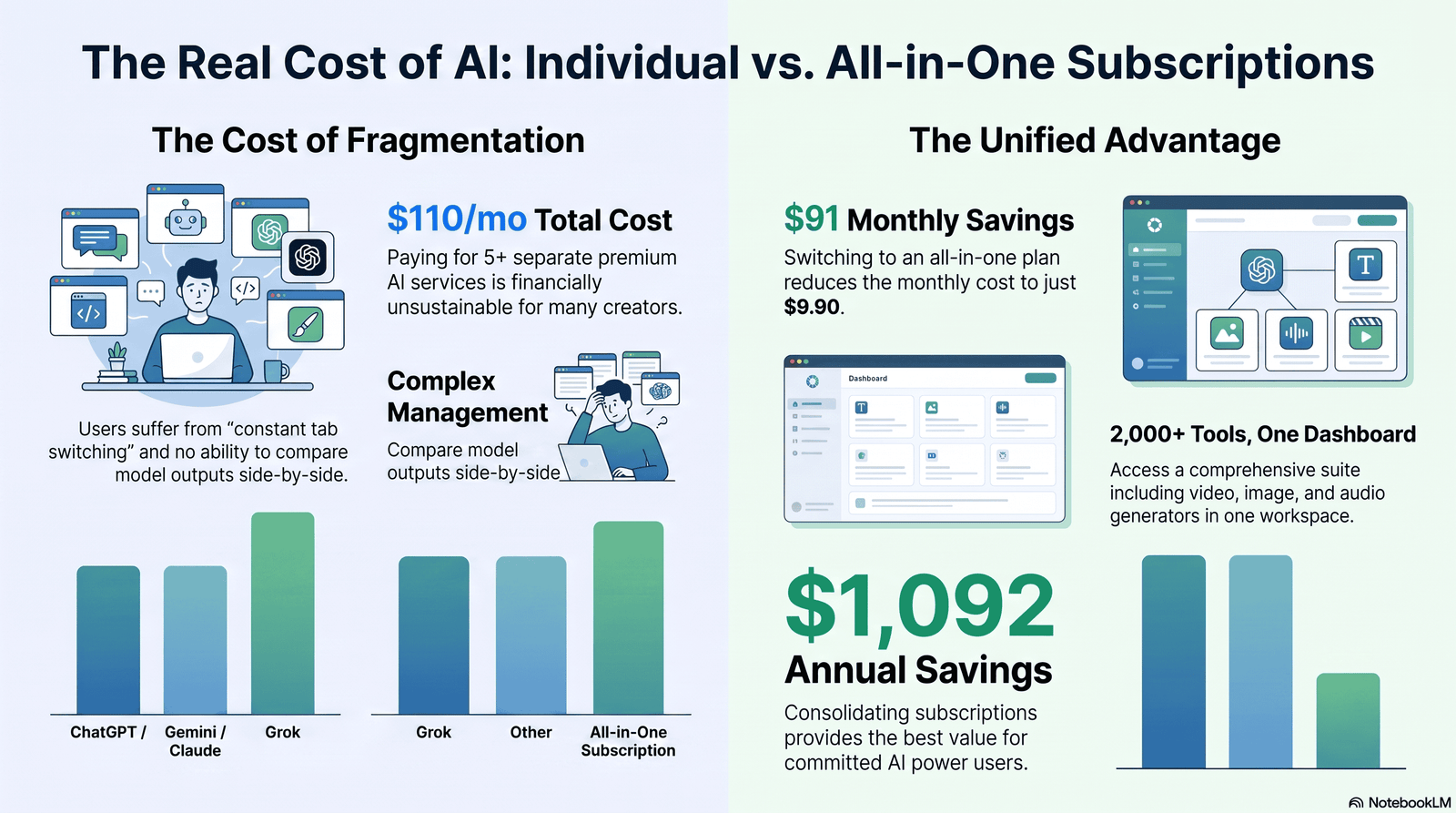
This is where the math gets uncomfortable. As of mid-2026, direct subscriptions to the major labs cluster tightly around $20/month each:
| Direct Subscription | Approx. Price | What You Get |
|---|---|---|
| ChatGPT Plus | ~$20/mo | OpenAI models only |
| Claude Pro | ~$20/mo | Anthropic models only |
| Google AI Pro | ~$19.99/mo | Gemini models + Google Workspace perks |
| Perplexity Pro | ~$20/mo | Search-grounded answers, model choice within Perplexity |
| SuperGrok | ~$30/mo | xAI’s Grok models |
Subscribe to three of these to cover writing, coding, and research, and you’re paying $60/month before you’ve bought a single multi-model tool. Several published 2026 cost breakdowns put the real “power user” total closer to $70–$110/month once people add a fourth or fifth service.
A dedicated switching platform typically consolidates that into one bill — often for less than the cost of two direct subscriptions combined, because the aggregator negotiates or passes through wholesale usage rather than charging you full retail for each brand.
Expert Tip: Before subscribing to anything, track which models you actually reach for over two weeks. Most people use one “daily driver” and two “occasional specialists” — that pattern alone tells you whether a $9–20/month aggregator beats stacking direct subscriptions.
Best AI Platforms That Allow Switching Between Different Models in 2026
We evaluated each platform on model breadth, pricing transparency, switching experience, and who it actually suits — not just headline claims.
1. Poe (by Quora)
Overview: Poe is the most established consumer chat aggregator, letting you access dozens of frontier and open models from OpenAI, Anthropic, Google, xAI, Meta, and DeepSeek in one app, with multi-bot threads for side-by-side comparisons.
Best Features:
- @-mention different bots inside the same conversation thread
- Points-based usage system with transparent per-model costs
- Custom bot creation (prompt bots and server bots)
- OpenAI-compatible API for developers who want Poe models inside their own coding tools
Supported AI Models: GPT-series, Claude-series, Gemini-series, Grok, DeepSeek, Llama, plus image and video models (image and video generation).
Pricing: Free tier with limited daily points; paid tiers span roughly $5–$250/month depending on volume, with a popular mid-tier around $20/month.
Pros:
- Widest day-one access to new frontier models as they launch
- Multi-bot threads make model comparison genuinely fast
- Cheaper than stacking two or more direct subscriptions
Cons:
- Points system takes time to understand — premium models drain your allowance fast
- No deep product integrations (no Docs/Gmail-style ecosystem)
- Not built for deploying AI to customers — it’s a chat tool, not an app platform
Best For: Writers, researchers, and hobbyists who want to compare frontier models without five separate logins.
Expert Opinion: Poe remains the benchmark for breadth. If your only complaint about AI subscriptions is “I wish I could try them all,” this closes that gap immediately — just budget your points like a currency, not an afterthought.
2. OpenRouter
Overview: OpenRouter is a developer-first API gateway giving programmatic access to 300+ models from every major provider through one OpenAI-compatible endpoint — swap models by changing a single parameter, not your codebase.
Best Features:
- One API key, one credit balance, hundreds of models
- Automatic fallback routing if a provider goes down
- Dozens of free open-weight models for prototyping
- Transparent per-token pricing that mirrors each provider’s direct rate
Supported AI Models: Claude, GPT, Gemini, DeepSeek, Llama, Mistral, Grok, and most open-weight releases as they ship.
Pricing: Usage-based, pay-as-you-go; a platform fee applies on credit purchases, and bring-your-own-key usage is free up to a monthly request threshold before a smaller usage fee kicks in.
Pros:
- Near-zero markup on most model pricing
- Ideal for teams building products that need model flexibility, not just chat
- Fastest way to A/B test models in production code
Cons:
- Not a chat interface — you need to build or use a front-end on top of it
- Credit-purchase fees and bring-your-own-key fees add real cost at scale
- No public SLA on the free tier
Best For: Developers and product teams building AI features who want to avoid rewriting integration code every time a better model ships.
Expert Opinion: If “model switching” means switching inside your own product rather than your own chat window, OpenRouter is the infrastructure layer to build on — just model the platform fee into your unit economics before you scale.
3. Perplexity Pro / Max
Overview: Perplexity pairs search-grounded, cited answers with the ability to pick which underlying model synthesizes your response — including a “Model Council” mode on the Max tier that runs your question across multiple frontier models simultaneously.
Best Features:
- Model choice per query (GPT, Claude, Gemini, and Perplexity’s own Sonar models)
- Model Council compares answers from several models side by side
- Deep Research reports with citations
- Comet, a free AI-native browser, ships alongside the subscription
Supported AI Models: GPT-series, Claude-series, Gemini-series, and Perplexity’s proprietary Sonar family.
Pricing: Pro is roughly $20/month (or ~$17/month billed annually); Max sits far higher, aimed at power users who lean on autonomous research features daily.
Pros:
- Citations on every answer — genuinely useful for fact-checking
- Model switching built directly into the research workflow, not bolted on
- Free tier is usable for casual, cited search
Cons:
- Deep Research quotas have been tightened significantly compared to 2025
- Best suited to research and search-heavy work, less so for long creative writing
- Max’s price jump is steep for casual users
Best For: Researchers, journalists, students, and anyone who needs sourced, verifiable answers rather than open-ended chat.
Expert Opinion: Perplexity earns its place here because model switching serves a purpose beyond novelty — it’s there so you can pick the model best suited to synthesizing a research answer, not just to have more logos in a dropdown.
4. You.com
Overview: You.com blends AI-powered search with access to a rotating lineup of 20+ models from OpenAI, Anthropic, Google, and open-source providers, wrapped around a privacy-forward search product.
Best Features:
- Multi-model access folded into search and chat in one interface
- Custom document search and source-constrained queries
- Voice and image search
- Privacy mode that limits data retention for future model training
Supported AI Models: GPT-series, Claude-series, Gemini-series, and select open-source models from Meta and others.
Pricing: Free tier with a default lightweight model; Pro around $20/month unlocks the full model roster and larger context windows; a higher Max tier scales to team workspaces.
Pros:
- Genuinely privacy-conscious defaults
- Good middle ground between “search engine” and “chat app”
- File uploads and document-grounded answers included at the Pro tier
Cons:
- Smaller mindshare than Poe or Perplexity, so community support and guides are thinner
- Model roster updates lag slightly behind the frontier labs’ own release announcements
- Enterprise pricing is quote-only, which slows procurement
Best For: Privacy-conscious individuals and small teams who want search plus multi-model chat in one place.
Expert Opinion: You.com won’t out-muscle Poe on raw model count, but if data retention policy is your deciding factor, it deserves a serious look before you rule it out.
5. ChatGPT, Claude, and Gemini (Direct, for Comparison)
Overview: It’s worth including the single-provider baseline, because the honest recommendation for some readers is: don’t switch platforms, switch expectations. Each lab’s own app is excellent within its own walls — it simply won’t hand you a competitor’s model.
Supported AI Models: ChatGPT → GPT-series only. Claude → Claude-series only (currently spanning fast Haiku-tier models up to the flagship Opus tier, alongside Anthropic’s newest Sonnet-generation model for coding and agentic work). Gemini → Gemini-series only.
Pricing: Each sits around $20/month at the standard paid tier, with higher tiers ($100–$250/month) for heavier usage limits, not fundamentally different models.
Pros:
- Deepest native integration (Code Interpreter and custom GPTs for OpenAI, Workspace integration for Gemini, Claude’s Agent SDK and coding tools for Anthropic)
- First access to each lab’s newest features and safety updates
- No aggregator markup or point-conversion confusion
Cons:
- Zero model flexibility — you get one company’s opinion on every task
- Paying for two or three of these to cover your workflow quickly exceeds the cost of one aggregator subscription
Best For: Power users who have already identified one model as their daily driver and want the deepest possible integration with that one ecosystem.
Expert Opinion: Model switching isn’t inherently superior — it’s a tool for people whose work genuinely varies. If 90% of your work is one task type, a direct subscription plus occasional free-tier use of a competitor may beat any aggregator on cost.
6. TypingMind and Self-Hosted Chat UIs
Overview: TypingMind and similar “bring your own API key” chat interfaces let you connect your own OpenAI, Anthropic, and Google API keys to a single, often self-hostable, front end — giving you switching without a middleman aggregator markup.
Best Features:
- You pay each provider directly at wholesale API rates, no subscription markup
- Local chat history storage options for privacy-sensitive users
- Custom system prompts and chat folders per model
Supported AI Models: Any model accessible via API key — typically OpenAI, Anthropic, and Google, extendable via OpenRouter integration for broader coverage.
Pricing: One-time or low monthly license fee for the interface itself, plus separate usage-based API costs per provider.
Pros:
- No points system, no markup — you see exactly what each API call costs
- Strong privacy story since your data doesn’t route through a third-party chat company
- Highly customizable for power users
Cons:
- Requires setting up API keys with each provider — not beginner-friendly
- No unified billing; you’re still managing multiple accounts, just from one interface
- Support and updates depend on a smaller independent team, not a funded lab
Best For: Technically comfortable users who want model switching without paying an aggregator’s margin.
Expert Opinion: This is the “build it yourself” answer to model switching. It’s the cheapest path per token, but it trades convenience for setup time — worth it if you’re already comfortable managing API keys.
Full Comparison Table
| Platform | Supported Models | Model Switching | Image Generation | Reasoning | Coding | Price | Free Plan | Best For |
|---|---|---|---|---|---|---|---|---|
| Poe | 50+ (GPT, Claude, Gemini, Grok, DeepSeek, Llama) | ✅ In-thread, manual | ✅ | Strong | Strong | $5–$250/mo | ✅ Limited | Comparing frontier models fast |
| OpenRouter | 300+ (all major + open-weight) | ✅ API parameter | ⚠️ Limited | Strong | Strong | Usage-based | ✅ Free models | Developers building products |
| Perplexity Pro/Max | GPT, Claude, Gemini, Sonar | ✅ Per-query | ❌ | Strong | Moderate | $20–$200+/mo | ✅ Basic search | Cited research |
| You.com | 20+ (GPT, Claude, Gemini, open-source) | ✅ Manual | ✅ | Moderate | Moderate | Free–$200/mo | ✅ | Privacy + search |
| ChatGPT / Claude / Gemini (direct) | Single provider only | ❌ | ✅ (varies) | Strong | Strong | ~$20/mo each | ✅ | Deep single-ecosystem use |
| TypingMind (BYOK) | Any via API key | ✅ Manual | ⚠️ Add-on | Strong | Strong | License + usage | ⚠️ Trial | Technical, cost-sensitive users |
Best Platform by Use Case
For Developers
Reach for OpenRouter first. If you’re building an internal tool rather than a product, layering a TypingMind-style front end on top gives you a workable chat UI without writing one from scratch. Teams comparing multiple ai subscriptions before committing engineering time should also review ai subscription price comparison to model total cost before locking in an API vendor.
For Students
Poe’s free tier plus Perplexity’s citation-first research mode covers most coursework — start free, and only upgrade once you hit a real quota wall.
For Marketing Teams
You.com or Poe at the team tier lets writers, strategists, and analysts each pick the model suited to their task — GPT for fast copy variations, Claude for polished long-form, Gemini for research synthesis — without five separate seat licenses.
For Research and Academia
Perplexity Pro remains the strongest fit thanks to built-in citations and Model Council’s side-by-side answer comparison, which is genuinely useful for spotting where models disagree on a claim.
For Enterprise
Enterprise buyers should evaluate governance and data-retention terms as closely as model access — this is where best ai subscription services 2026 is worth a closer read before signing a multi-seat contract.
Real-World Use Cases
Coding: A developer debugging a tricky backend issue routes the problem to a reasoning-focused model, then hands the fix to a faster, cheaper model to generate matching unit tests — cutting both time and token spend.
Content Writing: A content strategist drafts blog outlines with one model, then switches to a different model tuned for nuance to write the final draft, catching tone issues the drafting model missed.
Image Generation: A small e-commerce team generates product mockups with one model’s image tool, then uses a separate model to write the product descriptions — both inside the same multi-model subscription.
Research: A graduate student runs the same literature-review question through two different models and compares which sources each one surfaces, catching gaps neither model would have flagged alone.
Expert Tip: Keep a simple running note of which model “won” for each recurring task type. After a month, that note becomes your personal routing rule — better than any auto-router, because it’s tuned to your actual work.
Common Mistakes People Make
- Subscribing to every platform “just in case.” This defeats the entire cost-saving purpose of switching platforms. Pick one, use it for two to four weeks, then decide.
- Ignoring usage limits until they hit a wall mid-project. Points systems and message caps are real constraints — check them before you commit to a workflow.
- Assuming all models interpret the same prompt identically. They don’t. Rewrite your system prompt slightly when you switch models, especially for structured or formatted output.
- Treating the cheapest model as a universal default. Cheap models are excellent for simple tasks and genuinely weak on complex reasoning — match the model to the task, not just the price tag.
- Skipping the privacy policy. Not every aggregator handles chat data the same way providers do directly — see the section below before uploading sensitive documents.
Security, Privacy, and Data Ownership
Multi-model platforms sit between you and the underlying AI labs, which means your data technically passes through an extra party.
- Check retention policies. Some aggregators forbid model providers from training on your data by contract; others don’t specify. Read this before uploading client or company files.
- Look for enterprise-grade options. SOC 2 certification, zero-data-retention modes, and admin-level chat controls matter for regulated industries — not every consumer-focused aggregator offers them.
- Understand who owns your outputs. Most platforms grant you ownership of generated content, but confirm this explicitly for anything you plan to publish commercially.
- Separate personal and work accounts. Especially on platforms with a free tier — free-tier data handling policies are sometimes looser than paid-tier policies.
Expert Tip: If you’re handling regulated or client-confidential data, favor platforms with a documented, named zero-retention mode over ones that only say “we take privacy seriously” in marketing copy.
Limitations of Multi-Model Platforms
Model switching solves a real problem, but it isn’t free of trade-offs:
- No platform has every model at day-one release — frontier labs ship their own apps first, aggregators follow days to weeks later.
- Points and credit systems add cognitive overhead compared to a flat, predictable monthly fee.
- Deep product integrations lag behind single-provider apps — you won’t get the same level of native tool-calling, memory, or ecosystem integration Google or OpenAI build for their own users.
- Aggregators are a business layer, which means outages or pricing changes at the aggregator level can affect access even when the underlying model provider is running fine.
When NOT to use a switching platform: If you already know one model handles 95% of your work well, and you rarely need a second opinion, a direct subscription is simpler, often cheaper, and gives you first access to that provider’s newest features.
How to Choose the Right Platform
Answer these five questions before you commit:
- Do you need a chat interface or an API? Chat → Poe, Perplexity, or You.com. Building a product → OpenRouter.
- How often do you actually switch models? Daily → an aggregator pays for itself fast. Occasionally → a single subscription plus free-tier trials elsewhere may be enough.
- What’s your monthly usage volume? Light and casual → free tiers cover most needs. Heavy, professional use → budget for a mid-tier paid plan or usage-based API billing.
- How sensitive is your data? Regulated or confidential work → prioritize documented zero-retention and enterprise controls over model breadth.
- Is cost predictability more important than flexibility? Flat monthly fee → aggregator subscription. Pay only for what you use → usage-based API platform.
Future Trends in Model Switching
Expect three shifts to accelerate through the rest of 2026:
- Smarter auto-routing. Fewer platforms will require manual model selection — routing engines will increasingly pick the right model per query automatically, based on task complexity.
- Cross-model memory. Early platforms are experimenting with shared conversation memory that persists even as you switch the underlying model mid-thread.
- Usage-based pricing becoming the norm even for consumer apps. The flat $20/month tier is under pressure as usage costs rise; expect more granular, transparent per-model pricing to replace opaque point systems.
- Voice-first model switching. As voice interfaces mature, expect “ask Claude” or “switch to Gemini” to become a spoken command rather than a dropdown click — a natural extension of voice search optimization already reshaping how people query AI.
FAQs
What does “model switching” mean in an AI platform? It means you can change which underlying AI model answers your prompt — for example, GPT one message, Claude the next — inside a single subscription or interface, instead of maintaining separate accounts for each provider.
Is it cheaper to use a multi-model platform than separate subscriptions? Usually, yes, if you regularly use more than one model. Stacking two or three direct subscriptions at roughly $20 each often costs more than a single aggregator plan covering the same models.
Can I switch AI models mid-conversation? On platforms built for it, like Poe and You.com, yes — you can change models within the same thread without losing your existing context.
Do all AI platforms support the same models? No. Model rosters vary and update on different schedules. Always check a platform’s current model list before subscribing, since new releases from OpenAI, Anthropic, and Google roll out at different times.
Is switching between models good for coding tasks? Yes, particularly for debugging versus fast generation — many developers deliberately use one model for careful review and a faster, cheaper model for routine code generation.
Are multi-model AI platforms safe for confidential business data? It depends on the platform’s data retention policy. Look specifically for documented zero-data-retention options and SOC 2 or equivalent certification before uploading sensitive material.
What’s the difference between a chat aggregator and a developer API router? A chat aggregator (Poe, You.com, Perplexity) gives you a ready-made interface to talk to multiple models. An API router (OpenRouter) gives developers one programmatic endpoint to call multiple models from their own application code.
Do I lose quality by using a cheaper model on an aggregator? Sometimes. Lighter, cheaper models handle simple tasks well but can underperform on complex reasoning — match model tier to task complexity rather than defaulting to the cheapest option.
Can beginners use these platforms without technical knowledge? Consumer aggregators like Poe, Perplexity, and You.com require no technical setup. Developer platforms like OpenRouter and bring-your-own-key tools like TypingMind require comfort with API keys.
Do multi-model platforms support image generation as well as text? Many do — Poe and You.com both include image generation models alongside text models, though coverage and quality vary by platform and pricing tier.
How do I know which model is best for my specific task? Test the same prompt across two or three models on a platform that supports side-by-side comparison, like Poe’s multi-bot threads or Perplexity’s Model Council, and track which one consistently performs better for that task type.
Is there a free way to try multiple AI models before paying? Yes. Nearly every platform in this guide offers a free tier with limited daily usage, which is usually enough to compare model quality before committing to a paid plan.
Will AI model switching remain relevant as models improve? Yes — as long as different labs specialize in different strengths (reasoning, speed, multimodal, search-grounding), no single model will be optimal for every task, keeping switching platforms relevant.
Can teams share one multi-model subscription across multiple people? Some platforms offer team or workspace tiers with shared seats and admin controls; personal-tier subscriptions are typically single-user and shouldn’t be shared for security and terms-of-service reasons.
What happens if a model I rely on gets discontinued? On aggregator and API-router platforms, you typically switch to a comparable replacement model with minimal disruption. On single-provider apps, a discontinued model simply gets replaced by whatever that provider ships next — you don’t get a choice.
Conclusion
No single AI model wins at everything in 2026 — and paying full price for three or four separate subscriptions just to cover your bases is the most common way people overspend on AI.
If you’re a developer building a product, start with OpenRouter. If you want a ready-made chat experience that already spans the frontier labs, Poe or You.com will get you switching within minutes. If your work is research-heavy and citations matter, Perplexity Pro is worth the $20. And if 90% of your work genuinely lives in one ecosystem already, there’s nothing wrong with staying direct — just don’t pay for flexibility you’ll never use.
The right move isn’t picking the platform with the most logos. It’s tracking what you actually need for two weeks, then picking the platform — or the single subscription — that matches it.
Next step: Compare live pricing and feature sets across platforms before you commit — start with our best multi-ai platform breakdown for a deeper side-by-side.
Author Bio
Jeevesh Tripathi Email: jeevesh@aizolo.com
Jeevesh Tripathi writes about AI tools, large language models, and SaaS research for Aizolo, focusing on how individuals and teams actually use multi-model AI platforms day to day — not just how they’re marketed. His work draws on hands-on testing of consumer AI subscriptions and developer-facing model APIs, combined with a background in technical SEO, to produce comparisons grounded in real pricing, real usage limits, and real trade-offs rather than vendor claims. He writes to help readers make AI subscription decisions they won’t need to reverse in three months.

Pingback: how to use multiple ai at once: 7 smart & risky guide
Pingback: How to Chat with Multiple AI Models: Proven Guide 2026
Pingback: Cheap AI Subscription for Multiple Models: Switch Multiple AI Models Mid Conversation Tool in 2026