AI Website Analyzer Tool: The Complete 2026 Guide to Choosing, Using, and Getting Value From One
August 16, 2026
Spread the love
AI Website Analyzer Tool
Introduction
You just spent three months building a website. The design is clean, the copy is tight, and you’re proud of it. Then you check your analytics and traffic is flat—or worse, it’s dropping.
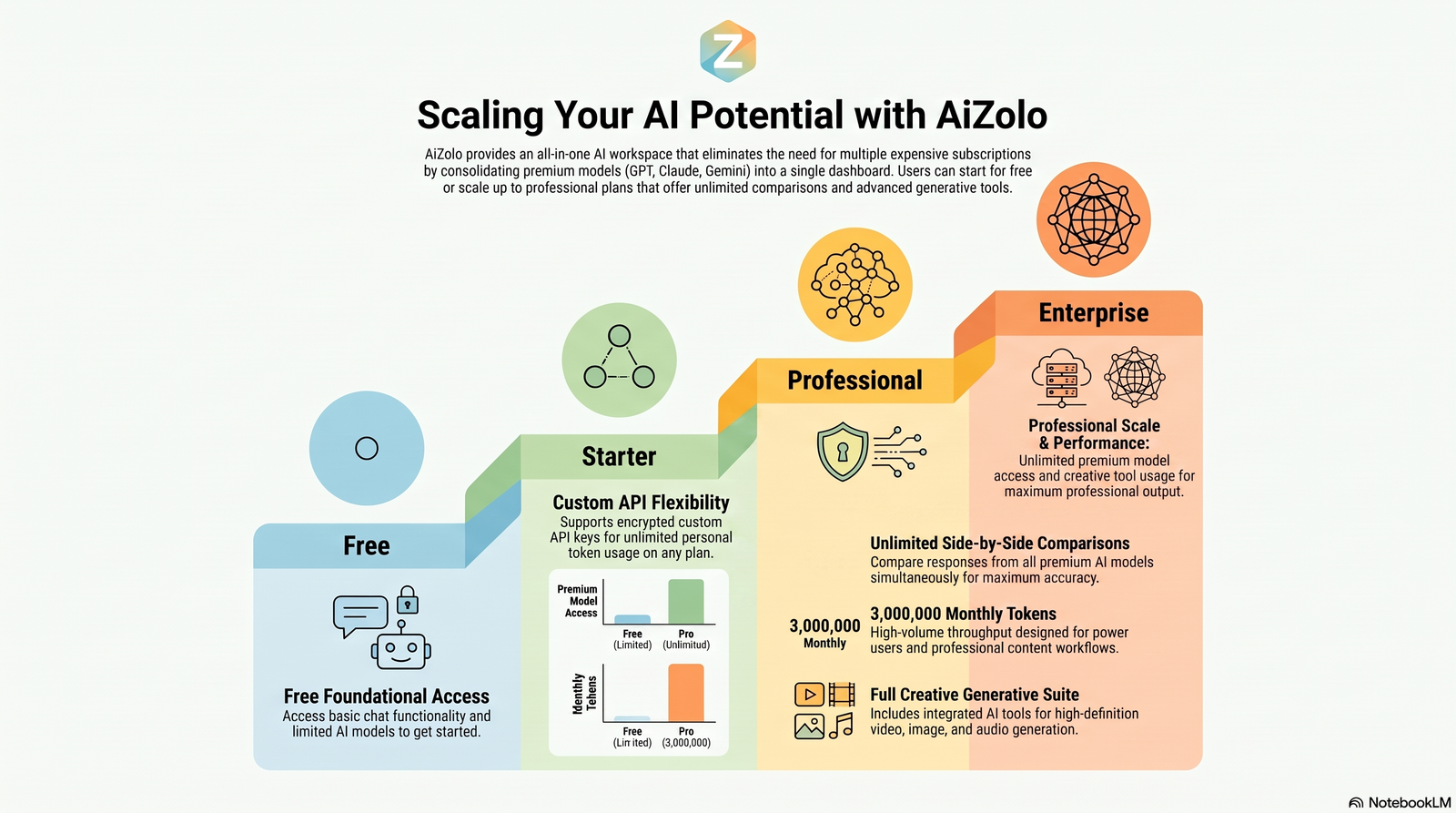
An all in one AI platform can quickly uncover hidden SEO, performance, and user experience issues that may be holding your website back.
Here’s the uncomfortable truth: most site owners are flying blind. They can see that something is wrong, but not what, and definitely not why. Manually digging through page speed reports, crawl logs, and Search Console data takes hours most people don’t have.
This is exactly the gap an AI website analyzer tool is built to close. Instead of manually cross-referencing five different dashboards, you get one scan that pulls together performance, SEO, accessibility, and content signals — then explains what actually matters, in plain language, with a prioritized list of fixes.
In this guide, you’ll learn what these tools actually do under the hood, how they differ from traditional audit software, which options are worth paying for, and how to pick the right one for your specific situation — whether you’re a solo blogger, an in-house marketer, or an agency running audits for clients.
Table of Contents
What Is an AI Website Analyzer Tool?
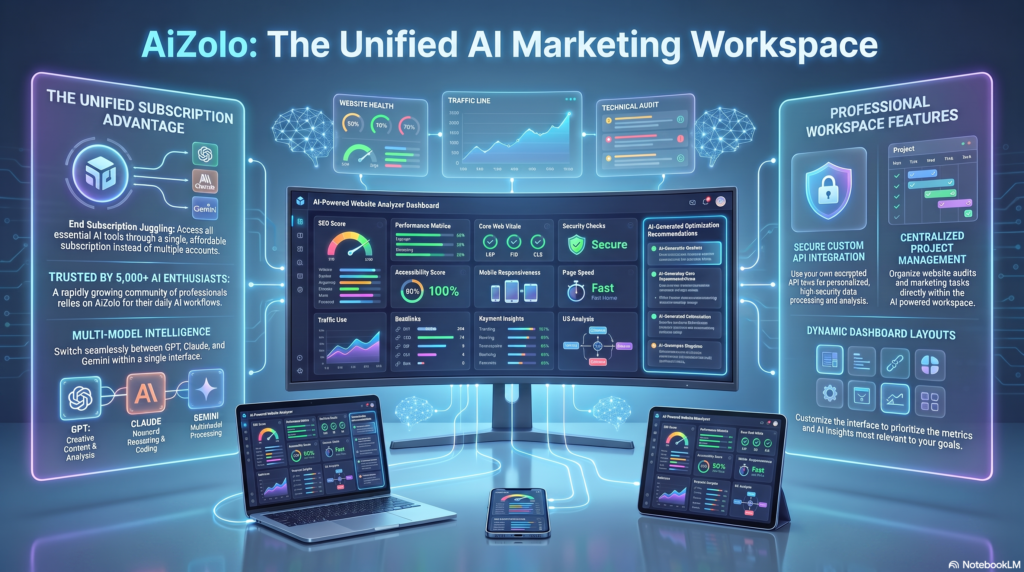
Illustration of an AI website analyzer dashboard scanning a website
An AI website analyzer tool is software that scans a website and uses machine learning or large language models to interpret the results — not just report them.
It looks at technical SEO, page speed, content quality, accessibility, and sometimes security, then translates raw data into recommendations a non-technical person can act on.
Think of it as the difference between a mechanic who hands you a printout of error codes and one who tells you, “Your brake pads are worn, replace them in the next 500 miles, and here’s why it matters.” Traditional audit tools give you the printout. An AI website analyzer gives you the explanation.
Quick answer for featured snippets: An AI website analyzer tool is software that automatically scans a website’s performance, SEO, and content, then uses artificial intelligence to prioritize issues and generate plain-language recommendations for improvement.
Most tools in this category pull from the same underlying data sources — things like Lighthouse, Core Web Vitals field data, and crawl results — but layer an AI interpretation step on top. That layer is what separates an “AI website audit” from a plain automated scanner.
How AI Website Analysis Works
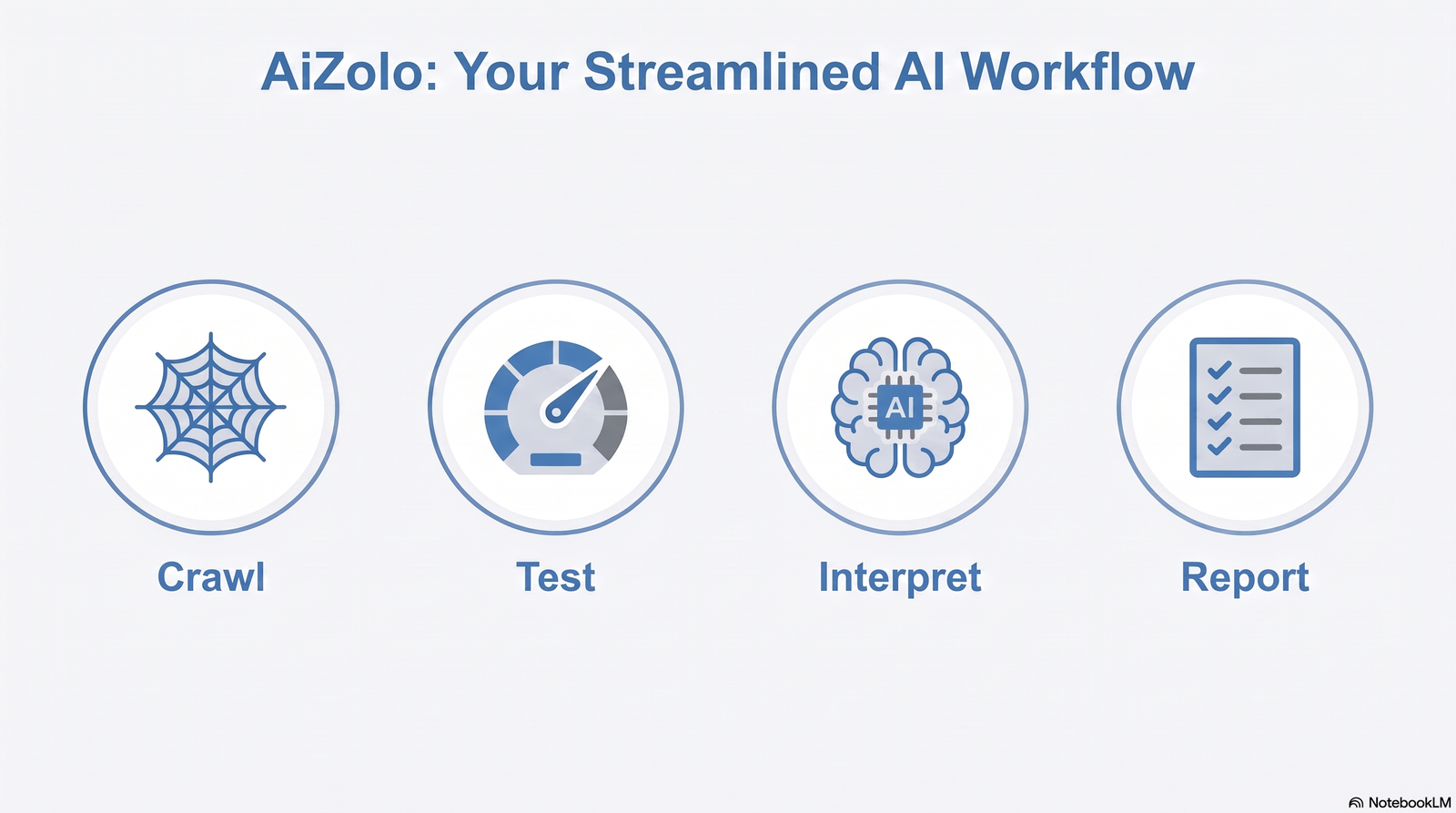
Most AI website analyzer tools follow a similar four-stage process, even if the branding around each stage differs.
Stage 1: Crawling and Data Collection
The tool crawls your site (or a single URL) the way a search engine bot would. It collects HTML structure, metadata, internal links, image data, script loading behavior, and response codes.
Stage 2: Performance and Technical Testing
Using rendering engines like Lighthouse, the tool measures load speed, checks Core Web Vitals — including Largest Contentful Paint, Interaction to Next Paint, and Cumulative Layout Shift — and flags render-blocking resources.
Stage 3: AI Interpretation
This is the differentiator. Instead of dumping 40 raw metrics on you, the AI model clusters related issues, ranks them by likely impact, and writes a summary in natural language. Some tools go further and draft suggested fixes, like rewritten meta descriptions or restructured heading tags.
Stage 4: Reporting and Recommendations
You get a dashboard or PDF with a prioritized checklist — often split into “quick wins” and “bigger fixes” — so you know where to spend your time first.
Four-step infographic showing how AI website analysis works from crawl to report
Pro tip: When comparing tools, ask whether the “AI” is doing real interpretation (prioritizing, explaining trade-offs) or just formatting existing Lighthouse output with nicer copy. Both exist in the market, and the value gap between them is significant.
Benefits of Using an AI Website Analyzer
Quick answer for featured snippets: The main benefits of an AI website analyzer are faster issue detection, prioritized recommendations, reduced need for technical expertise, consolidated reporting across SEO and performance, and time saved compared to manual audits.
Speed. A scan that would take a human auditor hours takes the tool minutes.
Prioritization. Instead of a wall of 150 warnings, you get a ranked list of what to fix first.
Accessibility for non-experts. Business owners without an SEO background can understand plain-language output.
Consolidated view. One report instead of stitching together PageSpeed Insights, a separate SEO crawler, and an accessibility checker.
Consistency. The same checks run the same way every time, which makes it easier to track progress over months.
None of this replaces human judgment entirely — more on that in the limitations section — but for the first 80% of issue discovery, it’s a genuine time saver.
Who Should Use an AI Website Analyzer Tool
Small business owners who don’t have an in-house SEO person but need to know if their site is actively losing them customers.
Bloggers and content creators who want to check technical health without learning to read raw crawl data.
In-house marketers who need a fast diagnostic before pitching a redesign or dev sprint to leadership.
Agencies that need to standardize audits across dozens of client sites without reinventing the process each time.
Developers who want a quick technical sanity check after a deploy, particularly around Core Web Vitals regressions.
SEO professionals who use AI analyzers as a first pass, then apply their own expertise to the nuanced cases the tool can’t fully judge.
If you fall into more than one of these groups, that’s normal — most teams use an AI website analyzer as a shared starting point before splitting into deeper, role-specific work.
Traditional Website Audit vs. AI Website Analyzer
Aspect
Traditional Manual/Tool Audit
AI Website Analyzer
Time to complete
Hours to days
Minutes
Technical skill required
Moderate to high
Low to moderate
Output format
Raw data, spreadsheets, logs
Plain-language, prioritized report
Prioritization
Manual, auditor-dependent
Automated, model-driven
Consistency across audits
Varies by auditor
Highly consistent
Nuance and context
Strong (human judgment)
Improving, but still limited
Cost at scale
High (auditor hours)
Lower per-site cost
Best for
Complex, high-stakes technical SEO
Fast, repeatable diagnostics
The realistic takeaway: an AI website analyzer doesn’t eliminate the need for expert judgment on complex sites, but it dramatically cuts the time needed to find the obvious issues first.
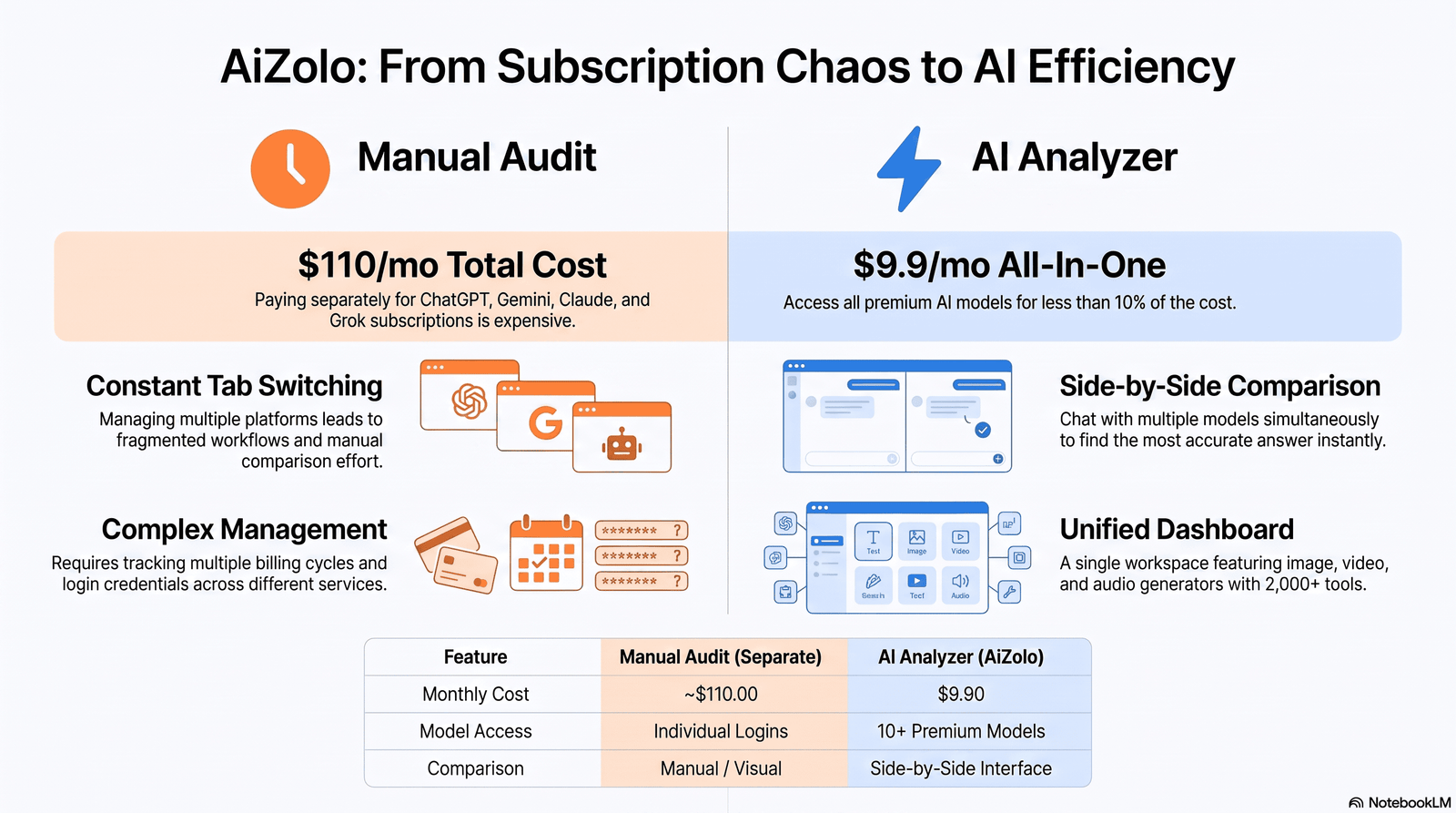
Comparison chart of manual website audits versus AI website analyzer tools
Best AI Website Analyzer Tools Compared
Quick answer for featured snippets: There is no single “best” AI website analyzer tool — the right choice depends on whether your priority is technical SEO depth, page speed, content testing, or an all-in-one marketing platform. Below is a feature-by-feature comparison of well-known options.
How to read this table: If you already pay for Semrush or Ahrefs, you likely have “good enough” AI-assisted auditing built in. If you want something fast, free, and non-technical, purpose-built AI website grader tools and Google’s own free tools (PageSpeed Insights, Lighthouse) are a strong starting point before you invest in a paid suite.
Note on accuracy: Pricing and feature sets for SEO platforms change frequently. Always confirm current pricing directly on the vendor’s site before making a purchasing decision — the figures above are general guidance, not guaranteed current rates.
Features to Look For
When evaluating an AI website audit tool, prioritize these capabilities:
Core Web Vitals reporting — Does it clearly show LCP, INP, and CLS with historical trend data, not just a single snapshot?
Crawl depth control — Can you audit a single page, a section, or the entire site?
Actionable recommendations — Are fixes explained in plain language, or do you just get raw error codes?
Integration with Google Search Console and GA4 — This lets the tool correlate technical issues with real traffic impact.
Accessibility checks — WCAG-level issues matter for both usability and legal compliance in many regions.
Scheduling and monitoring — Recurring scans are more valuable than one-off snapshots for tracking progress.
Exportable reporting — Agencies especially need white-labeled or exportable PDF/CSV reports for clients.
Transparent methodology — Reputable tools tell you which data sources (e.g., Lighthouse, CrUX) power their scores.
Quick Checklist: Is This Tool Worth Paying For?
[ ] Explains issues in plain language, not just jargon
[ ] Shows Core Web Vitals with real user data, not lab data only
[ ] Offers a genuinely useful free tier or trial
[ ] Integrates with tools you already use (GSC, GA4, CMS)
[ ] Provides prioritized, not just alphabetical, issue lists
[ ] Has transparent, verifiable data sourcing
Pricing Comparison
Tier
Typical Price Range
What You Usually Get
Free
$0
Single-page scans, basic performance and SEO checks, limited history
Large-scale crawling, API access, dedicated support, SSO
Budget-conscious users can get surprisingly far combining free tools — Google PageSpeed Insights, Lighthouse, and Search Console — with one paid AI-native analyzer for the interpretive layer. Agencies auditing many client sites usually find the professional tier pays for itself in saved audit hours.
Tiered pricing illustration for AI website analyzer tools from free to enterprise
How Accurate Are AI Website Analyzers?
Accuracy depends heavily on what’s being measured. Performance metrics like Core Web Vitals are pulled from standardized engines (Lighthouse, Chrome UX Report), so those numbers are generally reliable and comparable across tools that use the same data source.
Where accuracy gets murkier is in the AI-generated recommendations. A model summarizing “why” a page is slow or “what” content to change is making an inference, not reporting a fact. Two different AI analyzers scanning the same page can reasonably disagree on priority order, even if they agree on the underlying data.
Practical guidance: Trust the raw metrics (speed scores, broken links, missing tags) at face value. Treat AI-written recommendations as a strong starting hypothesis that still benefits from a human sanity check, especially for high-stakes pages like checkout flows or lead-gen landing pages.
Pros and Cons of AI Website Analyzer Tools
Pros
Cons
Fast, often near-instant results
Recommendations can lack business context
Lowers the technical barrier to entry
Free tools may push you toward a sales funnel
Consolidates multiple data sources
Can over-flag minor issues as urgent
Good for repeatable, scheduled monitoring
Struggles with highly custom or JavaScript-heavy sites
Useful for benchmarking over time
Doesn’t replace strategic SEO or UX expertise
Real-World Use Cases
SEO Audits
An AI website analyzer can quickly flag missing title tags, thin content, duplicate meta descriptions, and crawl errors across hundreds of URLs — the exact groundwork a technical SEO audit normally starts with.
Performance Optimization
By surfacing which scripts delay the Largest Contentful Paint or cause layout shifts, teams can prioritize dev work instead of guessing which asset to optimize first.
Accessibility Analysis
Many tools now flag missing alt text, poor color contrast, and unlabeled form fields — issues that affect both usability and legal compliance.
Security Analysis
Some analyzers check for missing HTTPS enforcement, outdated software signatures, or exposed configuration files, giving a baseline security sanity check (not a substitute for a full penetration test).
Technical SEO Checks
Robots.txt misconfigurations, broken XML sitemaps, and canonical tag conflicts are exactly the kind of repetitive, rule-based issues AI tools catch reliably.
Core Web Vitals Monitoring
Ongoing tracking helps teams catch regressions after a deploy — for example, a new hero image that tanks LCP scores overnight.
Content Optimization
AI models can flag thin or outdated pages and suggest structural improvements, like better heading hierarchy or missing schema markup, that support both traditional rankings and appearance in AI Overviews.
How to Choose the Best AI Website Analyzer Tool
Quick answer for featured snippets: Choose an AI website analyzer tool based on your primary goal (speed, SEO, accessibility, or all-in-one), your technical skill level, whether you need multi-site or agency features, and your budget — then confirm it uses transparent, industry-standard data sources like Lighthouse or CrUX.
Define your primary pain point first. Is your site slow, invisible in search, or converting poorly? Different tools specialize in different problems.
Check the data source. Tools built on Lighthouse and CrUX data are more trustworthy than ones with an opaque, proprietary scoring system.
Test the free tier before paying. Run your own site through it and see if the recommendations actually make sense for your context.
Consider your technical comfort level. Beginners benefit most from tools that explain the “why,” not just the “what.”
Factor in scale. A single-site blogger and a 40-client agency need very different reporting and monitoring features.
Read recent user feedback, not just the marketing page — tool quality and pricing change often in this space.
Common Mistakes to Avoid
Chasing every flagged issue equally. Not all warnings carry the same weight — fix high-impact items first.
Ignoring context. A “low” text-to-HTML ratio might be irrelevant for a highly visual portfolio site.
Relying on a single scan. Website health changes with every deploy; one-time audits go stale fast.
Skipping the free tools first. Many people pay for a premium analyzer before checking if PageSpeed Insights or Search Console already answers their question.
Treating AI recommendations as final. Especially for content and messaging changes, human review still matters.
Limitations of AI Website Analyzers
No tool in this category is a complete replacement for expert judgment. Common limitations include:
Struggles with heavily custom JavaScript frameworks, where rendering behavior can confuse automated crawlers.
Limited understanding of business context — a tool can’t know your conversion goals unless you tell it.
Occasional false positives, especially around content “quality” scoring, which is inherently subjective.
Data source dependency — a tool is only as good as the underlying data (lab data vs. real user field data can tell different stories).
Being upfront about these limitations isn’t a knock against the category — it’s the difference between using these tools well and over-trusting them.
The Future of AI Website Analysis
Expect three clear trends over the next few years:
Deeper integration with AI Overviews and generative search. As more traffic originates from AI-generated answers rather than traditional blue links, analyzers will likely add checks specifically for structured data and answer-friendly formatting.
Real-time monitoring over static reports. Instead of a snapshot audit, tools are moving toward continuous monitoring with instant alerts on regressions.
More agentic recommendations. Rather than just flagging issues, some tools are beginning to draft the actual fix — a rewritten meta tag, a compressed image, or a corrected schema block — for human approval.
Expert Recommendations
If you’re just getting started, don’t buy anything yet. Run your homepage through Google PageSpeed Insights and Google Search Console first — both are free, both are authoritative, and together they’ll tell you whether your core problem is speed, indexing, or something else entirely.
If the diagnosis points to broader SEO health, layer in a dedicated AI SEO analyzer or full-site crawler next. Agencies managing multiple clients should weigh reporting and white-labeling features as heavily as raw feature count — the best tool is the one your team will actually use consistently, not the one with the longest feature list.
FAQs
What is an AI website analyzer tool? It’s software that scans a website’s performance, SEO, and content, then uses AI to prioritize issues and explain them in plain language, rather than just listing raw technical data.
Is an AI website analyzer the same as an SEO audit tool? Not exactly. Most AI website analyzers include SEO checks, but they typically also cover performance, accessibility, and sometimes security — a broader scope than a pure SEO audit tool.
Are AI website analyzer tools free? Many offer a free tier or single-scan option, often with limited depth or history. Full-featured, multi-site, or agency-level plans usually require a paid subscription.
How accurate are AI-generated website recommendations? Core performance metrics (like Core Web Vitals) are generally reliable since they come from standardized engines. AI-written recommendations are inferences and benefit from a human sanity check.
Can an AI website analyzer replace an SEO consultant? For basic technical issue discovery, yes, largely. For strategy, competitive positioning, and nuanced content decisions, most teams still benefit from human expertise.
What’s the difference between Lighthouse and an AI website analyzer? Lighthouse is a free auditing engine that produces raw scores and technical data. Many AI website analyzers use Lighthouse under the hood, then add an AI interpretation layer on top.
Does an AI website analyzer check Core Web Vitals? Most reputable tools do, typically covering Largest Contentful Paint, Interaction to Next Paint, and Cumulative Layout Shift.
How often should I run a website analysis? A common practice is a full audit monthly, with lighter automated checks after every major deploy or content update.
Can AI website analyzers help with AI Overviews and generative search visibility? Some newer tools are starting to check for structured data and answer-friendly formatting that supports appearing in AI-generated search results, though this is still an evolving area.
Do I need technical knowledge to use these tools? No — that’s the core appeal. Most are built so non-technical users can understand the findings, though some technical literacy helps when implementing fixes.
What’s the difference between lab data and field data in these reports? Lab data is collected in a controlled test environment; field data comes from real users (via the Chrome UX Report). Field data is generally more representative of actual visitor experience.
Are free AI website analyzers trustworthy? Many are, especially those built on transparent, industry-standard data sources. Be cautious of tools that hide their methodology or push aggressively toward a paid upsell without clear value first.
Can small businesses benefit from AI website analyzer tools? Yes — arguably more than larger companies, since small businesses often lack a dedicated technical or SEO team to catch these issues manually.
Do AI website analyzers check mobile performance? Yes, most report separate mobile and desktop scores, since mobile now accounts for the majority of web traffic globally.
What should I do after running an AI website analysis? Prioritize fixes by impact and effort, start with quick wins, re-scan after changes to confirm improvement, and schedule recurring checks going forward.
Conclusion
An AI website analyzer tool won’t magically fix your website, but it will tell you — quickly and clearly — where to start. That’s genuinely valuable when the alternative is guessing or paying for hours of manual auditing on problems that a free scan could have surfaced in minutes.
The right choice isn’t the tool with the most features or the flashiest AI branding. It’s the one that matches your actual problem, fits your budget, and produces recommendations you and your team will actually act on. Start with the free, standardized tools — PageSpeed Insights, Search Console, Lighthouse — and layer in a paid AI-native analyzer only once you know exactly what gap you’re trying to close.
Whatever you choose, treat the output as a strong starting point, not gospel. Combine the tool’s speed with your own understanding of your business goals, and you’ll get further than either one alone.
Bio: Jeevesh Tripathi researches and writes about AI-powered marketing and SEO tools, with a focus on translating technical software evaluations into practical guidance for marketers, agencies, and business owners. His work centers on hands-on testing of automation, analytics, and website optimization tools, with an emphasis on transparent, verifiable comparisons rather than vendor-driven claims.