
Introduction
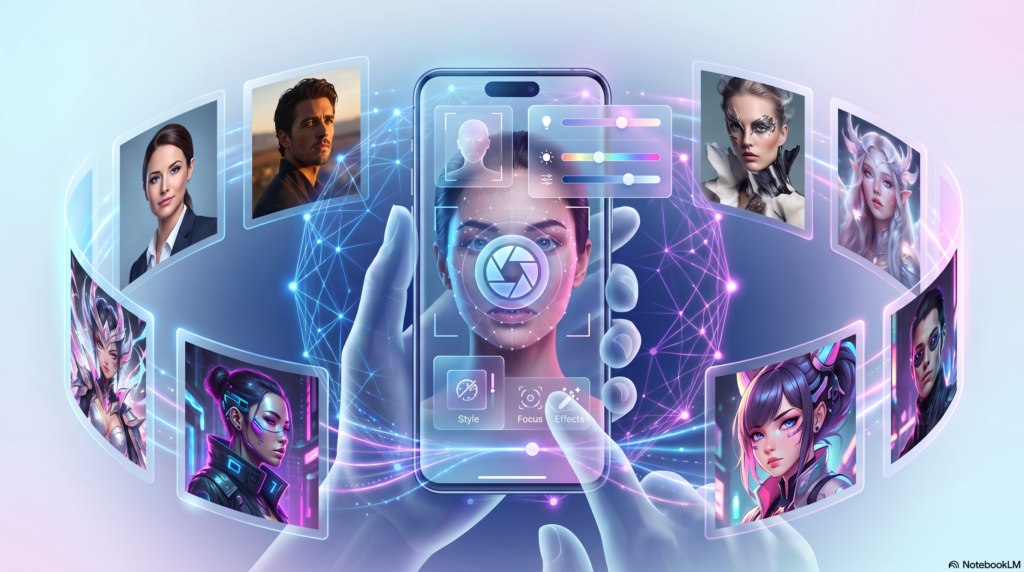
Ever seen a friend’s profile picture and wondered how they looked so polished? Chances are, an AI selfie generator made it happen.
These tools turn an ordinary photo into a professional, artistic, or fantasy-style portrait in seconds. With Aizolo, there’s no need for a photographer, studio, or advanced editing skills.
AI selfies are everywhere right now — on LinkedIn, dating apps, Instagram, and even resumes. People want great photos without the cost or hassle of a real photoshoot.
In this guide, you’ll learn what an AI selfie generator actually is, how it works behind the scenes, and which tools are worth your time. We’ll also cover styles, step-by-step instructions, common mistakes, privacy risks, and where this technology is headed in 2026.
By the end, you’ll know exactly how to create AI selfies that look natural, professional, and true to you.
Table of Contents
What is an AI Selfie Generator?
An AI selfie generator is a tool that uses artificial intelligence to create new portrait images based on your face or a text prompt.
You upload a few selfies, or type a description, and the AI produces a fresh image. It can look realistic, artistic, or completely stylized.
Unlike a normal photo filter, this AI photo creator doesn’t just adjust colors. It rebuilds the image using patterns it learned from millions of photos.
That’s why the results can look like a totally new photoshoot — different lighting, background, outfit, or even art style — while still resembling you.
Many people also call these tools an AI portrait generator, AI avatar generator, or AI profile picture generator. The core idea is the same: AI creates the image, not a camera.
How Does an AI Selfie Generator Work?
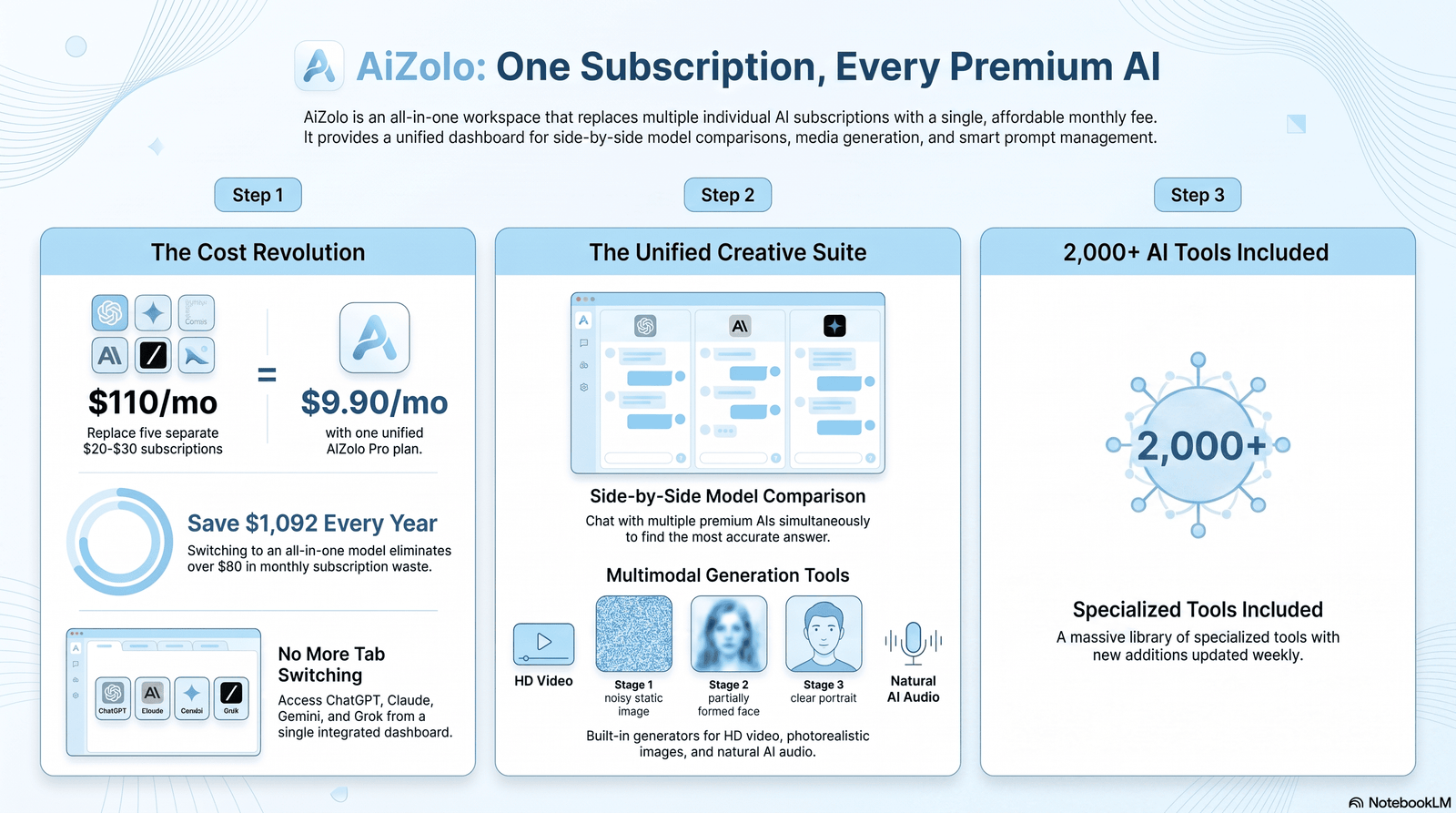
Most modern tools rely on diffusion models. These are AI systems trained to turn random noise into a clear image, step by step.
Here’s the simple version of the process:
- You upload several selfies of your face.
- The AI studies your facial features, skin tone, and structure.
- It builds a small custom model of your face (sometimes called fine-tuning).
- You (or the app) provide a prompt describing the style you want.
- The AI generates new images that match your face and that style.
This is different from a basic AI face editor, which only tweaks an existing photo. A true selfie generator creates a brand-new image from scratch.
Prompt Engineering, Simplified
A prompt is just a written instruction, like “professional headshot, navy blazer, soft studio lighting, neutral background.”
The more specific and clear the prompt, the more accurate and consistent the output tends to be. This is called prompt engineering, and even beginners can learn the basics quickly.
Why Results Can Vary
AI models aren’t perfect. Faces can sometimes look slightly off, especially around eyes, ears, or teeth. This is a known limitation of current AI photography tools, not a guaranteed flaw-free process.
The Role of Training Data
Diffusion models learn from huge datasets of images collected from the internet. This is how they know what a “studio headshot” or “watercolor portrait” typically looks like.
The quality and diversity of that training data directly affects output quality. A model trained mostly on one type of photo may struggle with unusual angles, lighting, or facial features it saw less often.
This is part of why results can differ so much between platforms, even when you use a similar prompt. Each company trains and fine-tunes its models differently.
Fine-Tuning on Your Face
Once you upload your selfies, many tools build a small, temporary model just for your face. This process is sometimes called personalized fine-tuning, though most apps hide this complexity from users.
The AI blends this personal model with its broader style knowledge to keep your features recognizable across any AI photo style you choose, from realistic to fully stylized.
Benefits of Using an AI Selfie Generator
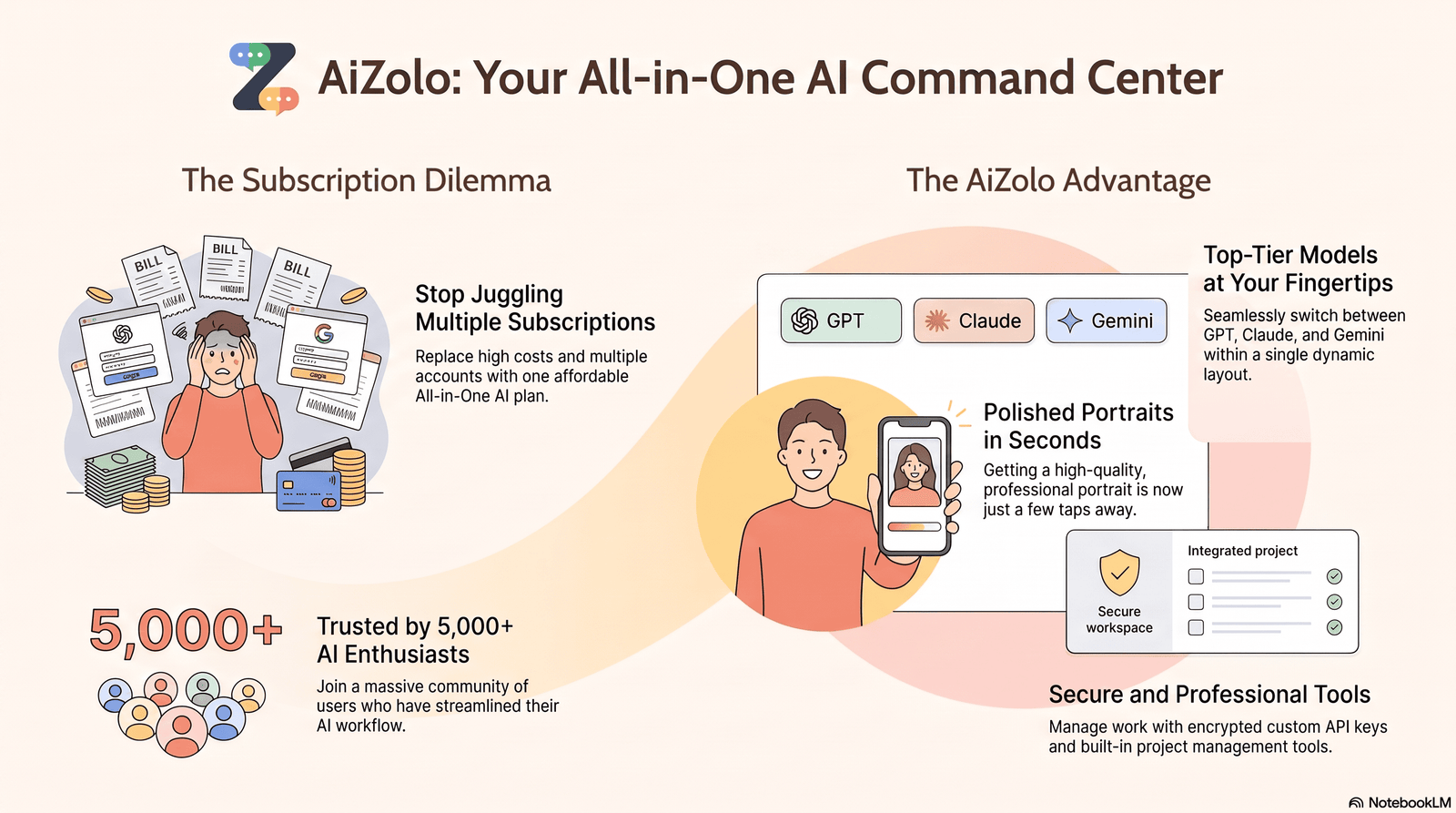
- Saves money — no studio, photographer, or makeup artist needed.
- Saves time — get results in minutes instead of scheduling a shoot.
- Endless variety — try dozens of AI photo styles in one sitting.
- Consistency — generate a matching set of photos for branding.
- Accessibility — anyone with a smartphone can use it.
- Creative freedom — explore looks you’d never try in real life.
These benefits explain why an AI selfie app has become a go-to tool for creators, marketers, and everyday users alike.
Best Use Cases
An AI selfie generator isn’t just for fun filters. It solves real problems for real people.
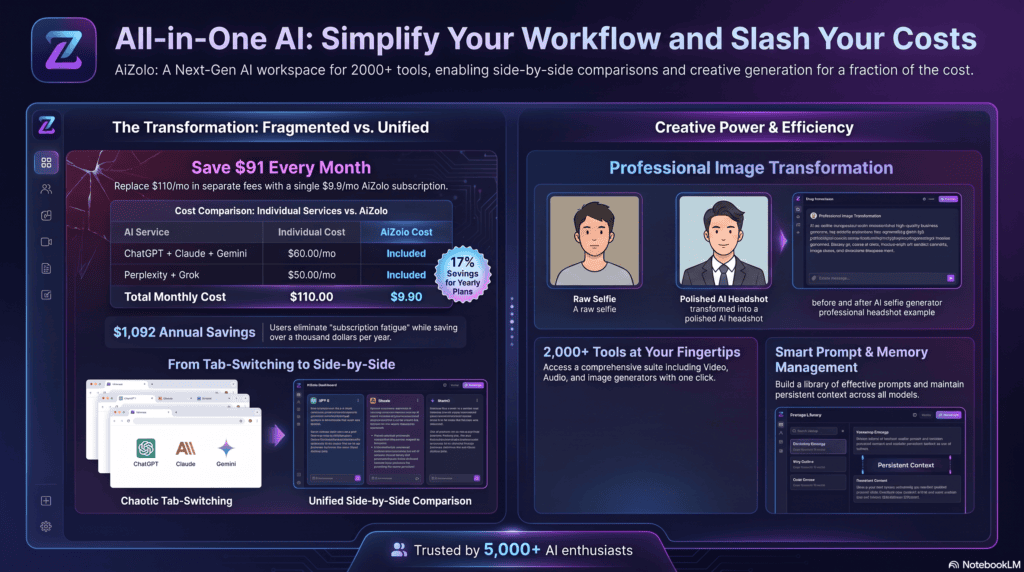
A clean, professional AI headshot can replace an outdated or blurry profile photo instantly.
Creators use stylized AI-generated selfies to keep their feed fresh without constant new photoshoots.
TikTok
Trend-based AI styles, like anime or fantasy looks, help short-form creators stand out in busy feeds.
Dating Profiles
A well-lit, natural AI selfie can highlight your best features — but always stay honest to your real appearance.
Business Branding
Small business owners use AI-generated portraits across websites, email signatures, and social bios for a consistent look.
Gaming
Gamers turn their face into anime, 3D avatar, or cyberpunk styles for streaming profiles and Discord.
Professional Headshots
Job seekers and freelancers use professional AI headshots when a real photoshoot isn’t in the budget.
Marketing
Agencies use AI photo styles to test creative concepts fast before committing to a full campaign shoot.
Content Creation
Bloggers and influencers use an AI photo creator to generate thumbnail-ready images at scale.
Resume Photos
In regions where a photo is expected on a resume, a clean AI headshot helps candidates look polished.
Personal Branding
Coaches, consultants, and speakers use AI portraits for consistent branding across platforms.
Types of AI Selfie Styles
| Style | Best For | Description |
|---|---|---|
| Professional | LinkedIn, resumes | Clean lighting, business attire, neutral backdrop |
| Realistic | Social media | Natural skin texture, true-to-life lighting |
| Anime | TikTok, gaming | Big eyes, stylized linework, vibrant colors |
| Cartoon | Fun avatars | Bold outlines, exaggerated features |
| Fantasy | Creative projects | Magical settings, costumes, dramatic light |
| Cyberpunk | Gaming, streaming | Neon tones, futuristic outfits |
| Vintage | Nostalgic content | Film grain, retro color grading |
| Pixar-inspired | Fun personal avatars | Soft 3D animated look |
| Watercolor | Artistic portraits | Soft, blended painterly strokes |
| Oil painting | Wall-art style portraits | Rich texture, classic art feel |
| Sketch | Minimalist art | Pencil-style linework |
| Comic | Pop-art fans | Bold panels, halftone dots |
| 3D avatar | Gaming profiles | Rendered, game-character look |
| Minimalist | Clean branding | Simple shapes, limited color palette |
| Luxury portrait | High-end branding | Dramatic lighting, editorial styling |
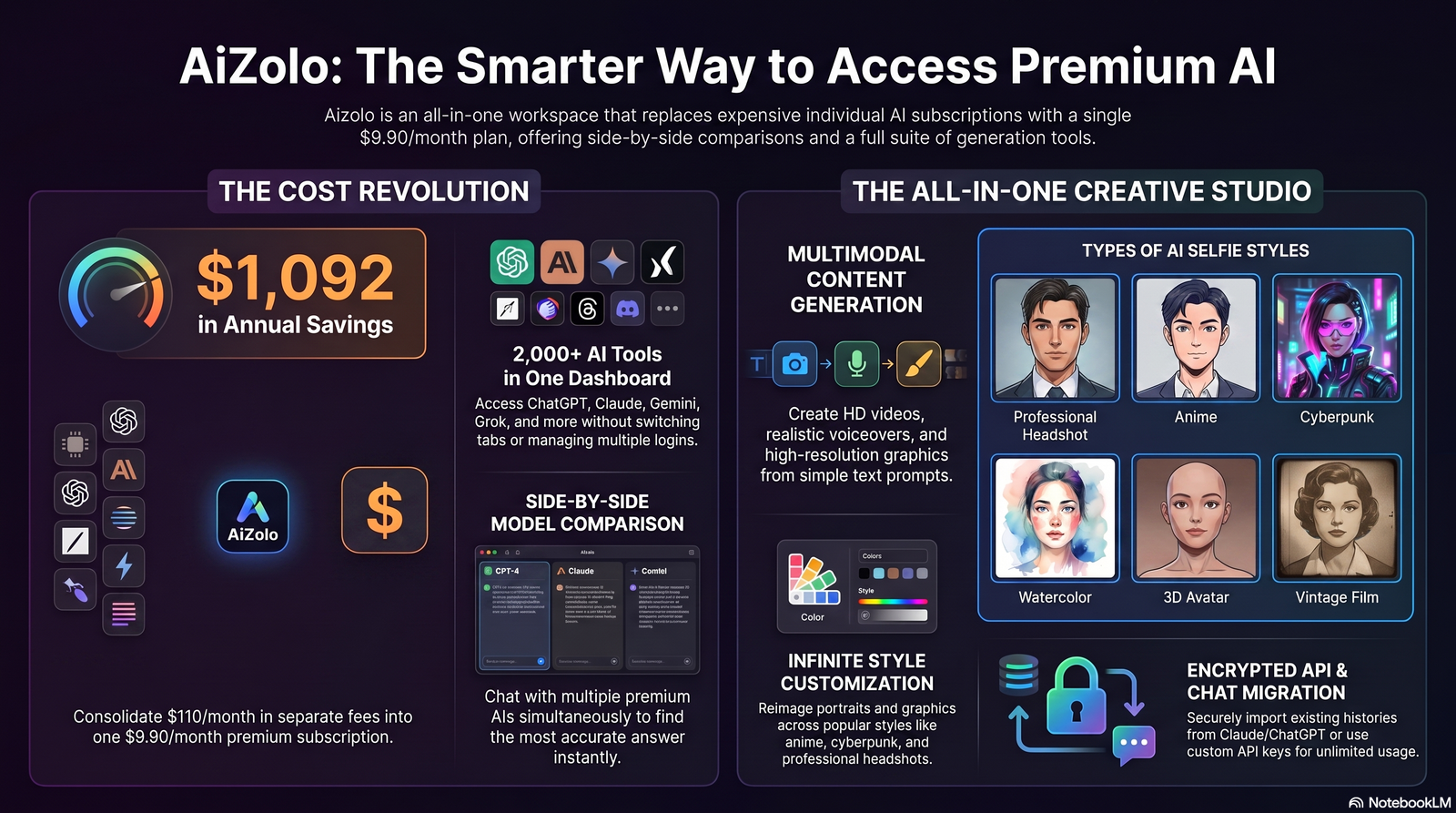
This range of AI photo styles is why the category appeals to such a wide audience — from anime selfie generator fans to professionals who just want a realistic AI selfie.
Step-by-Step Guide: How to Create AI Selfies
- Choose a tool. Pick a platform based on your goal — realistic headshots, anime art, or casual social posts.
- Upload your photos. Most tools need 8–20 clear selfies with different angles and expressions.
- Select a style or write a prompt. Choose a preset style, or describe what you want in plain language.
- Generate your images. The AI processes your request, usually within a minute or two.
- Review the results. Look through the batch and pick the ones that look most natural.
- Refine if needed. Adjust your prompt or regenerate if lighting, pose, or facial details look off
- Download and use. Save your final AI selfie in the right format and resolution for your platform.
Tips for Better Results
- Use well-lit, high-resolution source photos — blurry inputs lead to blurry outputs.
- Include a mix of angles: front-facing, slight left, slight right.
- Avoid heavy filters or sunglasses in your uploaded selfies.
- Be specific in prompts: mention lighting, clothing, and mood.
- Generate multiple batches instead of relying on one attempt.
- Compare results across two or three tools before choosing a final image.
Common Mistakes to Avoid
- Uploading too few photos. Most AI portrait generator tools need at least 8–10 images for accuracy.
- Ignoring lighting consistency. Mixed lighting in source photos confuses the model.
- Over-relying on one style. Testing only one preset limits your options.
- Using AI selfies as legal ID photos. These are for creative and branding use, not official documents.
- Skipping the review step. Not every generated image will look right — always review before sharing.
- Assuming instant perfection. Even the best AI photo enhancer needs a few tries to nail your look.
AI Selfie Generator vs. Traditional Photography
| Factor | AI Selfie Generator | Traditional Photography |
|---|---|---|
| Cost | Low to free | High (studio, photographer fees) |
| Time | Minutes | Hours to days |
| Consistency | High across multiple images | Depends on session and photographer |
| Realism | Very good, occasional flaws | Always accurate to real life |
| Creative styles | Wide variety instantly | Limited by props, location, budget |
| Editing skill needed | None to minimal | Often requires post-editing |
| Best for | Social media, branding, experimentation | Official documents, weddings, high-stakes shoots |
Neither option replaces the other completely. A traditional photoshoot still wins for formal, high-stakes needs, while an AI selfie creator wins for speed, cost, and creative range.
Best AI Selfie Generator Tools
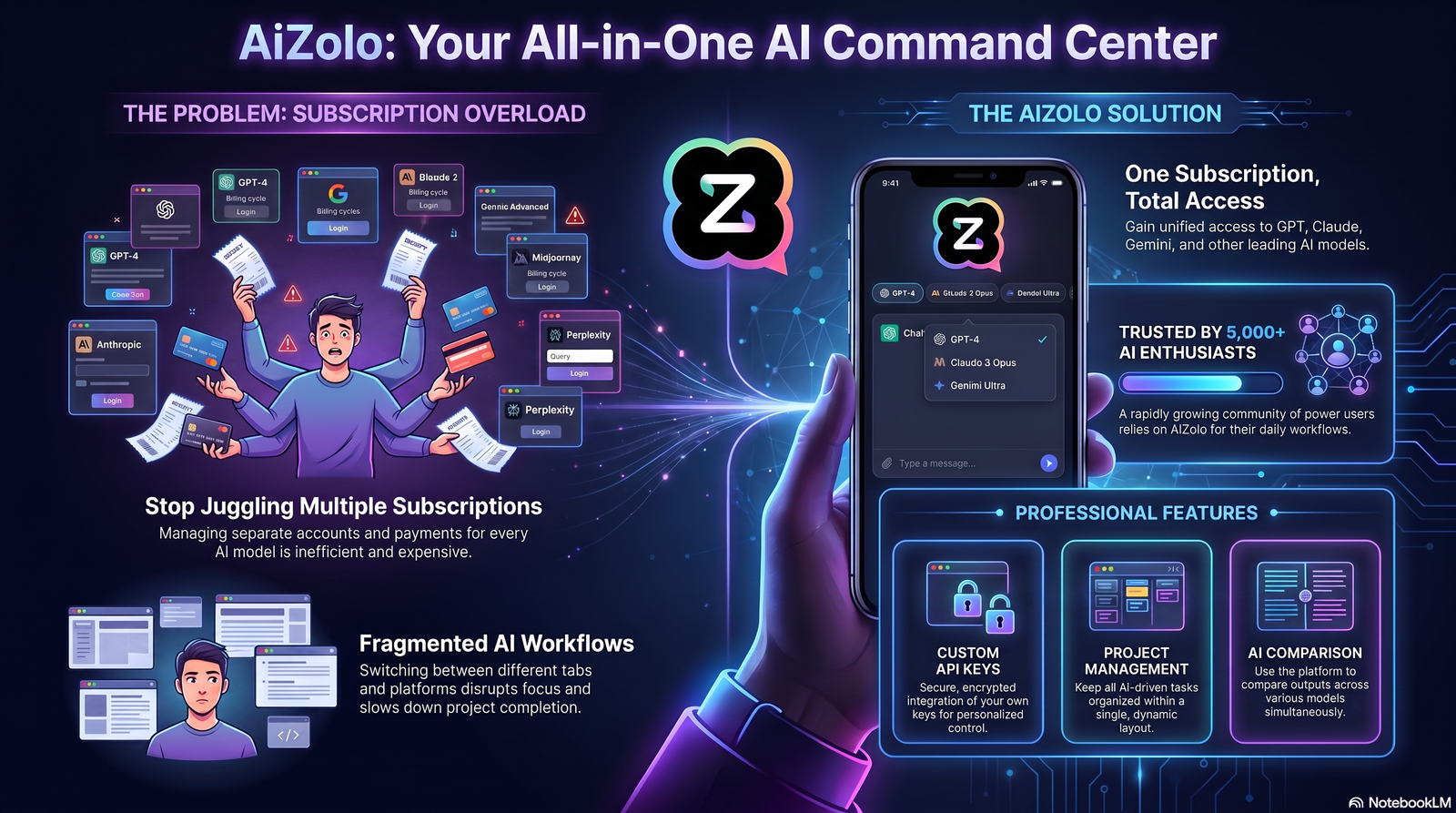
There are dozens of apps in this space now. Here’s an honest look at some well-known options, including where Aizolo fits in.
| Tool | Best For | Free Plan | Pricing (Approx.) | Key Strength |
|---|---|---|---|---|
| Aizolo | All-in-one AI portraits and creative styles | Yes | Free tier + paid plans | Wide style range, easy for beginners |
| ArtGuru | Quick stylized selfies | Yes | Free tier + paid plans | Simple interface |
| SeaArt | Anime and artistic styles | Yes | Free tier + paid plans | Strong anime selfie generator options |
| StarryAI | Casual AI art selfies | Yes | Free tier + paid plans | Good for experimenting with art styles |
Aizolo
Aizolo is built for people who want variety without a steep learning curve. It supports realistic, professional, and stylized outputs, which makes it a solid pick whether you need a best AI selfie generator for LinkedIn or something more playful for social media.
Pros:
- Beginner-friendly interface
- Broad style library
- Useful for both personal and business branding
Cons:
- Like all AI tools, results can need a couple of regenerations for the best output
Ideal Users: Content creators, professionals, small businesses, and casual users who want flexibility in one place.
Choosing the Right Tool
If you want a realistic AI selfie for professional use, prioritize tools with strong headshot presets. If you want anime or fantasy styles, look for platforms with a dedicated art-style library.
Always check whether a free AI selfie generator tier gives you enough generations to actually test quality before paying.
What to Check Before You Commit
- Number of free generations. Some tools only offer 3–5 free images, which may not be enough to judge quality fairly.
- Resolution limits. Free tiers sometimes cap output resolution, which matters if you plan to print the image.
- Commercial usage rights. Confirm whether free-tier images can be used commercially, or only for personal use.
- Turnaround time. Busy servers can slow down generation during peak hours, so test at different times of day.
- Support for reruns. Look for tools that let you tweak a prompt and regenerate without starting from scratch.
| Consideration | Why It Matters |
|---|---|
| Image resolution | Higher resolution is better for printing or professional use |
| Supported formats | JPG and PNG are standard; some tools also offer transparent backgrounds |
| Commercial usage | Needed if you plan to use images for business or marketing |
| Free vs paid | Determines how much testing you can do before committing |
| Style library size | More styles mean more flexibility for different platforms |
Privacy and Security Considerations
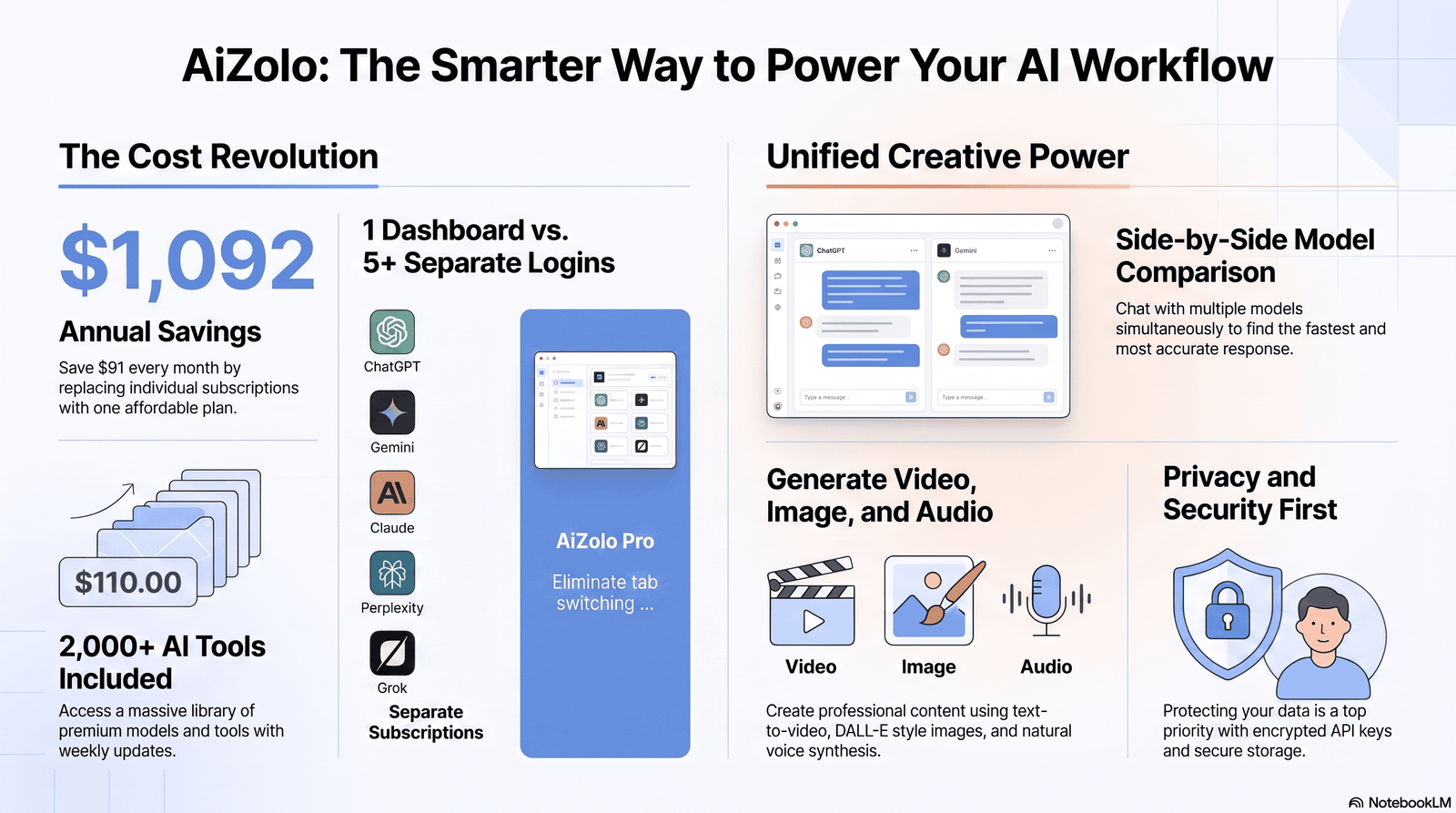
Uploading your face to any app means trusting that company with sensitive biometric-adjacent data. Take this seriously.
- Read the privacy policy. Check how long your photos are stored and whether they’re used for training.
- Look for deletion options. A trustworthy AI selfie app lets you delete your uploaded photos anytime.
- Avoid unknown or unverified apps. Stick to platforms with clear company information and support channels.
- Be cautious with payment info. Only enter payment details on secure, verified checkout pages.
- Consider what you share publicly. Once an AI-generated selfie is online, you can’t fully control its spread.
We can’t independently verify every tool’s internal data practices, so always check a platform’s current policy directly before uploading personal photos.
Ethical Considerations
AI selfie tools raise real questions worth thinking about honestly.
- Consent matters. Never upload someone else’s photos to generate images without their permission.
- Misrepresentation risk. Heavily altered AI selfies used on dating apps or professional profiles can mislead people.
- Copyright and ownership. Check a tool’s terms to understand who owns the generated image — you, the platform, or both.
- Bias in AI models. Some models perform less accurately across different skin tones or facial features; this is a known industry challenge still being addressed.
- Responsible use. Use AI-generated selfies for creative and professional purposes, not to impersonate or deceive others.
Being transparent about using AI-generated images, especially in professional settings, builds trust rather than eroding it.
AI Selfie Trends for 2026
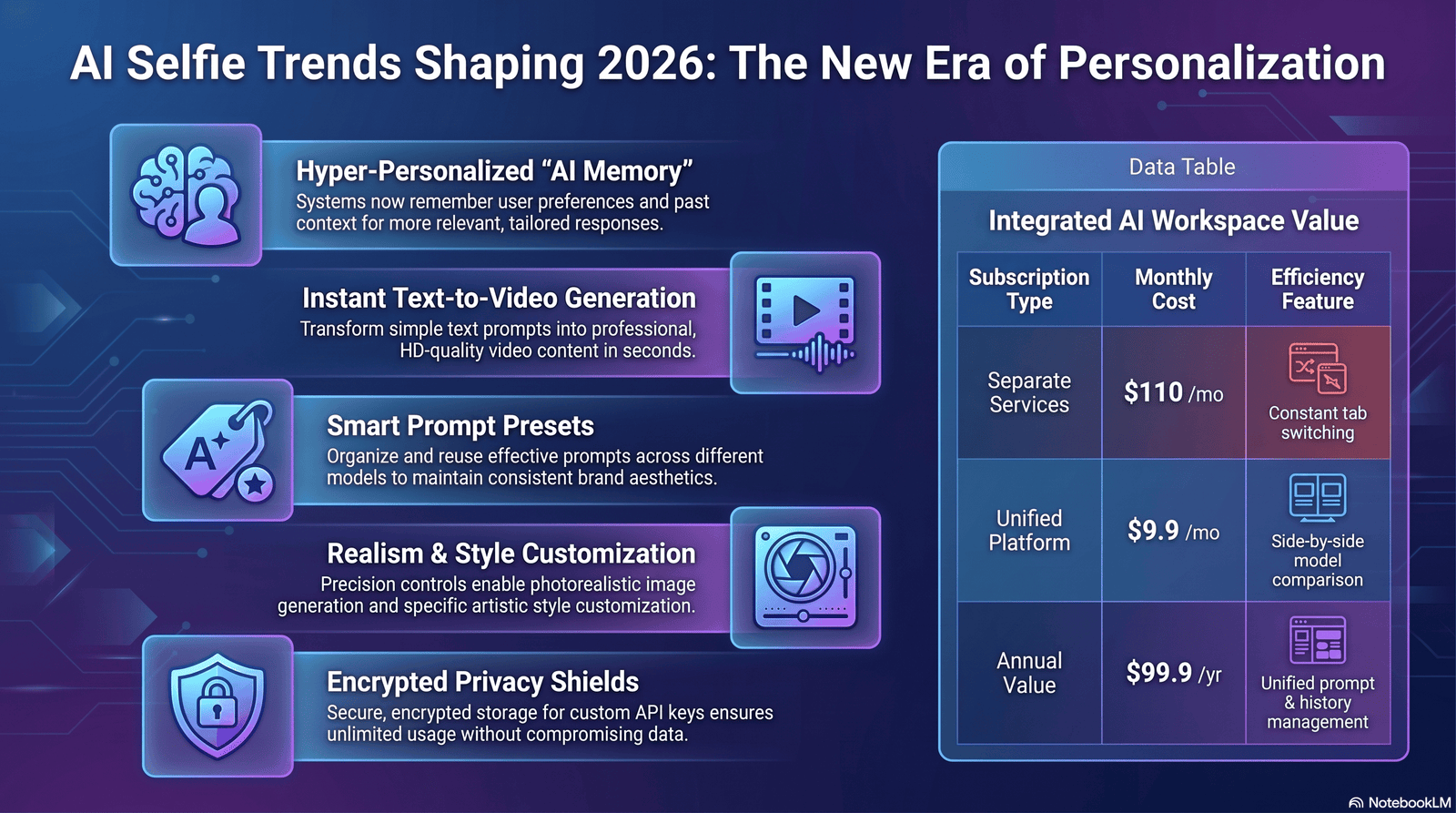
- Hyper-personalized styles. Tools are getting better at matching a person’s exact facial structure across styles.
- Video-based AI selfies. Expect more tools extending into short AI-generated video clips, not just still images.
- Brand-specific presets. Businesses are creating custom style packs for consistent team branding.
- Better realism controls. Users increasingly want dials to control how “real” versus “stylized” an image looks.
- Stronger privacy tools. As scrutiny grows, expect more transparent data deletion and consent controls.
These shifts point toward AI selfie tools becoming more precise, more customizable, and more accountable over time — though exact timelines for these features vary by platform.
Frequently Asked Questions
1. What is the best AI selfie generator for beginners? Look for tools with simple upload steps and preset styles, like Aizolo, so you don’t need to write detailed prompts to get started.
2. Is there a truly free AI selfie generator? Many platforms offer a free tier with limited generations. A fully unlimited free plan is rare since image generation has real computing costs.
3. How many photos do I need to upload? Most AI portrait generator tools recommend 8–20 clear selfies with varied angles and expressions for the best accuracy.
4. Are AI selfies safe to use on professional profiles like LinkedIn? Yes, if the image looks natural and accurately represents you. Avoid overly stylized versions for formal professional use.
5. Can I use AI selfies for commercial purposes? It depends on the platform’s terms of service. Always check usage rights before using an image commercially.
6. Do AI selfie generators store my photos? Policies vary by platform. Always check the specific tool’s privacy policy for storage and deletion details.
7. Why do AI-generated faces sometimes look distorted? Diffusion models can struggle with fine details like teeth, ears, or hands. This is a known current limitation, not a guaranteed flaw in every image.
8. What’s the difference between an AI avatar and an AI selfie? An avatar is often more stylized or cartoon-like, while an AI selfie generator can produce both realistic and stylized outputs based on your actual face.
9. Can I create anime-style selfies? Yes, many platforms include an anime selfie generator style specifically designed for that aesthetic.
10. How long does it take to generate an AI selfie? Most tools take anywhere from a few seconds to a couple of minutes per image, depending on server load and image complexity.
11. Do I need design or editing skills to use these tools? No. Most AI selfie apps are built for beginners with simple upload-and-select workflows.
12. Can AI selfie generators replace professional photography entirely? Not for every situation. They’re excellent for social media and branding but traditional photography still matters for formal or high-stakes photos, like passports or weddings.
13. Is it ethical to use AI selfies on dating apps? It can be, as long as the image still represents your real appearance honestly and doesn’t mislead others.
Final Verdict
An AI selfie generator is a genuinely useful tool for anyone who wants great photos without the cost or time of a full photoshoot.
It won’t replace every use case for traditional photography, but for social media, branding, and creative projects, it’s hard to beat the speed and variety.
Tools like Aizolo make it easy to start, especially if you want flexibility between professional and artistic styles in one place.
Conclusion
AI selfies have moved from a fun novelty to a genuinely practical tool for creators, professionals, and everyday users.
Whether you need a polished LinkedIn photo, a fun anime avatar, or a fresh look for your Instagram feed, an AI selfie generator can get you there quickly.
Just remember to choose tools thoughtfully, protect your privacy, and stay honest about how you present yourself online.
Call to Action
Ready to try it yourself? Upload a few clear selfies to Aizolo and generate your first AI portrait in minutes — no design skills required.
Author Bio
Jeevesh Tripathi Email: jeevesh@aizolo.com
Jeevesh Tripathi writes about AI tools, digital creativity, and emerging technology, with a focus on making complex AI concepts easy to understand. He has spent years testing AI image and portrait tools, comparing real-world results across platforms to give readers honest, practical guidance.
He’s especially interested in how generative AI is reshaping personal branding, content creation, and digital identity. Every article he writes is grounded in hands-on testing and up-to-date research, not guesswork.
Jeevesh is committed to helping readers make informed decisions about AI tools — highlighting both their strengths and their real limitations, so expectations stay realistic and useful.
