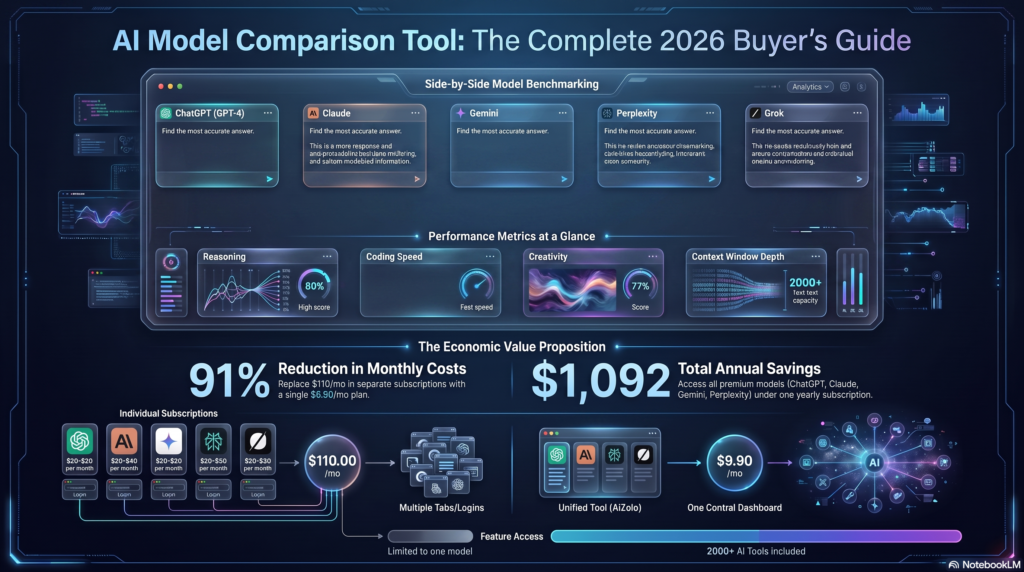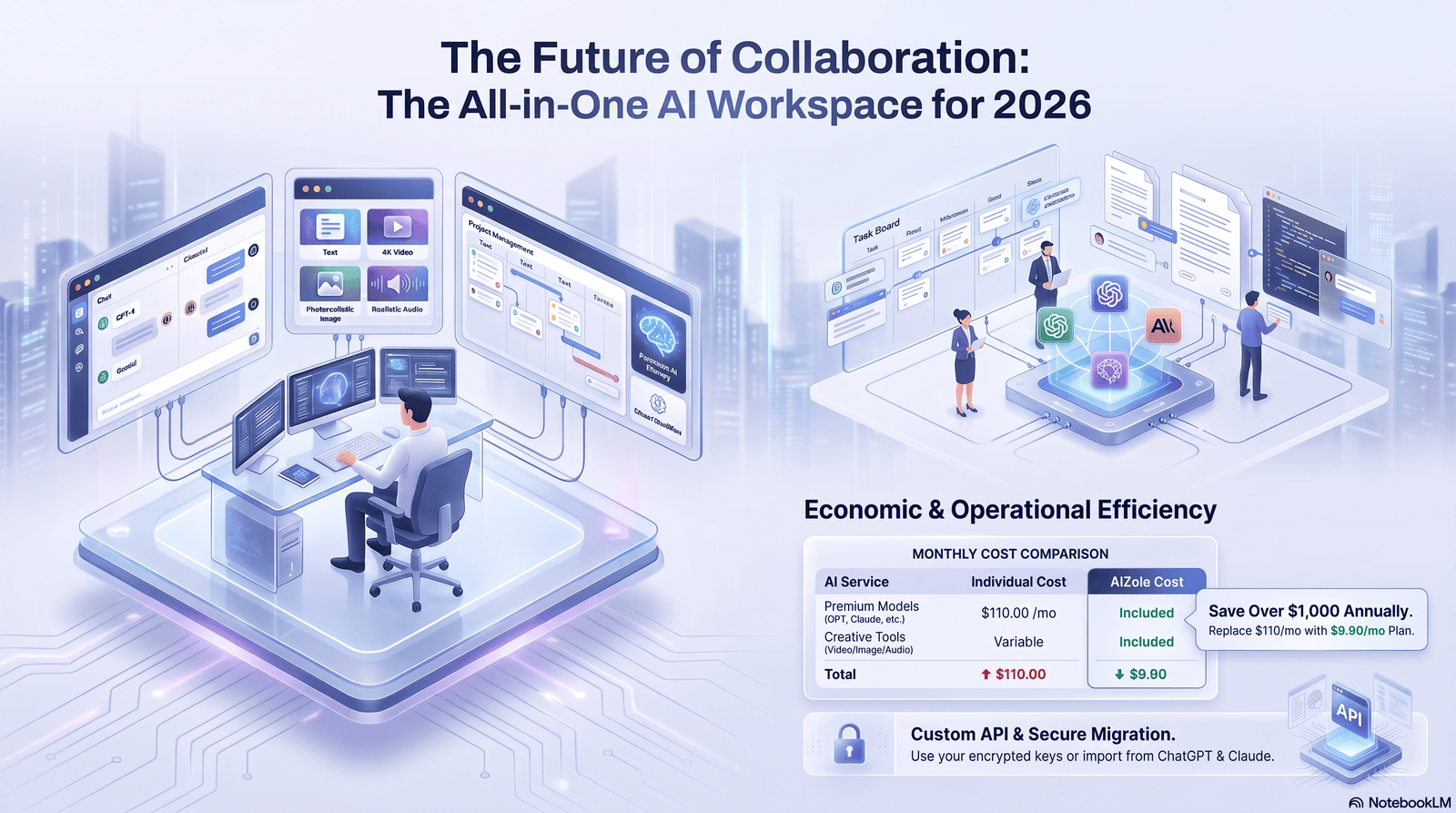
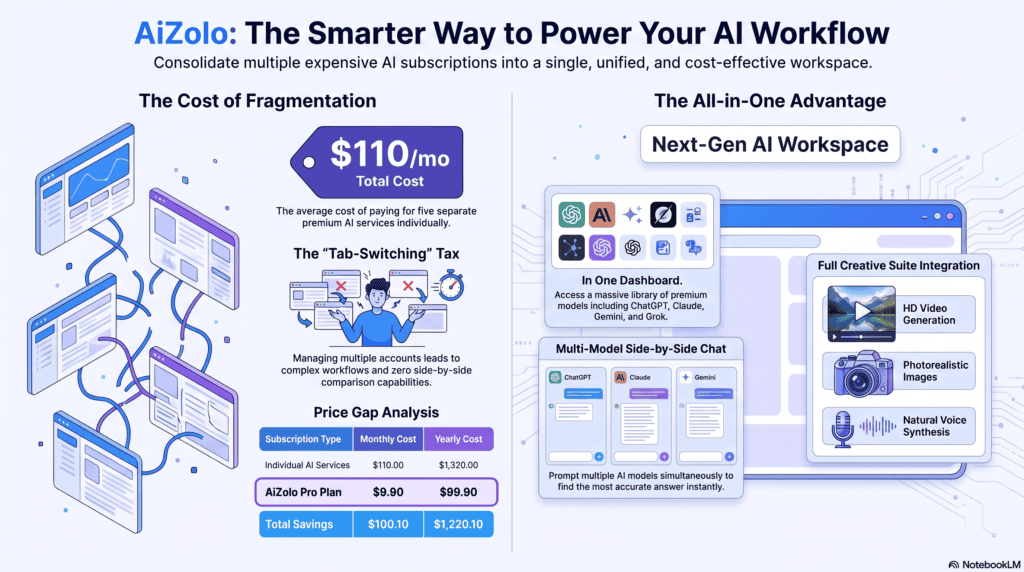
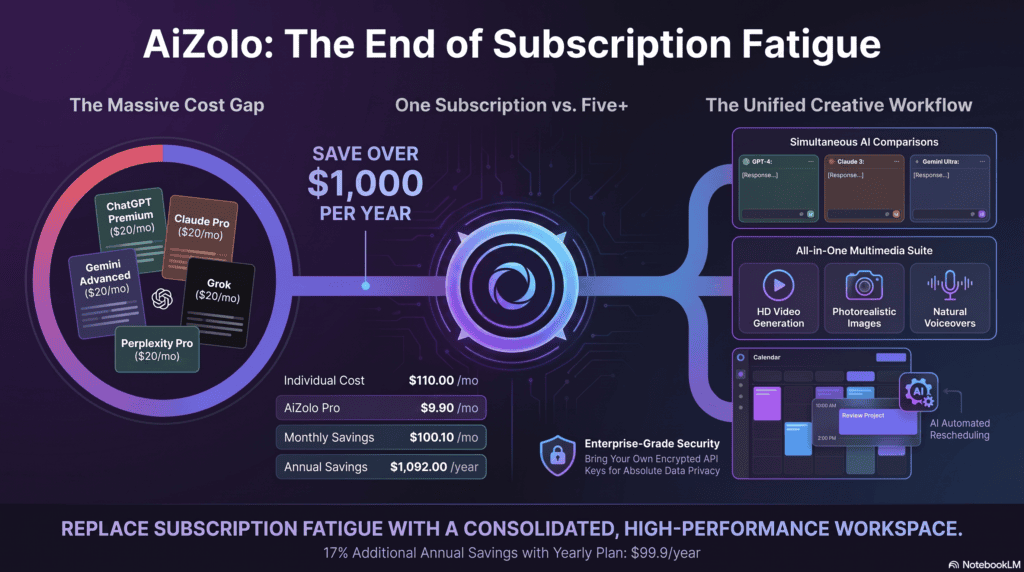
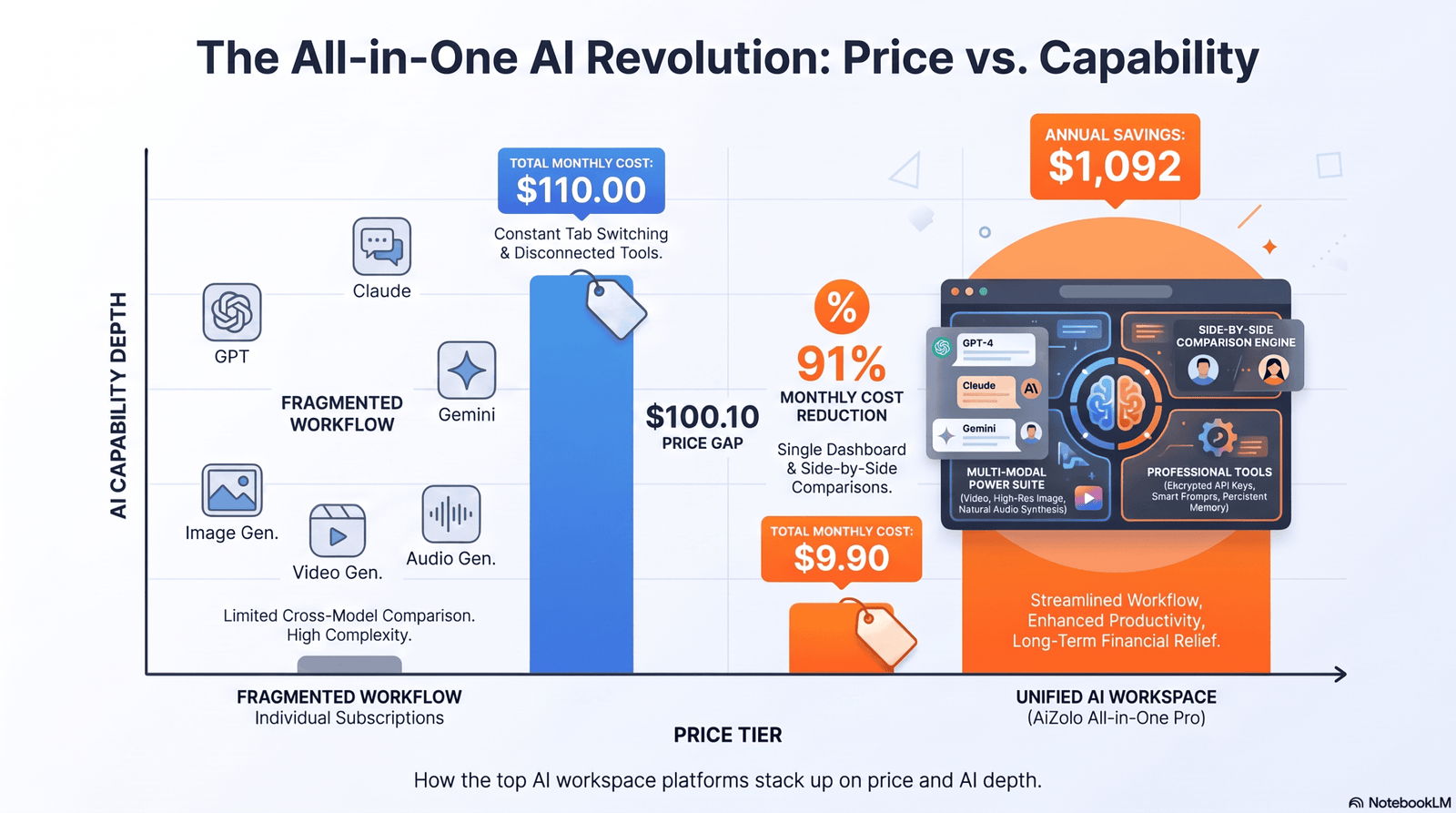
If you’ve opened six browser tabs today just to finish one task, you already know the problem. With Aizolo, AI, docs, tasks, and files work together in one place instead of across disconnected apps.
That’s the gap an AI workspace platform for teams and freelancers is built to close. Instead of bouncing between a chatbot, a project tool, and a shared drive, everything — prompts, documents, tasks, and AI models — lives in one connected place.
I’ve spent the past few weeks going through pricing pages, product changelogs, G2 and Capterra reviews, and Reddit threads on the major players in this category, so this guide is grounded in what’s actually documented and reported right now, not marketing copy. Where a claim comes from a vendor’s own materials, I say so.
Here’s what you’ll get from this guide: a plain-English definition of what an AI workspace platform actually is, a breakdown of the tools worth considering in 2026, a full pricing and feature comparison, and a decision framework so you’re not guessing.
Table of Contents
What Is an AI Workspace Platform?
An AI workspace platform is a single environment where AI chat, documents, tasks, and team collaboration sit together instead of being scattered across separate apps.
Think of it as the difference between a toolbox and a pile of loose tools on the garage floor. A chatbot alone gives you answers. A project tool alone gives you structure. An AI workspace platform for teams and freelancers gives you both, connected to the same shared context.
That context matters more than people expect. When your AI assistant can see the brief, the client thread, and the task list at once, its answers stop being generic and start being useful.
Why Teams Need an AI Workspace
Most teams don’t lose time doing the work. They lose time finding the work — the doc from three weeks ago, the decision buried in a Slack thread, the file someone emailed instead of uploading.
An AI workspace platform for teams reduces that friction in three concrete ways.
Shared context instead of scattered history. When prompts, docs, and chat history live in one workspace, new hires and contractors ramp up faster because the “why” behind a decision isn’t locked in one person’s inbox.
Fewer app switches per task. Every switch between apps costs a few seconds of re-orientation. Multiply that by dozens of switches a day across a ten-person team, and it adds up to real hours lost weekly, a pattern documented across several vendor and productivity research reports this year.
Consistent AI output across the team. A shared prompt library means your whole team writes client emails, briefs, and reports in a similar voice, instead of everyone prompting the AI differently and getting wildly different quality.
Why Freelancers Benefit From an AI Workspace Too
It’s easy to assume this category is only for companies with a dozen seats to fill. In practice, solo operators often feel the chaos of scattered tools even more acutely, because there’s no assistant to manage it for them.
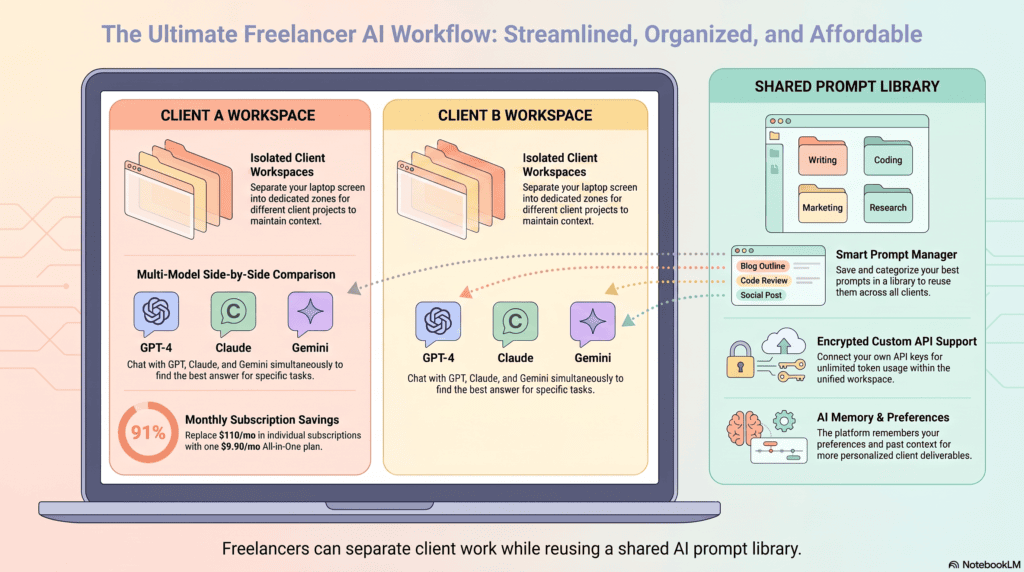
A freelancer juggling five clients needs to keep each project’s context separate but instantly accessible. An AI workspace for freelancers does that by letting you build project-specific spaces, each with its own documents, prompt templates, and AI chat history, without paying for team seats you don’t need.
The practical wins for solo users:
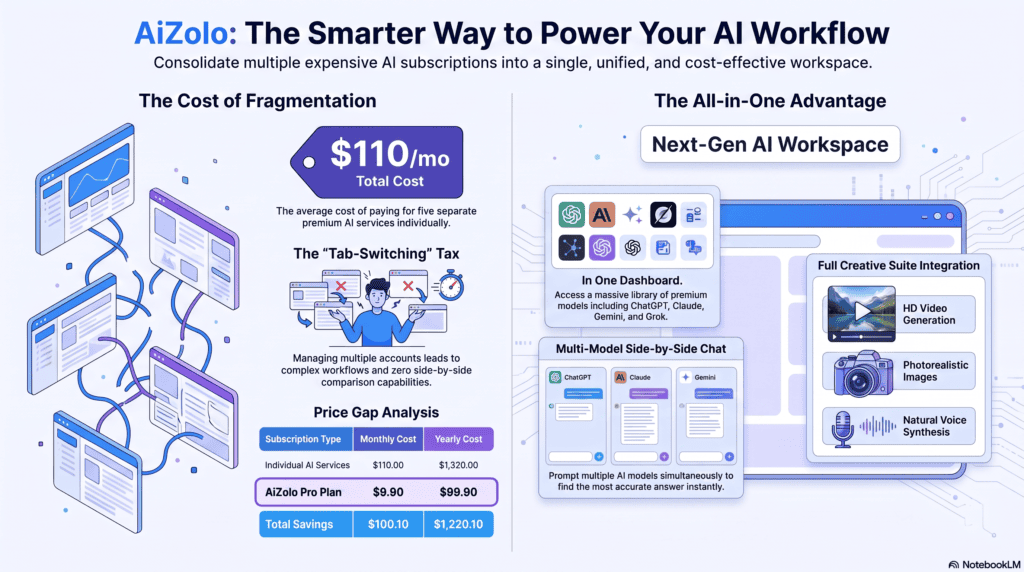
- One subscription instead of three or four single-purpose AI tools
- A prompt library that remembers your best-performing client emails and proposals
- A place to store research and drafts that doesn’t disappear into old chat logs
Freelancers who bill by the hour also care about a detail teams sometimes overlook: how AI usage is metered. Several platforms in this space now charge separately for AI credits on top of the base seat price, which changes the real cost of “unlimited” AI features. We’ll get into that in the pricing section.
AI Workspace vs. AI Chatbot vs. Project Management Tool
These three categories get confused constantly, so here’s the distinction in plain terms.
An AI chatbot (a standalone assistant you open in its own tab) answers questions and drafts text, but it has no memory of your tasks, files, or team structure unless you manually paste that context in every time.
A project management tool organizes tasks, deadlines, and ownership, but traditionally treats AI as a bolt-on feature rather than the core of how work gets done.
An AI workspace platform blends both: the AI has standing access to your documents and tasks, and the project structure is built around AI-assisted work rather than AI being an afterthought.
None of these replace the other completely. Many teams still keep a dedicated chat tool for quick personal queries and use the workspace platform for anything that needs to be shared, tracked, or revisited.
Key Features to Look For in an AI Workspace Platform
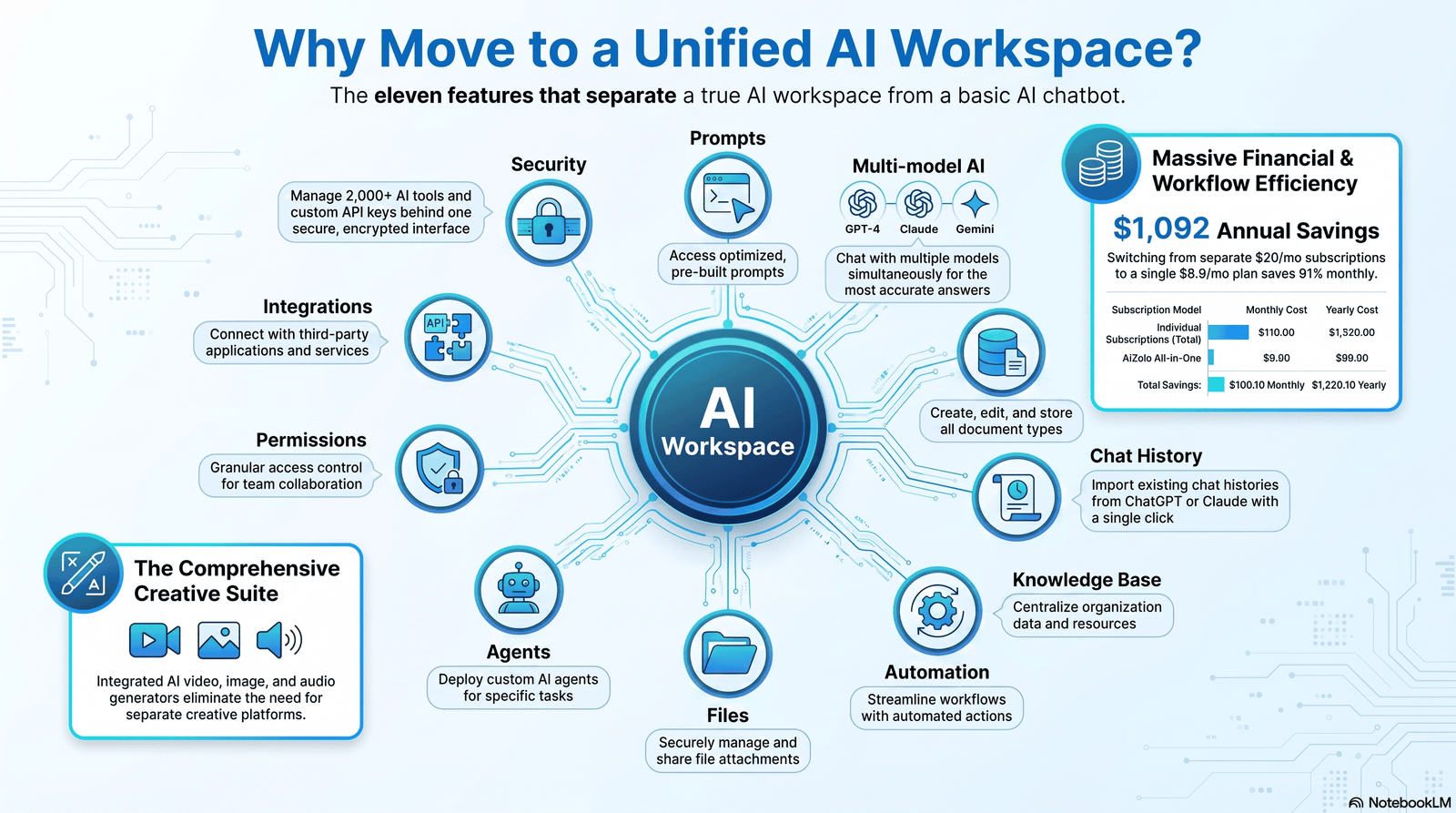
Not every “AI-powered” tool deserves the label. Here’s what separates a genuine AI workspace from a chatbot with a new coat of paint.
- Shared prompts and a prompt library — reusable, team-visible prompt templates instead of everyone starting from scratch
- Multi-model AI access — the ability to switch between models like GPT, Claude, and Gemini depending on the task, rather than being locked to one
- AI-native document editor — drafting, rewriting, and summarizing happening inside the same doc, not in a separate export-import loop
- Persistent chat history — conversations tied to a project, searchable later, not lost when a tab closes
- Team knowledge base — a place AI can pull answers from, built from your team’s own documents and decisions
- Workflow automation — trigger-based actions (a new file creates a task, a status change notifies a channel)
- File upload and retrieval — AI that can reference uploaded PDFs, spreadsheets, and images directly
- AI agents — semi-autonomous helpers that complete multi-step tasks, not just answer single prompts
- Granular workspace permissions — control over who sees what, critical once clients or contractors are involved
- Third-party integrations — connections to tools like Slack, Google Drive, and Zapier so the workspace doesn’t become another silo
- Security and enterprise controls — SSO, audit logs, and data-handling policies for regulated or larger teams
Best AI Workspace Platforms for Teams and Freelancers in 2026
Below are the platforms worth evaluating right now, based on published pricing, documented feature sets, and independent review data from G2, Capterra, and Reddit discussions.
Pricing was verified against vendor pages and pricing-tracking sites current as of mid-2026 and can change — always confirm on the vendor’s own pricing page before buying.
1. Notion AI
Overview: Notion built its reputation as a flexible docs-and-database workspace, and its AI layer is now deeply woven into pages, databases, and search rather than bolted on as a side panel.
Best for: Teams that already live in Notion for documentation and want AI drafting, summarizing, and Q&A inside the same pages.
Pros:
- AI Agent and Ask Notion work directly inside your existing pages and databases, so there’s no exporting content elsewhere
- Multi-model access (including GPT and Claude-family models) is included at the Business tier
- Templates and AI-generated database properties keep documentation formatting consistent across a team
Cons:
- Full AI access requires the Business plan; Free and Plus users get only a limited trial
- Custom Agents run on a separate credit system on top of your seat cost
- AI output quality depends heavily on how well-organized the underlying workspace already is
Unique features: AI-generated database properties, workspace-wide semantic search, autonomous Custom Agents for repetitive multi-step workflows.
Pricing: Free plan available. Plus runs around $10/user/month billed annually. Business, the tier required for full AI access, runs around $20/user/month annually (higher on monthly billing). Enterprise is custom-quoted. Custom Agents bill separately at roughly $10 per 1,000 workspace credits per month.
Integrations: Slack, Google Drive, GitHub, Zapier, and a broad marketplace of community-built connectors.
Ease of use: Moderate. The flexibility that makes Notion powerful also means new users need time to learn its block-and-database structure.
Learning curve: Medium to steep for advanced database setups; light for basic note-taking.
Security: SAML SSO and granular permissions on Business; SCIM and audit logs on Enterprise.
Who should use it: Teams that already treat documentation as a first-class part of their workflow.
Who should avoid it: Teams that need email or calendar automation — Notion AI does not touch either.
Rating: 4.3/5
2. ClickUp Brain
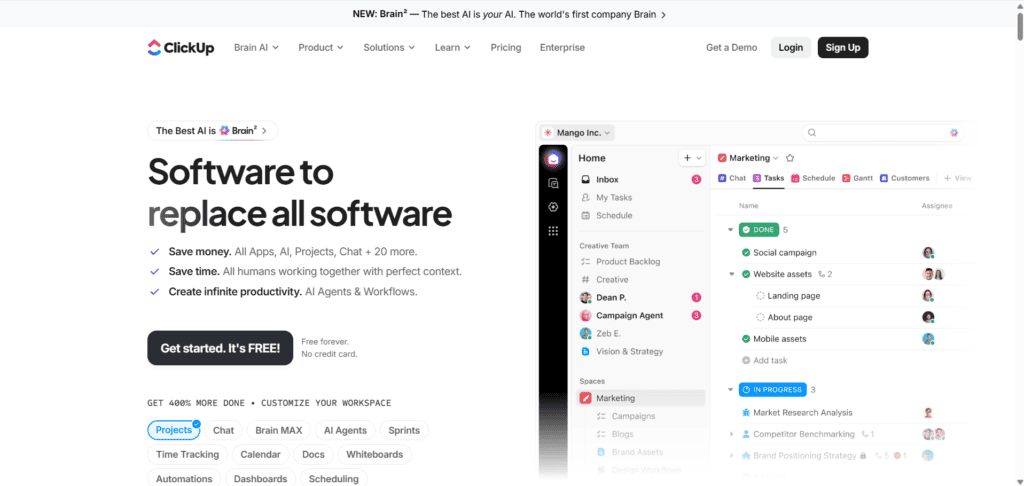
Overview: ClickUp is an all-in-one project management hub — tasks, docs, whiteboards, and dashboards — with ClickUp Brain layered on top as a workspace-aware AI assistant.
Best for: Teams that want AI answers pulled from tasks, docs, and meetings they’ve already created inside ClickUp.
Pros:
- Deep workspace context means AI answers reference real tasks and docs, not generic responses
- Multi-model chat lets you toggle between GPT, Claude, and Gemini-family models in one interface
- Connected Search surfaces relevant tasks and docs from years of workspace history
Cons:
- Brain AI is a separate add-on charged per paid seat, on top of the base plan — not included by default
- Charges apply to every paid member in the workspace, whether or not they use AI
- The sheer number of views and settings creates a real learning curve for new teams
Unique features: Semantic Connected Search across the entire workspace, AI Notetaker for meeting transcription, Autopilot Agents that run multi-step workflows on triggers.
Pricing: Free plan available. Unlimited runs around $7/user/month annually; Business around $12/user/month annually; Enterprise is custom. Brain AI adds roughly $9/user/month on top of any paid plan; the fuller Everything AI tier runs around $28/user/month.
Integrations: Slack, Google Drive, GitHub, Zoom, Microsoft Teams, HubSpot, Zapier.
Ease of use: Lower than average for a first-time user, given the depth of configuration options.
Learning curve: Steep, but rewarding for teams willing to invest setup time.
Security: Google SSO on Business; SSO, advanced permissions, and compliance controls on Enterprise.
Who should use it: Teams already committed to ClickUp for project management who want AI layered on top of existing structure.
Who should avoid it: Small teams that don’t want to budget a second, usage-based AI line item.
Rating: 4.1/5
3. BridgeApp
Overview: BridgeApp positions itself as a unified workspace bringing messaging, task tracking, a knowledge hub, databases, and AI agents into one interface, with a stated focus on agencies and SMB teams.
Best for: Agencies and small-to-midsize teams that want chat, tasks, and AI agents in one place without stitching tools together.
Pros:
- Automated task generation directly from chat conversations cuts manual entry
- Free plan supports unlimited users, which is unusual for this category
- On-premise deployment and white-labeling options exist for agencies serving their own clients
Cons:
- It’s a newer entrant, so its integration ecosystem is smaller than established players like Notion or ClickUp
- Currently lacks pre-built compliance, HR, or legal functionality out of the box
- Vendor-published benchmarks and time-savings figures should be treated as marketing claims until verified independently
Unique features: Chat-to-task automation, MCP-based AI agent building, white-label deployment for agencies reselling the platform to clients.
Pricing: Around €9/user/month (about €90/year annually) with a free plan supporting unlimited users on core features. Enterprise pricing, including on-premise and white-label options, is custom-quoted.
Integrations: Google Workspace and Google Search integration are documented; broader third-party marketplace is still maturing.
Ease of use: Reasonably approachable for teams coming from a chat-first workflow.
Learning curve: Low to moderate.
Security: On-premise deployment option available for teams with strict data residency needs.
Who should use it: Agencies wanting a unified, brandable workspace for internal and client-facing work.
Who should avoid it: Enterprises needing mature compliance certifications today rather than on a roadmap.
Rating: 4.0/5 (based on early vendor-reported data; independent review volume is still building)
4. Motion
Overview: Motion started as an AI calendar and task auto-scheduler and has expanded into a broader AI workspace with docs, sheets, and AI chat layered on top of its scheduling engine.
Best for: Freelancers and small teams whose biggest bottleneck is calendar chaos and task prioritization, not documentation.
Pros:
- Auto-scheduling genuinely re-plans your day as priorities shift, without manual calendar shuffling
- AI Employees can handle scoped, recurring tasks like drafting outreach or updating records
- Works across web, desktop, iOS, and Android with real-time sync
Cons:
- No free plan — only a short trial before billing begins
- AI credits are metered, and heavy automation use can exceed the monthly allowance
- Some long-time users report the product has grown feature-bloated without matching UI polish
Unique features: Continuous AI re-scheduling, AI Docs Assistant that turns documents into actionable tasks, AI Sheets with embedded workflow logic.
Pricing: Pro AI runs around $12.73–$19/user/month depending on billing cycle. Business AI runs around $19.43–$29/user/month. No permanent free tier; a short trial is available.
Integrations: Google Calendar, Outlook, Microsoft Teams, Zoom, Zapier.
Ease of use: Moderate; the auto-scheduling logic takes a week or two to trust.
Learning curve: Medium — most friction comes from letting go of manual calendar control.
Security: Standard cloud security; no published on-premise option.
Who should use it: Solo professionals and small teams that live and die by their calendar.
Who should avoid it: Teams whose primary pain point is documentation or knowledge management rather than scheduling.
Rating: 4.2/5
5. Coda
Overview: Coda blends documents and databases into a single flexible canvas, with AI features aimed at speeding up drafting and automating repetitive document structures.
Best for: Teams that want highly customizable internal tools built from docs rather than rigid templates.
Pros:
- Docs and relational databases live in the same canvas, reducing the need for a separate spreadsheet tool
- Customizable templates adapt to varied workflows, from OKRs to client trackers
- Packs (Coda’s integration building blocks) let technical users extend functionality without full development work
Cons:
- Some advanced automation features require real setup expertise
- Free plan caps out around five users, limiting it for growing teams
- Performance can lag on very large, complex documents
Unique features: Packs marketplace for custom integrations, formula-driven automation inside documents, flexible view types (table, board, calendar) on the same data.
Pricing: Free tier for small teams (roughly five users). Paid tiers scale per user with AI features included at higher tiers; exact current pricing should be confirmed on Coda’s pricing page, as it has shifted more than once in recent years.
Integrations: Slack, Google Workspace, Jira, Zapier, and its own Packs ecosystem.
Ease of use: Moderate; the “everything is a doc” model takes adjustment.
Learning curve: Medium to steep for advanced automation.
Security: Enterprise-tier SSO and admin controls available.
Who should use it: Teams that want to build lightweight internal tools without hiring developers.
Who should avoid it: Teams wanting an out-of-the-box experience with minimal configuration.
Rating: 3.9/5
6. Slack (with Slack AI)
Overview: Slack remains the messaging backbone for many distributed teams, and Slack AI adds channel summaries, thread recaps, and smarter search on top of that existing communication layer.
Best for: High-volume messaging teams that need faster catch-up across channels and time zones.
Pros:
- Channel and thread summaries cut real time off daily catch-up
- AI-powered search surfaces relevant answers across channels, not just exact keyword matches
- Sits inside a tool most teams already use daily, so adoption friction is minimal
Cons:
- Slack AI can’t see outside systems unless they’re explicitly integrated
- Summaries can smooth over nuance, which is risky for sensitive decisions
- Full AI features often require an add-on or higher-tier plan
Unique features: Recap digests for missed channels, AI-assisted huddle summaries, workspace-wide semantic search.
Pricing: Core Slack plans start free with paid tiers scaling per user; Slack AI is typically an add-on or bundled into higher enterprise tiers — confirm current terms on Slack’s pricing page.
Integrations: Thousands of apps via the Slack App Directory, including most tools in this article.
Ease of use: High — most teams already know Slack’s interface.
Learning curve: Low.
Security: Enterprise Grid tier adds compliance certifications and data residency options.
Who should use it: Teams whose institutional knowledge already lives in Slack conversations.
Who should avoid it: Teams looking for a document-first or task-first AI workspace — Slack is fundamentally a messaging layer.
Rating: 4.0/5
7. Miro (with Miro AI)
Overview: Miro’s infinite whiteboard has become the default canvas for brainstorming and workshops, and Miro AI adds clustering, diagram generation, and board summarization.
Best for: Teams running workshops, research synthesis, or visual strategy sessions.
Pros:
- Dramatically speeds up affinity mapping after large brainstorms
- Converts messy sticky-note boards into shareable summaries and diagrams
- AI works natively on the board teams already use, avoiding an export step
Cons:
- Clustering and AI summaries still need human review for nuanced or sensitive material
- Limited end-to-end automation with external ticketing or CRM systems
- Heavy AI use on very large boards may require higher-tier plans
Unique features: Sticky-note clustering, AI-generated diagrams from freeform sketches, board-wide summarization.
Pricing: Free tier available. Paid tiers scale per user, with AI credits or usage limits attached depending on plan — check Miro’s current pricing page for exact figures.
Integrations: Slack, Jira, Asana, Google Workspace, Microsoft Teams.
Ease of use: High for visual thinkers; less natural for text-first teams.
Learning curve: Low to moderate.
Security: Enterprise tier includes SSO, data residency, and compliance certifications.
Who should use it: Product, design, and research teams doing regular workshops.
Who should avoid it: Teams that need document or task management as the primary workspace, not a whiteboard.
Rating: 4.1/5
8. Zapier (as the automation layer)
Overview: Zapier isn’t a workspace in the traditional sense, but it’s the connective tissue many AI workspace setups rely on to move data between tools automatically.
Best for: Teams and freelancers stitching together an AI workspace from multiple best-of-breed tools rather than one all-in-one platform.
Pros:
- Connects thousands of apps without requiring developer resources
- AI-assisted “Zap” building lowers the barrier to creating automations from a plain-language description
- Works as a neutral layer regardless of which AI workspace platform you choose
Cons:
- It’s an automation tool, not a workspace — you still need a home for docs and chat
- Complex multi-step Zaps can get expensive on usage-based pricing
- Debugging failed automations requires some technical patience
Unique features: AI-generated Zap creation from natural language, thousands of pre-built app integrations, multi-step conditional workflows.
Pricing: Free tier with limited monthly tasks. Paid tiers scale by number of automated tasks per month rather than by seat, which suits both solo freelancers and larger teams.
Integrations: Effectively universal across major SaaS tools, including every platform listed above.
Ease of use: High for simple automations; moderate for multi-branch workflows.
Learning curve: Low to start, medium for advanced logic.
Security: SOC 2 compliance and enterprise-tier admin controls available.
Who should use it: Anyone building a custom AI workspace stack instead of buying one all-in-one platform.
Who should avoid it: Teams that specifically want to avoid managing multiple connected tools.
Rating: 4.4/5
Comparison Table: Best AI Workspace Platforms for Teams and Freelancers
| Platform | Best For | Free Plan | Starting Price | AI Models | Team Features | Integrations | Knowledge Base | Automation | Overall Rating |
|---|---|---|---|---|---|---|---|---|---|
| Notion AI | Docs-first teams | Yes | ~$20/user/mo for full AI (Business) | Multi-model | Shared pages, comments, permissions | Slack, Drive, GitHub, Zapier | Yes (workspace search) | Custom Agents (credit-based) | 4.3/5 |
| ClickUp Brain | All-in-one PM + AI | Yes | ~$9/user/mo add-on + base plan | Multi-model | Tasks, docs, whiteboards, dashboards | Slack, Zoom, Teams, HubSpot | Yes (Connected Search) | Autopilot Agents | 4.1/5 |
| BridgeApp | Agencies, SMBs | Yes (unlimited users) | ~€9/user/mo | Multi-model | Chat, tasks, knowledge hub, agents | Google Workspace | Yes | Chat-to-task automation | 4.0/5 |
| Motion | Freelancers, solo pros | No | ~$13–19/user/mo | Single/multi (varies) | Team workload view (Business AI) | Google Calendar, Zoom, Zapier | Limited | AI auto-scheduling | 4.2/5 |
| Coda | Custom internal tools | Yes (~5 users) | Varies by tier | AI features on paid tiers | Docs + relational databases | Slack, Jira, Zapier | Yes | Formula-based automation | 3.9/5 |
| Slack AI | Communication-heavy teams | Yes | Add-on/enterprise tier | Summarization-focused | Channels, huddles, threads | Thousands via App Directory | Search-based | Limited | 4.0/5 |
| Miro AI | Visual collaboration | Yes | Varies by tier | Clustering/diagram AI | Boards, workshops | Slack, Jira, Asana | No | Limited | 4.1/5 |
| Zapier | Automation layer | Yes | Usage-based | N/A (connector) | N/A | Nearly universal | No | Core function | 4.4/5 |
How to Choose the Right AI Workspace Platform
Pricing pages make every tool look reasonable. The real decision comes down to a handful of factors that actually predict whether a platform will fit your team six months from now.
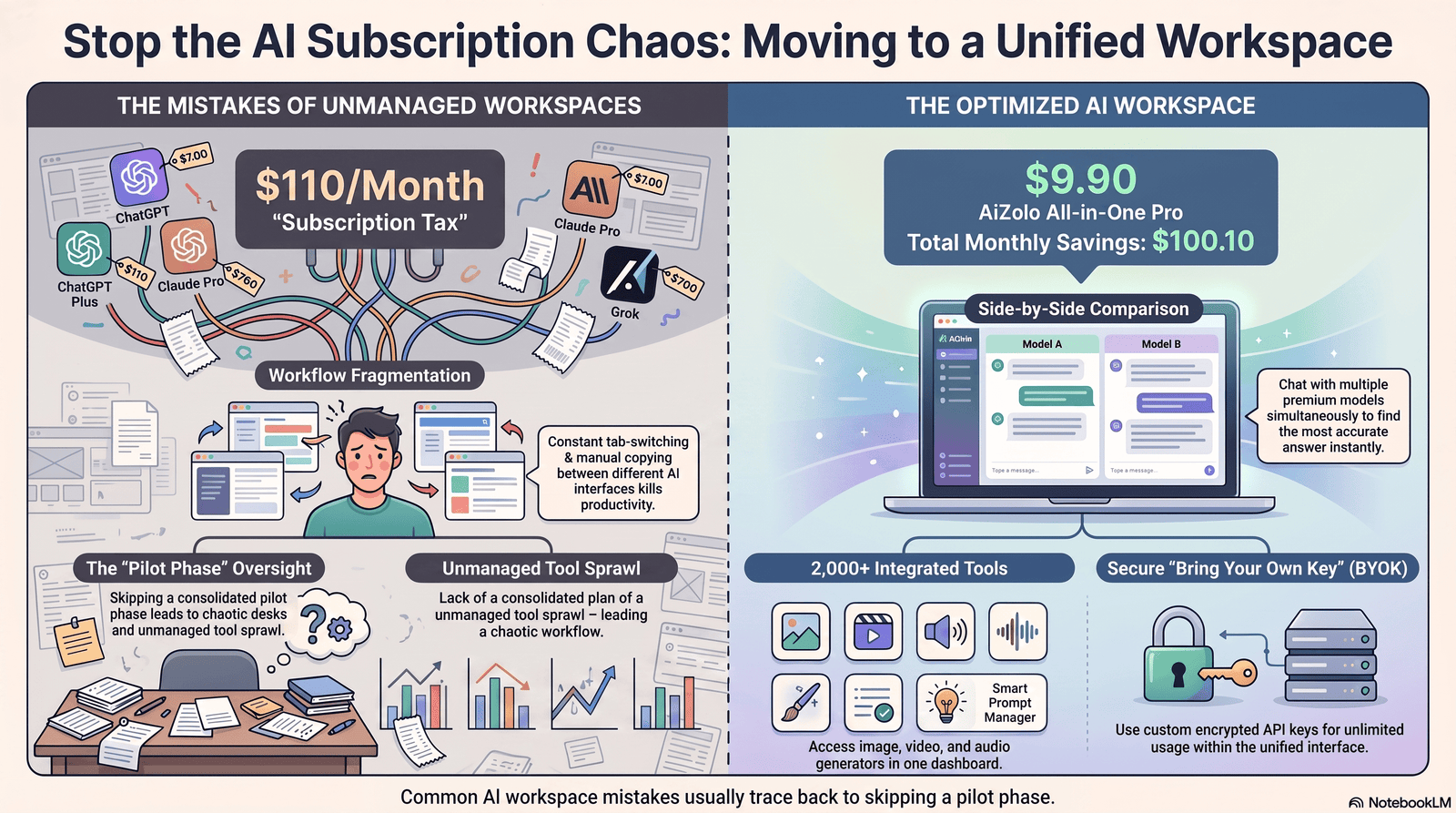
Budget — including the AI line item. Several platforms in this category charge AI access as a separate add-on, on top of the base seat price, and sometimes on every paid member whether or not they use AI. Model your real per-seat cost with AI included, not just the headline price.
Privacy and data handling. Ask directly whether your content is used to train underlying models, how long chat history is retained, and whether zero-data-retention options exist for sensitive client work.
Security and compliance needs. SOC 2, SSO, and audit logs matter a lot more once you cross roughly 20–30 seats or handle regulated data — confirm which tier actually includes them, since it’s often not the base plan.
Number of users and how they’ll be billed. Per-seat pricing scales predictably for teams. Freelancers should look for tools with genuinely usable free or single-user tiers rather than a false-scarcity trial.
Integrations with tools you already use. An AI workspace that can’t talk to your existing stack becomes one more silo, which defeats the point.
Automation depth. If your workflow depends on triggers (a new file creates a task, a status change pings a channel), test that specific automation before committing, not just the AI chat quality.
AI quality for your actual use case. A tool that writes excellent marketing copy might be mediocre at technical documentation. Test with your real content, not the vendor’s demo prompts.
Prompt sharing and reuse. If consistency across a team matters, prioritize platforms with genuine team-visible prompt libraries, not just personal chat history.
Scalability. Ask what happens to your workflow, pricing, and permissions structure at double your current team size — not just what it costs today.
Common Mistakes Teams Make When Adopting an AI Workspace
Buying based on the demo, not real workflows. Vendor demos are built to look impressive. Run your actual recurring tasks — a client brief, a status report, a real document — before committing.
Ignoring the true AI cost. As the pricing comparisons above show, “AI included” often means a metered add-on. Calculate cost at your real usage level, not the advertised minimum.
Rolling it out to the whole team at once. A pilot group of 3–5 people surfaces workflow problems before they multiply across the organization.
Skipping a data and access policy. Decide upfront what content is off-limits for AI processing (client contracts, financial data) before someone uploads it by habit.
Treating the AI workspace as a replacement for judgment. AI-drafted summaries and suggestions still need a human check, especially on anything client-facing or legally sensitive.
Underestimating workspace hygiene. Every platform in this category performs worse when the underlying docs and tasks are disorganized — AI amplifies existing structure, good or bad.
Future Trends in AI Workspace Platforms
AI agents doing multi-step work, not just answering questions. The shift from “ask and receive an answer” to “assign and receive a completed task” is already visible in Motion’s AI Employees and ClickUp’s Autopilot Agents, and it’s likely to become standard across the category.
Multi-model workspaces as the default, not the differentiator. Being able to switch between GPT, Claude, and Gemini-family models inside one interface — instead of picking one vendor forever — is becoming table stakes rather than a premium feature.
Persistent, cross-session memory. Tools are increasingly trying to link today’s meeting to a decision made months ago, so context compounds instead of resetting every session.
Usage-based AI pricing becoming the norm. Expect more platforms to separate the “workspace” price from the “AI usage” price, similar to how cloud computing is billed — which makes cost forecasting a genuine skill teams will need to build.
Tighter enterprise AI governance. As adoption grows, expect more granular admin controls over which AI models can access which data, driven by both regulation and customer demand.
Knowledge management as a competitive battleground. The platforms winning long-term aren’t necessarily the ones with the flashiest chat interface — they’re the ones that make a team’s collective knowledge genuinely searchable and reusable.
Frequently Asked Questions
What is an AI workspace platform? An AI workspace platform is a unified environment combining AI chat, documents, tasks, and team collaboration in one place, so AI has standing access to shared context instead of starting from a blank slate every session.
Is there a free AI workspace platform for teams and freelancers? Yes. Notion, ClickUp, BridgeApp, and Coda all offer usable free tiers, though full AI features are typically gated behind a paid plan on most of them.
What’s the difference between an AI workspace and an AI chatbot? A chatbot answers questions in isolation. An AI workspace platform gives that AI ongoing access to your documents, tasks, and team structure, so answers are grounded in real, shared context.
Which AI workspace platform is best for freelancers? It depends on the bottleneck. Motion suits freelancers drowning in scheduling chaos; Notion or Coda suit those who need strong documentation; BridgeApp suits solo operators who want unified chat and task tracking without team seats.
Which AI workspace platform is best for agencies? BridgeApp and ClickUp both target agency workflows directly, with client-facing structure and automation. The right pick depends on whether chat-driven task creation (BridgeApp) or deep project management depth (ClickUp) matters more.
Do AI workspace platforms train their models on my data? Policies vary by vendor and plan tier. Enterprise tiers typically offer stronger guarantees, including zero-data-retention options. Always confirm the current data policy directly on the vendor’s security or trust page before uploading sensitive material.
How much does an AI workspace platform cost per user? Base workspace plans generally run $7–$20 per user per month, but AI-specific add-ons can add another $9–$30 per user per month on top, depending on the platform and usage tier.
Can I use multiple AI models in one workspace? Yes, on platforms that support multi-model access, including Notion Business, ClickUp Brain, and BridgeApp, which let you switch between models like GPT, Claude, and Gemini-family systems without leaving the workspace.
What security certifications should I look for? SOC 2 Type II, SSO/SAML support, and audit logging are the baseline for any team handling client or regulated data. These are usually restricted to higher-tier or Enterprise plans.
Is an AI workspace platform worth it for a solo freelancer? Often yes, if you’re currently paying for multiple single-purpose AI tools. Consolidating into one subscription with a shared prompt library and persistent project context can be both cheaper and faster than juggling separate apps.
What’s the biggest hidden cost in AI workspace pricing? Metered AI add-ons charged per seat regardless of usage. Several platforms bill the AI layer on every paid member in the workspace, not just active AI users, which can double the effective per-seat cost.
How long does it take a team to fully adopt an AI workspace platform? Most teams see meaningful adoption within 2–4 weeks when starting with a small pilot group, though the value of features like persistent knowledge bases tends to compound over several months.
Do AI workspace platforms integrate with Slack and Google Workspace? Most major platforms, including Notion, ClickUp, BridgeApp, and Coda, offer native or Zapier-based integrations with both Slack and Google Workspace.
Can AI workspace platforms replace a project management tool entirely? For teams with straightforward workflows, yes — platforms like ClickUp and BridgeApp combine PM functionality with AI natively. Teams with highly specialized PM needs (construction, engineering) may still need a dedicated tool alongside their AI workspace.
What should I test during a free trial? Run one full real project through the tool — a real client brief, a real report, a real automation — rather than testing with sample data, since AI output quality depends heavily on your actual content and workspace structure.
Conclusion
There isn’t a single best AI workspace platform for everyone — there’s a best fit for your specific bottleneck.
Freelancers juggling multiple clients will likely get the most value from Motion’s scheduling intelligence or Notion’s documentation strength, depending on whether your pain point is time or content.
Small businesses that want everything in one place without heavy configuration should look closely at BridgeApp or ClickUp’s more accessible tiers.
Agencies managing client work at scale benefit from ClickUp’s project depth or BridgeApp’s white-label options.
Remote teams fighting context loss across time zones should prioritize strong knowledge-base and search features — Notion and ClickUp both lead here.
Large companies need to weigh Enterprise-tier security and compliance as heavily as AI capability, since the cheapest AI add-on rarely wins once SOC 2 and SSO become non-negotiable.
Whichever direction you go, start with a small pilot, run real work through it, and calculate the true AI-inclusive cost before rolling it out company-wide. The right AI workspace platform for teams and freelancers should reduce the number of tabs you have open, not add one more.
Author Bio
Jeevesh Tripathi AI Researcher & SEO Content Specialist
Jeevesh Tripathi researches AI productivity software, SaaS platforms, and emerging workplace technologies. His content focuses on helping businesses and freelancers choose the right AI tools through in-depth research, practical comparisons, and SEO-driven insights aligned with Google’s EEAT principles.
Email: jeevesh@aizolo.com