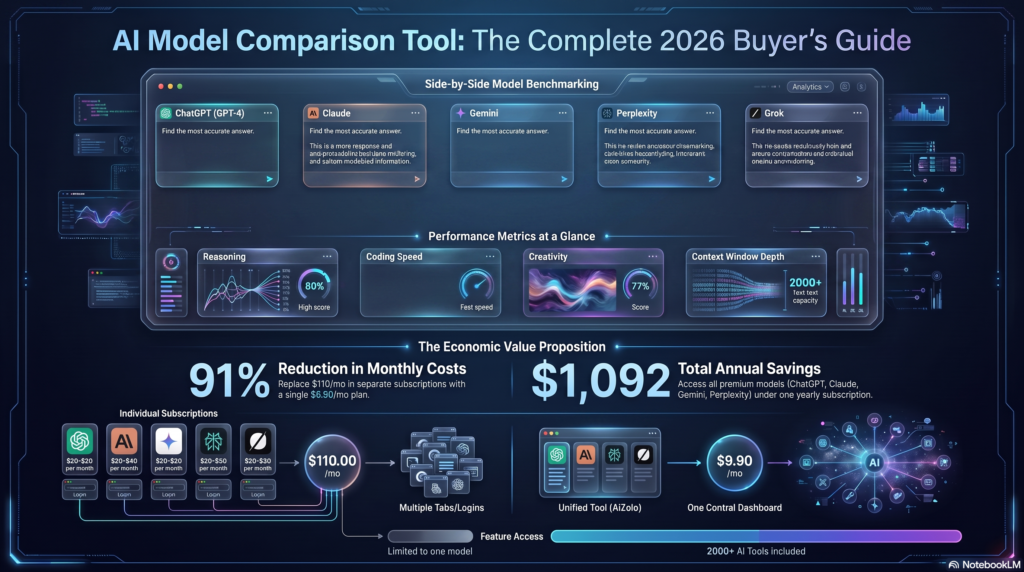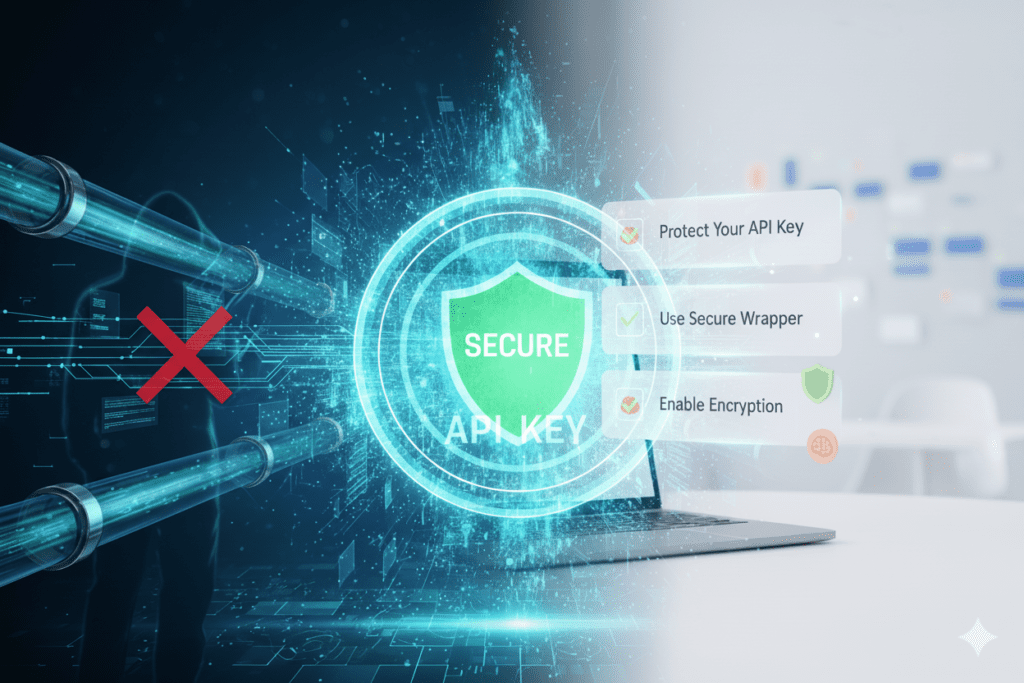
The $847 Wake-Up Call: When API Keys Go Wrong
Sarah Chen, a freelance developer from Portland, checked her email one Tuesday morning and nearly dropped her coffee. Her OpenAI bill had jumped from the usual $23 to an eye-watering $847 overnight.
“I thought it was a mistake,” she recalls. “But it wasn’t. Someone had found my API key in a GitHub repository I’d made public for just 20 minutes while troubleshooting an error with a colleague.”
Sarah’s story isn’t unique. According to recent security reports, thousands of API keys are accidentally exposed every month through GitHub commits, client-side code, and insecure applications. The consequences range from unexpected bills to complete account compromise.

But here’s what makes Sarah’s story different: after that incident, she discovered how to use an AI wrapper for OpenAI key safely, and it changed everything about how she builds AI applications. Today, she hasn’t had a single security incident in over two years.
If you’re using AI models like GPT-4, Claude, or Gemini in your projects—or thinking about starting—understanding secure API key management isn’t optional. It’s essential. And the good news? With the right AI wrapper platform and security practices, you can harness the full power of these models without the nightmares.
What Exactly Is an AI Wrapper (And Why Should You Care)?
Before we dive into safety protocols, let’s clear up what an AI wrapper actually is.
Think of AI wrappers as a smart intermediary layer between you and powerful AI models. They’re applications or platforms that sit between your interface and the core AI engine, handling all the complex communication through APIs while adding extra functionality, security, and control.
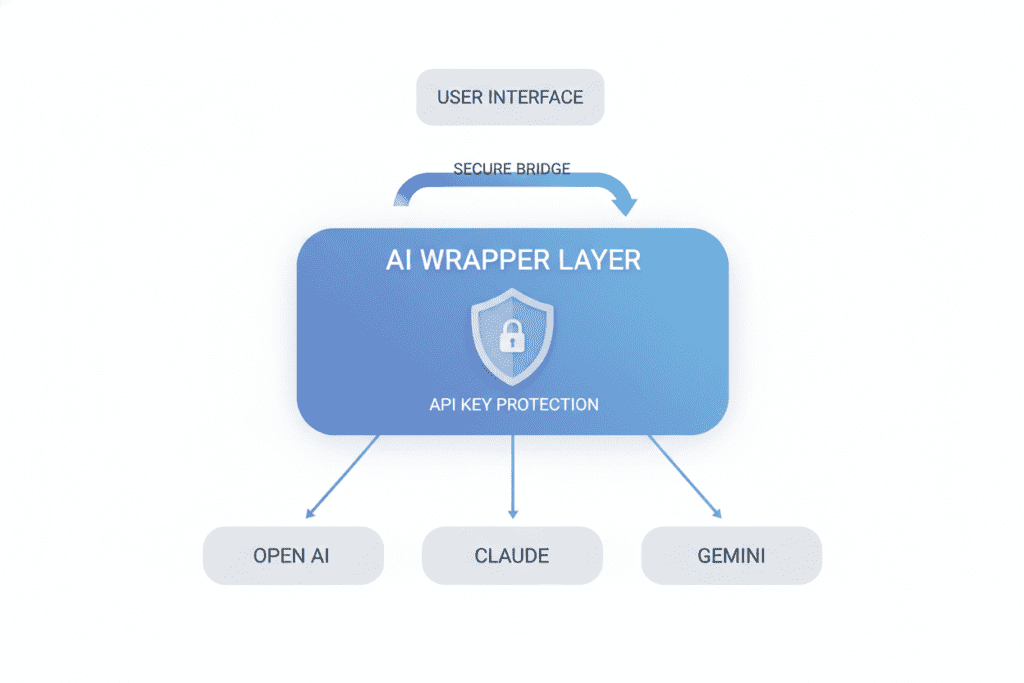
Instead of directly interacting with OpenAI’s API (which requires handling authentication, rate limits, error management, and security yourself), an AI wrapper manages these technical details for you. It’s like having a sophisticated security system and personal assistant rolled into one.
The best AI wrappers don’t just pass your prompts through to the model—they add valuable layers of:
- Security controls that protect your API keys from exposure
- Cost management features that prevent runaway spending
- Enhanced functionality like comparing multiple AI models simultaneously
- Usage monitoring to track how your keys are being used
- Data privacy safeguards that keep sensitive information secure
The Hidden Dangers of Using OpenAI Keys Directly
When Marcus Thompson started building his AI-powered customer service tool, he took the straightforward approach: he embedded his OpenAI API key directly in his code. It seemed simple enough.
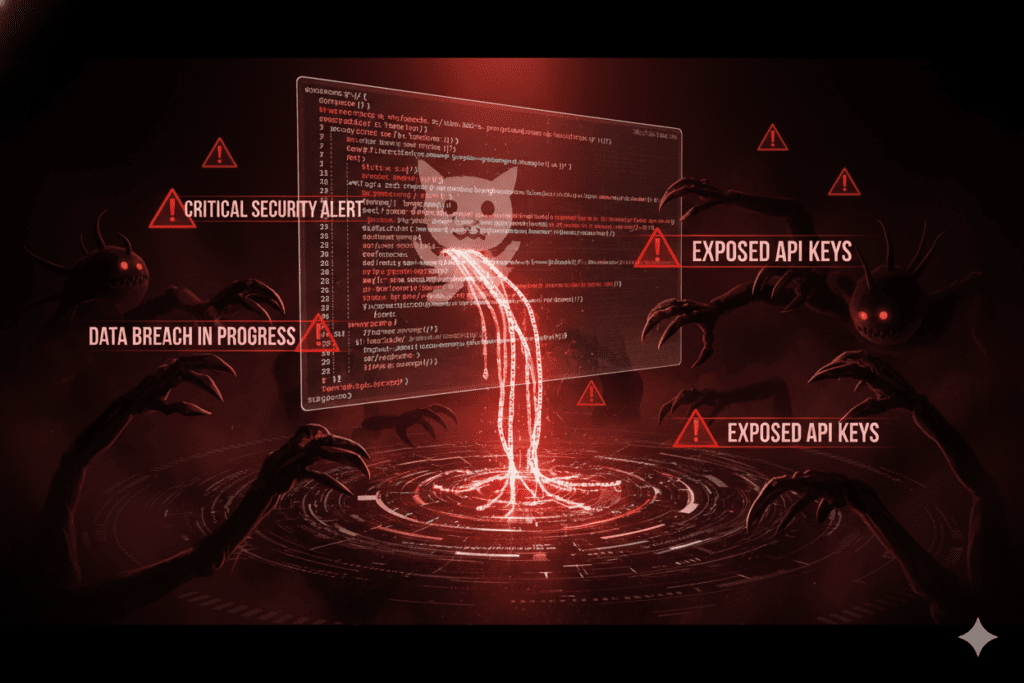
Three weeks later, his startup was facing three major problems:
Problem #1: The Exposed Key Nightmare
Marcus accidentally committed his API key to GitHub. Within hours, bots had scraped it, and malicious actors were using his credentials to make thousands of requests. His $500 monthly budget was exhausted in a single afternoon.
Problem #2: The Team Access Dilemma
As his team grew, Marcus faced a difficult choice: either share his personal API key with everyone (creating a security nightmare) or make team members use their own keys (creating inconsistent experiences and billing chaos).
Problem #3: The Scalability Trap
Each new feature required more API calls. Managing rate limits, handling errors, and optimizing costs became a full-time job. Marcus found himself spending more time on API management than actually building his product.
These aren’t edge cases. They’re the reality for anyone using AI APIs directly without proper wrapper infrastructure.
How to Use an AI Wrapper for OpenAI Key Safely: The Essential Guide
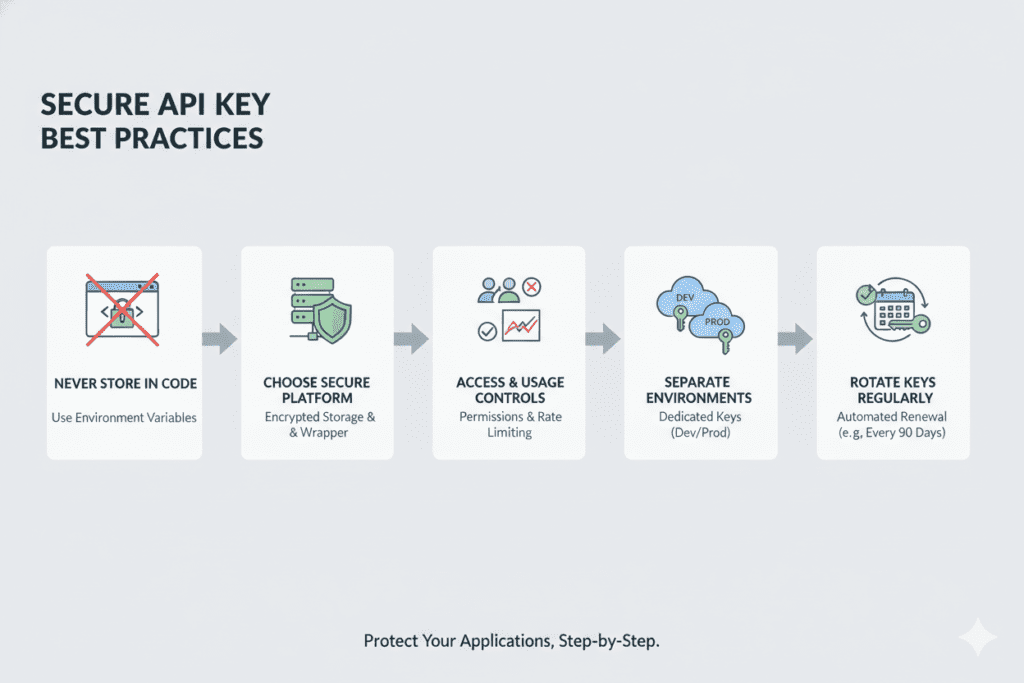
Understanding how to use an AI wrapper for OpenAI key safely comes down to following proven security principles combined with choosing the right platform. Here’s your comprehensive roadmap:
Step 1: Never Store API Keys in Your Code
This is the golden rule that Sarah Chen learned the hard way. Your OpenAI API key should never appear in your codebase. Instead:
- Use environment variables to store keys separately from your application code
- Create a
.envfile that’s explicitly excluded from version control - Use secure key management services for production environments
- Implement secrets management tools like AWS Secrets Manager or HashiCorp Vault for enterprise applications
When you use a platform that supports “Bring Your Own API Key” functionality, the wrapper handles this complexity for you, storing your credentials encrypted and separate from any application code.
Step 2: Choose a Wrapper Platform with Robust Security Features
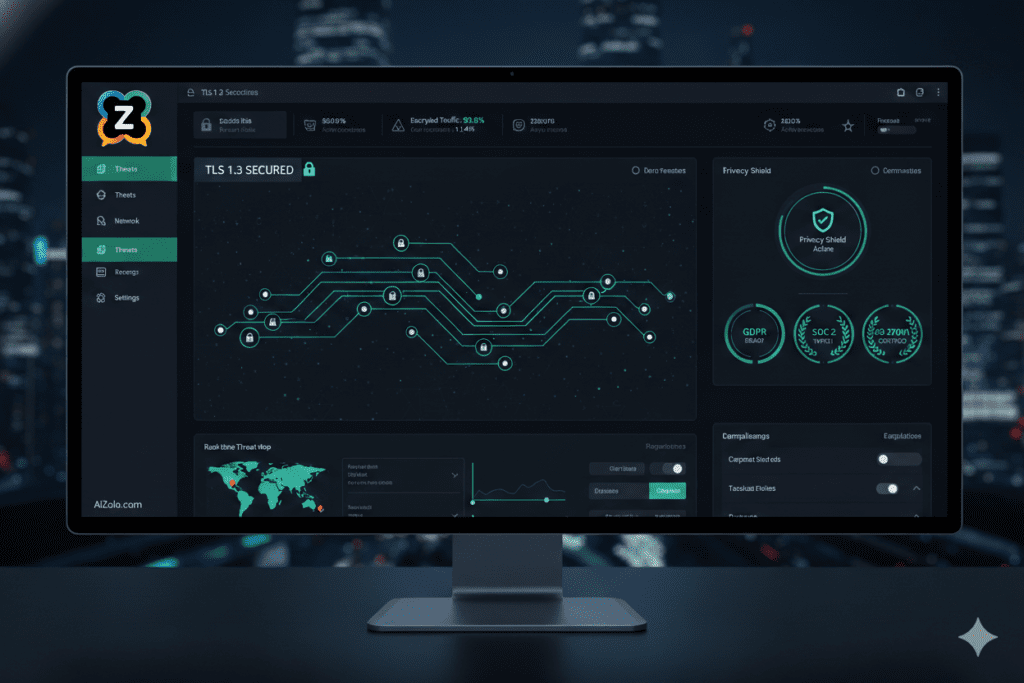
Not all AI wrapper platforms are created equal when it comes to security. The safest options include:
End-to-end encryption: Your data should be encrypted both in transit and at rest. When you send a prompt through a secure wrapper, it travels through encrypted channels directly to the AI provider.
No data retention policies: The best platforms don’t store your prompts or responses. Your data goes directly from you to the AI model and back, without being logged or analyzed.
Transparent data handling: Look for platforms that clearly explain how they handle your data. Reputable services will have detailed privacy policies and security documentation.
Step 3: Implement Access Controls and Usage Limits
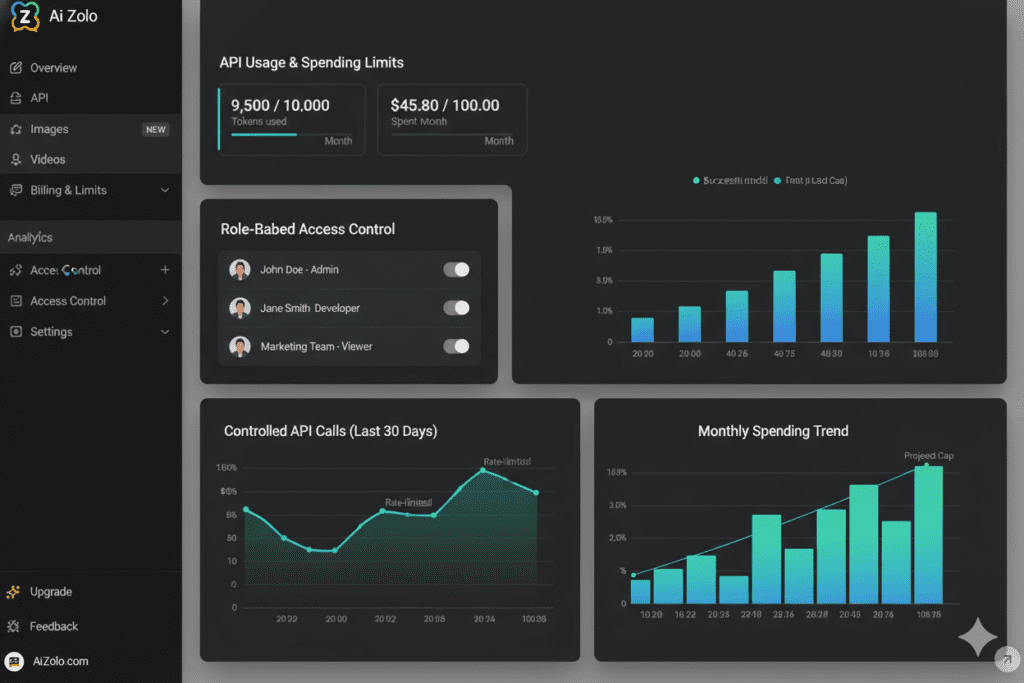
One of the biggest advantages of learning how to use an AI wrapper for OpenAI key safely is gaining granular control over who can do what with your API access:
- Set spending limits to prevent unexpected charges
- Create role-based access for team members
- Monitor usage patterns to detect anomalies
- Implement rate limiting to prevent abuse
- Review audit logs regularly to track all API activity
Step 4: Use Separate Keys for Different Environments
Professional developers never use the same API key for development, testing, and production. Create distinct keys for:
- Development: Limited permissions and low spending caps for experimentation
- Testing: Moderate limits for quality assurance work
- Production: Carefully monitored keys with appropriate limits for live applications
Many advanced AI wrapper platforms let you manage multiple keys seamlessly, switching between them based on your current context.
Step 5: Rotate Keys Regularly
Even with perfect security practices, regular key rotation adds an extra layer of protection. Set a schedule to:
- Generate new API keys every 90 days minimum
- Immediately rotate keys if you suspect any compromise
- Maintain a brief overlap period when rotating to prevent service interruptions
- Document which applications use which keys
Why AiZolo Makes Using OpenAI Keys Safer and Simpler
After Sarah Chen rebuilt her development workflow, she discovered AiZolo—a platform that embodies everything she wished she’d known about secure AI integration from day one.
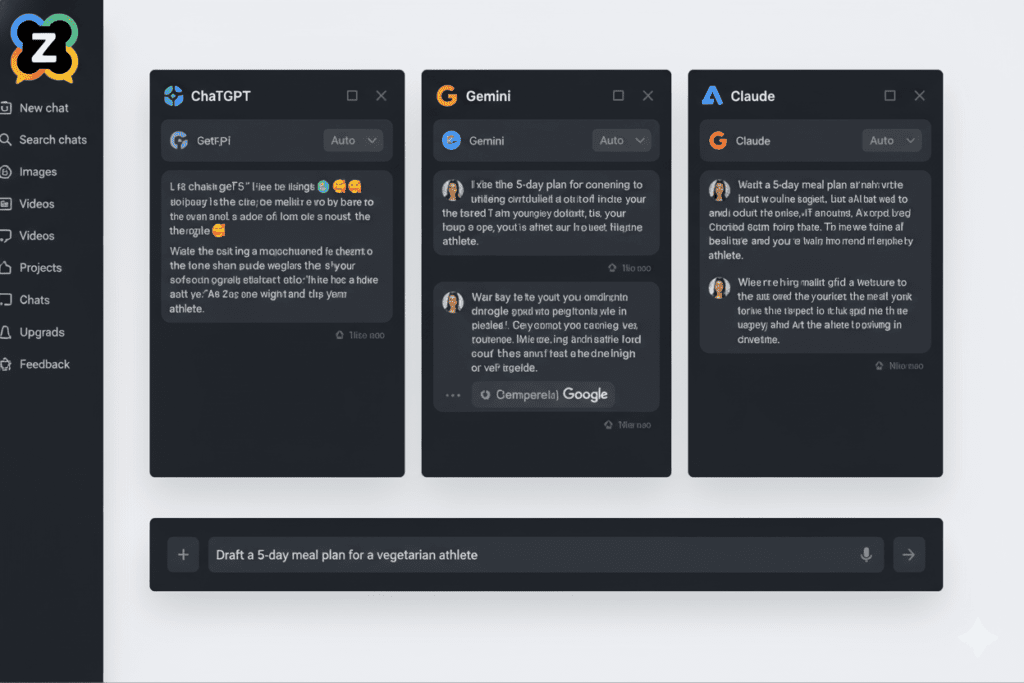
AiZolo stands out in the AI wrapper landscape because it’s specifically designed with security and flexibility in mind. Here’s how it addresses the key safety concerns:
Bring Your Own API Key (BYOK) Architecture
Unlike many AI platforms that act as middlemen for your AI requests, AiZolo supports a unique “Bring Your Own API Key” model. This means:
Your keys remain under your control. You connect your own OpenAI, Anthropic, or Google API keys directly to AiZolo. Your credentials never pass through third-party servers unnecessarily.
Direct provider connection. When you make a request, it goes straight from AiZolo’s secure interface to the AI provider using your key. This maintains the same security standards as using OpenAI’s platform directly.
Transparent cost structure. You pay the AI providers directly for usage at standard rates, with no hidden markups or surprise fees. AiZolo’s affordable subscription ($9.90/month for Pro) gives you the interface and tools, while you maintain complete cost control.
Latest model access. The moment OpenAI releases GPT-5 or Anthropic launches Claude 5, you have immediate access because you’re using your own API keys directly with the providers.
Multi-Model Comparison Without Multiple Exposures
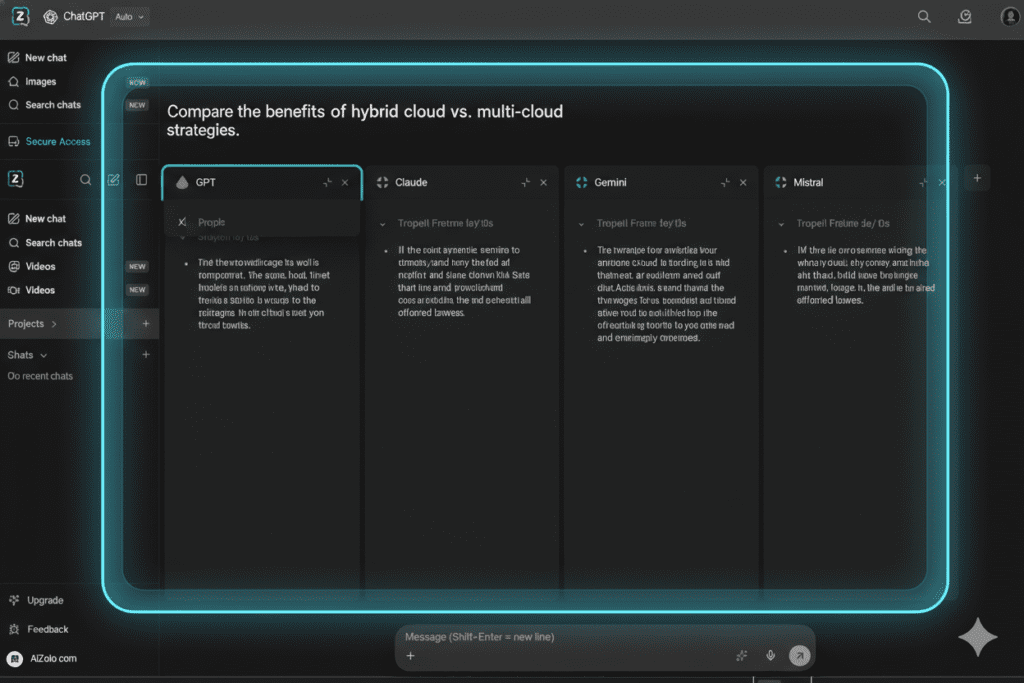
One of the biggest security risks comes from juggling multiple platforms, each requiring separate API key management. AiZolo eliminates this problem by providing unified access to 50+ AI models including:
- GPT models from OpenAI
- Claude models from Anthropic
- Gemini from Google
- LLaMA from Meta
- Mistral and other leading models
Instead of exposing your keys to dozens of different applications, you manage everything in one secure dashboard. This dramatically reduces your attack surface while giving you unprecedented flexibility.
Advanced Security Features Built In
AiZolo doesn’t just store your keys—it protects them with enterprise-grade security:
Encrypted storage: All API keys are stored using industry-standard encryption protocols Secure transmission: Data moves through TLS-encrypted channels No prompt logging: Your conversations and data aren’t retained on AiZolo’s servers Regular security audits: The platform undergoes consistent security reviews Compliance ready: Built to support SOC 2 and GDPR requirements
Workspace Controls That Prevent Accidents
Remember Marcus’s team access nightmare? AiZolo’s workspace features solve this elegantly:
- Project-based organization keeps different initiatives separated
- Custom system prompts let you standardize AI behavior without sharing sensitive context
- Team collaboration tools enable controlled sharing without exposing API keys
- Usage dashboards show exactly where your API credits are going
Real-World Success Stories: Safe AI Wrapper Usage in Action
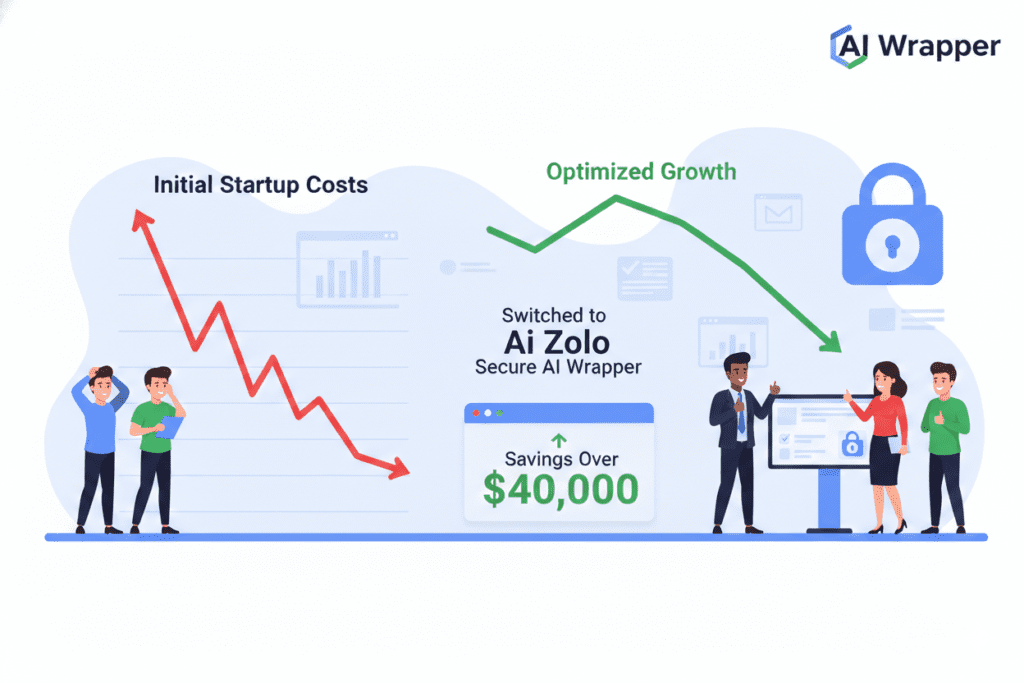
The Startup That Saved $40,000
TechFlow, a SaaS startup with 12 employees, was paying for ChatGPT Plus ($20/month × 12 = $240/month), Claude Pro ($20/month × 12 = $240/month), and had API costs of approximately $2,800/month across various projects.
After implementing AiZolo with their own API keys:
Monthly costs dropped to: AiZolo Pro subscription ($9.90) + actual API usage ($600/month) = $609.90/month
Annual savings: Over $34,000, plus they gained simultaneous access to 50+ models instead of just two
Security improvement: Consolidated from 24+ API keys across the team to 3 well-managed keys in AiZolo
The Freelance Developer’s Peace of Mind
Remember Sarah Chen from the beginning of our story? After her $847 incident, she implemented the following safety protocol using AiZolo:
- Created separate development and production API keys in her OpenAI account
- Connected both keys to AiZolo with clear labels
- Set strict spending limits on each key (Development: $50/month, Production: $200/month)
- Uses AiZolo’s interface exclusively instead of embedding keys in code
- Reviews usage weekly through AiZolo’s dashboard
Result: Zero security incidents in two years, and she’s expanded her AI development services confidently.
The Marketing Agency’s Model Mastery
Bright Path Marketing struggled with choosing the right AI model for different client needs. ChatGPT was great for creative brainstorming, but Claude produced better long-form content, and Gemini excelled at data analysis.
By learning how to use an AI wrapper for OpenAI key safely through AiZolo, they:
- Compare outputs from multiple models simultaneously for every client project
- Maintain consistent security across all AI interactions
- Track costs per client through organized projects
- Scale efficiently as they take on more clients without security concerns
Their creative director explains: “AiZolo turned AI from a risky experiment into a reliable production tool. We know our keys are safe, our costs are controlled, and we’re delivering better results than ever.”
Beyond Security: Additional Benefits of Using AI Wrappers
While security is paramount, the advantages of using a quality AI wrapper extend far beyond protecting your keys:
Cost Optimization
Smart AI wrappers help you spend less while getting more:
- Model comparison prevents overpaying for GPT-4 when GPT-3.5 would suffice
- Usage analytics identify optimization opportunities
- Batch processing for improved efficiency
- Caching mechanisms reduce redundant API calls
With AiZolo’s side-by-side comparison, you can instantly see which model gives you the best value for each specific task.
Productivity Multipliers
When Marcus Thompson rebuilt his customer service tool on AiZolo, he discovered unexpected productivity gains:
- Faster iteration: Test prompts across multiple models in seconds instead of minutes
- Better results: Combine insights from different models’ strengths
- Organized workflow: Project-based structure keeps work clean and accessible
- Reduced context switching: Everything in one interface instead of multiple browser tabs
Future-Proofing Your AI Strategy
The AI landscape evolves rapidly. New models launch monthly, existing ones get updated, and pricing structures shift. A model-agnostic wrapper protects you from:
Vendor lock-in: You’re not committed to a single AI provider Breaking changes: Wrapper platforms absorb API updates, maintaining consistency Feature delays: Access new capabilities immediately as they’re released Cost fluctuations: Easily switch models if pricing becomes unfavorable
Common Security Mistakes to Avoid
Even with a secure AI wrapper, certain practices can still expose you to risk:
Mistake #1: Sharing Your Wrapper Account Credentials
Your AiZolo or wrapper platform login should be just as protected as your API keys themselves. Use:
- Strong, unique passwords
- Two-factor authentication when available
- Password managers for secure storage
- Separate accounts for team members rather than sharing login details
Mistake #2: Including Sensitive Data in Prompts
No matter how secure your wrapper is, never include:
- Passwords or authentication credentials
- Personal identifying information (PII) without necessity
- Proprietary algorithms or trade secrets
- Confidential business data unless absolutely required
Remember: AI models can learn from the data they receive. While reputable providers have “no training” policies for API data, exercising caution is always wise.
Mistake #3: Ignoring Usage Alerts
Most security breaches are caught through unusual activity patterns. When your wrapper platform sends alerts about:
- Sudden spikes in usage
- Requests from unfamiliar locations
- Failed authentication attempts
- Unusual patterns of API calls
Take them seriously and investigate immediately.
Mistake #4: Using Public Wi-Fi Without VPN
When accessing your AI wrapper platform:
- Avoid public Wi-Fi networks when possible
- Use a reputable VPN service when remote access is necessary
- Ensure your device has updated security software
- Log out completely when finished with sensitive work
Setting Up Your Secure AI Wrapper: A Step-by-Step Walkthrough
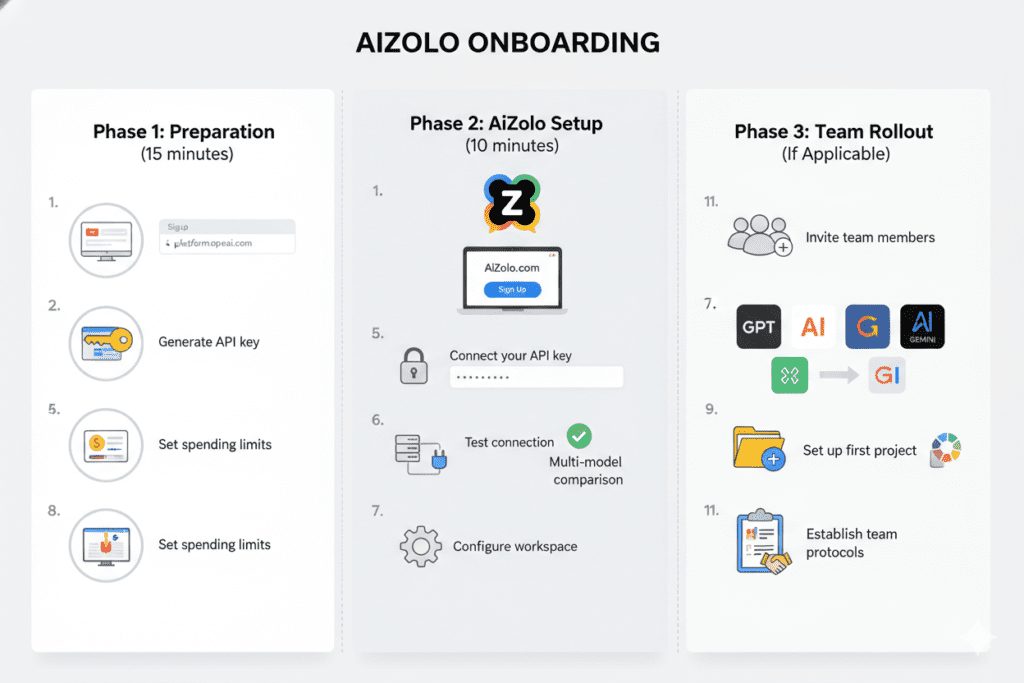
Ready to implement safe AI wrapper usage? Here’s a practical guide using AiZolo as our example:
Phase 1: Preparation (15 minutes)
Step 1: Create your OpenAI account at platform.openai.com if you haven’t already
Step 2: Generate an API key in the OpenAI dashboard:
- Navigate to API Keys section
- Click “Create new secret key”
- Give it a descriptive name like “AiZolo-Production”
- Copy the key immediately (you won’t see it again)
- Store it temporarily in a password manager
Step 3: Set up spending limits in your OpenAI account:
- Go to Settings > Billing > Usage limits
- Set a monthly hard limit (e.g., $100)
- Configure email alerts at various thresholds (50%, 80%, 95%)
Phase 2: AiZolo Setup (10 minutes)
Step 4: Visit AiZolo.com and create your free account
- No credit card required for initial testing
- Verify your email address
Step 5: Connect your API key:
- Navigate to Settings in your AiZolo dashboard
- Click “API Keys” section
- Select “Add OpenAI Key”
- Paste your API key
- Give it a clear label
- Click “Save”
Step 6: Test your connection:
- Create a new chat
- Select GPT-4 or your preferred model
- Send a simple test prompt
- Verify you receive a response
Phase 3: Secure Workflow Configuration (20 minutes)
Step 7: Set up your first project:
- Click “New Project” in AiZolo
- Name it descriptively (e.g., “Blog Content Creation”)
- Configure default models for this project
- Add any custom system prompts
- Save your project settings
Step 8: Explore multi-model comparison:
- In your new project, start a conversation
- Add multiple models to chat simultaneously
- Send the same prompt to ChatGPT, Claude, and Gemini at once
- Compare responses side-by-side
- See which model best suits your needs
Step 9: Configure workspace preferences:
- Customize your layout (resize, rearrange windows)
- Set up keyboard shortcuts
- Configure notification preferences
- Enable any additional security settings
Phase 4: Team Rollout (If Applicable)
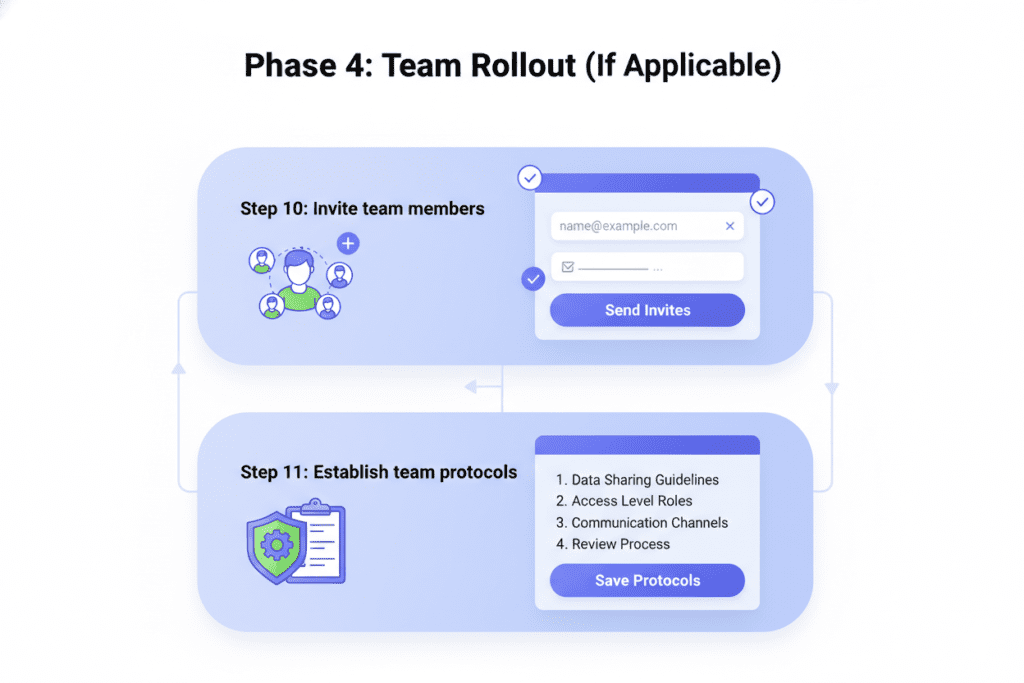
Step 10: Invite team members:
- Each team member should create their own AiZolo account
- Share project access (not credentials)
- Set up role-based permissions
- Conduct a brief security training session
Step 11: Establish team protocols:
- Create guidelines for prompt creation
- Set standards for data handling
- Document best practices
- Schedule regular security reviews
Monitoring and Maintaining Your Secure AI Setup
Setting up secure AI wrapper usage isn’t a one-time task—it requires ongoing attention:
Weekly Tasks (5 minutes)
- Review usage dashboard for anomalies
- Check that spending is within expected ranges
- Verify all team members are following protocols
- Scan for any unusual activity patterns
Monthly Tasks (30 minutes)
- Analyze usage trends and optimize model selection
- Review and update spending limits if needed
- Audit who has access to what projects
- Update any team protocols based on lessons learned
- Check for platform updates and new features
Quarterly Tasks (2 hours)
- Rotate API keys as a security best practice
- Conduct comprehensive security review
- Survey team members about pain points
- Research new models or features to incorporate
- Evaluate whether your current plan still fits your needs
Advanced Security Strategies for Enterprise Users
If you’re managing AI integration for a larger organization, consider these additional measures:
Implementing a Multi-Tier Key Strategy
Create different types of API keys with varying levels of access:
- Tier 1 (Exploratory): Very low spending limits ($10-20/month), used for testing new ideas
- Tier 2 (Development): Moderate limits ($100-200/month), used during active development
- Tier 3 (Production): Higher limits with strict monitoring, used for live applications
- Tier 4 (Critical): Reserved for mission-critical applications with maximum oversight
Setting Up Comprehensive Logging
While your AI wrapper shouldn’t log prompts (privacy concern), you should log:
- Which keys were used when
- Total tokens consumed per project
- Failed authentication attempts
- Unusual usage spikes
- Model performance metrics
This creates an audit trail without compromising data privacy.
Establishing Incident Response Protocols
Create a documented plan for handling security incidents:
- Detection: How you’ll identify potential breaches
- Immediate Response: Steps to take within the first hour
- Investigation: How to determine what happened
- Remediation: Fixing the problem and preventing recurrence
- Communication: Who needs to know what and when
The Future of Secure AI Integration

As we look ahead, the landscape of AI wrapper security continues to evolve. Several trends are emerging:
Increased Regulation and Compliance Requirements
Organizations in regulated industries (healthcare, finance, legal) are establishing stricter AI usage guidelines. Secure AI wrappers will need to support:
- Detailed audit trails
- Data residency requirements
- Compliance certifications (SOC 2, HIPAA, GDPR)
- Advanced access controls
Platforms like AiZolo are positioned well for this future, with security architecture that can scale to meet these demands.
More Sophisticated Threat Detection
Future AI wrapper platforms will likely include:
- AI-powered anomaly detection for unusual usage patterns
- Automated key rotation capabilities
- Real-time threat intelligence integration
- Predictive security alerts
Enhanced Privacy Features
As privacy concerns grow, expect to see:
- Local model options for sensitive data
- Advanced encryption schemes
- Zero-knowledge architectures
- Decentralized key management
Making the Switch: Your 30-Day Secure AI Transformation Plan
Ready to transition from risky direct API usage to secure AI wrapper implementation? Here’s your month-long roadmap:
Days 1-7: Planning and Preparation
- Audit your current AI usage and identify all places where API keys are used
- Document your workflows and requirements
- Research and select your AI wrapper platform (AiZolo recommended for its security and flexibility)
- Create an implementation timeline
- Communicate the change to your team
Days 8-14: Setup and Migration
- Create accounts and configure your chosen wrapper
- Generate new API keys specifically for wrapper use
- Migrate one project as a pilot
- Test thoroughly to ensure everything works
- Document any issues and solutions
Days 15-21: Team Training and Rollout
- Conduct training sessions on the new platform
- Roll out to the full team in phases
- Provide quick-reference guides for common tasks
- Establish support channels for questions
- Monitor adoption and gather feedback
Days 22-30: Optimization and Refinement
- Analyze usage patterns and optimize model selection
- Fine-tune spending limits based on real data
- Address any pain points discovered during rollout
- Celebrate wins and improved security posture
- Plan for long-term management and maintenance
Real Talk: Is an AI Wrapper Right for You?
Not everyone needs an AI wrapper—but most people building seriously with AI do. Consider an AI wrapper if you:
✅ Use AI regularly for work or projects (more than a few times per week)
✅ Work with a team and need to share AI access without sharing credentials
✅ Want to compare different AI models to find the best one for each task
✅ Need better cost control and usage visibility
✅ Care about security and want professional-grade protection
✅ Want to avoid vendor lock-in and maintain flexibility
✅ Need to scale your AI usage as your projects grow
You might not need a wrapper if you:
❌ Only use AI occasionally for casual personal use
❌ Are comfortable with the free ChatGPT web interface for your needs
❌ Don’t work with sensitive or proprietary information
❌ Have no budget concerns about AI spending
❌ Prefer the simplicity of a single AI provider’s native interface
For professional developers, businesses, agencies, and serious AI users, the benefits of using a secure AI wrapper platform like AiZolo far outweigh the minimal additional complexity.
Your Next Steps: Taking Action on AI Security
Understanding how to use an AI wrapper for OpenAI key safely is just the beginning. The real value comes from implementation.
Here’s what to do right now:
Immediate actions (next hour):
- Audit where your API keys are currently stored
- Remove any keys from source code repositories
- Check your OpenAI usage dashboard for anomalies
- Set spending limits if you haven’t already
Short-term actions (this week):
- Research AI wrapper platforms that fit your needs
- Create a free AiZolo account to test the interface
- Generate new, properly secured API keys
- Document your current workflow to identify improvement opportunities
Long-term actions (this month):
- Fully migrate to secure wrapper-based AI usage
- Train your team on best practices
- Establish monitoring and review protocols
- Optimize your model selection and costs
Conclusion: Security Doesn’t Mean Sacrifice
Sarah Chen, our developer from the beginning of this story, recently told me: “Learning how to use an AI wrapper for OpenAI key safely didn’t just prevent another billing disaster—it actually made me more productive. I experiment more freely knowing I’m protected, I get better results by comparing models, and I sleep better knowing my keys aren’t exposed.”
That’s the real promise of secure AI wrapper usage: you don’t have to choose between security and functionality. With the right platform and practices, you get both.
The AI revolution is happening whether we’re ready or not. But with proper security measures, platforms like AiZolo that put you in control, and the knowledge you’ve gained from this guide, you can harness the full power of AI models without the fear.
Your API keys hold the gateway to extraordinary AI capabilities. Protect them wisely, use them strategically, and they’ll serve you well for years to come.
Ready to experience secure, multi-model AI access without the complexity? Try AiZolo for free and discover how professional-grade AI integration should work. No credit card required to start, and you’ll have access to compare responses from GPT, Claude, Gemini, and 50+ other models in minutes.
The future of AI is multi-model, secure, and accessible—and it starts with taking that first step toward proper API key management.
Related Resources:
- Top 5 All-In-One AI Platforms That Let You Talk to Multiple Models
- ChatGPT vs Claude: The Ultimate 2025 Comparison Guide
- Group Chat with Multiple AI Models: How to Use ChatGPT, Claude, and Gemini Simultaneously
External Resources:
- OpenAI API Best Practices for Key Safety
- 8 Tips for Securely Using API Keys
- AI Wrapper Applications: What They Are and Why Companies Develop Their Own