

Introduction
Running a small business means doing five jobs before lunch. You’re the marketer, the bookkeeper, the customer service rep, and the person who forgot to eat breakfast.
That’s exactly why free AI tools for small business owners have become less of a novelty and more of a survival tool. You don’t need a data science team or a six-figure software budget to compete anymore.
AI matters right now because the gap between “well-funded competitor” and “scrappy small business” has genuinely narrowed. With Aizolo, a one-person shop can write, design, automate, and analyze at a pace that used to require three employees.
And free tools are enough for a surprising number of businesses — at least to start. Most platforms covered in this guide have permanent free tiers, not 14-day trials, meaning you can build real workflows without a credit card.
Here’s what you’ll walk away with: a clear-eyed look at the best free AI tools for small business use in 2026, what each one actually includes (and doesn’t), a comparison table, a feature matrix, a buying guide organized by business type, and answers to the questions small business owners ask most.
No vendor fluff. No recycled feature lists. Just what works, what to watch out for, and how to choose.
Table of Contents
What Are AI Tools for Small Businesses?
AI tools for small businesses are software products that use machine learning and generative AI to handle tasks a person would otherwise do manually.
Think writing, designing, scheduling, answering customer questions, and analyzing sales data. The AI does the first draft; you make the final call.
Free AI tools for small business owners specifically refer to platforms with a permanent no-cost tier. Not a demo. Not a 7-day trial that quietly charges your card.
Most of these tools fall into a few buckets: AI writing tools, AI chatbots, AI image generators, AI automation tools, and AI-powered CRM systems.
The distinction that matters most isn’t the category. It’s whether the free tier is a real, usable product or a bait-and-switch designed to force an upgrade within a week.
Did You Know? Many “free” AI business tools generate revenue from data and usage patterns rather than subscriptions. Always check the privacy policy before uploading customer data.
Why Small Businesses Should Use AI in 2026
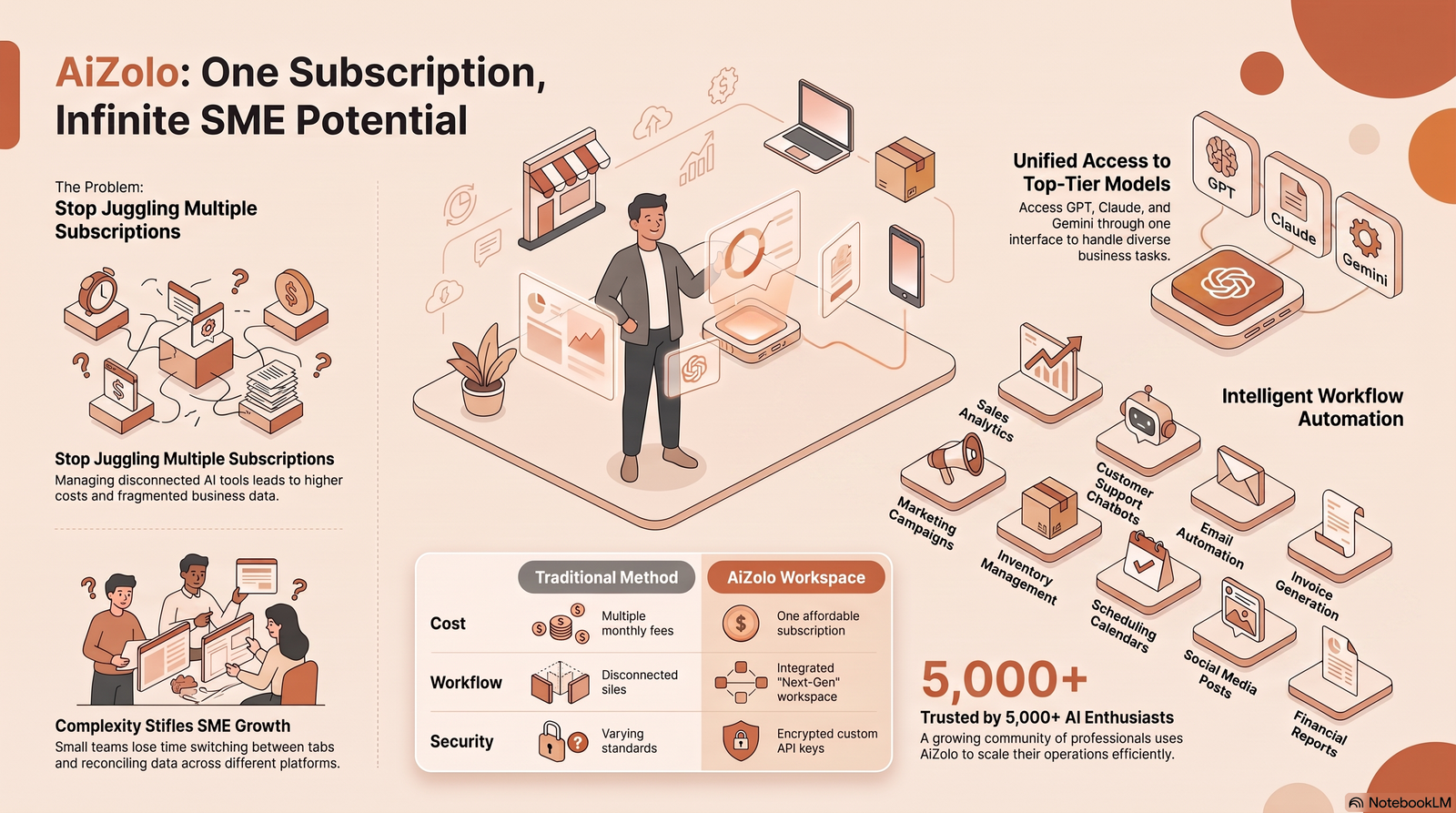
The competitive landscape shifted hard over the last two years. Larger competitors already use AI to draft marketing copy, automate follow-ups, and analyze customer behavior at scale.
Small businesses that skip AI aren’t just missing a convenience. They’re spending hours on tasks a free tool could compress into minutes.
Consumer expectations changed too. Shoppers now expect instant chatbot replies, personalized email sequences, and same-day quote turnarounds — all things AI tools for startups and small teams can deliver without hiring anyone.
There’s also a cost argument. AI apps for entrepreneurs used to require enterprise budgets. Today, a freelancer or two-person agency can access AI writing tools, automation, and basic CRM capability without spending a cent.
The catch is that free AI productivity tools have real limits — message caps, contact caps, feature gates — and businesses that don’t plan around those limits get blindsided mid-growth.
Benefits of Free AI Tools for Small Business
Time savings. Drafting a product description, writing a follow-up email, or summarizing a meeting used to take twenty minutes each. AI compresses that into two.
Lower barrier to entry. You no longer need design skills to make a decent social graphic or coding skills to build a basic automation between two apps.
Faster customer response. AI chatbots and email assistants mean a lead doesn’t wait six hours for a reply. That speed alone can be the difference between a sale and a bounce.
Better decision-making. AI business software can summarize spreadsheets, flag trends, and surface patterns a busy owner would otherwise miss entirely.
Room to test before paying. Free AI software lets you validate whether a tool actually fits your workflow before committing to a monthly subscription.
Expert Tip Treat every “free” plan as a two-week trial run. Track exactly where you hit the ceiling — message limits, contact caps, feature locks — before deciding whether to upgrade.
How to Choose the Right AI Tools
Start with the bottleneck, not the tool. If content creation eats your week, look at AI writing tools first. If leads go cold, look at CRM and automation.
Check the free plan’s real ceiling. Most vendors advertise generous headline numbers, but the practical limit — messages per day, contacts stored, automation steps — is what determines whether the free tier survives real use.
Test data portability. Can you export your content, contacts, or workflows if you switch tools later? Vendor lock-in is a bigger risk with free plans than paid ones.
Look for genuine integrations. A tool that connects to your existing email, calendar, or CRM saves far more time than one that operates in isolation.
Read the fine print on commercial use. Some free-tier AI image and content generators restrict commercial use of anything created for free — this matters if you’re publishing client-facing work.
Weigh branding requirements. Many free CRM and email tools stamp their logo on your outgoing communication unless you upgrade. That’s a real cost, even if it’s not a dollar figure.
Checklist: Before You Commit to a Free AI Tool
- Does the free tier support your actual monthly volume?
- Can you export your data if you leave?
- Does it integrate with tools you already use?
- Are commercial-use rights included on the free tier?
- Is there hidden branding you’d need to pay to remove?
Already know you want to add AI to your business, and just need to see the options side by side? You’re in the right place — below we break down 10+ free AI tools for small business, what each one is actually good at, and where the free tier stops.
If you haven’t picked a category yet — writing, scheduling, customer service, etc. — it’s worth starting one step back: How to Start Using AI in Your Small Business walks through how to choose your first tool before you start comparing vendors.
Best Free AI Tools for Small Business
This is the core of the guide. Each tool below has a genuinely usable free tier, not just a trial. We cover what it does well, where it falls short, and who it’s actually built for.
1. ChatGPT (Free Plan)
Overview
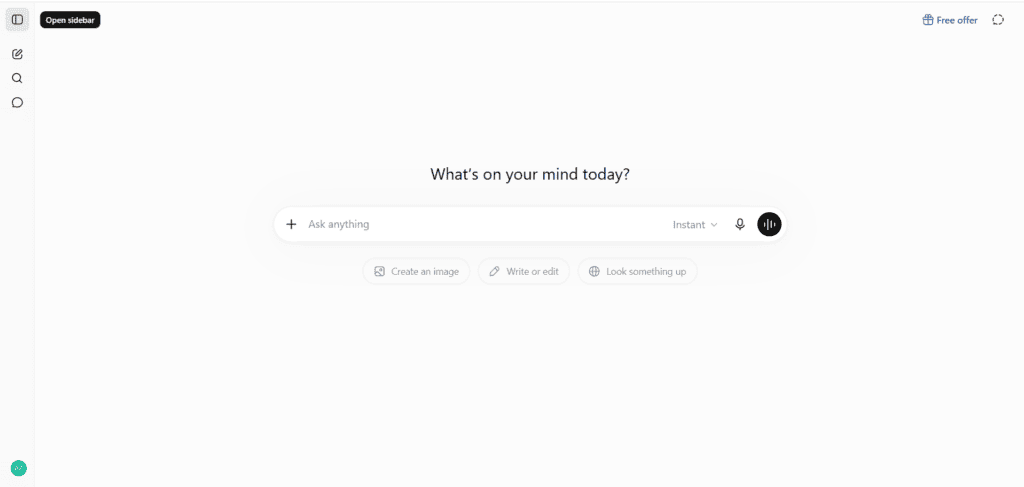
ChatGPT remains the default entry point into generative AI for most small business owners, and its free tier is a real, permanently available product rather than a trial.
As of 2026, the free plan runs on OpenAI’s everyday model, GPT-5.5 Instant, giving you roughly 10 messages every 5 hours before it switches to a lighter model until the limit resets.
Best Features
- Fast drafting for emails, product descriptions, and social captions
- Basic file uploads for analyzing PDFs, spreadsheets, and images
- Web search access built into free-tier conversations
- Limited AI image generation for social graphics
Pricing
Free forever, no credit card required. The paid tier, ChatGPT Plus, runs $20/month and removes ads while upgrading to a higher message cap, a longer context window, and features like Deep Research and Agent Mode.
Free Plan Limitations
Image generation is capped tightly on the free tier — around three to five generations before you hit the wall. Heavier features like multi-step Deep Research, video generation, and the most capable reasoning model are reserved for paid plans.
Pros
- Genuinely useful for daily writing and brainstorming tasks
- No time limit on the free plan
- Works well for non-technical users out of the box
Cons
- Message caps reset on a rolling window, which can be confusing
- Not built for structured business workflows without add-ons
- Heavier research and image tasks push you toward Plus quickly
Best For
Solo founders and small teams who need a fast, general-purpose writing and thinking partner without committing to a subscription.
Real-World Business Use Case
A freelance consultant drafts client proposal outlines, cleans up email language, and brainstorms subject lines for a weekly newsletter — all inside the free message allowance.
Alternatives
Google Gemini (free), Anthropic’s Claude, Microsoft Copilot free tier.
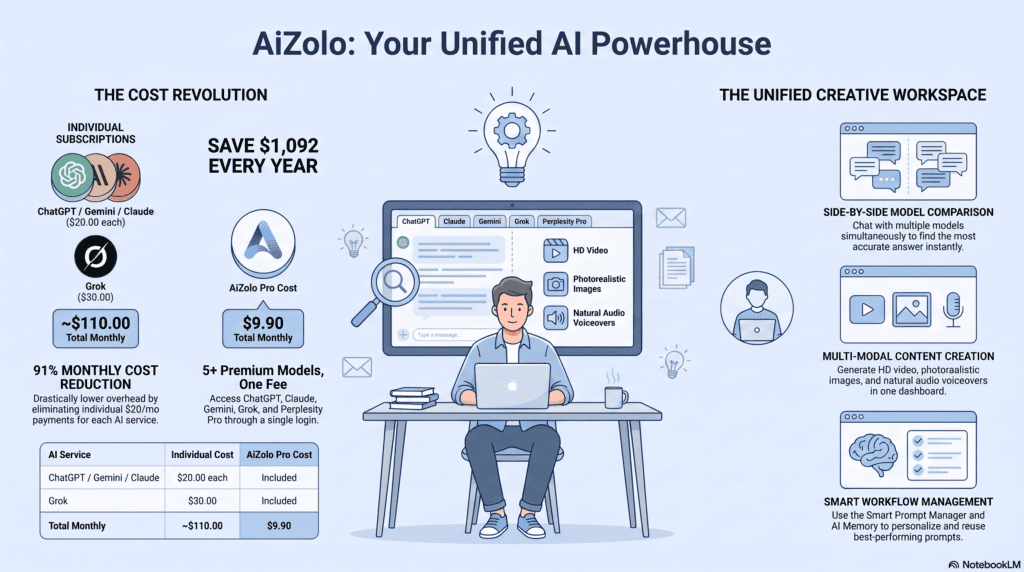
2. Google Gemini (Free Plan)
Overview
Gemini’s free tier gives solo users and small teams a capable multimodal assistant, with deeper AI features unlocked once you’re on a paid Google Workspace Business plan.
Since January 2025, Gemini AI features are bundled into all Google Workspace Business and Enterprise plans at no extra charge, which matters if you already run your business on Gmail and Google Docs.
Best Features
- Text, image, and document understanding in one assistant
- Deep integration with Gmail, Docs, Sheets, and Drive on paid Workspace tiers
- “Gems,” or custom AI assistants you can shape for specific recurring tasks
- Strong multimodal handling of screenshots, charts, and PDFs
Pricing
The free tier gives access to core models and basic features in the Gemini app, while Google AI Pro runs $19.99/month for expanded limits and research tools.
Free Plan Limitations
The free consumer tier doesn’t include the deeper Workspace integrations — those live inside paid Business and Enterprise plans, so a solo user on free Gmail won’t get the same in-app AI experience as a paid Workspace subscriber.
Pros
- No separate per-seat AI fee if you’re already on Google Workspace Business
- Strong at handling mixed content: text, images, and documents together
- Genuinely fast for drafting inside Gmail and Docs on paid tiers
Cons
- Feature set is more fragmented across apps compared to a single unified interface
- Full business value requires upgrading your entire Workspace plan, not just adding AI
- Free consumer tier lacks the workspace-embedded assistant paid users get
Best For
Businesses already living inside Gmail, Docs, and Sheets who want AI without switching their entire toolset.
Real-World Business Use Case
A two-person e-commerce shop uses Gemini inside Gmail to draft customer replies and inside Sheets to summarize weekly sales trends without leaving their existing tools.
Alternatives
ChatGPT free, Microsoft Copilot free tier, Anthropic’s Claude.
3. Canva Free
Overview
Canva remains the most approachable AI design tool for non-designers, and its free plan bundles real generative AI features rather than gating all of them behind Pro.
The free plan includes Magic Write for generating text content, Magic Design for automated design creation, and Text to Image for AI image generation, each with a capped monthly allowance.
Best Features
- AI-generated social graphics, flyers, and presentations from a text prompt
- Access to over a thousand design formats and roughly two million templates
- Background removal (limited uses) without needing Photoshop
- Real-time collaboration with team members on the free tier
Pricing
Canva Free costs $0 forever, while Canva Pro runs $18/month, or about $12/month billed annually.
Free Plan Limitations
Free users get roughly 20 premium AI uses per month, compared to 200 on Pro, and advanced tools like unlimited Background Remover and Brand Kits sit behind the paywall.
Pros
- No design experience required to produce professional-looking graphics
- Generous free template library even without AI features
- Team collaboration included at no cost
Cons
- AI credit pool runs out quickly for content-heavy businesses
- Premium AI tools like Magic Expand and Magic Eraser require Pro
- Brand consistency tools (logo kits, color palettes) are paid-only
Best For
Local businesses, freelancers, and marketing teams who need consistent, professional visuals without hiring a designer.
Real-World Business Use Case
A local bakery uses Canva’s free Magic Design to build Instagram posts announcing weekly specials, generating three to four posts a week within the free AI credit allowance.
Alternatives
Adobe Express free tier, Microsoft Designer, Picsart free plan.
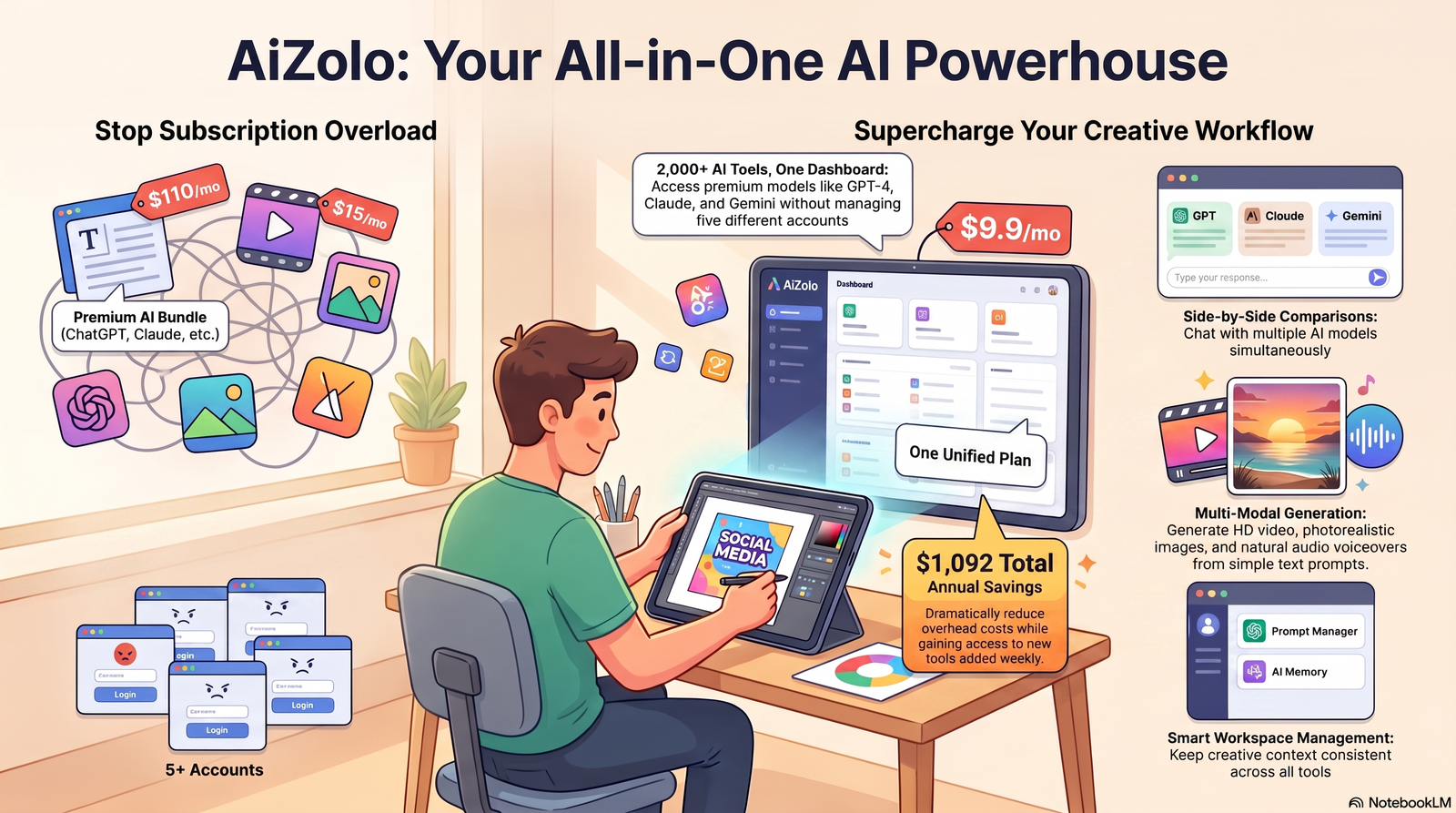
4. HubSpot Free CRM
Overview
HubSpot’s free CRM is one of the most complete no-cost customer relationship management tools available, though it has tightened noticeably over the past two years.
Free accounts are now capped at 1,000 marketing contacts, 2 users, 1 deal pipeline, and 10 custom properties, and every outgoing email, landing page, and chat widget carries HubSpot branding unless you upgrade.
Best Features
- Real contact and deal pipeline management, not a stripped-down demo
- Basic automation, forms, 30 landing pages, and Gmail or Outlook integration included
- Built-in ticketing for basic customer support tracking
- AI-assisted content suggestions inside the marketing tools
Pricing
Free forever for the core CRM. AI features are gated behind Starter plans starting around $20 per user per month.
Free Plan Limitations
The free plan caps you at 1,000 marketing contacts you can actually email, and most growing teams hit that ceiling within their first six to twelve months. There’s no advanced automation, workflows, or lead scoring on the free tier.
Pros
- Genuinely functional CRM, not a crippled trial
- No time limit on the free plan
- Familiar interface that scales smoothly into paid Sales or Marketing Hub tiers
Cons
- Hard branding on emails and forms unless you pay
- Contact cap forces an upgrade decision earlier than most owners expect
- Most AI-driven insights and automation require a paid tier
Best For
Local businesses, agencies, and solo sales reps who need real pipeline visibility without buying a full sales stack.
Real-World Business Use Case
A small landscaping company tracks every inbound quote request through HubSpot’s free deal pipeline, using automated email reminders to follow up on unanswered quotes.
Alternatives
Zoho CRM free tier, Bitrix24 free plan, Freshsales free tier.
5. Zapier Free
Overview
Zapier connects apps that don’t naturally talk to each other, and its free plan is a legitimate way to test automation before committing to a paid tier.
The Free plan includes 100 tasks per month shared across Zap workflows and MCP server actions, unlimited Zap workflows, tables, and forms, though workflows are capped at two steps.
Best Features
- Zapier Copilot for AI-assisted workflow building using plain-English prompts
- Connects thousands of apps, from email to spreadsheets to social platforms
- Tables and forms included at no cost for lightweight data collection
- MCP integration lets AI clients like ChatGPT or Claude trigger actions across connected apps
Pricing
Free plan includes 100 tasks per month. Professional starts around $19.99/month for 750 tasks, scaling up from there.
Free Plan Limitations
Free-tier Zaps are limited to two steps — one trigger, one action — which cuts out branching, filters, and multi-step chains that most real business workflows need.
Pros
- Genuinely useful for testing whether an automation idea works before paying
- No credit card required to start
- AI Copilot lowers the technical bar for building automations
Cons
- 100 tasks per month disappears fast for any business with real volume
- Two-step limit blocks most useful automation patterns
- Costs escalate quickly once you’re on paid tiers with high task volume
Best For
Solo entrepreneurs testing a single automation, like routing new form submissions into an inbox or spreadsheet.
Real-World Business Use Case
A freelance photographer connects a website contact form to an email alert using a simple two-step Zap, staying well within the 100-task monthly limit.
Alternatives
Make.com free plan, n8n (self-hosted, free), Pabbly Connect.
6. Notion (Free Plan)
Overview
Notion’s core workspace — notes, docs, and databases — is free indefinitely, but full Notion AI capability now requires a paid Business plan.
Notion Free includes unlimited blocks, 10 guest invites, and a 5MB file upload cap, which covers most solo use cases comfortably.
Best Features
- Unlimited personal notes, docs, and lightweight databases
- A limited number of free AI interactions for summarizing pages, generating text, and fixing grammar
- Flexible templates for project tracking, content calendars, and CRMs built from scratch
- Solid mobile and desktop sync
Pricing
Free at $0, Plus at $10/user/month (annual), and Business at $20/user/month (annual) for full AI Agents and Ask Notion access.
Free Plan Limitations
Free users only get a limited number of AI responses to test features like generation, summarization, translation, and rewriting before hitting a wall — full AI access requires upgrading to Business.
Pros
- Genuinely unlimited note and page creation on the free tier
- Flexible enough to replace several single-purpose apps
- Low learning curve for basic use
Cons
- Full AI Agents and workspace-aware AI require the priciest tier
- 5MB file upload cap is restrictive for image-heavy workflows
- 7-day page history limit on free plan makes recovering deleted content difficult
Best For
Solo founders organizing notes, SOPs, and lightweight project tracking without needing deep AI automation yet.
Real-World Business Use Case
A startup founder uses Notion’s free plan to build a running knowledge base of supplier contacts, pricing notes, and onboarding checklists for a future hire.
Alternatives
ClickUp free plan, Coda free tier, Google Docs plus Gemini.
7. Grammarly Free
Overview
Grammarly’s free tier is a dependable AI writing tools option for catching errors before client-facing emails and proposals go out.
The free tier covers grammar, spelling, and punctuation corrections across browsers, desktop apps, and mobile, along with basic tone detection.
Best Features
- Real-time grammar and spelling correction across most writing surfaces
- Tone detection that flags whether an email reads as too blunt or too casual
- Works inside Gmail, Google Docs, and most browser-based writing tools
- Basic AI rewrite suggestions for clarity
Pricing
Free forever for core corrections. Paid Grammarly plans add deeper style, plagiarism checks, and generative rewriting features.
Free Plan Limitations
Free users don’t get full-document AI rewriting, advanced style guides for teams, or plagiarism detection — these require a paid plan.
Pros
- Genuinely catches errors humans miss on tired proofreads
- Works across nearly every app you already write in
- No learning curve at all
Cons
- Deeper style and clarity suggestions are paid-only
- Occasionally over-corrects for tone in casual industries
- No team-wide style guide on the free tier
Best For
Any business owner who sends client emails, proposals, or marketing copy and wants a second set of eyes.
Real-World Business Use Case
A freelance copywriter runs every client deliverable through Grammarly’s free browser extension before sending, catching typos that spellcheck alone missed.
Alternatives
ProWritingAid free tier, Microsoft Editor, LanguageTool.
8. Perplexity Free
Overview
Perplexity positions itself as an AI research assistant that cites its sources, which makes it useful for small business owners who need quick, verifiable market research.
For research with citations, Perplexity is considered unmatched among free AI tools by several independent reviewers.
Best Features
- Cited answers that link back to original sources, reducing the risk of AI hallucination
- Fast competitive research and market summaries
- Follow-up question threading for deeper research sessions
- Free access to current, real-time information rather than a static knowledge cutoff
Pricing
Free tier available indefinitely. Perplexity Pro adds higher usage limits and more advanced models for a monthly fee.
Free Plan Limitations
Free users face daily limits on advanced search queries, and some of the deepest research modes are reserved for paid subscribers.
Pros
- Citations make it easier to trust and verify AI-generated research
- Genuinely fast for competitive and market research tasks
- No sign-up required for basic searches
Cons
- Daily query limits can interrupt longer research sessions
- Less suited to long-form content drafting compared to ChatGPT or Gemini
- Advanced reasoning modes are paywalled
Best For
Entrepreneurs validating a new product idea or researching competitors before a launch.
Real-World Business Use Case
A startup founder uses Perplexity’s free tier to research competitor pricing models before finalizing their own product pricing strategy.
Alternatives
Google Gemini with search grounding, ChatGPT with web browsing, Bing Copilot.
9. Microsoft Copilot Free
Overview
Microsoft Copilot’s free consumer tier gives basic AI chat access, but its real value shows up once it’s paired with a paid Microsoft 365 subscription.
Copilot’s free plan is largely limited for businesses since it doesn’t integrate into the Microsoft Office suite the way the paid version does.
Best Features
- Free AI chat with image generation through DALL-E integration
- Works inside the Edge browser and Windows for quick everyday tasks
- Familiar interface for teams already comfortable with Microsoft products
- Reliable document and chart analysis for uploaded files
Pricing
Free consumer chat access. Microsoft 365 Copilot for business is sold as a per-seat add-on, priced separately from the base Microsoft 365 subscription.
Free Plan Limitations
The free tier doesn’t embed inside Word, Excel, or Outlook the way the paid add-on does, which limits its usefulness for document-heavy business workflows.
Pros
- Free AI chat and basic image generation with no subscription
- Easy entry point for teams already using Windows and Edge
- Reasonably strong document analysis for uploaded files
Cons
- No native Word, Excel, or Outlook integration without the paid add-on
- Costs more than competitors once you add the business tier
- Best features are locked behind an existing Microsoft 365 subscription
Best For
Businesses already committed to the Microsoft ecosystem who want to test AI chat before paying for the full Copilot add-on.
Real-World Business Use Case
An office manager uses free Copilot chat to draft internal memos and summarize uploaded PDF reports before deciding whether the paid Microsoft 365 add-on is worth the cost.
Alternatives
Google Gemini free, ChatGPT free, Claude free tier.
10. Tidio Free Chatbot
Overview
Tidio combines live chat with an AI chatbot layer, giving small e-commerce and service businesses a way to handle basic customer questions without staffing live support around the clock.
The free plan covers a capped number of monthly chatbot conversations alongside live chat widgets for your website.
Best Features
- AI chatbot that answers common questions (shipping, returns, hours) automatically
- Live chat widget with visitor tracking
- Pre-built templates for e-commerce FAQ handling
- Mobile app so a solo owner can jump into a live conversation from anywhere
Pricing
Free tier available with capped chatbot conversations. Paid plans scale by conversation volume and add deeper automation.
Free Plan Limitations
Chatbot conversation volume is capped monthly, and once exceeded, the AI chatbot stops responding until the next billing cycle or an upgrade.
Pros
- Reduces repetitive customer questions without hiring support staff
- Easy no-code setup for non-technical business owners
- Works well for basic e-commerce FAQ handling
Cons
- Conversation cap can be limiting during high-traffic sales periods
- Less sophisticated than dedicated enterprise support AI
- Deeper CRM-style customer history requires a paid plan
Best For
Small e-commerce stores and service businesses fielding repetitive customer questions.
Real-World Business Use Case
An online candle shop uses Tidio’s free chatbot to automatically answer shipping and return questions, freeing up the owner’s evenings for order fulfillment instead of email replies.
Alternatives
Intercom free trial (not permanently free), Crisp free plan, ManyChat free tier.
Comparison Table
| Tool | Best For | Free Plan | Ease of Use | Rating | Limitations |
|---|---|---|---|---|---|
| ChatGPT | General writing & brainstorming | Yes, permanent | Very Easy | 4.6/5 | Rolling message caps, limited images |
| Google Gemini | Google Workspace users | Yes, permanent | Easy | 4.4/5 | Full features need paid Workspace |
| Canva | Design & social graphics | Yes, permanent | Very Easy | 4.7/5 | AI credit pool runs out fast |
| HubSpot CRM | Sales pipeline tracking | Yes, permanent | Moderate | 4.3/5 | 1,000 contact cap, HubSpot branding |
| Zapier | App-to-app automation | Yes, permanent | Moderate | 4.2/5 | 100 tasks/month, 2-step Zaps only |
| Notion | Notes & lightweight docs | Yes, permanent | Easy | 4.5/5 | Full AI needs Business plan |
| Grammarly | Writing correction | Yes, permanent | Very Easy | 4.5/5 | No advanced rewriting on free tier |
| Perplexity | Market & competitor research | Yes, permanent | Easy | 4.4/5 | Daily query limits |
| Microsoft Copilot | Microsoft ecosystem teams | Yes, limited | Easy | 4.0/5 | No Office app integration free |
| Tidio | Website chatbot support | Yes, capped | Very Easy | 4.3/5 | Monthly conversation cap |
Ratings reflect general market sentiment and independent reviews as of mid-2026; exact scores vary by source.
Feature Comparison Matrix
| Tool | AI Writing | Image Generation | Automation | Chatbot | CRM | Analytics | Integrations | API | Team Collaboration | |
|---|---|---|---|---|---|---|---|---|---|---|
| ChatGPT | ✅ | ✅ (limited) | ❌ | ❌ | ❌ | ❌ | ❌ | Limited | Paid | ❌ |
| Gemini | ✅ | ✅ | ❌ | ❌ | ❌ | ✅ (Gmail) | Limited | Google apps | Paid | ✅ (Workspace) |
| Canva | ✅ (limited) | ✅ | ❌ | ❌ | ❌ | ❌ | ❌ | Some | ❌ | ✅ |
| HubSpot | Limited | ❌ | Limited | Limited | ✅ | ✅ | Limited | Many | Limited | ✅ |
| Zapier | ❌ | ❌ | ✅ | ❌ | ❌ | ❌ | ❌ | 9,000+ apps | ✅ | Limited |
| Notion | Limited | ❌ | ❌ | ❌ | DIY | ❌ | ❌ | Some | Paid | ✅ |
| Grammarly | ✅ (correction) | ❌ | ❌ | ❌ | ❌ | ❌ | ❌ | Browser/apps | Paid | ❌ |
| Perplexity | Limited | ❌ | ❌ | ❌ | ❌ | ❌ | ❌ | Limited | Paid | ❌ |
| Copilot | ✅ | ✅ | ❌ | ❌ | ❌ | Paid tier | Paid tier | Microsoft apps | Paid | Paid tier |
| Tidio | Limited | ❌ | Limited | ✅ | Limited | ❌ | Limited | Some | Paid | Limited |
Common Mistakes When Adopting AI Tools
Stacking too many free tools at once. Five different free AI apps for entrepreneurs, each with its own login and limits, often creates more chaos than the manual process it replaced.
Ignoring the ceiling until you hit it. Businesses frequently build a workflow around a free plan’s task or contact limit, then scramble when growth pushes past it mid-month.
Uploading sensitive customer data without checking terms. Free AI business software sometimes uses input data to improve its models — always verify before uploading customer PII or financial records.
Treating AI output as final. AI writing tools and chatbots still make factual errors. A human review step before anything goes external isn’t optional.
Choosing tools based on hype instead of workflow fit. The most talked-about AI tool isn’t automatically the right one for your specific bottleneck.
Warning Free-tier AI tools may log and store your prompts for training purposes. If you’re pasting in client contracts or financial data, read the data usage policy first.
Buying Guide: Best Free AI Tools by Business Type
Freelancer
Start with ChatGPT or Gemini free for writing and research, pair it with Grammarly free for polish, and use Canva free for any client-facing visuals.
Agency
HubSpot free CRM keeps client pipelines organized, while Zapier free tests automation between your project management tool and client communication.
Startup
Notion free centralizes documentation and planning, Perplexity free supports early market research, and ChatGPT or Gemini handles pitch deck drafting.
Local Business
Canva free covers social media and flyer design, Tidio free handles repetitive customer questions, and HubSpot free CRM tracks local leads and quotes.
Ecommerce
Tidio free manages shipping and return questions automatically, Canva free produces product graphics, and Zapier free connects your store to email alerts.
Marketing Team
Canva free and ChatGPT free cover content production, HubSpot free CRM tracks campaign leads, and Zapier free links form submissions to your existing stack.
Expert Recommendations
If you only adopt one free AI tool this quarter, start with a general-purpose assistant like ChatGPT or Gemini. It touches the widest range of daily tasks with the shortest learning curve.
If customer response time is your biggest bottleneck, prioritize a chatbot tool like Tidio over a general writing assistant — the ROI shows up faster in reduced support hours.
Avoid building critical business processes entirely on a free tier. Free plans change terms, tighten limits, or get discontinued with little warning — HubSpot’s contact cap reduction from one million to 1,000 is a clear example of how quickly “free forever” can shrink.
Budget for at least one paid AI tool once your business crosses a predictable revenue threshold. The time saved almost always outweighs a $15–30/month subscription once you’re past the testing phase.
Future Trends in Small Business AI
Workflow automation. Platforms like Zapier are pushing AI-assisted automation building, where you describe a workflow in plain language instead of manually configuring triggers and actions.
Local AI. Running smaller AI models directly on a business’s own device or server is gaining traction for businesses concerned about sending sensitive data to the cloud.
AI search. Search engines increasingly return AI-generated summaries instead of traditional link lists, which changes how small businesses need to think about SEO and content visibility.
Voice AI. Voice-based assistants for customer service and internal task management are expanding beyond big-budget call centers into affordable small business tools.
Did You Know? According to industry reporting, AI agent features are increasingly bundled into existing free tiers rather than sold as standalone products — worth watching if you’re evaluating tools on a budget.
Frequently Asked Questions
1. What are the best free AI tools for small business owners in 2026?
The strongest free AI tools for small business use include ChatGPT, Google Gemini, Canva, HubSpot’s free CRM, and Zapier’s free automation plan — each with a genuinely usable no-cost tier.
2. Are free AI tools actually free, or is there a hidden catch?
Most are genuinely free forever, but they come with usage caps, feature gates, or branding requirements that push you toward a paid plan as your business grows.
3. Can I run my entire small business on free AI tools alone?
For very early-stage or low-volume businesses, yes. Once you scale past a few hundred contacts or need advanced automation, most free tiers become restrictive.
4. Is ChatGPT’s free plan good enough for a small business?
Yes, for general writing, brainstorming, and light research. Heavier use — dozens of conversations a day — makes the free plan feel cramped quickly.
5. Which free AI tool is best for customer service?
Tidio’s free chatbot plan is a solid starting point for handling repetitive questions like shipping and returns without hiring additional support staff.
6. Do free AI tools store or use my business data?
It depends on the platform. Always check the specific data usage and training policy before uploading sensitive customer or financial information.
7. What’s the difference between Google Gemini and Microsoft Copilot’s free plans?
Copilot’s free plan is largely limited for business use since it doesn’t integrate into Microsoft Office apps, while Gemini’s free tier offers broader general-purpose capability out of the box.
8. Is HubSpot’s free CRM really free forever?
Yes, but it’s capped at 1,000 marketing contacts, 2 users, and 1 deal pipeline — enough for a small operation, but tight for a growing sales team.
9. How many tasks does Zapier’s free plan include?
100 tasks per month, shared across Zap workflows and AI agent actions, with workflows limited to a single trigger and single action.
10. Are free AI image generators good enough for professional marketing?
For social media and everyday marketing, yes. For polished brand campaigns, the limited monthly AI credit pools on free plans often run out fast.
11. Can I use content from free AI tools commercially?
Most major tools like ChatGPT, Gemini, and Canva allow commercial use of free-tier content, though some tools restrict free-tier output to non-commercial use — always confirm in the terms of service.
12. What happens when I exceed a free plan’s limit?
Most tools either pause the feature until the next billing cycle, downgrade you to a lighter model, or prompt an upgrade — they rarely delete your existing data.
13. Should a freelancer bother with AI automation tools like Zapier?
If you handle repetitive tasks like routing leads or logging inquiries, yes — even the capped free plan can save meaningful time each week.
14. Are there free AI tools for startups specifically?
Notion free for documentation, Perplexity free for market research, and ChatGPT free for pitch content all suit early-stage startups without a marketing or ops budget yet.
15. How do I know when to upgrade from a free AI tool to a paid plan?
When you’re consistently hitting the usage cap, needing removed branding, or losing time working around a feature gate, the paid plan usually pays for itself quickly.
Conclusion
Free AI tools for small business owners aren’t a compromise anymore — they’re a legitimate starting point for writing, design, automation, and customer support.
The businesses that get the most value treat each free plan honestly: know the ceiling, plan around it, and upgrade the moment the math makes sense.
Start small. Pick one bottleneck — content, leads, or customer questions — and match it to the right free tool from this guide rather than trying to adopt everything at once.
When you’re ready to go deeper, explore our related guides on best ai subscription 2026 to build out a complete AI-powered toolkit for your business.
Author Bio
Jeevesh Tripathi AI Researcher & SEO Strategist Email: jeevesh@aizolo.com
Jeevesh Tripathi has spent over a decade researching AI tools, SEO systems, and technology trends for small business audiences. His work focuses on cutting through vendor marketing to give business owners accurate, practical guidance on what free and paid AI tools actually deliver — grounded in hands-on testing and cross-checked, up-to-date sourcing rather than recycled feature lists.


This is a fantastic roundup of free AI tools for small businesses! As a fellow creator, I’m always looking for ways to streamline content generation and marketing. The breakdown by category, especially for content creation and SEO, is super helpful. I’ve found that leveraging tools like ChatGPT for initial drafts and then refining them manually makes a huge difference in productivity. It’s great to see more resources like this highlighting how accessible AI is becoming for everyone, not just large corporations.