
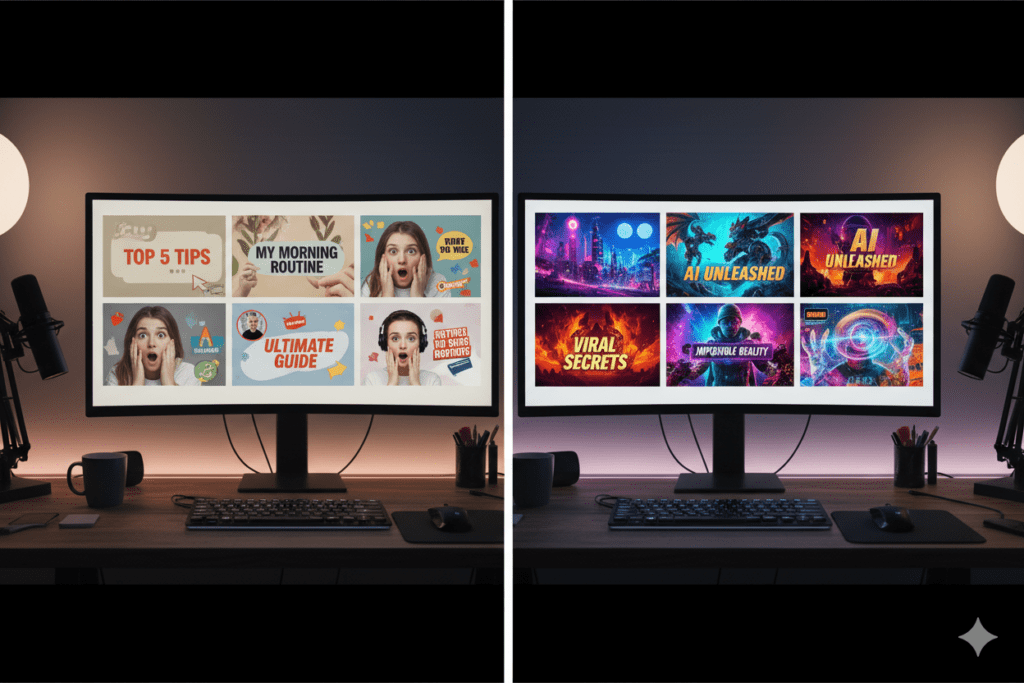
Introduction: Your Thumbnail Is Costing You Views Right Now
Picture this.
You just spent 8 hours filming, editing, and uploading a video. You hit publish. You wait. And then… nothing. Crickets.
Meanwhile, a channel with half your production quality is pulling in 50,000 views on a similar topic. What’s the difference?
The thumbnail.
It sounds simple. But here’s the brutal truth — YouTube thumbnail AI is completely changing the game in 2025, and creators who aren’t using it are leaving thousands of views on the table every single month.
According to YouTube’s own Creator Academy, 90% of the best-performing videos on the platform use custom thumbnails. Not auto-generated frames. Not random screenshots. Custom, strategically designed thumbnails.
And now, with YouTube thumbnail AI tools like ytZolo, you don’t need to be a professional designer to create click-worthy covers that stop the scroll and drive real growth.
This guide is going to show you exactly how to use AI to design thumbnails that get clicked, why manual design is becoming obsolete, and how the right tool can transform your channel’s performance overnight.
Let’s get into it
Table of Contents
1. Why Thumbnails Are the #1 Growth Lever on YouTube
Think of your thumbnail as a billboard on the world’s busiest highway.
Viewers scroll through YouTube at lightning speed. They’re not reading titles first. They’re looking at images. Your thumbnail has about 1.5 seconds to convince a complete stranger to give up their time for your content.
Recent data shows that videos with high-performing thumbnails see 30–40% higher click-through rates (CTR) compared to auto-generated screenshots. That’s not a small bump. That’s the difference between 1,000 views and 40,000 views on the exact same video.
CTR is also a core signal the YouTube algorithm uses to decide who sees your content. A higher CTR = more impressions = exponential reach. It’s a flywheel, and it all starts with your thumbnail.
That’s why investing in YouTube thumbnail AI isn’t optional anymore. It’s survival.
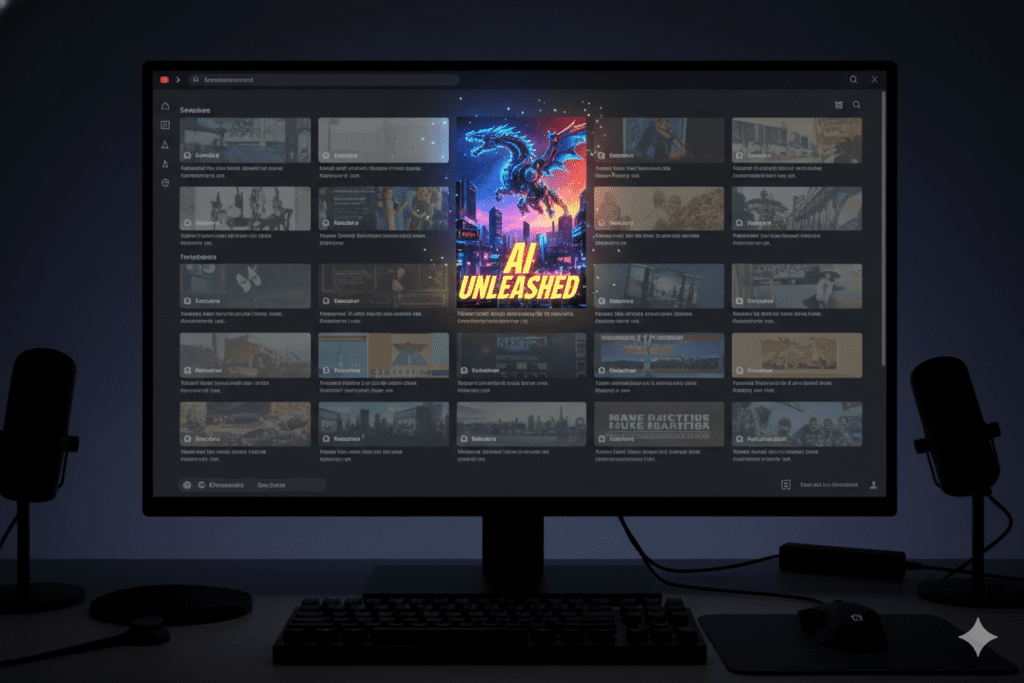
2. What Is YouTube Thumbnail AI — And How Does It Work?
YouTube thumbnail AI refers to artificial intelligence tools that help creators generate, design, and optimize thumbnail images — automatically, intelligently, and at scale.
These tools use machine learning to analyze what makes thumbnails perform well. They look at millions of data points: color psychology, facial expressions, text placement, contrast ratios, and niche-specific visual trends.
Instead of opening Photoshop, browsing stock photo sites, and manually building something from scratch, you can describe what you need — or upload your video — and let AI do the heavy lifting.
Here’s what modern YouTube thumbnail AI can do:
- Generate complete thumbnail concepts from a text prompt or video content
- Analyze competitor thumbnails to understand what performs in your niche
- Suggest color palettes proven to increase CTR
- Overlay bold, readable text optimized for mobile screens
- Incorporate emotional facial expressions that trigger curiosity and urgency
- Resize and format to YouTube’s exact 1280×720px specifications
Tools like ytZolo take this even further by combining thumbnail AI with a full YouTube growth suite — so you’re not just creating great thumbnails, you’re building a complete viral content machine.
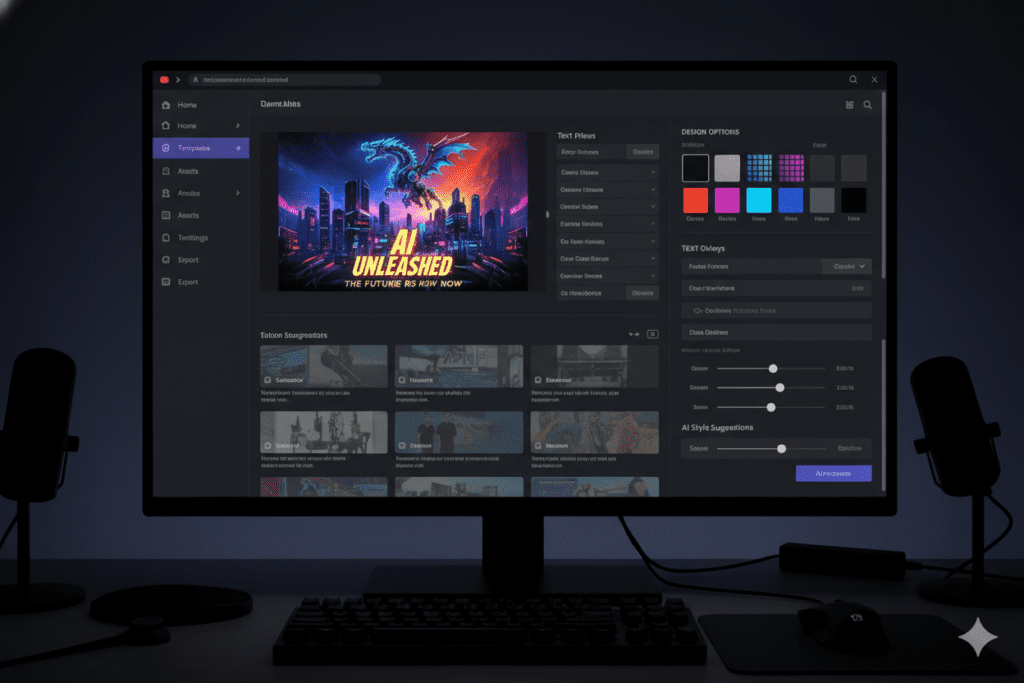
3. The Problem With Manual Thumbnail Design
Let’s be real. Manual thumbnail design is painful.
Even if you know your way around Canva or Photoshop, you’re spending 1–2 hours per thumbnail. That’s time you could be scripting your next video, engaging with your community, or simply resting before your next shoot.
Worse? Manual design relies on guesswork. You pick colors you think look good. You choose a font that feels right. But you have no data behind those decisions. And when your video underperforms, you don’t know if it was the title, the content — or the thumbnail.
Here’s what most creators deal with when designing thumbnails manually:
- No design skills = generic, boring output
- Too many options = decision fatigue and wasted time
- No A/B testing = no way to know what actually works
- Inconsistent branding = viewers can’t recognize your channel
- Guessing at trends = you’re always behind the curve
The YouTube landscape moves fast. What worked in 2022 looks outdated today. Viewers are more visually sophisticated than ever, and they can tell the difference between a thumbnail that was designed with intention and one that was thrown together in five minutes.
That’s exactly why creators are flocking to YouTube thumbnail AI — and specifically to tools like ytZolo, which makes professional-quality thumbnail creation accessible to everyone.
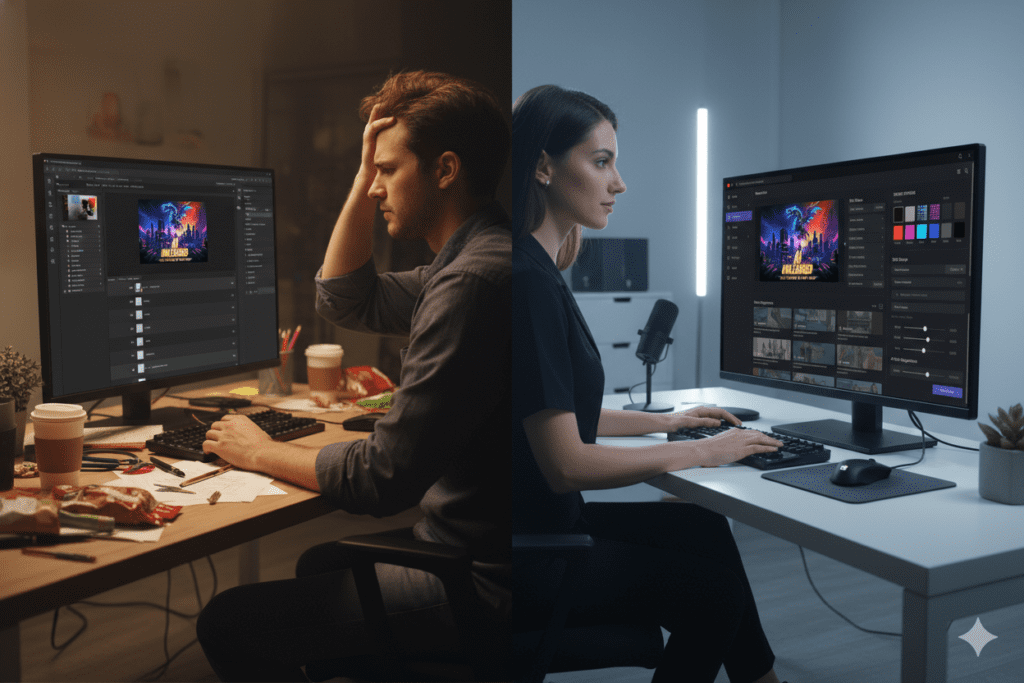
4. Key Elements of a High-CTR YouTube Thumbnail
Before you use AI to build your thumbnails, it helps to know what makes a thumbnail actually convert. Here’s what the data tells us:
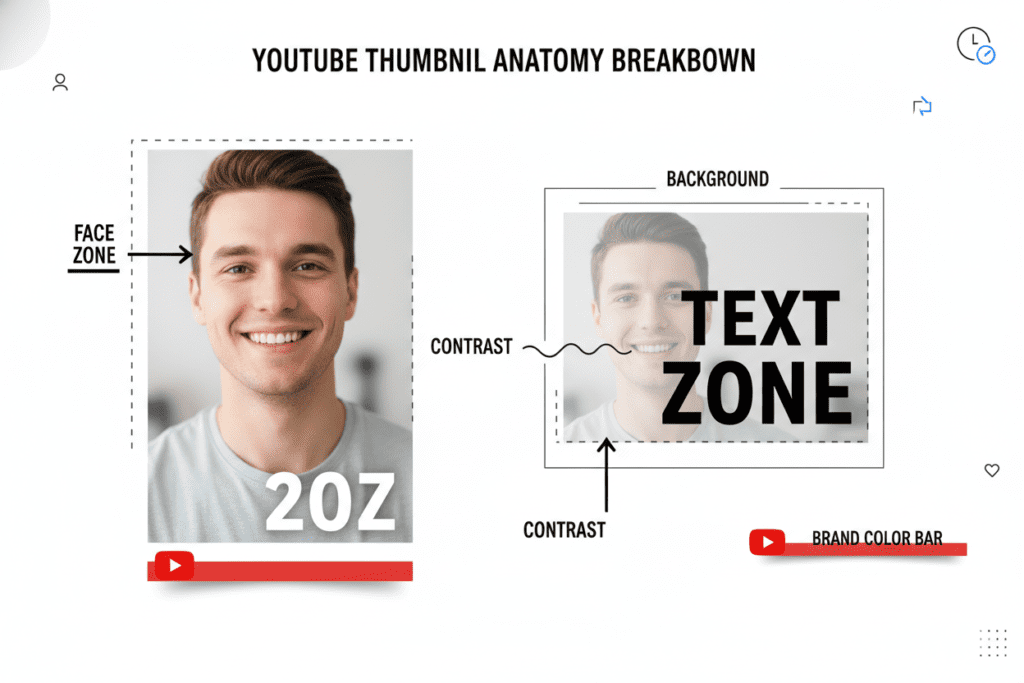
Bold, High-Contrast Colors
Thumbnails with bright, contrasting colors — yellows, oranges, and blues — consistently outperform muted, low-contrast designs. High-contrast thumbnails can increase CTR by 20–30%, according to VidIQ’s 2025 design research.
Emotional Facial Expressions
Human faces create instant emotional connection. Thumbnails featuring expressive faces — surprise, excitement, concern — see significantly higher CTR than those without. Viewers are wired to respond to human emotion.
Minimal, Punchy Text
Three to five words maximum. Use power words that trigger curiosity or urgency: “Secret,” “Finally,” “Warning,” “Biggest,” “You Won’t Believe.” The text is a hook, not a summary.
Clear Focal Point
Don’t clutter your thumbnail with five different elements competing for attention. Pick one or two visual heroes — a face, an object, or a result — and make them the star.
Consistent Branding
Top channels use the same color scheme, font, and layout style across all their thumbnails. This builds visual recognition so subscribers click your content before they even read the title.
Mobile Optimization
Over 70% of YouTube views happen on mobile devices. Your thumbnail must be readable and impactful at the size of a postage stamp. A/B testing thumbnails through YouTube Studio can help you identify what works on smaller screens.
5. How to Use YouTube Thumbnail AI Step by Step
Ready to start creating AI-powered thumbnails that actually get clicks? Here’s a simple process you can follow right now:
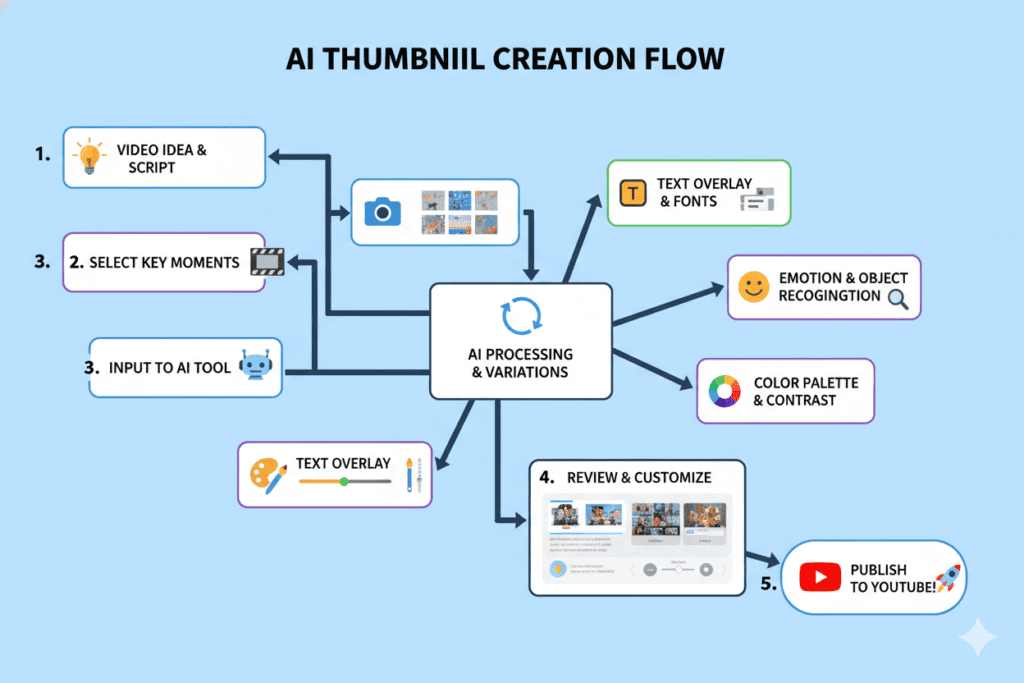
Step 1: Define Your Video’s Hook Before touching any AI tool, get clear on the one idea your thumbnail should communicate. What’s the emotional promise of your video? What will viewers gain by clicking?
Step 2: Open Your YouTube Thumbnail AI Tool Head to ytZolo and navigate to the thumbnail generation feature. You’ll find it as part of the all-in-one creator dashboard.
Step 3: Input Your Prompt or Upload Your Content Describe the visual concept you want, or let the AI analyze your video script or title to suggest the most click-worthy thumbnail concept for your niche.
Step 4: Let AI Generate Multiple Variations Great AI tools give you multiple options — not just one. Review the options and look for the one that best balances your brand style with proven CTR principles.
Step 5: Customize and Refine Tweak colors, fonts, and text to match your brand identity. A good YouTube thumbnail AI tool makes this easy with drag-and-drop controls and smart suggestions.
Step 6: A/B Test Your Top Picks Upload two or three variations to YouTube Studio’s “Test & Compare” feature. Let real audience data decide which thumbnail performs best. Then double down on the winner.
Step 7: Analyze and Iterate Monitor your CTR in YouTube Analytics. Look for patterns — which colors, expressions, or text styles get the most clicks. Feed that learning back into your next thumbnail.
6. Why ytZolo Is Better Than Other Tools
There are plenty of AI tools out there. Some do thumbnails. Some do titles. Some do scripts. But very few bring everything together in one place — and that’s exactly where ytZolo pulls ahead.
ytZolo Is an All-in-One YouTube Growth Engine
Most tools make you jump between five different apps. One for title ideas. Another for scripts. A separate one for thumbnails. And yet another for tags and descriptions. That’s not a workflow — that’s a headache.
ytZolo handles everything under one roof:
- AI-generated YouTube titles that are optimized for clicks and search
- Video scripts written with viral hooks and audience retention in mind
- YouTube thumbnail AI that creates scroll-stopping visuals in minutes
- SEO-optimized descriptions that rank in search and get suggested
- Smart tag generation to expand your video’s reach
ytZolo Is Built for Viral Content Creation
Other tools just generate something that looks decent. ytZolo is built around one goal: helping you go viral. Every feature — from the thumbnail generator to the title optimizer — is trained on high-performing content across niches.
ytZolo Saves You Hours Every Week
The average creator spends 4–6 hours on content optimization tasks that have nothing to do with filming. ytZolo automates the tedious parts so you can focus on what you’re actually good at — creating.
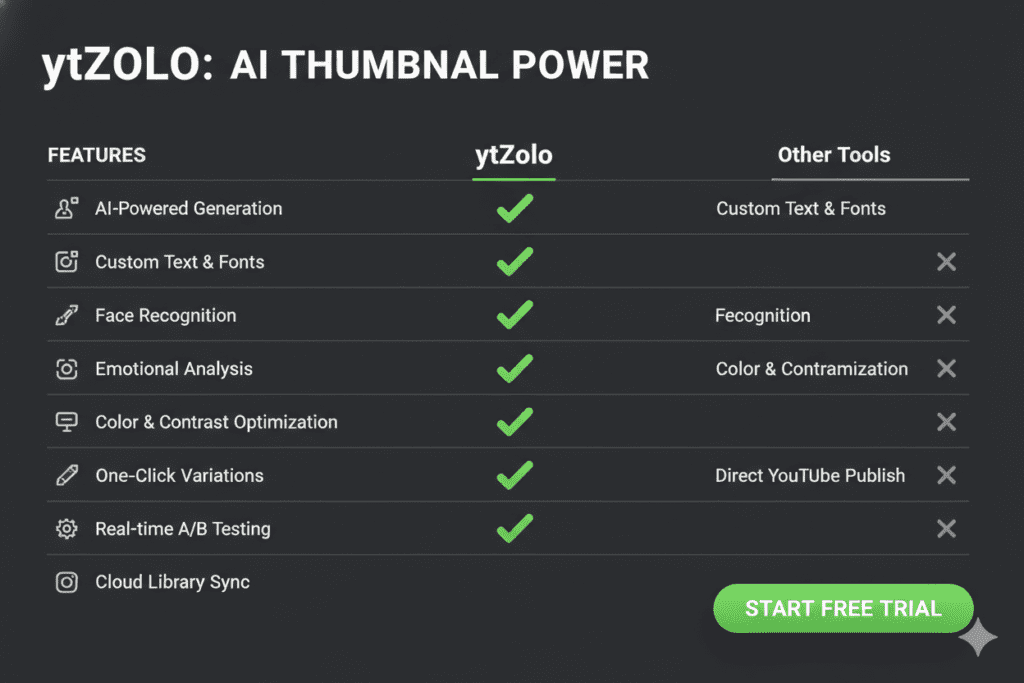
ytZolo vs. Other Tools at a Glance
| Feature | ytZolo | Generic AI Tools | Canva |
|---|---|---|---|
| AI Thumbnail Generation | ✅ Full AI | ⚠️ Limited | ❌ Manual |
| Title + Script AI | ✅ Yes | ❌ No | ❌ No |
| SEO Optimization | ✅ Built-in | ⚠️ Partial | ❌ No |
| All-in-One Dashboard | ✅ Yes | ❌ No | ❌ No |
| Built for Viral Content | ✅ Yes | ⚠️ Generic | ❌ No |
If you want to explore more ways to grow your channel with AI, check out the ytZolo blog for actionable creator guides, case studies, and tutorials built specifically for YouTubers.
7. YouTube Thumbnail AI Mistakes to Avoid
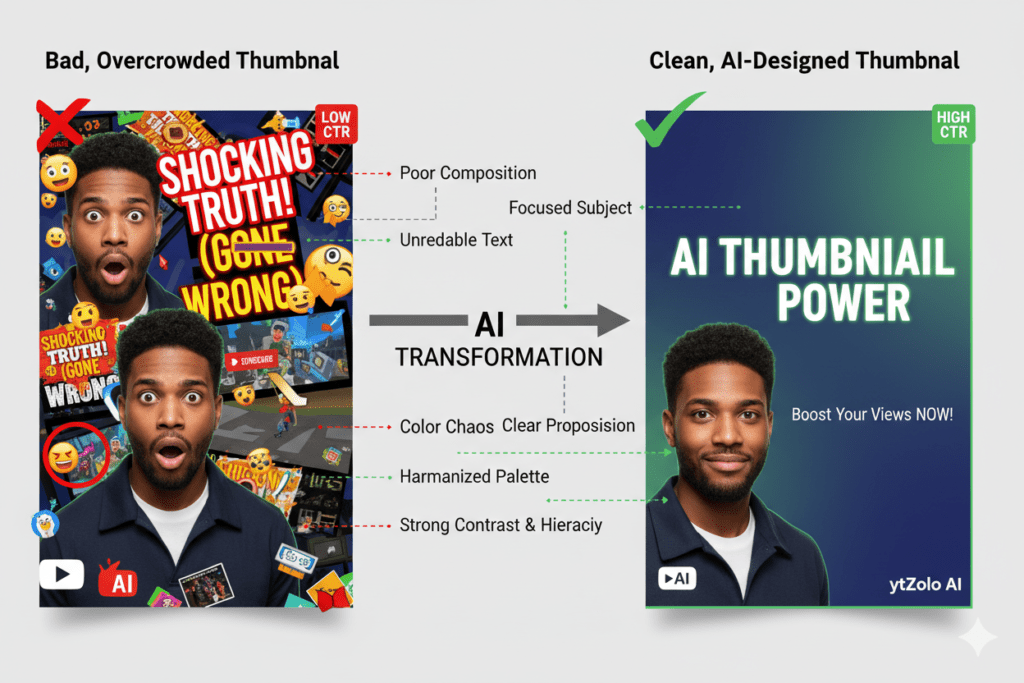
Even with a powerful AI tool in your corner, it’s easy to make mistakes that tank your CTR. Watch out for these common thumbnail pitfalls:
Mistake #1: Clickbait That Doesn’t Deliver A high-CTR thumbnail that misleads viewers creates a devastating feedback loop. Viewers leave early, watch time drops, and YouTube’s algorithm punishes your video. Always make sure your thumbnail matches the content you actually deliver.
Mistake #2: Overcrowding the Design More is not more when it comes to thumbnails. Research shows that thumbnails with more than three distinct visual elements see 23% lower CTR on average. Keep it clean. Keep it focused.
Mistake #3: Ignoring Mobile Viewers If your thumbnail’s text is readable on a desktop but invisible on mobile, you’re losing the majority of your potential audience. Always preview your thumbnail at mobile size before publishing.
Mistake #4: Using the Same Template for Every Video Consistency in branding is great. But using the exact same template — no variation, no creativity — makes your content feel repetitive. Let AI help you stay consistent in style while keeping each thumbnail fresh.
Mistake #5: Never Testing If you’re not A/B testing your thumbnails, you’re flying blind. YouTube Studio’s “Test & Compare” feature is free and incredibly powerful. Use it every time you publish.
8. How to Measure Your Thumbnail Performance
Creating great thumbnails with YouTube thumbnail AI is only half the equation. You also need to track how they’re performing. Here’s what to monitor:
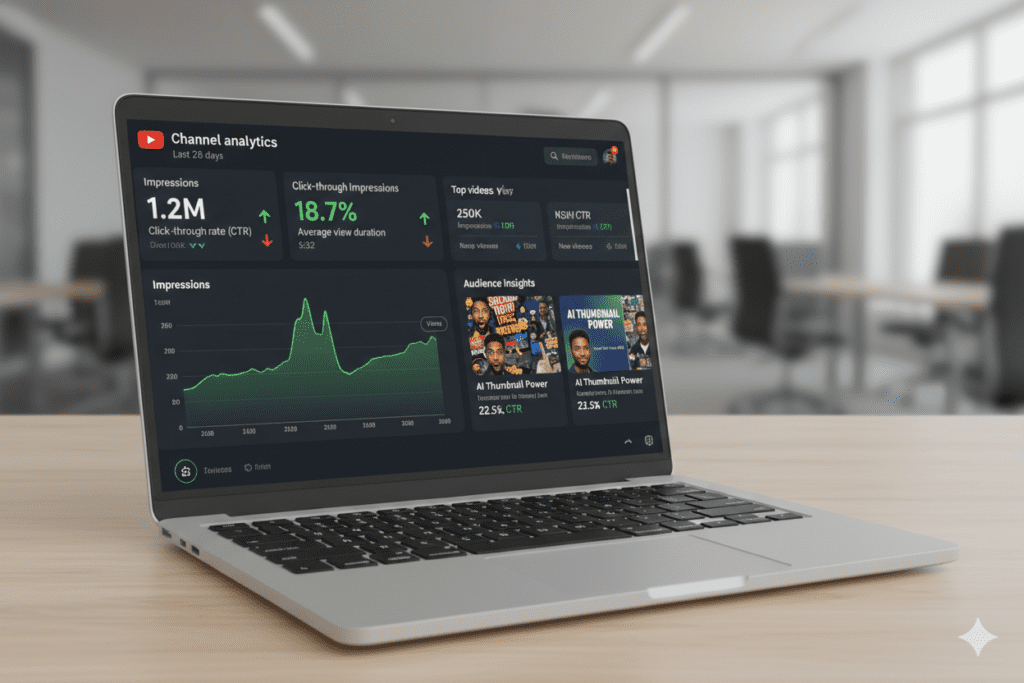
Click-Through Rate (CTR) This is your primary metric. A healthy CTR varies by niche but typically falls between 2–10%. If you’re below 2%, your thumbnail likely needs a redesign. If you’re above 5%, you’re doing well.
Impressions High impressions with low CTR means YouTube is showing your video, but viewers aren’t clicking. That’s a thumbnail problem, not a content problem.
Average View Duration (AVD) This tells you if your thumbnail accurately represents the video. High CTR + low AVD = misleading thumbnail. High CTR + high AVD = perfect alignment between promise and delivery.
Subscriber CTR vs. Non-Subscriber CTR YouTube Studio breaks down who’s clicking. If subscribers click but non-subscribers don’t, your thumbnail may be too niche. If non-subscribers click more, your thumbnail has broad appeal — a great sign for growth.
Track these metrics weekly and use the data to inform your next round of YouTube thumbnail AI prompts. Over time, you’ll build a clear picture of what works for your specific audience.
9. The Future of YouTube Thumbnail AI
The pace of change in AI is staggering — and thumbnail technology is no exception.
Here’s where things are heading:
Hyper-Personalized Thumbnails Future AI systems will serve different thumbnail variations to different viewer segments — showing one design to a 25-year-old gamer and a different one to a 40-year-old parent, even for the same video. YouTube has already begun testing tools along these lines.
Real-Time Thumbnail Optimization AI will analyze live performance data and automatically swap underperforming thumbnails for better-performing variants — all without creator intervention.
Predictive CTR Scoring Before you publish, AI tools will predict your thumbnail’s CTR based on historical data across your niche. ytZolo is already moving in this direction, giving creators data-backed confidence before they hit upload.
Integrated Video-to-Thumbnail Pipelines Upload your raw footage, and AI will identify the most emotionally powerful frame, extract it, design around it, and deliver a publish-ready thumbnail in seconds.
The creators who start building their YouTube thumbnail AI skills now will have a massive head start when these technologies become mainstream. And tools like ytZolo are at the forefront of that evolution.

10. FAQ: YouTube Thumbnail AI
Q1: What is YouTube thumbnail AI and how does it help creators?
YouTube thumbnail AI refers to artificial intelligence tools that automatically generate and optimize thumbnail images for YouTube videos. These tools analyze high-performing content, apply proven design principles like high contrast, emotional faces, and bold text, and create click-worthy thumbnails in minutes. Creators who use AI thumbnails see click-through rate improvements of 20–40% compared to auto-generated screenshots.
Q2: Can AI-generated YouTube thumbnails actually increase my views?
Yes. Studies and platform data consistently show that custom thumbnails dramatically outperform auto-generated ones. AI-generated thumbnails take this further by applying data-driven design principles that maximize CTR. Higher CTR signals to YouTube’s algorithm that your content is engaging, which leads to more impressions and organic views. Tools like ytZolo are specifically built to help creators achieve this kind of growth.
Q3: What size should a YouTube thumbnail be in 2025?
The ideal YouTube thumbnail size in 2025 is 1280×720 pixels with a 16:9 aspect ratio. YouTube also recently increased the file size limit to 50MB, supporting higher-quality images for 4K displays. Your thumbnail should be saved as a JPG or PNG and must be clear and readable at small sizes for mobile viewers.
Q4: Is ytZolo a good tool for creating YouTube thumbnails with AI?
Yes. ytZolo is one of the best all-in-one AI tools for YouTube creators. Beyond just generating thumbnails, it also helps with titles, scripts, descriptions, and tags — making it a complete YouTube growth platform. Its thumbnail AI is designed around viral content creation, meaning every output is optimized for maximum click-through rate.
Q5: How many thumbnail variations should I test for each YouTube video?
Most experts recommend testing two to three thumbnail variations per video. YouTube Studio’s “Test & Compare” feature lets you upload multiple options and collects real performance data from your actual audience. After gathering enough impressions (usually 1,000+), YouTube shows you which thumbnail is winning based on CTR and watch time. Always let data — not gut feeling — make the final call.
Conclusion: Stop Guessing. Start Growing.
Here’s the bottom line.
In 2025, YouTube thumbnail AI is not a luxury. It’s a necessity for any creator who wants to compete, grow, and get their content in front of the people who actually want to watch it.
Manual design is slow, inconsistent, and based on guesswork. AI changes all of that. It brings speed, data, and design expertise to every single video you publish — without you needing to be a graphic designer or spend hours in Photoshop.
And when you pair great thumbnails with AI-powered titles, scripts, descriptions, and tags? That’s when the real magic happens. That’s the compound effect of a complete AI content strategy.
ytZolo gives you all of that in one place. It’s built for creators who are serious about growth and tired of doing everything the hard way. Whether you’re just starting out or scaling a channel with hundreds of thousands of subscribers, ytZolo helps you create smarter, faster, and more viral content — every single time.
If you want to go deeper on YouTube growth strategies, head over to the ytZolo blog for more creator-focused guides, tips, and tutorials. The resources there are some of the most actionable YouTube content out there right now.
Here you can also check all in one ai platform-Aizolo
Your next viral video is waiting. All it needs is the right thumbnail.
Start creating smarter, faster, and more viral YouTube content with ytZolo today.
External Resources:

