

Table of Contents
The Tab-Switching Nightmare Nobody Talks About
It’s 10:47 PM. Rajan is three hours deep into building the pitch deck for his startup’s seed round.
He’s got ChatGPT open in one tab helping him craft the narrative. Claude is in another tab, reviewing the financial assumptions. Gemini is somewhere in the mix too — he thinks — buried under a mountain of browser tabs. And Grok? He opened it earlier to check a trend, then forgot about it entirely.
He pastes the same paragraph into three different chat windows. He re-explains his startup’s context every single time. Each model gives him a slightly different answer, and now he has to manually compare them in a Google Doc he’s been updating since 9 PM.
This is not a productivity story. This is a horror story.
And if you’ve worked seriously with AI in the last two years, you’ve lived some version of it.
The ability to switch between AI models automatically in conversation — without losing context, without tab chaos, without starting over — has quietly become one of the most powerful skills in any modern professional’s toolkit. But most people are doing it completely wrong.
This post is about doing it right.
Why You’re Constantly Switching AI Models (and Why That’s Actually Smart)
Here’s something most beginners don’t realize: no single AI model is the best at everything.
GPT-4 is brilliant for creative ideation, storytelling, and generating polished marketing copy. Claude excels at reasoning through complex problems, summarizing dense documents, and maintaining nuance over long conversations. Gemini has strong real-time knowledge and code analysis capabilities.
“Perplexity is unbeatable for research backed by live web citations, while Grok handles trending social commentary and informal tone better than most. But imagine if you could switch between AI models automatically in conversation — instantly leveraging the strengths of each model without wasting time or losing context.
This approach lets you get research-level accuracy, social insight, and creative output all in one seamless workflow. Teams can maintain focus, speed up decision-making, and produce higher-quality content by letting the right AI model handle the right task automatically.”
The smartest AI users don’t pick one model and stay loyal to it. They switch between AI models automatically in conversation, task by task, letting each model do what it’s genuinely best at.
According to multi-model AI research, professionals who actively compare responses across two or more models report 40–60% better output quality and a 35% faster project completion rate.
“Cross-referencing models also significantly reduces AI hallucinations — a model’s confident-sounding but incorrect output — because inconsistencies surface quickly when you switch between AI models automatically in conversation, allowing you to compare answers side by side without losing context or efficiency.”
So the question isn’t whether you should switch between AI models automatically in conversation. The question is: how do you do it without making your workflow a complete mess?
The Real Problem: Context Doesn’t Travel
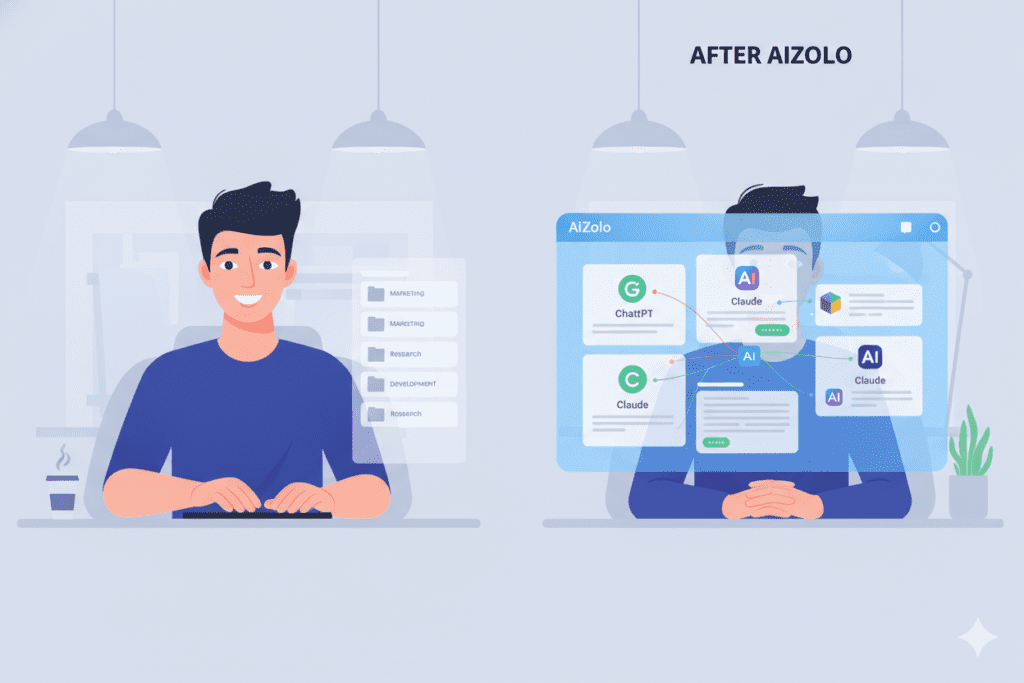
Every time you switch between AI models the old-fashioned way — copying your prompt, opening a new tab, pasting, re-explaining your context — you’re not just wasting time. You’re losing momentum.
Here’s what’s actually happening under the hood:
Each AI model operates within what’s called a context window — essentially, the short-term memory of the conversation.
“When you copy a message from ChatGPT and paste it into Claude, Claude has no idea what led to that message. It doesn’t know your project background. It doesn’t remember the five iterations you already went through. It’s starting cold — unless you can switch between AI models automatically in conversation, keeping full context intact and letting each model pick up exactly where the other left off.”
This is the fundamental friction of trying to switch between AI models automatically in conversation when you’re jumping between isolated platforms. You rebuild context manually, every single time.
“Professionals who use multiple AI platforms without a unified interface spend an estimated 200+ hours annually just re-explaining context they’ve already established — a problem solved when you can switch between AI models automatically in conversation, preserving context and streamlining your workflow.”
That’s five full work weeks — gone.
“And it gets worse for teams. If you’re a developer handing off to a content marketer who’s also using Claude, and your founder is over on ChatGPT — you’ve now got three separate context silos running in parallel with zero continuity. A solution is to switch between AI models automatically in conversation, keeping all team members aligned and preserving context across every model.”
The workflow breaks. Quality suffers. And frustration wins.
What “Switching AI Models Automatically in Conversation” Actually Means
Let’s define the term properly, because a lot of content out there conflates different things.
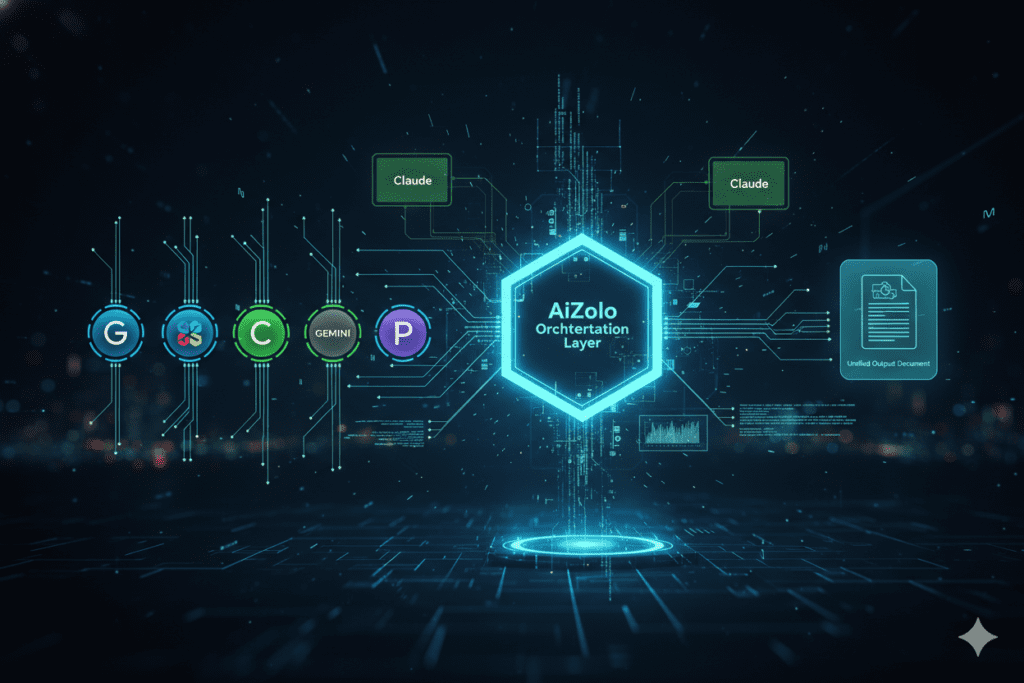
“When we talk about switching between AI models automatically in conversation, we mean one of two things: either seamlessly moving between models within the same chat without losing context, or letting a platform intelligently route prompts to the AI model best suited for each task.”
1. Smart Model Routing: A system that reads your prompt and automatically routes it to the best-suited model — without you manually choosing. Ask a coding question, it goes to the model best at code.
Ask for a persuasive essay, it routes to the model strongest at creative writing. This is sometimes called LLM routing or model cascading.
2. Seamless Manual Switching With Preserved Context: You choose to switch between AI models mid-conversation, but the platform retains your full conversation history and context — so you never have to re-explain yourself.
“Both approaches solve the same core problem: eliminating the friction, confusion, and context loss that come from siloed AI tools — a challenge addressed perfectly when you switch between AI models automatically in conversation, keeping your workflow seamless and consistent.”
“The most advanced users do both — letting smart defaults handle routine routing while manually or intelligently switching between AI models automatically in conversation for tasks that require a specific model’s strengths.”
And this is exactly where Aizolo comes in.
How Aizolo Makes It Effortless to Switch Between AI Models Automatically in Conversation
Aizolo was built for exactly this kind of professional reality. It’s an all-in-one AI workspace that brings ChatGPT, Claude, Gemini, Perplexity, Grok, and more into a single unified dashboard — so you can switch between AI models automatically in conversation without losing a single line of context.
Here’s what makes Aizolo genuinely different:
One dashboard, all models. Instead of 11 browser tabs, you have one workspace. Every model you need is accessible without switching applications, logging into different platforms, or managing multiple subscriptions.
Context that travels with you. Aizolo’s architecture is built to preserve conversation history as you move between models. If you’ve been working with Claude for 20 minutes and want to hand the same task to GPT-4, your context comes with you. No re-explaining. No cold starts.
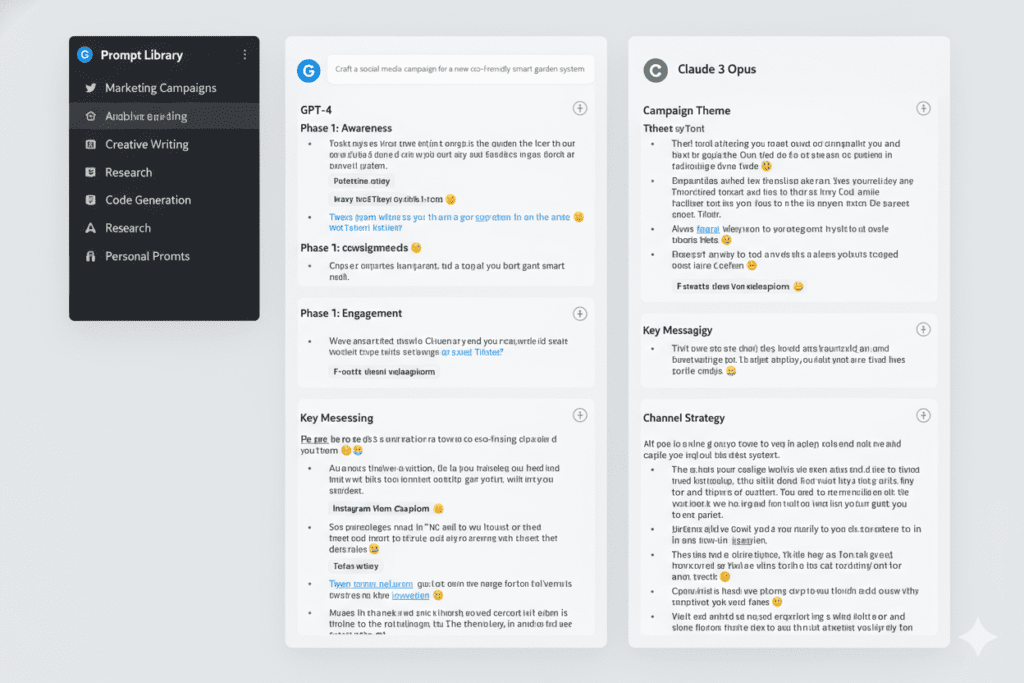
Side-by-side model comparison. Send the same prompt to multiple models simultaneously and compare their responses in a single view.
“This is how professionals catch hallucinations, surface the best answer, and make genuinely informed decisions about which output to use — by switching between AI models automatically in conversation, they can compare results in real time without losing context.”
AI Memory. Aizolo’s memory feature retains your preferences, project details, and conversation patterns across sessions. It learns how you work.
“So when you switch between AI models automatically in conversation, the platform already knows your style, your project context, and your goals, ensuring every model delivers relevant, consistent output without you having to repeat yourself.”
Custom API key support. For developers and power users, Aizolo supports encrypted custom API keys — meaning you can bring your own OpenAI or Anthropic credentials and use them without restrictions, while still enjoying the unified interface.
Smart Prompt Manager. Your best prompts are saved, organized, and instantly retrievable across all models. The prompt you crafted for Claude last Tuesday? Available in your Aizolo library, ready to deploy in any model, any time.
Real-World Use Cases: Who Benefits Most From Switching AI Models Automatically in Conversation
For Founders and Startup Builders
You’re writing your investor memo. GPT-4 helps you nail the narrative arc. Then you switch to Claude to stress-test your financial logic and spot weak assumptions.
Finally, you run it through Perplexity to fact-check market size claims against live sources — all within a single Aizolo session, with full context preserved throughout.
No re-explaining your startup. No rebuilding context. Just smarter outputs, faster.
For Developers
You’re debugging a complex API integration. You use Claude for deep reasoning through the architecture problem, then switch to GPT-4 for quick code generation, then Gemini to review compatibility with a specific framework — all in one place. Aizolo’s unified interface means your codebase context follows you between models, so each model gets the full picture.
For Content Marketers and Copywriters
You need a long-form article researched, outlined, written, and edited. Use Perplexity to gather sources (with citations). Switch to Claude for structure and argument flow.
Bring in GPT-4 for punchy, polished copy. Then run it through Gemini for a final tone check. With Aizolo, this multi-model editorial workflow becomes a single coherent session — not four separate tools with four different contexts.
For Students and Researchers
You’re writing a thesis chapter. You switch between AI models automatically in conversation to get diverse perspectives on complex academic topics, cross-check interpretations, and avoid intellectual echo chambers. Aizolo lets you run multiple AI interpretations side by side so you can synthesize, not just copy.
For Freelancers
You serve clients across different industries. Each client has different brand voices, style guides, and content needs. Aizolo’s AI Memory stores your context per project, so when you switch between AI models automatically in conversation, the right project context is always in play — without you rebuilding it every session.
For SaaS Builders
You’re building a product that itself needs to leverage AI. Using Aizolo to prototype and compare model outputs at the product level — seeing how GPT-4 versus Claude handles your users’ queries — gives you real data to inform your model selection before you commit to an API integration.
The Strategic Framework: How to Switch Between AI Models Automatically in Conversation
Here’s a practical playbook for getting the most out of multi-model switching:
Step 1 — Map your task to model strengths. Before you start, know what each model does best. Claude for analysis and reasoning. GPT-4 for creative and persuasive writing. Gemini for real-time data and code review. Perplexity for research with citations. Grok for informal tone and trending contexts.
Step 2 — Set your context once. Use Aizolo’s AI Memory and Prompt Manager to set your project context once. From that point, every model you switch to already knows the background.
Step 3 — Run parallel comparisons before committing. Don’t default to the first good answer you get. Use Aizolo’s side-by-side comparison to see how different models interpret the same prompt. The best output is almost always visible only in contrast.
Step 4 — Switch mid-conversation when quality stalls. If a model starts looping, hedging too much, or giving generic responses, switch. A fresh model with your preserved context often breaks the deadlock immediately.
Step 5 — Synthesize, don’t just pick. The real power of switching between AI models automatically in conversation is in synthesis — taking the best elements from multiple model responses and combining them into something no single model would have produced alone.
Why Most People Are Still Doing This the Hard Way
The honest truth? Most people haven’t switched to a unified multi-model platform yet because they don’t realize the cost of not doing it.
Tab-switching feels manageable — until you realize you’ve spent 45 minutes rebuilding context across three different platforms. Manual comparison feels thorough — until you notice you’re comparing outputs that were generated with completely different contextual foundations, making the comparison meaningless.
The professionals who have made the shift to platforms like Aizolo — where they can switch between AI models automatically in conversation with full context preservation — describe it the same way every time: “I can’t go back.”
Not because it’s fancy. Because it’s genuinely faster, the outputs are genuinely better, and the cognitive overhead is genuinely lower.
Explore more insights on Aizolo’s blog to see how professionals across industries are building smarter AI workflows — from content creation to technical documentation to SaaS development.
The Cost Argument Nobody Wants to Admit
Here’s another dimension worth addressing directly: most professionals who want to switch between AI models automatically in conversation are paying $20–$30 per AI platform per month.
ChatGPT Pro: $20/month. Claude Pro: $20/month. Gemini Advanced: $20/month. Perplexity Pro: $20/month. Grok: $30/month. That’s $110 per month — just to have access to the models you’re already using.
Aizolo consolidates all of them at $9.90/month. That’s not a rounding error. That’s saving over $1,000 per year while gaining capabilities (side-by-side comparison, AI memory, prompt management) that none of the individual subscriptions offer.
For startups, students, and freelancers where budget discipline matters, this calculus is straightforward. For larger teams, the savings multiply per seat.
Read more expert guides on Aizolo to understand how to build a lean, powerful AI stack without overpaying for fragmented tools.
What the Future of Multi-Model AI Looks Like
We’re in the early innings of what multi-model AI workflows will eventually become. The concept of switching between AI models automatically in conversation is evolving rapidly — from a power-user technique to a fundamental productivity standard.
The next wave of AI tools will feature intelligent model routing that happens invisibly — where the platform reads your intent, selects the optimal model, and switches automatically without friction. We’re already seeing early versions of this in platforms that offer “auto” model selection based on prompt content.
What’s clear is the direction: unified, context-aware, multi-model AI environments are becoming the default for serious AI users. The professionals and teams building on this foundation today — using tools like Aizolo to seamlessly switch between AI models automatically in conversation — will have a compounding advantage over those still toggling between browser tabs in 2026.
Learn from real-world experience at Aizolo — where expert guides, practical breakdowns, and AI workflow strategies are published regularly to help you build smarter, faster.
Conclusion: Stop Switching Manually. Start Switching Intelligently.
Let’s bring this back to Rajan.
He eventually discovered Aizolo. His workflow now looks completely different. He opens one workspace. He sets his project context once. He switches between AI models automatically in conversation — Claude for reasoning, GPT-4 for writing, Perplexity for research — without losing a single thread.
His pitch deck took half the time. The quality doubled. And he did it all without a single accidental tab close taking down an hour of work.
That’s what it looks like when you switch between AI models automatically in conversation the right way. Not frantically. Not manually. Intelligently — with the right platform doing the heavy lifting.
The models are powerful. The strategy is proven. All you need is the right workspace.
Start building smarter with Aizolo — try it free today.
Follow Aizolo for practical tech and startup insights on LinkedIn, Instagram, and X/Twitter.
Suggested Internal Links
- How to Chat with Multiple AI Models: The Complete Guide to Smarter AI Conversations
- Compare Grok 4.1 and Claude 4.5 for Logic Puzzles
- Top 5 All-in-One AI Platforms
- How to Use AI for Generating Technical Product Docs
Suggested External Links
- OpenAI GPT-4 documentation — for reference on GPT-4 capabilities
- Anthropic Claude overview — for Claude’s strengths in reasoning
- Google Gemini — for Gemini’s real-time capabilities
- Perplexity AI — for AI-powered research with citations
- n8n LLM Router tutorial — for developers building automated model-routing workflows

