
Introduction: Your Thumbnail Is Killing Your Channel (Here’s the Fix)
Picture this. You just spent two full days filming, editing, and uploading what you know is your best video ever. But before you hit publish, you realize that learning how to make clickable YouTube thumbnails with AI can make the difference between a video that gets ignored and one that attracts thousands of clicks.
You hit publish. You wait. And then… nothing.
No explosion of views. No flood of subscribers. Just a flat line where your growth was supposed to be.
Sound familiar?
Here’s what most creators never realize: your content isn’t the problem. Your thumbnail is.
The brutal truth? According to YouTube’s Creator Academy, 90% of the best-performing videos on the platform use custom thumbnails. Not auto-generated frames. Not rushed screenshots. Deliberately designed, click-triggering thumbnails built to stop the scroll.
The good news is that in 2026, you don’t need to be a designer. You don’t need Photoshop. You don’t need to spend three hours on a single image. Once you understand how to make clickable YouTube thumbnails with AI, you can create eye-catching thumbnails in minutes without any advanced design skills.
You just need to know how to make clickable YouTube thumbnails with AI — and the right tool to make it happen.
That’s exactly what this guide covers. By the end, you’ll have a step-by-step system for how to make clickable YouTube thumbnails with AI, helping you create thumbnails that actually get clicked while letting AI handle most of the heavy lifting for you.
Let’s get into it.
Table of Contents
Why YouTube Thumbnails Make or Break Your Channel
Think of YouTube as the world’s busiest highway — and your thumbnail is a billboard on the side of the road.
A driver (viewer) flying past at 80 mph has about one second to decide whether to slow down.
If your billboard is dull, cluttered, or unclear — they keep driving. Every single time.
This is why learning how to make clickable YouTube thumbnails with AI is no longer optional for serious creators. It’s survival.
Here’s what the data tells us:
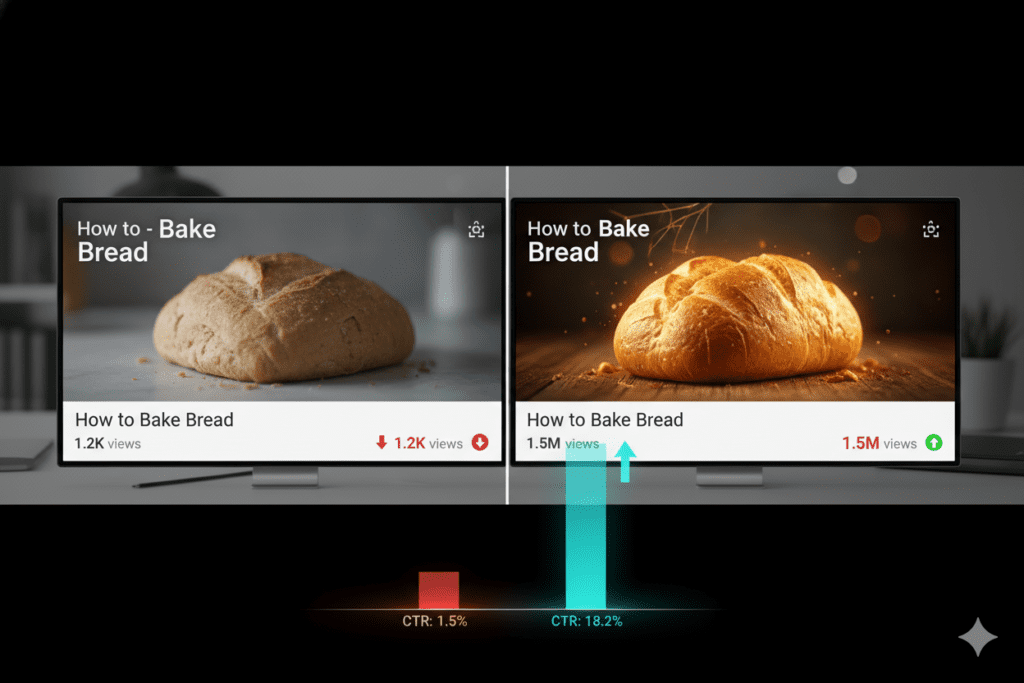
- Videos with custom thumbnails get 60–70% higher click-through rates on average, according to studies by Backlinko.
- A higher CTR signals to YouTube’s algorithm that your content deserves more impressions — which means more organic views.
- More clicks = more watch time = more channel growth. The flywheel spins fast once you get it going.
The creators dominating your niche right now? They’re not guessing what works. They’re learning how to make clickable YouTube thumbnails with AI and using smart tools to design thumbnails engineered specifically for clicks. 🚀
And with tools like ytZolo, this level of professional thumbnail creation is now available to every creator — no design degree required.
What Makes a Thumbnail Actually Clickable
Before you start using AI to make thumbnails, you need to understand the psychology behind clicks.
Great thumbnails don’t happen by accident. Every high-performing one follows a proven formula.
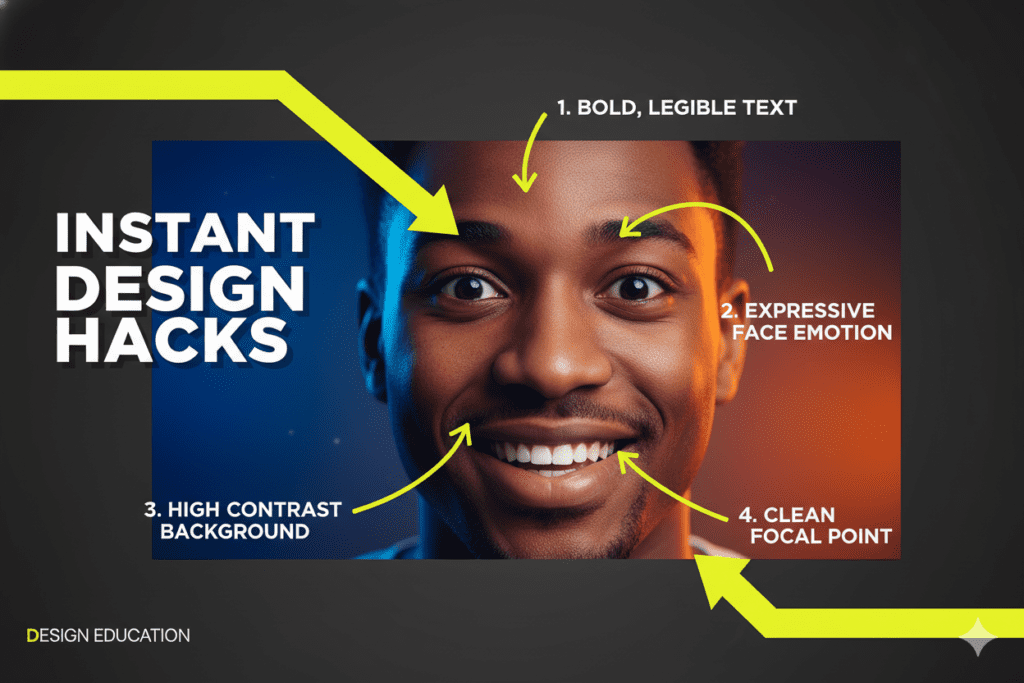
High Contrast Colors
Thumbnails with bright, contrasting colors — bold yellows, deep oranges, electric blues — consistently outperform muted designs. When learning how to make clickable YouTube thumbnails with AI, using these high-contrast colors can significantly increase visibility and attract more clicks from viewers scrolling through YouTube. 🚀
VidIQ’s 2025 design research found that high-contrast thumbnails can increase CTR by 20–30%. That’s not a small number. That’s the difference between a video that gets found and one that doesn’t.
Human Faces with Emotion
Viewers are wired to respond to human emotion. A thumbnail featuring a surprised, excited, or concerned face triggers an instant subconscious reaction. When you understand how to make clickable YouTube thumbnails with AI, you can easily generate expressive visuals that capture attention and encourage viewers to click. 🚀
Thumbnails with expressive faces see dramatically higher CTR than those without. Your face — or someone’s face — is your most powerful design asset. By mastering how to make clickable YouTube thumbnails with AI, you can create thumbnails that highlight these emotions perfectly, boosting clicks and engagement.
Bold, Minimal Text
Three to five words. Maximum. Use power words that create curiosity or urgency:
- “Secret”
- “Finally”
- “Warning”
- “You Won’t Believe”
- “Biggest Mistake”
The text is a hook, not a summary. Tease. Don’t tell.
One Clear Focal Point
The biggest rookie mistake? Cluttered thumbnails with too many elements competing for attention.
Pick one hero element — a face, a product, a dramatic scene — and make it dominate the image.
The Curiosity Gap
The best thumbnails raise a question without answering it. They create a psychological gap between what the viewer knows and what they desperately want to find out. Learning how to make clickable YouTube thumbnails with AI allows you to design thumbnails that spark curiosity and drive more viewers to click on your video.
When you master how to make clickable YouTube thumbnails with AI, the tool handles these elements automatically — applying data-backed design principles so every thumbnail you create has a real shot at going viral.
Why Manual Thumbnail Design Is Holding You Back
Let’s be honest about what manual thumbnail creation actually looks like.
You finish editing your video. You’re exhausted. Then you open Photoshop or Canva, spend 45 minutes hunting for the right image, another 30 minutes fiddling with fonts, and another 20 minutes second-guessing your color choices. If you knew how to make clickable YouTube thumbnails with AI, all of this could be done in minutes, saving you hours while still creating attention-grabbing thumbnails.
That’s nearly two hours per thumbnail. For every video. Every single week.
And after all that? You’re still guessing whether it’ll actually work.
Here’s why manual methods are officially outdated:
They’re slow. Two hours per thumbnail adds up to days of lost time every month — time you could spend filming, building your community, or simply resting. By learning how to make clickable YouTube thumbnails with AI, you can cut this process down to minutes while still creating thumbnails that grab attention and drive clicks.
They’re inconsistent. Without a data-driven system, your thumbnails vary wildly in quality. Some get clicks. Most don’t. And you never really know why. Learning how to make clickable YouTube thumbnails with AI ensures every thumbnail follows proven design principles, giving your videos a much higher chance of consistently attracting viewers.
They’re based on gut feeling, not data. You think something looks good, but your audience may think something completely different. There’s no feedback loop. When you learn how to make clickable YouTube thumbnails with AI, the process becomes data-driven, letting you create thumbnails that truly resonate with viewers and drive more clicks.
They don’t scale. The more you grow, the more content you produce. Manual design doesn’t grow with you.
This is exactly why creators are flocking to AI-powered thumbnail tools — and specifically to ytZolo, which eliminates all these problems at once.
Manual thumbnail design isn’t just inefficient. In 2026, it’s a competitive disadvantage.

How to Make Clickable YouTube Thumbnails with AI (Step-by-Step)
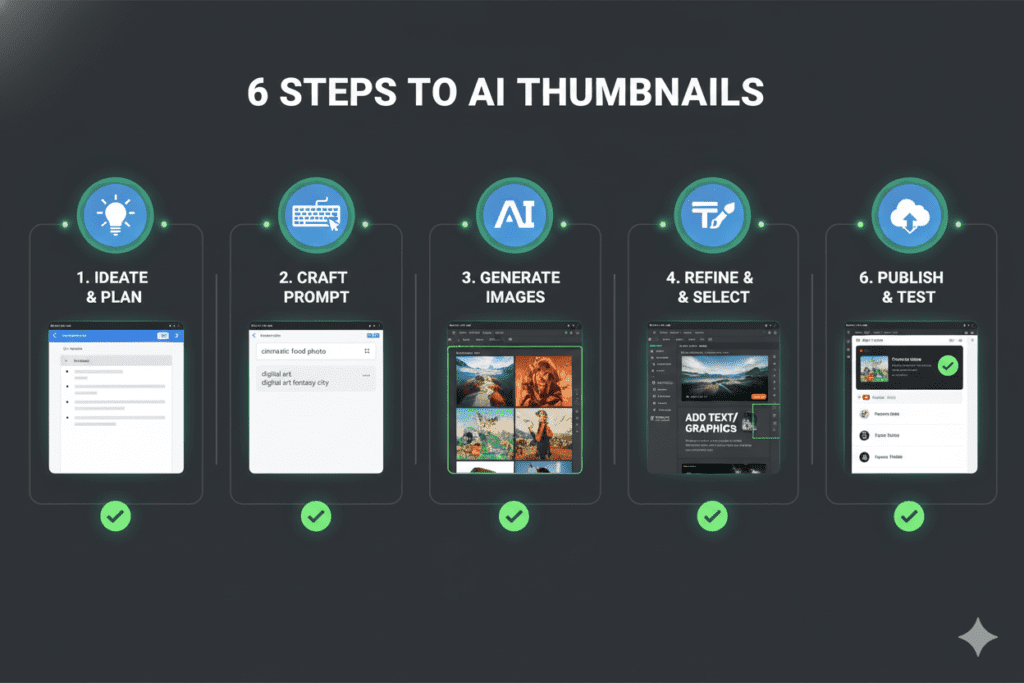
Ready to see exactly how to make clickable YouTube thumbnails with AI? Here’s the full process — no design skills needed.
Step 1: Go to ytZolo
Head over to ytzolo.com and create your free account. The setup takes under two minutes.
Step 2: Enter Your Video Topic or Title
Type in your video title, or paste a short description of what your video is about. The more specific you are, the better your results. This is a key step in how to make clickable YouTube thumbnails with AI, as clear input helps the AI generate thumbnails that perfectly match your content and attract more clicks.
For example: “How I Lost 30 Pounds Without Going to the Gym” will produce a far more targeted thumbnail than just “weight loss tips.”
Step 3: Let ytZolo’s AI Analyze and Generate
Hit generate. ytZolo’s AI engine goes to work:
- Analyzes your topic and target audience
- Applies proven high-CTR design principles
- Selects optimal color schemes, layouts, and font styles
- Incorporates emotional triggers and curiosity gaps
- Produces multiple thumbnail variations for A/B testing
All of this happens in seconds. Not hours.
Step 4: Review and Customize
Look through your generated thumbnails. Pick the one that resonates most with your brand.
You can tweak colors, swap text, or adjust the layout directly inside ytZolo’s editor. It’s flexible — you stay in control.
Step 5: Download and Upload to YouTube Studio
Download your thumbnail in the correct YouTube specs: 1280×720 pixels, JPG or PNG, under 2MB.
Upload it in YouTube Studio before publishing your video. Done.
Step 6: A/B Test for Maximum CTR
Here’s where the pros separate from the amateurs. Upload two to three thumbnail variations and use YouTube Studio’s Test & Compare feature to let real audience data determine the winner.
After around 1,000 impressions, YouTube will show you which thumbnail is driving more clicks. Always let data — not guesswork — make the final call. Understanding how to make clickable YouTube thumbnails with AI helps you create multiple thumbnail variations upfront, so you can test and optimize for maximum engagement.
With ytZolo, generating multiple variations takes seconds. With manual design, it takes hours. That difference compounds into thousands of extra views over time. By mastering how to make clickable YouTube thumbnails with AI, you can produce attention-grabbing thumbnails in minutes and consistently boost your video’s performance.
Why ytZolo Is the Best AI Tool for YouTube Thumbnails
There are a lot of tools claiming to help with thumbnails. But ytZolo is in a different category entirely.
Here’s what makes it stand out.
It’s Built for Viral Content Creation
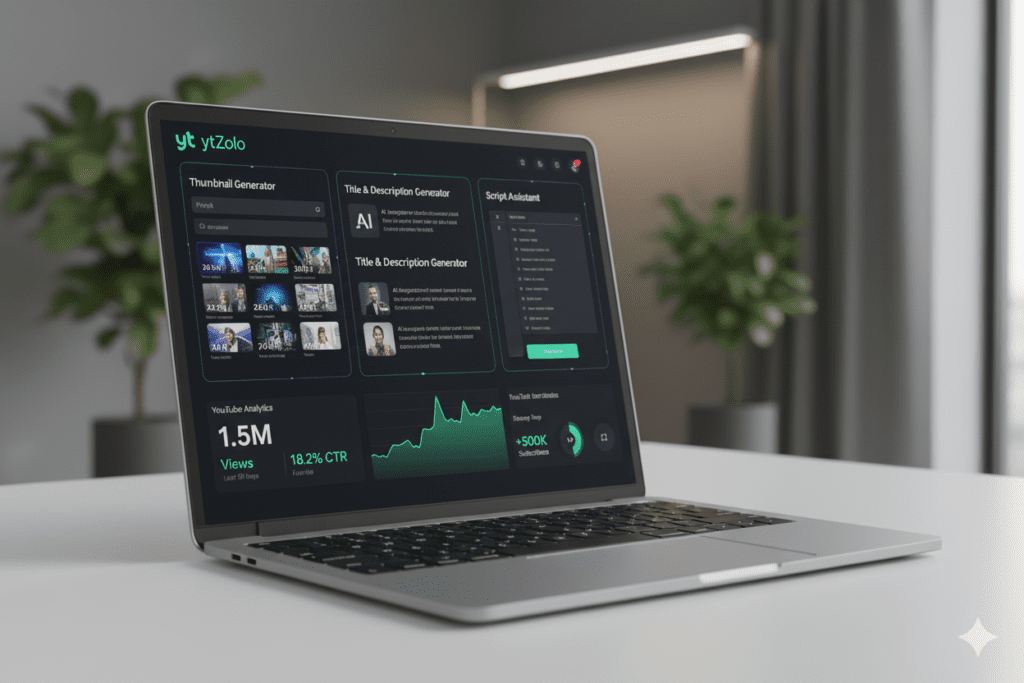
ytZolo isn’t a generic AI image generator. It’s specifically engineered for YouTube growth. Every design decision in the tool — from its color suggestions to its layout templates — is built around what actually drives clicks on YouTube.
When you use ytZolo to learn how to make clickable YouTube thumbnails with AI, you’re not just generating pretty images. You’re applying data-backed design science that maximizes clicks and viewer engagement.
It’s an All-in-One YouTube Growth Platform
Most thumbnail tools only do thumbnails. ytZolo does everything.
With ytZolo, you can generate:
- AI-powered video titles optimized for CTR and SEO
- Video scripts built for audience retention
- YouTube descriptions packed with semantic keywords
- Tags and hashtags that boost discoverability
- Thumbnails that stop the scroll and drive clicks
Everything works together as a unified package. Because a great thumbnail won’t save a weak title — and a killer title can’t compensate for a thumbnail no one clicks on.
ytZolo puts the full system in one place. That’s the advantage.
It Saves You Hours Every Week
The average creator spends 3–5 hours per video on optimization tasks: writing titles, finding tags, crafting descriptions, designing thumbnails.
With ytZolo, this entire workflow collapses into minutes. You get professional-quality outputs powered by AI, without the manual grind.
That’s time you can reinvest into making better content, filming more consistently, or growing your community.
It’s Built for Every Creator Level
Whether you have 50 subscribers or 500,000, ytZolo’s tools are designed to scale with you.
Starting out? ytZolo gives you instant professional quality so you compete with bigger channels from day one.
Already established? ytZolo helps you optimize every video at scale, so you never leave growth on the table.
Check out the ytZolo blog for in-depth strategies on maximizing every tool in the platform.
Why ytZolo Is Better Than Other Tools
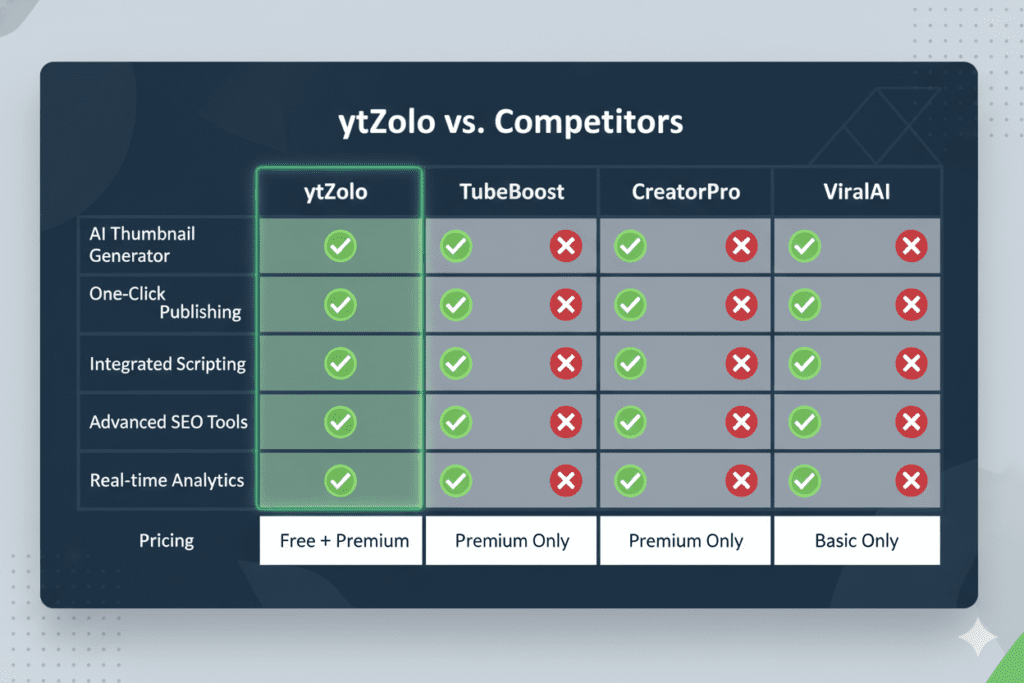
Let’s put ytZolo head-to-head with the other options on the market.
ytZolo vs. Canva
Canva is a great general-purpose design tool. But it’s not built for YouTube-specific performance. You’re still guessing at design choices and spending time dragging and dropping elements manually.
ytZolo removes the guesswork entirely. It applies YouTube-specific design intelligence automatically — so you don’t need to know design principles to get professional results.
Winner: ytZolo. Faster, smarter, and purpose-built for YouTube.
ytZolo vs. TubeBuddy / VidIQ
TubeBuddy and VidIQ are excellent analytics platforms. They give you great data. But they’re analytics-first tools with some design features bolted on.
ytZolo is a growth-first AI platform built from the ground up to help creators make content that reaches more people. When other tools show you data, ytZolo takes action.
Winner: ytZolo. Analytics are valuable — but action drives growth.
ytZolo vs. Generic AI Image Generators (Midjourney, DALL-E)
Generic AI image generators can produce stunning visuals. But they don’t know what performs on YouTube. They don’t understand CTR psychology, thumbnail composition, or what your specific audience responds to.
ytZolo is trained on YouTube-specific performance data. Every output is optimized for maximum click-through rate in your niche.
Winner: ytZolo. Beautiful images are useless if nobody clicks on them.
ytZolo vs. Hiring a Freelance Designer
A professional thumbnail designer costs $10–$50 per thumbnail. For a creator publishing twice a week, that’s $1,000–$5,000 per year — just on thumbnails.
ytZolo delivers professional-quality results at a fraction of the cost, available 24/7, with unlimited iterations.
Winner: ytZolo. Same quality. No invoices. No waiting.
| Feature | ytZolo | Canva | TubeBuddy | Freelancer |
|---|---|---|---|---|
| AI Thumbnail Generation | ✅ | ❌ | ❌ | ✅ |
| YouTube-Optimized Design | ✅ | ❌ | ❌ | Varies |
| Titles + Scripts + Tags | ✅ | ❌ | Partial | ❌ |
| Speed (seconds) | ✅ | ❌ | N/A | ❌ |
| Cost-Effective | ✅ | Partial | Partial | ❌ |
| Built for Virality | ✅ | ❌ | ❌ | Varies |
Real Results: What Happens When You Use AI for Thumbnails
You might be wondering — does this actually work? Or is it just another marketing promise?
Let’s look at what the data says.
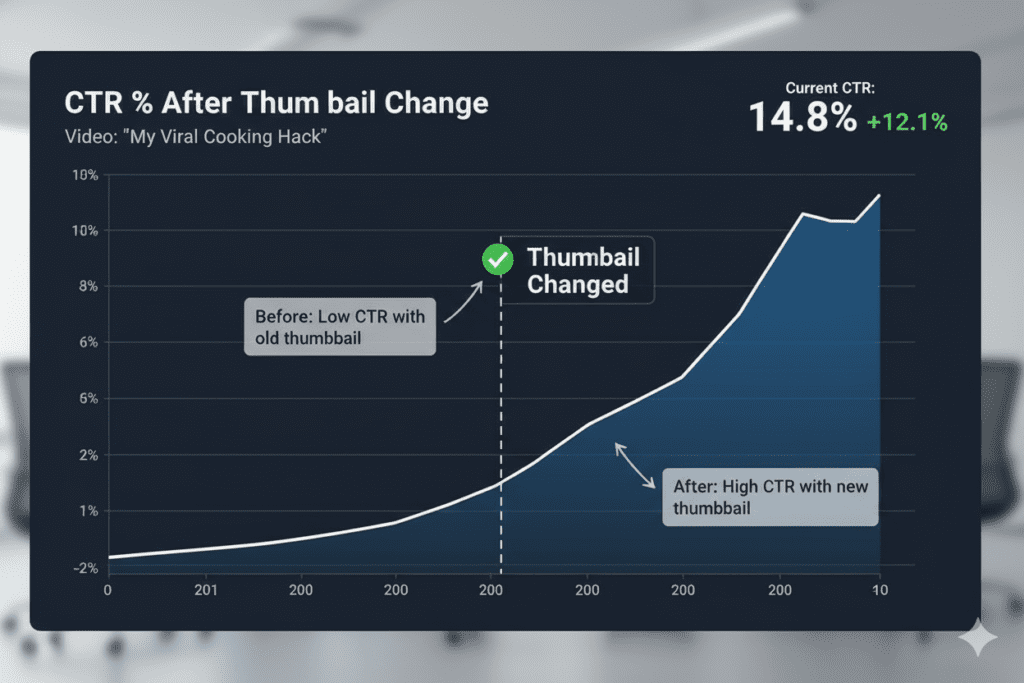
Research consistently shows that AI-generated thumbnails can increase click-through rates by 20–40% compared to auto-generated video stills. That’s not a marginal improvement. That’s a fundamental shift in how your content performs.
Think about what that means in practice:
- A channel with 10,000 monthly impressions at 3% CTR gets 300 clicks.
- Boost that CTR to 5% with AI-optimized thumbnails, and you’re getting 500 clicks — same impressions, 67% more views.
- Scale that across 50 videos, and we’re talking about tens of thousands of extra views per month.
And those extra views compound. More clicks tell the algorithm your content is engaging. More impressions follow. More subscribers convert. Your channel grows faster.
The math is simple. The execution — with ytZolo — is even simpler.
YouTube itself acknowledges this. As noted by the YouTube Creator Academy, custom thumbnails are one of the most consistent factors separating high-performing videos from low-performing ones.
Every day you spend publishing videos with weak thumbnails is a day your competitors are pulling further ahead with AI-powered ones.
Pro Tips to Maximize Your Thumbnail CTR
Knowing how to make clickable YouTube thumbnails with AI is just the beginning. Here are advanced strategies to push your CTR even higher.
Test Multiple Variations Every Time
Never publish with just one thumbnail. Generate two to three variations with ytZolo and A/B test them through YouTube Studio. Let real viewer data decide the winner after 1,000+ impressions.
Optimize for Mobile First
Over 70% of YouTube watch time happens on mobile devices. Your thumbnail needs to be readable on a 5-inch screen. Bold text, high contrast, and a single focal point are non-negotiable for mobile visibility.
Build a Consistent Brand Identity
Top creators — MrBeast, MKBHD, Ali Abdaal — all have instantly recognizable thumbnail styles. Consistent colors, fonts, and layouts build viewer recognition over time.
With ytZolo, you can maintain consistent brand standards across every thumbnail while still keeping designs fresh and engaging.
Match Your Thumbnail to Your Title
Your title and thumbnail work as a pair. They should tell the same story from two different angles. The thumbnail creates visual curiosity; the title confirms the promise. When they align perfectly, CTR skyrockets.
Use the Curiosity Gap Strategically
Show the result, not the process. Show the reaction, not the cause. Show the “after,” not the “before.” Make viewers feel like they need to click to complete the story.
This is a psychological principle that ytZolo’s AI applies automatically when you generate thumbnails with a strong title input.
Keep Refreshing Low-Performing Thumbnails
A video with poor CTR isn’t necessarily dead. Sometimes all it needs is a better thumbnail.
Use ytZolo to generate a new thumbnail for any underperforming video and swap it out in YouTube Studio. Many creators have revived months-old videos with a single thumbnail refresh — sending them back into the algorithm’s recommendation engine.
FAQ: How to Make Clickable YouTube Thumbnails with AI
Q1: What is the best AI tool for making clickable YouTube thumbnails?
ytZolo is the best AI tool for making clickable YouTube thumbnails in 2026. Unlike generic image generators, ytZolo is purpose-built for YouTube growth. It applies data-driven design principles specific to YouTube CTR psychology, produces multiple variations for A/B testing, and integrates thumbnail creation with titles, scripts, descriptions, and tags — making it a complete YouTube growth platform, not just a thumbnail maker.
Q2: What size should a YouTube thumbnail be?
The ideal YouTube thumbnail size is 1280×720 pixels with a 16:9 aspect ratio. Save your thumbnail as a JPG or PNG file. The file size should be under 2MB (YouTube supports up to 50MB, but smaller files load faster). Your thumbnail must remain clear and readable at small sizes for mobile viewers — which is why bold, high-contrast designs perform best.
Q3: How many words should I put on a YouTube thumbnail?
Keep thumbnail text to 3–5 words maximum. Shorter is almost always better. Use bold, easy-to-read fonts with high contrast against the background. Choose power words that create curiosity, urgency, or emotional intrigue. Remember — the text is a hook, not a caption. It should make viewers desperately want to click, not summarize what’s in the video.
Q4: Do AI thumbnails actually increase CTR on YouTube?
Yes — significantly. Research shows that AI-generated, data-optimized thumbnails can increase click-through rates by 20–40% compared to auto-generated stills. Custom thumbnails consistently outperform auto-frames, and AI takes this further by applying CTR-maximizing design principles automatically. Tools like ytZolo are specifically engineered to drive this kind of performance for YouTube creators.
Q5: How often should I update my YouTube thumbnails?
Review underperforming video thumbnails every 30–60 days. If a video has a CTR below 2–3% (depending on your niche), a new thumbnail can often revive its performance. Always A/B test new designs against the original by uploading multiple versions to YouTube Studio’s Test & Compare feature. Use ytZolo to generate fresh variations in seconds without spending hours redesigning from scratch.
Conclusion: Stop Leaving Views on the Table
Here’s the truth that separates growing channels from stagnant ones.
It’s not always the quality of the content. It’s the quality of the first impression.
Your thumbnail is the first thing a potential viewer sees. It’s the split-second decision that determines whether they click your video or someone else’s. And in 2026, with hundreds of hours of content uploaded to YouTube every single minute, that decision happens faster than ever.
Knowing how to make clickable YouTube thumbnails with AI isn’t a nice-to-have skill anymore. It’s the foundation of a serious content strategy.
The old way — hours in Photoshop, guessing at design choices, crossing your fingers, and hoping for clicks — is over. It was never efficient. And now, with AI, it’s completely unnecessary.
ytZolo gives you everything you need to create thumbnails that drive real clicks, build channel authority, and trigger the algorithm to push your content to more people. Combined with AI-generated titles, scripts, descriptions, and tags, it’s the most complete YouTube growth platform available for creators at any level.
Every video you publish deserves a thumbnail that fights for its place in the feed.
Every click you don’t get is a viewer your competitor is earning instead.
The tools exist. The strategy is clear. The only question is: are you ready to use them?
🚀 Start creating smarter, faster, and more viral YouTube content with ytZolo today.
Related Reading
- How to Write YouTube Titles That Get Clicked — ytZolo Blog
- The Complete Guide to YouTube SEO in 2026 — YouTube Creator Academy
- YouTube Thumbnail Best Practices — YouTube Creator Blog
You can also check all in one ai tool – Aizolo

