
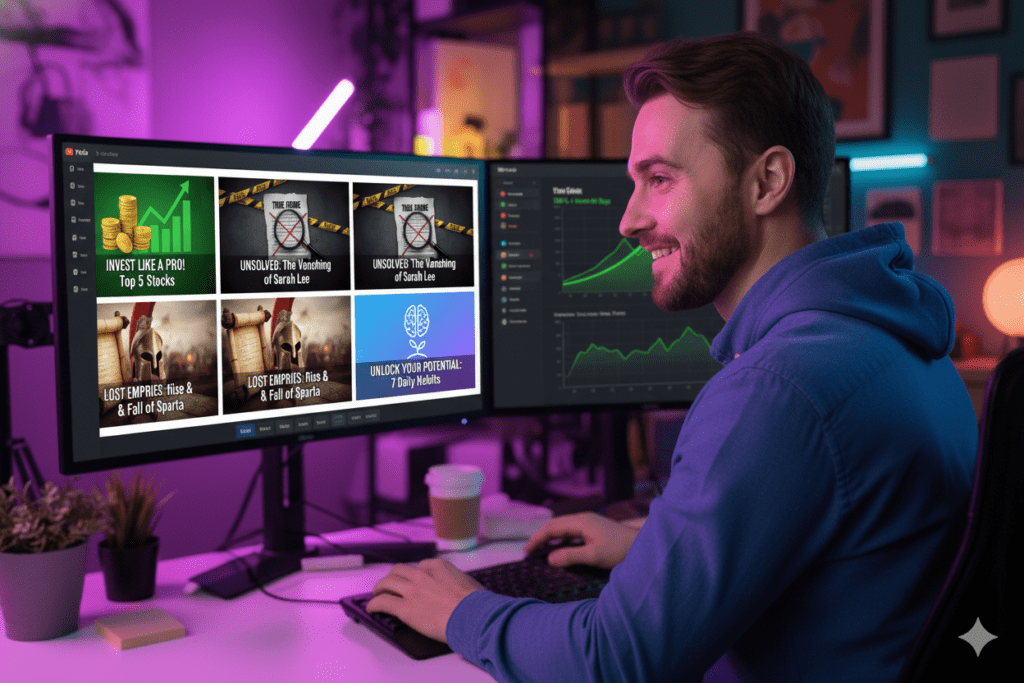
Introduction: The Thumbnail That Changed Everything
Imagine this. You just spent three days filming and editing your best video ever.
The content is gold. The audio is crisp. You’re genuinely proud of it.
You hit publish… and it gets 200 views.
Meanwhile, a video with half the production quality from a creator in the same niche? It’s sitting at 80,000 views. What’s the difference? Often, it comes down to visuals and thumbnails, which is why many creators start learning how to create YouTube thumbnails using AI to design more clickable images that attract viewers and boost video performance.
Nine times out of ten — it’s the thumbnail.
Here’s the truth most creators discover too late: your thumbnail is the single most important factor in whether someone clicks your video. It doesn’t matter how great your content is if nobody clicks to watch it.
The good news? Learning how to create YouTube thumbnails using AI has completely changed the game for creators at every level, making it easier than ever to design eye-catching thumbnails that attract clicks and improve video performance.
You no longer need to be a graphic designer. You no longer need to spend two hours in Adobe Photoshop every upload day. Once you understand how to create YouTube thumbnails using AI, the entire process becomes faster and much easier for creators.
With the right AI tool — specifically ytZolo — you can create high-converting, niche-optimized, scroll-stopping YouTube thumbnails in under five minutes.
This guide is going to show you exactly how.
Table of Contents
Why Your YouTube Thumbnail Is Your #1 Growth Lever
Let’s talk numbers for a second.
According to YouTube’s Creator Academy, 90% of the best-performing videos on YouTube use custom thumbnails. That’s not a coincidence. That’s a strategy used by every top creator who understands how the platform works.
Your thumbnail does two things simultaneously. It convinces a potential viewer to click. And it sets the expectation for what they’re about to watch. That’s why many creators start learning how to create YouTube thumbnails using AI, so they can design visuals that instantly attract attention while clearly communicating the video’s value.
Get both of those right, and your click-through rate (CTR) shoots up. A healthy CTR in most niches sits between 4% and 10%. Top creators often see 8–12% and above. That’s one reason many creators are now learning how to create YouTube thumbnails using AI, because smarter thumbnail design can significantly improve CTR and overall video performance.
When your CTR goes up, YouTube notices. The algorithm reads a high CTR as a signal that people want to watch your content. So it pushes your video to more people. More impressions. More clicks. More views. That’s why many creators are now focusing on how to create YouTube thumbnails using AI, because better thumbnails can directly influence CTR and help videos reach a much larger audience.
That flywheel effect starts with one thing: a thumbnail that earns the click.
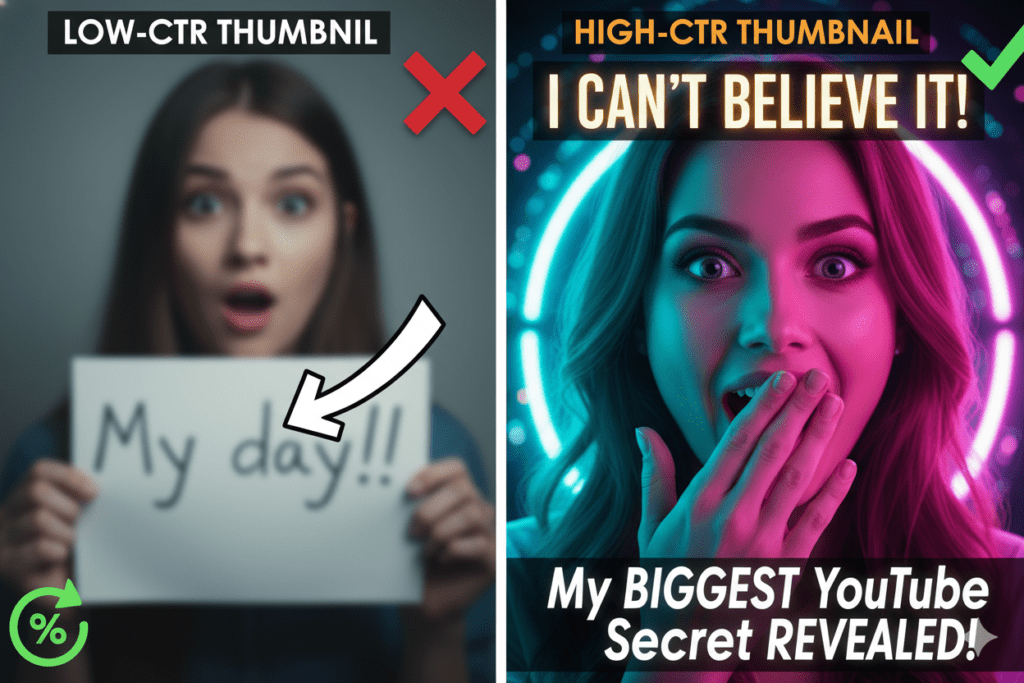
Research from VidIQ shows that thumbnails featuring faces with strong emotional expressions can increase CTR by 20–30%. Add bold contrast, clear text, and niche-aligned visuals — and you’re looking at a thumbnail that’s engineered to go viral.
The challenge? Creating thumbnails like that used to take hours. Now, learning how to create YouTube thumbnails using AI makes the whole process take minutes, allowing creators to produce high-quality, click-worthy thumbnails much faster.
Why Manual Thumbnail Creation Is Holding You Back
Most creators go through the same painful cycle.
They open Canva, scroll through templates, pick one that looks okay, struggle with fonts, try to remove a background, give up, and end up with something that looks “fine.” That’s why many creators start learning how to create YouTube thumbnails using AI, so they can generate stronger, more clickable designs without spending hours tweaking templates.
Fine doesn’t get clicks.
Manual thumbnail creation has three massive problems:
- It’s slow. A proper thumbnail in Photoshop or Canva can take 1–2 hours. Multiply that by four uploads a week and you’re losing 8 hours every single week — just on thumbnails.
- It’s guesswork. Without data on what works in your specific niche, you’re designing based on aesthetics, not performance.
- It doesn’t scale. As your channel grows and your upload frequency increases, manual methods become completely unsustainable.
Professional thumbnail designers charge between $10 and $50 per thumbnail. For a creator uploading four times a week, that’s up to $800 a month — just for thumbnails.
This is exactly why creators who figure out how to create YouTube thumbnails using AI don’t go back. The time savings, the data-backed designs, and the quality output are simply impossible to beat manually.
The AI revolution in thumbnail creation isn’t coming. It’s already here. And creators who adopt it now are building a massive competitive advantage over those still wrestling with Canva templates.

What Makes a High-CTR YouTube Thumbnail in 2026
Before you start generating AI thumbnails, you need to understand what actually drives clicks. Here’s what the data shows:
Bold, high-contrast colors matter. Thumbnails with bright colors like yellow, orange, and red can boost CTR by 20–30%. Your thumbnail needs to stand out against YouTube’s interface, which is dominated by white and grey.
That’s why many creators are learning how to create YouTube thumbnails using AI, because AI tools can quickly generate bold, high-contrast visuals designed to grab attention in crowded feeds.
Expressive Human Faces Faces with visible, genuine emotion — surprise, excitement, fear, joy — create instant emotional connection. Viewers are wired to respond to facial expressions. This is one of the highest-impact elements you can include.
Short, Punchy Text (3–5 words max) Text on a thumbnail should tease, not explain. “I Lost Everything” is better than “How I Failed at My Business.” Keep it short, bold, and readable on a phone screen.
Clear Focal Point Every great thumbnail has one thing your eye lands on first. One face, one object, one dramatic scene. Too many elements create visual noise that the brain skips past.
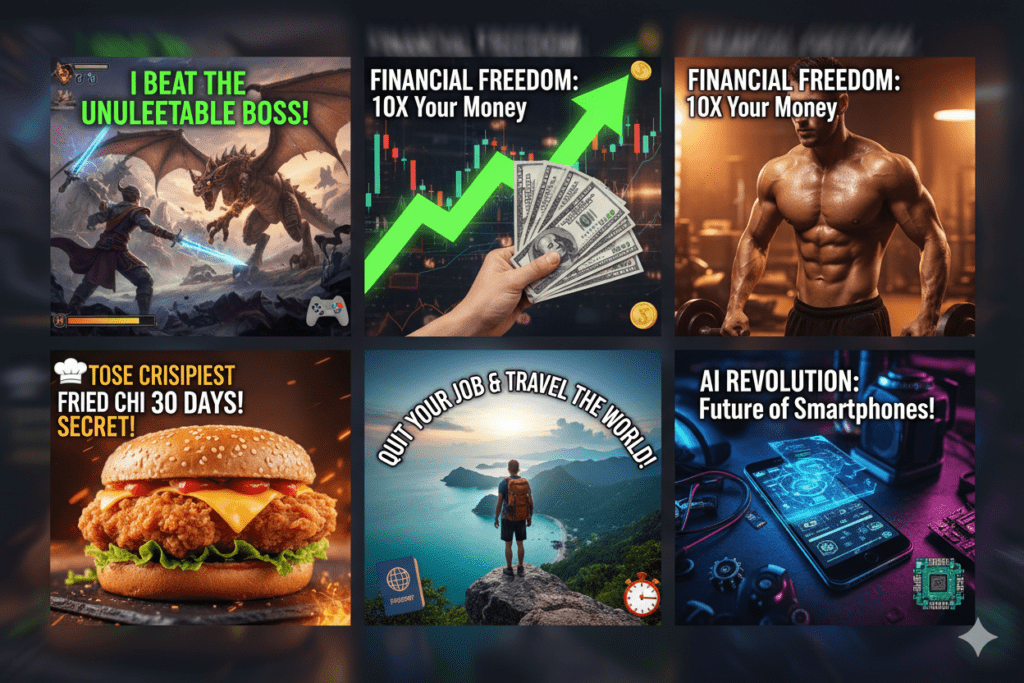
Niche-Specific Visual Language A gaming thumbnail looks completely different from a finance thumbnail. A cooking thumbnail has a different vibe than a fitness one. AI tools trained on viral data understand this — and create visuals that fit your niche’s visual grammar.
Mobile Optimization Most YouTube views happen on mobile. Your thumbnail must be legible and impactful at thumbnail size on a phone screen. Small text and subtle details are invisible to mobile viewers.
When you learn how to create YouTube thumbnails using AI, the best tools handle all of this automatically. You input your topic, and the AI applies niche intelligence, color psychology, and CTR-optimized design principles without you lifting a finger.
How to Create YouTube Thumbnails Using AI: Step-by-Step
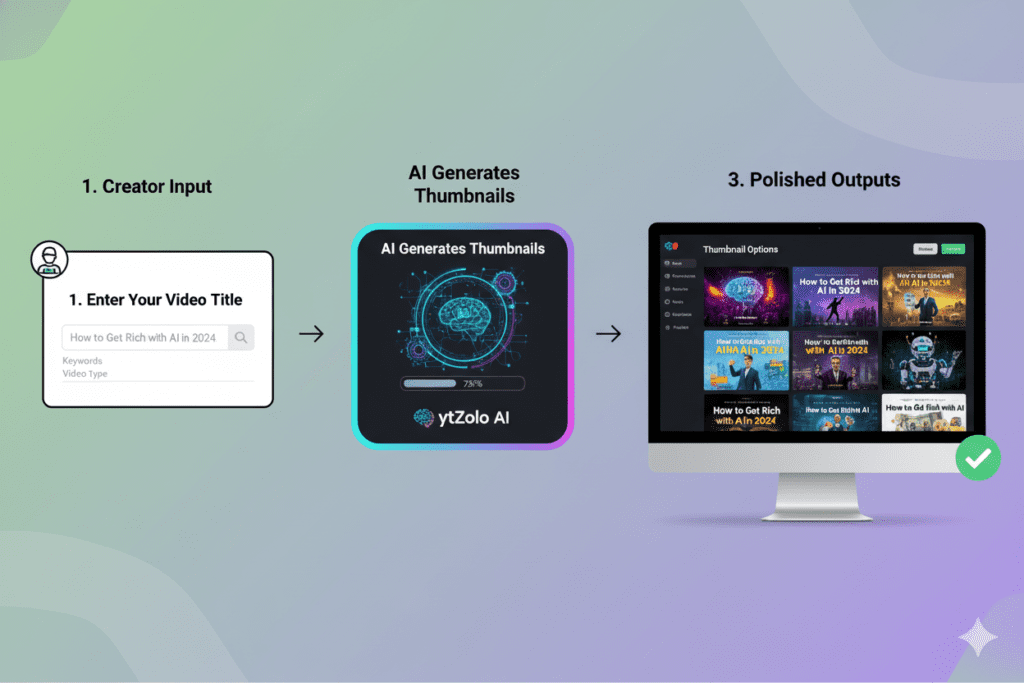
Here’s the exact process to go from idea to a finished, publish-ready thumbnail using AI. This step-by-step approach shows how to create YouTube thumbnails using AI, and it’s the same method thousands of creators use every single day to produce high-quality thumbnails quickly.
Step 1: Define Your Video’s Core Hook
Before you generate anything, get clear on one thing: what is the single most click-worthy element of this video?
Is it a surprising result? A dramatic transformation? A controversial opinion? A listicle with a big number?
Your hook drives your thumbnail concept. Write it down in one sentence.
Step 2: Head to ytZolo
Go to ytzolo.com and log into your account. If you don’t have one yet, creating a free account takes under two minutes.
ytZolo is built specifically for YouTube creators. Unlike generic AI image tools, it understands the platform, understands your niche, and understands what drives clicks. That’s why many creators learning how to create YouTube thumbnails using AI turn to tools like ytZolo that are designed specifically for YouTube growth.
Step 3: Enter Your Video Title or Topic
Type in your video title or a brief description of your content. The more specific you are, the more targeted your thumbnail will be. This is one of the first steps when learning how to create YouTube thumbnails using AI, because the AI uses your title or topic to generate visuals that match your video perfectly.
For example: “I tried 30 days of cold showers — here’s what happened” gives the AI far more to work with than “cold shower challenge.”
Step 4: Select Your Thumbnail Style
ytZolo gives you style options tailored to your niche and content type:
- Bold Text-Heavy — for listicles, tutorials, and opinion content
- Face-Focused — for vlogs, challenges, and personal stories
- Dramatic Scene — for comparisons, transformations, and high-stakes content
- Minimal Clean — for educational, tech, and professional channels
Pick the style that matches your channel’s brand and content type.
Step 5: Let the AI Generate Your Thumbnails
Hit generate. In seconds, ytZolo’s AI engine produces multiple thumbnail options — each one built on CTR data from millions of high-performing videos in your niche. This is exactly why creators are learning how to create YouTube thumbnails using AI, because tools like ytZolo can instantly generate data-driven thumbnails designed to attract clicks.
You’re not getting random pretty images. You’re getting conversion-optimized visuals designed to make people click.
Step 6: Customize and Finalize
Want to tweak a color, adjust the text, or swap a visual element? ytZolo’s built-in editor lets you make quick changes without starting from scratch. This flexibility is one of the reasons many creators are learning how to create YouTube thumbnails using AI, because it allows them to generate and refine thumbnails quickly while maintaining a professional look.
Pro tip: Use ytZolo’s AI title generator at the same time. Your thumbnail and title work as a team. When both are optimized to complement each other, your CTR jumps significantly.
This strategy becomes even more powerful once you understand how to create YouTube thumbnails using AI, because the right thumbnail paired with a strong title dramatically increases the chances of getting more clicks.
Step 7: Download and Upload
Download your finished thumbnail at the correct YouTube spec — 1280×720 pixels with a 16:9 ratio — and upload it directly through YouTube Studio. This is the final step when learning how to create YouTube thumbnails using AI, allowing you to publish a fully optimized thumbnail ready to attract clicks.
Then use YouTube’s built-in A/B testing feature to test two or three variations and let data pick the winner.
That’s it. What used to take two hours now takes five minutes. That’s the power of learning how to create YouTube thumbnails using AI with the right tool.
Why ytZolo Is the Best AI Tool for YouTube Thumbnails
There are a lot of AI tools out there. Most of them weren’t built for YouTube creators.
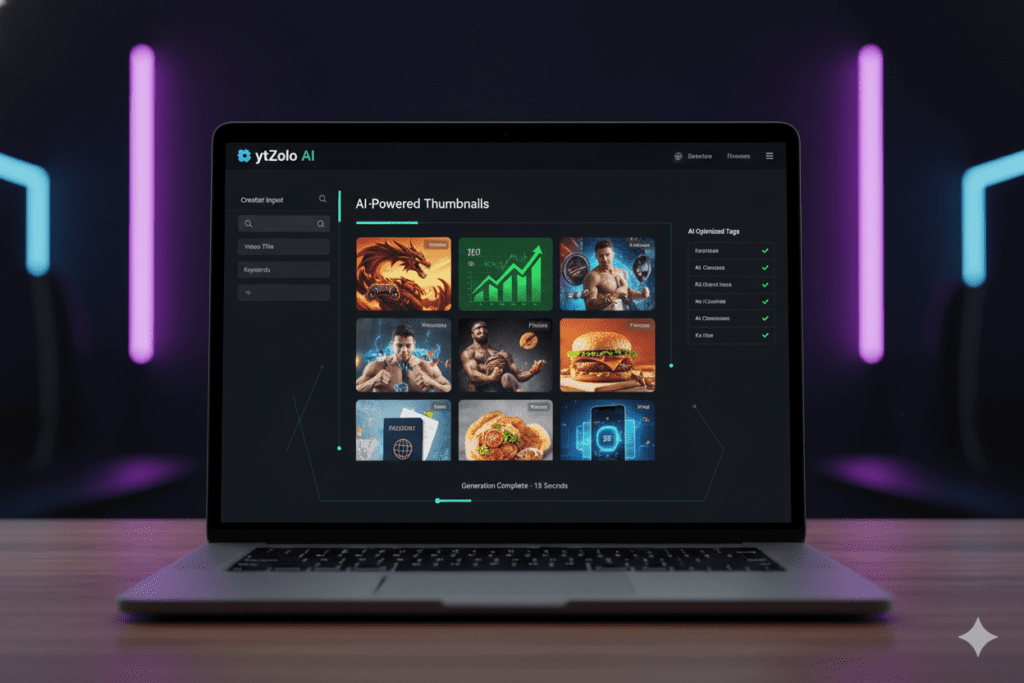
ytZolo is different. It’s an all-in-one AI YouTube growth platform built from the ground up to help creators grow faster, publish smarter, and generate content that the algorithm loves.
Here’s what makes ytZolo the best choice when it comes to how to create YouTube thumbnails using AI:
Trained on Viral Data ytZolo’s AI has analyzed millions of high-performing YouTube thumbnails to understand what drives clicks in different niches. Every thumbnail it generates is informed by real performance data — not generic design trends.
Niche Intelligence A thumbnail for a gaming channel looks different from one for a finance channel. ytZolo’s AI adapts to your specific niche automatically. The color choices, layout, text placement, and visual style are all tuned to what works for your audience.
One-Click Generation Enter your video topic, pick your style, and get publish-ready thumbnails in seconds. No prompting. No design skills. No waiting.
Text + Image in Harmony ytZolo doesn’t just create images. It knows where to place bold text for maximum readability, which color combinations command attention, and how to balance visuals with copy — all in one output.
Everything in One Place This is the big one. ytZolo generates thumbnails, titles, descriptions, tags, scripts, and hooks — all in the same platform. Everything your video needs to succeed lives in one dashboard.
You stop jumping between five different tools and start spending your time on what you actually love: making content.
Check out the ytZolo blog for more creator strategies, deep dives into YouTube growth, and tutorials on how to get the most out of every feature.
Why ytZolo Is Better Than Other Tools
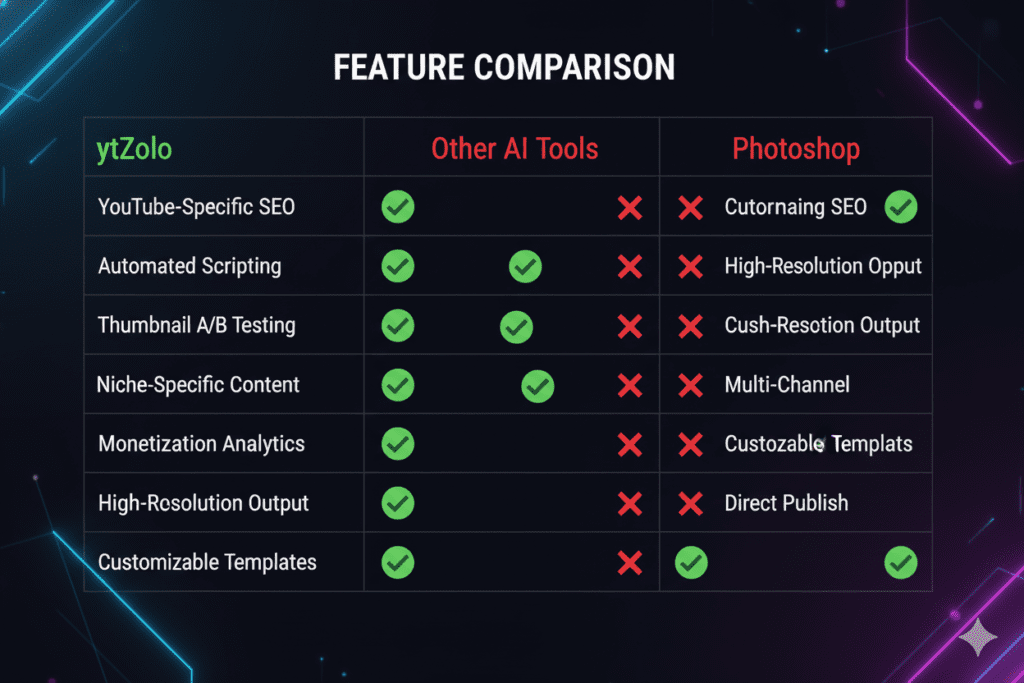
Let’s be direct. There are other tools that let you create YouTube thumbnails using AI. So why does ytZolo win?
ytZolo vs. Canva AI Canva is a design tool first. You’re still making creative decisions — choosing layouts, swapping fonts, adjusting colors. The AI is just an assistant.
With ytZolo, the AI does the strategic thinking. You input your topic and get a thumbnail built on what actually works in your niche. That’s a fundamentally different experience.
ytZolo vs. Midjourney / DALL-E These are incredible tools for artists. But they weren’t built for a YouTube creator who needs a conversion-optimized 1280×720 thumbnail for a finance video at 11pm before an upload deadline.
You’d need to engineer your own prompts, understand composition principles, and then still edit the output in another tool.
ytZolo vs. TubeBuddy / VidIQ TubeBuddy and VidIQ are analytics-first platforms with some content features added on.
ytZolo is a growth-first AI platform built specifically to help you create content that reaches more people. When other tools show you data, ytZolo takes action.
ytZolo vs. Generic AI Thumbnail Tools Most standalone thumbnail AI tools only do thumbnails. ytZolo generates thumbnails, titles, descriptions, tags, scripts, and hooks — all unified into one package.
Your entire video is optimized as a cohesive strategy, not a set of disconnected parts.
Here’s the bottom line:
| Feature | ytZolo | Canva AI | Midjourney | TubeBuddy |
|---|---|---|---|---|
| YouTube-specific training | ✅ | ❌ | ❌ | Partial |
| Niche intelligence | ✅ | ❌ | ❌ | ❌ |
| Titles + Thumbnails + Tags together | ✅ | ❌ | ❌ | Partial |
| One-click thumbnail generation | ✅ | ❌ | ❌ | ❌ |
| CTR-optimized design | ✅ | ❌ | ❌ | ❌ |
| Built for creators (not designers) | ✅ | Partial | ❌ | ✅ |
When you’re learning how to create YouTube thumbnails using AI, you want a tool that was built for exactly this purpose — not one you have to force into a workflow it wasn’t designed for.
Advanced Tips to Maximize Your Thumbnail CTR
Once you understand how to create YouTube thumbnails using AI, these advanced tactics will take your CTR to the next level.
Always Pair Your Thumbnail With an Optimized Title Your thumbnail and title should tell a connected story. If your thumbnail shows a shocked face, your title needs to deliver the reason for the shock. ytZolo’s title generator creates titles that are engineered to work alongside your AI thumbnail — use both together every single time.
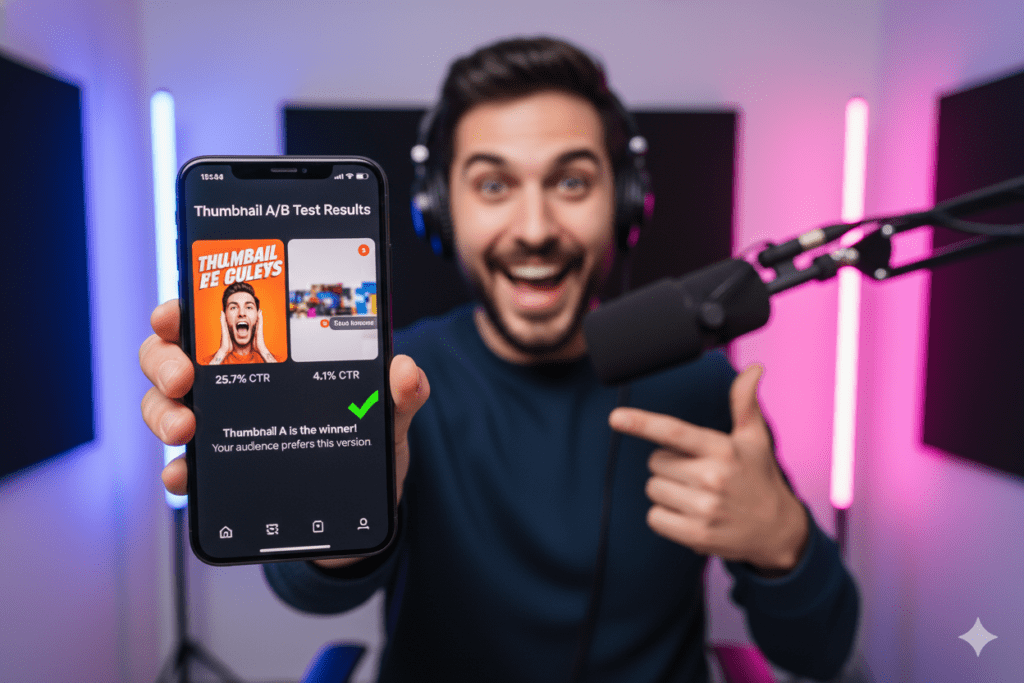
Create Multiple Variations for A/B Testing YouTube’s “Test & Compare” feature lets you upload up to three thumbnail variations for a single video. The platform shows different thumbnails to different audience segments and tells you which one wins. Generate three variations in ytZolo and let data decide.
Think Mobile First Over 70% of YouTube watch time happens on mobile devices. Every element of your thumbnail — text, face, colors, focal point — must be instantly legible on a 5-inch phone screen. If you can’t read your thumbnail text when you shrink it to 25% of its size, your mobile viewers can’t either.
Use Emotional Contrast Combine visual elements that create contrast — not just color contrast, but emotional contrast. A calm background with an explosive reaction. A simple scene with a bold text overlay. Contrast creates visual tension, and visual tension creates curiosity.
Stay Consistent With Brand Elements Top YouTubers have thumbnails that are instantly recognizable. Consistent fonts, consistent color palettes, and consistent positioning of your face or logo builds channel recognition. When viewers can spot your thumbnails in the feed before reading your name, you’ve built a visual brand.
Study What’s Working in Your Niche Before generating thumbnails, spend five minutes looking at the top-performing videos in your niche. What colors dominate? What expressions are most common? What text styles appear most? ytZolo’s AI already analyzes this — but understanding it yourself gives you creative instincts that make your customizations sharper.
How to Track and Improve Thumbnail Performance
Creating great AI thumbnails is step one. Tracking their performance is step two.
Here’s what to monitor in YouTube Studio after every upload:
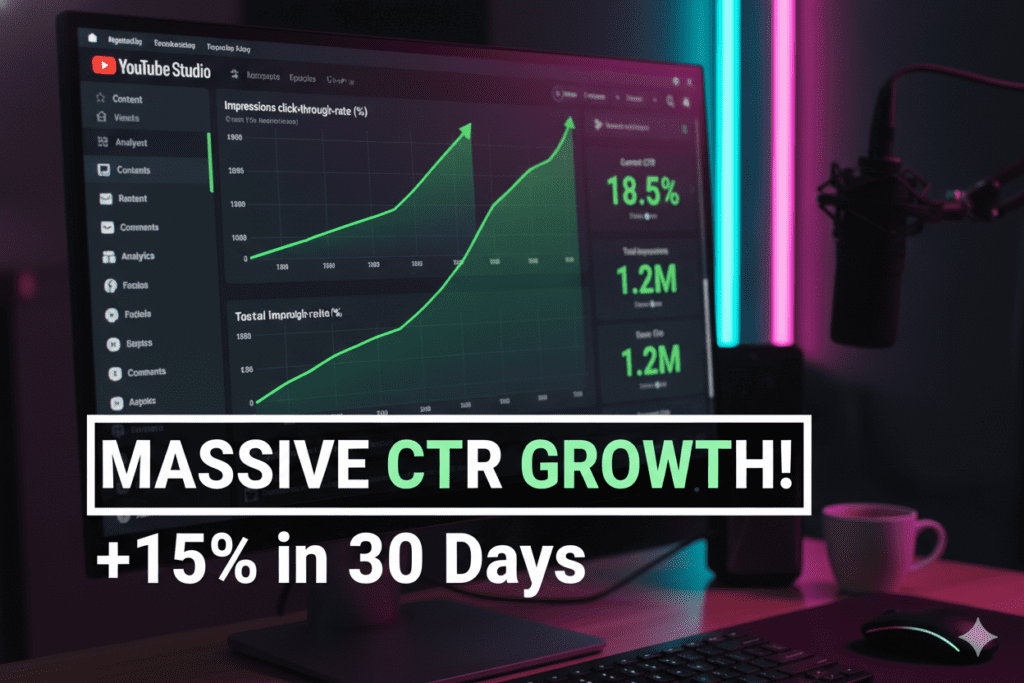
Click-Through Rate (CTR) Find this in YouTube Studio under Analytics > Reach. A CTR below 2% signals your thumbnail isn’t connecting. Between 4–8% is solid. Above 8% is excellent for most niches.
Impressions High impressions with low CTR means YouTube is showing your video but people aren’t clicking. This is a thumbnail problem — not an algorithm problem.
Average View Duration If your CTR is great but your view duration is low, your thumbnail is over-promising what the video delivers. Alignment between your thumbnail and your actual content is critical.
Test Every 48 Hours In the first 48 hours after publishing, monitor your CTR closely. If it’s below 4% in a niche where your channel typically performs higher, swap in one of your AI-generated alternatives from ytZolo.
According to YouTube Creator Academy, consistent testing and iteration is the fastest way to understand what resonates with your specific audience.
For deeper research on content performance and what separates viral videos from average ones, HubSpot’s YouTube Marketing Guide has excellent breakdowns of what top-performing channels do differently.
The beauty of learning how to create YouTube thumbnails using AI with ytZolo is that you always have alternatives ready. You’re never stuck with one option. Generate, test, swap, improve. That’s the loop that builds channels.
Frequently Asked Questions
Q1: What is the best AI tool to create YouTube thumbnails? The best AI tool for creating YouTube thumbnails is ytZolo. Unlike generic AI image generators, ytZolo is specifically built for YouTube creators. It trains on viral thumbnail data, applies niche intelligence, and generates CTR-optimized thumbnails in seconds — alongside titles, tags, descriptions, and scripts. It’s the only tool that treats your entire video as a unified growth package.
Q2: How do I create YouTube thumbnails using AI for free? You can start creating YouTube thumbnails using AI for free by signing up at ytzolo.com. No credit card is required to get started. Enter your video topic, select a style, and generate your first AI thumbnail in under a minute. ytZolo also offers a free tier so you can explore the platform before committing to a paid plan.
Q3: What size should an AI-generated YouTube thumbnail be? YouTube recommends thumbnails at 1280×720 pixels in 16:9 aspect ratio. The file should be under 2MB (though YouTube now supports up to 50MB for higher-quality uploads). ytZolo automatically generates thumbnails at the correct YouTube specifications, so you never have to resize or reformat your output.
Q4: Can AI thumbnails really improve my YouTube CTR? Yes — significantly. AI-generated thumbnails trained on viral data consistently outperform manually designed thumbnails because they apply proven CTR principles: high-contrast colors, emotional expression, clear focal points, and niche-specific visual language. Research shows that optimized thumbnails can improve CTR by 20–40% compared to auto-generated or poorly designed ones.
Q5: How many YouTube thumbnails should I create per video? Create at least two to three thumbnail variations per video so you can run A/B tests. YouTube’s built-in “Test & Compare” feature lets you upload multiple thumbnails and automatically determines which one achieves the highest CTR with your audience. With ytZolo, generating three variations takes less than a minute — so there’s no excuse not to test.
Conclusion: Stop Guessing, Start Growing
Your thumbnails are working against you or they’re working for you. There’s no middle ground on YouTube.
Every video you upload is competing for attention against millions of other pieces of content. Your thumbnail is the first, and often the only, impression you get to make.
The creators who are growing the fastest in 2026 aren’t the ones with the biggest budgets or the most polished production. They’re the ones who understand how to create YouTube thumbnails using AI — and who use tools like ytZolo to create data-driven, conversion-optimized visuals at scale.
You’ve now got the complete playbook:
- Why thumbnails are your biggest growth lever — not your content, not your equipment
- Why manual methods are holding back your channel — and costing you time, money, and momentum
- What actually drives clicks in 2026 — color, emotion, clarity, and niche intelligence
- How to create YouTube thumbnails using AI step-by-step with ytZolo
- How to track, test, and improve your thumbnail performance over time
The only thing left is to take action.
Every day you upload without an optimized, AI-powered thumbnail is a day you’re leaving views, subscribers, and revenue on the table.
Start creating smarter, faster, and more viral YouTube content with ytZolo today.
👉 Get started free at ytzolo.com
For more strategies on YouTube growth, AI content creation, and channel optimization, explore the ytZolo blog — your go-to resource for everything that actually moves the needle on YouTube.
you can also check all in one ai tool- Aizolo

