
Introduction: Your Thumbnail Is Killing Your Channel (And You Don’t Even Know It)
Picture this. You spent 6 hours filming. Another 4 editing. You hit publish, wait nervously… and get 47 views.
Your content was great. Your lighting was on point. But nobody clicked — because your thumbnail looked like it was made in 2013.
Here’s the brutal truth most YouTubers never hear: 90% of the best-performing videos on YouTube use custom, optimized thumbnails. That’s straight from YouTube’s own Creator Academy. Your thumbnail isn’t decoration. It’s your single most important marketing asset — and most creators are treating it like an afterthought.
The good news? Finding the best AI tool to create YouTube thumbnails has never been easier. And in this guide, you’re going to find out exactly why thousands of creators are turning to ytZolo to transform their click-through rates, their content workflow, and their channel growth.
Let’s get into it.
Table of Contents
Why YouTube Thumbnails Make or Break Your Channel
Think about the last time you scrolled your YouTube homepage. What made you click?
It wasn’t the algorithm. It wasn’t the upload time. It was an image that stopped you mid-scroll and made you think, “I need to watch that.”
That’s the power of a great thumbnail. And it’s backed by data.
According to YouTube’s Creator Blog, thumbnails are one of the most critical factors influencing whether someone clicks your video or keeps scrolling. In a feed full of competing content, you have less than a second to earn that click.
Your click-through rate (CTR) — the percentage of people who see your video and actually click — is directly shaped by your thumbnail quality. A video with a 2% CTR and a video with a 7% CTR don’t just perform differently. They live in completely different universes on the algorithm.
High CTR tells YouTube: people love this content. The platform rewards you with more impressions. More impressions mean more views. More views means channel growth. It all starts with the thumbnail.
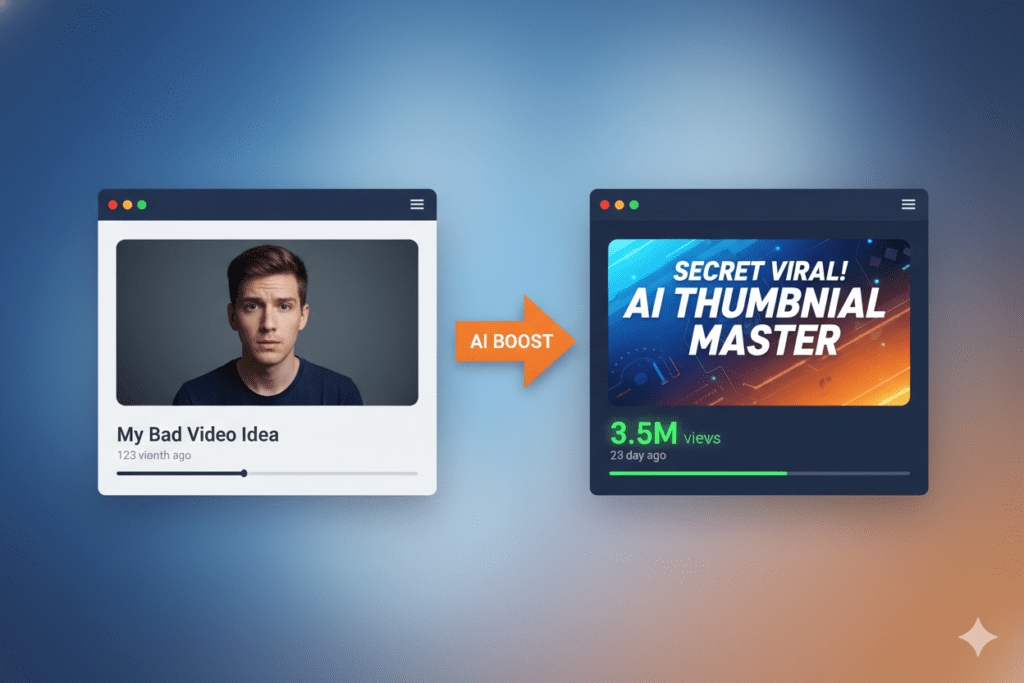
What Makes the Best AI Tool to Create YouTube Thumbnails
Not all AI thumbnail tools are created equal. Before you pick one, you need to know what actually separates the good from the great.
The best AI tool to create YouTube thumbnails should do more than just generate a pretty image. Here’s what truly matters:
- CTR optimization — The AI must understand what psychologically drives clicks: contrast, emotion, text placement, and color psychology
- Niche awareness — A gaming thumbnail should feel completely different from a finance thumbnail. The tool must adapt.
- No watermarks — A tool’s watermark on your thumbnail screams “amateur.” Period.
- High-resolution exports — YouTube recommends 1280x720px at minimum. Blurry thumbnails tank your credibility.
- Speed — If it takes longer than 10 minutes, it’s defeating the purpose
- Integration — The best tools connect thumbnail creation to your titles, descriptions, and SEO strategy
- Ease of use — You shouldn’t need a design degree to make a great thumbnail
Generic AI image tools like Canva’s Magic Media or Midjourney can make gorgeous images. But they aren’t trained on YouTube performance data. They don’t know what a high-CTR thumbnail looks like in the personal finance niche versus the tech review space.
That’s the difference between a great AI image tool and the best AI tool to create YouTube thumbnails specifically.
The Real Cost of Bad Thumbnails
Let’s do some math that might sting a little.
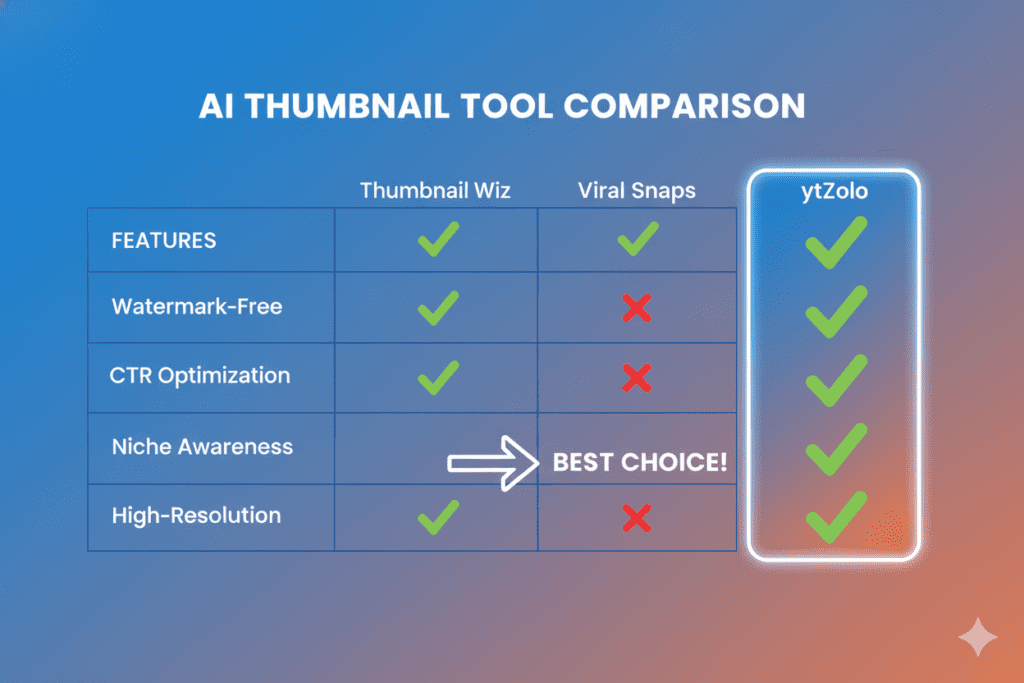
Say your video gets 10,000 impressions. With a 3% CTR, that’s 300 views. But bump that to a 7% CTR — which is very achievable with the right AI thumbnail — and you’re getting 700 views from the same impressions.
That’s 2.3x more views without filming a single extra second of content.
Now multiply that across every video you’ve uploaded this year. Every video with a weak thumbnail is a video that bled views you could have had. And since YouTube rewards watch time and engagement, more views also means more subscribers, more ad revenue, and more algorithm love.
Bad thumbnails aren’t just an aesthetic problem. They’re a revenue problem. A growth problem. A compounding problem that gets worse over time.
The frustrating part? Most creators know their thumbnails aren’t great. They just don’t know how to fix it — or they don’t have the time.
That’s exactly what the best AI tool to create YouTube thumbnails solves.
Why Manual Thumbnail Design Is Holding You Back
Let’s be real about what the “old way” looks like.
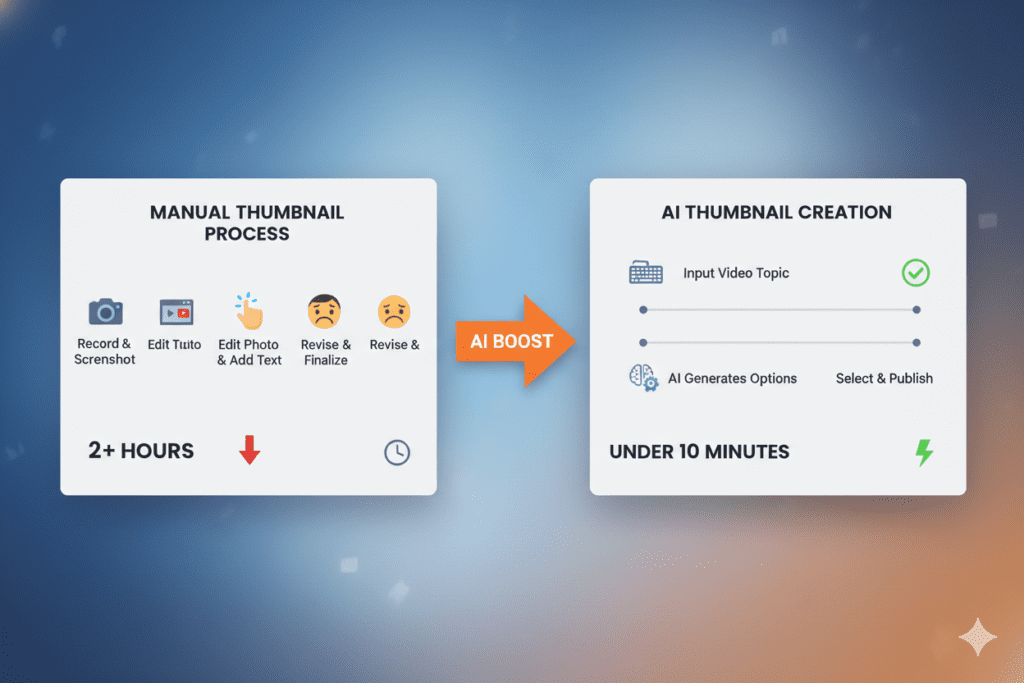
You open Canva. You scroll through templates. Nothing fits quite right. You spend 20 minutes tweaking fonts. Another 15 on colors. You’re never quite sure if it’ll actually perform — you’re just guessing based on vibes.
Two hours later, you have a thumbnail that looks… okay. Maybe.
The problem isn’t your creativity. The problem is that manual design is slow, subjective, and completely disconnected from performance data.
When you design manually, you’re making decisions based on what looks good to you. But your viewers are a different audience with different psychological triggers. Great thumbnails are built on data — color psychology, proven emotional cues, niche-specific visual patterns, text hierarchy that works at small mobile screen sizes.
Graphic designers can be amazing. But they’re expensive ($50–$200 per thumbnail), slow (24-48 hours per delivery), and they don’t have a database of what’s actually working on YouTube right now.
Manual thumbnail creation in 2026 is like manually doing keyword research with a dictionary. There’s a smarter way, and the creators using it are pulling ahead.
Introducing ytZolo: The Best AI Tool to Create YouTube Thumbnails
Here’s where the game changes.
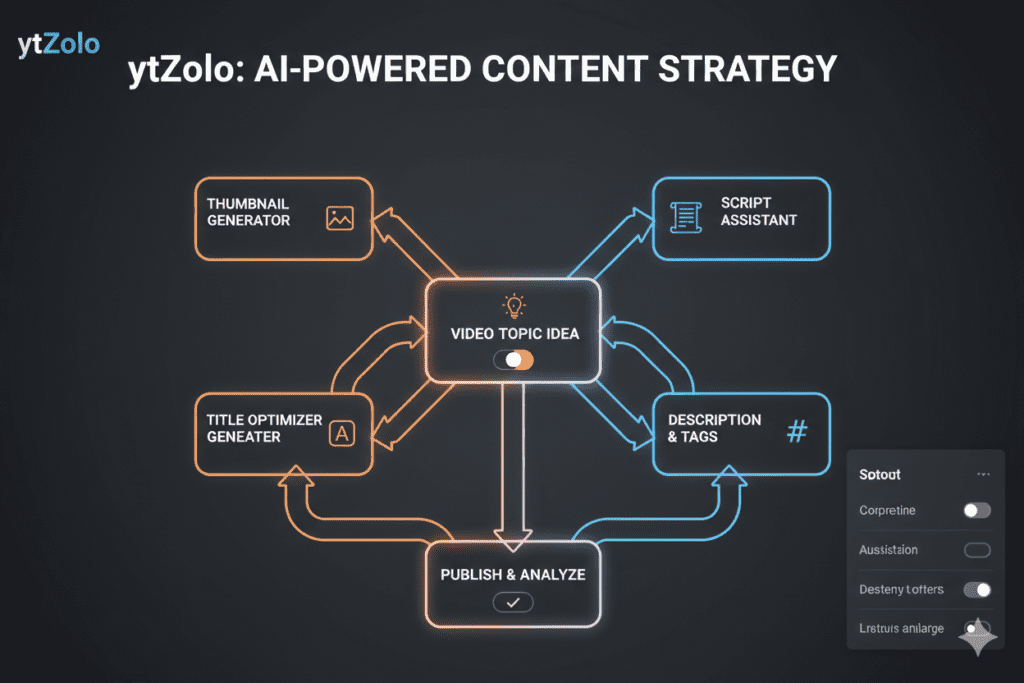
ytZolo is not just another AI thumbnail generator. It’s a complete AI YouTube growth platform built from the ground up for content creators who want to grow faster, work smarter, and create content that actually competes.
When it comes to thumbnails specifically, ytZolo uses AI trained on YouTube performance data to generate thumbnails that are engineered to get clicks — not just look nice.
That’s why it’s quickly becoming known as the best AI tool to create YouTube thumbnails for creators who care about CTR, not just design. Instead of guessing what works, ytZolo analyzes patterns from high-performing videos to deliver thumbnails built for visibility, engagement, and real growth.
What Makes ytZolo the Best AI Tool to Create YouTube Thumbnails
CTR-Optimized by Design ytZolo’s AI doesn’t guess. It applies data-backed principles to every thumbnail it creates — dominant colors that pop in crowded feeds, text placement that’s readable at 200px wide on mobile, and emotional triggers proven to drive clicks in your specific niche.
Full HD, No Watermarks Every thumbnail exports in crisp, high-resolution format. No ugly watermarks slapping “Made with [Tool Name]” across your design. Your brand stays clean and professional.
Built for YouTube Specifically Unlike Canva or generic AI image tools, ytZolo understands YouTube’s visual ecosystem. It knows that a successful thumbnail in the “how to make money online” space looks radically different from one in the “travel vlog” space. The AI adapts.
Speed That Actually Saves You Time Stop spending hours per thumbnail. ytZolo generates multiple high-quality options in minutes. Pick, customize if needed, download, and move on to creating more content.
Seamlessly Integrated With Your Full Content Strategy This is ytZolo’s secret weapon. When you create a thumbnail, you’re working inside a platform that also handles your titles, video scripts, descriptions, and SEO tags.
Everything talks to each other. Your thumbnail, your title, and your tags all work together as a unified content strategy — not isolated pieces. This integrated approach is what makes it the best AI tool to create YouTube thumbnails, ensuring every element of your video is optimized together to maximize clicks, reach, and overall performance.
How to Create High-CTR Thumbnails With ytZolo: Step-by-Step
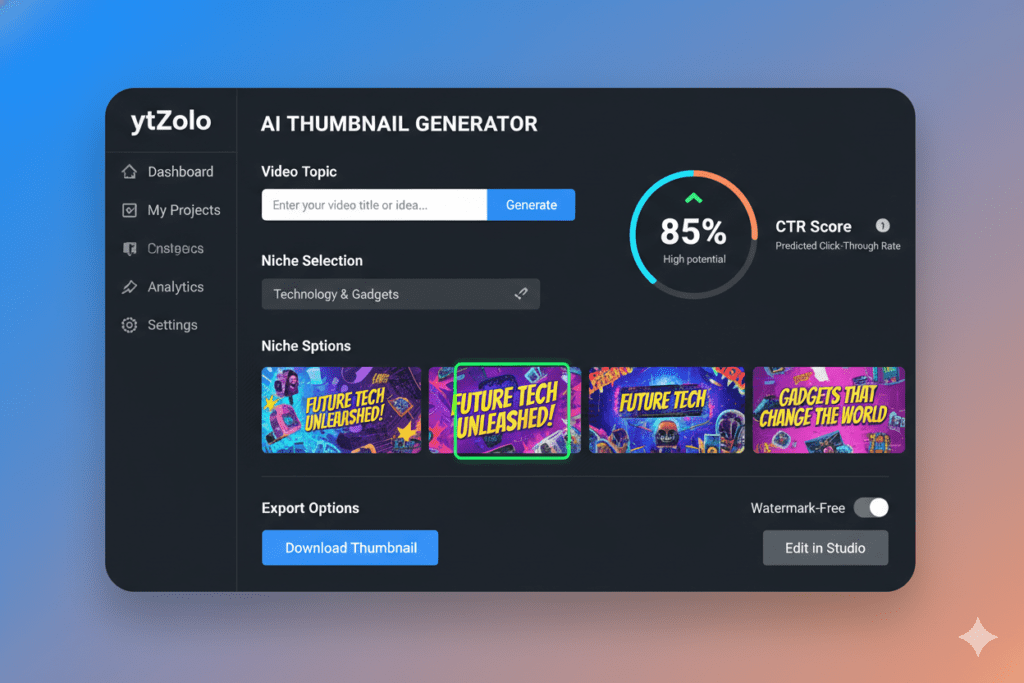
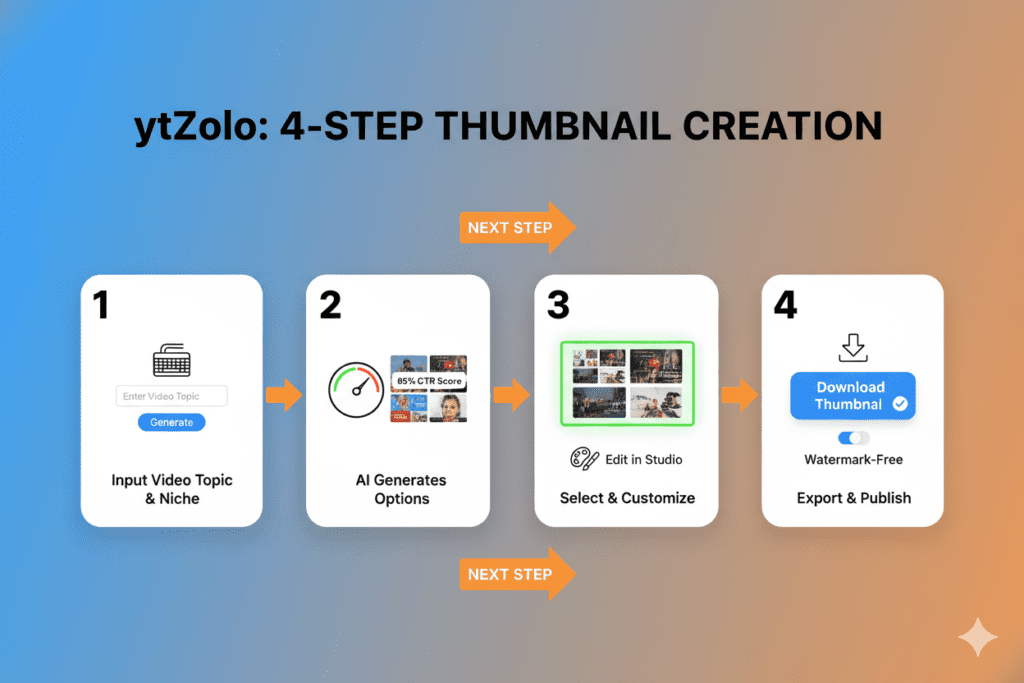
Using ytZolo to create a scroll-stopping thumbnail is genuinely fast. Here’s the exact process:
Step 1: Go to ytZolo and log in Sign up takes under 60 seconds. No credit card required to get started.
Step 2: Enter your video topic or title Type in what your video is about. The AI uses this to understand context, niche, and audience intent.
Step 3: Select your niche and tone Are you going energetic and high-emotion? Clean and authoritative? Curiosity-driven? You choose the direction.
Step 4: Let ytZolo generate thumbnail options The AI creates multiple high-CTR thumbnail variations based on your input and niche-specific performance data.
Step 5: Review and refine Browse your options. You can tweak colors, text, and layout directly inside ytZolo’s editor if you want to personalize further.
Step 6: Export in full HD Download your watermark-free, high-resolution thumbnail in seconds.
Bonus Step: Use ytZolo to generate your video title and description at the same time. Why stop at thumbnails? Let the AI handle your entire content metadata strategy in one session.
This entire process takes under 10 minutes. Compare that to 2+ hours of manual design work — and the choice becomes obvious. That’s exactly why creators are calling ytZolo the best AI tool to create YouTube thumbnails, turning what used to be a time-consuming design task into a fast, data-driven growth advantage.
Why ytZolo Is Better Than Other Tools
There are plenty of AI thumbnail tools out there. Let’s look at how ytZolo compares honestly.
ytZolo vs. Canva
Canva is a general-purpose design tool. It’s excellent for social media graphics, presentations, and marketing materials. But Canva’s AI isn’t trained on YouTube CTR data. It gives you beautiful templates — not performance-optimized thumbnails. You still need to know what works, and you’re doing a lot of the creative decision-making yourself.
ytZolo is purpose-built for YouTube. The AI makes the performance decisions for you.
ytZolo vs. vidIQ’s Thumbnail Maker
vidIQ has a thumbnail maker, and it’s decent. But it’s one feature inside a broad analytics tool. It lacks the deep content integration that ytZolo provides. When you use ytZolo, your thumbnail, title, script, and tags are all generated from the same AI brain — resulting in cohesive content that performs consistently.
ytZolo vs. Generic AI Image Generators (Midjourney, DALL-E, etc.)
These tools create stunning images. But they know nothing about YouTube. They don’t understand CTR optimization, niche-specific visual patterns, or mobile readability. You’d spend more time prompt-engineering and editing than if you’d just opened Canva.
The ytZolo Difference
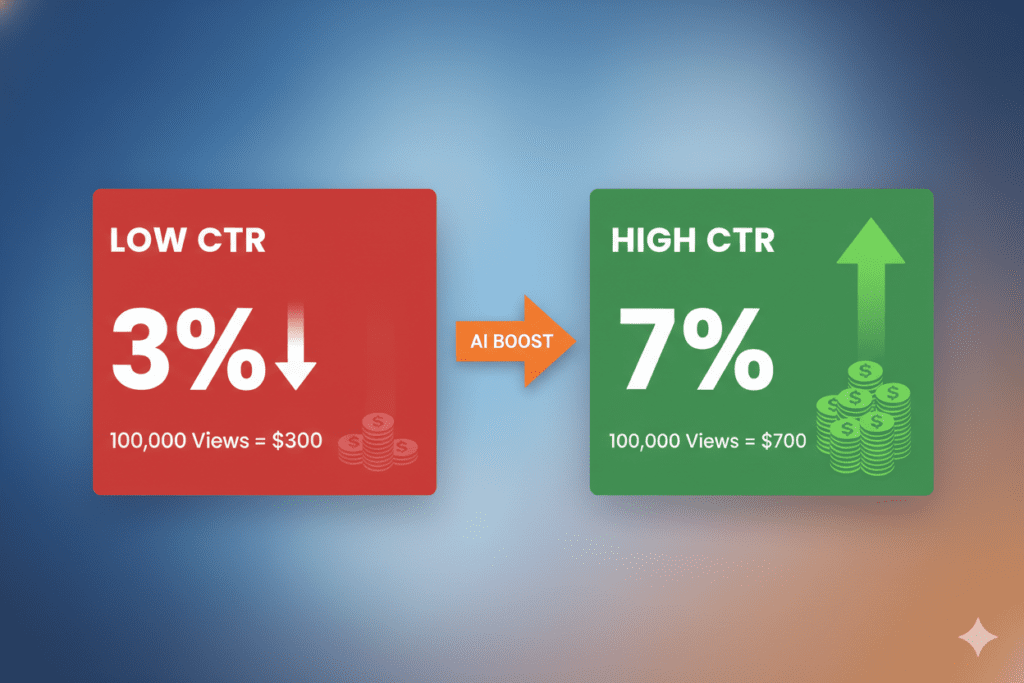
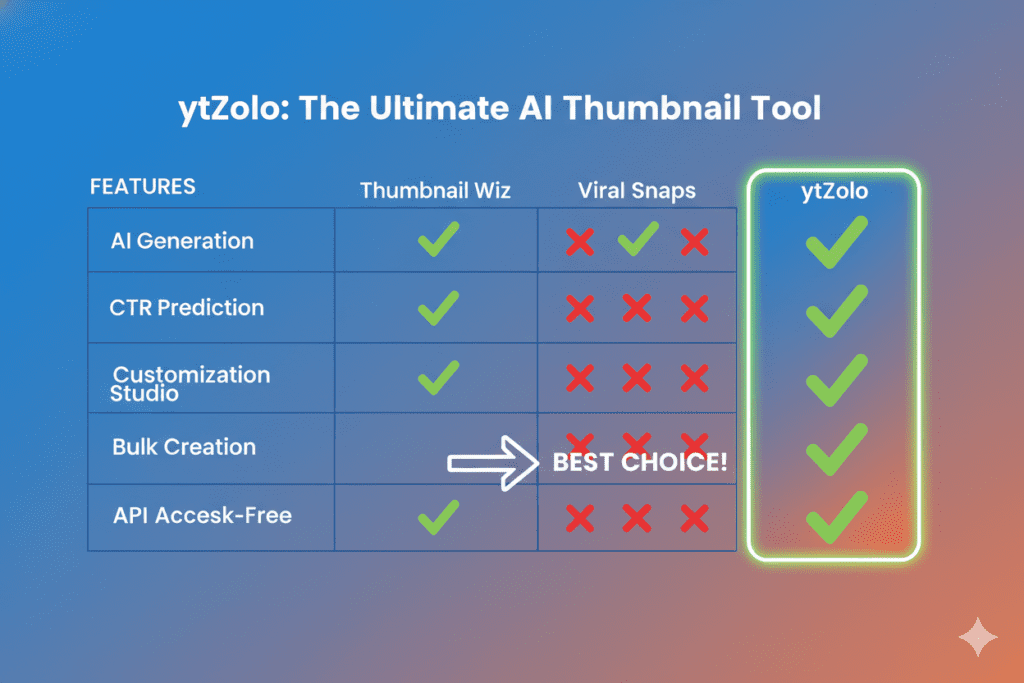
| Feature | Generic AI Tools | Canva | vidIQ | ytZolo |
|---|---|---|---|---|
| YouTube CTR Optimization | ❌ | ❌ | Partial | ✅ |
| No Watermark | Varies | Paid | Paid | ✅ |
| Niche-Aware AI | ❌ | ❌ | Partial | ✅ |
| Integrated Title + Tags + Script | ❌ | ❌ | Partial | ✅ |
| Built for YouTube Growth | ❌ | ❌ | ✅ | ✅ |
| Speed (under 10 min) | Varies | Varies | ✅ | ✅ |
| All-in-One Platform | ❌ | ❌ | ❌ | ✅ |
The verdict is clear. If YouTube growth is your goal, ytZolo isn’t just competitive — it’s the best AI tool to create YouTube thumbnails in its class.
Beyond Thumbnails: ytZolo’s Full AI Growth Suite
Here’s something most creators miss when they first discover ytZolo.
Yes, it’s the best AI tool to create YouTube thumbnails. But it’s so much more than that.
ytZolo is an all-in-one AI YouTube growth engine. Here’s what you get beyond thumbnails:
- AI-Powered YouTube Titles — Generate click-worthy, SEO-optimized titles that drive search traffic and curiosity clicks simultaneously. Check out the ytZolo blog for deep dives into title strategy.
- Video Script Generator — Never stare at a blank page again. ytZolo writes full video scripts in your voice and style, structured for maximum watch time.
- SEO-Optimized Descriptions — Write compelling descriptions that satisfy both viewers and the YouTube algorithm.
- Smart Tag Generation — Find the exact tags that help your videos rank in search and suggested video feeds.
- Viral Content Strategy — ytZolo’s AI analyzes what’s working in your niche right now and applies those insights to your content calendar.
When everything works together — your thumbnail attracting the click, your title reinforcing it, your description sealing the deal with the algorithm — that’s when channels don’t just grow. They explode.
This is the compounding advantage that serious creators are building right now while others are still manually tweaking Canva templates.
Real Creator Results: What Happens When You Use AI Thumbnails
The numbers don’t lie.
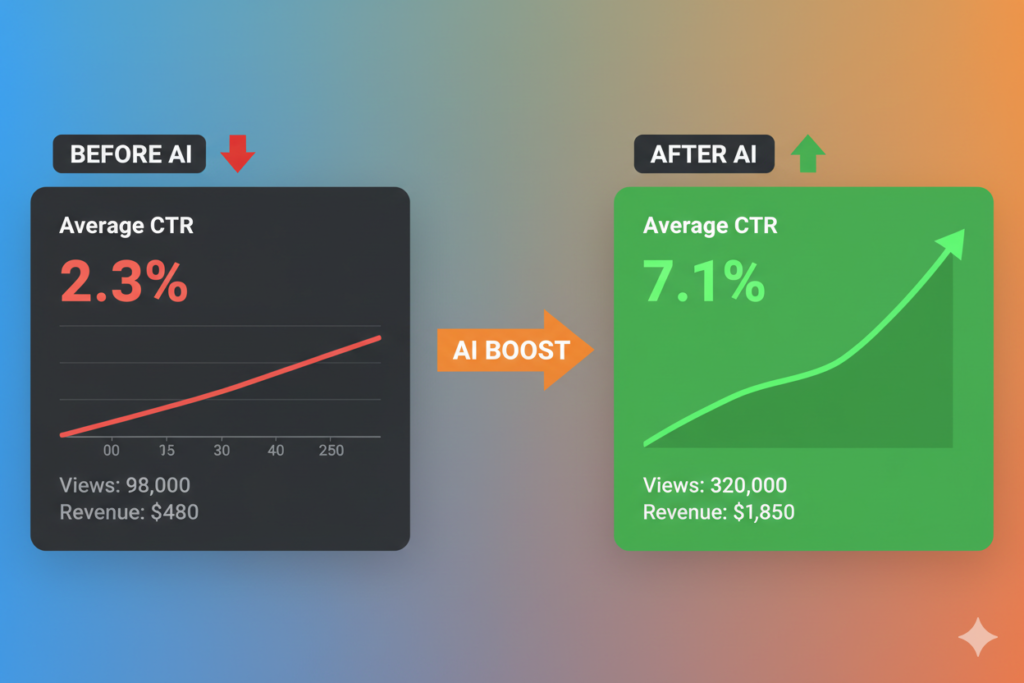
Creators who switch to AI-optimized thumbnails frequently report CTR improvements of 50–200% within the first month of switching. That’s not a minor improvement. That’s the difference between a channel that’s stuck and a channel that’s growing.
According to data from the creator tool space, one creator’s click-through rate jumped from 2.3% to 7.1% within 30 days of switching to AI-generated thumbnails. Their views tripled. Their channel — which had plateaued for months — finally started moving.
And here’s the pattern that keeps repeating: when you remove the friction from thumbnail creation, you publish more consistently. Creators who were uploading once every two weeks start uploading twice a week. That’s 4x more content — and 4x more chances for a video to go viral.
According to research from HubSpot, consistency is one of the single biggest drivers of audience growth across all content platforms. AI tools like ytZolo don’t just improve individual videos. They make consistency possible.
When speed and quality work together, your entire content operation shifts. Less time designing. More time creating, strategizing, and building the channel you actually want.
FAQ: Best AI Tool to Create YouTube Thumbnails
What is the best AI tool to create YouTube thumbnails in 2026?
ytZolo is widely considered the best AI tool to create YouTube thumbnails in 2026. Unlike generic design tools, ytZolo is purpose-built for YouTube creators. It uses CTR-optimization data, niche-aware AI, and performance-backed design principles to create thumbnails that actually drive clicks.
It also integrates with your titles, descriptions, and tags — making it a complete YouTube growth platform, not just a thumbnail tool.
Can AI-generated thumbnails outperform manually designed ones?
Yes — and often significantly. AI tools like ytZolo are trained on what actually drives clicks on YouTube: color contrast, emotional triggers, text hierarchy, and niche visual patterns.
A skilled designer may have great creative instincts, but they can’t process thousands of high-performing thumbnails across hundreds of niches the way AI can. Creators using AI thumbnail tools frequently report CTR improvements of 50–200% within their first month.
How long does it take to create a YouTube thumbnail with ytZolo?
The entire process — from entering your video topic to downloading a high-resolution, watermark-free thumbnail — takes under 10 minutes. That compares to 1–3 hours using traditional design tools.
This speed advantage lets creators publish more consistently, which is one of the most important drivers of long-term channel growth.
Is ytZolo only for YouTube thumbnails?
No. ytZolo is a full AI YouTube growth platform. While its AI thumbnail generator is one of its standout features, ytZolo also creates AI-powered video titles, scripts, SEO-optimized descriptions, and smart tag recommendations.
Everything works together as a unified content strategy, giving your channel a cohesive edge across every touchpoint the YouTube algorithm evaluates.
Does ytZolo add a watermark to thumbnails?
No. ytZolo exports thumbnails in full HD without any watermarks. You get a clean, professional, high-resolution image that’s ready to upload directly to YouTube. This is important — visible watermarks from design tools can undermine your credibility with viewers and signal low production value before your video even starts.
Conclusion: Your Next Video Deserves a Better Thumbnail
You’ve worked too hard on your content to let a weak thumbnail bury it.
Every video you upload is a chance to grow. Every impression YouTube serves is an opportunity to earn a click. And every click is a viewer who could become a subscriber, a fan, a customer.
The best AI tool to create YouTube thumbnails isn’t a luxury for big creators. It’s a competitive necessity in 2026 — when the YouTube feed is more crowded than it’s ever been, and attention spans are shorter than ever.
ytZolo gives you everything you need to win that micro-second battle for the click. High-performance thumbnails. AI-powered titles. Scripts built for watch time. Descriptions and tags that drive discovery. All in one platform, built specifically for creators like you.
The creators who are growing right now aren’t just better at making videos. They’re smarter about the systems they use.
👉 Start creating smarter, faster, and more viral YouTube content with ytZolo today.
Visit ytzolo.com to get started — no credit card required.
Want more strategies for growing your YouTube channel with AI? Check out the ytZolo blog for in-depth guides on titles, scripts, SEO, and more.
Here you can also check all in one ai tool – Aizolo

