

When Sarah Almost Lost Her Nonprofit Over a $12 Spreadsheet Mistake
Sarah Martinez had been running Hope Springs Community Center for seven years. On a chilly Tuesday morning in March 2025, she sat frozen at her desk, staring at her laptop screen with mounting horror.
The grant report was due in three hours. And the numbers didn’t match.
Somehow, between juggling five different AI subscriptions, updating donor spreadsheets, and manually tracking program expenses across three different platforms, she’d miscalculated their quarterly budget by $18,000. The error meant their largest funder might question whether they could responsibly manage a $250,000 annual grant.
“How did I miss this?” Sarah whispered to her empty office.
The answer was painfully simple: She was drowning in tools that were supposed to help her.
If you’re a nonprofit leader, you know Sarah’s struggle intimately. You’re not just managing budgets—you’re performing a high-wire act without a safety net, juggling unpredictable donations, restricted funds, government grant deadlines, and program costs that shift faster than you can track them.

The good news? AI for non profit budget management isn’t just another buzzword—it’s becoming a lifeline for organizations like yours. But here’s what nobody tells you: The real challenge isn’t whether to use AI. It’s how to use it without multiplying your problems.
Let me show you how organizations are transforming their financial chaos into clarity—and saving thousands of dollars in the process.
The Budget Crisis Nobody Talks About: Why Traditional Methods Are Failing Nonprofits
Here’s a sobering truth: According to the 2025 State of Nonprofits report, 40% of organizations operated with budget deficits in 2024. That’s not because nonprofit leaders lack dedication—it’s because the tools they’re using were built for a different era.
The Real Costs of Budget Management Chaos
Consider what’s happening right now in nonprofit offices across America:
The Time Drain: Maria, executive director of a youth education nonprofit in Philadelphia, spent 22 hours last month just reconciling expenses across different systems. That’s nearly three full workdays that could have been spent on mission-critical work.
The Tool Overload Problem: A typical small nonprofit now uses an average of 8-12 different software tools. ChatGPT for grant writing ($20/month). Claude for donor communications ($20/month). Google’s Gemini for data analysis ($20/month). Specialized accounting software ($50-200/month). The costs add up to $110+ monthly before you’ve even addressed the core budget management challenges.
The Hidden Financial Bleeding: When your finance team switches between multiple AI tools and platforms, they’re not just wasting time—they’re introducing errors. Research shows that organizations using fragmented systems experience 23% more data entry mistakes, and each error costs an average of 3.5 hours to identify and correct.
Why AI for Non Profit Budget Management Matters More Than Ever in 2025
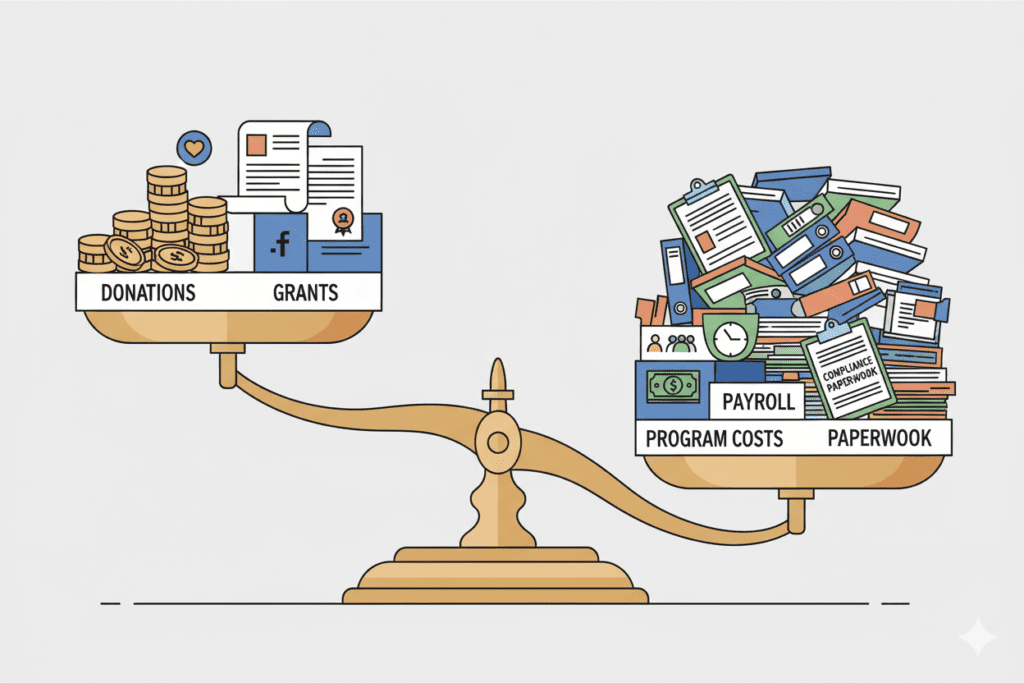
The economic landscape for nonprofits has fundamentally shifted:
- Rising operational costs: Organizations report an average 15% increase in operating expenses
- Declining traditional funding: Individual giving decreased by 2.1% in 2023 when adjusted for inflation
- Increased demand for services: 69% of nonprofits report higher service demand while facing budget constraints
- Government funding uncertainty: Federal grant freezes and policy changes created unprecedented financial instability
In this environment, efficient budget management isn’t optional—it’s existential.
Understanding AI for Non Profit Budget Management: What It Actually Means
Let’s cut through the hype. When we talk about AI for non profit budget management, we’re not talking about robots replacing your finance team. We’re talking about intelligent tools that handle the tedious, error-prone tasks that consume your team’s time and energy.
What AI Can (and Can’t) Do for Your Nonprofit Budget
AI excels at:
- Automating repetitive tasks: Data entry, expense categorization, invoice processing
- Pattern recognition: Identifying spending anomalies, predicting cash flow patterns, detecting budget variances
- Real-time analysis: Providing instant insights into your financial health without waiting for month-end reports
- Scenario planning: Running multiple budget scenarios to prepare for different funding outcomes
- Forecasting: Predicting donation patterns based on historical data and seasonal trends
AI isn’t magic—it can’t:
- Replace the strategic thinking of your leadership team
- Make value-based decisions about program priorities
- Build donor relationships (though it can help you manage them more effectively)
- Understand the nuanced mission-alignment questions that guide nonprofit budgeting
The Problem with Current AI Solutions for Nonprofits
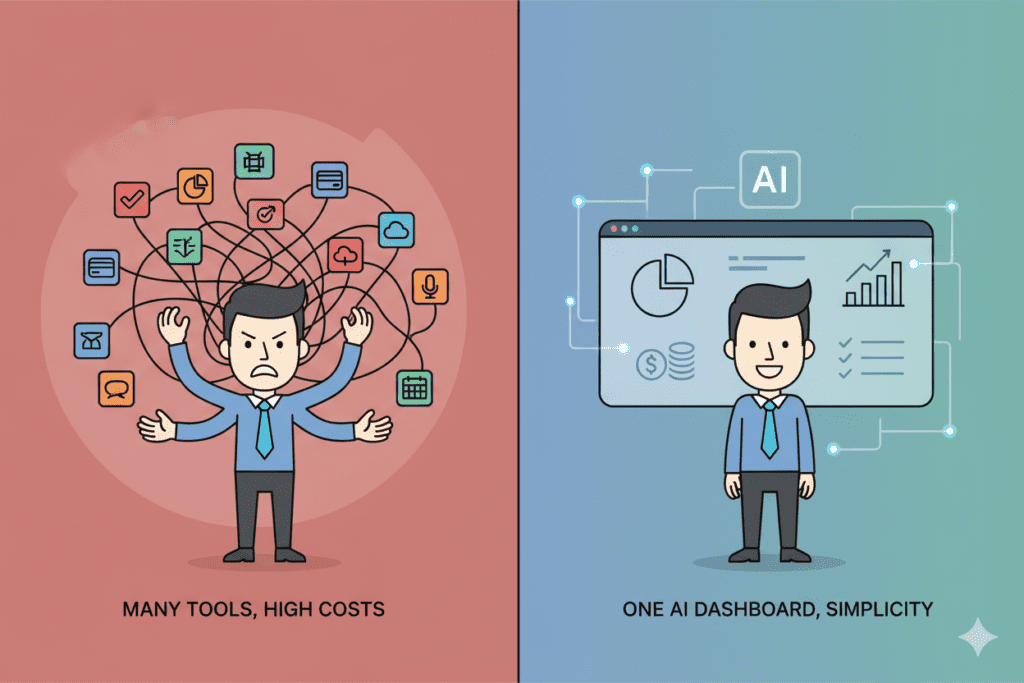
Here’s where most organizations get stuck. They recognize the need for AI for non profit budget management, so they do what seems logical: They subscribe to ChatGPT for one task, Claude for another, maybe Gemini for data analysis.
Within months, they’ve created a new problem: They’re paying $110+ per month for separate AI subscriptions, constantly switching between tabs, copying data between platforms, and still not getting the integrated financial intelligence they need.
Marcus, CFO of a healthcare nonprofit in Los Angeles, described it perfectly: “We thought we were being smart by using the best AI tool for each task. But we ended up with five different AI subscriptions giving us five different answers to the same budget question. It was chaos.”
The Smart Approach: Integrated AI Solutions That Actually Work
This is where strategic nonprofits are taking a different path. Instead of cobbling together multiple expensive AI subscriptions, they’re looking for unified platforms that bring together multiple AI capabilities at a fraction of the cost.
The All-in-One AI Revolution
Think about what happens when you consolidate your AI tools:
Before:
- ChatGPT Plus ($20/month) for grant writing
- Claude Pro ($20/month) for donor communications
- Gemini Advanced ($20/month) for data analysis
- Perplexity Pro ($20/month) for research
- Grok ($30/month) for real-time insights
- Total: $110/month = $1,320/year
After using an integrated platform like AiZolo:
- Access to ChatGPT, Claude, Gemini, Perplexity, Grok, and 2000+ AI tools
- Side-by-side AI comparison features
- Custom API key support for unlimited usage
- Project management for organized workflows
- Total: $9.90/month = $118.80/year
Annual savings: $1,201.20
For a small nonprofit, that’s money that could fund:
- 24 hours of professional grant writing support
- A year of accounting software
- Three months of part-time administrative help
- Essential program supplies for dozens of clients
Real-World Success: How Organizations Are Using AI for Nonprofit Budget Management
Let me share some stories from organizations that transformed their budget management with intelligent AI integration:
Community Health Network, Chicago
Before implementing consolidated AI tools, their finance team of three spent 15 hours weekly on budget reporting and analysis. They were using four different AI subscriptions but still manually transferring data between systems.
After consolidating to a unified AI platform, they:
- Reduced reporting time from 15 hours to 6 hours weekly
- Saved $91 monthly on AI subscription costs
- Identified $23,000 in budget inefficiencies within the first quarter
- Freed their finance director to focus on strategic funding diversification
Youth Education Initiative, Austin
This small nonprofit with just two full-time staff members was spending over $100 monthly on various AI tools for budget forecasting, grant writing, and donor management. The executive director, Jennifer, was spending her evenings switching between platforms to prepare board reports.
With an integrated AI approach:
- Cut AI costs by 91% (from $100/month to $9.90/month)
- Used saved funds to invest in donor management software
- Created automated monthly budget reports that previously took 8 hours to compile
- Improved budget forecast accuracy by identifying seasonal donation patterns the team had missed
Practical Applications: How to Implement AI for Non Profit Budget Management
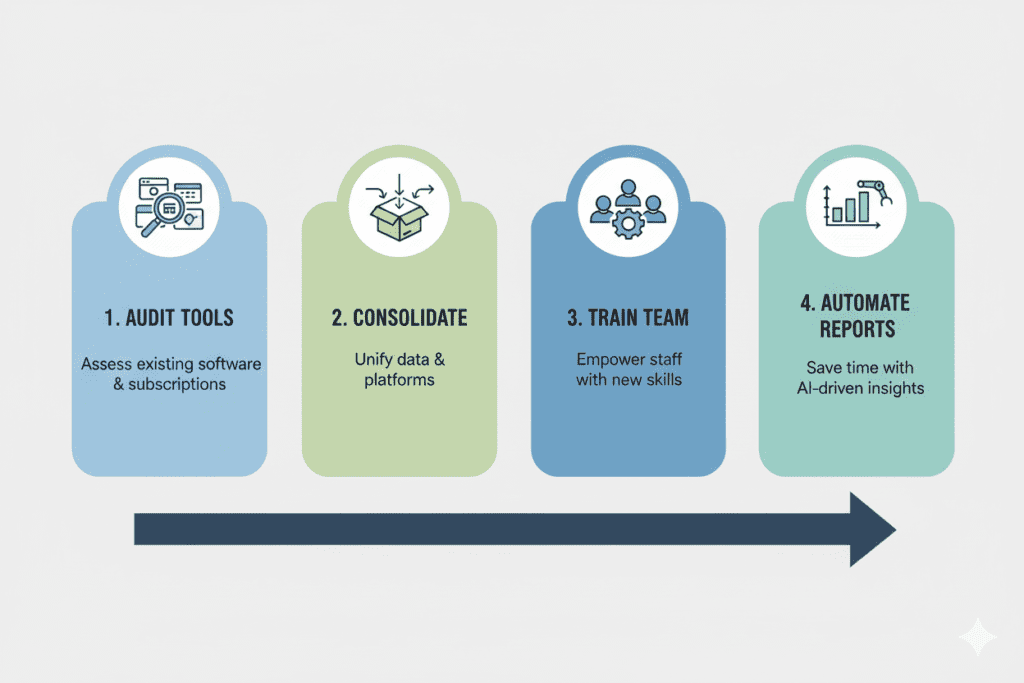
Ready to transform your budget management? Here’s how to do it strategically:
Step 1: Audit Your Current AI Spending and Usage
Start by listing:
- Every AI tool subscription you’re currently paying for
- Monthly costs for each tool
- Actual usage patterns (many nonprofits discover they’re paying for tools they rarely use)
- Specific tasks you use each tool for
Step 2: Identify Your Budget Management Pain Points
Common challenges that AI for non profit budget management can address:
- Cash flow forecasting: Many nonprofits experience the feast-or-famine cycle, with 40-60% of donations arriving in December while operations continue year-round
- Grant budget tracking: Managing multiple grants with different requirements, timelines, and restrictions
- Expense categorization: Ensuring proper allocation between program, administrative, and fundraising expenses
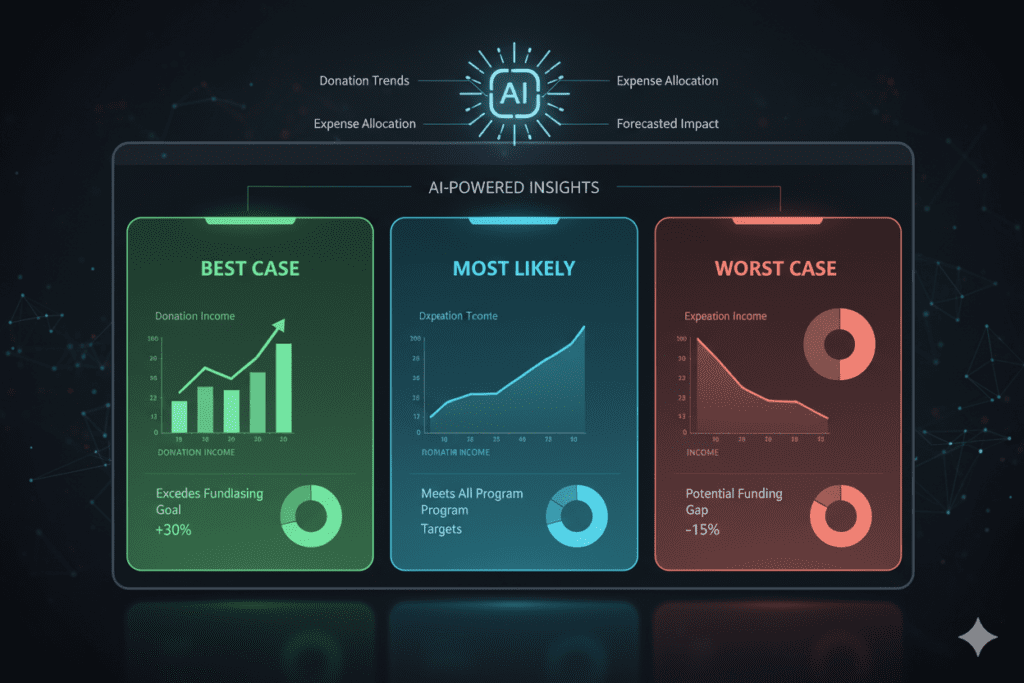
- Scenario planning: Preparing for best-case, worst-case, and most-likely funding scenarios
- Variance analysis: Quickly identifying where actual spending deviates from budget
Step 3: Choose the Right AI Integration Strategy
For most nonprofits, consolidation makes more sense than accumulation. Here’s why:
An integrated platform like AiZolo offers several advantages specifically valuable for nonprofit budget management:
Multi-Model Comparison: When analyzing budget data, you can ask the same question to multiple AI models simultaneously. Claude might identify spending patterns that ChatGPT misses, while Gemini might provide superior data visualization. Having all these perspectives in one interface helps you make better-informed decisions.
Project-Based Organization: Create dedicated projects for different fiscal activities—annual budgeting, grant reporting, fundraising analysis, donor research. Each project maintains its own context and conversation history, keeping your financial analysis organized and accessible.
Custom API Key Support: If your organization needs unlimited AI usage during budget season or grant deadlines, you can use your own API keys for unrestricted access while maintaining the unified interface.
Cost Efficiency for Small Budgets: At $9.90 monthly instead of $110+, you’re freeing up over $1,200 annually—money that directly serves your mission.
Step 4: Apply AI to Your Specific Budget Challenges
Here’s how different nonprofit types can leverage AI for non profit budget management:
For Small Community Organizations:
Use AI to:
- Generate budget templates customized to your programs
- Forecast donation patterns based on your historical data
- Create compelling financial narratives for board reports
- Identify cost-saving opportunities by analyzing spending patterns
Example prompt for AiZolo: “Analyze our last three years of quarterly donation data and identify patterns that could help us predict Q4 giving more accurately. Consider seasonal variations, economic factors, and campaign timing.”
For Education-Focused Nonprofits:
Use AI to:
- Track program costs per student/participant
- Analyze the ROI of different educational interventions
- Forecast enrollment-based revenue
- Compare expense ratios to sector benchmarks
Example prompt: “Based on our program expense data, calculate the cost per participant for each of our three educational programs. Identify which program has the best cost-efficiency ratio and explain the factors driving those differences.”
For Healthcare and Human Services Organizations:
Use AI to:
- Manage complex government contract budgets
- Track billable services and reimbursement rates
- Forecast staffing costs based on service demand
- Identify funding gaps before they become critical
Example prompt: “Review our current staffing costs versus service hours delivered. Project next quarter’s staffing needs if service demand increases by 15%, and identify the funding gap we need to address.”
For Environmental and Conservation Groups:
Use AI to:
- Allocate costs across multiple project sites
- Track restricted versus unrestricted funds
- Analyze the cost-effectiveness of different conservation approaches
- Prepare multi-year project budgets for foundation grants
Advanced Strategies: Maximizing AI for Budget Intelligence
Once you’ve mastered the basics, take your AI for non profit budget management to the next level:
Creating AI-Powered Budget Dashboards
Use AI to generate custom financial dashboards that tell your story:
- Feed your monthly financial data to multiple AI models through a platform like AiZolo
- Ask each model to identify the three most important financial trends
- Compare their analyses to gain comprehensive insights
- Create visual representations of key metrics
- Generate plain-language explanations for board members who aren’t financial experts
Scenario Planning with AI
The Nonprofit Finance Fund reports that only 34% of organizations have formal scenario planning frameworks. AI changes this game:
Scenario modeling prompt: “Create three budget scenarios for our next fiscal year: best-case (20% increase in individual giving, all grants renewed), worst-case (10% decrease in giving, loss of one major grant), and most-likely (5% increase in giving, all grants renewed at 90%). For each scenario, recommend specific expense adjustments and identify the programs most at risk.”
Automating Compliance and Reporting
Nonprofits face intense reporting requirements—to boards, funders, regulators, and the public. AI can help you meet these obligations without sacrificing your mission time:
- Generate draft financial narratives for grant reports
- Create variance analysis explanations for board meetings
- Prepare Form 990-friendly expense categorizations
- Develop donor-friendly financial summaries
Overcoming Common Objections and Concerns

Let me address the hesitations nonprofit leaders often express about AI for non profit budget management:
“We Can’t Afford New Technology”
This is exactly backward. The question isn’t whether you can afford AI—it’s whether you can afford NOT to use it. When you’re spending $110+ monthly on fragmented AI tools, or when budget errors cost you hours of staff time, or when you miss funding opportunities because you couldn’t complete grant applications on time, you’re already paying a premium.
An integrated solution at $9.90 monthly costs less than taking your team out for coffee. The return on investment appears in the first month through time savings alone.
“Our Team Isn’t Technical Enough”
Modern AI tools are designed for regular users, not data scientists. If your team can use email and web browsers, they can use AI for budget management. Platforms like AiZolo require no coding, no complex setup, and no technical training—just conversational prompts in plain English.
“AI Will Make Mistakes with Our Money”
This concern reflects a misunderstanding. You’re not giving AI control over your bank account. You’re using AI as an analytical assistant that helps you:
- Spot patterns you might miss
- Generate draft reports you review before sharing
- Identify anomalies that need human investigation
- Create forecasts that inform (but don’t replace) human decision-making
The human finance expert remains fully in charge—just dramatically more efficient.
“Our Budget Situation Is Too Complex for AI”
Actually, complexity is where AI shines. The more variables you’re juggling—multiple grants with different restrictions, seasonal revenue patterns, program allocations, indirect cost rates—the more value AI provides. It can hold all that complexity in context while analyzing your questions.
Building Your AI-Powered Budget Management System
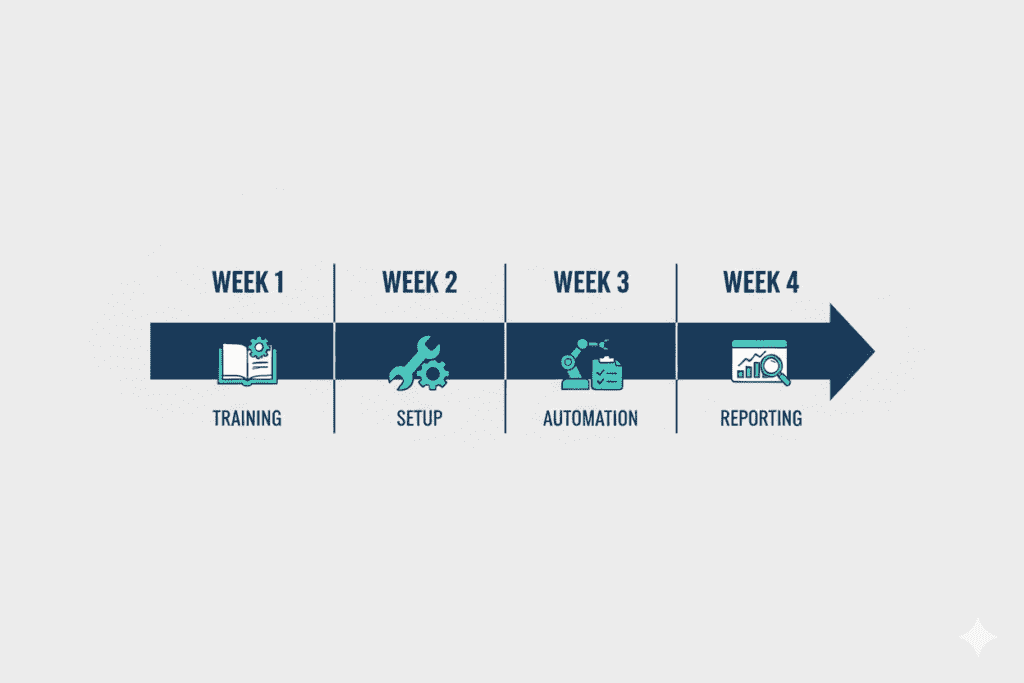
Here’s a practical 30-day implementation plan for AI for non profit budget management:
Week 1: Assessment and Planning
- Audit current AI subscriptions and costs
- List your top five budget management pain points
- Try AiZolo’s free tier to explore the interface
- Identify which team members will be primary users
Week 2: Consolidation
- Cancel redundant AI subscriptions (you can do this gradually if you prefer)
- Upgrade to AiZolo Pro ($9.90/month) for full access
- Set up project folders for different financial activities
- Create templates for your most common budget questions
Week 3: Training and Testing
- Spend 30 minutes daily asking budget-related questions
- Compare answers from different AI models side-by-side
- Test AI-generated reports against your standard formats
- Refine your prompts based on results
Week 4: Full Implementation
- Use AI for your regular monthly budget reporting
- Generate your first AI-assisted board financial report
- Calculate time saved and compare results to previous months
- Document your new AI-enhanced workflows
Resources for Continued Learning
Essential Reading:
- How to Save Money on AI Subscriptions – Detailed strategies for cost optimization
- How to Manage AI Subscriptions Like a Pro – Organizational approaches for teams
- Nonprofit Finance Fund’s State of the Sector Report – Annual insights on nonprofit financial health
- National Council of Nonprofits – Policy updates and financial management resources
External Resources:
- GuideStar by Candid – Nonprofit financial transparency tools and benchmarking
- Araize Financial Management Guide – Comprehensive overview of AI in nonprofit finance
- Google for Nonprofits AI Resources – Free AI tools specifically for nonprofits
The Bottom Line: Why AI for Non Profit Budget Management Isn’t Optional Anymore
Let’s return to Sarah’s story from the beginning. After that terrifying $18,000 budget error, she made a decision. Instead of continuing to juggle multiple expensive AI tools and manual spreadsheets, she consolidated to an integrated AI platform.
Three months later:
- She reduced AI costs from $105/month to $9.90/month (savings: $1,141.20 annually)
- Cut budget reporting time from 12 hours to 4 hours monthly
- Identified $31,000 in potential cost savings through AI-powered spending analysis
- Successfully submitted three grant applications she wouldn’t have had time to complete
- Most importantly: She now sleeps better, confident that her budget data is accurate and accessible
Sarah’s transformation isn’t unique. Across the nonprofit sector, organizations that embrace strategic AI for non profit budget management are discovering something remarkable: Technology doesn’t distance them from their mission—it frees them to pursue it more effectively.
Your Next Steps: Start Your AI-Powered Budget Transformation Today
You don’t need to transform everything overnight. Start small:
- This week: Try AiZolo for free and ask it one budget question you’ve been wrestling with
- This month: Use AI to generate your next board financial report and compare the time spent versus traditional methods
- This quarter: Calculate your total AI costs and explore consolidation opportunities
The nonprofits that will thrive in 2025 and beyond aren’t necessarily the ones with the biggest budgets. They’re the organizations that learn to work smarter, using tools that multiply their impact without multiplying their costs.
AI for non profit budget management isn’t about replacing human expertise—it’s about amplifying it. It’s about ensuring that your limited time, money, and energy go toward serving your community, not fighting with financial spreadsheets.
Your mission is too important to be lost in budget chaos. The tools that can help are more accessible and affordable than you might think.
Explore AiZolo’s plans and discover how consolidating your AI tools can save you over $1,200 annually while giving you more powerful budget management capabilities than ever before. Or start with the free tier to experience the difference that integrated AI can make—no credit card required.
Because every dollar you save on tools, every hour you save on reporting, and every insight you gain from better analysis is another resource you can direct toward the work that matters: changing lives in your community.
Have questions about implementing AI for your nonprofit’s budget management? The AiZolo community includes thousands of nonprofit professionals already using AI to transform their operations. Join the conversation and discover what’s possible when you stop juggling tools and start leveraging them strategically.

