

Introduction
Most websites lose traffic for reasons nobody ever looks at.
Not because the writing is bad. Not because the design is ugly.
They lose traffic because nobody took the time to analyze website SEO before publishing, promoting, or redesigning with Aizolo as part of their workflow.
I’ve audited hundreds of sites over the past 15 years. The pattern repeats constantly.
A business owner spends months on content. Then they wonder why Google ignores it.
Nine times out of ten, the problem isn’t the content itself. It’s what’s happening underneath it.
Broken internal links. Missing schema. Slow load times. Thin pages competing with each other for the same keyword.
None of this is visible unless you go looking for it.
That’s what a proper SEO analysis does. It surfaces the issues you can’t see just by browsing your own site.
In this guide, you’ll learn exactly how professionals analyze website SEO, step by step.
You’ll get the same checklist I use on client audits, the tools that actually matter, and the fixes that move rankings fastest.
No fluff. No recycled “10 tips” listicles. Just a real audit process you can run today.
Table of Contents
What Is Website SEO Analysis
Website SEO analysis is the process of reviewing a site’s technical setup, content, and authority signals to find what’s blocking rankings.
Think of it as a diagnostic checkup, similar to a doctor running tests before writing a treatment plan.
An SEO audit doesn’t guess. It measures.
It looks at crawlability, indexability, page speed, on-page structure, content quality, and backlinks.
Then it compares your findings against what’s actually working for competitors in your niche.
The output isn’t a score for the sake of a score. It’s a prioritized list of fixes ranked by impact and effort.
Quick Answer: Website SEO analysis is a structured review of a site’s technical health, on-page optimization, content quality, and backlink profile, used to identify and prioritize fixes that improve organic search visibility.
Why SEO Analysis Matters
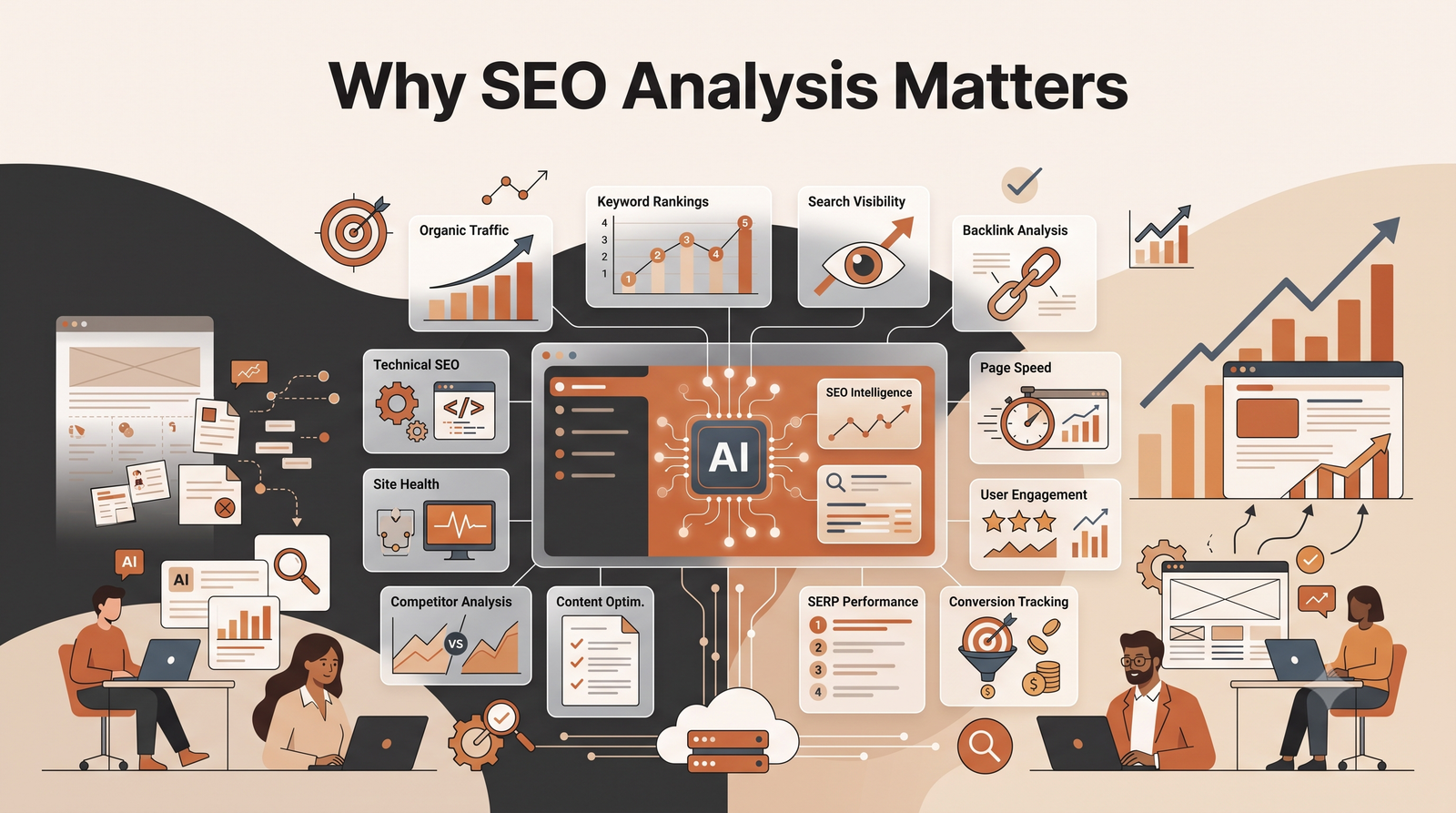
Search algorithms change constantly. What worked in 2023 can quietly hurt you in 2026.
Google’s core ranking systems now fold quality signals directly into every update, rather than running them as separate periodic checks.
That means a site that was “fine” a year ago might already be losing visibility without any obvious warning.
Regular SEO analysis catches problems early, before they compound into a full traffic collapse.
The Real Cost of Skipping SEO Analysis
- Wasted content budget on pages nobody can find
- Slow pages pushing visitors to faster competitors
- Duplicate or thin pages competing against each other
- Broken technical setups blocking Google from indexing new content
- Missed opportunities from keywords you’re already halfway ranking for
⚠️ Warning: Silent Traffic Decline
Traffic often drops gradually, not overnight. By the time it’s obvious in your analytics, you may have already lost months of visibility. Run audits quarterly, not just when something breaks.
How Search Engines Actually Evaluate Your Site
Before you analyze website SEO, it helps to understand what Google is actually checking for.
Modern ranking systems evaluate three broad layers.
1. Can the page be found and understood?
This covers crawlability, indexability, site architecture, and technical health.
2. Does the page satisfy the searcher’s intent?
This covers content depth, relevance, structure, and how well it answers the query compared to other results.
3. Can the page be trusted?
This covers E-E-A-T signals: Experience, Expertise, Authoritativeness, and Trustworthiness.
Google’s Search Quality Rater Guidelines describe how human raters assess pages for these trust signals, and those judgments train the ranking systems, even though raters don’t directly set rankings.
Page experience factors, including Core Web Vitals, sit alongside these as supporting ranking signals rather than the primary driver of rankings.
Understanding this three-layer model changes how you audit. You stop chasing isolated metrics and start asking, “Which layer is broken here?”
The Complete SEO Audit Checklist
Use this as your master checklist before diving into each section below.
✅ Technical Foundation
- [ ] Site is crawlable (robots.txt, no accidental blocks)
- [ ] XML sitemap exists and is submitted in Google Search Console
- [ ] Canonical tags are correctly implemented
- [ ] No orphan pages
- [ ] HTTPS is enabled sitewide
- [ ] No major crawl errors in Search Console
- [ ] Core Web Vitals pass on mobile and desktop
✅ On-Page Elements
- [ ] Unique title tags on every page
- [ ] Meta descriptions written for click-through, not just keywords
- [ ] One clear H1 per page
- [ ] Logical heading hierarchy (H2, H3)
- [ ] Image alt text present and descriptive
- [ ] Internal links pointing to relevant, related pages
✅ Content Quality
- [ ] Content matches search intent for the target keyword
- [ ] No thin or duplicate content
- [ ] Content demonstrates real experience or expertise
- [ ] Content answers the question better than top-ranking competitors
- [ ] Regularly updated for accuracy
✅ Authority Signals
- [ ] Healthy backlink profile with minimal toxic links
- [ ] Author bios and credentials visible
- [ ] Business information (NAP, contact, about page) is clear
- [ ] External links point to trustworthy, relevant sources
Technical SEO Analysis
Technical SEO is the foundation. If this layer is broken, nothing else you fix will matter.
Crawlability
Search engines can only rank pages they can crawl.
Check your robots.txt file first. It’s a common mistake to accidentally block important sections of a site with one wrong line.
Use Google Search Console’s URL Inspection tool to confirm Google can actually access key pages.
Indexability
Being crawlable doesn’t guarantee indexing. A page can be crawled and still excluded from the index.
Common indexability blockers include:
- Accidental
noindextags left over from staging environments - Conflicting canonical tags
- Duplicate content that Google chooses not to index
- Low-quality or thin pages Google deems not worth indexing
💡 Pro Tip
Search site:yourdomain.com in Google to get a rough sense of how many pages are indexed. Compare that number to your actual page count. A big gap signals an indexing problem worth investigating in Search Console.
XML Sitemap and Robots.txt
Your XML sitemap should only include pages you actually want indexed.
Bloated sitemaps filled with redirected, noindexed, or thin pages waste crawl budget and confuse the picture Google has of your site’s priorities.
Canonical Tags
Canonical tags tell search engines which version of a page is the “master” copy when duplicates exist.
Misconfigured canonicals are one of the most common technical errors I find in audits. They frequently point to the wrong URL entirely, sometimes even to a competitor’s site after a migration mistake.
Site Architecture
A flat, logical structure helps both users and crawlers understand your site.
As a rule of thumb, important pages should be reachable within three clicks from the homepage.
On-Page SEO Analysis
On-page SEO is about making each individual page as clear and relevant as possible, for both users and search engines.
Title Tags
Your title tag is often the first thing a searcher sees. It needs to be clear, compelling, and include your target keyword naturally.
Keep it under roughly 60 characters so it doesn’t get truncated in search results.
Meta Descriptions
Meta descriptions don’t directly affect rankings, but they heavily influence click-through rate.
Write them like ad copy: state the benefit, include the keyword, and add a reason to click.
Headings
A page should have exactly one H1. Subheadings (H2, H3) should follow a logical outline, similar to a table of contents.
This structure also helps AI Overviews and featured snippets understand which section answers which question.
Content Structure
Break long paragraphs into short, scannable chunks. Use bullet points and tables wherever they clarify information faster than prose.
Image Optimization
Every meaningful image needs descriptive alt text. This helps accessibility and gives search engines additional context about the page’s topic.
Compress images before uploading. Oversized images are one of the most common causes of slow page speed I find during audits.
Content and Search Intent Analysis
Content that doesn’t match search intent will never rank well, no matter how well it’s written.
The Four Types of Search Intent
| Intent Type | What the Searcher Wants | Example Query |
|---|---|---|
| Informational | Learn something | “what is technical SEO” |
| Navigational | Find a specific site or page | “google search console login” |
| Commercial | Compare options before buying | “best SEO tools 2026” |
| Transactional | Take an action now | “hire SEO consultant” |
Before analyzing your content, check what type of result currently ranks for your target keyword.
If the top 10 results are all long-form guides and yours is a thin product page, intent mismatch is likely your biggest problem, not a lack of backlinks.
Content Depth vs Content Length
Longer isn’t automatically better. Depth matters more than word count.
A 1,200-word page that fully answers the question can outrank a padded 3,000-word page that repeats itself.
❌ Common Mistake
Writing content to hit a word count target instead of genuinely covering the topic. Google’s quality systems are specifically designed to detect and demote content that feels padded or created primarily for search engines rather than people.
Keyword Analysis
Keyword analysis isn’t just about search volume anymore. It’s about matching real user language to real search intent.
Steps to Analyze Keywords Properly
- Identify your primary keyword and its search intent
- Find related and semantic keywords (LSI terms) that support the topic
- Check keyword difficulty against your site’s current authority
- Review what questions appear in “People Also Ask”
- Map keywords to specific pages to avoid cannibalization
Keyword Cannibalization
This happens when multiple pages on your own site compete for the same keyword, splitting ranking signals between them.
It’s one of the most overlooked issues I find during audits, especially on older sites with years of accumulated content.
Backlink Analysis
Backlinks remain one of the strongest authority signals search engines use, even as content quality has become more important.
What to Check
- Total number of referring domains (more valuable than raw link count)
- Relevance of linking sites to your niche
- Anchor text distribution (overly exact-match anchors can look manipulative)
- Toxic or spammy links that may need disavowing
- Lost links that used to point to your site
Quality Over Quantity
Ten links from relevant, authoritative sites in your industry will outperform a hundred links from low-quality directories.
✅ Best Practice
Build backlinks by creating genuinely link-worthy resources: original research, unique data, or tools. Earned links from real experts age far better than purchased or exchanged links.
Internal Linking Analysis
Internal links distribute authority across your site and help both users and crawlers understand relationships between pages.
What Good Internal Linking Looks Like
- Every important page has multiple internal links pointing to it
- Anchor text describes the destination page clearly
- No orphan pages (pages with zero internal links pointing to them)
- Cornerstone content receives the most internal link equity
Run a crawl with a tool like Screaming Frog to find orphan pages and broken internal links quickly.
Core Web Vitals and Page Experience
Core Web Vitals measure real-world page experience using three metrics.
| Metric | Measures | Good Threshold |
|---|---|---|
| Largest Contentful Paint (LCP) | Loading speed | Under 2.5 seconds |
| Interaction to Next Paint (INP) | Responsiveness | Under 200 milliseconds |
| Cumulative Layout Shift (CLS) | Visual stability | Under 0.1 |
INP replaced First Input Delay (FID) as the responsiveness metric in March 2024. Any audit tool or guide still referencing FID is outdated.
These thresholds are measured at the 75th percentile of real user visits, tracked through the Chrome User Experience Report (CrUX), not just a single lab test.
That means a page can look fast in your own testing and still fail in the field if slower devices and connections aren’t accounted for.
How to Check Core Web Vitals
- Google Search Console’s Core Web Vitals report (real field data)
- PageSpeed Insights (combines field and lab data)
- Chrome DevTools Lighthouse panel (lab data, useful for debugging)
⚡ Quick Win
If INP is your weakest metric, look for heavy third-party scripts (chat widgets, ad tags, analytics) executing on the main thread. Deferring or lazy-loading these often produces fast, visible improvements.
Mobile SEO
Google primarily uses the mobile version of your content for indexing and ranking, under mobile-first indexing.
Mobile SEO Checklist
- [ ] Responsive design that adapts to all screen sizes
- [ ] Tap targets large enough to avoid mis-taps
- [ ] Text readable without zooming
- [ ] No intrusive interstitials blocking content on mobile
- [ ] Mobile page speed tested separately from desktop
If your mobile experience is worse than desktop, that gap is directly hurting your rankings, not just your mobile conversions.
Schema Markup
Structured data (schema) helps search engines understand exactly what your content represents, which can unlock rich results in the search listings.
Common Schema Types Worth Implementing
- Article schema for blog posts and guides
- FAQ schema for question-and-answer sections
- Breadcrumb schema for navigation context
- HowTo schema for step-based instructional content
- Organization schema for brand identity
- Person schema for author credibility
- WebPage schema for general page context
Validate your structured data using Google’s Rich Results Test before publishing, since invalid schema can be ignored entirely.
Crawlability and Indexability
This deserves a second, deeper look because it’s where most technical audits go wrong.
Log File Analysis
Server log files show exactly how search engine crawlers interact with your site, not just what tools estimate.
This reveals crawl budget waste, such as bots repeatedly hitting low-value parameter URLs instead of your important pages.
Redirect Chains
Multiple redirects stacked on top of each other slow down crawling and dilute link equity.
Audit for redirect chains and flatten them to a single 301 redirect wherever possible.
Duplicate Content
Duplicate or near-duplicate content confuses search engines about which version to rank, and can dilute ranking signals across multiple URLs.
Use canonical tags, 301 redirects, or content consolidation to resolve duplication.
Competitor SEO Analysis
You can’t judge whether your SEO is “good” in isolation. Compare against what’s actually ranking.
What to Analyze in Competitors
- Content depth and structure of their top-ranking pages
- Their backlink profile and top referring domains
- Site speed and Core Web Vitals performance
- Keyword gaps: what they rank for that you don’t
- Content formats they use (video, tables, calculators, etc.)
🎯 Expert Tip
Don’t just compare against direct competitors. Include whoever currently ranks in the top 5 for your target keyword, even if they’re in a slightly different niche. That’s who you’re actually competing against in the SERP.
Turn SEO Analysis Findings Into an AI Content Brief
A good SEO analysis should end with more than a list of problems. The next step is turning your keyword, search-intent, competitor, and content-gap findings into a clear content brief that a writer or AI system can actually use.
Instead of asking AI to simply “write an article about [keyword],” give it the evidence collected during your SEO analysis.
What to Include in an AI SEO Content Brief
Feed your analysis into a structured brief containing:
- Primary keyword: The main query the page should target.
- Search intent: The dominant intent identified from the current SERP.
- Secondary keywords: Related terms and questions that support the main topic.
- Competitor insights: Important topics, formats, or angles covered by top-ranking pages.
- Content gaps: Useful information competitors provide poorly or fail to cover.
- Recommended structure: H2 and H3 sections based on the actual information users need.
- Internal linking opportunities: Existing pages that should support the new content.
- E-E-A-T requirements: First-hand experience, original examples, expert commentary, or trustworthy sources the article should include.
Use AI to Build the Brief From Your Audit Data
Once these inputs are available, ask AI to convert them into an actionable brief rather than asking it to generate the finished article immediately.
Example prompt:
“Using the SEO analysis below, create a content brief for the target keyword [keyword]. Include the primary search intent, secondary keywords, competitor content gaps, recommended H2/H3 structure, questions to answer, internal-link opportunities, E-E-A-T requirements, and unique angles that competitors are missing. Do not invent search volume, rankings, competitor data, or statistics. Clearly mark anything that requires manual verification.”
This approach keeps AI focused on planning and synthesis, while your SEO data remains the source of truth.
Create Reusable Brief Templates
If you regularly publish content, create separate AI brief templates for different page types rather than using one generic prompt for every keyword.
For example:
| Content Type | Brief Should Prioritize |
|---|---|
| Informational guide | Search intent, explanations, questions, topic depth |
| Commercial comparison | Comparison criteria, alternatives, pros and cons, buying factors |
| Product page | Benefits, features, objections, conversion intent |
| Pillar page | Topic coverage, subtopics, cluster relationships, internal links |
| Supporting article | Narrow intent, topical depth, links to the pillar page |
Reusable templates make the SEO analysis process more consistent and reduce the risk of producing articles with similar structures across different keywords.
Validate the AI-Generated Brief Before Writing
AI should accelerate SEO planning, not replace judgment.
Before sending the brief to a writer or content-generation workflow, verify the most important inputs against your actual SEO data and the live SERP. Pay particular attention to competitor claims, keyword intent, statistics, and recommended content gaps.
The final brief should answer one question clearly:
What does this page need to cover that will satisfy the searcher better than the existing results?
When the answer is clear, SEO analysis becomes an actionable publishing strategy rather than a collection of disconnected metrics.
Common SEO Mistakes
| Mistake | Why It Hurts | Fix |
|---|---|---|
| Keyword stuffing | Reads unnaturally, can trigger spam signals | Write naturally, use keyword once per 150-200 words |
| Ignoring mobile experience | Mobile-first indexing means mobile issues directly hurt rankings | Test and fix mobile separately from desktop |
| No internal linking strategy | Orphan pages and diluted authority | Build a deliberate internal linking map |
| Thin, AI-generated filler content | Fails helpful content quality signals | Add original insight, data, and experience |
| Duplicate title tags | Confuses relevance signals | Write unique titles for every page |
| Broken links | Wastes crawl budget, hurts UX | Run regular crawl audits |
| Ignoring Core Web Vitals | Slower pages lose users and rankings | Optimize images, scripts, and layout stability |
| Missing schema markup | Missed rich result opportunities | Implement and validate structured data |
Best SEO Tools: Free vs Paid
Free SEO Tools
| Tool | Best For |
|---|---|
| Google Search Console | Indexing, Core Web Vitals, search performance |
| Google PageSpeed Insights | Page speed and Core Web Vitals diagnostics |
| Google Lighthouse | In-browser performance auditing |
| Bing Webmaster Tools | Crawl and indexing insights for Bing |
| Screaming Frog (free tier) | Site crawling up to 500 URLs |
Paid SEO Tools
| Tool | Best For |
|---|---|
| Ahrefs | Backlink analysis, keyword research, site audits |
| Semrush | All-in-one SEO suite, competitor analysis |
| Moz Pro | Domain authority tracking, rank tracking |
| ContentKing | Real-time SEO monitoring |
| Screaming Frog (paid) | Deep technical crawls at scale |
💡 Pro Tip
Start every audit with the free tools first. Google Search Console alone reveals most indexing and performance issues before you ever need to pay for a third-party crawler.
Step-by-Step SEO Analysis Process
Here’s the exact sequence I follow on client audits.
- Pull baseline data from Google Search Console and Analytics
- Run a full site crawl to find technical errors and broken links
- Check indexation using
site:searches and the Search Console coverage report - Audit Core Web Vitals on both mobile and desktop
- Review on-page elements across your highest-traffic and highest-potential pages
- Analyze content against search intent for target keywords
- Check backlink profile for toxic links and missed opportunities
- Map internal linking to find orphan pages and cannibalization
- Benchmark against top 5 competitors for your priority keywords
- Prioritize fixes by impact versus effort, not just by severity
Case Study: A Real Recovery
A mid-size B2B services site came to me after losing roughly 40% of organic traffic over six months.
The audit found three compounding issues.
First, a site migration had left dozens of pages with incorrect canonical tags pointing to unrelated URLs.
Second, mobile page speed had quietly degraded after a third-party chat widget was added, pushing INP well past 500 milliseconds.
Third, several cornerstone pages had zero internal links pointing to them after a navigation redesign.
We fixed the canonicals, deferred the chat widget script, and rebuilt the internal linking structure around priority pages.
Within ten weeks, organic traffic had recovered past the pre-decline baseline, without a single new backlink or piece of new content.
The lesson: sometimes the biggest wins come from fixing what’s broken, not adding more.
Expert Tips
🎯 Expert Tip #1
Always audit with fresh eyes on mobile first. Most quality raters and most real users encounter your site on mobile before desktop.
🎯 Expert Tip #2
When in doubt about a technical fix, check what Google Search Central documentation actually says, not a forum post from three years ago. Guidance changes.
🎯 Expert Tip #3
Don’t audit everything at once. Fix technical blockers first, then on-page, then content depth, then authority signals. Order matters because later fixes compound on earlier ones.
The Future of SEO Analysis
SEO analysis is shifting toward evaluating how content performs across AI-generated answers, not just traditional blue links.
Google’s AI Overviews now pull directly from pages that demonstrate clear structure, strong E-E-A-T signals, and direct, well-organized answers to specific questions.
This makes structured data, clear headings, and concise featured-snippet-style answers more valuable than ever, not less.
Expect future SEO audits to increasingly track visibility across AI Overviews and other AI-generated search surfaces alongside traditional rankings.
The fundamentals don’t change though. Crawlable, fast, well-structured, genuinely helpful content remains the foundation everything else builds on
Final SEO Analysis Checklist
Use this as your final sign-off before considering an audit complete.
- [ ] All critical crawl errors resolved
- [ ] Sitemap and robots.txt reviewed and accurate
- [ ] Core Web Vitals passing on mobile and desktop
- [ ] Title tags and meta descriptions unique across the site
- [ ] Content matches search intent for every priority keyword
- [ ] No unresolved keyword cannibalization
- [ ] Internal linking map updated with no orphan pages
- [ ] Backlink profile reviewed for toxic links
- [ ] Schema markup implemented and validated
- [ ] Competitor gap analysis completed and documented
FAQ
What does it mean to analyze website SEO? Analyzing website SEO means reviewing a site’s technical setup, on-page elements, content quality, and backlink profile to identify what’s blocking search visibility.
How often should I analyze my website’s SEO? A full audit every quarter is reasonable for most sites, with lighter monthly checks on Core Web Vitals and indexing status.
What’s the difference between an SEO audit and SEO analysis? They’re often used interchangeably. An audit typically implies a full checklist-based review, while analysis can refer to reviewing a specific area, like keywords or backlinks.
Can I analyze my website’s SEO for free? Yes. Google Search Console, PageSpeed Insights, and Lighthouse cover most core diagnostics without any cost.
What is the most important part of an SEO analysis? Technical health comes first, since content and authority improvements won’t help if search engines can’t crawl or index your pages properly.
How long does a full SEO audit take? For a small site, a few hours. For larger sites with hundreds or thousands of pages, a thorough audit can take one to two weeks.
Does website speed really affect SEO rankings? Yes. Core Web Vitals are a confirmed page experience signal, and slow, unstable pages also increase bounce rates, which indirectly hurts performance.
What is keyword cannibalization and why does it matter? It happens when multiple pages on the same site target the same keyword, splitting ranking signals and confusing search engines about which page to rank.
How to Use AI for Generating SEO Briefs from Keywords?
Enter your primary keyword and provide AI with search intent, related keywords, competitor insights, and content gaps. Then, follow the Turn SEO Analysis Findings Into an AI Content Brief workflow to create a structured brief with headings and content recommendations. Always verify AI-generated recommendations against live SERPs and your SEO data.
How do I know if my content matches search intent? Check what type of content currently ranks in the top 10 for your keyword. If your page’s format doesn’t match, intent mismatch is likely hurting you.
What is E-E-A-T and why does it matter for SEO? E-E-A-T stands for Experience, Expertise, Authoritativeness, and Trustworthiness. It’s the framework Google’s quality raters use to judge content credibility.
Is AI-generated content bad for SEO? Not automatically. Google evaluates content on quality and helpfulness regardless of how it was produced, but unedited, generic AI content tends to fail those standards.
What tools do professional SEOs actually use for audits? A mix of Google Search Console, PageSpeed Insights, and a paid crawler or suite like Ahrefs, Semrush, or Screaming Frog for deeper technical and backlink analysis.
Should I fix technical SEO or content first? Technical issues first. Content improvements on a page Google can’t properly crawl or index won’t move rankings.
What is schema markup and do I need it? Schema markup is structured data that helps search engines understand your content’s context. It’s not mandatory but can unlock rich results like FAQ snippets.
How do I check if my website is mobile-friendly for SEO? Test your site on an actual mobile device, then confirm with Google Search Console’s mobile usability report and PageSpeed Insights.
Conclusion
Analyzing website SEO isn’t a one-time task. It’s an ongoing discipline.
The sites that consistently rank well aren’t necessarily the ones with the most content or the biggest budgets.
They’re the ones that catch problems early, fix them systematically, and keep their technical foundation solid while everything else builds on top of it.
Start with the checklist in this guide. Work through technical health first, then on-page, then content depth, then authority signals.
Small, consistent audits beat one massive overhaul every time.
Author Bio
Jeevesh Tripathi Email: jeevesh@aizolo.com
Jeevesh Tripathi is a digital marketing and SEO strategist specializing in technical audits, AI-assisted content research, and website optimization for growth-focused businesses. With hands-on experience diagnosing and resolving ranking issues across a wide range of industries, Jeevesh focuses on data-driven, EEAT-aligned strategies that hold up under Google’s evolving quality standards. His work blends practical SEO consulting with modern AI tooling to help websites earn sustainable, long-term organic visibility rather than short-lived ranking spikes.

Hello i am kavin, its my first occasion to commenting anywhere,
when i read this article i thought i could also create comment due to this sensible piece of writing.
Currently it sounds like Movable Type is the best blogging platform available right now.
(from what I’ve read) Is that what you are using on your blog?