Table of Contents
Key Takeaways
- There is no single “best” model in 2026 — the market has split into specialists. GPT Image 2 and Nano Banana Pro (Gemini 3.1 Flash Image) lead general-purpose blind-vote leaderboards; Ideogram remains the sharpest tool specifically for typography and logos.
- Text rendering is no longer the industry’s weak point. Ideogram, GPT Image 2, and Nano Banana Pro now render multi-line, multi-script text with accuracy that would have been unthinkable in 2023–2024.
- Pricing models vary wildly — per-image API pricing (Ideogram, Flux, fal.ai-hosted GPT Image), GPU-hour subscriptions (Midjourney), and credit-based Creative Cloud bundles (Adobe Firefly) aren’t directly comparable without doing the per-image math.
- Open-weight models have closed the gap. NVIDIA’s Cosmos 3 Super and Black Forest Labs’ FLUX.2 line now sit competitively against closed frontier models on independent leaderboards, which matters if you need self-hosting or data residency.
- Commercial licensing terms differ by provider and even by tier within the same provider — always confirm licensing before shipping client work, not after.
What Are Text-to-Image AI Models?
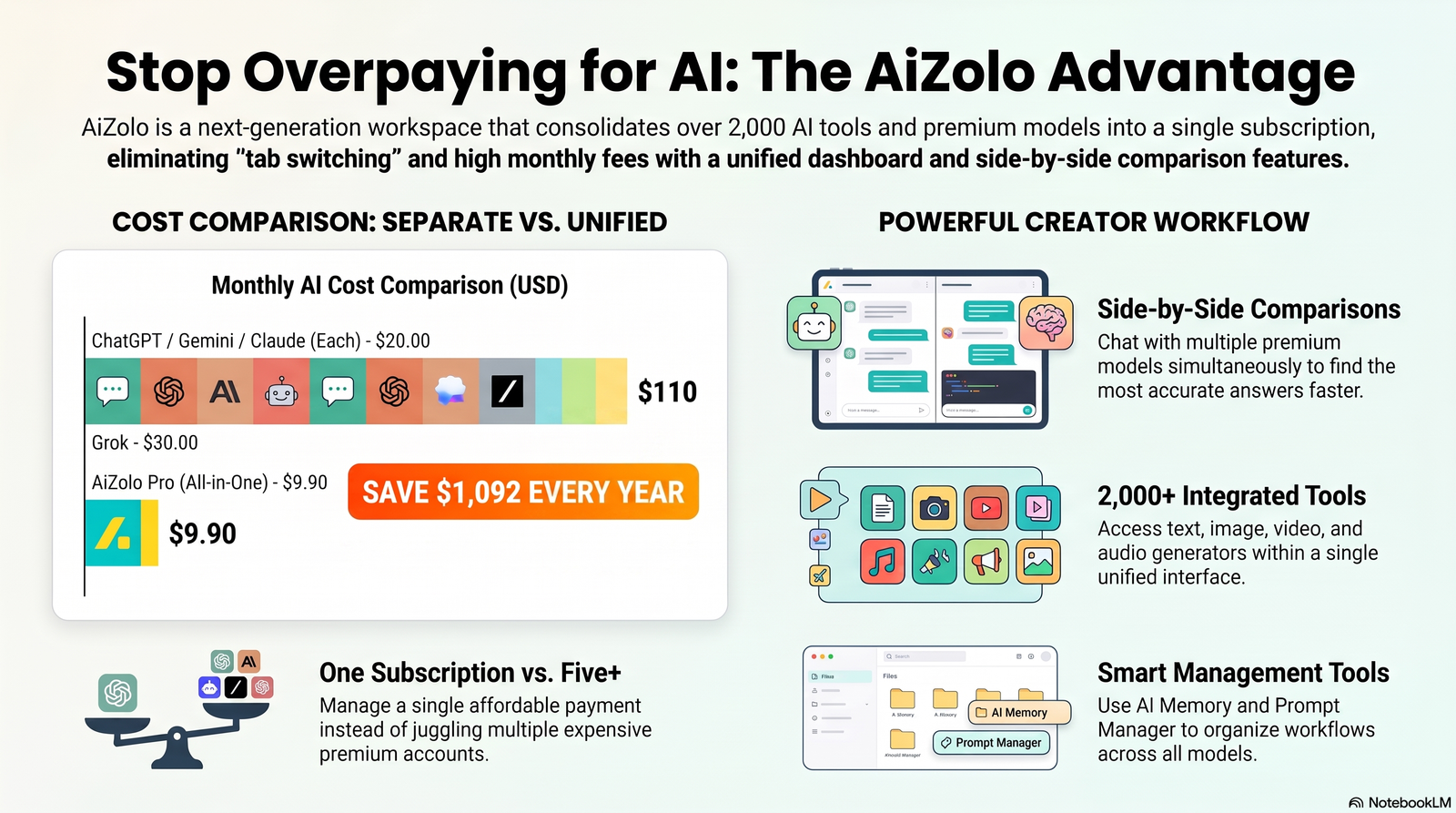
Text-to-image AI models are neural networks trained to turn a written description into a matching image. You type a prompt, the model interprets it, and it outputs a picture that (ideally) matches what you asked for. Platforms like Aizolo make this process even more convenient by giving users access to multiple leading text-to-image AI models from a single workspace for easier comparison and creation.
In 2023, this was a novelty. By 2026, it’s infrastructure. A best text to image ai models 2026 comparison helps marketing teams choose the right model for campaign visuals, while e-commerce founders can identify the best option for creating product photography without a studio.
Developers use it for UI mockups. The differentiator now isn’t whether a model can do this — nearly all of them can — it’s which model fits a specific job.
How AI Image Generation Actually Works
Modern text-to-image systems combine two components: a text encoder and an image decoder.
The text encoder converts your prompt into a mathematical representation — an embedding — that captures meaning and relationships between the words. The decoder then uses that embedding to guide image generation.
For diffusion models, generation starts as random visual noise. The decoder removes noise step by step, over dozens of iterations, steering the result toward what the prompt describes. For transformer-based models, the image is built token by token, similar to how a language model writes text one word at a time.
Diffusion vs. Transformer (Autoregressive) Models
Most image models released between 2022 and 2024 — Stable Diffusion, Midjourney, Flux, Imagen — are diffusion or rectified-flow models. They excel at painterly, high-fidelity output and have a mature open-weight ecosystem.
The newer wave, led by OpenAI‘s GPT-Image family, uses a transformer architecture that generates images token by token.
This shift is part of why 2026’s top models handle complex instructions and embedded text more reliably: the same architecture that made language models good at following multi-step instructions carries over to image generation.
Several 2026 frontier models — including GPT Image 2 — have also added a planning or “reasoning” step before generation, where the model lays out composition and text placement before committing pixels.
Why Text Rendering Finally Got Good in 2026
For years, the standing joke about AI image generators was that they couldn’t spell. Ask for a coffee shop sign and you’d get confident-looking gibberish.
That changed for three overlapping reasons:
Architecture. Token-based generation (GPT-Image family) and dedicated text-conditioning layers (Ideogram) treat letterforms less like abstract texture and more like the structured symbols they are.
Training data curation. Providers like Ideogram built training pipelines specifically around OCR-verified text accuracy, rather than treating legible text as an incidental byproduct of general image quality.
A reasoning step before rendering. Newer models plan text placement and content before generating pixels, which sharply cuts down on garbled or duplicated characters — especially in longer strings and non-Latin scripts.
The result: Ideogram claims roughly 90–95% text rendering accuracy on its 3.0 model, a substantial jump from the 30–40% range typical of earlier diffusion-only models. GPT Image 2 and Nano Banana Pro (Gemini 3.1 Flash Image) now handle both Latin and CJK (Chinese, Japanese, Korean) text with meaningfully fewer errors than their 2024 predecessors.
Our Comparison Methodology
We evaluated each model against criteria that map to actual buying decisions, not abstract benchmarks:
- Prompt following — does the output match what you actually asked for?
- Typography/OCR accuracy — is embedded text legible and correctly spelled?
- Photorealism — how close to a real photograph, when that’s the goal?
- Character/subject consistency — can it keep the same character or product across multiple images?
- Editing (inpainting/outpainting) — can you modify part of an image without regenerating the whole thing?
- Speed — generation time per image at production resolution.
- Cost — real per-image cost across subscription and API pricing models.
- Commercial license terms — what you’re actually allowed to do with the output.
- API availability — whether it’s built for automated, high-volume pipelines.
Where possible, we grounded quality claims in independent blind-vote leaderboards (Artificial Analysis Image Arena, LMArena) rather than vendor marketing copy, because blind comparisons — where evaluators don’t know which model produced which image — remove brand bias.
As of mid-2026, GPT Image 2 leads both the Artificial Analysis and LMArena text-to-image leaderboards by a wide margin, with Google’s Nano Banana Pro, Microsoft’s MAI-Image 2.5, and ByteDance’s Seedream 4.5 forming the next tier.
It’s worth noting these Elo scores measure aggregate human or automated preference — not typography accuracy specifically, which is why a model can rank lower overall and still be the right choice for text-heavy work.
The Full Model-by-Model Comparison
GPT Image 2 (OpenAI)
Overview: OpenAI’s current flagship image model, released in April 2026, topped both major blind-vote leaderboards with what reviewers describe as the largest first-to-second-place gap either arena has recorded. It’s a transformer-based, token-by-token generator with a built-in planning step before rendering.
Strengths: Near-top-ranked instruction following, strong Latin and CJK text rendering, solid photorealism, integrated editing/inpainting.
Weaknesses: Token-based API pricing can be harder to predict than flat per-image pricing; some users report it losing coherence on very loosely specified prompts.
Pricing: OpenAI’s own API uses token-metered pricing; third-party host fal.ai offers flat per-image rates from roughly $0.005 (low-res, low quality) up to about $0.40 (4K, high quality).
Best for: Teams that need the strongest all-around quality and are already inside the OpenAI/ChatGPT ecosystem — marketing assets, product mockups, and any workflow needing reliable embedded text.
Who should use it: Agencies and in-house teams that want one model to cover most jobs without switching tools.
Nano Banana Pro / Nano Banana 2 (Google — Gemini 3.1 Flash Image)
Overview: Google’s Gemini-integrated image model, widely regarded as the strongest generalist alternative to GPT Image 2. It can also reverse-engineer an existing image to isolate and adjust individual attributes like lighting or angle without regenerating the whole scene.
Strengths: Excellent prompt fidelity even on long, detailed instructions; strong multilingual text support (English, Chinese, Arabic, Spanish and more); free access through standard Google accounts.
Weaknesses: Output can look over-processed or occasionally muddy; the advanced reasoning mode can take up to two minutes per generation.
Pricing: Free through Gemini for standard use; API access through Vertex AI/Gemini API at published per-image rates.
Best for: Character-consistent content series, multilingual campaigns, and teams that want frontier quality without a subscription.
Who should use it: Content creators and marketers who need free or low-cost access to near-frontier quality.
Midjourney v7 / v8.1
Overview: The long-standing leader in artistic, cinematic image quality. Midjourney briefly regressed with v8 before v8.1 restored parity with v7’s scores on independent testing.
Strengths: Unmatched aesthetic range for concept art, cinematic scenes, and stylized illustration; Omni Reference feature for character consistency; large, active community and prompt-sharing ecosystem.
Weaknesses: Text rendering remains noticeably weaker than Ideogram or GPT Image 2 — embedded text often looks stiff or slightly warped; struggles with prompt adherence on complex multi-element scenes; Discord-first workflow (though a web app now exists).
Pricing: Subscription-only, GPU-hour based: Basic $10/month (~3.3 fast hours), Standard $30/month (15 fast hours + unlimited Relax mode), Pro $60/month (adds Stealth Mode for private generations), Mega $120/month. No free tier since 2023. Companies over $1M in annual revenue are contractually required to use at least the Pro tier.
Best for: Concept art, cinematic marketing visuals, illustration-led branding — anywhere aesthetic impact matters more than typography.
Who should use it: Creative teams and designers who prioritize visual style over precise text or exact prompt literalism.
Ideogram 3.0 / 4.0
Overview: Founded by ex-Google Brain researchers who worked on Imagen, Ideogram made a deliberate bet in 2023 that text rendering was the industry’s biggest unsolved problem — and built its entire model architecture around solving it.
Strengths: Best-in-class typography accuracy for posters, logos, packaging, and any design with embedded copy; dedicated design tooling (Reframe, Remix, Replace Background); character-reference consistency for mascots and recurring product shots; both hosted and self-hostable (quantized weights available on Hugging Face, commercial license required for production use).
Weaknesses: Narrower aesthetic range than Midjourney for pure fine-art style; commercial terms for self-hosted weights require a separate paid license above certain volume thresholds.
Pricing: Per-image API pricing from $0.03 (Turbo tier) to $0.09–0.10 (Quality tier); subscriptions from about $7–$20/month (Basic to Plus) up to $42–48/month (Pro, includes batch generation and API access). Free tier: 10 prompts/week, public gallery only. Paid plans include a full commercial license; free-tier images are technically usable commercially but are public by default.
Best for: Logos, posters, infographics, packaging, and any marketing graphic where legible embedded text is non-negotiable.
Who should use it: Designers and marketing teams producing text-heavy creative at volume.
Flux 2 / Flux Kontext (Black Forest Labs)
Overview: Black Forest Labs, founded by former Stability AI researchers, ships Flux in multiple tiers — a closed, API-only Pro tier and open-weight Dev/Schnell tiers, the latter under a permissive Apache 2.0 license. Flux Kontext extends the line with strong character- and style-preserving editing.
Strengths: Genuinely open-weight options for commercial self-hosting (Schnell); Kontext’s identity preservation across edits is a standout for production design pipelines; competitive photorealism.
Weaknesses: The closed Pro tier narrows the licensing advantage that makes open-weight Flux attractive in the first place; smaller aesthetic/style range than Midjourney.
Pricing: Roughly $0.003–$0.05 per image via third-party API hosts, depending on tier and provider; self-hosting Schnell is free beyond compute costs.
Best for: Teams that need self-hosted, cost-controlled generation, or iterative edit workflows that must preserve a character or product’s identity across multiple images.
Who should use it: Developers and technically capable teams building their own image pipelines who want to avoid per-image vendor lock-in.
Imagen 4 / Imagen 4 Ultra (Google DeepMind)
Overview: Google DeepMind’s flagship model, distinct from the Gemini-integrated Nano Banana line, available through the Gemini API and Vertex AI. Frequently cited as producing the most photorealistic output of any publicly available model — skin texture, fabric detail, and reflections are especially strong.
Strengths: Best-in-class photorealism; strong text-in-image accuracy; predictable enterprise billing and IAM through Google Cloud.
Weaknesses: Meaningful ecosystem lock-in for teams not already on Google Cloud; regional availability varies, so confirm access before committing production workflows to it.
Pricing: Usage-based through Vertex AI/Gemini API; check current regional pricing before scaling.
Best for: Photoreal product photography, portraits, and any commercial shot where indistinguishability from a real photograph is the goal.
Who should use it: Teams already standardized on Google Cloud infrastructure.
Recraft V3 / V4.1
Overview: A design-team-focused model that ranked highly on independent text-to-image arenas. Recraft differentiates on brand-consistency tooling and native vector output, not just raster images.
Strengths: Strong style and brand consistency across a set of assets; vector and raster output, useful for logos and icon sets that need to scale cleanly; character consistency for recurring brand elements.
Weaknesses: Subscription-only, no open-weight option; smaller community and prompt-sharing ecosystem than Midjourney or Flux.
Pricing: Subscription-based; check recraft.ai for current tiers.
Best for: Brand and UI design teams that need vector assets, not just pixels — icon sets, logo variations, packaging systems.
Who should use it: In-house design and branding teams building a cohesive visual system rather than one-off images.
Seedream 4.5 / v5.0 Lite (ByteDance)
Overview: ByteDance’s image line, built by the same team behind the Seedance video model. Positions itself as an “omni” model that’s as strong at editing existing images as generating new ones.
Strengths: High resolution (up to 2048×2048 in the Lite tier) at low per-image cost; supports up to six reference images for consistent brand assets; strong prompt adherence for editing tasks.
Weaknesses: Independent testers note weaker cinematic style and realism compared to top-tier photoreal specialists; best treated as a secondary editing tool rather than a primary generator for realism-critical work.
Pricing: Among the cheapest production-quality options — roughly $0.026/image at 2048×2048 in the Lite tier.
Best for: High-volume e-commerce catalogs and social content calendars where cost-per-image matters more than photographic realism.
Who should use it: E-commerce teams and content operations generating large batches of product or social imagery.
HiDream-O1
Overview: An open-weight model that consistently appears in the top tier of independent editing (image-to-image) leaderboards alongside Tencent’s HunyuanImage.
Strengths: Strong open-weight editing performance; self-hostable for teams with data residency or cost-control requirements.
Weaknesses: Less documented for pure text-to-image generation compared to editing; smaller ecosystem and community support than Flux or Stable Diffusion.
Best for: Self-hosted image-editing pipelines where you need open weights specifically for the editing/inpainting stage.
Who should use it: Technical teams building custom editing tools who want an open alternative to Nano Banana or GPT Image 2 for the edit step.
Reve Image / Reve Flow
Overview: Positioned as the easiest model to learn, largely because of Reve Flow — a conversational editing mode that lets you refine an image through plain-language back-and-forth rather than re-writing prompts from scratch.
Strengths: Low learning curve; strong for iterative, conversational refinement rather than one-shot generation.
Weaknesses: Less proven at the top of blind-vote leaderboards compared to frontier generalist models.
Best for: Teams and individuals newer to prompt engineering who want natural-language iteration instead of trial-and-error prompting.
Who should use it: Solo creators, students, and non-designers who want a gentler learning curve.
Adobe Firefly 3 / Creative Cloud Integration
Overview: Adobe’s generative model, trained on licensed Adobe Stock content and built specifically for commercial-safety guarantees. Integrated directly into Photoshop, Illustrator, and Express rather than existing as a standalone destination.
Strengths: The clearest commercial-license story of any major model, since training data provenance is licensed rather than scraped; native integration into existing Creative Cloud workflows (generative fill, background replacement, canvas extension).
Weaknesses: Generally regarded as behind Midjourney, GPT Image 2, and Nano Banana Pro on raw aesthetic quality and prompt creativity; less useful as a standalone generation destination outside Adobe apps.
Pricing: Included with Creative Cloud subscriptions (~$55–$70/month) with a monthly generative-credit allowance; standalone Firefly plans run roughly $10–$20/month for lower tiers, up to $200/month for high-volume business plans.
Best for: Agencies and enterprises that need explicit legal defensibility on training data provenance, and teams already living inside Photoshop/Illustrator.
Who should use it: Legal, brand-safety-conscious teams and anyone already paying for Creative Cloud.
Stable Diffusion 3.5 and Open-Weight Successors (Stability AI, NVIDIA Cosmos, Qwen Image)
Overview: The open-weight ecosystem anchored by Stable Diffusion 3.5 has been joined by newer strong open options, notably NVIDIA’s Cosmos 3 Super — which independent automated benchmarks place ahead of several closed models — and Alibaba’s Qwen Image, which stands out for multilingual (including non-Latin script) prompt handling.
Strengths: Free to self-host; full customization via fine-tuning and LoRAs; no per-image cost beyond compute; Qwen Image in particular handles Chinese, Arabic, and Spanish prompts with strong realism.
Weaknesses: Requires GPU hardware (or paid cloud compute) and technical setup; generally behind closed frontier models on raw prompt-following without additional fine-tuning work.
Best for: Developers, researchers, and cost-sensitive teams who want full control and no vendor lock-in.
Who should use it: Technical teams with GPU access who need customization closed APIs don’t allow.
Comparison Table: Every Model, Every Metric
| Model | Photorealism | Text Rendering | Speed | Editing | Consistency | Pricing | Commercial License | API | Best For |
|---|---|---|---|---|---|---|---|---|---|
| GPT Image 2 | Very strong | Near-top | Moderate (reasoning step) | Yes | Strong | ~$0.005–$0.40/image (fal.ai) or token-metered | Yes | Yes | All-around production work |
| Nano Banana Pro (Gemini 3.1 Flash) | Strong | Strong, multilingual | Fast; up to ~2 min in reasoning mode | Yes, incl. attribute isolation | Very strong | Free tier + usage-based API | Yes | Yes | Free-tier frontier quality, character consistency |
| Midjourney v7/v8.1 | Strong (cinematic) | Weak–moderate | Fast (Fast mode) / slow (Relax) | Limited | Moderate–strong (Omni Reference) | $10–$120/month subscription | Yes, all tiers | No public API | Artistic/cinematic visuals |
| Ideogram 3.0/4.0 | Good | Best-in-class | Fast (Turbo ~12s) | Yes (Edit, Reframe, Remix) | Strong (character reference) | $0.03–$0.10/image or $7–$48/month | Yes, paid tiers | Yes | Typography, logos, posters |
| Flux 2 / Kontext | Strong | Moderate | Fast | Strong (Kontext) | Strong (Kontext) | $0.003–$0.05/image; free self-hosted (Schnell) | Yes (Schnell: Apache 2.0) | Yes | Self-hosted / identity-preserving edits |
| Imagen 4 / Ultra | Best-in-class | Strong | Moderate | Limited (generation-focused) | Moderate | Usage-based (Google Cloud) | Yes | Yes | Photoreal product/portrait shots |
| Recraft V3/V4.1 | Good | Good | Moderate | Yes | Strong (brand consistency) | Subscription | Yes | Yes | Vector + brand design systems |
| Seedream 4.5/v5 Lite | Moderate | Good | Very fast (~2s) | Strong | Good (up to 6 ref images) | ~$0.026/image | Yes | Yes | High-volume e-commerce/social |
| HiDream-O1 | Moderate | Moderate | Fast | Strong (open-weight leader) | Moderate | Free (self-hosted) | Yes (check weight license) | Community | Self-hosted editing pipelines |
| Reve Image/Flow | Good | Moderate | Fast | Conversational editing | Moderate | Subscription | Check terms | Yes | Beginners, iterative refinement |
| Adobe Firefly 3 | Moderate–good | Moderate | Fast | Strong (Creative Cloud native) | Moderate | Included in CC (~$55+/mo) or $10–$200/mo standalone | Yes, explicit legal safety | Yes | Legally defensible commercial work |
| Stable Diffusion 3.5 / Cosmos 3 Super / Qwen Image | Good–strong | Moderate | Depends on hardware | Strong (open tooling) | Depends on setup | Free (self-hosted) | Yes (check specific license) | Self-hosted | Custom, GPU-based pipelines |
Ratings are qualitative, synthesized from independent blind-vote leaderboards (Artificial Analysis Image Arena, LMArena) and vendor documentation as of July 2026. Leaderboard positions shift frequently — verify current standings before making a purchasing decision for a long-term contract.
Best Model For… (Use-Case Table)
| Use Case | Recommended Model | Why |
|---|---|---|
| Logos | Ideogram 3.0/4.0 | Highest typography accuracy for small, precise text |
| Ads | GPT Image 2 or Ideogram | Strong instruction-following plus reliable embedded copy |
| Posters | Ideogram | Multi-line layout and font accuracy at scale |
| YouTube thumbnails | Midjourney or Nano Banana Pro | Cinematic impact and fast iteration |
| Product photography | Imagen 4 Ultra | Best photorealism for reflections, texture, lighting |
| Concept art | Midjourney v7/v8.1 | Widest aesthetic and stylistic range |
| Branding | Recraft V3/V4.1 | Vector output plus brand-consistency tooling |
| Typography-led design | Ideogram | Purpose-built for legible embedded text |
| Marketing creatives | GPT Image 2 | Balances realism, text accuracy, and prompt fidelity |
| UX mockups | Nano Banana Pro | Strong instruction-following on structured layouts |
| Packaging | Ideogram or Recraft | Text accuracy plus vector-friendly output |
| Fashion | Midjourney or Imagen 4 | Aesthetic quality and photoreal texture, respectively |
| Architecture | Imagen 4 Ultra | Lighting and material realism |
| Social media | Seedream 4.5/v5 Lite | Fast, cheap, high-volume generation |
Featured snippet answer (40–60 words): The best text to image AI model in 2026 depends on the task: Ideogram leads for logos and typography, Imagen 4 Ultra leads for photorealistic product shots, Midjourney leads for cinematic concept art, and GPT Image 2 or Nano Banana Pro are the strongest all-around choices when you need one model to cover most use cases.
Real-World Workflows
Marketing agencies: Run initial concept exploration in Midjourney for mood and style, then move approved directions into Ideogram or GPT Image 2 for any asset that needs finished, legible copy — headlines, CTAs, packaging text.
Designers: Use Recraft for brand systems that need vector output and consistent style across dozens of assets, then hand off to Adobe Firefly inside Photoshop for final touch-ups where commercial-safety documentation matters for the client contract.
Founders and solo operators: Start with Nano Banana Pro’s free tier for early-stage product and marketing visuals, then graduate to a paid Ideogram or GPT Image 2 plan once volume or text-accuracy needs increase.
Content creators: Combine Midjourney (aesthetic thumbnails and channel art) with Seedream for the high-volume, lower-stakes social posts that don’t need cinematic polish.
E-commerce and print-on-demand: Seedream’s Lite tier or Flux Schnell keep per-image cost low enough for full product catalogs; reserve Imagen 4 Ultra for hero shots and paid ad creative where photorealism directly affects conversion.
Developers: Flux (self-hosted Schnell or API-hosted Pro) and Ideogram’s API both offer the predictable, per-image pricing and REST access needed for automated pipelines — generate-on-demand product variants, dynamic ad creative, or user-personalized graphics.
Students: Free tiers across Nano Banana Pro, Ideogram (10 prompts/week), and Flux Schnell self-hosted cover most coursework and portfolio needs without a subscription.
Information Gain: What Other Guides Miss
Prompt engineering changes typography outcomes more than model choice alone. Even on Ideogram, vague prompts (“a poster with some text”) produce worse spelling accuracy than prompts that explicitly quote the intended text in quotation marks and specify font style and placement.
Multilingual text rendering is not uniform across a single model’s language set. A model that’s excellent at English and CJK text can still stumble on Arabic or right-to-left scripts; Qwen Image and Nano Banana Pro are currently the strongest documented performers outside English and Chinese.
“Character reference” pricing is often hidden in a separate fee tier. On Ideogram, for example, adding a character reference image to preserve a consistent subject roughly doubles or triples the per-image API cost compared to a standard generation — a detail easy to miss when budgeting a campaign.
Self-hosted “open-weight” doesn’t always mean commercial-free. Several 2026 open-weight releases (Ideogram 4.0’s public weights, for instance) are free only for non-commercial use; commercial self-hosting requires a separate paid license above a certain monthly image volume.
API latency varies more than most comparisons acknowledge. Turbo-tier models generate in roughly 1–12 seconds, while reasoning-augmented models like GPT Image 2’s high-quality mode or Nano Banana Pro’s advanced mode can take well over a minute — a meaningful difference for real-time or high-volume automated pipelines.
Brand-safe generation is a licensing question, not a quality question. Adobe Firefly’s licensed-training-data approach is the most legally documented option, but that doesn’t automatically make its output better — it makes the usage rights clearer, which matters most for regulated industries and large enterprise contracts.
Final Verdict
If you need one model to cover the widest range of professional work in 2026, GPT Image 2 and Nano Banana Pro are the strongest general-purpose choices, based on independent blind-vote leaderboard rankings and broad capability across photorealism, text, and editing.
If typography is your primary requirement — logos, posters, packaging, anything where misspelled text is a dealbreaker — Ideogram remains the specialist worth paying for, even if you use a different model for everything else.
If aesthetic, cinematic quality matters more than literal prompt accuracy, Midjourney is still unmatched for concept art and mood-driven visuals.
If commercial-license defensibility is a hard requirement for legal or brand reasons, Adobe Firefly is the safest documented choice, particularly for teams already inside Creative Cloud.
And if you need to self-host for cost, data residency, or customization reasons, Flux (Schnell), NVIDIA Cosmos 3 Super, and Qwen Image are the strongest open-weight options currently available.
FAQs
1. What is the best text-to-image AI model in 2026? There’s no single best model — GPT Image 2 and Nano Banana Pro lead general-purpose leaderboards, but Ideogram leads for typography and Midjourney leads for artistic style.
2. Which AI image model has the most accurate text rendering? Ideogram 3.0/4.0 is generally considered the leader, with claimed accuracy around 90–95%, ahead of Midjourney and most diffusion-only models.
3. Is Midjourney still worth it in 2026? Yes, for artistic and cinematic work. It remains weaker than Ideogram or GPT Image 2 for embedded text, so pair it with a text-focused model for copy-heavy assets.
4. Which AI image generator is free? Nano Banana Pro is accessible free through a standard Google account. Ideogram offers 10 free prompts per week. Flux Schnell can be self-hosted for free if you have GPU access.
5. What’s the cheapest AI image model for high-volume use? Seedream’s Lite tier (~$0.026/image at 2048×2048) and Flux Schnell (self-hosted, effectively free beyond compute) are among the cheapest production-quality options.
6. Which model is best for photorealistic product photography? Imagen 4 Ultra is widely regarded as producing the most photorealistic output currently available, particularly for skin, fabric, and reflective surfaces.
7. Can I use AI-generated images commercially? It depends on the model and tier. Most paid plans (Midjourney, Ideogram paid tiers, Adobe Firefly, Flux Schnell) include commercial usage rights, but free tiers often restrict or complicate commercial use — always check the specific terms before shipping client work.
8. What’s the difference between diffusion and transformer-based image models? Diffusion models start from noise and refine it step by step; transformer-based models (like GPT Image 2) generate images token by token, similar to how language models generate text.
9. Which AI image model is best for logos? Ideogram, because of its typography accuracy and dedicated design tooling for reframing and remixing assets.
10. Is Adobe Firefly safe for commercial/enterprise use? Yes — Firefly is trained on licensed Adobe Stock content specifically to reduce legal risk, making it the most documented option for enterprise and brand-safety-sensitive use.
11. What AI image model handles non-English text best? Nano Banana Pro and Qwen Image currently have the strongest documented multilingual performance, including Chinese, Arabic, and Spanish.
12. Which model is best for character consistency across multiple images? Nano Banana Pro and Flux Kontext are both frequently cited as leaders for preserving a character’s identity across edits and generations; Midjourney’s Omni Reference and Ideogram’s character reference feature are also strong options.
13. What is the fastest AI image generator? Seedream’s Lite/Turbo tiers and Flux Schnell are among the fastest, generating in roughly 1–2 seconds; reasoning-augmented models like GPT Image 2’s high-quality mode are notably slower.
14. Do I need a GPU to use AI image generators? Only if you’re self-hosting open-weight models like Flux Schnell, Stable Diffusion, or Qwen Image. Hosted models (GPT Image, Midjourney, Ideogram, Nano Banana Pro) run entirely in the cloud.
15. How much does it cost to generate 1,000 AI images? It ranges enormously by model — roughly $3–$5 on Flux via low-cost API hosts, around $26–$90 on Seedream or Ideogram Turbo, and well over $100 on quality-tier Ideogram, Imagen 4, or GPT Image 2 at higher resolutions.
16. Which AI image model is best for beginners? Reve Image, because of its conversational Reve Flow editing mode, and Nano Banana Pro, because of its free access and strong prompt-following without heavy prompt-engineering knowledge.
Author Bio
Jeevesh Tripathi AI Researcher & Technical Content Writer Email: jeevesh@aizolo.com
Jeevesh Tripathi researches and writes about generative AI platforms, with a focus on benchmarking image and language models against real production workflows rather than vendor marketing claims. His work centers on translating fast-moving AI model releases into practical, decision-ready comparisons for marketers, designers, and developers evaluating new tools.