
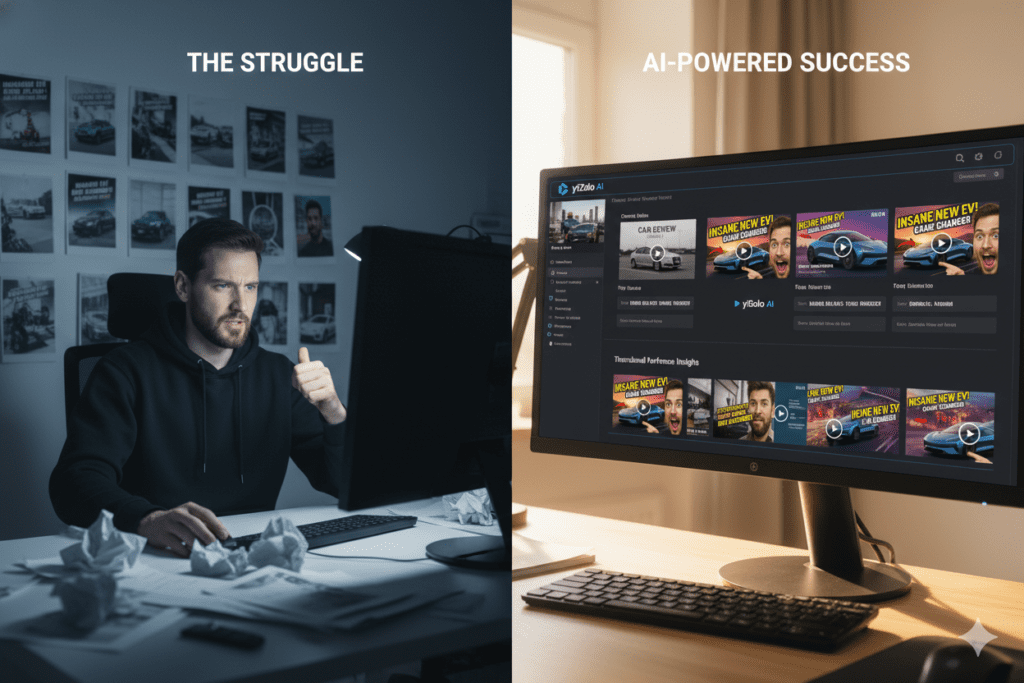
Introduction: The Thumbnail Problem Nobody Talks About
Picture this: You just spent 8 hours filming and editing your best video yet.
The content is gold. The editing is clean. The audio is crisp.
You hit upload, sit back, and wait for the views to roll in.
They don’t.
Your video gets 47 views in the first 24 hours. Meanwhile, a video on the same topic with half the production quality is sitting at 80,000 views.
What went wrong?
Nine times out of ten — it’s the thumbnail.
Your thumbnail is the single most important factor in whether someone clicks your video or scrolls right past it. According to YouTube Creator Academy, 90% of the best-performing videos on YouTube use custom thumbnails. And with over 500 hours of content uploaded every minute, standing out isn’t a nice-to-have — it’s survival.
That’s exactly why smart creators in 2025 are turning to a professional AI image generator for YouTube to create scroll-stopping visuals in seconds — not hours.
And the best tool doing this right now? It’s ytZolo — an all-in-one AI YouTube growth platform built specifically for creators like you.
In this guide, you’ll learn everything you need to know about using a professional AI image generator for YouTube, how to 10x your CTR, and why ytZolo is the growth tool your channel can’t afford to ignore.
Table of Contents
Why Thumbnails Are Make-or-Break for YouTube Growth
Let’s talk numbers for a second.
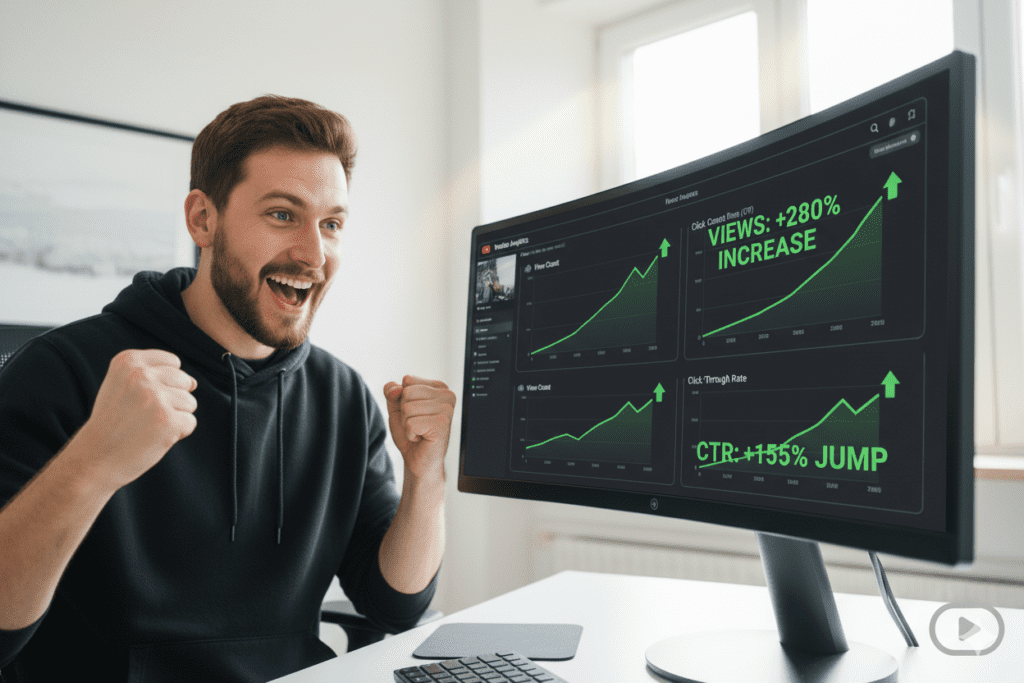
The average YouTube CTR sits between 2% and 5% across most niches. A well-optimized thumbnail — especially one created with a professional AI image generator for YouTube — can push that number to 8%, 12%, or even higher.
What does that mean in real terms? More clicks. More views. More watch time. More subscribers.
And more importantly — the YouTube algorithm rewards high CTR. When your video gets clicks, YouTube pushes it to more people. It’s a snowball effect that starts with one simple image.
Here’s what the data tells us about thumbnails in 2025:
- 90% of top-performing YouTube videos use custom thumbnails (YouTube Creator Academy)
- Thumbnails featuring expressive faces can increase CTR by 20–30% (VidIQ research)
- High-contrast thumbnails can lift CTR by up to 30% compared to low-contrast versions
- Videos with professionally designed custom thumbnails see 60–70% higher click-through rates on average
The message is crystal clear: if you’re not investing in professional-quality thumbnail images, you’re leaving views — and money — on the table every single day.

What Is a Professional AI Image Generator for YouTube?
A professional AI image generator for YouTube is a tool that uses artificial intelligence to create high-quality, click-worthy thumbnail images — without you needing any design skills.
It’s not just a random image creator. The best tools are trained on millions of high-performing YouTube thumbnails and understand exactly what gets clicks in your niche.
Think of it as having a professional graphic designer in your pocket — one who works 24/7, never misses a deadline, and knows your audience better than you do.
A great professional AI image generator for YouTube can:
- Generate stunning thumbnails in seconds from a simple text prompt
- Analyze top-performing content in your niche and replicate winning design patterns
- Suggest color palettes, layouts, and text placement optimized for CTR
- Produce multiple variations so you can A/B test and find the winner
- Match your brand style consistently across every video
This technology has completely changed the game for content creators. What used to take 2–3 hours in Photoshop now takes 30 seconds with AI.
How AI Image Generators Actually Work
Here’s something most creators don’t know: the best AI image tools aren’t just creating pretty pictures.
They’re making data-driven decisions.
When you use a professional AI image generator for YouTube, the tool analyzes patterns from thousands of viral videos. It understands which color contrasts drive clicks, which facial expressions trigger curiosity, and what text placement gets the most attention on a tiny mobile screen.
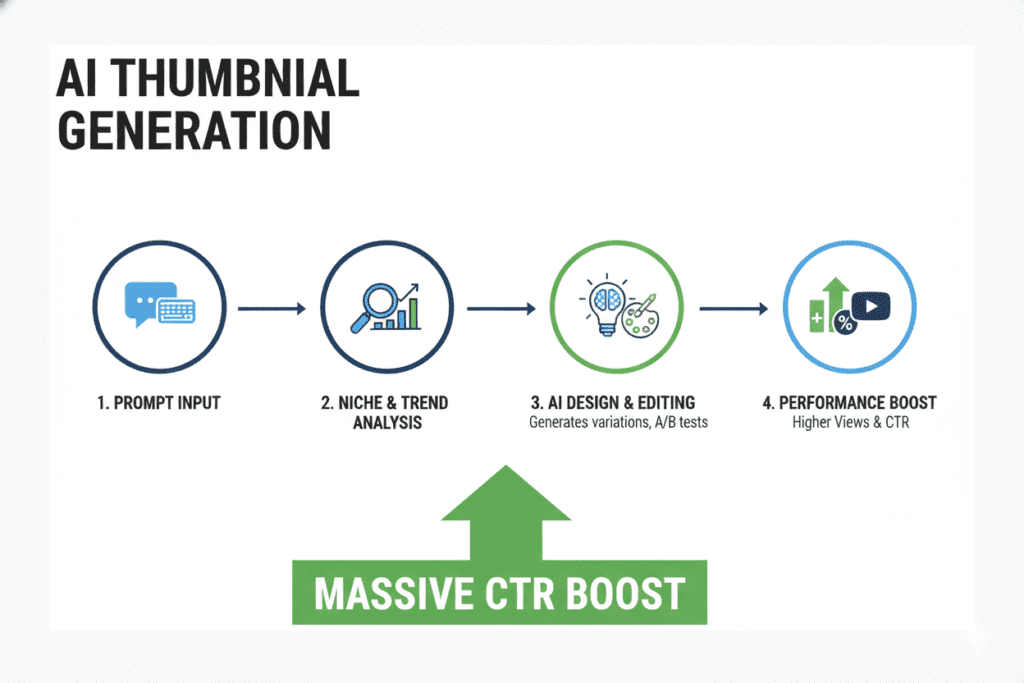
The process works like this:
- You provide context — your video title, topic, or a brief description
- The AI analyzes your niche — it looks at what’s already performing well
- It generates design candidates — multiple thumbnail options based on proven CTR patterns
- You pick your winner — or let the AI recommend the highest-performer
- Download and publish — in the correct YouTube-optimized dimensions (1280×720px)
The smartest tools go even further. They incorporate emotional triggers like surprise, excitement, and curiosity — because these are the emotions that make people stop scrolling and click.
Top Features to Look for in an AI Image Generator
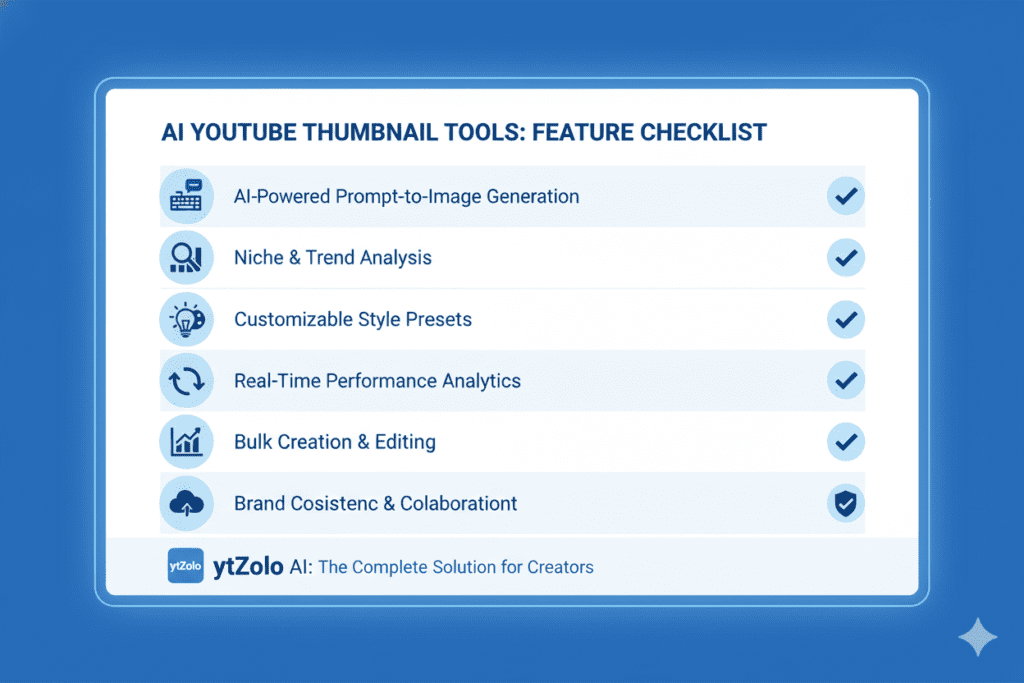
Not all AI image tools are built equal. Here’s exactly what separates a good professional AI image generator for YouTube from a great one:
Must-Have Features:
- Niche-trained AI — The tool should understand YouTube-specific design, not just general image generation
- Multiple variations — Always generate 3–5 options so you can test what works
- Text overlay support — Bold, readable text that works on mobile screens
- Face/expression editing — The ability to incorporate or enhance expressive faces
- Brand consistency tools — Color palettes and style guides you can lock in
- CTR prediction — Advanced tools score your thumbnail before you publish
- Fast generation speed — Under 30 seconds per image is the benchmark
- High-resolution output — 1280×720px minimum, no watermarks
Bonus Features That Separate the Best from the Rest:
- Integration with title and description generators
- A/B testing support
- SEO tag suggestions tied to your thumbnail concept
- Script and outline generation for the whole video
This is exactly the kind of full-stack solution that ytZolo delivers — and we’ll get into that in detail very shortly.
Why Manual Thumbnail Creation Is Killing Your Channel
Let’s be real with each other for a moment.
Manual thumbnail creation is outdated. Full stop.
Sure, back in 2018, opening Photoshop and spending 3 hours on a thumbnail was just “part of the grind.” But in 2025, while you’re wrestling with layers and fonts, your competition is using a professional AI image generator for YouTube and uploading three times as often.
Here’s the painful truth about manual design:
- It’s slow — 2–4 hours per thumbnail is time you could spend making more videos
- It’s inconsistent — Your quality varies based on your mood and skill level
- It’s not data-driven — You’re guessing at what works instead of using real CTR data
- It doesn’t scale — The more videos you make, the more you fall behind on designs
- It requires expensive software — Photoshop, Illustrator, or even Canva Pro add up fast
And here’s the FOMO moment: top creators like MrBeast and Ali Abdaal aren’t hand-crafting every thumbnail anymore. They have systems. They use AI. They test and iterate at a speed that manual methods simply can’t match.
If you’re still doing thumbnails by hand, you’re not just wasting time — you’re actively losing ground to creators who have already made the switch.
The question isn’t whether to use a professional AI image generator for YouTube. The question is which one to use.

How ytZolo Solves the Professional AI Image Generator Problem for YouTube
This is where the story gets exciting.
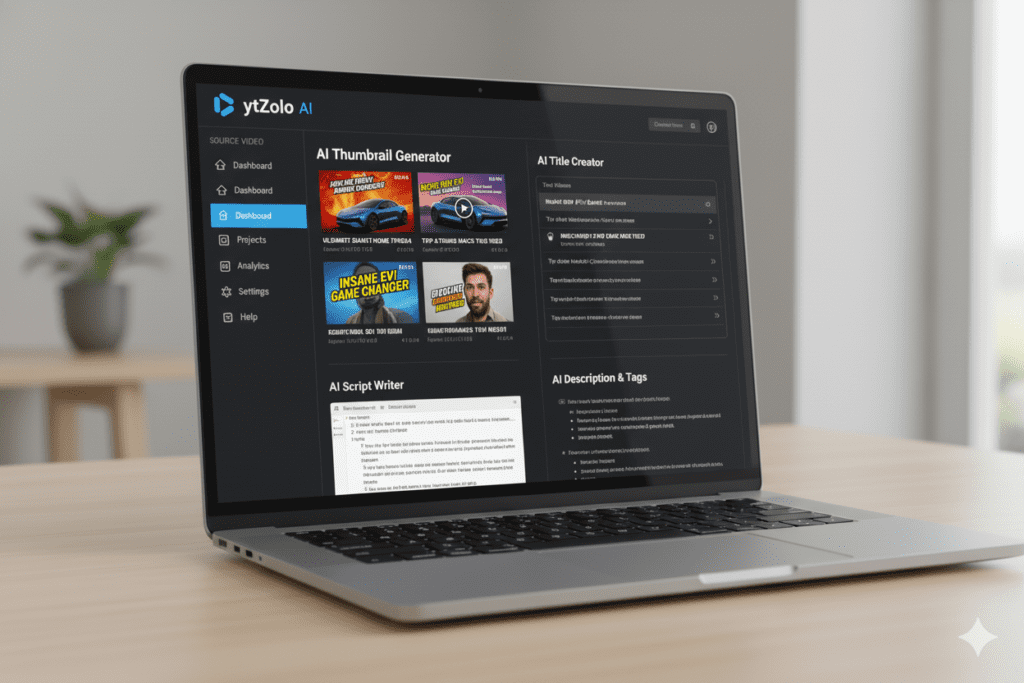
ytZolo isn’t just another AI thumbnail tool. It’s a complete YouTube growth platform designed to handle every single part of your content creation workflow — with AI doing the heavy lifting.
When it comes to being a professional AI image generator for YouTube, ytZolo was built with one goal in mind: help creators go viral faster.
Here’s what makes ytZolo different from every other tool out there:
ytZolo generates thumbnail images that are:
- Trained specifically on high-CTR YouTube content
- Optimized for emotional engagement and curiosity-driven clicks
- Delivered in multiple style variations so you always have options
- Consistent with your channel’s brand identity
But here’s what really sets ytZolo apart — it doesn’t stop at images.
ytZolo is the all-in-one AI YouTube growth tool that also handles:
- AI-powered title generation — Titles that get clicks AND rank in search
- Video script writing — Full scripts optimized for watch time and engagement
- SEO descriptions — Channel descriptions and video descriptions that rank
- Tag suggestions — Keyword-rich tags that boost discoverability
- Channel growth strategies — Data-driven insights built for viral content
Why bounce between five different tools when ytZolo does it all in one place?
Creators who struggle without AI tools are leaving serious growth on the table. The competition is simply too fierce in 2025 to keep doing things manually. ytZolo gives you the edge you need — from the first frame of your thumbnail to the last word of your description.
You can also check out the ytZolo blog for deep-dive strategies, tips, and creator success stories updated regularly.
Why ytZolo Is Better Than Other Tools
You’ve probably heard of Canva, vidIQ, TubeBuddy, or even InVideo. They’re solid tools. But let’s be straight about where they fall short — and why ytZolo wins for serious YouTubers.
| Feature | ytZolo | Canva | vidIQ | TubeBuddy |
|---|---|---|---|---|
| AI Thumbnail Generation | ✅ Yes | ✅ Yes (limited) | ✅ Yes | ❌ No |
| AI Title Generator | ✅ Yes | ❌ No | ✅ Partial | ✅ Partial |
| Full Script Writer | ✅ Yes | ❌ No | ❌ No | ❌ No |
| SEO Description AI | ✅ Yes | ❌ No | ✅ Partial | ✅ Partial |
| Tag Optimization | ✅ Yes | ❌ No | ✅ Yes | ✅ Yes |
| All-in-One Platform | ✅ Yes | ❌ No | ❌ No | ❌ No |
| Built for YouTube Growth | ✅ Yes | ❌ No | ✅ Yes | ✅ Yes |
The gap is obvious.
Canva is a design tool that happens to make thumbnails. vidIQ and TubeBuddy are analytics tools that dabble in content creation. Neither was built with the sole mission of making YouTube creators go viral.
ytZolo was.
Here’s what makes ytZolo the best professional AI image generator for YouTube right now:
- Purpose-built for YouTube — Every feature exists to grow your channel, not just look pretty
- End-to-end workflow — From idea to thumbnail to script to description, it’s all in one place
- Time savings — What used to take a full workday now takes under an hour
- No design experience needed — The AI does the creative heavy lifting for you
- Consistent brand output — Your thumbnails always look polished and on-brand
- Built for viral content — ytZolo’s AI is trained on what actually gets clicks and views
Other tools will help you do parts of the job. ytZolo helps you do the whole job — better, faster, and smarter.
Step-by-Step: How to Create Viral Thumbnails with AI
Ready to ditch the manual design grind? Here’s exactly how to use a professional AI image generator for YouTube to create thumbnails that drive real clicks.
Step 1: Know Your Video’s Core Hook
Before you touch any tool, ask yourself: What is the ONE thing that will make someone click this video?
Is it curiosity? Shock? A transformation? A big promise? Write it in one sentence. That’s your thumbnail concept.
Step 2: Log Into ytZolo
Head over to ytZolo and open the AI image generator. You’ll see a clean, intuitive dashboard designed for speed.
Step 3: Enter Your Video Details
Type in your video title or topic. The more specific, the better. For example: “How I lost 20 pounds in 30 days” is better than just “weight loss tips.”
Step 4: Choose Your Style
Select a thumbnail style that matches your channel vibe — cinematic, bold text, reaction-style, product focus, or educational. ytZolo’s AI will apply it intelligently.
Step 5: Generate Multiple Variations
Always generate at least 3–5 versions. What you think will perform best is often not what actually gets clicks. Let the data decide.
Step 6: Review and Refine
Look at each option through your audience’s eyes. Ask: Would I click this if I saw it while scrolling? If there’s any hesitation, regenerate.
Step 7: Download and Test
Download your top 2 candidates in high-resolution PNG format. Use YouTube Studio’s Test & Compare feature to A/B test them and let your real audience pick the winner.
Step 8: Apply Learnings
Track which style, color palette, and emotional trigger won. Feed that insight back into your next thumbnail prompt. Over time, you’ll build a proven template that consistently drives high CTR.

Proven Strategies to Boost YouTube CTR with AI Images
Getting access to a professional AI image generator for YouTube is step one. Using it strategically is step two. Here are the tactics that top creators are using right now.
1. Lead with Emotion, Not Information
Your thumbnail isn’t a billboard. It’s an emotional trigger. Shock, curiosity, joy, fear of missing out — these are the feelings that make fingers tap.
Use the AI to generate thumbnails with expressive faces front and center. VidIQ data shows that emotional face thumbnails can boost CTR by up to 30%.
2. Use High Contrast Like Your Views Depend on It (They Do)
Dark background. Bright subject. Bold text. This combination works on every device, at every thumbnail size. Always ask your AI tool to maximize contrast.
3. Keep Text to 3–5 Words Maximum
Your thumbnail text isn’t a title. It’s a teaser. “I almost quit”, “This changed everything”, or “The secret nobody tells you” — short, punchy, and curiosity-driven.
4. Generate for Mobile First
Over 70% of YouTube views happen on mobile. If your thumbnail doesn’t read clearly at 150px width, it’s losing you clicks. Always preview at mobile size before publishing.
5. Match Your Title and Thumbnail
Your title and thumbnail should tell the same story — from two different angles. If they contradict each other, viewers will feel confused and scroll on. ytZolo’s all-in-one platform helps you align both in seconds.
6. Test Every Single Video
A/B test relentlessly. YouTube’s own “Test & Compare” feature is free. Use it. Even a 1–2% CTR improvement compounds massively across a full catalog of videos.
7. Study Your Winners
When a thumbnail outperforms, break down why. Was it the color? The facial expression? The text position? Feed those insights into your next AI generation prompt.

Real Results: What Happens When You Use AI for YouTube Images
The data on AI-powered thumbnail creation is hard to argue with.
According to a Filmora study, 80% of creators who used AI-generated thumbnails saw an average CTR increase of 30%. Meanwhile, more than 50% of active YouTube creators have already adopted some form of AI thumbnail tooling to stay competitive.
And that adoption rate is accelerating. Fast.
Here’s what real creators are experiencing when they switch from manual to AI-powered thumbnail creation:
- Time savings of 2–4 hours per video — That’s hours back in your week to make more content
- CTR improvements of 20–40% — More clicks mean more views mean more revenue
- Consistent brand presence — No more inconsistent quality based on how tired you are
- More upload frequency — Because the bottleneck of design is removed
- Faster channel growth — Because the algorithm rewards high-CTR videos with more reach
The creators winning on YouTube in 2025 aren’t necessarily the most talented editors or the best on camera. They’re the ones who have built the most efficient systems.
A professional AI image generator for YouTube — especially when it’s part of a full growth platform like ytZolo — is one of the most powerful systems you can add to your workflow right now.
For more actionable strategies like this, explore the ytZolo blog — it’s packed with growth tips built specifically for YouTubers who want to scale faster.

FAQ: Professional AI Image Generator for YouTube
Q1: What is the best professional AI image generator for YouTube in 2025?
The best professional AI image generator for YouTube in 2025 is one that’s purpose-built for the platform — not a general-purpose design tool. ytZolo stands out because it combines AI thumbnail generation with title creation, script writing, and SEO optimization in a single platform. It’s trained specifically on high-CTR YouTube content, which means every thumbnail it generates is designed to get clicks, not just look pretty.
Q2: Can an AI image generator really improve my YouTube CTR?
Yes — significantly. Studies show that professionally designed thumbnails created with AI tools can increase YouTube CTR by 20–40% on average. Since CTR directly influences how widely YouTube distributes your content, even a small improvement can lead to a massive spike in views and channel growth over time. The key is using a professional AI image generator for YouTube that understands what drives clicks in your specific niche.
Q3: Do I need design skills to use a professional AI image generator for YouTube?
No. That’s the entire point. Tools like ytZolo are designed for creators, not designers. You simply enter your video topic or title, choose a style, and the AI handles the creative work. You can generate multiple professional-quality thumbnail options in under a minute — with zero Photoshop experience required.
Q4: How is ytZolo different from tools like Canva or vidIQ for thumbnail creation?
Canva is a general design tool with some AI features. vidIQ is primarily an analytics platform. Neither was built with YouTube growth as its sole purpose. ytZolo is an all-in-one AI YouTube growth platform — which means it handles thumbnails, titles, scripts, descriptions, and tags all in one place. It’s built specifically to help creators go viral, which makes it far more powerful than tools that only do one piece of the puzzle.
Q5: How many thumbnail variations should I generate with an AI tool?
Always generate at least 3–5 variations per video. Your gut feeling about which one will perform best is often wrong — and the only way to know for sure is to let your real audience decide through A/B testing. YouTube Studio’s free “Test & Compare” feature lets you run thumbnail experiments directly in the platform. The more you test, the faster you’ll identify the thumbnail formula that consistently wins with your specific audience.
Conclusion: Stop Guessing, Start Growing
Here’s the hard truth: your next viral video might already be filmed and edited.
But if the thumbnail doesn’t stop someone mid-scroll, none of that work matters.
In 2025, the gap between channels that are growing and channels that are stagnating often comes down to one thing — the quality and consistency of their thumbnail game.
A professional AI image generator for YouTube is no longer a luxury. It’s a competitive necessity.
The good news? You don’t have to figure it out alone. You don’t need a design degree. You don’t need to spend hours in Photoshop. You don’t need to guess what will work.
ytZolo does it all for you — thumbnails, titles, scripts, descriptions, and tags — in one powerful, creator-focused platform built for the way YouTube actually works in 2025.
The creators who are growing right now have made the switch. They’re uploading more, designing smarter, and letting AI handle the work that used to eat up their entire day.
You’re one decision away from joining them.
🚀 Start creating smarter, faster, and more viral YouTube content with ytZolo today.
You can also check all in one ai tool – Aizolo
External Resources:
- YouTube Creator Academy — Thumbnail Best Practices
- Google’s Guide to Video SEO
- HubSpot — Video Marketing Statistics 2025
Related Reading on the ytZolo Blog:

