

Startups don’t fail because founders lack ideas. They fail because small teams run out of time, money, or both before the product finds its market. That’s the real reason AI tools for startups have gone from a nice-to-have to a survival tactic in 2026.
A three-person founding team can now do what used to take a fifteen-person department: draft investor updates, ship a working product, generate marketing assets, and support customers — often with the same headcount they started with. The catch is that the AI software market is crowded, pricing structures change monthly, and picking the wrong stack wastes both budget and momentum.
This guide is based on official documentation, verified pricing pages, product changelogs, and independent reviews from G2, Capterra, Product Hunt, and Reddit, current as of July 2026. It is not a rewrite of the usual “best AI tools” roundup. It’s a practical breakdown of what each tool actually does, what it costs, where it fits a startup’s stage, and where it falls short — including tools like Aizolo, a multi-model AI subscription platform, alongside category leaders like ChatGPT, Claude, and Gemini.
Table of Contents
Quick Comparison: Best AI Tools for Startups at a Glance
| Tool | Best For | Starting Price | Free Plan | Key Feature | Rating (G2/Capterra avg.) |
|---|---|---|---|---|---|
| ChatGPT | General AI assistant, ideation | $0–$20/mo (Plus) | Yes | GPT-5.6 models, Agent mode, Codex | 4.7/5 |
| Claude | Long-form writing, coding, research | $0–$20/mo (Pro) | Yes | 1M-token context, Claude Code, Cowork | 4.7/5 |
| Gemini | Google Workspace–native AI | $0–$19.99/mo (AI Pro) | Yes | Deep Research, 1M context, Workspace integration | 4.6/5 |
| Aizolo | Comparing multiple AI models in one subscription | $9.90/mo (Pro) | Yes | Side-by-side model comparison, image/video/audio in one plan | 4.3/5 (Trustpilot) |
| Notion AI | Docs + AI in one workspace | $20/user/mo (Business, AI included) | Limited | AI Agents, Ask Notion workspace search | 4.7/5 |
| Perplexity | Cited, real-time research | $0–$20/mo (Pro) | Yes | Deep Research, Model Council | 4.7/5 |
| Cursor | AI-native coding | $20/mo (Pro) | Yes | Composer multi-file agent, codebase indexing | 4.6/5 |
| GitHub Copilot | Inline coding across editors | $10/mo (Pro) | Yes | Multi-IDE completions, coding agent | 4.5/5 |
| Grammarly | Writing quality & tone | $12/user/mo (Pro) | Yes | Full-sentence rewrites, tone detection | 4.7/5 |
| Canva Magic Studio | Design without a designer | $12.99/user/mo (Pro) | Yes | Magic Design, Dream Lab image gen | 4.7/5 |
| Zapier AI | No-code workflow automation | $0–~$20/mo (Starter) | Yes | AI-assisted Zap building, 7,000+ app integrations | 4.5/5 |
| ClickUp AI | Project management + AI | $7–$12/user/mo + $9 AI add-on | Yes | ClickUp Brain across tasks/docs/chat | 4.7/5 |
| HubSpot AI | Marketing, sales & CRM AI | Free tools; paid Hubs from ~$20/mo | Yes | Breeze AI across Marketing/Sales/Service Hub | 4.4/5 |
| Fireflies.ai | Meeting notes & transcription | $0–$10/user/mo (Pro) | Yes | Auto-transcription, CRM sync | 4.5/5 |
| Jasper | On-brand marketing content | $59–$69/mo (Pro) | No (trial only) | Brand Voice, Campaign mode | 4.7/5 |
| Midjourney | High-end AI image generation | $10/mo (Basic) | No | Photorealistic and artistic image generation | 4.5/5 |
| Lovable | Prompt-to-app builder | $0–$25/mo (Pro) | Yes | Supabase-backed full-stack app generation | 4.6/5 |
| Bolt.new | Browser-based app builder | $0–$20/mo (Pro) | Yes | In-browser IDE, diff-based edits | 4.5/5 |
| Replit AI | AI coding + hosting environment | $0–$25/mo (Core) | Yes | Agent-built apps with built-in hosting/DB | 4.5/5 |
| Gamma | AI presentations & docs | $0–$10–$20/mo (Plus/Pro) | Yes | Text-to-deck, text-to-webpage generation | 4.6/5 |
Ratings are approximate composites from public review platforms and can shift; always check G2 and Capterra for the latest scores before buying.
Best AI Tools for Startups (In-Depth Reviews)
1. ChatGPT — Best All-Around AI Assistant
Overview: ChatGPT, built by OpenAI, is the default entry point for most founders into AI software for startups. In July 2026, OpenAI shipped the GPT-5.6 model family (Sol, Terra, Luna) across the product, alongside a new “ChatGPT Work” mode, a merged desktop app for chat and Codex, and a website builder called Sites.
Key Features: Smart model routing between fast and “thinking” models, Canvas for document editing, Deep Research, Agent Mode for multi-step browsing and task completion, Codex for coding, and Sora for video.
Pros: Broadest plugin and integration ecosystem; strong at brainstorming, first drafts, and multimodal tasks; frequent model upgrades at a stable headline price.
Cons: Free and Go tiers now carry ads in the US; Deep Research is capped even on Plus (10 queries/month); the six-plan lineup (Free, Go, Plus, Pro at two price points, Business, Enterprise) can be confusing to compare.
Pricing: Free ($0, limited and ad-supported), Go ($8/month), Plus ($20/month), Pro ($100 or $200/month depending on usage tier), Business ($20/seat/month annual, $25 monthly, 2-seat minimum), Enterprise (custom).
Startup Stage Fit: Solo founders and early teams get most of their value from Plus. Once a startup has 5+ people regularly using ChatGPT, Business becomes cost-competitive with individual Plus seats and adds admin controls and default training-data exclusion.
Why It Stands Out: No other tool matches ChatGPT’s combination of model quality, ecosystem size, and update cadence — it’s the tool most non-technical team members will already know how to use.
Verdict: The safest first AI subscription for a startup team, and often the one every other tool gets compared against.
2. Claude — Best for Writing, Coding, and Long Documents
Overview: Anthropic’s Claude has become a favorite among startups doing serious writing and software development, largely on the strength of its long context window and coding performance through Claude Code.
Key Features: Up to a 1-million-token context window on Sonnet models, Claude Code for terminal-based agentic coding, Claude Cowork for autonomous multi-step tasks, Projects for organizing ongoing work, and native integrations with Google Workspace, Excel, and PowerPoint.
Pros: Strong reasoning and lower hallucination rates on complex analytical tasks relative to several peers; genuinely useful for document-heavy work like investor decks, contracts, and technical documentation; transparent about which model is answering.
Cons: Anthropic doesn’t publish exact message-count limits, only “rolling usage budgets,” which can make capacity planning harder for teams; smaller third-party plugin ecosystem than ChatGPT.
Pricing: Free ($0, Sonnet access with daily limits), Pro ($20/month, $17/month annual), Max ($100 or $200/month for 5x or 20x usage), Team Standard ($20–25/seat/month), Team Premium ($100–125/seat/month), Enterprise (custom).
Startup Stage Fit: Ideal for technical co-founders and early engineering hires who want an AI pair programmer via Claude Code, and for any founder whose day-to-day involves long documents — pitch decks, contracts, product specs.
Why It Stands Out: The combination of a huge context window and Claude Code makes it disproportionately useful for lean teams that need one tool to cover both writing and shipping code.
Verdict: The strongest pick for startups where writing quality and coding reliability matter more than raw breadth of features.
3. Google Gemini — Best for Teams Already Living in Google Workspace
Overview: Gemini is Google’s answer to ChatGPT and Claude, and its biggest advantage for startups isn’t the model itself — it’s how deeply Gemini is woven into Gmail, Docs, Sheets, Slides, and Meet.
Key Features: Deep Research, Gems (custom assistants), NotebookLM for source-grounded research, a 1-million-token context window on the Pro model, and Veo video generation on higher tiers.
Pros: If your startup already runs on Google Workspace, Gemini requires almost no onboarding; strong value at the Business Standard Workspace tier, which now bundles Gemini at no extra add-on cost; competitive per-token API pricing for developers.
Cons: Google discontinued the standalone Gemini Business/Enterprise add-ons in 2025 and folded AI into Workspace plans instead — so a team can’t buy AI access without also paying for the underlying Workspace seat; regulatory scrutiny in the EU under the Digital Markets Act could affect feature availability there later in 2026.
Pricing: Free ($0), Google AI Plus ($7.99–9.99/month), Google AI Pro ($19.99/month), Google AI Ultra ($99.99–$249.99/month depending on region/tier). Workspace bundles run roughly $7–22/user/month with Gemini included from Business Standard upward.
Startup Stage Fit: Best for startups that standardized on Google Workspace from day one, especially non-technical teams in marketing, sales, and operations.
Why It Stands Out: No other AI assistant is this embedded in the tools a small business already pays for — the AI shows up inside the document, not in a separate tab.
Verdict: Skip a standalone AI subscription and get Gemini “for free” as part of a Workspace upgrade if your team already lives in Google’s ecosystem.
4. Aizolo — Best for Comparing Multiple AI Models Without Multiple Subscriptions
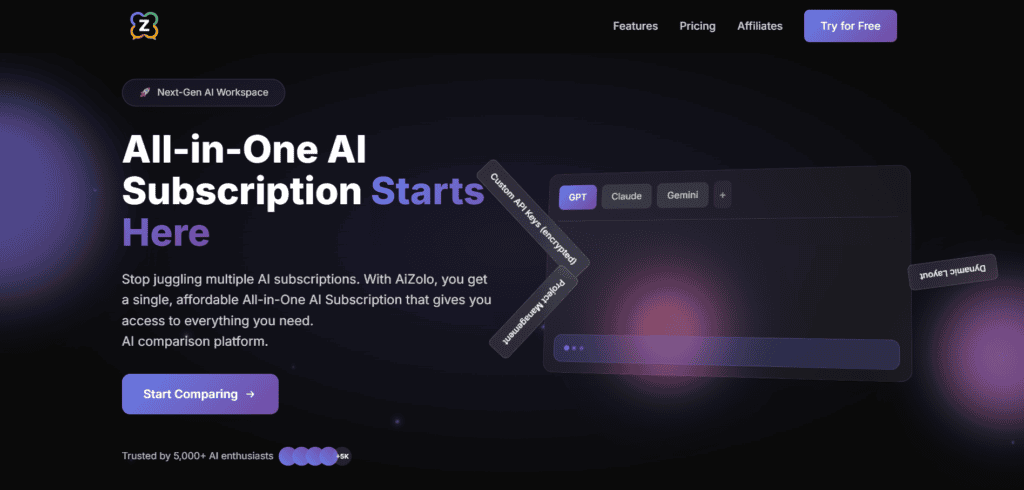
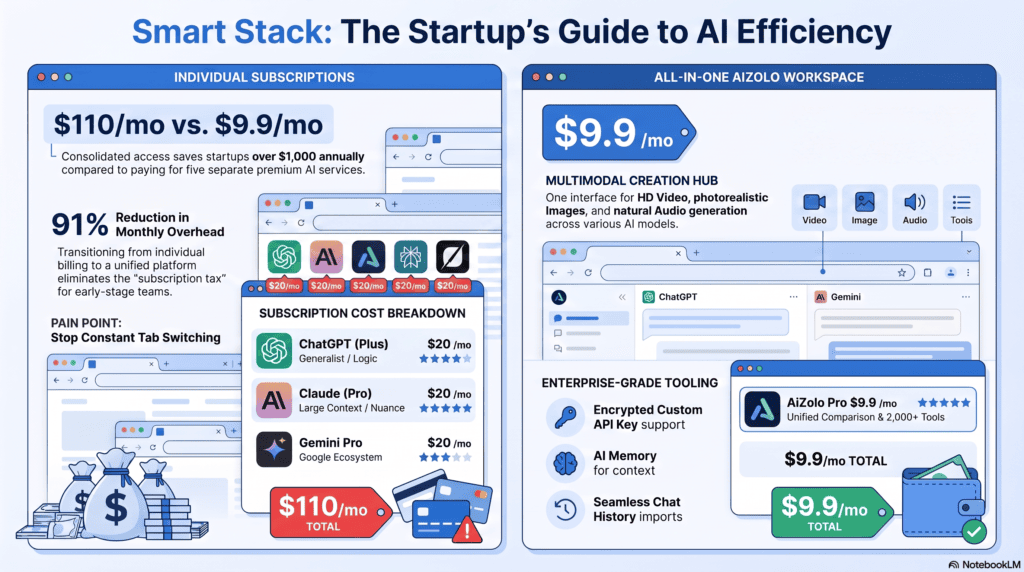
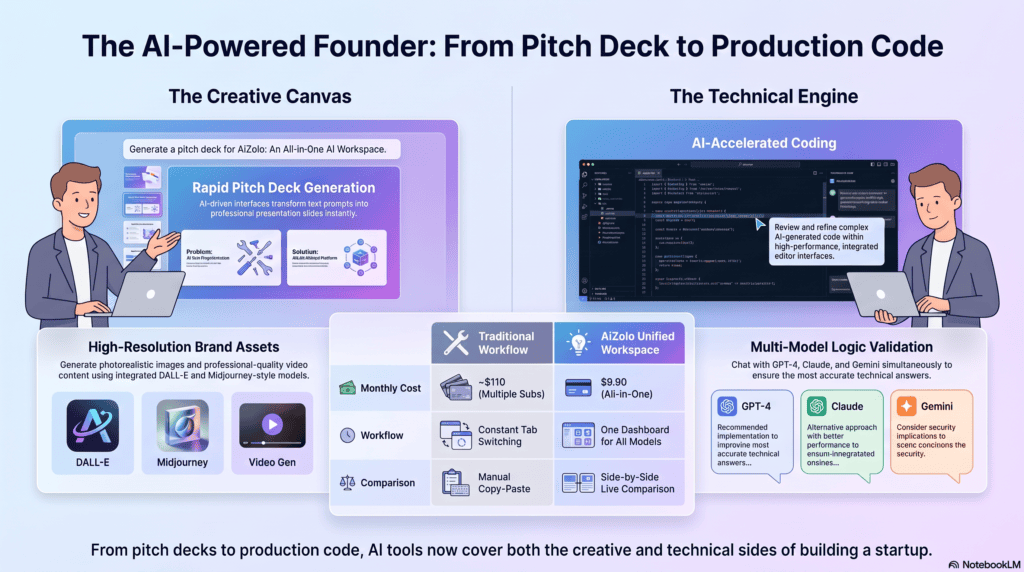
Overview: Aizolo is a multi-model AI subscription platform built around a simple premise: instead of paying separately for ChatGPT, Claude, Gemini, and an image generator, a startup gets access to all of them — plus image, video, and audio generation — from one dashboard and one bill.
Key Features: Side-by-side comparison mode that runs the same prompt across multiple models at once; a prompt manager for saving and reusing high-performing prompts; persistent AI memory across sessions; one-click import of existing ChatGPT/Claude conversation history; the option to bring your own encrypted API keys for unlimited usage.
Pros: According to Aizolo’s own published pricing and independent AI-tool directories, the Pro plan runs around $9.90/month — a fraction of what subscribing to several frontier models individually would cost; useful for teams that want a second opinion from a different model without re-typing the same prompt three times; includes creative generation (image, video, audio) that most multi-model chat aggregators charge extra for.
Cons: As a newer entrant, Aizolo has a smaller published track record and community of tutorials than ChatGPT, Claude, or Gemini individually; because it’s a wrapper around other providers’ models, feature parity with each underlying model’s native app can lag slightly behind; some user reviews on Trustpilot flag that video generation consumes tokens quickly compared to text chat, so heavy video use may need a higher tier or a bring-your-own-key setup.
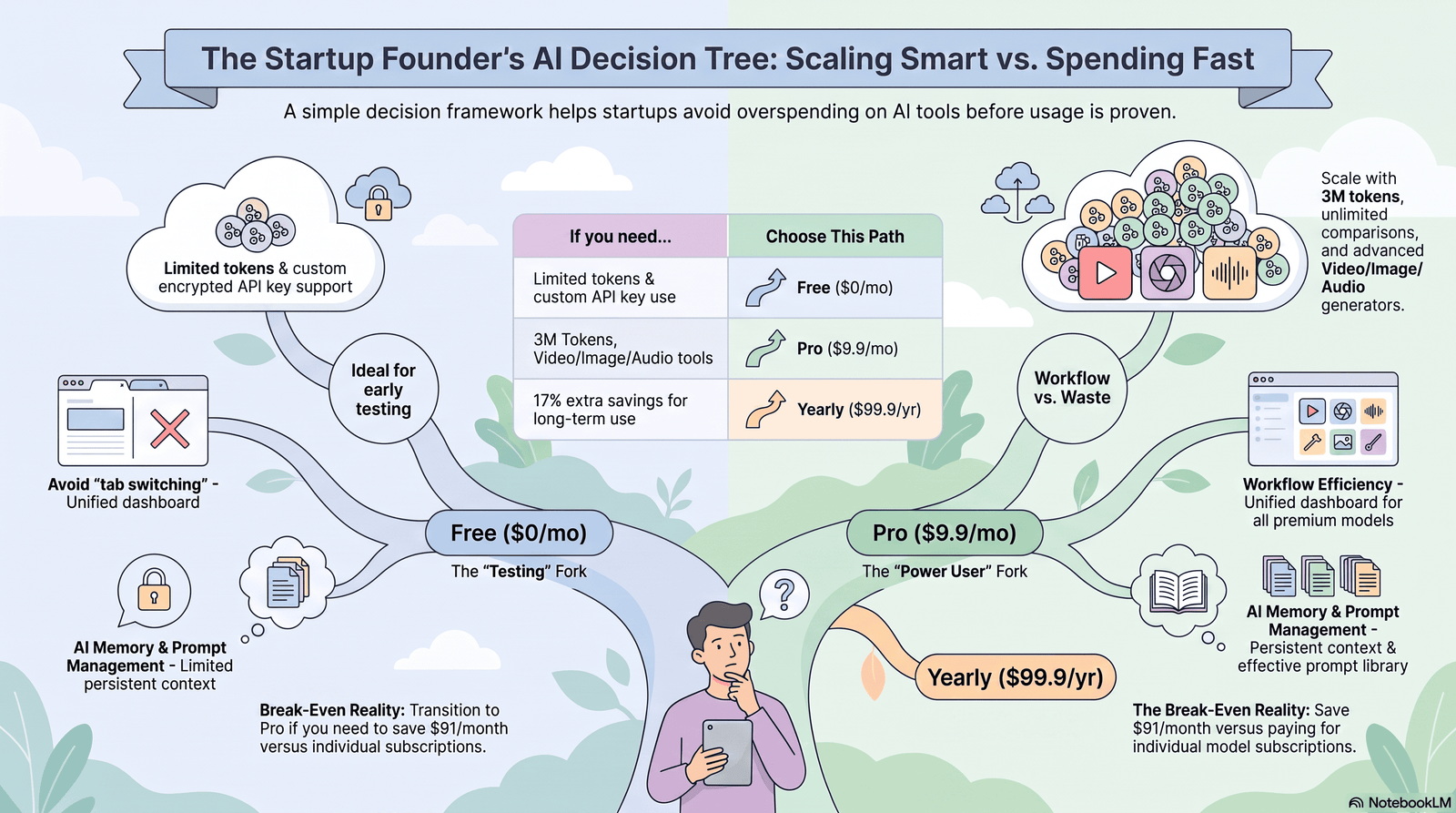
Pricing: Free tier available with limited model access and token allowance; Pro plan reported at approximately $9.90/month (around $99.90/year on annual billing), unlocking all connected models, a larger monthly token pool, and the full generation suite.
Free Plan: Yes — no credit card required to start, with capped daily/monthly usage across a subset of models.
Integrations: Chat model access spans GPT-4o/5-class models, Claude, Gemini, and additional models; supports custom API keys for direct provider billing when a team outgrows the included token pool.
Startup Stage Fit: Best suited to lean teams — freelancers-turned-founders, two- or three-person content or dev teams, and budget-conscious early-stage startups — who want to A/B test model outputs (for code reviews, ad copy, or research) without paying for four separate AI subscriptions.
Why It Stands Out: The side-by-side comparison engine is the differentiator: a founder debugging code or writing investor copy can see how GPT, Claude, and Gemini each handle the same prompt in one screen, which is not something any single-model provider offers natively.
Limitations: It’s a comparison and consolidation layer, not a model developer — startups doing deep, model-specific work (like fine-tuning or using a provider’s most advanced enterprise features) will eventually need a direct relationship with that provider’s platform.
Final Verdict: A sensible starting point for cash-strapped teams that want breadth across AI models before committing budget to any single provider’s premium tier — verify current limits and pricing directly on Aizolo’s pricing page before subscribing, since terms can change.
5. Notion AI — Best for Teams That Already Run on Notion
Overview: Notion AI layers writing assistance, workspace-wide Q&A, and autonomous “Custom Agents” onto the Notion docs and database tool many startups already use for wikis, specs, and roadmaps.
Key Features: Ask Notion (searches across your workspace and connected apps like Google Drive and Slack), AI Agents that can complete multi-step tasks, Custom Agents triggered by database changes or schedules, and AI-assisted autofill for databases.
Pros: No context-switching — AI lives inside the docs your team is already editing; strong for turning messy meeting notes into structured specs; unlimited blocks even on the free plan.
Cons: Full AI access (Ask Notion, AI Agents) requires the Business plan at $20/user/month — there’s no cheaper dedicated AI tier since Notion discontinued its $10 AI add-on in 2025; Notion AI still doesn’t manage email or calendar directly.
Pricing: Free ($0), Plus (~$10/user/month annual), Business (~$20/user/month annual, includes full AI), Enterprise (custom).
Startup Stage Fit: Best for teams already standardized on Notion for documentation, roadmaps, and internal wikis who want AI search across that knowledge base rather than a separate chatbot.
Why It Stands Out: Ask Notion effectively turns a startup’s own docs into a searchable knowledge base — genuinely useful once a team has more institutional knowledge than any one person can remember.
Verdict: Don’t buy Notion for its AI alone; buy it for project and knowledge management, and treat the AI layer as a bonus once you’re on Business.
6. Perplexity — Best for Fast, Cited Research
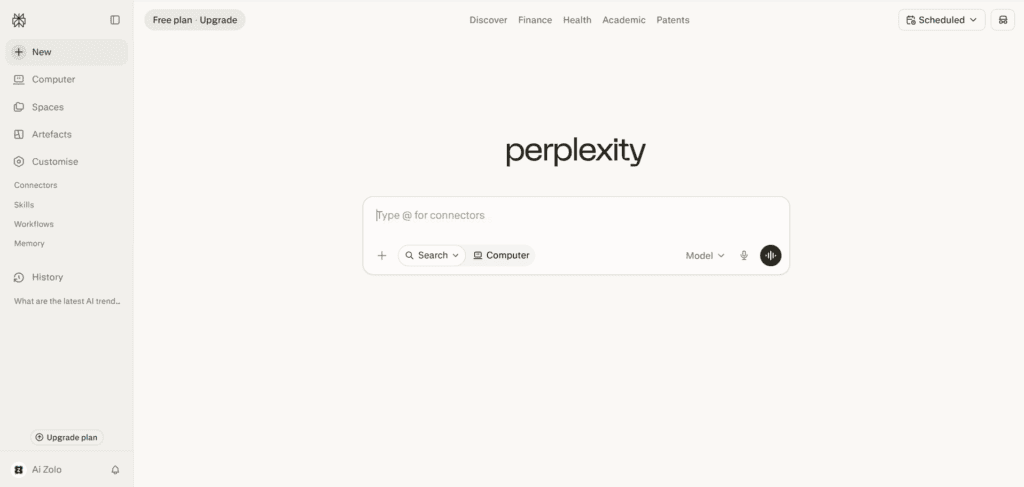
Overview: Perplexity positions itself as an “answer engine” rather than a chatbot — every response comes with citations, which matters for founders doing competitive research, market sizing, or fact-checking before a board meeting.
Key Features: Pro Search with model switching, Deep Research for multi-page autonomous research reports, Model Council (runs a query across several frontier models and shows where they agree or diverge), and the free Comet AI browser.
Pros: Citations make it easy to verify claims — a meaningful advantage over tools that state facts without sources; the free tier is genuinely usable for casual research; Comet browser adds agentic browsing at no extra cost.
Cons: Free tier caps “Pro Searches” at roughly 5/day; the jump from Pro ($20/month) to Max ($200/month) is steep for what’s mostly higher usage limits rather than new capability.
Pricing: Free ($0), Pro ($20/month or $200/year), Education Pro ($10/month for verified students), Max ($200/month), Enterprise Pro ($40/seat/month), Enterprise Max ($325/seat/month).
Startup Stage Fit: Founders doing market research, competitive analysis, or due diligence before fundraising get outsized value from Pro; most early-stage teams will never need Max.
Why It Stands Out: For any task where “is this actually true” matters, Perplexity’s citation-first approach beats a plain chatbot answer.
Verdict: Pair Perplexity with a writing-focused model like Claude or ChatGPT — use Perplexity to gather sourced facts, then draft with the other tool.
7. Cursor — Best AI-Native Code Editor for Technical Founders
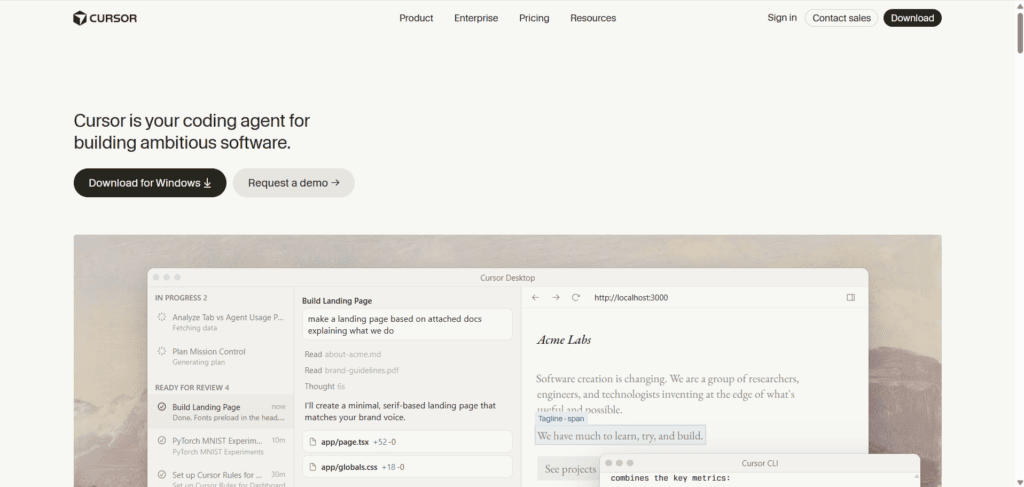
Overview: Cursor is a full IDE built on top of VS Code but redesigned around AI from the ground up, with deep codebase indexing and a multi-file editing agent called Composer.
Key Features: Codebase-aware chat and autocomplete, Composer for multi-file refactors described in plain language, cloud agents, and the ability to bring your own API keys.
Pros: Handles large, unfamiliar codebases better than plugin-style tools; genuinely faster for cross-file refactors and feature builds than inline-completion tools; supports Claude, GPT, and Gemini models inside one interface.
Cons: Roughly double the price of GitHub Copilot at the individual tier; like most 2026-era coding tools, Cursor bills against a usage-based credit pool, so heavy agent use can burn through the plan faster than the sticker price suggests.
Pricing: Hobby (free, limited), Pro ($20/month, $16/month annual), Pro+ ($60/month), Ultra ($200/month), Teams (~$40/user/month).
Startup Stage Fit: Ideal for a technical co-founder or early engineering hire doing daily, hands-on development — especially teams refactoring or extending an existing codebase rather than writing greenfield code from scratch.
Why It Stands Out: The gap between Cursor and simpler autocomplete tools shows up most clearly on large, multi-file changes — the kind of work a lean engineering team does constantly.
Verdict: Worth the premium over GitHub Copilot if your team’s daily work is complex, multi-file editing rather than line-by-line autocomplete.
8. GitHub Copilot — Best Budget-Friendly Coding Assistant
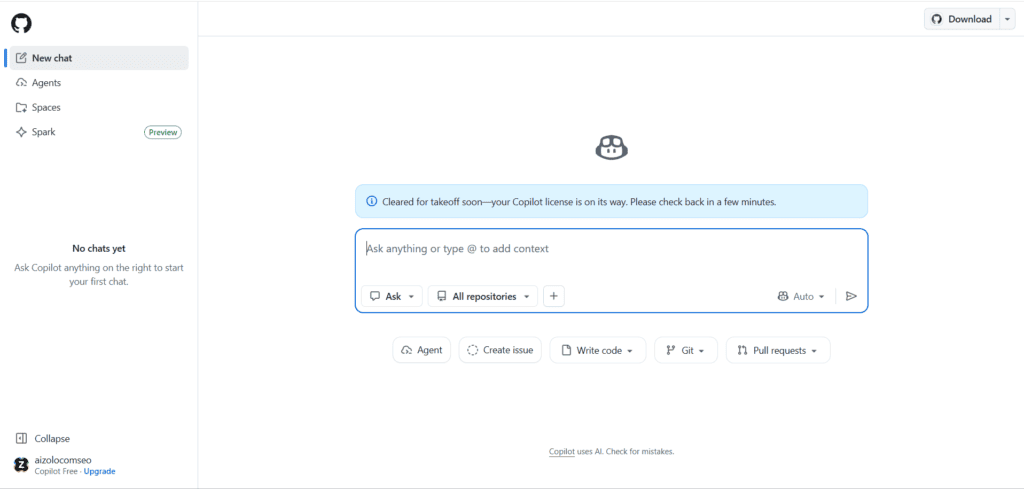
Overview: GitHub Copilot remains the most widely adopted AI coding assistant, largely because it works as a plugin inside almost every popular editor rather than requiring a switch to a new one.
Key Features: Inline code completions (unlimited on paid plans), Copilot Chat, a cloud coding agent that can turn a GitHub issue into a pull request, and Copilot CLI for terminal help.
Pros: Half the price of Cursor at the individual tier; works across VS Code, JetBrains IDEs, Neovim, Visual Studio, and Xcode — no need to change your editor; deep native integration with GitHub repos, issues, and pull requests.
Cons: As of June 2026, Copilot shifted from a fixed monthly request allowance to usage-based AI Credits billing, which means heavier users on frontier models can see costs climb beyond the advertised seat price; agent-mode capabilities still trail Cursor and Claude Code for complex, autonomous multi-file work.
Pricing: Free (2,000 completions/50 chat requests monthly), Pro ($10/month), Pro+ ($39/month), Business ($19/seat/month), Enterprise ($39/seat/month).
Startup Stage Fit: The default choice for startups already living inside the GitHub ecosystem, and the most budget-friendly serious option for a solo developer or small engineering team.
Why It Stands Out: No other AI coding tool matches Copilot’s combination of low price and broad editor support.
Verdict: Start here if your team’s AI coding needs are mostly inline completions and chat; upgrade to Cursor or Claude Code once agentic, multi-file work becomes routine.
9. Grammarly — Best for Polishing Every Piece of Written Communication
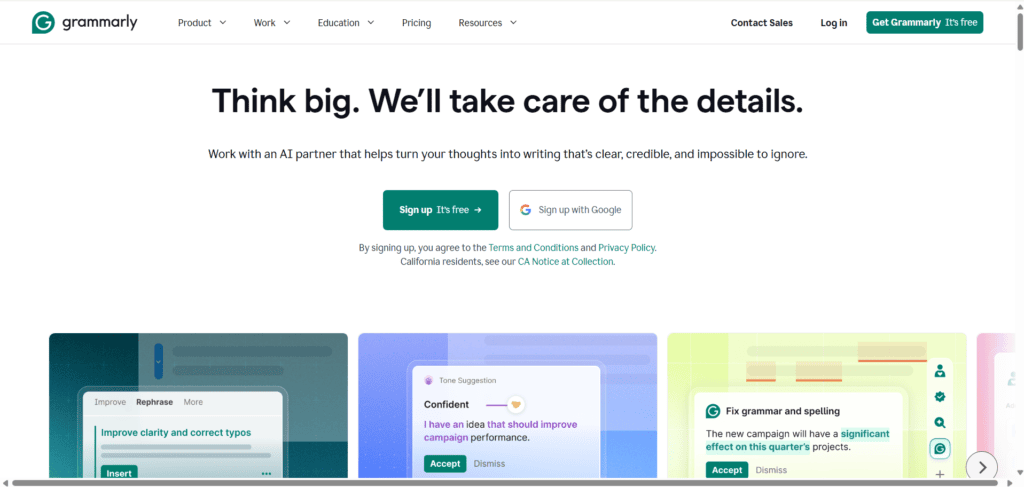
Overview: Grammarly has expanded well beyond spellcheck into full-sentence rewrites, tone detection, and AI-generated text detection, and it now works inside almost any app your team writes in — Gmail, Slack, Google Docs, Word, and more.
Key Features: Tone and clarity suggestions, plagiarism and AI-detection tools, full-sentence rewrites, and brand style enforcement for teams.
Pros: Runs in the background across your entire toolchain instead of requiring a separate writing app; the free tier is genuinely useful for individuals; strong reputation for accuracy on grammar and clarity.
Cons: Some users report friction with Grammarly’s billing and cancellation process, based on public complaint data — read the terms carefully before enabling auto-renewal; team-tier pricing scales quickly as headcount grows.
Pricing: Free ($0), Pro (~$12/user/month), Business tier bundled with the Superhuman product family (~$33/member/month annual).
Startup Stage Fit: Useful for every team member who writes external-facing content — sales emails, support replies, investor updates — regardless of technical role.
Why It Stands Out: Grammarly’s real value for a startup isn’t generating new content; it’s catching the typo or awkward phrasing in an email that’s about to go to a customer or investor.
Verdict: A low-cost, low-friction addition to almost any startup’s toolkit — pair it with a generative writer like ChatGPT or Claude rather than treating it as a replacement.
10. Canva Magic Studio — Best for Startups Without a Designer
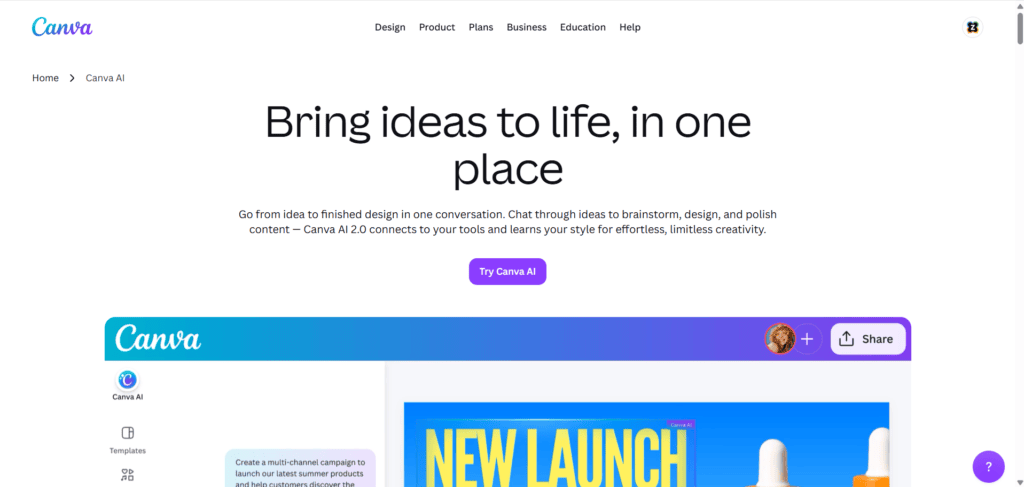
Overview: Canva’s Magic Studio bundles AI design tools — Magic Design, Dream Lab image generation, and background removal — into the design platform many non-technical founders already use for social posts and pitch decks.
Key Features: Magic Design turns a text prompt into an editable, on-brand template; Dream Lab generates images from text; Brand Kit keeps logos, fonts, and colors consistent across every asset a team produces.
Pros: No design skill required to produce professional-looking marketing assets; the free tier already includes basic Magic Studio features; Canva’s 2026 bundling of the professional Affinity suite (free with Pro) gives startups a genuine alternative to a full Adobe Creative Cloud subscription.
Cons: AI generation allowances are capped even on paid plans, and heavy AI use may require the separate “AI Pass” add-on; Dream Lab image quality is generally rated behind Midjourney for pure creative image generation.
Pricing: Free ($0), Pro (~$12.99/user/month), Business (pay-as-you-grow, per seat), Enterprise (custom).
Startup Stage Fit: Essential for pre-seed and seed-stage startups producing their own marketing and sales materials without a dedicated designer.
Why It Stands Out: The combination of templates, brand controls, and AI generation in one tool removes the biggest bottleneck non-designers face: starting from a blank page.
Verdict: One of the highest-ROI tools on this list for any startup without an in-house designer.
11. Zapier AI — Best for Connecting Your Entire Software Stack
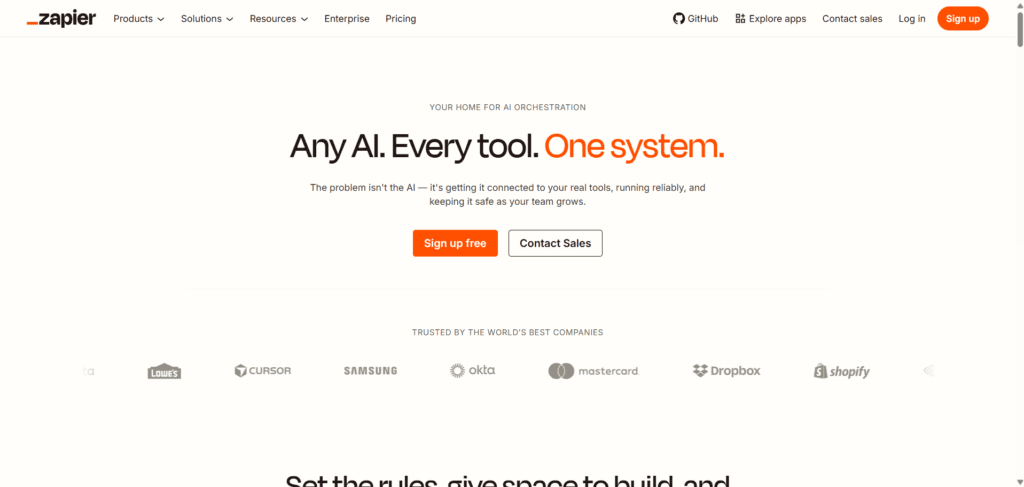
Overview: Zapier’s core product — no-code automation between apps — is increasingly AI-assisted, letting founders describe a workflow in plain language and have Zapier help build the automation (“Zap”) that connects two or more tools.
Key Features: AI-assisted Zap creation, natural-language workflow building, and access to over 7,000 app integrations spanning CRMs, email tools, spreadsheets, and AI models themselves.
Pros: Removes the busywork of manually copying data between tools — new lead in a form, automatically added to the CRM and Slack; works as connective tissue between almost every other tool on this list.
Cons: Costs scale with the number of automated tasks run each month, which can surprise teams that build more automations than expected; complex, multi-step workflows still benefit from some technical understanding of how triggers and actions work.
Pricing: Free (limited tasks/month), Starter (roughly $20/month depending on task volume and billing cycle), Professional and Team tiers scale with usage and seats, Enterprise (custom). Confirm current tiers on Zapier’s pricing page, as task-based pricing changes with volume.
Startup Stage Fit: Valuable from day one — even a two-person team benefits from automatically routing leads, syncing spreadsheets, and triggering follow-up emails without manual work.
Why It Stands Out: Zapier doesn’t generate content or code; it makes every other AI tool in your stack talk to each other, which is often the missing piece in a startup’s workflow.
Verdict: Treat Zapier as startup infrastructure, not an optional extra — the time saved on manual data entry compounds every week.
12. ClickUp AI (ClickUp Brain) — Best for AI Inside Project Management
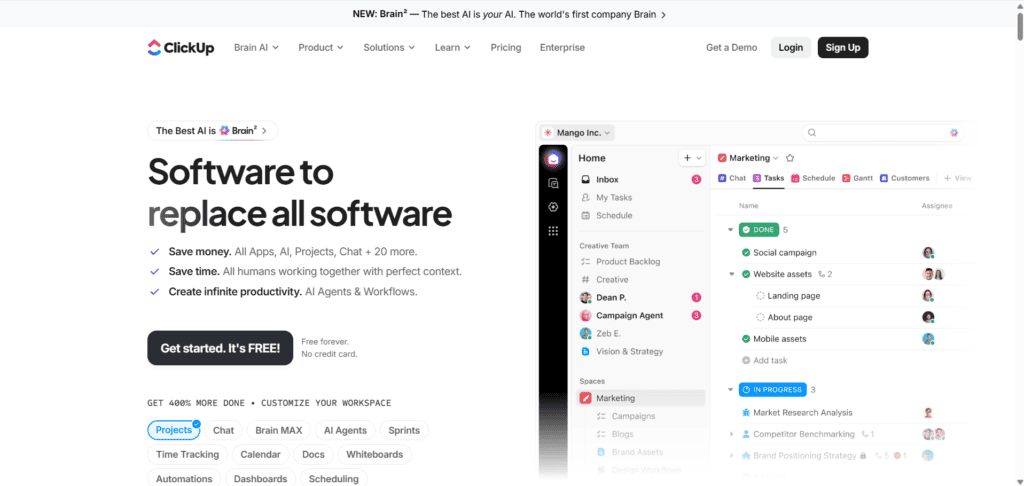
Overview: ClickUp Brain adds AI writing, summarization, and task automation directly into ClickUp’s all-in-one project management platform, so a startup managing sprints, docs, and goals in one place can also get AI help there.
Key Features: AI-generated task summaries and standup updates, AI Fields for auto-populating data, an AI Notetaker for meetings, and Super Agents for more advanced automated workflows.
Pros: Keeps AI assistance inside the same tool your team already uses to track work, rather than another browser tab; ClickUp’s free plan is unusually generous for a project management tool (unlimited tasks and members).
Cons: ClickUp Brain is a separate add-on (roughly $7–9/member/month) layered on top of a paid plan, and it’s billed per seat in the workspace — not per AI user — so a team of 20 pays for AI on every seat even if only a few people use it; the free plan’s shared storage cap is small and teams outgrow it quickly.
Pricing: Free ($0), Unlimited (~$7/user/month annual), Business (~$12/user/month annual), Enterprise (custom), plus the ClickUp Brain AI add-on (~$7–9/user/month).
Startup Stage Fit: Best for startups that have already standardized on ClickUp for task and project management and want AI summarization folded into that existing workflow.
Why It Stands Out: Because ClickUp already centralizes tasks, docs, and goals, its AI layer has more context to work with than a standalone chatbot would.
Verdict: Worth adding once your team is committed to ClickUp as its project management system — not worth adopting for the AI features alone.
Additional Notable AI Tools for Startups
Not every useful tool needs a full profile — here’s a condensed look at more AI software for startups worth knowing about.
HubSpot AI (Breeze): HubSpot bakes AI — branded Breeze — across its Marketing, Sales, and Service Hubs, handling tasks like content generation, lead scoring, and support ticket summarization.
HubSpot offers free CRM and marketing tools, with paid Hub pricing typically starting around $15–20/month per seat and scaling with contact volume and features. Best for startups that need a CRM and marketing automation platform with AI layered in, not a standalone AI tool.
Fireflies.ai: An AI meeting assistant that automatically joins calls, transcribes them, and generates summaries and action items, with integrations into Salesforce, HubSpot, Slack, and Notion.
Pricing runs roughly $0 (Free) to $10–19/user/month (Pro/Business) on annual billing, with an Enterprise tier for regulated industries. Particularly useful for founder-led sales teams who need a reliable record of every customer call.
Jasper: A marketing-focused AI writing platform built around “Brand Voice” training so output stays on-brand across a team.
Jasper dropped its free trial-only entry point in 2026; Pro runs about $59–69/month for a single seat, with custom Business pricing (commonly several hundred dollars a month and up) for teams.
Best reserved for startups producing high-volume, brand-consistent marketing content daily — casual or occasional writers will find ChatGPT or Claude more cost-effective.
Midjourney: Still widely regarded as a top choice for photorealistic and artistic AI image generation, delivered through Discord and a web interface.
Plans run from Basic ($10/month) to Mega ($120/month), priced around GPU compute time rather than a fixed image count, with Stealth Mode (private generations) gated behind the Pro tier ($60/month) and above.
Companies with over $1 million in annual revenue are required to use at least the Pro plan for commercial use, per Midjourney’s terms.
Lovable: A prompt-to-app builder that generates a working React front end with a Supabase-backed database and authentication, aimed at non-technical founders building an MVP.
Pricing runs Free (capped daily credits), Pro (~$25/month), and Business (~$50/month), with credits shared across unlimited team seats on a plan.
Best for a first working prototype; many teams “graduate” complex features into Cursor or Claude Code once the app matures.
Bolt.new: A browser-based AI app builder from StackBlitz that generates full-stack JavaScript applications with diff-based, fast iterations and direct code access.
Pricing runs Free (150K tokens/day) to Pro (~$20–25/month) and Team (~$30/user/month), billed on a token system rather than flat credits. Better suited to developers who want more direct control over the generated code than Lovable typically offers.
Replit AI: Combines an AI coding agent with a full browser-based development environment, including built-in hosting, a database, and support for 50+ programming languages.
Core plans run around $20–25/month, with Teams around $40/user/month. The strongest option on this list for founders who want to write code alongside the AI rather than only prompting it.
Gamma: Turns a text prompt into a designed presentation, document, or simple website in minutes, with integrations into Slack, Notion, HubSpot, and Zapier.
Pricing runs Free (capped AI credits) to Plus (~$10/month) and Pro (~$20/month), with Team pricing scaling by seat count. A fast way for a founder to build an investor deck or internal one-pager without touching a slide template. <br>
How We Evaluated the Best AI Tools for Startups
Based on official documentation, verified pricing pages, product updates, independent reviews, and user feedback from G2, Capterra, Product Hunt, and Reddit, each tool on this list was assessed against the criteria that matter most to a resource-constrained team:
- Core features — does the tool solve a real, recurring startup problem, or is it a novelty?
- Pricing transparency — are limits and overage costs clearly published, or do they surface only after signup?
- Scalability — does the tool’s pricing and feature set grow sensibly from a 2-person team to a 20-person team?
- Integrations — does it connect to the tools startups already use (Slack, Google Workspace, GitHub, CRMs)?
- Learning curve — can a non-technical founder get value in the first session, or does it require dedicated onboarding?
- Automation depth — does it save hours of manual work, or just speed up a task marginally?
- Security and data handling — does the vendor publish clear data-retention and training-opt-out policies?
- Startup friendliness — free tiers, startup discount programs, and month-to-month billing without long lock-in.
- ROI — does the time or cost saved plausibly exceed the subscription price within the first month or two?
Consolidation platforms like Aizolo were evaluated on the same criteria, with particular attention to whether bundling multiple models into one subscription actually reduces total software spend compared to buying each tool individually — for teams that genuinely use two or more AI models regularly, the math tends to work in the bundle’s favor.
Benefits of Using AI Tools in Startups
Startups that adopt AI tools deliberately — not just because a competitor did — tend to see the same recurring advantages.
Time savings compound fast. A founder who saves even one hour a day across writing, coding, and admin work recovers roughly 20 hours a month — nearly half of a full-time employee’s output, without the hiring cost.
Smaller teams can compete on output. AI-assisted content, design, and code let a 3-person startup produce work that used to require a department, closing the gap with better-funded competitors.
Faster iteration on product and messaging. AI app builders like Lovable and Bolt.new let non-technical founders test an idea as a working prototype in hours instead of weeks.
Lower upfront hiring risk. AI tools let founders delay specialist hires (designer, copywriter, junior developer) until the startup has the revenue and workload to justify them.
Better decision-making with less research time. Tools like Perplexity and Claude compress hours of market research or document review into minutes, freeing founders to spend more time on strategy.
Common Mistakes Startups Make When Choosing AI Tools

Buying tools before defining the problem. Subscribing to five AI tools because they’re trending, rather than mapping each tool to a specific bottleneck, is the fastest way to waste budget.
Ignoring per-seat and usage-based pricing traps. Several tools on this list (ClickUp Brain, Copilot’s usage-based credits, Cursor’s credit pool) bill differently than the advertised sticker price once a team scales — model your actual usage before committing to annual billing.
Overlooking data privacy terms. Free and lower tiers on several AI platforms use conversation data for model training by default. Startups handling customer or investor data should check opt-out settings or use business-tier plans that exclude training by default.
Choosing tools that don’t integrate with the existing stack. An AI tool that can’t connect to your CRM, docs, or codebase creates more manual work, not less.
Underestimating the learning curve. Powerful tools like Cursor or ClickUp Brain deliver less value if no one on the team invests an hour or two learning the actual workflow, not just the marketing pitch.
How to Choose the Right AI Tool for Your Startup
Use this simple framework before subscribing to anything new:
- Name the specific bottleneck. “We spend too long on investor updates” is specific; “we need more AI” is not.
- Check what you already have. If your team is on Google Workspace, Gemini may already be included. If you’re on Notion, its AI layer might solve the problem before you buy something new.
- Start on the free or lowest paid tier. Almost every tool on this list has a free plan or a low-cost entry tier — validate real usage before committing to annual billing.
- Model the real monthly cost at your team size. Multiply per-seat pricing by your actual headcount, and check for usage-based add-ons (AI credits, automation task limits) that aren’t in the headline price.
- Set a 30-day check-in. Revisit whether the tool is actually being used weekly. Cancel anything that isn’t.
Free vs. Paid AI Tools for Startups
| Factor | Free AI Tools | Paid AI Tools |
|---|---|---|
| Best for | Validating whether a tool fits your workflow | Teams with a recurring, proven use case |
| Usage limits | Daily/monthly caps, often on the most useful features | Higher or unlimited usage on most plans |
| Data privacy | Often used for model training by default | Business/Enterprise tiers usually exclude training by default |
| Collaboration | Frequently single-user or view-only for teammates | Multi-seat, shared workspaces, admin controls |
| Support | Community forums or help center only | Priority support, sometimes dedicated account management |
| Best starting point | Solo founders testing multiple tools before choosing | Teams of 3+ with a confirmed daily use case |
Free plans are genuinely useful for testing fit — almost every tool in this guide (ChatGPT, Claude, Gemini, Aizolo, Notion AI, Perplexity, Canva, Zapier, ClickUp, Gamma, Lovable, Bolt.new, Replit, GitHub Copilot, Grammarly, Fireflies) offers one. Reserve paid upgrades for tools your team is already using weekly without prompting.
Frequently Asked Questions
What are the best AI tools for startups in 2026? The best AI tools for startups depend on the bottleneck you’re solving: ChatGPT and Claude for general writing and reasoning, Cursor and GitHub Copilot for coding, Canva Magic Studio for design, Perplexity for research, and consolidation platforms like Aizolo for teams that want several models in one subscription.
Do startups need to pay for AI tools, or are free plans enough? Free plans are enough for testing and light, occasional use. Once a tool becomes part of a daily workflow — especially for a team rather than a solo founder — paid plans typically pay for themselves through higher usage limits, collaboration features, and better data privacy terms.
What is the cheapest way to access multiple AI models? Subscribing to ChatGPT Plus, Claude Pro, and Gemini AI Pro individually costs roughly $60/month combined. Multi-model platforms like Aizolo bundle access to several models into one lower-cost subscription, which can make sense for teams that genuinely compare outputs across models rather than using just one.
Which AI tool is best for a non-technical founder? Canva Magic Studio for design, Gamma for presentations, ChatGPT or Claude for writing, and Lovable or Bolt.new for building a first working product prototype without writing code.
Which AI coding tool should a startup pick: Cursor or GitHub Copilot? GitHub Copilot is the lower-cost, broader-compatibility choice for teams that mostly need inline completions across different editors. Cursor costs more but performs noticeably better on complex, multi-file refactors and agent-driven feature builds.
Is ChatGPT or Claude better for startups? Neither is universally “better.” ChatGPT has the broadest ecosystem and multimodal features; Claude tends to perform better on long documents and coding-heavy workflows. Many startups end up using both, or use a comparison tool like Aizolo to decide per task.
How much should a small startup budget for AI tools per month? A lean 3–5 person startup can build a functional AI stack — one general assistant, one coding tool, one design tool, and one automation tool — for roughly $150–$300/month total, depending on tier choices, though usage-based add-ons can push this higher.
Are AI tools safe for handling customer or investor data? It depends on the plan. Free and entry-level consumer tiers frequently use conversation data for model training by default. Business and Enterprise tiers from major providers (OpenAI, Anthropic, Google) typically exclude customer data from training and add compliance certifications like SOC 2. Always review the specific plan’s data policy before entering sensitive information.
Can AI tools replace hiring a marketer or developer? AI tools can delay or reduce the need for early specialist hires, but they don’t fully replace judgment, strategy, or quality control. Most successful startups use AI to extend a small team’s output, not to eliminate the humans reviewing that output.
What’s the difference between AI automation tools like Zapier and AI assistants like ChatGPT? AI assistants (ChatGPT, Claude, Gemini) generate content or answer questions on demand. AI automation tools (Zapier) connect your other software together and trigger actions automatically — the two are complementary, not competing categories.
How often should a startup reassess its AI tool stack? Every 3–6 months is reasonable. Pricing models in this category change frequently — several tools covered in this guide restructured pricing more than once in the past year — so a tool that was the best deal six months ago may no longer be.
Is it worth building a custom AI tool instead of subscribing to existing software? For most early-stage startups, no — the API and engineering time required to replicate what an off-the-shelf tool already does rarely pencils out until the startup has very specific, high-volume needs that generic tools can’t meet.
Do any of these AI tools offer startup discounts? Some do, informally or through partner programs (for example, via startup accelerators, Google for Startups, or vendor-specific nonprofit/education discounts). Discount availability and terms change often, so check each vendor’s current startup or nonprofit program page directly.
What should a startup check before committing to annual billing on an AI tool? Confirm the tool’s usage limits at your actual team size and usage pattern, check whether add-ons (AI credits, automation tasks, extra seats) are billed separately, and read the cancellation and refund policy — several tools in this category have drawn complaints over unclear billing practices. <br>
Final Verdict
There is no single “best” AI tool for every startup — the right stack depends on whether your bottleneck is writing, coding, design, research, or simply keeping your existing tools talking to each other. For most early-stage teams, a practical starting stack looks like: one general-purpose assistant (ChatGPT or Claude), one coding tool if you have technical work (GitHub Copilot or Cursor), one design tool (Canva Magic Studio), and one automation layer (Zapier) — expanding from there only when a specific, proven bottleneck justifies it.
For startups that want to test multiple frontier models before settling on one, or that simply want fewer subscriptions to manage, a consolidation platform like Aizolo is worth evaluating alongside the single-model options — not because it’s inherently “better,” but because comparing model outputs side by side, in one subscription, can shorten the trial-and-error period most founders otherwise go through alone.
The common thread across every tool in this guide is that AI software works best when it’s matched to a specific, recurring problem — not adopted because it’s trending. Start small, measure actual usage, and let the tools that survive your 30-day check-in become the permanent stack. <br>
About the Author
Jeevesh Tripathi AI Researcher and SaaS Content Specialist at Aizolo.
Jeevesh Tripathi researches AI software, SaaS platforms, automation workflows, and emerging technology trends. His content focuses on helping businesses make informed software decisions through evidence-based comparisons, official documentation, and practical implementation insights.
Email: jeevesh@aizolo.com

