Picture this: You’re working on a client presentation. You start in ChatGPT because it’s great at creative brainstorming. You get some solid ideas, copy them to a document, then switch to Gemini because you need to verify facts and integrate with your Google Workspace. You copy the content again, get Gemini’s response, paste it back into your doc, then realize you need ChatGPT’s creative touch for the final polish. Back to ChatGPT. Copy. Paste. Switch. Repeat.
If you’ve ever tried to switch between ChatGPT and Gemini during a single project, you know the frustration. These are two of the most powerful AI tools available in 2025—but using them together shouldn’t feel like running a digital obstacle course.
Let me show you a better way.
Table of Contents
Why Do People Switch Between ChatGPT and Gemini?
Before we solve the switching problem, let’s understand why it exists. The truth is simple: neither ChatGPT nor Gemini does everything best.
Where ChatGPT Excels
ChatGPT (specifically GPT-4 and GPT-4 Turbo) is phenomenal at:
- Creative writing and storytelling – It has a natural, engaging voice
- Brainstorming and ideation – Generates diverse creative concepts quickly
- Conversational tasks – Feels more “human” in interactions
- Code generation – Excellent for initial code drafts and explanations
- General knowledge synthesis – Strong at combining information creatively
Real example: When Alex, a marketing director, needs to draft compelling ad copy, she starts with ChatGPT. “It just gets persuasive language in a way that feels natural,” she says.
Where Gemini Excels
Google’s Gemini (especially Gemini Advanced) shines at:
- Real-time information – Direct access to current Google search data
- Google Workspace integration – Seamless work with Gmail, Docs, Sheets
- Multimodal tasks – Better at analyzing images alongside text
- Factual accuracy – Grounded in Google’s knowledge graph
- Data-heavy tasks – Excellent at parsing and analyzing structured information
- Multilingual capabilities – Superior translation and language support
Real example: That same marketing director, Alex, switches to Gemini when she needs to verify competitor data, analyze market trends, or pull insights from Google Analytics.
Learn more about ChatGPT capabilities | Explore Gemini features
The Problem: They’re Better Together
The challenge isn’t choosing between ChatGPT and Gemini. It’s that you need both—often in the same workflow.
Consider these common scenarios:
Content Creation:
- Brainstorm topics in ChatGPT (creative ideation)
- Switch to Gemini for SEO research and trend data
- Back to ChatGPT for writing the first draft
- Gemini again to fact-check and optimize
Business Analysis:
- Ask ChatGPT to explain complex concepts simply
- Switch to Gemini to pull real data from Google Sheets
- ChatGPT to draft recommendations
- Gemini to verify against current market conditions
Software Development:
- ChatGPT generates initial code structure
- Gemini checks documentation and best practices
- ChatGPT refines the implementation
- Gemini verifies against latest framework updates
Notice the pattern? Constant switching.
The Hidden Costs of Switching Between ChatGPT and Gemini
Most people don’t realize how much this constant switching actually costs them—not just in money, but in productivity and quality.
Time Wastage: The 5-Minute Tax
Every time you switch between ChatGPT and Gemini, you lose approximately 5-10 minutes:
- Opening a new tab or window (10 seconds)
- Logging in or switching accounts (30 seconds)
- Finding the right conversation or starting new (1-2 minutes)
- Copying and pasting context (1-2 minutes)
- Reformatting or adjusting the prompt (2-3 minutes)
- Getting reoriented in the new interface (1-2 minutes)
For someone who switches 5-10 times per day: That’s 30-60 minutes of pure switching time—not counting the mental context switches.
Context Loss: The Bigger Problem
When you copy information from ChatGPT to Gemini, you lose:
- Conversation history – Previous context that shaped the current response
- Iteration details – The refinements and adjustments you made
- Implicit understanding – The AI’s learned preferences from your session
- Linked references – Earlier points in the conversation
This means you often have to explain things twice or settle for less optimal results.
Mental Fatigue: The Invisible Cost
Context-switching isn’t just time-consuming—it’s cognitively exhausting. Studies show that task-switching can reduce productivity by up to 40%. Your brain needs time to:
- Remember where you were in each platform
- Recall what you were trying to accomplish
- Adjust to different interfaces and interaction styles
- Maintain focus across disruptions
After 6-7 switches, many people report feeling mentally drained—even if they haven’t accomplished much actual work.
Financial Cost: Double Subscriptions
To get the most out of both platforms, you need:
- ChatGPT Plus: $20/month
- Gemini Advanced (Google One AI Premium): $19.99/month
Total: $39.99/month
And you still don’t have a seamless way to use them together.
How People Currently Switch Between ChatGPT and Gemini (And Why It’s Inefficient)
Let’s break down the typical switching workflows and their problems:
Method 1: The Tab Juggler
How it works:
- Keep ChatGPT and Gemini open in separate browser tabs
- Switch back and forth as needed
- Copy/paste content between them
Problems:
- Easy to lose track of which tab is which
- No way to compare responses side-by-side
- Context gets lost in translation
- Disruptive to workflow
Time cost per switch: 3-5 minutes
Method 2: The Document Intermediary
How it works:
- Work in ChatGPT first
- Copy results to Google Doc or Notion
- Open Gemini and paste content
- Get Gemini’s response and copy back to document
- Repeat as needed
Problems:
- Even more steps than tab juggling
- Three-way context switching (AI 1 → Document → AI 2)
- Document clutter with multiple versions
- High risk of mixing up which AI said what
Time cost per switch: 5-8 minutes
Method 3: The Sequential Worker
How it works:
- Complete entire task in ChatGPT first
- Then run through entire task in Gemini second
- Manually compare and synthesize results
Problems:
- Doubles the work time
- Can’t integrate insights in real-time
- Difficult to merge different approaches
- Wastes effort on redundant tasks
Time cost: Essentially doubles project time
Method 4: The Cherry Picker
How it works:
- Decide task-by-task which AI to use
- Accept you won’t get both perspectives
- Hope you chose correctly
Problems:
- Miss out on comparative insights
- Second-guessing your platform choice
- FOMO about what the other AI might have suggested
- Limited by single-model thinking
Opportunity cost: Impossible to quantify but significant
What If You Could Switch Between ChatGPT and Gemini Instantly?
Imagine working like this instead:
You’re drafting a marketing strategy. You type your prompt once: “Create a Q2 marketing strategy for a SaaS product targeting small businesses.”
You hit send—and instantly see:
- ChatGPT’s response on the left: Creative, engaging, focused on storytelling
- Gemini’s response on the right: Data-driven, SEO-optimized, integrated with market research
You review both in real-time. You notice ChatGPT has a brilliant campaign angle, while Gemini provides better timing insights based on current trends.
You combine the best of both without copying, pasting, or switching tabs.
That’s the power of working with ChatGPT and Gemini simultaneously.
Introducing the Smart Way to Switch Between ChatGPT and Gemini
This is where AiZolo completely transforms your workflow.
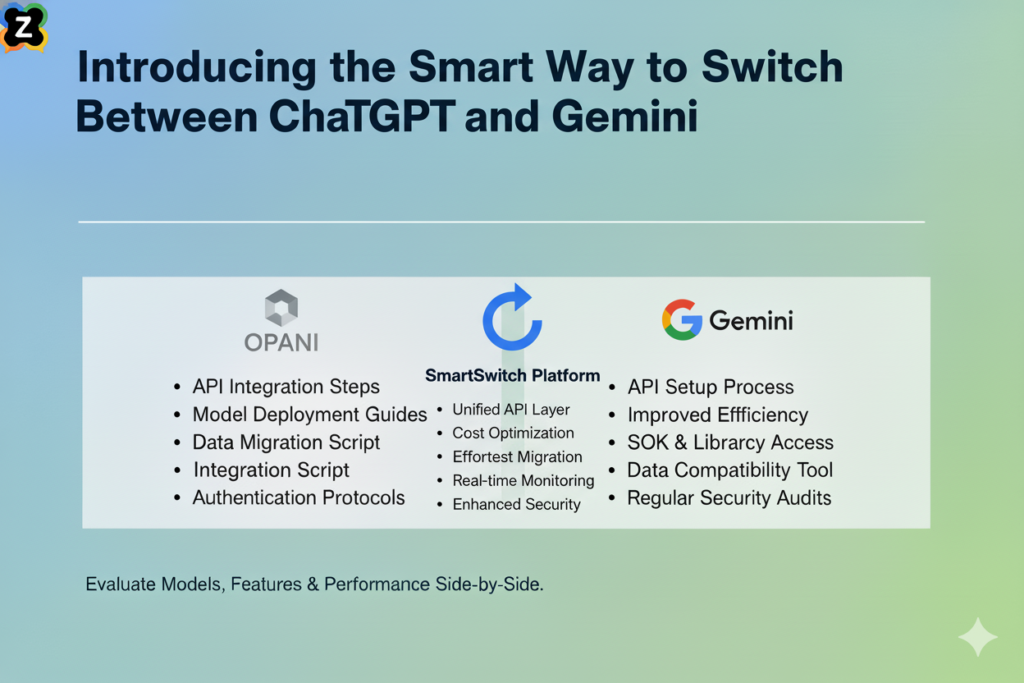
AiZolo isn’t just another AI tool—it’s a unified platform that lets you work with ChatGPT and Gemini (and other leading AI models) in a single interface.
How AiZolo Solves the Switching Problem
1. Multi-Model Interface Chat with GPT-4, Gemini, Claude, and other AI models simultaneously in one workspace. No more tabs, no more copying, no more context loss.
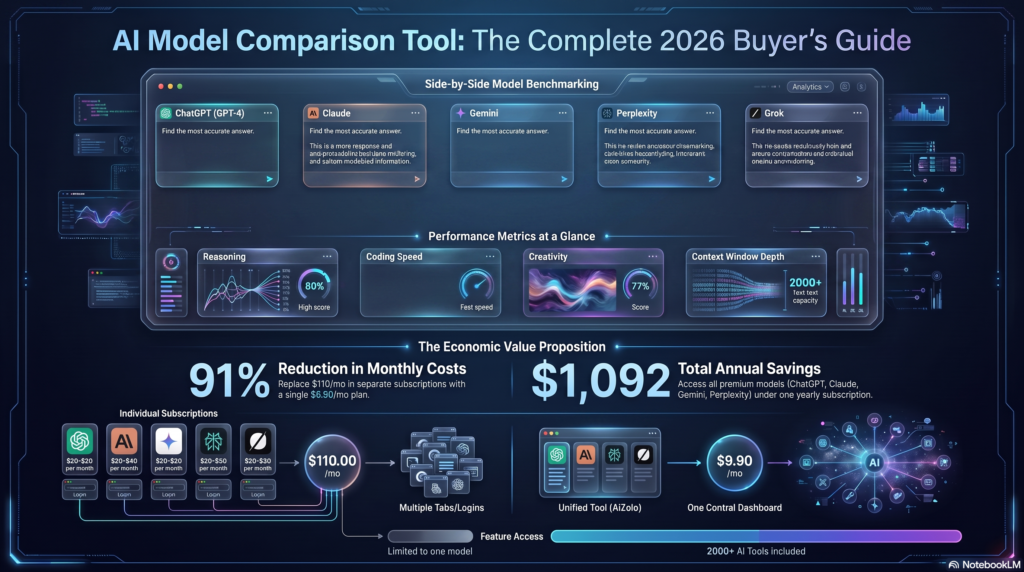
2. Side-by-Side Comparison Send the same prompt to ChatGPT and Gemini at once. See responses in parallel. Compare approaches instantly. Choose the best elements from each.
3. Unified Context All your AI conversations happen in one place. The context you build isn’t lost when you want a different AI’s perspective.
4. Customizable Layout Resize and arrange your AI windows exactly how you want. Put ChatGPT on the left for creative tasks, Gemini on the right for data validation—whatever works for your brain.
5. One Subscription, All Models Stop paying $40/month for separate subscriptions. Get access to both (and more) through AiZolo’s unified platform.
6. Custom API Keys For power users, bring your own API keys for unlimited access to ChatGPT and Gemini. No platform limitations, no message caps.
Real Success Stories: People Who Stopped Switching
The Content Creator Who Reclaimed 10 Hours Per Week
Emma, a YouTube content creator, was spending 2 hours per video script bouncing between ChatGPT (for creativity) and Gemini (for trend research).
After discovering AiZolo:
- She sends script ideas to both AI models simultaneously
- Compares responses in real-time
- Synthesizes the best creative elements from ChatGPT with trending insights from Gemini
- Script writing time: Cut from 2 hours to 45 minutes
“I didn’t realize how much time I was wasting until I stopped wasting it,” Emma says. “Now I can see ChatGPT and Gemini responses side-by-side. It’s like having two expert consultants in the room instead of running between their offices.”
Result: 10+ hours saved per week, better scripts, less stress.
The Developer Who Stopped Playing AI Ping-Pong
Miguel, a full-stack developer, needed ChatGPT for code generation and Gemini for documentation searches and API lookups.
His old workflow:
- Draft code in ChatGPT (5 minutes)
- Switch to Gemini to verify best practices (3 minutes)
- Back to ChatGPT to revise (4 minutes)
- Gemini again for testing approaches (3 minutes)
- Final tweaks in ChatGPT (2 minutes)
Total time per coding task: 17+ minutes (not counting actual coding)
With AiZolo:
- Opens both ChatGPT and Gemini panels
- Asks ChatGPT for code structure
- Simultaneously asks Gemini for current best practices
- Compares both responses in real-time
- Synthesizes optimal solution immediately
New time per task: 6-7 minutes
“It’s not just faster—it’s better code. I’m getting ChatGPT’s creativity AND Gemini’s up-to-date knowledge in every solution.”
Result: 60% time savings, improved code quality, happier clients.
The Marketing Agency That Transformed Client Deliverables
BrightPath Digital, a 12-person marketing agency, had every team member paying for both ChatGPT Plus and Gemini Advanced.
Old costs: 12 people × $40/month = $480/month
Old problems:
- Inconsistent approaches across team members
- Time wasted on AI switching
- Difficulty collaborating on AI-assisted projects
- Clients received varying quality depending on which AI was used
After implementing AiZolo:
- Team-wide access to all AI models
- Shared projects with standardized prompts
- Consistent quality across deliverables
- Side-by-side comparisons became standard practice
New costs: $228/month (team plan)
Savings: $252/month ($3,024/year)
“But the real win isn’t the money,” says founder Jennifer. “It’s that our deliverables are consistently better. When you can easily compare ChatGPT and Gemini outputs, you naturally produce higher quality work.”
Result: Lower costs, better work, happier clients, competitive advantage.
How to Use AiZolo to Switch Between ChatGPT and Gemini Effectively
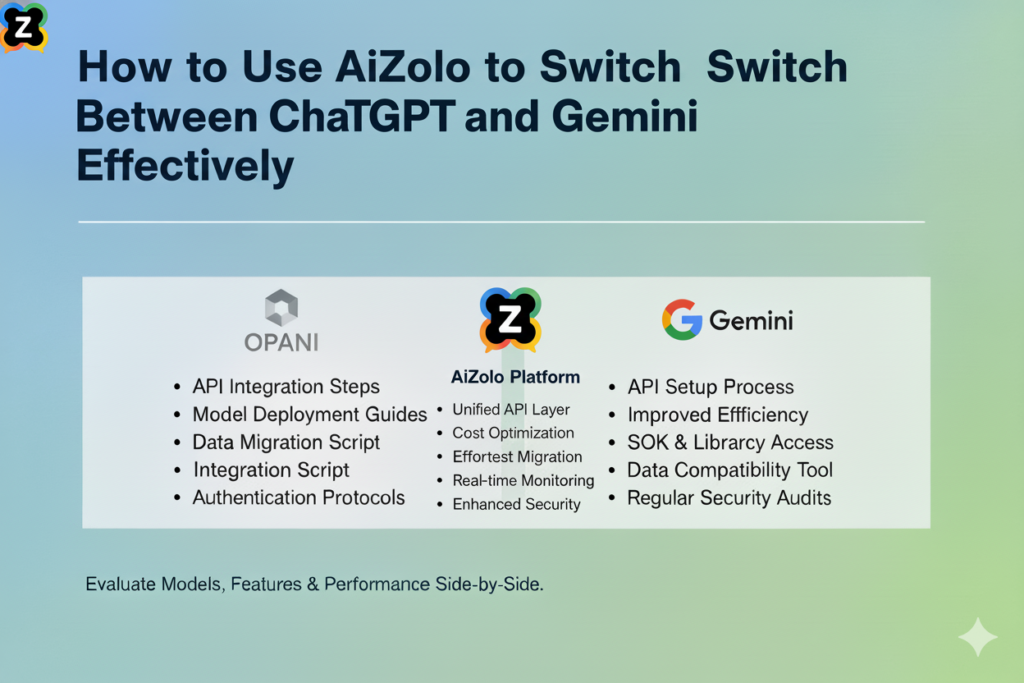
Let me walk you through practical workflows:
Workflow 1: Content Creation
Task: Write a blog post about sustainable fashion
Step 1: Open AiZolo and create two panels—ChatGPT and Gemini
Step 2: Send your brief to both:
Write an outline for a 1500-word blog post about sustainable
fashion trends for 2025. Target audience: eco-conscious millennials.
Step 3: Review both outlines side-by-side
- ChatGPT focuses on compelling storytelling angles and emotional hooks
- Gemini provides data-backed trends and SEO-optimized structure
Step 4: Synthesize the best approach Take ChatGPT’s narrative framework and enrich it with Gemini’s data points
Step 5: Draft the content Ask ChatGPT to write the first draft using the combined outline, then have Gemini fact-check and optimize
Time saved: 40-60 minutes per post
Workflow 2: Business Analysis
Task: Analyze competitor strategies
Step 1: Ask Gemini to research current competitor activities (It has real-time web access)
Step 2: Ask ChatGPT to analyze the implications creatively (It excels at strategic thinking)
Step 3: View both analyses simultaneously Compare data-driven insights (Gemini) with strategic recommendations (ChatGPT)
Step 4: Create action plan Use ChatGPT for creative strategy elements, Gemini for realistic implementation timeline based on current market data
Time saved: 1-2 hours per analysis
Workflow 3: Technical Documentation
Task: Create user documentation for a software feature
Step 1: Ask ChatGPT to draft user-friendly explanations (It’s excellent at clear, conversational language)
Step 2: Ask Gemini to verify technical accuracy and add examples (It can cross-reference current technical documentation)
Step 3: Compare both versions Take ChatGPT’s approachable tone and Gemini’s technical precision
Step 4: Finalize in one combined session No switching, no copying, no context loss
Time saved: 30-45 minutes per documentation set
Advanced Tips for Switching Between ChatGPT and Gemini in AiZolo
Tip 1: Use Custom Projects for Recurring Tasks
Create saved projects with specific prompts for:
- Blog post templates (ChatGPT for creativity, Gemini for SEO)
- Code review workflows (ChatGPT for suggestions, Gemini for documentation)
- Research tasks (Gemini for data, ChatGPT for synthesis)
Tip 2: Leverage Each AI’s Strengths Strategically
Use ChatGPT when you need:
- Creative writing and narrative flow
- Brainstorming and ideation
- Conversational tone
- Initial drafts and frameworks
Use Gemini when you need:
- Current information and real-time data
- Google Workspace integration
- Factual verification
- SEO optimization
Use both when you need:
- The best possible output
- Multiple perspectives
- Verification and creativity together
Tip 3: Create Comparison Templates
Save prompts that work well for side-by-side comparison:
"Explain [topic] in simple terms for a beginner audience"
"Create a weekly content calendar for [niche]"
"Debug this code and suggest improvements: [code]"
"Write a professional email about [situation]"
Tip 4: Use Your Own API Keys for Unlimited Access
AiZolo supports custom API keys. This means:
- No message limits
- Access to latest GPT-4 and Gemini updates
- Complete control over your AI usage
- Cost-effective for high-volume users
ChatGPT vs Gemini: When to Use Each (and When to Use Both)
| Task Type | Best Choice | Why | AiZolo Advantage |
|---|---|---|---|
| Creative Writing | ChatGPT | More natural, engaging tone | Compare with Gemini for factual accuracy |
| Data Analysis | Gemini | Better at structured data | Get ChatGPT’s interpretation too |
| Code Generation | ChatGPT | Strong at creative solutions | Verify with Gemini’s docs |
| Current Events | Gemini | Real-time search access | Get ChatGPT’s analysis |
| Brainstorming | ChatGPT | More diverse ideas | Ground with Gemini’s data |
| Technical Docs | Both | Combine clarity + accuracy | See both simultaneously |
| SEO Content | Gemini | Search-optimized | Add ChatGPT’s creative flair |
| Strategy | Both | Data + creativity needed | Compare approaches instantly |
The Future of Working with Multiple AI Models
The days of being loyal to a single AI platform are over. In 2025, professionals understand that:
- No single AI does everything best – Specialization is increasing
- Comparative analysis produces better results – Multiple perspectives win
- Workflow integration matters more than individual features – Seamless switching is essential
- Cost efficiency requires consolidation – Multiple subscriptions aren’t sustainable
Industry analysts predict that multi-model AI platforms will become standard by 2026. Early adopters are already seeing the benefits.
Common Questions About Switching Between ChatGPT and Gemini
Q: Can I really use ChatGPT and Gemini in the same interface?
Yes! AiZolo provides access to both (plus other leading models) in a unified workspace. You can chat with them side-by-side or separately—whatever your workflow needs.
Q: Will I lose any features compared to using ChatGPT Plus and Gemini Advanced separately?
No. With AiZolo’s custom API key support, you get full access to all features of both platforms. Many users find the unified interface actually unlocks capabilities they couldn’t access before.
Q: How do I know which AI to use for which task?
Start by sending prompts to both and comparing. You’ll quickly develop intuition for each AI’s strengths. AiZolo makes this experimentation effortless.
Q: What if I’m already paying for ChatGPT Plus and Gemini Advanced?
Most users cancel their individual subscriptions after trying AiZolo. You can keep them if you want, but most find they don’t need to.
Q: Is there a learning curve to using multiple AIs at once?
Minimal. If you can use ChatGPT or Gemini individually, you can use AiZolo. Most users are productive within minutes.
Q: Can I switch back and forth between comparing responses and focused work with one AI?
Absolutely. AiZolo’s customizable workspace lets you resize, minimize, or hide panels as needed. Work however makes sense for your task.
Stop Switching, Start Working
Here’s the bottom line: switching between ChatGPT and Gemini manually is wasting your time, energy, and money.
You deserve better.
You deserve a workspace where the best AI models work together for you—not a digital obstacle course where you’re the messenger running between them.
AiZolo gives you:
✅ ChatGPT and Gemini in one unified interface
✅ Side-by-side comparison for instant insights
✅ No more copying, pasting, or context loss
✅ Customizable workspace that fits your brain
✅ Access to other leading AI models too
✅ 40-60% savings compared to separate subscriptions
✅ 30-60 minutes saved per day
✅ Better results through comparative analysis
Your Next Step
Remember the opening scenario? You, bouncing between ChatGPT and Gemini, copying and pasting, losing context, wasting time?
That doesn’t have to be your reality anymore.
Try AiZolo free plan (no credit card required) →
No credit card required. No commitment. Just see for yourself how much easier work becomes when you stop fighting your tools.
Set up takes 2 minutes. You’ll see the difference immediately.
Thousands of professionals have already made the switch. They’re not going back.
Will you join them?
Stop wasting time switching between ChatGPT and Gemini. Start your free AiZolo trial and experience seamless multi-model AI access today. Upgrade only when you’re ready.
Additional Resources
- ChatGPT Official Documentation
- Google Gemini AI Guide
- Comparing AI Models: A Technical Overview
- The State of AI Productivity Tools 2025
Guide to Switching Between ChatGPT and Gemini