
Picture this: You’re working on a critical project deadline. You need ChatGPT’s creative writing skills for your marketing copy, Claude’s analytical prowess for data interpretation, and Gemini’s research capabilities for fact-checking. With AiZolo, you can bring these models into one workspace instead of getting stuck in what I call “the tab dance”—frantically switching between browser tabs, losing your train of thought with each click, and watching your productivity plummet.
Sound familiar? You’re not alone.
In today’s AI-powered workplace, professionals are discovering a frustrating paradox: we have access to more powerful AI tools than ever before, yet managing multiple subscriptions, switching between platforms, and trying to compare responses has become a productivity nightmare. The average knowledge worker now juggles between 3-5 different AI platforms daily, wasting up to 2 hours per week just on context-switching and platform navigation.
But what if there was a better way? What if you could harness the collective intelligence of multiple AI models simultaneously, compare their responses side-by-side, and create a personalized AI workspace—all without the subscription chaos and endless tab-switching?
Welcome to the future of AI productivity. Welcome to the world of unified AI comparison platforms.
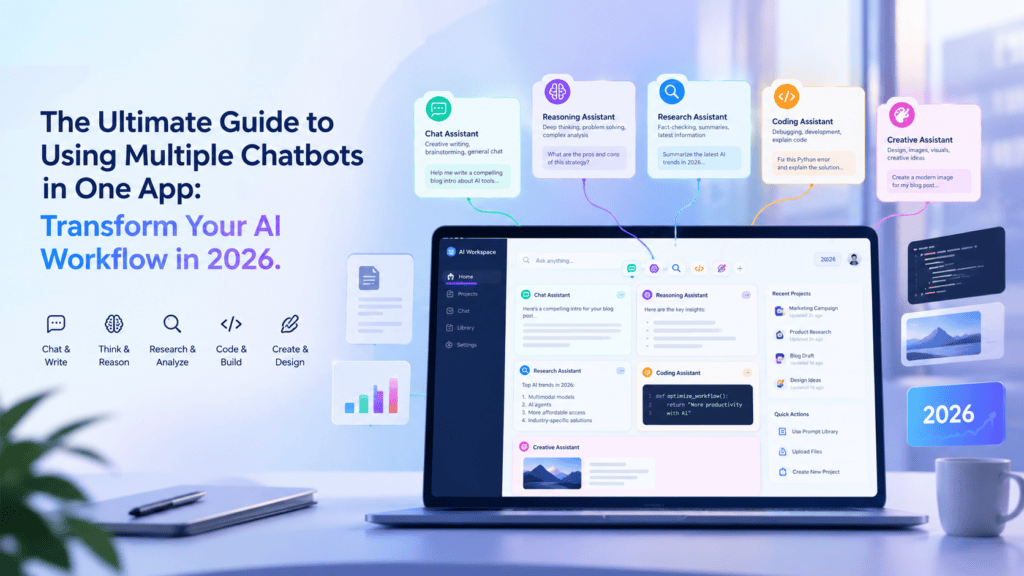
Table of Contents
Why Using Multiple AI Chatbots Simultaneously is a Game-Changer
The Power of Diverse AI Perspectives
Think of AI models like expert consultants—each brings unique strengths to the table. ChatGPT excels at creative content and conversational nuance. Claude offers exceptional analytical depth and nuanced reasoning. Gemini provides comprehensive research capabilities with real-time web access. DeepSeek delivers cost-effective solutions for routine tasks.
The problem? Each model has blind spots. A single AI can hallucinate, miss context, or simply approach problems from one angle. When you query multiple AI models simultaneously, you’re essentially assembling a team of expert advisors, each offering their unique perspective on your challenge.
Real-World Success Story: Sarah’s Content Marketing Breakthrough
Let me tell you about Sarah, a content marketing manager at a mid-sized tech company. She was spending $100+ monthly on three separate AI subscriptions and still felt she wasn’t getting the full picture.
“I’d write a blog post in ChatGPT, then copy it to Claude for fact-checking, then use Gemini to research statistics,” Sarah recalls. “Not only was it time-consuming, but I’d lose context with each switch. I was working harder, not smarter.”
When Sarah discovered the power of using multiple chatbots in one app, everything changed. She could now:
- Draft content with multiple AI perspectives simultaneously
- Compare responses instantly to identify the best approach
- Maintain conversation context across all models
- Cut her workflow time by 60%
- Reduce subscription costs by 40%
Sarah’s productivity soared, and her content quality improved dramatically. She wasn’t just getting faster—she was getting better results by leveraging the collective intelligence of multiple AI models.
The Hidden Costs of Scattered AI Subscriptions
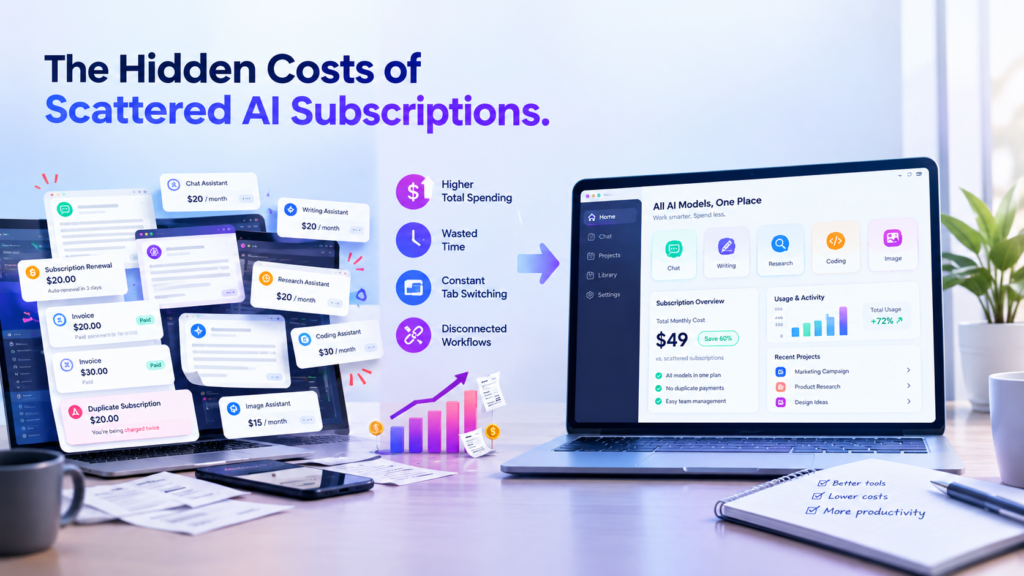
Before we dive into solutions, let’s talk about what’s really costing you with the traditional multi-subscription approach:
1. The Subscription Stack Trap
Most professionals today maintain separate subscriptions for:
- ChatGPT Plus: $20/month
- Claude Pro: $20/month
- Gemini Advanced: $20/month
- Perplexity Pro: $20/month
That’s $80+ monthly for basic access to multiple AI models. And here’s the kicker: you’re only using a fraction of each subscription’s capabilities because the context-switching makes it impractical to use them all effectively.
2. The Productivity Tax
Studies show that context-switching can cost you up to 40% of your productive time. Every time you switch platforms, you need to:
- Reload your previous conversations
- Re-establish context
- Remember which AI you were using for what purpose
- Copy-paste information between platforms
The mental overhead alone is exhausting.
3. The Integration Gap
Without a unified interface, you can’t:
- Easily compare responses side-by-side
- Maintain consistent project organization
- Share workflows with team members
- Track which model performed best for specific tasks
You’re working with powerful tools, but in isolation. It’s like having a Ferrari, a Tesla, and a Porsche, but only being able to drive one at a time—and having to walk between them.
The 5 Game-Changing Benefits of Multi-AI Platforms
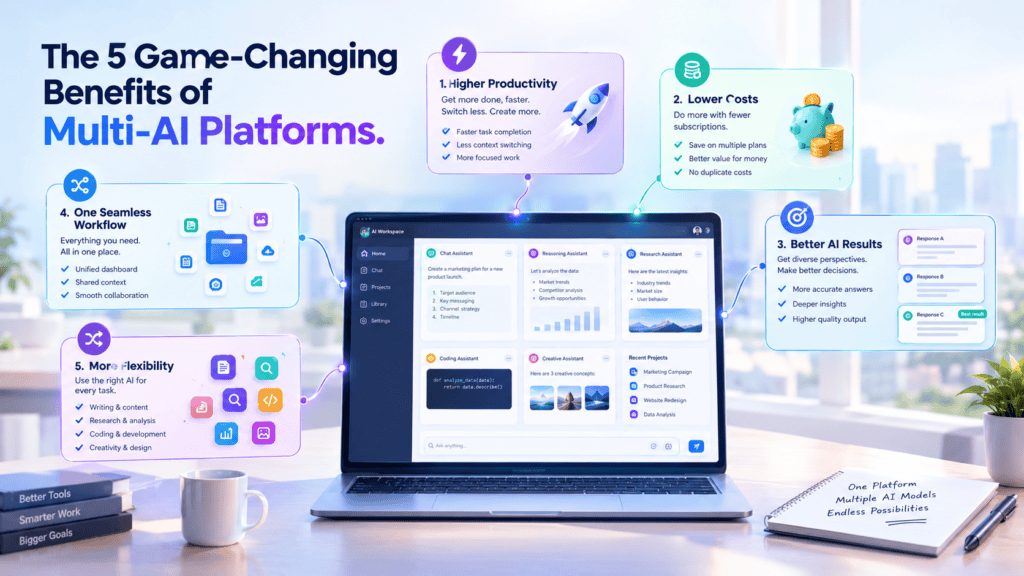
1. Instant Response Comparison: Make Better Decisions Faster
Imagine asking a complex question and seeing responses from GPT-4, Claude, Gemini, and other leading models appear simultaneously in a beautifully organized interface. No more copying questions between tabs. No more trying to remember which AI said what.
Real-world example: Alex, a startup founder, uses multi-AI comparison for strategic decisions. When evaluating a potential pivot, he queries multiple AI models simultaneously about market conditions, competitive analysis, and financial projections. “I’m not just getting one opinion—I’m conducting a virtual board meeting with diverse AI perspectives,” Alex explains. “It’s transformed how I make critical business decisions.”
2. Eliminate AI Hallucinations Through Cross-Verification
Here’s a sobering truth: every AI model occasionally hallucinates—presents confident-sounding information that’s completely wrong. But here’s what most people don’t realize: different AI models rarely hallucinate the same misinformation.
By comparing responses across multiple models, you can quickly identify discrepancies and verify facts. When all models agree, you can be confident. When they diverge, you know to dig deeper.
Case study: Jennifer, a legal researcher, once relied on a single AI for preliminary case research. After a near-miss with hallucinated case citations, she switched to using multiple AI models simultaneously. “Now I immediately spot inconsistencies. If one model mentions a case that others don’t acknowledge, it’s a red flag for verification. This approach has saved me countless hours of fact-checking and potential embarrassment.”
3. Leverage Model-Specific Strengths Without Platform Switching
Different AI models excel at different tasks:
- Creative Writing & Brainstorming: ChatGPT’s conversational style shines
- Analytical Thinking & Complex Reasoning: Claude’s nuanced understanding excels
- Research & Current Information: Gemini’s web integration provides real-time data
- Code Generation: Various models offer different programming approaches
- Cost-Effective Routine Tasks: Newer models like DeepSeek offer quality at lower costs
With a unified multi-AI platform, you’re not choosing which strength to work with—you’re leveraging all of them simultaneously.
4. Dramatic Cost Savings Through Strategic Model Selection
Here’s where things get interesting financially. When you have access to multiple AI models through a single subscription, you can:
- Use premium models for critical tasks
- Deploy cost-effective models for routine queries
- Bring your own API keys to bypass platform markups
- Avoid paying for multiple overlapping subscriptions
Financial breakdown: The average professional paying for 3-4 separate AI subscriptions spends $960-$1,200 annually. A unified platform with multi-model access typically costs $120-$300 annually—that’s a 75% cost reduction while actually expanding capabilities.
Michael, a small business owner, put it perfectly: “I was paying for four AI subscriptions but only using each one 25% of the time. Now I pay for one platform that gives me access to all of them. The ROI is incredible—not just in money saved, but in the productivity gained.”
5. Custom Projects & Advanced Workflow Control
The most powerful benefit might be the ability to create custom AI projects with:
- Tailored system prompts for consistent brand voice
- Organized conversation histories by project or client
- Resizable, customizable workspace layouts that match your workflow
- Team collaboration features to share AI insights
Imagine having a dedicated AI workspace for each client, project, or content type—with all conversations, prompts, and preferences saved and easily accessible. That’s the power of unified AI platforms.
How Top Professionals Are Using Multi-AI Platforms: 7 Powerful Use Cases
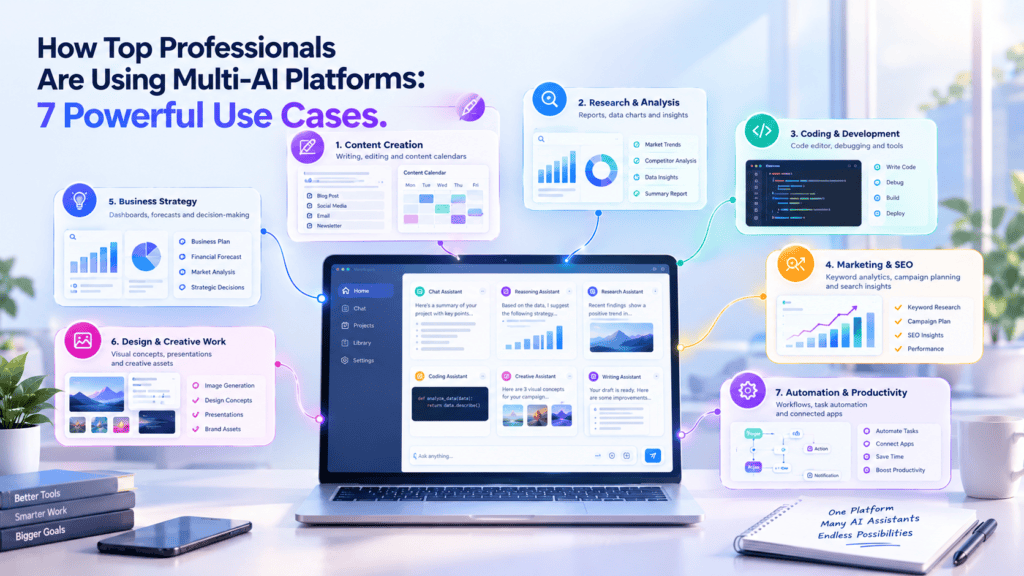
1. Content Creation & Marketing
The Challenge: Creating high-quality, original content that resonates with diverse audiences while maintaining brand consistency.
The Multi-AI Solution:
- Query multiple models for blog post outlines
- Compare writing styles and select the best approach
- Use one model for creative headlines, another for SEO optimization
- Cross-verify facts and statistics across models
- Generate social media variations from different AI perspectives
Results: Content creators report 50-70% faster production times with higher quality output. The ability to instantly compare approaches means selecting the best creative direction without second-guessing.
2. Software Development & Code Review
The Challenge: Writing bug-free code efficiently while exploring multiple implementation approaches.
The Multi-AI Solution:
- Generate code solutions from multiple AI models simultaneously
- Compare different architectural approaches
- Get diverse perspectives on optimization and best practices
- Use one model for code generation, another for security review
- Identify potential bugs through cross-model analysis
Developer testimonial: “I generate code solutions from three different AI models at once. Often, one model will catch an edge case the others missed, or suggest a more elegant algorithm. It’s like having multiple senior developers doing code review in real-time.”
3. Business Strategy & Decision Making
The Challenge: Making informed strategic decisions with incomplete information and competing priorities.
The Multi-AI Solution:
- Present business challenges to multiple AI advisors
- Compare strategic recommendations and risk assessments
- Gather diverse market analysis perspectives
- Stress-test assumptions across different AI models
- Identify blind spots in strategic thinking
Executive insight: Rachel, a VP of Strategy, explains: “When evaluating our market expansion plans, I present the same data to four different AI models. The divergent perspectives help me see angles I would have missed. It’s like having instant access to multiple consulting firms—each with different methodologies.”
4. Academic Research & Writing
The Challenge: Conducting thorough research while synthesizing information from multiple sources and perspectives.
The Multi-AI Solution:
- Query multiple AI models for research starting points
- Compare interpretations of complex academic concepts
- Cross-verify citations and factual claims
- Generate diverse thesis approaches
- Get varied perspectives on argument structure
Student success story: James, a PhD candidate, uses multi-AI platforms for literature reviews. “I can instantly compare how different AI models interpret research papers. When all models identify the same key themes, I know I’m on solid ground. When they diverge, I’ve found an interesting area worth deeper investigation.”
5. Customer Service & Support
The Challenge: Providing consistent, accurate support responses while handling diverse customer inquiries.
The Multi-AI Solution:
- Generate multiple response variations instantly
- Compare empathy and clarity across AI models
- Verify technical accuracy through cross-model validation
- Adapt response style based on customer profile
- Create response templates validated by multiple AI perspectives
Support manager testimonial: “We reduced response times by 40% while actually improving quality scores. Our team queries multiple AI models for complex support issues, compares responses, and selects the most helpful approach. It’s transformed how we handle customer inquiries.”
6. Legal & Compliance Research
The Challenge: Conducting preliminary legal research with high accuracy requirements.
The Multi-AI Solution:
- Compare legal interpretations across multiple AI models
- Verify case citations and precedents
- Identify potential legal angles from different perspectives
- Cross-check regulatory compliance requirements
- Generate initial research summaries for attorney review
Important note: While AI assists with preliminary research, professional legal advice remains essential for actual cases.
7. Creative Problem-Solving & Innovation
The Challenge: Breaking through creative blocks and generating truly innovative solutions.
The Multi-AI Solution:
- Brainstorm from multiple AI perspectives simultaneously
- Compare creative approaches and unconventional solutions
- Combine elements from different AI suggestions
- Challenge assumptions through diverse AI viewpoints
- Iterate rapidly by comparing concept variations
Innovation consultant insight: “The magic happens at the intersection of different AI perspectives. One model might suggest a practical approach, another an unconventional angle, and a third a hybrid solution. Together, they spark ideas I wouldn’t have reached alone.”
Introducing AiZolo: Your Ultimate AI Comparison Platform
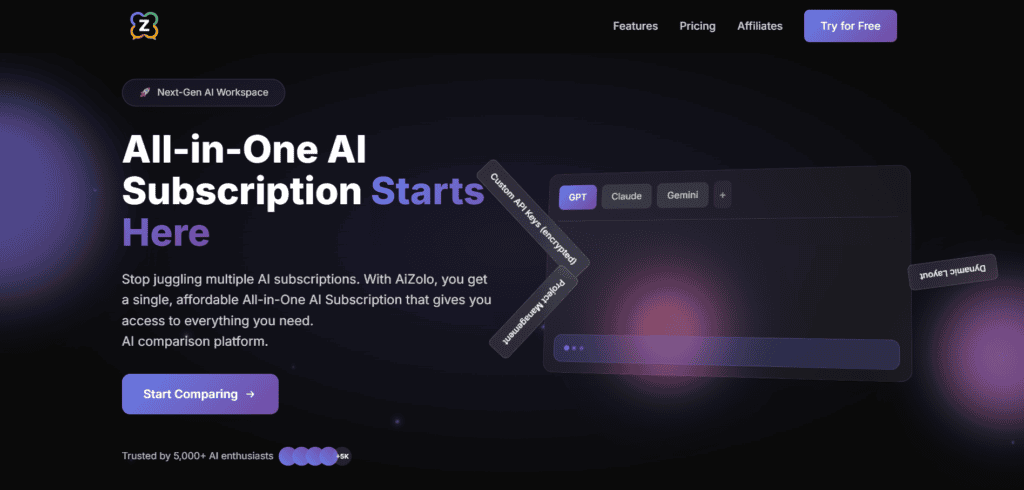
Now that you understand the transformative power of using multiple chatbots in one app, let me introduce you to the platform that’s making this vision a reality: AiZolo.
AiZolo isn’t just another AI platform—it’s the most advanced AI comparison platform designed specifically for professionals who demand more from their AI tools.
What Makes AiZolo Different?
1. True Simultaneous Multi-Model Conversations
Unlike tools that simply switch between models, AiZolo enables genuinely simultaneous conversations with multiple AI models. Ask a question, and watch as ChatGPT, Claude, Gemini, and other leading models respond in real-time, side by side.
The interface is beautifully designed for comparison—you can instantly see which model provides the most relevant, comprehensive, or creative response. No more tab-switching. No more copy-pasting. Just pure, efficient AI collaboration.
2. Bring Your Own API Keys (BYOK)
Here’s where AiZolo truly shines: complete flexibility in how you access AI models.
You can use AiZolo’s built-in subscriptions for convenience, or bring your own API keys from OpenAI, Anthropic, Google, and other providers. This means:
- No markup on API costs (you pay providers directly)
- Access to the latest models as soon as they’re released
- No artificial limitations on usage or features
- Complete control over your AI spending
For power users, this feature alone can save hundreds or even thousands of dollars annually while ensuring access to cutting-edge AI capabilities.
3. Customizable Workspace That Adapts to You
Your workflow is unique. Your AI workspace should be too.
AiZolo offers unprecedented workspace customization:
- Resize chat windows to focus on specific models
- Rearrange layouts for your preferred workflow
- Minimize less-used models while keeping them accessible
- Create custom views for different tasks or projects
- Save workspace configurations for instant switching
Whether you prefer a focused view with two models side-by-side or a comprehensive dashboard with multiple models visible, AiZolo adapts to your working style.
4. Advanced Project Management & Organization
Stop losing valuable AI conversations in endless chat histories.
AiZolo’s project-based organization lets you:
- Create dedicated projects for clients, topics, or initiatives
- Set custom system prompts that apply across all models in a project
- Maintain organized conversation histories that are easy to search and reference
- Share projects with team members for collaborative AI work
- Archive completed projects without losing valuable insights
It’s like having a dedicated AI workspace for every aspect of your work—all accessible from one elegant interface.
5. Always Up-to-Date with Latest Models
The AI landscape evolves rapidly. New models launch. Existing models get updated. Features expand.
With AiZolo, you’re always on the cutting edge. As new AI models and features become available, they’re integrated into the platform—often within days of launch. No waiting for separate subscriptions. No missing out on innovations.
When GPT-5 launches, you’ll have access. When Claude 4 arrives, it’s ready. When the next breakthrough model emerges, AiZolo users are among the first to leverage it.
6. Optimized Performance & Reliability
Speed matters. Reliability is essential.
AiZolo’s infrastructure is built for performance:
- Lightning-fast response times through optimized routing
- 99.9% uptime so your AI tools are always available
- Intelligent load balancing to ensure consistent performance
- Secure, encrypted connections protecting your data
- Automatic failover if any AI provider experiences issues
You get enterprise-grade reliability with consumer-friendly simplicity.
AiZolo Pricing: Transparent, Fair, and Scalable
Unlike platforms with confusing tiers and hidden limitations, AiZolo offers straightforward pricing designed to scale with your needs:
Free Tier: Perfect for Getting Started
- Access to basic AI models
- Limited monthly queries
- Explore the platform’s capabilities
- No credit card required
Ideal for: Individuals exploring multi-AI workflows, students, or casual users.
Pro Plan: For Power Users and Professionals
- Unlimited access to all premium AI models
- Full workspace customization
- Advanced project management
- Priority support
- Bring your own API keys
Ideal for: Content creators, developers, consultants, and professionals who depend on AI daily.
Annual Plan: Best Value for Committed Users
- All Pro features
- Significant annual discount
- Priority access to new features
- Extended usage limits
- Dedicated account support
Ideal for: Businesses, agencies, and power users committed to maximizing their AI productivity.
The bottom line: With AiZolo, you’ll likely spend less than you’re currently paying for multiple individual AI subscriptions, while gaining access to more models, better features, and a vastly superior workflow.
👉 Start your free trial with AiZolo today and experience the difference of a truly unified AI workspace.
Getting Started: Your First Week with Multi-AI Workflows
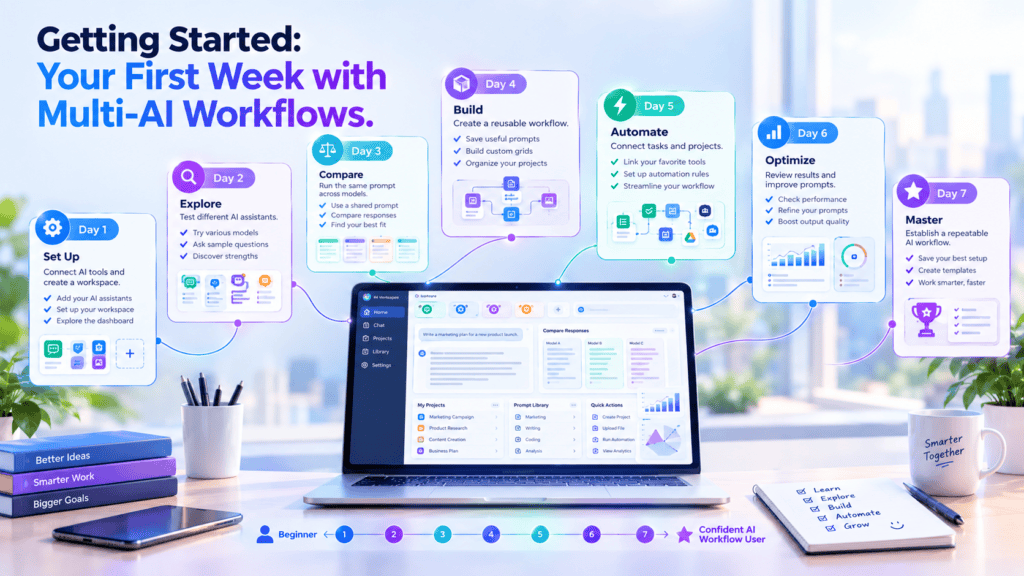
Ready to transform your AI productivity? Here’s your roadmap for the first week:
Day 1: Set Up Your Workspace
- Sign up for AiZolo and complete your profile
- Explore the interface and try the default layout
- Send your first query to multiple AI models simultaneously
- Compare the responses and note the differences
Quick win: Pick a question you’ve asked AI before and see how different models approach it. You’ll immediately understand the value of multiple perspectives.
Day 2: Create Your First Project
- Set up a project for your primary work focus (content creation, coding, research, etc.)
- Write a custom system prompt that defines the context and style you need
- Organize your existing AI conversation needs into project categories
- Test your custom project with a real work query
Pro tip: Your system prompt can dramatically improve response quality. Experiment with different prompts to find what works best.
Day 3: Customize Your Layout
- Experiment with different window arrangements
- Resize chat windows based on which models you use most
- Save your preferred layout for quick access
- Try different layouts for different task types
Efficiency hack: Create separate layouts for focused work (2 models) and comprehensive analysis (4+ models).
Day 4: Add Your API Keys (Optional)
- If you have API keys from OpenAI, Anthropic, or Google, add them to AiZolo
- Compare costs between using AiZolo’s included access and your API keys
- Set usage limits to control costs
- Enjoy premium features without the platform markup
Cost optimization: For high-volume users, BYOK can reduce costs by 60% or more.
Day 5: Tackle a Real Project
- Choose an actual work project that typically requires multiple AI tools
- Use AiZolo’s multi-model approach throughout the entire workflow
- Note the time savings and quality improvements
- Refine your approach based on what works best
Reality check: Most users report 40-60% time savings on their first real project. That’s not hype—it’s the power of eliminating context-switching.
Day 6: Explore Advanced Features
- Try different AI models you haven’t used before
- Experiment with comparing creative vs. analytical responses
- Use cross-model verification for important facts
- Test different system prompts for various use cases
Discovery moment: You’ll likely find that some models excel at tasks you didn’t expect. That’s the beauty of easy experimentation.
Day 7: Review and Optimize
- Assess your productivity improvements over the week
- Calculate your cost savings vs. multiple subscriptions
- Identify your most-used features and models
- Plan how to integrate multi-AI workflows into your regular routine
Celebration time: After one week, most users realize they can’t imagine going back to juggling multiple AI platforms. You’ll likely feel the same.
Pro Tips: Maximizing Your Multi-AI Platform
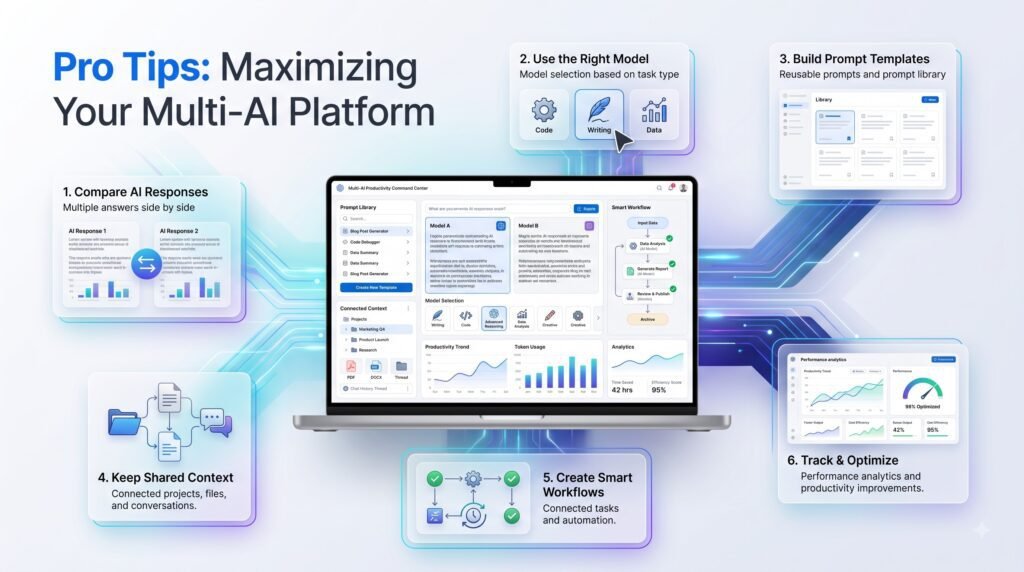
1. Develop Model-Specific Strategies
Learn which models excel at what:
- Use Claude for long-form analysis and nuanced reasoning
- Leverage ChatGPT for creative content and conversational tone
- Turn to Gemini for research and current information
- Deploy specialized models for specific technical tasks
Expert insight: Don’t treat all AI models the same. Like choosing the right tool for a job, selecting the optimal model for each task amplifies your results.
2. Create Template Projects
Save time by building reusable projects:
- “Content Marketing” with system prompts for your brand voice
- “Code Review” with technical specifications and standards
- “Research Assistant” with citation and verification requirements
- “Customer Support” with tone and policy guidelines
Efficiency multiplier: Template projects can reduce setup time from 15 minutes to 15 seconds for recurring work types.
3. Master System Prompts
Your system prompt is the foundation of consistent, high-quality AI responses. Effective system prompts:
- Define clear context and objectives
- Specify desired tone and style
- Include relevant background information
- Set explicit constraints and requirements
- Provide examples of ideal responses
Game-changer: A well-crafted system prompt can improve response quality by 300% or more compared to generic queries.
4. Leverage Comparison for Quality Control
Don’t just read the first response you like. Develop a habit of:
- Reviewing all model responses before selecting one
- Identifying common themes across models (high confidence indicators)
- Investigating discrepancies (potential accuracy issues)
- Combining the best elements from multiple responses
- Using consensus as a verification mechanism
Quality assurance: This approach practically eliminates AI hallucinations from your final work.
5. Experiment Fearlessly
The beauty of a multi-AI platform is the freedom to experiment without consequences:
- Try unusual combinations of models
- Test wild hypotheses across multiple AI perspectives
- Explore creative approaches you might not pursue with a single AI
- Learn from failed experiments without wasting expensive API calls
Innovation unlock: Some of the best insights come from unexpected AI responses. Experimentation is now practically free.
Common Questions About Multi-AI Platforms
“Isn’t Using Multiple AI Models Overkill?”
Short answer: Not for quality work.
Think of it like this: Would you make a major business decision based on one person’s opinion? Would you hire a contractor based on a single quote? Would you invest significant money based on one analyst’s recommendation?
Of course not. You’d seek multiple perspectives, compare options, and make an informed decision.
The same principle applies to AI assistance. For casual questions, one model might suffice. For important work—content that represents your brand, code that powers your products, analysis that drives decisions—multiple perspectives aren’t overkill. They’re due diligence.
“Will This Really Save Me Time?”
Short answer: Yes, dramatically.
The time savings come from:
- Eliminating platform switching (saves 15-30 minutes daily)
- Faster decision-making through instant comparison (saves 10-20 minutes per decision)
- Reduced error correction from cross-verified responses (saves hours of rework)
- Streamlined workflows with organized projects (saves 20+ minutes daily)
Most professionals report recovering 5-10 hours per week—that’s 250-500 hours annually. What’s that worth to you?
“What If I’m Already Comfortable with My Current AI Setup?”
Short answer: You’re leaving massive value on the table.
Comfort is great, but consider what you’re missing:
- Alternative perspectives that might be superior to your current AI’s approach
- Cost savings from consolidated subscriptions
- Time savings from eliminated context-switching
- Quality improvements from cross-model verification
- Workflow efficiency from purpose-built tools
The question isn’t whether to stay comfortable—it’s whether that comfort is costing you time, money, and quality. For most professionals, the answer is a resounding yes.
“How Secure Is My Data Across Multiple AI Models?”
Short answer: As secure as using any individual AI platform—often more so.
Reputable multi-AI platforms like AiZolo employ:
- End-to-end encryption for all communications
- Secure API connections to AI providers
- No storage of sensitive conversation data (or clearly disclosed storage policies)
- Compliance with data protection regulations
- Optional API key management for enhanced control
Important note: When you use BYOK (bring your own keys), you maintain direct control over your data relationship with AI providers.
“Will I Need to Learn a New Platform?”
Short answer: The learning curve is minimal, and the benefits are immediate.
Quality multi-AI platforms are designed for intuitive use. If you can use ChatGPT or Claude, you can use a unified platform. Most users are productive within 30 minutes and fully proficient within a week.
The interface actually simplifies your AI work—you’re learning one well-designed platform instead of juggling multiple different interfaces.
The Future of AI Productivity Is Here
We stand at an inflection point in how professionals interact with AI. The first wave was about accessing AI at all. The second wave brought powerful individual models. Now, we’re entering the third wave: intelligent AI orchestration.
The future isn’t about having access to one powerful AI—it’s about seamlessly leveraging the collective intelligence of multiple AI models, each contributing their unique strengths to your work.
The professionals who recognize this shift and adapt their workflows now will have a significant competitive advantage over those who remain stuck in the single-AI paradigm.
Your Next Steps: Transform Your AI Workflow Today
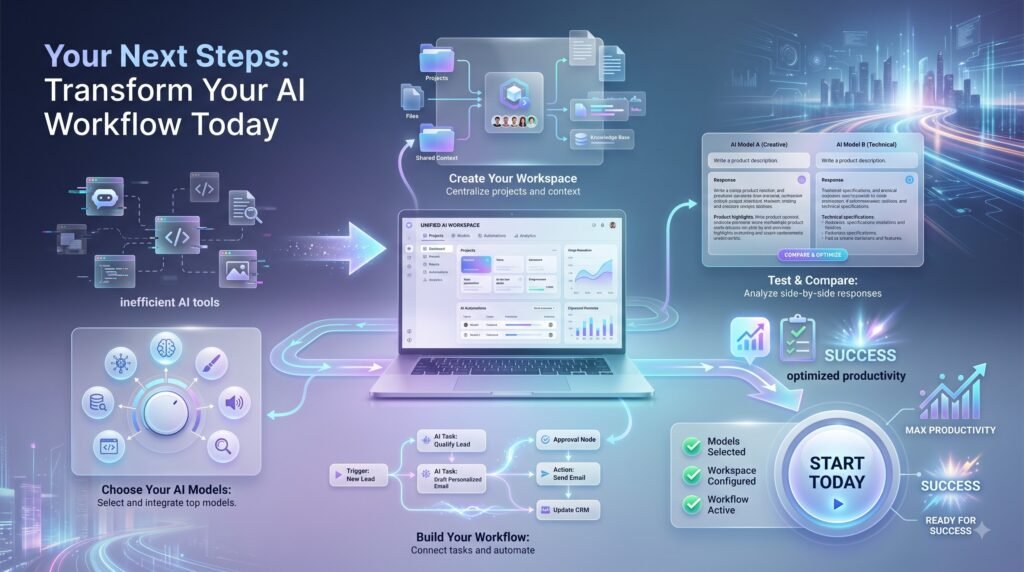
You’ve read about the power of using multiple chatbots in one app. You’ve seen real-world success stories. You’ve learned strategies and best practices. Now it’s time to experience the transformation yourself.
Here’s what to do right now:
1. Experience AiZolo Free
👉 Sign up for a free AiZolo account and test the platform with no risk and no credit card required.
Within minutes, you’ll be comparing responses from multiple AI models simultaneously. You’ll immediately understand why professionals are making the switch.
2. Try It with Real Work
Don’t just explore features—bring a real work challenge to the platform. Use it for an actual project. That’s when you’ll experience the true productivity transformation.
30-Day Challenge: Commit to using AiZolo for all your AI needs for the next 30 days. Track your time savings, quality improvements, and cost reductions. We’re confident you’ll never go back to the multi-subscription chaos.
3. Join the Community
Connect with other professionals who are transforming their AI workflows. Share tips, strategies, and success stories. Learn from others who’ve already made the transition.
4. Spread the Word
If you find value in unified AI platforms (and we’re confident you will), share it with your colleagues and team. The productivity gains multiply when your whole team operates from the same advanced AI workspace.
The Bottom Line: Your Competitive Advantage Starts Now
In today’s rapidly evolving workplace, the professionals who thrive aren’t necessarily those with the most knowledge or experience—they’re those who most effectively leverage available tools and technologies.
AI has become one of the most powerful productivity multipliers in history. But using AI effectively requires more than just having access to powerful models. It requires the right workflows, the right tools, and the right approach.
Using multiple chatbots in one app isn’t just a convenience—it’s a competitive necessity.
The question isn’t whether to adopt multi-AI workflows. The question is: How much longer can you afford to work inefficiently with scattered AI subscriptions and endless tab-switching?
Your more productive, more efficient, and more successful future is just one decision away.
👉 Start your AiZolo journey today and experience what truly optimized AI productivity feels like.
Frequently Asked Questions
Q: Can I use AiZolo with my existing AI subscriptions?
A: Absolutely! AiZolo is designed to work alongside or replace your existing subscriptions. You can bring your own API keys from OpenAI, Anthropic, Google, and other providers, or use AiZolo’s built-in access to premium models.
Q: How many AI models can I compare simultaneously?
A: AiZolo supports simultaneous comparison of multiple AI models, with customizable layouts to show as many or as few as you need for your specific workflow.
Q: Is there a limit on how many projects I can create?
A: Project limits vary by plan. Pro and Annual plans offer generous or unlimited project creation to support your organizational needs.
Q: Can I export or share my AI conversations?
A: Yes! AiZolo includes robust export and sharing features, allowing you to save conversations, share projects with team members, and maintain organized records of your AI interactions.
Q: What happens if one AI model is temporarily unavailable?
A: AiZolo’s infrastructure includes automatic failover and smart routing. If one model experiences issues, your other models continue working seamlessly, ensuring minimal disruption to your workflow.
Q: Can I try before committing to a paid plan?
A: Absolutely! AiZolo offers a free tier that lets you explore the platform’s core features with no credit card required. It’s the perfect way to experience multi-AI workflows risk-free.
Q: How does BYOK (Bring Your Own Keys) work?
A: Simply add your API keys from supported providers (OpenAI, Anthropic, Google, etc.) in your AiZolo account settings. The platform will use your keys when accessing those models, giving you direct control over costs and usage.
Q: Is my data secure when using multiple AI models?
A: Yes. AiZolo employs enterprise-grade security measures including encryption, secure API connections, and compliance with data protection standards. When using BYOK, you maintain direct control over your data relationships with AI providers.
Ready to transform your AI workflow? Join thousands of professionals using AiZolo to work smarter, faster, and more efficiently with AI.
Stop juggling multiple AI subscriptions. Start leveraging the collective intelligence of multiple AI models in one powerful, unified workspace.
