
Most business owners don’t have an AI problem. They have a too many tabs open problem.
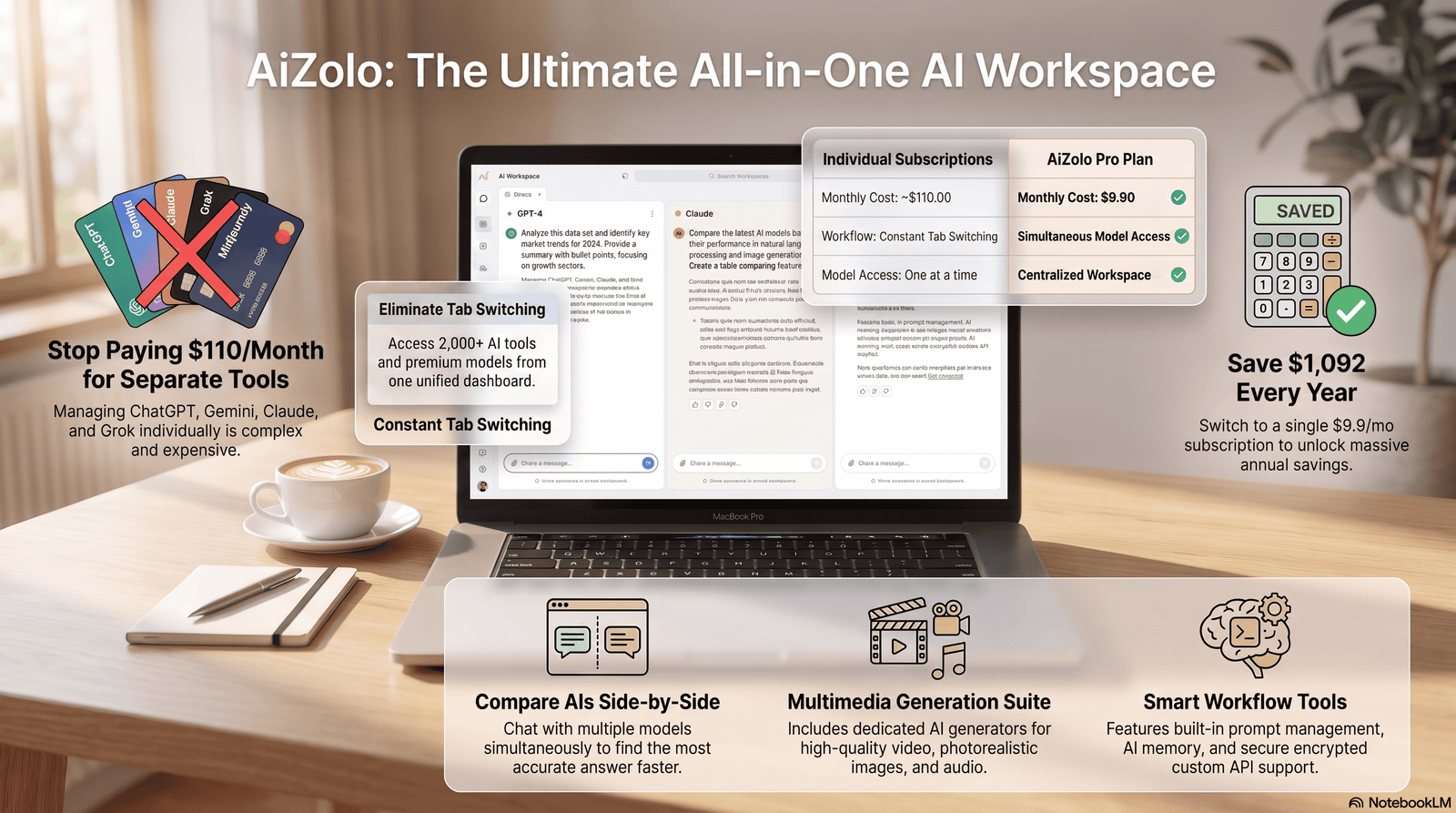
One app drafts emails. Another schedules meetings. A third builds spreadsheets. By lunchtime, you’ve logged into six different dashboards and still haven’t finished the one task you sat down to do. Aizolo brings multiple AI tools together in one platform, eliminating the need to juggle countless apps.
That’s the real reason AI tools for daily business tasks have become such a crowded, confusing category. Everyone promises to save you time. Few of them actually fit together.
This guide is written the way I’d explain it to a friend opening a business: which tools are worth paying for, which ones are hype, and how to build a stack that doesn’t fall apart the moment your team grows.
We’ll walk through 15+ tools in detail — pricing, real limitations, who should avoid them — plus a side-by-side comparison table, a buying framework, and answers to the questions people actually ask before they commit a budget line to AI business software.
By the end, you’ll know exactly which AI productivity tools deserve a spot in your workflow, and which ones are just another subscription you’ll forget to cancel. If you’re looking for an all in one ai subscription, you’ll also discover how a single platform can simplify your workflow while reducing software costs.
Already know you want to consolidate your AI stack and just need the implementation plan? Skip ahead to how to automate daily business tasks using AI, a step-by-step workflow guide that picks up exactly where this comparison leaves off.
Table of Contents
What Are AI Tools for Daily Business Tasks?
AI tools for daily business tasks are software applications that use machine learning and large language models to handle the small, repetitive work that eats up a business day.
That includes drafting emails, summarizing meetings, generating reports, building spreadsheets, answering customer questions, and scheduling calls.
The difference between these tools and older business software is simple. Older tools ask you to do the work with better templates. AI tools attempt to do a first draft of the work itself.
Think of AI business software as a junior assistant who never sleeps, works across every app you own, and gets better the more context you give it.
It’s not a replacement for judgment. It’s a way to skip the blank page.
Why Businesses Are Using AI Every Day
Three things changed at once.
Cost. A capable AI assistant now costs $10 to $30 a month, not the price of a part-time hire.
Capability. Current-generation models handle long documents, multi-step reasoning, and messy real-world instructions far better than the chatbots of just two years ago.
Habit. Once a founder gets used to drafting an email in ten seconds instead of ten minutes, going back feels genuinely painful.
Small businesses and freelancers were quick to adopt AI business assistants because the return on investment shows up immediately. There’s no procurement process, no IT ticket. You sign up and start saving time that afternoon.
Larger teams have followed for a different reason: consistency. AI office productivity tools help enforce a single tone, a single process, and a single source of truth across a growing headcount.
Benefits of AI Business Tools
The benefits of AI productivity tools tend to fall into five buckets.
- Time savings. Drafting, summarizing, and formatting tasks that took 30 minutes now take five.
- Consistency. AI business assistant tools apply the same tone and structure every time, which matters for brand voice.
- Lower cost of entry. A solo founder can access research, design, and writing help that used to require three separate hires.
- Faster decisions. AI data analysis tools turn raw spreadsheets into plain-English summaries in seconds.
- 24/7 coverage. AI customer support tools and AI scheduling tools keep working outside business hours.
None of this means AI replaces expertise. It means the busywork around expertise shrinks, so the expertise itself gets more room to matter.
Types of AI Business Tools
Not every business needs every category below. Most teams end up using four or five.
- Writing — drafting emails, blog posts, proposals, and internal docs
- Meetings — transcription, summaries, and action items
- Scheduling — finding times, booking calls, managing calendars
- Automation — connecting apps and triggering multi-step workflows
- CRM — logging interactions, scoring leads, drafting follow-ups
- Marketing — ad copy, campaign ideas, content calendars
- Customer support — chatbots, ticket triage, help-center answers
- Sales — call summaries, proposal generation, objection handling
- Research — market analysis, competitor tracking, source-backed answers
- Data analysis — spreadsheet cleanup, trend detection, forecasting
- Design — social graphics, presentations, brand assets
- Collaboration — shared docs, wikis, and knowledge bases with built-in AI
- Coding — code generation, debugging, and technical documentation
- Documents — contract review, PDF summarization, template generation
Best AI Tools for Daily Business Tasks (15+ Reviewed)
Pricing below reflects publicly listed rates as of mid-2026. AI pricing moves fast — always check the vendor’s page before you buy.
1. ChatGPT (OpenAI)
Overview: The most widely used AI business assistant on the planet, with roughly 700–900 million weekly users. Strong for writing, brainstorming, and general research.
Best for: Teams that want the broadest feature set — voice, image, video, and a large plugin ecosystem — in one app.
Key features: GPT-5.5 model access on paid tiers, Deep Research, Agent Mode, Sora video, Custom GPTs, Advanced Voice Mode, 60+ business connectors.
Pros: Huge ecosystem, frequent updates, strong general-purpose writing and coding.
Cons: Tier naming is confusing (two different “Pro” plans), free tier now shows ads in the US, message limits on lower tiers.
Pricing: Free; Go ~$8/mo; Plus $20/mo; Pro $100–$200/mo; Business ~$20–25/seat/mo (2-seat minimum); Enterprise custom (150+ seats).
Free plan? Yes, with ads and tighter limits.
Real business example: A two-person marketing agency uses Plus to draft client email sequences and repurpose blog posts into social captions.
Limitations: Free tier’s message caps interrupt real workflow within days; the API is billed separately from the subscription.
Who should avoid it: Teams needing strict EU data residency on standard consumer plans, or anyone who only needs one narrow task (a dedicated tool is often cheaper).
Overall verdict: The safest default choice for a general-purpose AI business assistant, especially if your team touches writing, research, and light coding.
2. Claude (Anthropic)
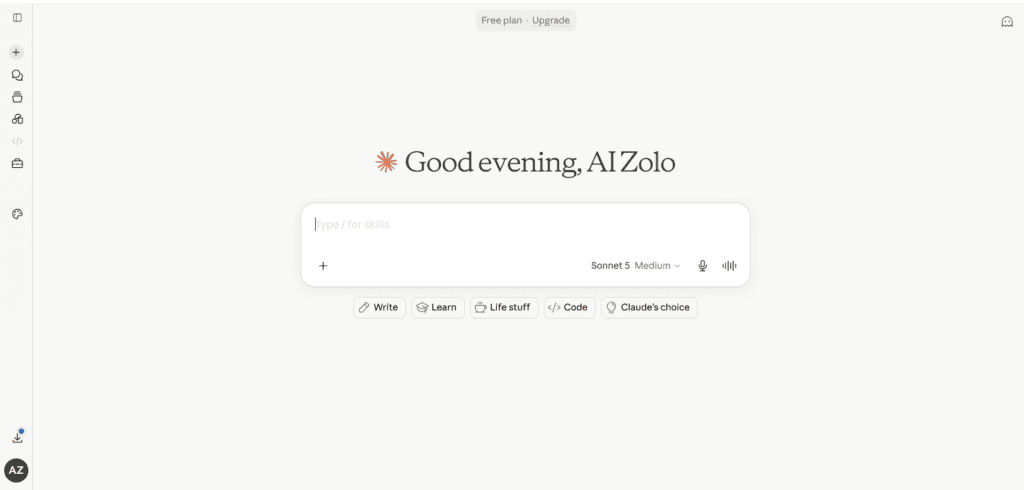
Overview: Built by Anthropic, Claude is known for long-context reasoning, careful writing, and strong performance on coding benchmarks.
Best for: Long documents, contracts, research synthesis, and teams that value cautious, well-reasoned output.
Key features: Up to a 1-million-token context window on Max, Claude Cowork for multi-step agentic tasks, Claude Code for developers, Google Workspace integration, file creation.
Pros: Excellent at digesting very long documents in one pass, transparent model selection, competitive pricing.
Cons: Smaller consumer media ecosystem than ChatGPT (no dedicated video generation product), usage limits aren’t published as exact numbers.
Pricing: Free; Pro $20/mo (~$17/mo annual); Max 5x $100/mo; Max 20x $200/mo; Team Standard ~$20–25/seat; Enterprise custom.
Free plan? Yes, with rolling session limits.
Real business example: A consulting firm uses Claude to summarize 100-page due-diligence reports and draft client-ready findings in a fraction of the time.
Limitations: No native video generation; smaller third-party plugin marketplace than ChatGPT.
Who should avoid it: Teams that specifically need in-app video generation or a massive consumer plugin store.
Overall verdict: The strongest pick for document-heavy, writing-heavy, or coding-heavy work where accuracy and context length matter more than media features.
3. Google Gemini
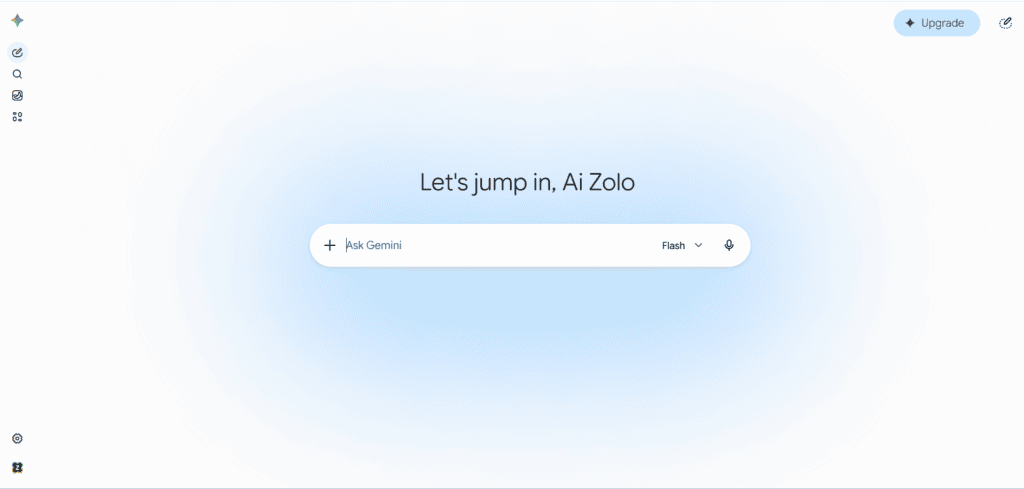
Overview: Google’s AI assistant, deeply woven into Gmail, Docs, Sheets, and Drive, with one of the largest context windows on the market.
Best for: Teams already living inside Google Workspace who want AI baked into email, docs, and sheets without switching apps.
Key features: Up to a 1–2 million token context window, Gemini Live voice mode, NotebookLM research tools, Deep Research, native multimodal input (text, image, audio, video).
Pros: Massive context window, tight Workspace integration, competitive pricing versus Copilot at the enterprise tier.
Cons: Advanced features increasingly require a separate add-on on top of a Workspace subscription; less useful outside the Google ecosystem.
Pricing: Free; Google AI Pro (formerly Gemini Advanced) ~$19.99/mo; Google AI Ultra $200/mo; Workspace add-ons roughly $20–36/user/mo on top of a base Workspace plan.
Free plan? Yes, including limited Deep Research and Gemini Live.
Real business example: An operations team uses Gemini inside Sheets to turn a messy expense export into a categorized monthly report without formulas.
Limitations: Advanced reasoning and video generation features are increasingly gated behind add-ons; less natural for teams outside Google Workspace.
Who should avoid it: Businesses standardized on Microsoft 365, where Copilot will feel far more native.
Overall verdict: The best choice for Google Workspace shops that want AI inside the documents and inboxes they already use daily.
4. Microsoft Copilot
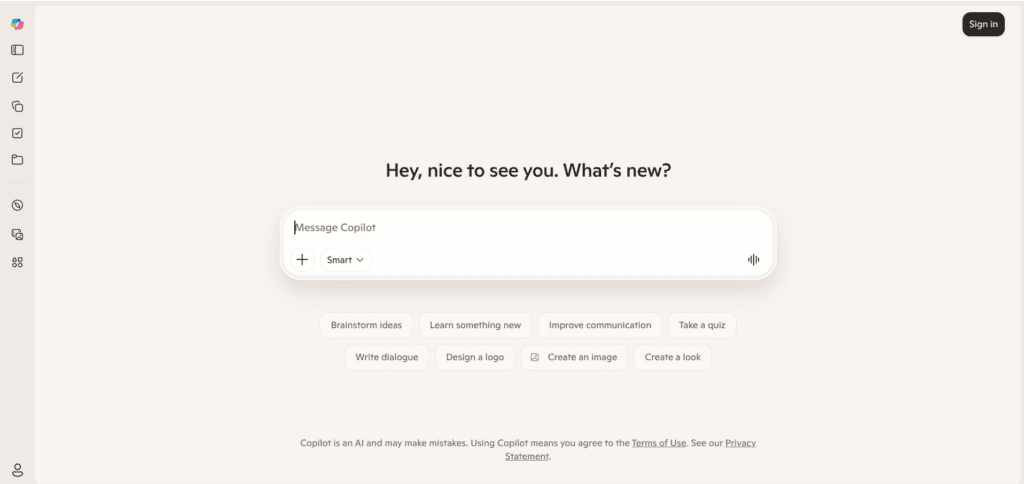
Overview: Microsoft’s AI layer across Word, Excel, Outlook, Teams, and PowerPoint, currently built on OpenAI’s GPT models.
Best for: Organizations already paying for Microsoft 365 who want AI drafting, summarizing, and analysis inside the apps their staff already use.
Key features: Drafting in Word, formula generation and analysis in Excel, inbox triage in Outlook, meeting recaps in Teams, slide generation in PowerPoint.
Pros: Deep, native integration inside Office apps; strong for structured business documents and meeting summaries.
Cons: Requires a base Microsoft 365 license plus the Copilot add-on, which makes total cost harder to predict; smaller context window than Gemini or Claude.
Pricing: Microsoft 365 Premium (individual) ~$19.99–25/mo; Business tiers roughly $27–43/user/mo depending on the Microsoft 365 plan; Enterprise add-on around $30/user/mo on top of an E3/E5 base license.
Free plan? A limited free web version exists; full Copilot requires a Microsoft 365 subscription.
Real business example: An HR coordinator uses Copilot in Outlook and Word to draft offer letters and summarize a week of candidate email threads.
Limitations: Total cost stacks quickly once you add the required base license; smaller context window than some competitors.
Who should avoid it: Solo users or small teams not already committed to Microsoft 365 — the bundled pricing makes it a poor standalone choice.
Overall verdict: The natural pick for Microsoft-first organizations, especially larger teams already paying for E3 or E5 licenses.
5. Perplexity
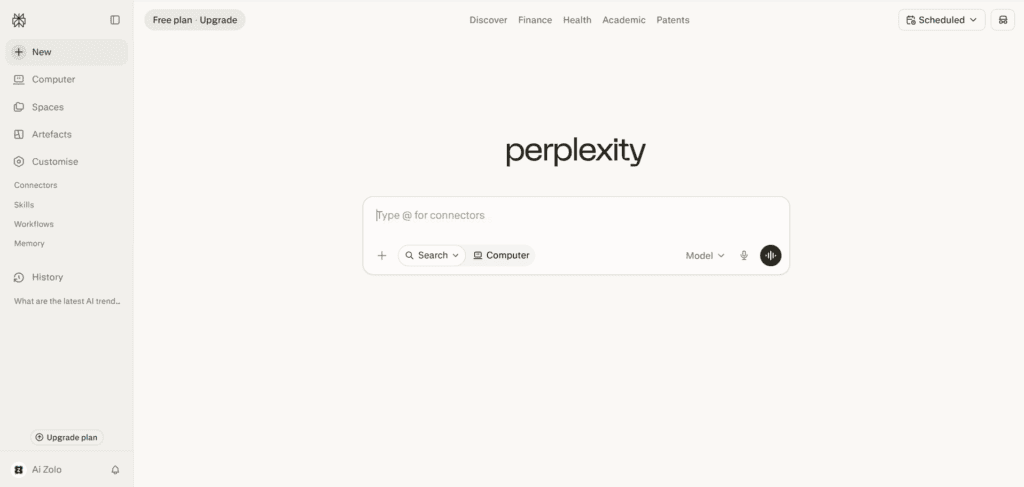
Overview: An AI-powered answer engine that returns cited, sourced responses instead of a plain chat reply, with access to several underlying frontier models.
Best for: Research-heavy roles — marketing, consulting, journalism, competitive intelligence — where source citations matter.
Key features: Model switching between GPT, Claude, and Gemini variants; Deep Research reports; Spaces for organizing sources; the free Comet browser.
Pros: Citations reduce the “did the AI make this up” problem; strong for live, current-event research.
Cons: Deep Research reports have occasionally cited broken or mismatched sources, so verification is still necessary.
Pricing: Free; Pro $20/mo (~$200/yr); Max $200/mo; Education Pro $10/mo (verified students); Enterprise Pro from $40/seat/mo.
Free plan? Yes, with a daily cap on advanced “Pro” searches.
Real business example: A sales team uses Perplexity before every discovery call to pull a two-minute, cited briefing on a prospect’s recent news and funding.
Limitations: Not built for long-form creative writing; treat Deep Research output as a draft that still needs a human check on sources.
Who should avoid it: Teams whose primary need is content generation rather than research and fact-finding.
Overall verdict: The best AI research tool for anyone who needs an answer they can defend in a meeting, not just an answer.
6. Notion AI
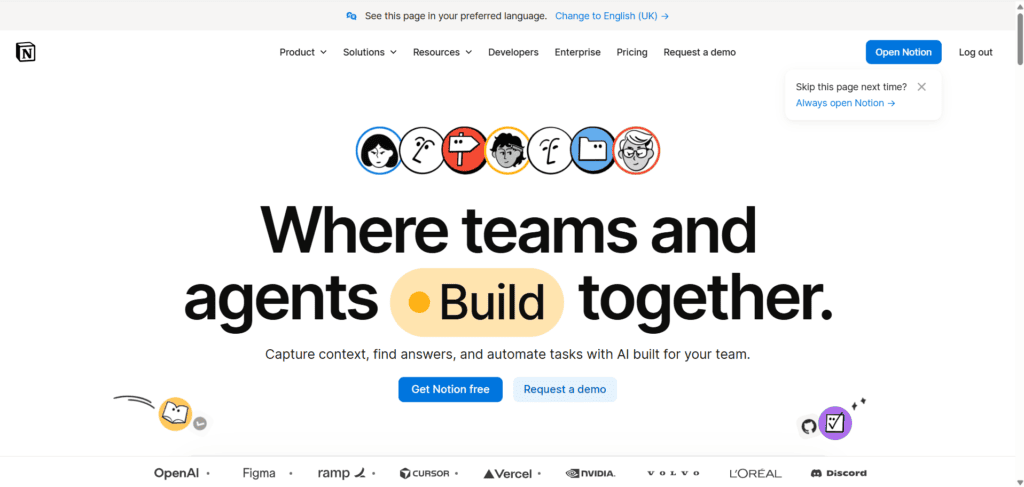
Overview: An AI layer built into the Notion workspace platform, combining docs, databases, and AI search into one place.
Best for: Teams that already run their documentation, wikis, and project tracking inside Notion.
Key features: Notion Agent for multi-step tasks, AI-powered workspace search grounded in your own pages, AI meeting notes, cross-app Enterprise Search.
Pros: AI answers are grounded in your team’s actual documents, not just the open web; genuinely useful for onboarding and internal knowledge.
Cons: Full AI features are now bundled only into the Business tier, which raises the effective price for anyone who just wants writing help.
Pricing: Free; Plus ~$10/seat/mo; Business ~$20/seat/mo (includes AI); Enterprise custom.
Free plan? Yes, but without the full AI suite.
Real business example: A startup uses Notion AI search so new hires can ask “what’s our refund policy” and get an answer sourced from the actual internal doc.
Limitations: The standalone AI add-on was discontinued, so teams that only want AI now pay for the higher-tier workspace plan.
Who should avoid it: Teams not using Notion for documentation already — buying it purely for the AI rarely makes financial sense.
Overall verdict: A strong AI document automation pick if Notion is already your knowledge base; a weak standalone AI purchase if it isn’t.
7. Canva AI (Magic Studio)
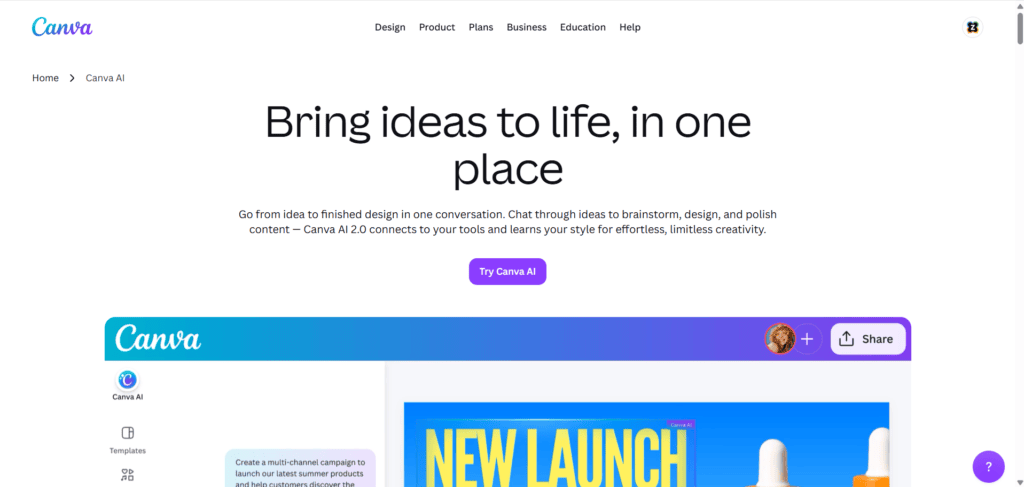
Overview: Canva‘s AI design suite, built into its drag-and-drop design platform, aimed at non-designers who need marketing visuals fast.
Best for: Small teams producing social graphics, presentations, and marketing assets without a dedicated designer.
Key features: Magic Design for template-matched layouts, background removal, text-to-image generation, brand kit consistency across assets.
Pros: Extremely low learning curve, huge template library, strong for volume content like social posts and one-pagers.
Cons: Output leans template-driven rather than fully custom; not a replacement for a skilled designer on brand-critical work.
Pricing: Free; Canva Pro roughly $12–15/mo (individual); Teams pricing scales per seat.
Free plan? Yes, with limited AI credits.
Real business example: A marketing team drafts 50 social graphics and a pitch deck in an afternoon using Magic Design and shared brand templates.
Limitations: Not pixel-perfect custom design; heavy reliance on templates can make output look generic if brand guidelines aren’t tightly applied.
Who should avoid it: Agencies or brands needing highly original, award-caliber visual design.
Overall verdict: The most practical AI design tool for non-designers who need “good enough, fast” marketing visuals.
8. Zapier (AI Automation)
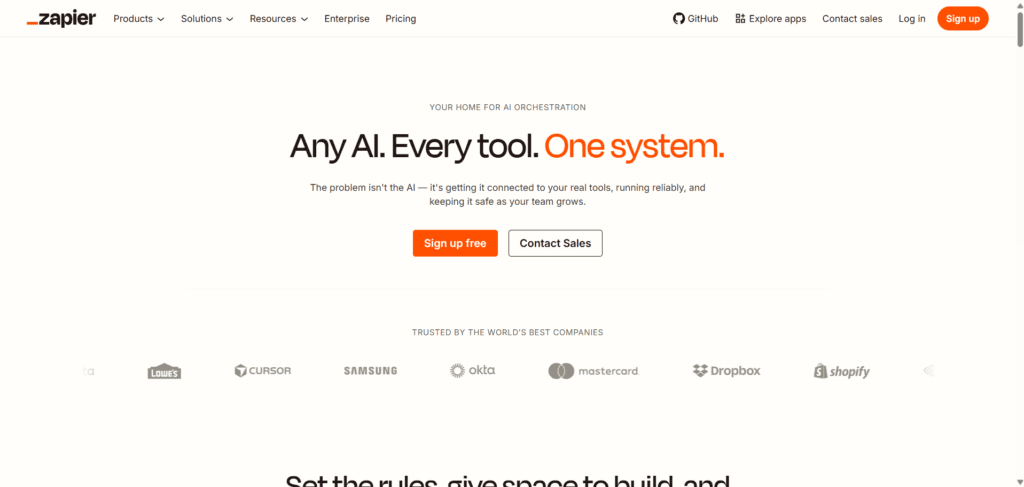
Overview: The largest no-code automation platform, connecting thousands of apps with AI steps for text generation, classification, and summarization built into the workflow.
Best for: Businesses that need to move data between tools automatically — CRM to invoicing, forms to project boards, email to spreadsheets.
Key features: 7,000+ app integrations, AI-powered Zaps, Copilot for building workflows conversationally, Tables and Forms.
Pros: Unmatched breadth of integrations; the most functional free tier among automation tools.
Cons: Complex multi-step workflows can get expensive quickly as task volume grows; troubleshooting broken Zaps takes real time.
Pricing: Free (100 tasks/mo); Starter ~$20/mo; Professional ~$49/mo; Team ~$69/mo; Enterprise custom.
Free plan? Yes, genuinely usable for light automation.
Real business example: A small business auto-routes new form submissions into its CRM, drafts a follow-up email with AI, and notifies the sales rep on Slack — with zero manual steps.
Limitations: Costs scale with task volume, which can surprise teams that automate aggressively; not a content-generation tool on its own.
Who should avoid it: Teams with very simple, single-tool workflows that don’t need cross-app automation.
Overall verdict: The essential AI workflow automation tool once your business runs on more than two or three connected apps.
9. Grammarly
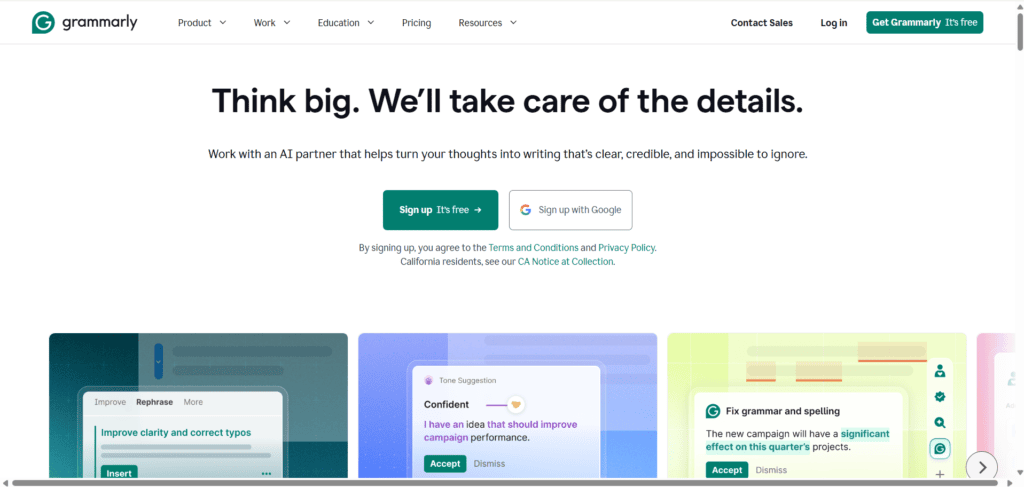
Overview: The long-standing AI writing assistant, now expanded well beyond spell-check into tone, clarity, and full draft generation.
Best for: Distributed teams that write customer-facing content across many tools and need consistent tone and grammar.
Key features: Tone detection, clarity rewrites, full paragraph generation, browser extension and desktop app that works almost everywhere you type.
Pros: Works inside nearly every app rather than requiring a separate window; strong for enforcing brand voice at scale.
Cons: Not built for non-English-first teams; overlaps with capabilities already inside ChatGPT or Claude for some users.
Pricing: Free; Pro ~$12/mo; Business ~$15/seat/mo (3-seat minimum); Enterprise custom.
Free plan? Yes, covering core grammar and spelling.
Real business example: A customer support team uses Grammarly Business to keep tone consistent across ten agents replying to tickets in the same brand voice.
Limitations: Primarily an English-language tool; less useful for teams that write natively in other languages.
Who should avoid it: Teams whose primary written output isn’t in English, or that already rely on a general AI assistant for the same editing job.
Overall verdict: A worthwhile, low-cost layer for any team where consistent written tone directly affects the brand.
10. ClickUp AI (Brain)
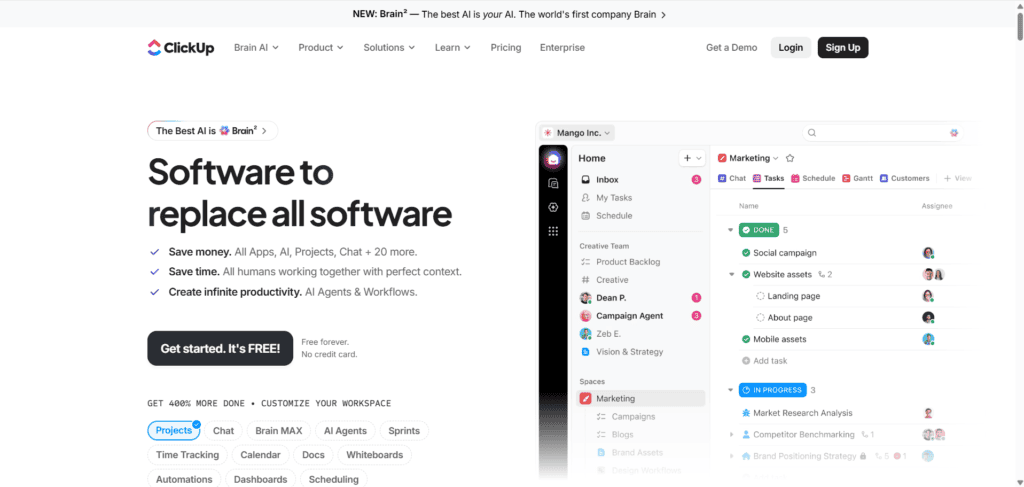
Overview: An AI layer built directly into the ClickUp project management platform, with access to your actual tasks, docs, and project data.
Best for: Teams whose main coordination hub is already a project management tool rather than a document wiki.
Key features: Task-aware AI answers grounded in real project state, automated status reports, document drafting from task data, standup summaries.
Pros: Answers are grounded in your actual task and project data, not a generic model response; strong for status reporting.
Cons: Less useful outside of active ClickUp users; can feel like feature overload for very small teams.
Pricing: Free; Unlimited plan ~$7/user/mo; Business ~$12/user/mo; Enterprise custom (AI available as an add-on on most paid plans).
Free plan? Yes, with limited AI access.
Real business example: A project manager who used to spend two hours every Monday writing status updates now gets an AI-generated draft pulled straight from real task progress.
Limitations: Value depends entirely on how much of your actual work already lives inside ClickUp.
Who should avoid it: Teams using a different core project management tool — bolting on ClickUp just for the AI rarely pays off.
Overall verdict: One of the strongest AI task management tools for teams that already run projects through ClickUp.
11. Otter.ai
Overview: A dedicated AI meeting assistant that transcribes, summarizes, and extracts action items from calls in real time.
Best for: Any team running frequent video calls that wants automatic notes without a human note-taker.
Key features: Live transcription, automated summaries, action-item extraction, integration with Zoom, Google Meet, and Teams.
Pros: Genuinely frees up whoever would otherwise be typing notes during the call; searchable meeting history over time.
Cons: Transcription accuracy drops with heavy accents, cross-talk, or poor audio; summaries still need a human skim for nuance.
Pricing: Free (limited minutes); Pro ~$10–17/mo; Business ~$20–30/user/mo; Enterprise custom.
Free plan? Yes, with a monthly transcription minute cap.
Real business example: A sales team automatically gets a call recap and next-step list in their CRM minutes after every discovery call ends.
Limitations: Not a general-purpose writing tool; its value is narrowly focused on meetings.
Who should avoid it: Teams that rarely meet by video or already get meeting notes through Zoom’s or Teams’ built-in AI recap features.
Overall verdict: A near-essential AI meeting assistant for any team drowning in unwritten follow-ups.
12. HubSpot AI
Overview: AI features built into HubSpot‘s CRM, covering marketing, sales, and customer support in one connected system.
Best for: Growing teams that want AI-assisted CRM, email, and marketing automation without stitching together separate tools.
Key features: AI-drafted follow-up emails, lead scoring, content generation for marketing campaigns, chatbot-based customer support.
Pros: AI suggestions are grounded in real contact and deal data; scales cleanly from a small sales team to a full revenue org.
Cons: Full functionality gets expensive quickly as you add marketing, sales, and service hubs; steep learning curve for smaller teams.
Pricing: Free CRM tier; Starter plans from roughly $15–20/seat/mo; Professional and Enterprise tiers scale into the hundreds per month depending on hubs and contacts.
Free plan? Yes, a genuinely usable free CRM with limited AI features.
Real business example: A B2B sales team gets AI-drafted follow-up emails auto-populated with the prospect’s actual deal history and last interaction.
Limitations: Cost climbs fast once you need multiple hubs (marketing, sales, service) at scale.
Who should avoid it: Very small teams that don’t yet need a full CRM — a lighter tool will be cheaper and simpler.
Overall verdict: The strongest AI CRM automation option for teams ready to centralize sales and marketing in one system.
13. Jasper
Overview: An AI writing platform built specifically for marketing teams, with brand voice controls and campaign-focused templates.
Best for: Marketing teams producing high volumes of on-brand copy across channels.
Key features: Brand voice training, campaign templates, team collaboration on drafts, integrations with marketing and SEO tools.
Pros: Purpose-built for marketing workflows rather than general chat; stronger brand-consistency controls than a general AI assistant.
Cons: Meaningfully more expensive than general-purpose AI assistants for similar writing tasks.
Pricing: Creator plans from roughly $39–49/mo; Pro/Teams plans scale higher per seat; Enterprise custom.
Free plan? Typically a limited trial rather than an ongoing free tier.
Real business example: An in-house marketing team uses Jasper’s brand voice profile to keep ad copy consistent across five different freelance writers.
Limitations: Premium pricing is hard to justify unless your team produces marketing copy at real volume.
Who should avoid it: Solo founders or small teams who could accomplish the same output with a general AI writing tool at a fraction of the cost.
Overall verdict: Worth it only once marketing content volume and brand consistency become a genuine operational problem.
14. Fireflies.ai
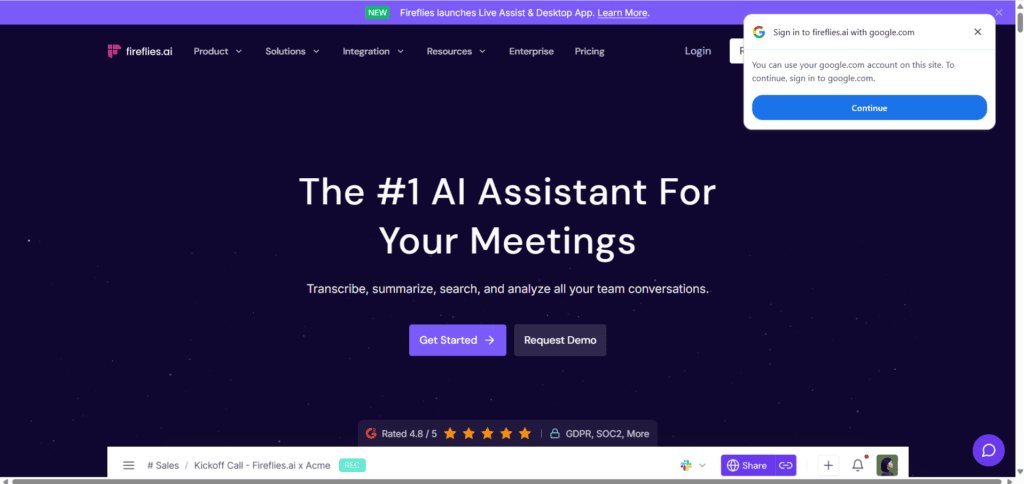
Overview: Another dedicated AI meeting assistant, competing directly with Otter, with stronger CRM and sales-tool integrations out of the box.
Best for: Sales and customer success teams that want meeting notes to flow directly into their CRM.
Key features: Automatic transcription and summaries, CRM auto-logging, conversation intelligence (talk-time ratios, sentiment flags).
Pros: Deep native integrations with popular CRMs; useful sales coaching insights beyond plain transcription.
Cons: Overlaps heavily with Otter.ai — most teams only need one of the two.
Pricing: Free (limited); Pro ~$10–18/mo; Business ~$19–29/user/mo; Enterprise custom.
Free plan? Yes, with limited storage and transcription credits.
Real business example: A sales manager reviews AI-flagged talk-time ratios to coach reps on letting prospects speak more during discovery calls.
Limitations: Same core limitation as any transcription tool — accuracy depends heavily on audio quality.
Who should avoid it: Teams that already use Otter.ai or a native platform recap feature; redundant otherwise.
Overall verdict: A strong AI meeting assistant specifically for revenue teams that want conversation intelligence baked into the CRM.
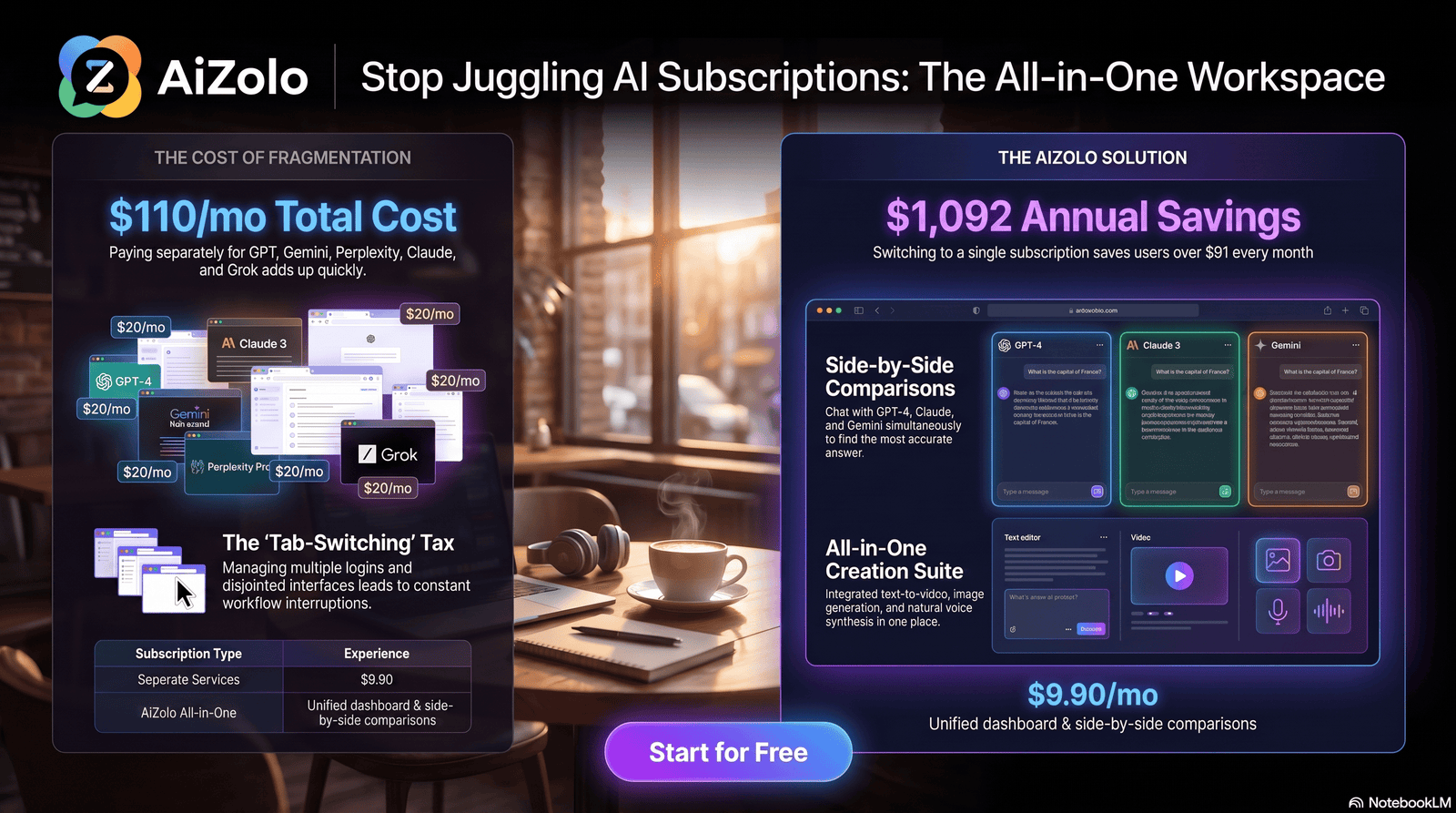
15. Aizolo
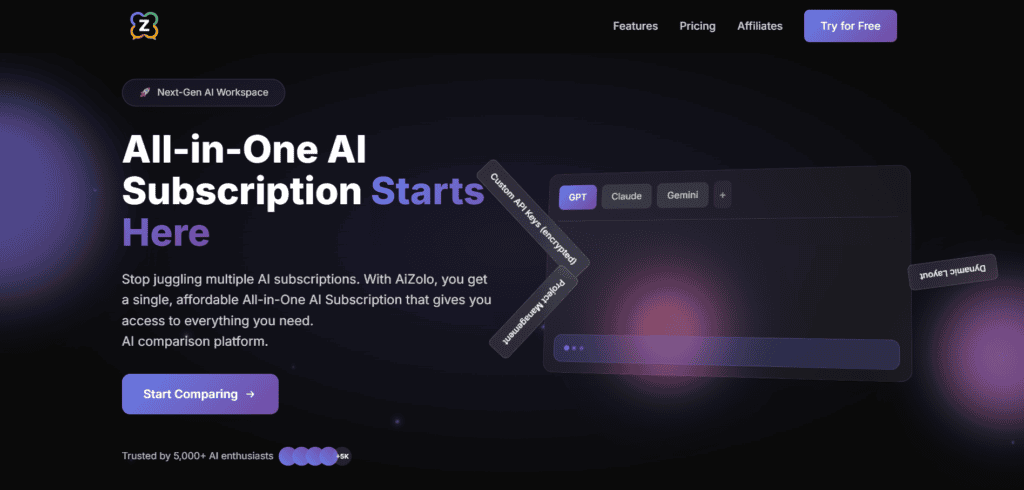
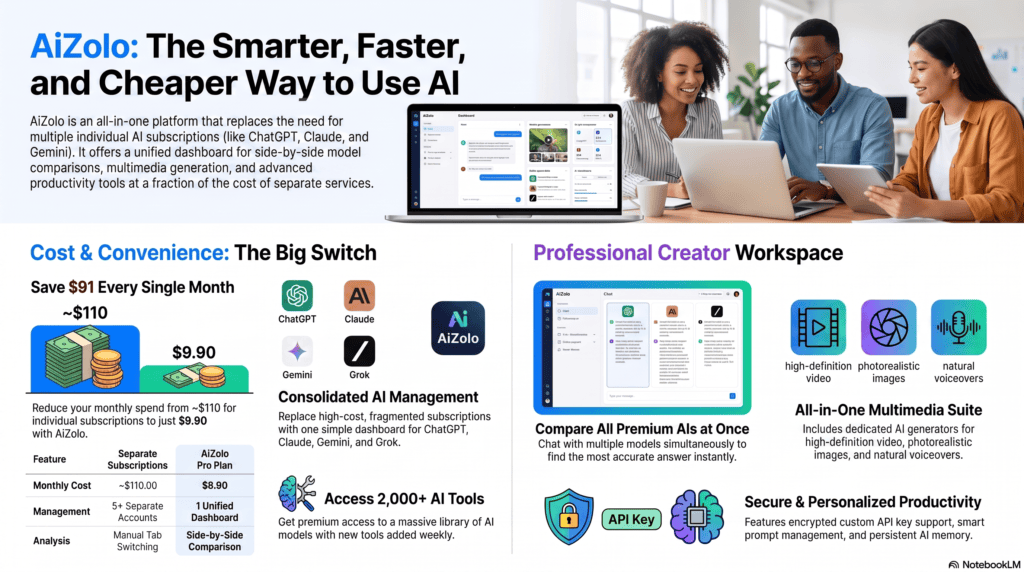
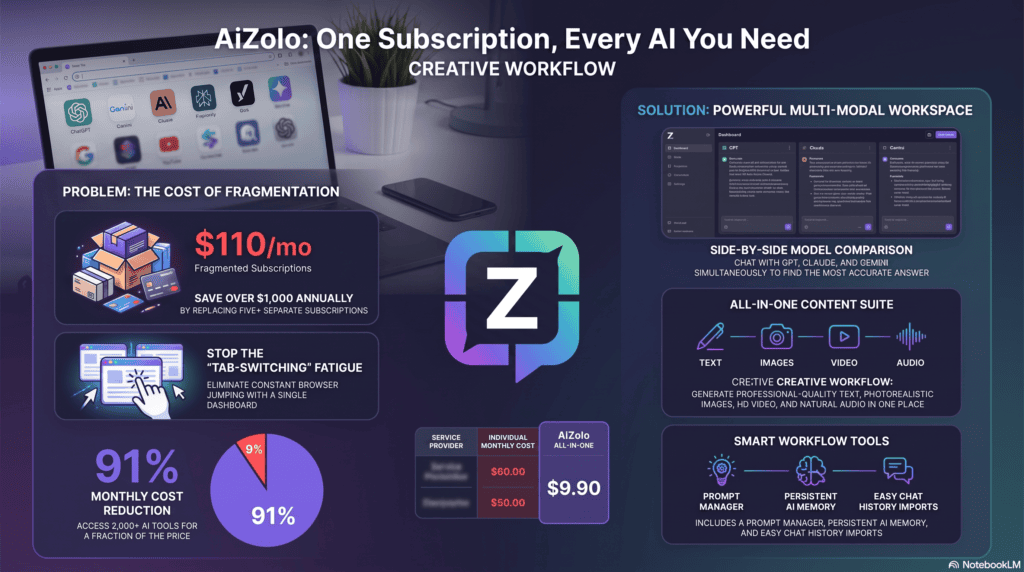
Overview: Aizolo is an all-in-one AI workspace that gives users access to several leading AI models — including ChatGPT, Claude, Gemini, and Perplexity’s Sonar models — from a single subscription and dashboard.
Best for: Freelancers, small teams, and cost-conscious founders who want to compare outputs across multiple models without paying for each one separately.
Key features: Side-by-side model comparison on the same prompt, built-in image, video, and audio generation, a saved prompt library, persistent memory across sessions, and the option to connect your own API keys.
Pros: One subscription instead of several; comparing model responses side by side is genuinely useful for catching errors or picking the strongest answer; image, video, and audio generation are included rather than billed separately.
Cons: As a newer, smaller platform, its community resources and third-party integrations are less mature than category leaders like ChatGPT or Claude; heavy video generation use can consume tokens quickly.
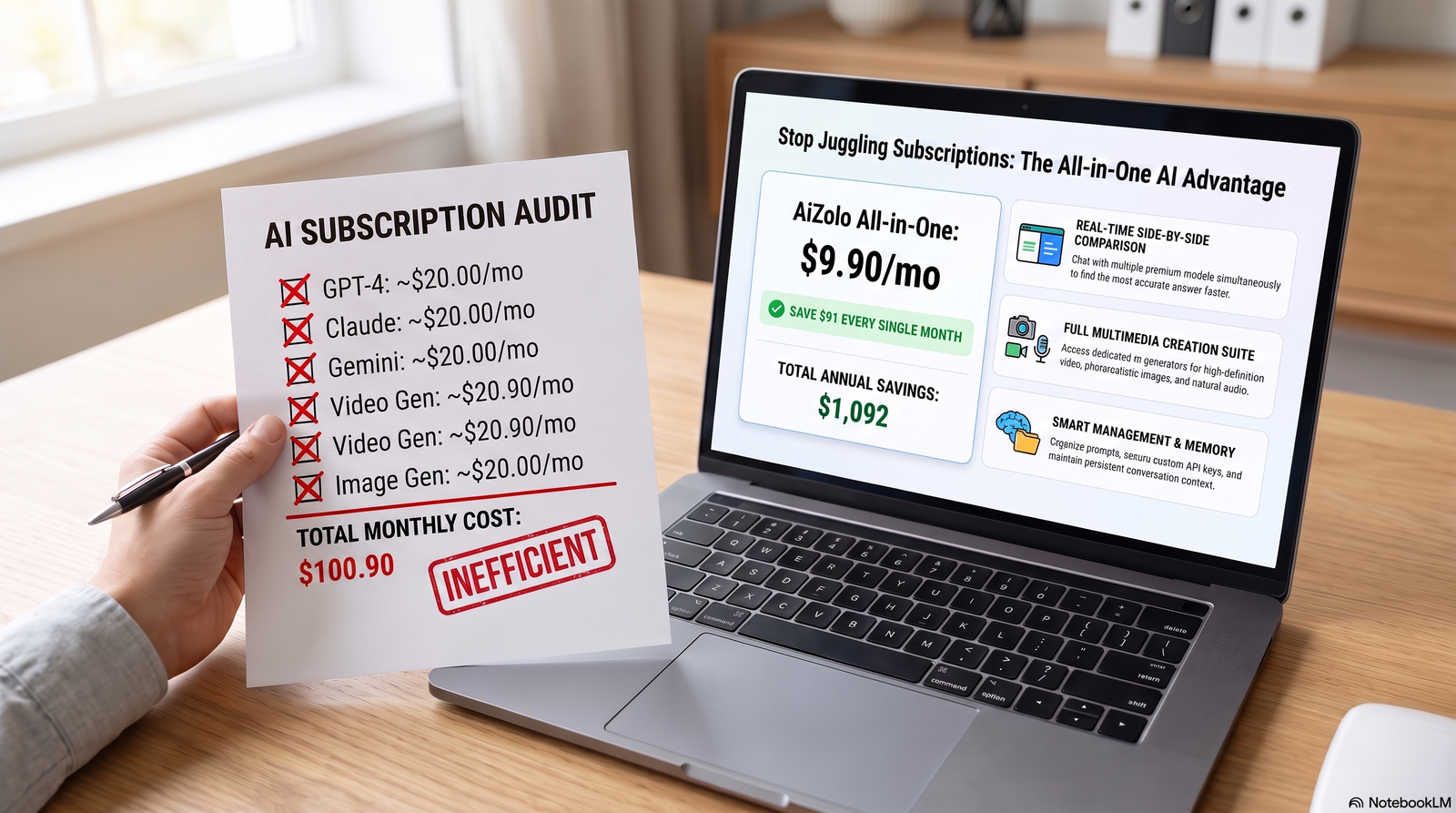
Pricing: Free tier with limited model access; Pro plan around $9.90/mo (roughly $99/yr on annual billing).
Free plan? Yes, with limited tokens and model access.
Real business example: A four-person startup team consolidates what used to be several separate AI subscriptions into one Aizolo plan, and compares AI-generated code suggestions across models before implementing.
Limitations: Smaller model roster and less brand recognition than the major single-model providers; best suited to users who genuinely want to compare models rather than commit to one.
Who should avoid it: Enterprises with strict vendor and compliance requirements around a single named AI provider.
Overall verdict: A genuinely useful, low-cost way to access multiple frontier models in one place — worth strong consideration for anyone currently paying for two or more separate AI subscriptions.
Comparison Table: 11 Leading AI Tools at a Glance
| Tool | Starting Price | Best Use Case | Ease of Use | Automation | Team Collaboration | Integrations | Content Creation | Research | Support | Overall Rating |
|---|---|---|---|---|---|---|---|---|---|---|
| ChatGPT | Free / $20 mo | General-purpose AI assistant | High | Medium | Medium | High | High | Medium | Community + paid | 4.6/5 |
| Claude | Free / $20 mo | Long documents, writing, coding | High | Medium | Medium | Medium | High | Medium | Community + paid | 4.7/5 |
| Gemini | Free / $19.99 mo | Google Workspace integration | High | Medium | High | High (Google) | Medium | High | Community + paid | 4.5/5 |
| Microsoft Copilot | $19.99–25 mo+ | Microsoft 365 integration | Medium | Medium | High | High (Microsoft) | Medium | Medium | Enterprise support | 4.4/5 |
| Perplexity | Free / $20 mo | Cited, sourced research | High | Low | Low | Medium | Low | High | Community + paid | 4.5/5 |
| Notion AI | Free / $20 seat | Workspace + AI knowledge base | Medium | Medium | High | Medium | Medium | Medium | Community + paid | 4.3/5 |
| Canva AI | Free / $12–15 mo | Marketing design assets | High | Low | High | Medium | High (visual) | Low | Community + paid | 4.4/5 |
| Zapier AI | Free / $20 mo | Cross-app automation | Medium | High | Medium | Very High | Low | Low | Community + paid | 4.5/5 |
| Grammarly | Free / $12 mo | Writing tone & clarity | High | Low | Medium | High | Medium | Low | Community + paid | 4.4/5 |
| ClickUp AI | Free / $7 seat | Project-aware task AI | Medium | High | High | Medium | Medium | Low | Community + paid | 4.3/5 |
| Aizolo | Free / $9.90 mo | Multi-model comparison, low cost | High | Low | Low | Medium | High | Medium | Email support | 4.2/5 |
Ratings reflect a synthesis of vendor documentation, published reviews, and typical small-business use cases as of mid-2026. Always verify current pricing and features directly with each vendor before purchasing.
From Picking a Tool to Actually Using It
A tool comparison only solves half the problem. Once you’ve picked a platform — whether that’s one general assistant or a consolidated workspace like Aizolo — the real work is building a repeatable process around it: which tasks to automate first, how to sequence multi-model workflows, and how to avoid the subscription-fatigue trap covered above.
If you want the step-by-step version of that — a task-selection framework, a week-by-week rollout plan, and real implementation examples — see how to automate daily business tasks using AI.
Best All-in-One Recommendation: Why Businesses Are Moving to Unified AI Platforms
Here’s a pattern that shows up in almost every growing business: someone signs up for ChatGPT Plus. A few weeks later, a teammate adds Claude for writing. Then Perplexity for research. Then Gemini because it’s already bundled with Workspace.
Six months in, the business is paying for four or five overlapping AI subscriptions — and nobody’s tracking whether they’re all still worth the money.
That’s the cost-fatigue problem unified AI platforms are built to solve.
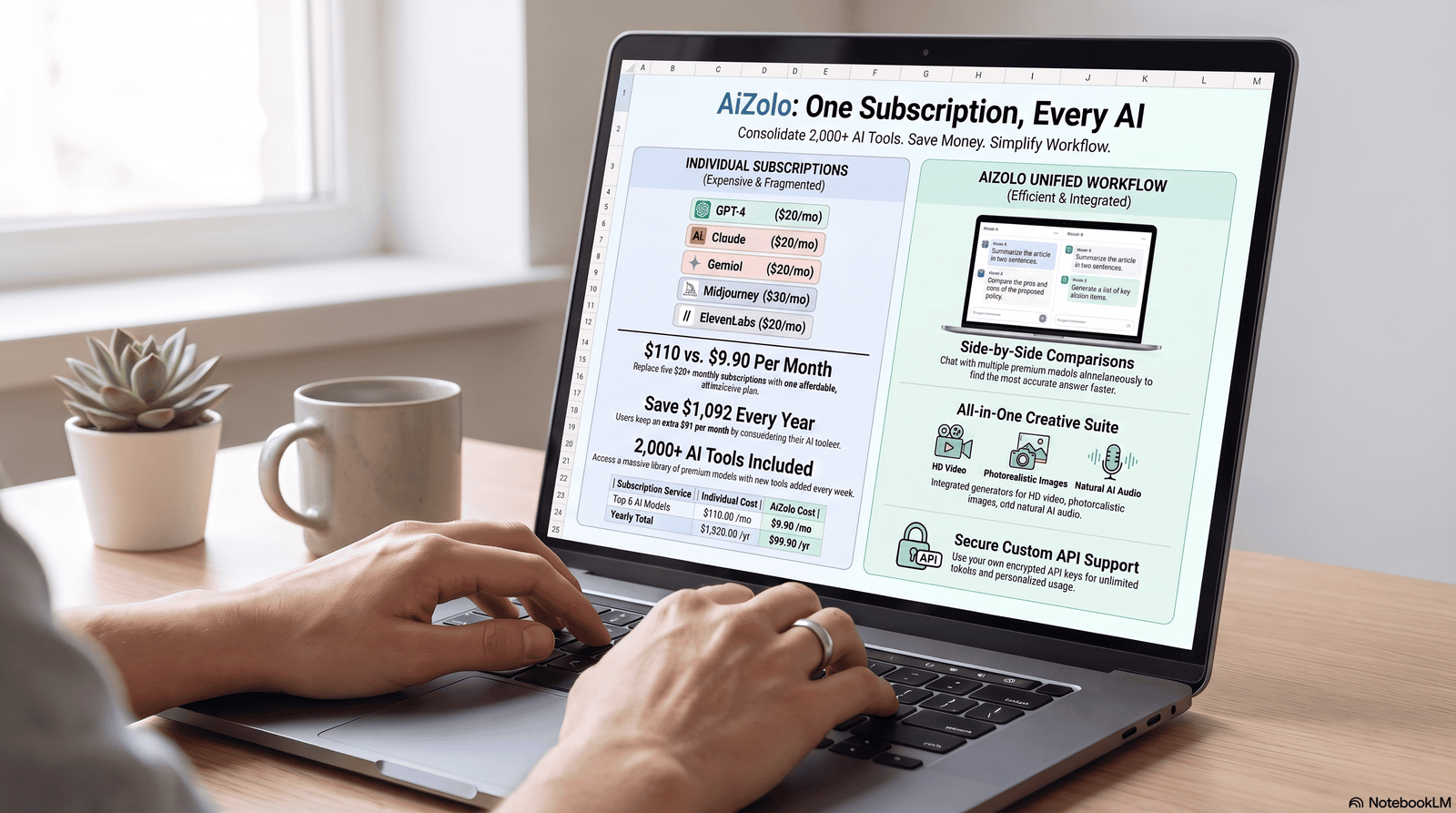
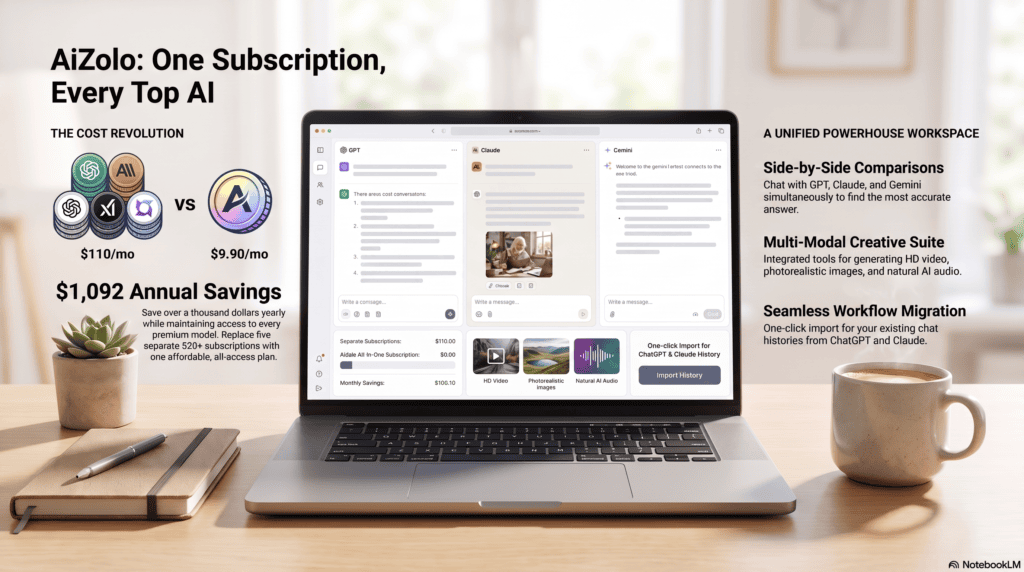
Cost savings. Paying $20 apiece for three or four separate AI tools adds up to $60–$100 a month per person. A single consolidated subscription can cut that meaningfully, especially for small teams watching every line item.
Workflow efficiency. Switching tabs and re-explaining context to a new tool costs real time. A unified workspace keeps the conversation and the context in one place.
Switching between models without switching tools. Different models are genuinely better at different tasks — one may write more naturally, another may reason more carefully through a spreadsheet problem. Comparing them side by side, instead of guessing, is a real advantage.
Centralized workspace. One login, one billing cycle, one place to store your best prompts instead of scattering them across browser bookmarks.
Reduced software fatigue. Fewer passwords, fewer renewal dates to track, fewer “wait, which tool did I use for that” moments.
Aizolo is one option worth knowing about in this space. It’s an all-in-one AI workspace that gives users access to multiple leading AI models — including ChatGPT, Claude, and Gemini — from a single subscription, with side-by-side comparison, built-in image and video generation, and a saved prompt library.
That said, a unified platform isn’t automatically the right call for every business. Teams with strict compliance requirements tied to one named AI vendor, or those needing the very latest flagship feature the day it ships, may still be better served by going direct to the source.
The honest advice: total up what you’re currently paying across separate AI subscriptions first, then decide if consolidation actually saves you money for how your team really works.
Real Business Examples: How Different Roles Use AI Day to Day
Freelancer. A freelance copywriter uses an AI writing assistant to produce first drafts, then spends her time on the editing and strategy work clients actually pay for — cutting turnaround time nearly in half.
Startup. A five-person SaaS startup uses one AI tool for product documentation, another for customer support triage, and an automation platform to connect signups to onboarding emails — all without hiring a dedicated ops person.
Marketing agency. An agency managing five client accounts uses AI to draft campaign variations quickly, then relies on a design tool’s AI layer to turn approved copy into on-brand social graphics same-day.
Consultant. An independent consultant feeds long client reports into an AI assistant with a large context window, gets a clean executive summary in minutes, and spends the saved time on strategic recommendations.
Small business. A local retail business uses an AI scheduling tool to manage staff shifts and an AI customer support chatbot to answer common questions after hours.
Sales team. A B2B sales team gets automatic call summaries and CRM updates after every discovery call, so reps stop losing evenings to manual note-taking.
HR. An HR coordinator uses AI to draft job descriptions, screen resumes for basic qualification match, and summarize a week of candidate email threads.
Customer support. A support team deploys an AI chatbot to instantly answer the 60% of tickets that are repeat questions, freeing agents for the harder cases.
Operations. An operations manager uses AI data analysis tools to turn a messy weekly expense export into a categorized, plain-English summary without touching a formula.
Content creator. A solo YouTuber uses AI to draft video scripts, generate thumbnail concepts, and repurpose long videos into short social clips.
Common Mistakes Businesses Make When Choosing AI Tools
Buying every tool at once. Stacking five subscriptions in month one, before anyone on the team has built a habit with even one of them, almost always leads to abandoned tools and wasted spend.
Ignoring data privacy settings. Many AI tools default to using your inputs for model training. If you’re pasting in client data, confirm the opt-out settings before you start.
Choosing based on hype, not fit. The most talked-about tool on social media isn’t automatically the right one for your specific workflow.
Skipping the free trial. Nearly every serious AI business tool has a free tier or trial. Testing it against a real task for a week tells you more than any comparison article, including this one.
Not training the team. The tool is only as useful as the habits people build around it. A tool with zero onboarding usually gets abandoned within a month.
Forgetting to check for overlap. It’s common to end up paying for the same capability twice — a general AI assistant and a niche tool that does the same job less well.
Buying Guide: How to Choose the Right AI Tool
Budget. Decide on a monthly ceiling per employee before you start comparing tools — most useful AI business tools land between $10 and $30 per seat.
Team size. Solo founders can usually get by with one or two general-purpose tools. Teams of 10+ benefit more from tools with real collaboration and admin controls.
Industry. Regulated industries (healthcare, finance, legal) need to prioritize compliance certifications like SOC 2 over flashy features.
Security. Check whether the vendor trains its models on your data by default, and whether there’s an enterprise-grade opt-out.
Integrations. A tool that doesn’t connect to your existing CRM, calendar, or project management system creates more manual work, not less.
Ease of use. If it takes more than a day to onboard a non-technical teammate, adoption will suffer.
Scalability. Confirm pricing at the team size you expect to be in a year, not just today — per-seat costs compound quickly.
Support. Community-only support is fine for a solo user; a growing team usually needs a vendor with real customer support channels.
Future Trends in Business AI

AI agents. The shift from “answer my question” to “complete this multi-step task on my own” is already underway, with tools like Claude Cowork and ChatGPT’s Agent Mode leading the way.
Autonomous workflows. Expect more tools that trigger themselves based on a schedule or a data change, rather than waiting for a manual prompt.
Voice AI. Advanced voice modes are moving from novelty to genuine daily-use tools for meetings, dictation, and customer support.
Multimodal AI. Models that reason across text, image, audio, and video in a single conversation are becoming the norm rather than the exception.
Business automation. Expect deeper native AI inside CRM, ERP, and accounting software, not just standalone chat tools.
Predictive AI. Forecasting tools that flag cash-flow issues or churn risk before they happen are moving from enterprise-only to small-business-accessible pricing
Frequently Asked Questions
1. What are the best AI tools for daily business tasks? It depends on your workflow, but ChatGPT, Claude, and Gemini cover general writing and research; Zapier handles automation; Notion AI and ClickUp AI work well for teams already using those platforms; and Aizolo is worth considering if you want several models in one subscription.
2. Are AI business tools worth paying for? For most teams, yes. Even a single $20/month AI writing or research tool typically pays for itself within the first few hours of saved time each month.
3. Which AI tool is best for small businesses? There’s no single winner — it depends on whether your bottleneck is writing, research, scheduling, or automation. Start with one general-purpose assistant and add specialized tools only once you feel a specific gap.
4. Can AI tools replace employees? No. AI tools remove repetitive busywork so employees can spend more time on judgment calls, relationships, and strategy — the parts of work AI still can’t reliably do.
5. Is it safe to use AI tools with client data? Check each vendor’s data-training policy before pasting in sensitive information. Most business-tier plans (as opposed to free consumer tiers) offer a no-training-on-your-data guarantee.
6. What’s the difference between ChatGPT and Claude for business use? ChatGPT tends to offer a broader feature set (voice, video, plugins), while Claude is often preferred for long-document analysis and careful, structured writing.
7. Do I need multiple AI subscriptions? Not necessarily. Many businesses overpay by stacking overlapping tools. A unified platform, or simply one well-chosen general assistant, is often enough to start. For the step-by-step process of consolidating an existing multi-tool stack, see our guide on how to automate daily business tasks using AI.
8. How much do AI business tools typically cost? Most individual-tier AI tools fall between $10 and $30 per month per user, with team and enterprise pricing scaling from there.
9. What is an all-in-one AI platform? It’s a single subscription that gives you access to multiple AI models and tools — chat, image, video, automation — instead of paying for each one separately. Aizolo is one example of this category.
10. Which AI tool is best for meetings? Otter.ai and Fireflies.ai are both purpose-built for meeting transcription and summaries; most general AI assistants can also summarize a pasted transcript.
11. Can AI tools help with customer support? Yes. AI chatbots can resolve a meaningful share of repetitive support tickets automatically, freeing human agents for complex cases.
12. What AI tool is best for marketing? Jasper and HubSpot AI are purpose-built for marketing workflows, while Canva AI handles the visual side of campaigns.
13. How do I choose between free and paid AI plans? Start free to confirm the tool actually fits your workflow. Upgrade once you consistently hit usage limits or need collaboration and admin features.
14. Is ChatGPT better than Google Gemini? Neither is universally “better” — ChatGPT offers a broader feature ecosystem, while Gemini’s advantage is its native integration with Google Workspace and its very large context window.
15. What’s the biggest mistake businesses make with AI tools? Buying too many overlapping subscriptions before the team has built a real habit with even one tool.
Conclusion
There’s no single “best” AI tool for every business — only the right combination for how your team actually works.
If you’re just getting started, pick one general-purpose AI assistant and use it daily for two weeks before adding anything else. Layer in a research tool, an automation platform, or a design tool only once you feel a specific, repeated gap.
If the real problem is subscription fatigue — paying for three or four overlapping AI tools and losing track of which one does what — an all-in-one workspace like Aizolo is worth a look. It won’t replace every specialized tool on this list, but it’s a reasonable way to access several leading AI models from one place without committing to a stack of separate subscriptions.
Whatever you choose, the goal is the same one businesses have always had: spend less time on busywork, and more time on the work only you can do.
Distribute 5–8 internal links evenly across the article once slugs are supplied, avoiding more than two links to the same destination.
Author Bio
Jeevesh Tripathi AI Researcher & SEO Content Strategist Email: jeevesh@aizolo.com
Jeevesh Tripathi is an AI researcher and SEO content strategist who evaluates business productivity software for a living. His work focuses on cutting through marketing claims to give business owners a clear, evidence-based view of which AI tools actually save time.
He combines hands-on testing with EEAT-aligned research practices, cross-referencing vendor documentation, independent reviews, and real user feedback before publishing any recommendation. Jeevesh has covered AI platforms across writing, automation, CRM, and design categories, with a particular interest in how small businesses can consolidate AI spend without losing capability. He believes the best AI content should help readers make a confident decision, not just rank on Google.

